Lab 8:Files & I/O and Dictionaries and sets
1. Introduction
The purpose of this week's lab is to:
- Practice working with dictionaries and sets.
- Examine the directory structure and file system on your computer, and understand the concept of absolute and relative paths.
- Read text files in python.
相关信息
If you do not have time to finish all exercises (in particular, the programming problems) during the lab time, you can continue working on them later.
相关信息
If you have any questions about or difficulties with any of the material in this lab, or any of the material covered in the course so far, ask your tutor for help during the lab.
2. The File System
Files and directories are an abstraction provided by the operating system (OS) to make it easier for programmers and users to interact with the underlying storage device (hard drive, USB key, network file server, etc).
In a unix system (like the one in the CSIT labs), or a system running MacOS, the file system is organised into a single directory tree. That means directories can contain several (sub-)directories (or none), but each directory has only one directory directly above it, the one that it is contained in. (This is often called the "parent directory".) The top-most directory in the tree, which is called /, has no parent directory. Every file is located in some directory.
If you are working on a computer running Microsoft Windows, each "drive" will be the root of it's own directory tree. The topmost directory within a drive is the drive letter - followed by a ':', for example "C:". Within each drive, the parent/sub-directory structure is similar to a MacOS or Unix system, where each directory has a single parent directory, but can contain many sub-directories.
2.1 Exercise 0: Navigating the Directory Structure
相关信息
Work through this exercise on your personal computer, or the lab computer.
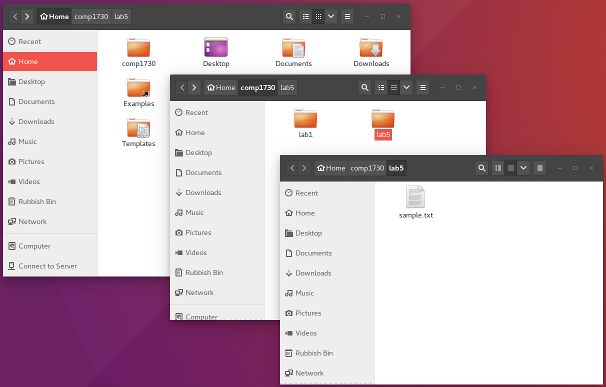
For this exercise, you will need some directories and files to work with. On the lab computer or your personal device, create a directory called comp1730 in your home directory (if you haven't already), and within that directory create one called lab8. You can do this using whichever tool you're familiar with (the command-line terminal or the graphical folders tool).
Next, create a file with a few lines of text (including some empty lines). You can use the editor in the IDE, or any other text editor, to write the file. (If you don't know what to write, just copy some text from this page.) Save your file with the name sample.txt in the lab8 directory.
When you are done, you should have something like the following:
In the python3 shell, import the os module:
In [1]: import osThis module provides several useful functions for interacting with the file system; in particular, it can let you know what the current working directory is, and change that. Try the following:
In [2]: os.getcwd()
Out [2]: 'NNNNN'
The value returned will depend on your operating system and where you are running Python from. From here onwards, where we ask you to type "NNNNN" you should use whatever was returned in Out [2].
If you are running Linux or MacOs try:
In [3]: os.chdir('NNNNN/comp1730')
In [4]: os.getcwd()
Out [4]: ...
Where "NNNNN" was the value returned in Out [2]
If you are running Windows try:
In [3]: os.chdir('NNNNN\\comp1730')
In [4]: os.getcwd()
Out [4]: ...
Where again "NNNNN" was the value returned in Out [2]
You should find that the current working directory is now 'NNNNN/comp1730'. The os.chdir ("change directory") function changes it.
The location given in the example above is absolute: it specifies the full path, from the top-level ("root") directory or drive. A relative path specifies a location in the directory structure relative to the current working directory. Try
In [5]: os.chdir('lab8')
In [6]: os.getcwd()
Out [6]: ...
In [7]: os.chdir('..')
In [8]: os.getcwd()
Out [8]: ...
The path .. means "the parent directory". So, for example, if your current working directory is NNNNN/comp1730/lab8 and you also have a lab1 directory in comp1730, you can change to it with
os.chdir('../lab1')Finally, the os.listdir function returns a list of the files and subdirectories in a given directory. If you have created the text file sample.txt (and nothing else) in comp1730/lab8, then
os.listdir('NNNNN/comp1730/lab8')  # Linux or MacOS
os.listdir('NNNNN\\comp1730\\lab8')  # Windows
should return ['sample.txt'], while
os.listdir('..')will return a list of the subdirectories and files in the parent of the current working directory.
2.2 Exercise 1: Reading Text Files
相关信息
Work through this exercise on your personal computer, or the lab computer.
Reading a text file.
To read the sample text file that you created in python, you can do the following:
In [1]: fileobj = open("sample.txt", "r")
In [2]: fileobj.readline()
Out [2]: ...
In [3]: fileobj.readline()
Out [3]: ...
(This assumes the current working directory is where the file is located, i.e., 'NNNNN/comp1730/lab7'. If not, you need to give the (absolute or relative) path to the file as the first argument to open.) You can keep repeating fileobj.readline() as many times as you wish. Notice that each call returns the next line in the file: the file object keeps track of the next point in the file to read from. When you get to the end of the file, readline() returns an empty string. Also notice that each line has a newline character ('\n') at the end, including empty lines in the file.
When you are done reading the file (whether you have reached the end of it or not), you must always close it:
In [4]: fileobj.close()Walking through the contents of the file with a for loop.
A more convenient way to iterate through the lines of a text file is using a for loop. The file object that is returned by the built-in function open is iterable, which means that you can use a for loop, like this:
for line in my_file_obj:
    # do something with the line
However, the file object is not a sequence, so you can't index it, or even ask for its length.
Write a function that takes as argument the path to a file, reads the file and returns the number of non-empty lines in it. You should use a for loop to iterate through the file.
Remember to close the file before the end of the function!
3. Dictionaries and sets
The dict type in python implements a mapping, which is also, in computer science, known as a dictionary, or sometimes an associative container type or associative array.
- A dictionary stores key-value pairs. Each key that is stored in the dictionary has exactly one associated value. The same value can be associated with several keys, but a key cannot have more (or less) than one value.
- Dictionaries are mutable objects; they can be modified by adding and removing keys, and replacing the value associated with a key.
- Keys must be immutable values (such as integers, strings or tuples).
- Keys in a dictionary do not all have to be of the same type. However, mixing key types in a dictionary will give rise to some limitations; for example, you will not be able to sort the keys.
- The values stored in a dictionary can be of any type, including mutable objects (or even other dictionaries).
- Given a key, it is easy to find out if the key is stored in the dictionary, and if so what is its value. The opposite - finding the key given a value - is not so easy (in computational terms).
- A dictionary is a collection, but it is NOT a sequence. Contrast this with lists and tuples, which are sequences. An implication of this is that saying "the third element" of a dictionary has no meaning. We can "index" the elements of the dictionary, but we do this using the key.
- The operators
[],len(.)andincan be applied to dictionaries. Note thatx in adictisTrueifxappears as a key in the dictionary; theinoperator does not check ifxappears as a value. - Dictionaries have some additional methods. The most important are
items(),keys()andvalues(), which allow iteration over the dictionary content.
The set type in python implements the mathematical notion of a set.
A set is an unordered collection of values (called the elements or
members of the set), without duplicates.
A python
setcan contain objects of any immutable type, including a mixture of different types. Thus, lists cannot be elements of a set, but tuples can be.There is only one copy of any element in a set. If you add an element that appears already, it is not added again, but it will not result in a run-time error.
There is no order to the elements of the set. The
settype is iterable, but it is not a sequence (so it is not indexable).The
len()andinoperators can be applied to sets. The "length" of a set is the number of elements in it.Sets are mutable: methods
set.add(element)andset.remove(element)can be used to modify a set.The binary operators
&(intersection),|(union),-(difference) and^(symmetric difference) can be applied to set; these return their result as a new set, without modifying the operands.
3.1 Exercise 2: Dictionaries and Sets
You can create a dictionary by writing a comma-separated sequence of key : value pairs within curly brackets, { and }. You can similarly create a set by writing a comma-separated sequence of elements (without the : and associated value) in curly brackets. However, an empty pair of curly brackets creates an empty dictionary, not an empty set. Try the following:
In [1]: a = { 0 : 'none', 1 : 'one', 2 : 'two', 3 : 'many' }

In [2]: type(a)

Out [2]: ...

In [3]: b = { 'one', 'two', 'many' }

In [4]: type(b)

Out [4]: ...

In [5]: c = {}

In [6]: type(c)

Out [6]: ...
Values stored in a dictionary are accessed by writing the key in square brackets. What is the output of the following?
In [7]: a[3] + " hundred " + a[1] + " ten " + a[2]

Out [7]: ...

In [8]: a[7] + " ten " + a[3]

Out [8]: ...
Trying to access the value of a key that is not in the dictionary causes an error.
Dictionaries are mutable: you can add keys, change the value associated with a key already in the dictionary, and remove keys. Changing the value associated with a dictionary is done by assigning to the dictionary indexed with the key using the same syntax. Adding keys to a dictionary is done by simply assigning a value to the new key:
In [9]: a
Out [9]: ...

In [10]: a[3] = 'three'

In [11]: a[7] = 'a lot of'

In [12]: a
Out [12]: ...
Retry the two string expressions (inputs 7 and 8) above with the dictionary after reassigning the keys 3 and 7.
Keys themselves cannot be mutable however. The following examples work because tuples and strings are immutable.
In [13]: a[(1,2)] = 'one and two'

In [14]: a['lab'] = 7
The following example with a list as key however will not, as lists are mutable.
In [15]: a[[1,2]] = 'does not work'
TypeError: unhashable type: 'list'
Think about why mutable objects cannot be used as dictionary keys. Discuss with your tutor after you have had a think about it.
3.2 Exercise 3: Creating Dictionaries and Sets
Writing every key-value pair in a dictionary explicitly will quickly get tedious, so let's look at ways to create dictionaries programmatically (which is how you will use them most of the time anyway).
You can create a dictionary from a list (or any sequence) of keys and a value expression, much like you can create a list using list comprehension. For example, copy the following statement into the python shell:
wordlist = ['test', 'your', 'function', 'with', 'a', 'diverse',
 'range', 'of', 'examples', 'your', 'tests', 'should', 'cover',
 'all', 'cases', 'for', 'example', 'test', 'words', 'beginning',
 'with', 'a', 'vowel', 'and', 'word', 'beginning', 'with', 'a',
 'consonant', 'pay', 'particular', 'attention', 'to', 'edge',
 'cases', 'for', 'example', 'what', 'happens', 'if', 'the',
 'word', 'consists', 'of', 'just', 'one', 'vowel', 'like',
 'a', 'what', 'happens', 'if', 'the', 'string', 'is', 'empty']
This sets wordlist to a list of strings. Now, the expression
In [1]: wordlen = { word : len(word) for word in wordlist }creates a dictionary, called wordlen in which every word in the list is mapped to its length. To check that it has worked, print the dictionary, and look up some sample words.
But wait! The list contains some words multiple times (for example, both "for" and "example" appear twice). Haven't we said that in a dictionary a key can only appear once? When you create a dictionary from an iterable (such as a sequence), key-value pairs are assigned in order. For example,
In [2]: { 'a' : 1, 'b' : 2, 'a' : 3 }

Out [2]: {'a': 3, 'b': 2}
That is, the second occurrence of the 'a' in a pair in the list overwrites the first.
In a similar way, you can create a set from any iterable collection of values (as long as all values are immutable). For example,
In [3]: wordset = set(wordlist)creates a set of strings. Here also, duplicates in the list are ignored.
3.3 Exercise 4: Counting with Dictionaries
相关信息
There are purposefully no tests for this exercise.
A very common use of a dictionary is to count things. The following function (from section "Dictionary as a Collection of Counters", Chapter 11, in Downey's book), creates a dictionary that maps values in a sequence (string, list, etc) to the number of times they appear.
Run the python file and run the file so that you can test the function. You can test it on strings,
In [1]: histogram("neverending")
Out [1]: ...

In [2]: histogram("mississippi")
Out [2]: ...
on lists of numbers,
In [3]: histogram([2, 1, 4, 6, 5, 5, 3, 4, 4, 6])
Out [3]: ...
on lists of strings,
In [4]: histogram(wordlist)

Out [4]: ...
and other sequences. What happens if you try
In [5]: histogram([[1,2], [2,1], [1,2], [1], [2]])Can you explain why this happens?
def histogram(seq):
    """
    Given a sequence of values, return a dictionary counting
    the number of times each value appears in the sequence.

    Parameters
    ----------
    seq: sequence of values
        The sequence of values to count.

    Returns
    -------
    dict[Any, int]
        A dictionary mapping the values in the given sequence
        to the number of times they appear.
    """
    count = {}
    # Count the number of times each elem
    # appears in the sequence
    for elem in seq:
        if elem not in count:
            count[elem] = 1
        else:
            count[elem] += 1
    return count
3.4 Exercise 5: Iterating and Type Conversions
The python dict type provides three methods that return an iterable view into the contents of a dictionary: keys() enumerates the keys stored in the dictionary (without their associated values), values() enumerates the values (without the keys), and items() enumerates the key-value pairs. What this means is that the value returned by these methods is something that you can iterate over using a for loop, but they are not copies of the values in the dictionary. For example, running the following python code creates a dictionary numbers and prints the key-value pairs in it, one per line:
numbers = { 0 : 'none', 1 : 'one', 2 : 'two', 3 : 'many', 4 : 'many',
            5 : 'many', 6 : 'a few more than many', 7 : 'a lot of',
            8 : 'really many', 9 : 'too many to count' }

for key in numbers.keys():
    print(key, ':', numbers[key])
Another way to do the same thing is with this loop:
for item in numbers.items():
    key, value = item
    print(key, ':', value)
The expression key, value = item is a short-hand for writing
key = item[0]
value = item[1]
but also checks that item is a sequence of length exactly two (as it will be in this case). However, what happens if you change the loop to the following?
for item in numbers.items():
    key, value = item
    print(key, ':', value)
    numbers[key + 1] = value
The assignment modifies the dictionary as the loop iterates through it. The assignment to key 9 + 1 adds a new key to the dictionary, which makes the current enumeration invalid and should result in a runtime error.
Most of python's sequence types can be created directly from any kind of iterable value. Thus, for example, the following are all valid:
key_list = list(numbers.keys())
value_list = list(numbers.values())
item_list = list(numbers.items())
key_tuple = tuple(numbers.keys())
value_tuple = tuple(numbers.values())
item_tuple = tuple(numbers.items())
key_set = set(numbers.keys())
value_set = set(numbers.values())
item_set = set(numbers.items())
Check the type and content of each of these values; are they what you expect?
3.5 Exercise 6: List Lookup Performance Versus Set and Dictionary Lookup
One of the reasons for using sets and dictionaries is their ability to check whether elements are in them very quickly. The code provided illustrates this by comparing the time elapsed in milliseconds of a list lookup versus a dictionary lookup.
Execute the code provided, and answer which one of these are faster (i.e., takes less elapsed time). Do you observe high variations of the elapsed time if you use an smaller key in the case of a list? (e.g., use (n-1)//2 and (n-1)//4 instead of n-1)? What about in the case of dictionary? Try to find the cause behind your observations.
Now try this code in an IPython shell for more accurate measurements. Can you explain it to your tutor?
n = 1000000
my_list = [i for i in range(n)]
my_set = set(my_list)
%timeit n in my_list  # is n in list[0 .. n-1]?
%timeit n in my_set   # is n in  set{0 .. n-1}?
相关信息
Remember, you can start an IPython shell by typing ipython in the terminal.
import time

def generate_key_and_value_lists(dictionary):
    """
    Given a dictionary, generates two lists,
    one with the keys and another one with the values
    of the dictionary
    """
    keys = [key for key in dictionary]
    values = [value for value in dictionary.values()]
    return keys, values

def generate_dictionary(n):
    """
    Generate a dictionary with n key-value pairs
    """

    dictionary = {i:i for i in range(n)}
    return dictionary

n = 1000000
d = generate_dictionary(n)
keys_list, values_list = generate_key_and_value_lists(d)
keys_set = set(keys_list)

start = time.time()
result = (n-1) in keys_list
stop = time.time()

print(f"Time to search key in a list of keys (millisecs): {(stop-start)*1.0e+3}")

start = time.time()
result = (n-1) in keys_set
stop = time.time()

print(f"Time to search key in a set of keys (millisecs): {(stop-start)*1.0e+3}")

start = time.time()
result = n-1 in d
stop = time.time()

print(f"Time to search key in a dictionary (millisecs): {(stop-start)*1.0e+3}")
4. Programming Problems
Note: We don't expect everyone to finish all these problems during the lab time. If you do not have time to finish these programming problems in the lab, you should continue working on them later.
4.1 Problem 0: Inverting a Dictionary
A dictionary stores one value for each key, and we can easily look up the value given the key. But finding the key that maps to a given value ("reverse look-up") is more complicated: it requires a loop over the dictionary items (key-value pairs). Furthermore, there can be more than one key that maps to the same value, so the reverse look-up must return a sequence (or a set). To speed up the process, we can build an inverse dictionary, which maps values in the original dictionary to the keys that they were associated with.
Write a function,
invert_dictionary, that takes a dictionary, and returns a new dictionary,inverse_dictionary, such thatinverse_dictionary[x] == yifdictionary[y] == x.This is only possible if every key in
dhas a different value. If that is not the case, your function should detect it and signal an error. (How to signal an error? Recall theassertstatement.Test your function on some of the dictionaries you created in the last exercise. (You may find most of them cannot be inverted, because several keys have the same value.)
Write a new function,
invert_dictionary_non_unique, so that instead of storing only one key for each value, it stores the set of keys that map to the value in the original dictionary.For example, the dictionary returned by
histogram("mississippi")(see Exercise 4 for the function definition) is{'i': 4, 's': 4, 'm': 1, 'p': 2}Inverting this should return the dictionary
{4: {'i', 's'}, 1: {'m'}, 2: {'p'}}(The order may differ, of course.)
If you get stuck, there is a solution to this exercise in section "Dictionaries and Lists", Chapter 11, in Downey's book.
invert_dictionary.py
def invert_dictionary(dictionary):
    # TODO: implement this function
    pass

def invert_dictionary_non_unique(dictionary):
    # TODO: implement this function
    pass
4.2 Problem 1: Wordplay
In the workspace there is a file that contains 113,809 words, one word per line: wordlist.txt. Using this list, write programs to solve the following problems.
Each line in the wordlist is a single word. The read_words functions reads the wordlist and puts the words into a python list called words.
相关信息
If you are using your own computer, you must put wordlist.txt in the same directory as your code for the read_words("wordlist.txt") to work.
4.2.1 Task 1
Complete most_frequent_word_lengths(word_list, top_n), which returns a list of the top_n most frequent word lengths in descending order.
4.2.2 Task 2
Complete first_three_consecutive_double_letters(word_list), which returns the first word in the word list which has three consecutive double letters. For example "committee" almost qualifies, except for the "i" which interrupts the double letters. If "commttee" was a word, it has three consecutive double letters.
4.2.3 Task 3
Counting bi-grams
A bi-gram is a pair of consecutive letters in a word. For example, the word "reverend" contains the bi-grams "re", "ev", "ve", "er", "re" (again), "en" and "nd". Bi-gram frequency (or, more generally, n-gram or k-mer frequency, see Lecture 9) is used for various kinds of statistical analysis of text, for example in automatic document classification and in Bioinformatics.
4.2.3.1 Task 3a
Complete most_frequent_bigrams(word_list, top_n), which returns the top_n most frequent bi-grams in the word list in descending order.
4.2.3.2 Task 3b
Using the letters of the English alphabet, there are 26 ** 2 possible bi-grams. Complete non_present_bigrams(word_list) which returns a set of all bi-grams which do not appear in the word list.
相关信息
To find the most frequent words or bi-grams, it is convenient to sort the contents of the dictionary by value (the count). You can build up a list of the key-value pairs by iterating over the items in the dictionary. What happens when you sort this list? A key-value pair is a sequence (of length two). How does python compare sequences? (Hint: You can reorder the two elements of the pair when you construct the list.)
wordplay.py
def read_words(words_file):
    with open(words_file) as f:
        words = [line.strip() for line in f]
    return words

# Task 1
def most_frequent_word_lengths(word_list, top_n):
    # TODO: implement this function
    pass

# Task 2
def first_three_consecutive_double_letters(word_list):
    # TODO: implement this function
    pass

# Task 3a
def most_frequent_bigrams(word_list, top_n):
    # TODO: implement this function
    pass

# Task 3b
def non_present_bigrams(word_list):
    # TODO: implement this function
    pass

if __name__ == "__main__":
    word_list = read_words("wordlist.txt")

    print(most_frequent_word_lengths(word_list, 10))
    print(first_three_consecutive_double_letters(word_list))
    print(most_frequent_bigrams(word_list, 10))
print(non_present_bigrams(word_list))4.3 Problem 2: Permutation
A permutation is a mapping from a set of elements to itself, such that no two elements are mapped to the same value. A permutation (on a finite set) can be represented with a dictionary. For example, here is one
p1 = { 'alice' : 'carol', 'bob' : 'bob', 'carol' : 'eve',
       'dave' : 'dave', 'eve' : 'alice' }
We can think of it as musical chairs: in permutation p1, Alice moves to Carol's chair, Bob stays in his own chair, Carol moves to Eve's chair, and so on.
A closed set in a permutation is a subset of the elements such that the permutation maps all elements in the subset to elements in the subset. For example, in the permutation above Bob is a closed set by himself, as is Dave, while Alice, Carol and Eve form the last closed set. (Every element must belong to exactly one closed set.) Here is another example of a permutation over the same set of elements:
    p2 = { 'alice' : 'bob', 'bob' : 'carol', 'carol' : 'dave',
           'dave' : 'eve', 'eve' : 'alice' }
This permutation has just one closed set, comprising all the elements.
Complete closed_sets(permutation) which returns a list of sets. The sets represent all closed sets in the given permutation. The order of the closed sets in your returned list does not matter.
For example, for p1, [{"alice", "carol", "eve"}, {"bob"}, {"dave"}] would be a valid return.
closed_sets.py
def closed_sets(permutation):
    # TODO: implement this function
passdef count_non_empty_lines(path):
"""
返回文本文件中的非空行数(去掉空白后非空即计数)。
"""
count = 0
with open(path, "r", encoding="utf-8", errors="ignore") as f:
for line in f:
if line.strip():
count += 1
return countdef invert_dictionary(dictionary):
"""
值必须唯一;否则抛出 AssertionError。
"""
inv = {}
for k, v in dictionary.items():
if v in inv:
raise AssertionError(f"Non-unique value {v!r} encountered; cannot invert uniquely.")
inv[v] = k
return inv
def invert_dictionary_non_unique(dictionary):
"""
值可重复;返回 value -> set(keys)
"""
inv = {}
for k, v in dictionary.items():
if v not in inv:
inv[v] = set()
inv[v].add(k)
return inv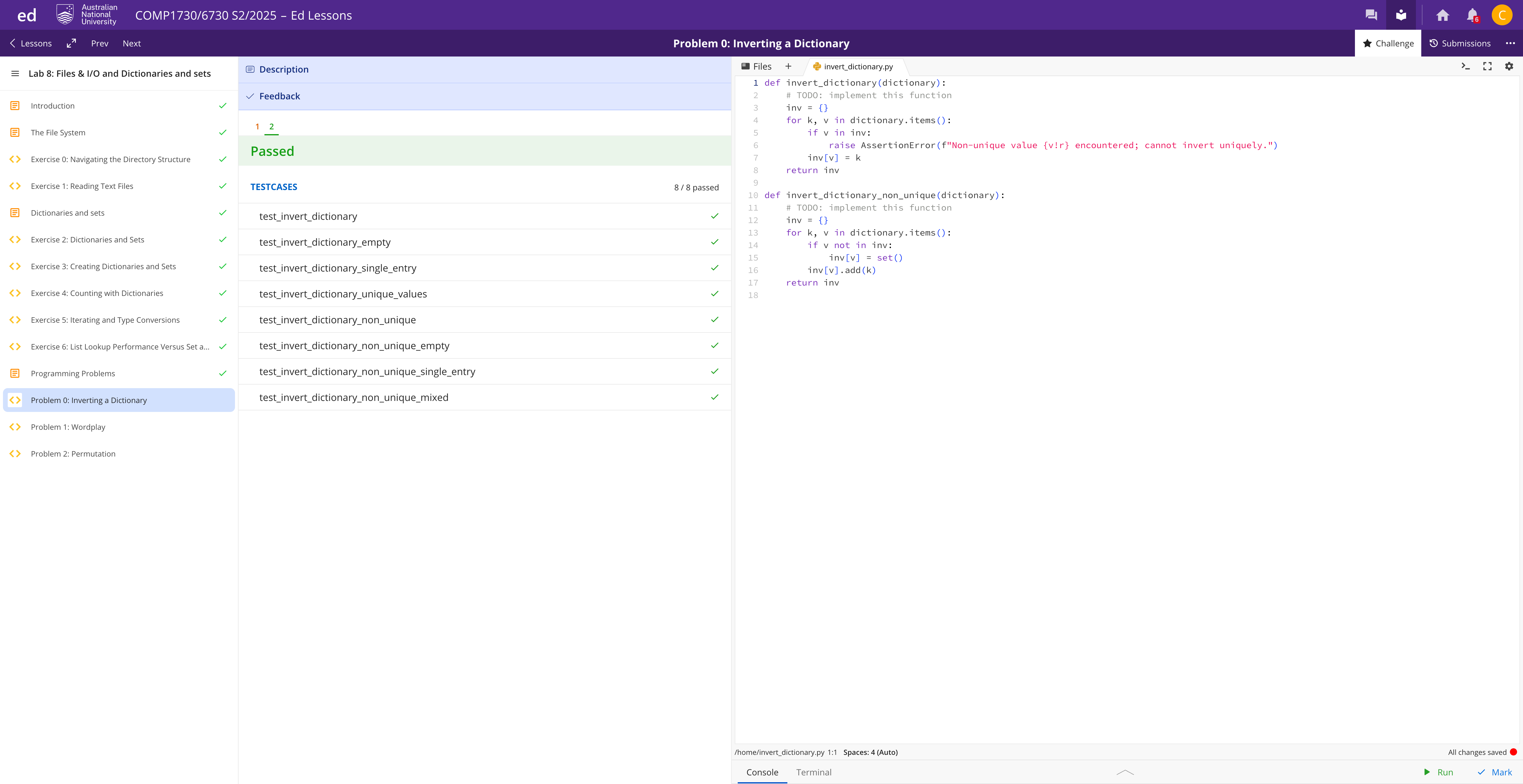
def read_words(words_file):
    with open(words_file, "r", encoding="utf-8", errors="ignore") as f:
        return [line.strip() for line in f if line.strip()]

# Task 1
def most_frequent_word_lengths(word_list, top_n):
    counts = {}
    for w in word_list:
        L = len(w)
        counts[L] = counts.get(L, 0) + 1
    items = sorted(counts.items(), key=lambda kv: (-kv[1], kv[0]))
    return [length for length, _ in items[:top_n]]

# Task 2
def first_three_consecutive_double_letters(word_list):
    for w in word_list:
        s = w.lower()
        if len(s) < 6:
            continue
        for i in range(len(s) - 5):
            a,b,c,d,e,f = s[i:i+6]
            if a == b and c == d and e == f:
                return w
    return None

# Helpers
def _bigrams_in_word(word):
    s = "".join(ch for ch in word.lower() if "a" <= ch <= "z")
    if len(s) < 2:
        return []
    return [s[i:i+2] for i in range(len(s) - 1)]

# Task 3a
def most_frequent_bigrams(word_list, top_n):
    counts = {}
    for w in word_list:
        s = "".join(ch for ch in w.lower() if "a" <= ch <= "z")
        if len(s) >= 2:
            for i in range(len(s) - 1):
                bg = s[i:i+2]
                counts[bg] = counts.get(bg, 0) + 1

    items = sorted(counts.items(), key=lambda kv: (-kv[1], kv[0]))
    return [bg for bg, _ in items[:top_n]]

# Task 3b
def non_present_bigrams(word_list):
    seen = set()
    for w in word_list:
        for bg in _bigrams_in_word(w):
            seen.add(bg)
    alphabet = [chr(ord('a') + i) for i in range(26)]
    all_bi = set(a + b for a in alphabet for b in alphabet)
    return all_bi - seen

if __name__ == "__main__":
    word_list = read_words("wordlist.txt")
    print(most_frequent_word_lengths(word_list, 10))
    print(first_three_consecutive_double_letters(word_list))
    print(most_frequent_bigrams(word_list, 10))
    print(len(non_present_bigrams(word_list)))  # 打印数量更直观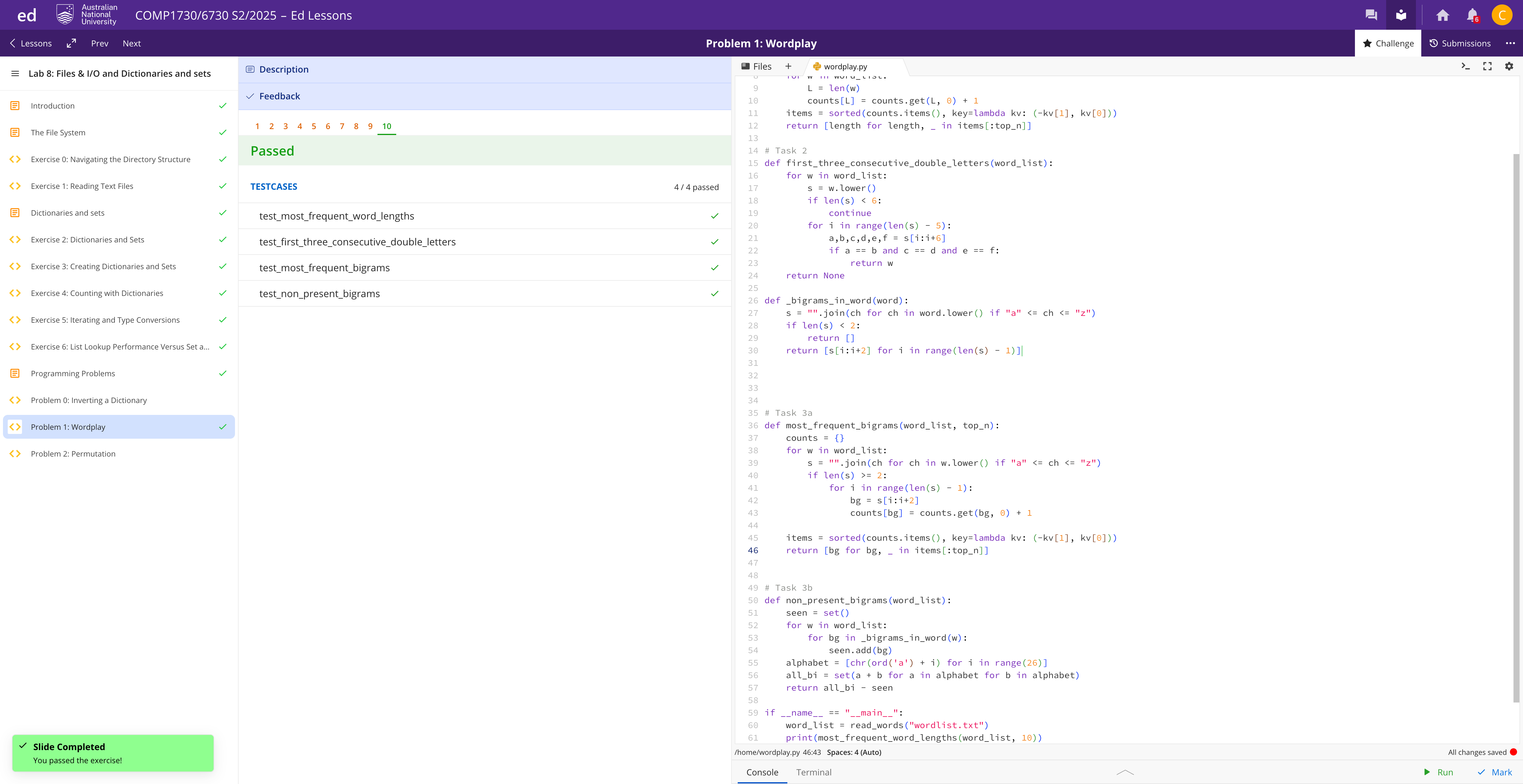
def closed_sets(permutation):
    """
    返回置换的所有“闭集”(循环),顺序不限。
    """
    keys = set(permutation.keys())
    if not set(permutation.values()).issubset(keys):
        raise AssertionError("Permutation must map within its key set.")

    visited = set()
    result = []
    for start in permutation:
        if start in visited:
            continue
        current = start
        comp = set()
        while current not in comp and current not in visited:
            comp.add(current)
            current = permutation[current]
        if current in comp:
            result.append(comp)
        visited.update(comp)
    return result

if __name__ == "__main__":
    p1 = {'alice':'carol','bob':'bob','carol':'eve','dave':'dave','eve':'alice'}
    p2 = {'alice':'bob','bob':'carol','carol':'dave','dave':'eve','eve':'alice'}
    print(closed_sets(p1))  # 例如 [{'alice','carol','eve'},{'bob'},{'dave'}]
    print(closed_sets(p2))  # 例如 [{'alice','bob','carol','dave','eve'}]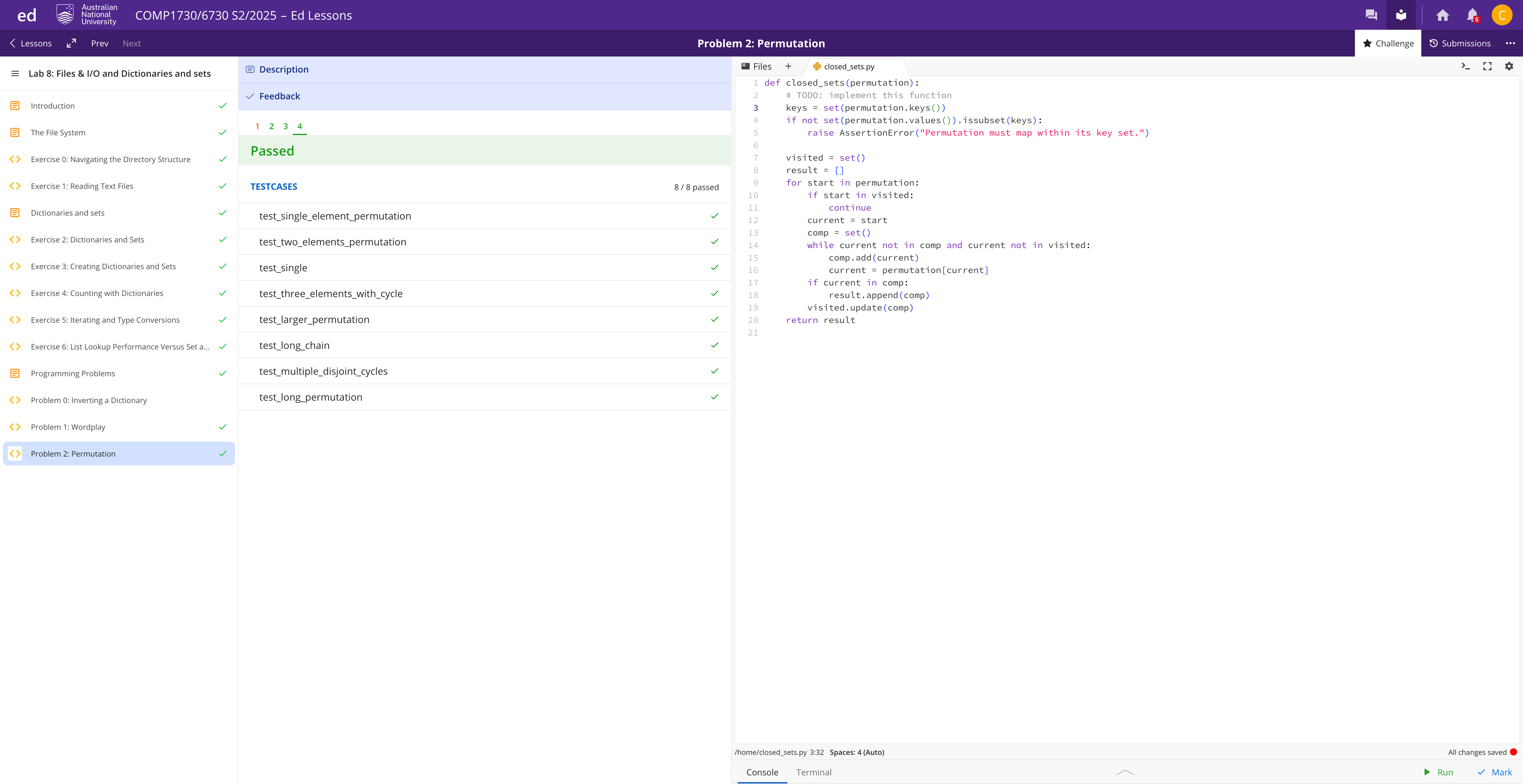
公众号:AI悦创【二维码】

AI悦创·编程一对一
AI悦创·推出辅导班啦,包括「Python 语言辅导班、C++ 辅导班、java 辅导班、算法/数据结构辅导班、少儿编程、pygame 游戏开发、Web、Linux」,招收学员面向国内外,国外占 80%。全部都是一对一教学:一对一辅导 + 一对一答疑 + 布置作业 + 项目实践等。当然,还有线下线上摄影课程、Photoshop、Premiere 一对一教学、QQ、微信在线,随时响应!微信:Jiabcdefh
C++ 信息奥赛题解,长期更新!长期招收一对一中小学信息奥赛集训,莆田、厦门地区有机会线下上门,其他地区线上。微信:Jiabcdefh
方法一:QQ
方法二:微信:Jiabcdefh