<?xml version="1.0" encoding="utf-8"?><?xml-stylesheet type="text/xsl" href="https://bornforthis.cn/atom.xsl"?>
<feed xmlns="http://www.w3.org/2005/Atom" xml:lang="zh-CN">
  <id>https://bornforthis.cn/</id>
  <title>AI悦创-Python一对一辅导</title>
  <subtitle>Python 1v1,AI悦创,一对一,Python,编程一对一,C++,Java,AI,人工智能,黄家宝,Python一对一教学</subtitle>
  <icon>https://bornforthis.cn/python</icon>
  <logo>https://bornforthis.cn/aiyc.png</logo>
  <updated>2026-11-06T16:07:31.698Z</updated>
  <generator>@vuepress/plugin-feed</generator>
  <link rel="self" href="https://bornforthis.cn/atom.xml"/>
  <link rel="alternate" href="https://bornforthis.cn/"/>
  <category term="Python 体系课"/>
  <category term="Python 1v1"/>
  <category term="Python 基础"/>
  <category term="Python一对一教学"/>
  <category term="上课指南"/>
  <category term="Java 1v1"/>
  <category term="Web 1v1"/>
  <category term="AI产品经理"/>
  <category term="Python 办公自动化"/>
  <category term="工具表"/>
  <category term="Python私教一对一教学"/>
  <category term="线上编程一对一教学"/>
  <category term="Development library"/>
  <category term="MacWK"/>
  <category term="Mac破解安装包"/>
  <category term="把你的格局打开"/>
  <category term="Python 一对一教学"/>
  <category term="Python一对一辅导"/>
  <category term="Python指导"/>
  <category term="Python辅导"/>
  <category term="少儿编程一对一"/>
  <category term="NOI竞赛辅导"/>
  <category term="GitBook"/>
  <category term="启发俱乐部"/>
  <category term="我收集的网站"/>
  <category term="live"/>
  <category term="life"/>
  <category term="now"/>
  <category term="科普"/>
  <category term="直播"/>
  <category term="OBS"/>
  <category term="Bornforthis项目"/>
  <category term="PS 笔记"/>
  <category term="stackoverflow"/>
  <category term="python"/>
  <category term="machine-learning"/>
  <category term="scikit-learn"/>
  <category term="xgboost"/>
  <category term="gridsearchcv"/>
  <category term="刘润"/>
  <category term="Python Base Notebook"/>
  <category term="Numpy"/>
  <category term="Numpy and pandas"/>
  <category term="悦创杂谈"/>
  <category term="技术杂谈"/>
  <category term="转载"/>
  <category term="AI悦创·研究项目"/>
  <category term="JavaScript"/>
  <category term="外文文章"/>
  <category term="编程经验"/>
  <category term="Java 课程补充"/>
  <category term="Python time"/>
  <category term="IDEA 编辑器"/>
  <contributor>
    <name>AI悦创</name>
  </contributor>
  <contributor>
    <name>傻子</name>
  </contributor>
  <entry>
    <title type="text">零成本搭建团队域名邮箱：Cloudflare Email Routing 完全指南</title>
    <id>https://bornforthis.cn/column/Python-Programming-Course/P10-Share/01-Cloudflare-Email-build.html</id>
    <link href="https://bornforthis.cn/column/Python-Programming-Course/P10-Share/01-Cloudflare-Email-build.html"/>
    <updated>2026-11-06T15:57:25.000Z</updated>
    <summary type="html"><![CDATA[<p>你好，我是悦创。</p>
<p>我需要很多邮箱，需要拿去注册 muse，白嫖额度！</p>
<p>虽然现在 muse 垃圾，但是 token 多肯定比没有好！</p>
<h2>1. 背景</h2>
<p>当团队需要一个挂着项目域名的邮箱（用来注册海外平台、接收用户反馈、对外展示联系方式），但又不需要主动发信时，完全没必要花钱买企业邮箱。</p>
<p>Cloudflare Email Routing 是目前最轻量的方案：</p>
<ul>
<li><strong>完全免费</strong>，没有容量和条数限制；</li>
<li>配置只需几分钟，不需要维护任何邮箱后台；</li>
<li>将发送到 <code>admin@yourdomain.com</code> 的邮件<strong>无缝转发</strong>到你的私人邮箱（Gmail、QQ、Outlook 等）。</li>
</ul>]]></summary>
    <content type="html"><![CDATA[<p>你好，我是悦创。</p>
<p>我需要很多邮箱，需要拿去注册 muse，白嫖额度！</p>
<p>虽然现在 muse 垃圾，但是 token 多肯定比没有好！</p>
<h2>1. 背景</h2>
<p>当团队需要一个挂着项目域名的邮箱（用来注册海外平台、接收用户反馈、对外展示联系方式），但又不需要主动发信时，完全没必要花钱买企业邮箱。</p>
<p>Cloudflare Email Routing 是目前最轻量的方案：</p>
<ul>
<li><strong>完全免费</strong>，没有容量和条数限制；</li>
<li>配置只需几分钟，不需要维护任何邮箱后台；</li>
<li>将发送到 <code>admin@yourdomain.com</code> 的邮件<strong>无缝转发</strong>到你的私人邮箱（Gmail、QQ、Outlook 等）。</li>
</ul>
<p>核心原理很简单：你的域名作为&quot;门面&quot;，Cloudflare 在收到邮件后瞬间转发到你指定的目标邮箱，你在自己熟悉的邮箱里就能收到所有邮件。</p>
<h2>2. 准备工作</h2>
<ul>
<li>一个你自己的域名（假设为 <code>yourdomain.com</code>）</li>
<li>一个 Cloudflare 账号（<a href="https://dash.cloudflare.com/sign-up" target="_blank" rel="noopener noreferrer">免费注册</a>）</li>
<li>一个私人邮箱用于接收转发邮件（推荐 Gmail 或 Outlook）</li>
</ul>
<h2>3. 配置步骤</h2>
<h3>3.1 第一步：将域名托管到 Cloudflare</h3>
<p>如果你的域名已经在 Cloudflare 解析，直接跳到第二步。</p>
<ol>
<li>登录 <a href="https://dash.cloudflare.com/" target="_blank" rel="noopener noreferrer">Cloudflare 控制台</a>，点击 <strong>“添加站点 (Add a Site)”</strong>，输入域名。</li>
<li>选择 <strong>Free</strong> 计划。</li>
<li>Cloudflare 会自动扫描现有【DNS 记录】，确认无误后继续。</li>
<li>系统分配两个 <strong>Nameservers</strong>（如 <code>kara.ns.cloudflare.com</code>），你需要到域名注册商（阿里云、腾讯云、Namecheap 等）把原来的 NS 记录替换为 Cloudflare 提供的这两个。</li>
<li>等待站点状态变为 <strong>Active</strong>（通常几分钟到几小时）。</li>
</ol>
<h3>3.2 第二步：开启 Email Routing</h3>
<ol>
<li>
<p>在 dashboard 点击&quot;<strong>域名</strong>&quot;-“<strong>概览</strong>”，再点击你的域名进入域名管理页面，左侧菜单找到 <strong>“电子邮件 (Email)” → “电子邮件路由 (Email Routing)”</strong>。</p>
</li>
<li>
<p>点击 <strong>“开始使用 (Get Started)”</strong>。</p>
<figure><img src="https://blog.images.one.bornforthis.cn/docs-images/sha256/eb/eb42d8db1805cb16962ebb8ac80845dadc017a61a31ee7a350594be6a901ab63.png" alt tabindex="0" loading="lazy"></figure>
</li>
<li>
<p>点击接入域名：</p>
<figure><img src="https://blog.images.one.bornforthis.cn/docs-images/sha256/94/94024fca30c21abc15fd2f0e53ebae48701bb6368b9f631d3d156f03b443c127.png" alt tabindex="0" loading="lazy"></figure>
</li>
<li>
<p>点击继续：</p>
<figure><img src="https://blog.images.one.bornforthis.cn/docs-images/sha256/5d/5db56234b82ff8145f2dbfc6056d263e18b4afaf15b798c41fc5fd2631b883c0.png" alt tabindex="0" loading="lazy"></figure>
</li>
<li>
<p>点击<strong>激活</strong>：</p>
<figure><img src="https://blog.images.one.bornforthis.cn/docs-images/sha256/26/263fed37c523188720ccf8f6059d43996adc0a0b04b76909b4f91648a2992f1f.png" alt tabindex="0" loading="lazy"></figure>
</li>
</ol>
<h3>3.3 第三步：创建路由规则</h3>
<ol>
<li>
<p>切换到 <strong>“路由规则 (Routing rules)”</strong> 选项卡，点击 <strong>“创建路由规则”</strong>。</p>
<figure><img src="https://blog.images.one.bornforthis.cn/docs-images/sha256/e4/e40db72a3e5a41b4865cff6ec8ce47d96c0742a8a3f1dbade86497b822791a50.png" alt tabindex="0" loading="lazy"></figure>
<figure><img src="https://blog.images.one.bornforthis.cn/docs-images/sha256/07/071aefdbb3a05c28ce34396fae0c062f5ac9b24cef2cd76d690e01557cc0a3b2.png" alt tabindex="0" loading="lazy"></figure>
<details class="hint-container details"><summary>详细解释</summary>
<p>这是 <strong>Cloudflare 的邮件路由规则</strong>，用来设置：<strong>别人发到你的 <code>某个名称@brclio.com</code> 的邮件，应该转发到哪里，或怎样处理。</strong></p>
<h4>1. 电子邮件匹配模式</h4>
<p>这里用于指定<strong>要处理的收件地址</strong>。左边填邮箱前缀，右边选择域名。</p>
<p>| 左侧输入框 | 右侧域名     | 这条规则处理的收件地址 |
|</p>
</details>
</li>
</ol>
]]></content>
    <author>
      <name>AI悦创</name>
    </author>
    <contributor>
      <name>AI悦创</name>
    </contributor>
    <published>2026-11-02T19:33:48.000Z</published>
    <rights>Copyright by AI悦创</rights>
  </entry>
  <entry>
    <title type="text">10-AI 发展下，非专业的数据分析、爬虫应该如何学习？</title>
    <id>https://bornforthis.cn/column/Python-Programming-Course/P09-FAQ/FAQ10.html</id>
    <link href="https://bornforthis.cn/column/Python-Programming-Course/P09-FAQ/FAQ10.html"/>
    <updated>2026-11-06T15:57:25.000Z</updated>
    <summary type="html"><![CDATA[<h2>1. 问题点</h2>
<figure><img src="https://blog.images.one.bornforthis.cn/docs-images/sha256/d0/d01fd109499415414c775fc718e01eda60ae5673257f4bd06ecb0c7adb074194.png" alt tabindex="0" loading="lazy"></figure>
<ol>
<li>AI AGENT 进行爬虫和数据分析，数据真伪怎么判断？人工？代码？✅</li>
<li>Workbuddy 和 Codex 的应用对比，哪个更合适？</li>
<li>图片去水印、图片换色、一步步要去微调：<strong>建议做成 Skills</strong>；✅</li>
<li>产品调研、图片调用；✅</li>
<li>A 产品图，应为 AI 被改变成其它的产品图；✅</li>
<li>排版节约了不少时间；（排版 Skills+设计 Skills）；✅</li>
<li>做一个属于自己的作品集，每次只要调用就可以增加，而不是每次都手搓。手搓越多或者 AI 越改越乱，还不如一开始的第一版。（版本控制）✅</li>
<li>从零到一的起步降低了门槛！✅</li>
<li>分析产品定位，某些领域的关键词（专业名词）不够精准，有点广泛。人说一个专业名词，AI 可以理解我说的专业名词的含义。类似某些行业专属的术语，希望和 AI 达成某些共识。✅</li>
<li>原本是静态图片，希望可以做成网站动起来。（增加互动性）训练一个专属的，设计工具、做成动态交互。（静态——&gt;动态交互）（Skills）</li>
<li>硬件：按正常需要换电脑才能达到的性能制作，希望不换电脑。直接可以让角色生成类似：多视图！（<strong>GPT 支持多视图</strong>）</li>
<li>AI 学习，知识蒸馏。先找到实体树的 PDF 资源。</li>
<li>生活类：
<ol>
<li>投资资讯收集，形成属于自己的投资建议或者日报。市面的产品，并不能真正属于适合自己的投资策略。</li>
<li>旅游类：飞机票的最优惠的选择，给 AI 进行多平台比价。（AI 比价+适当性的预测）</li>
</ol>
</li>
</ol>]]></summary>
    <content type="html"><![CDATA[<h2>1. 问题点</h2>
<figure><img src="https://blog.images.one.bornforthis.cn/docs-images/sha256/d0/d01fd109499415414c775fc718e01eda60ae5673257f4bd06ecb0c7adb074194.png" alt tabindex="0" loading="lazy"></figure>
<ol>
<li>AI AGENT 进行爬虫和数据分析，数据真伪怎么判断？人工？代码？✅</li>
<li>Workbuddy 和 Codex 的应用对比，哪个更合适？</li>
<li>图片去水印、图片换色、一步步要去微调：<strong>建议做成 Skills</strong>；✅</li>
<li>产品调研、图片调用；✅</li>
<li>A 产品图，应为 AI 被改变成其它的产品图；✅</li>
<li>排版节约了不少时间；（排版 Skills+设计 Skills）；✅</li>
<li>做一个属于自己的作品集，每次只要调用就可以增加，而不是每次都手搓。手搓越多或者 AI 越改越乱，还不如一开始的第一版。（版本控制）✅</li>
<li>从零到一的起步降低了门槛！✅</li>
<li>分析产品定位，某些领域的关键词（专业名词）不够精准，有点广泛。人说一个专业名词，AI 可以理解我说的专业名词的含义。类似某些行业专属的术语，希望和 AI 达成某些共识。✅</li>
<li>原本是静态图片，希望可以做成网站动起来。（增加互动性）训练一个专属的，设计工具、做成动态交互。（静态——&gt;动态交互）（Skills）</li>
<li>硬件：按正常需要换电脑才能达到的性能制作，希望不换电脑。直接可以让角色生成类似：多视图！（<strong>GPT 支持多视图</strong>）</li>
<li>AI 学习，知识蒸馏。先找到实体树的 PDF 资源。</li>
<li>生活类：
<ol>
<li>投资资讯收集，形成属于自己的投资建议或者日报。市面的产品，并不能真正属于适合自己的投资策略。</li>
<li>旅游类：飞机票的最优惠的选择，给 AI 进行多平台比价。（AI 比价+适当性的预测）</li>
</ol>
</li>
</ol>
<h2>2. AI Agent 爬虫和数据分析，数据真伪怎么判断？</h2>
<p>AI 做数据分析、爬虫是否可以？——&gt;可以！</p>
<p><strong>数据可信度需要“代码批量检查＋人工关键复核”；如果核心是长期、可复现的爬虫和数据分析，我更倾向 Codex；如果主要是日常资料整理、表格分析和办公协作，可以优先试 WorkBuddy。</strong></p>
<p>先说明一个问题：<strong>“抓取正确”和“数据真实”是两回事。</strong></p>
<h3>2.1 先分清：你需要验证的究竟是什么</h3>
<p>“数据真伪”至少包含五个不同问题：</p>
<p>| 要判断的问题     | 需要回答的问题                                       | 代码适合做什么                             | 主要验证方法                                                 | 人工需要判断什么                           | Think                                              |
|</p>
]]></content>
    <author>
      <name>AI悦创</name>
    </author>
    <contributor>
      <name>AI悦创</name>
    </contributor>
    <published>2026-11-02T19:14:44.000Z</published>
    <rights>Copyright by AI悦创</rights>
  </entry>
  <entry>
    <title type="text">03-ChatGPT 200 美元 Pro 订阅，赠送 200 美元 API 福利！（以及潜藏福利！Plus、Pro）</title>
    <id>https://bornforthis.cn/column/Python-Programming-Course/P18-Codex/03-ChatGPT-200Pro-gift-200API.html</id>
    <link href="https://bornforthis.cn/column/Python-Programming-Course/P18-Codex/03-ChatGPT-200Pro-gift-200API.html"/>
    <updated>2026-11-06T15:57:25.000Z</updated>
    <summary type="html"><![CDATA[<figure><img src="https://blog.images.one.bornforthis.cn/docs-images/sha256/2e/2e5236edb9616e7fbea164b7bb8b68e4613f596caea451277a705d59430958a4.png" alt tabindex="0" loading="lazy"></figure>
<p>你好，我是悦创。</p>
<p>最近如平时那般，打开 ChatGPT 的设置相关页面查看剩余额度。</p>
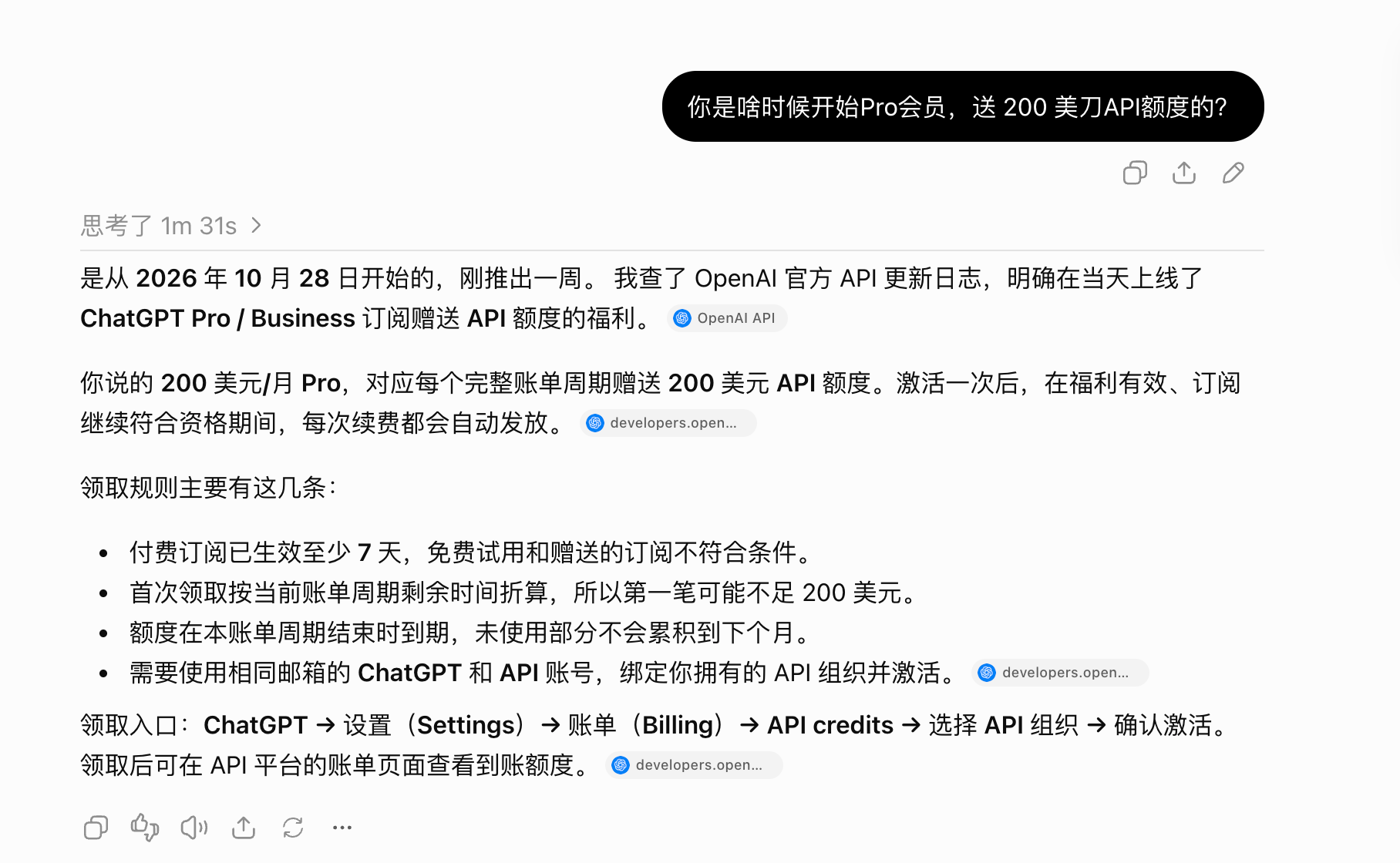
<p>没想到，今天的这次查看有了意外之喜！—— ChatGPT  200 美刀的 API 额度不仅仅到账，还对 API 账号每日都有赠送 API 免费额度！</p>]]></summary>
    <content type="html"><![CDATA[<figure><img src="https://blog.images.one.bornforthis.cn/docs-images/sha256/2e/2e5236edb9616e7fbea164b7bb8b68e4613f596caea451277a705d59430958a4.png" alt tabindex="0" loading="lazy"></figure>
<p>你好，我是悦创。</p>
<p>最近如平时那般，打开 ChatGPT 的设置相关页面查看剩余额度。</p>
<p>没想到，今天的这次查看有了意外之喜！—— ChatGPT  200 美刀的 API 额度不仅仅到账，还对 API 账号每日都有赠送 API 免费额度！</p>
<p>马上就去分享到我的交流群，有兴趣可以加入交流群，禁止发广告！（微信：Jiabcdefh，记得备注来意！）：</p>
<figure><img src="https://blog.images.one.bornforthis.cn/docs-images/sha256/7f/7f15a51e1aeac51c76d6e04f7dea0dabbcb29d4f15ca8e4c113b2c3a568dd3bb.png" alt tabindex="0" loading="lazy"></figure>
<h2>1. 200 美元的 Pro 领取 200 美元的 API 额度！</h2>
<h3>1.1 进到你的 ChatGPT 网页端【账单】</h3>
<p>直接访问链接进去也可以：<a href="https://chatgpt.com/settings/billing" target="_blank" rel="noopener noreferrer">https://chatgpt.com/settings/billing</a></p>
<figure><img src="https://blog.images.one.bornforthis.cn/docs-images/sha256/20/20283cc6786f7592e89f592d890deebbbc0adc3d8db8d940f56f6d9d414a6c95.png" alt tabindex="0" loading="lazy"></figure>
<figure><img src="https://blog.images.one.bornforthis.cn/docs-images/sha256/36/363e241a6537e5ef70ff2d477025982fed22b35655a650a11de0d3b820548379.png" alt tabindex="0" loading="lazy"></figure>
<p>成功领取，去 API 平台查验！</p>
<h3>1.2 API 平台查验</h3>
<p>直接访问链接：<a href="https://platform.openai.com/" target="_blank" rel="noopener noreferrer">https://platform.openai.com/</a></p>
<p>还可以直接访问这个链接：<a href="https://platform.openai.com/settings/organization/billing/overview" target="_blank" rel="noopener noreferrer">https://platform.openai.com/settings/organization/billing/overview</a></p>
<figure><img src="https://blog.images.one.bornforthis.cn/docs-images/sha256/4e/4e6bb3fa2cc4c13854aedd7a302f963fcdaf8a3ead7475b62be0b859501769ba.png" alt tabindex="0" loading="lazy"></figure>
<p>恭喜到账！</p>
<h2>2. 意外之喜（Plus、Pro 均有！）</h2>
<p>经过我的验证，Plus 订阅用户也有这个福利！</p>
<p>推测，市面上的日租 Codex API key，有可能盈利之一就是白嫖免费额度！</p>
<h3>2.1 快速了解</h3>
<p>直接访问链接直达：<a href="https://platform.openai.com/settings/organization/data-controls/sharing" target="_blank" rel="noopener noreferrer">https://platform.openai.com/settings/organization/data-controls/sharing</a></p>
<p>我询问的 GPT 对话：<a href="https://chatgpt.com/share/6aede226-6ae8-83ea-9916-a44c3f418727" target="_blank" rel="noopener noreferrer">https://chatgpt.com/share/6aede226-6ae8-83ea-9916-a44c3f418727</a></p>
<p>可以把下面的截图，发给你的 AI。我就不过多解释，大意就是：</p>
<p>| 页面选项                                               | 中文解释                                                     | 你截图中的状态 |
|</p>
]]></content>
    <author>
      <name>AI悦创</name>
    </author>
    <contributor>
      <name>AI悦创</name>
    </contributor>
    <published>2026-11-06T17:54:56.000Z</published>
    <rights>Copyright by AI悦创</rights>
  </entry>
  <entry>
    <title type="text">MiniMax H3 本地部署教程：用 ComfyUI 在自己电脑上生成带声音的 AI 视频（2026）</title>
    <id>https://bornforthis.cn/column/Python-Programming-Course/P05-AI-large-model/07-minimax-h3-local-comfyui-tutorial.html</id>
    <link href="https://bornforthis.cn/column/Python-Programming-Course/P05-AI-large-model/07-minimax-h3-local-comfyui-tutorial.html"/>
    <updated>2026-11-06T14:38:03.000Z</updated>
    <summary type="html"><![CDATA[<h2>1. 环境准备</h2>
<ol>
<li>大模型下载：<a href="https://huggingface.co/Momoking/Qwen3-VL-32B-Heretic-MiniMax-H3-NVFP4/tree/main" target="_blank" rel="noopener noreferrer">https://huggingface.co/Momoking/Qwen3-VL-32B-Heretic-MiniMax-H3-NVFP4/tree/main</a></li>
<li>ComfyUI 下载链接：<a href="https://comfy.org/download/" target="_blank" rel="noopener noreferrer">https://comfy.org/download/</a></li>
</ol>]]></summary>
    <content type="html"><![CDATA[<h2>1. 环境准备</h2>
<ol>
<li>大模型下载：<a href="https://huggingface.co/Momoking/Qwen3-VL-32B-Heretic-MiniMax-H3-NVFP4/tree/main" target="_blank" rel="noopener noreferrer">https://huggingface.co/Momoking/Qwen3-VL-32B-Heretic-MiniMax-H3-NVFP4/tree/main</a></li>
<li>ComfyUI 下载链接：<a href="https://comfy.org/download/" target="_blank" rel="noopener noreferrer">https://comfy.org/download/</a></li>
</ol>
<figure><img src="https://blog.images.one.bornforthis.cn/docs-images/sha256/82/82a7ba841a2bc258c5b243bcceead8093942497c24f75d50166e3d5ef2db8662.png" alt tabindex="0" loading="lazy"></figure>
<figure><img src="https://blog.images.one.bornforthis.cn/docs-images/sha256/29/299a5d646820b719cb2a96ef50918c0d6fefa19f2925ceecac54ba42f28506c3.png" alt tabindex="0" loading="lazy"></figure>
<figure><img src="https://blog.images.one.bornforthis.cn/docs-images/sha256/44/44483d8d3fcdec04765c3364f1b1eef48bc7e818afe47ddda55bf726f3daf5eb.png" alt tabindex="0" loading="lazy"></figure>
<figure><img src="https://blog.images.one.bornforthis.cn/docs-images/sha256/82/82391edd29653703192003cdf5cfbebcd6e4a622f3190d3bb0468f6beecf95d1.png" alt tabindex="0" loading="lazy"></figure>
<figure><img src="https://blog.images.one.bornforthis.cn/docs-images/sha256/fc/fcf169bc49409a28d30b461af998f139ed7fda9e5e10800c2e40d7b42123d508.png" alt tabindex="0" loading="lazy"></figure>
<details class="hint-container details"><summary>公众号：AI悦创【二维码】</summary>
<figure><img src="/gzh.jpg" alt tabindex="0" loading="lazy"></figure>
</details>
<div class="hint-container info">
<p class="hint-container-title">AI悦创·编程一对一</p>
<p>AI悦创·推出辅导班啦，包括「Python 语言辅导班、C++ 辅导班、java 辅导班、算法/数据结构辅导班、少儿编程、pygame 游戏开发、Web、Linux」，招收学员面向国内外，国外占 80%。全部都是一对一教学：一对一辅导 + 一对一答疑 + 布置作业 + 项目实践等。当然，还有线下线上摄影课程、Photoshop、Premiere 一对一教学、QQ、微信在线，随时响应！微信：Jiabcdefh</p>
<p>C++ 信息奥赛题解，长期更新！长期招收一对一中小学信息奥赛集训，莆田、厦门地区有机会线下上门，其他地区线上。微信：Jiabcdefh</p>
<p>方法一：<a href="http://wpa.qq.com/msgrd?v=3&amp;uin=1432803776&amp;site=qq&amp;menu=yes" target="_blank" rel="noopener noreferrer">QQ</a></p>
<p>方法二：微信：Jiabcdefh</p>
</div>
<figure><img src="/zsxq.jpg" alt tabindex="0" loading="lazy"></figure>
]]></content>
    <author>
      <name>AI悦创</name>
    </author>
    <contributor>
      <name>AI悦创</name>
    </contributor>
    <published>2026-10-03T20:29:27.000Z</published>
    <rights>Copyright by AI悦创</rights>
  </entry>
  <entry>
    <title type="text">导读｜量化知识背景与研究能力地图</title>
    <id>https://bornforthis.cn/column/Python-Programming-Course/P19-codex-llm-quantitative-trading-course/01-quant-background-research-map.html</id>
    <link href="https://bornforthis.cn/column/Python-Programming-Course/P19-codex-llm-quantitative-trading-course/01-quant-background-research-map.html"/>
    <updated>2026-11-06T14:38:03.000Z</updated>
    <summary type="html"><![CDATA[<figure><img src="https://blog.images.one.bornforthis.cn/docs-images/sha256/03/03bbf7ec1fa0a85952c81a1adc976a76559e53e6dbbd4163538187277d1f979d.png" alt tabindex="0" loading="lazy"></figure>
<p>你好，我是悦创。</p>
<p>本讲补充全专栏所需的量化知识背景。它不是新的交易建议，也不要求你在开始阅读第 0～35 讲正文前读完所有经典书，而是说明：本专栏每一部分训练哪类量化能力，哪些知识适合边学边查，哪些主题必须先建立风险边界再深入。</p>]]></summary>
    <content type="html"><![CDATA[<figure><img src="https://blog.images.one.bornforthis.cn/docs-images/sha256/03/03bbf7ec1fa0a85952c81a1adc976a76559e53e6dbbd4163538187277d1f979d.png" alt tabindex="0" loading="lazy"></figure>
<p>你好，我是悦创。</p>
<p>本讲补充全专栏所需的量化知识背景。它不是新的交易建议，也不要求你在开始阅读第 0～35 讲正文前读完所有经典书，而是说明：本专栏每一部分训练哪类量化能力，哪些知识适合边学边查，哪些主题必须先建立风险边界再深入。</p>
<p>需要先说明覆盖边界：本专栏完整覆盖的是“从数据、信号、策略、回测、风控到网页验收”的 Web3（去中心化网络生态）量化研究主线，不是量化金融或加密资产知识百科。概率统计、组合优化、衍生品定价、生产级执行、区块链协议、去中心化金融和监管合规，只在与研究主线直接相关时展开；其余内容明确标为进阶扩展或未覆盖。后文出现某个术语或推荐书目，不代表课程已经完成该主题的数学推导和代码实践。</p>
<p>本专栏的主线仍然是可运行的 Web3 市场研究沙箱：用固定离线样本、仓库代码、回测输出和网页完成可复现研究。下面的知识地图服务这条主线，重点不是“读得多”，而是把阅读转化成可复算的变量、可执行的代码、可拒绝的风险规则和可审计的研究记录。</p>
<h2>1. 本讲目标</h2>
<p>完成本讲后，你能完成四件事：</p>
<ul>
<li>把量化交易知识拆成数据、指标、策略、回测、风控、执行和复核几个层次。</li>
<li>说清布林带、凯利公式和夏普比率分别解决什么问题，以及它们不能证明什么。</li>
<li>为第 0～35 讲（共 36 讲）建立阅读顺序：先掌握最小量化语言，再进入策略、机器学习、风控和自动化。</li>
<li>区分“正文已经实现”“只在导读中介绍”和“当前课程未覆盖”，避免把扩展书单误当成已学能力。</li>
</ul>
<p>图 D-1 给出本讲的核心知识地图。它不是策略流程图，也不表示全部量化和币圈知识都已进入正文，而是一张研究停止线地图：每一层都要能回到输入、公式、代码、样本和人工复核，不能只留下流畅结论。制图逻辑是：以本专栏可复现 Web3 量化沙箱为核心，把数据、指标、策略、回测和风控依次排列，并为每层设置复核边界与停止线；进阶量化缺口见表 D-11，币圈原生机制见第 9 节。图中不使用实时行情或外部交易数据，制图依据来自本讲对全专栏结构的整理。</p>
<figure><img src="https://blog.images.one.bornforthis.cn/docs-images/sha256/46/46d3d4dc906fcb4c641731ab06377d8ded206fa6f00c93a782d342023e6daf11.jpg" alt="图 D-1 导读量化知识分层与研究停止线地图" tabindex="0" loading="lazy"><figcaption>图 D-1 导读量化知识分层与研究停止线地图</figcaption></figure>
<h2>2. 量化交易先是一套证据纪律</h2>
<p>量化交易常被概括为“用数据代替直觉”。这句话方向正确，但容易让初学者误会：只要把数据放进公式，直觉就自动变成科学。更准确的说法是：量化研究把直觉拆成可以被检查的对象，包括数据来源、变量定义、公式口径、策略规则、回测路径、风险约束和人工复核。</p>
<p>例如“价格跌到布林带下轨，可以买入”不是一个完整策略。它至少还缺少五个问题：数据是否清洗过，布林带窗口和标准差倍数是多少，买入后什么时候离场，单笔仓位多大，手续费和滑点如何处理。如果这些问题没有答案，公式只是把直觉换了一种写法，并没有真正降低风险。</p>
<h3>2.1 通用流程与覆盖边界</h3>
<p>表 D-1 先把通用量化交易流程与本专栏覆盖范围对齐。传统量化教材常从股票、期货或券商接口讲起，本专栏则以固定 Web3 离线样本和模拟研究系统为主，因此会说明策略研究链路，但不会连接真实账户自动下单。</p>
<p>| 通用量化流程            | 典型内容                                                     | 本专栏覆盖方式                                               | 边界说明                                                     |
|</p>
]]></content>
    <author>
      <name>AI悦创</name>
    </author>
    <contributor>
      <name>AI悦创</name>
    </contributor>
    <published>2026-08-17T15:47:49.000Z</published>
    <rights>Copyright by AI悦创</rights>
  </entry>
  <entry>
    <title type="text">新西兰SIM卡｜新西兰手机号购买，支持Claude/Codex账号激活与长期养号</title>
    <id>https://bornforthis.cn/column/Python-Programming-Course/P10-Share/Other/01-new-zealand-sim-card-codex-claude.html</id>
    <link href="https://bornforthis.cn/column/Python-Programming-Course/P10-Share/Other/01-new-zealand-sim-card-codex-claude.html"/>
    <updated>2026-11-06T14:38:03.000Z</updated>
    <summary type="html"><![CDATA[<p>你好，我是 Brclio。</p>
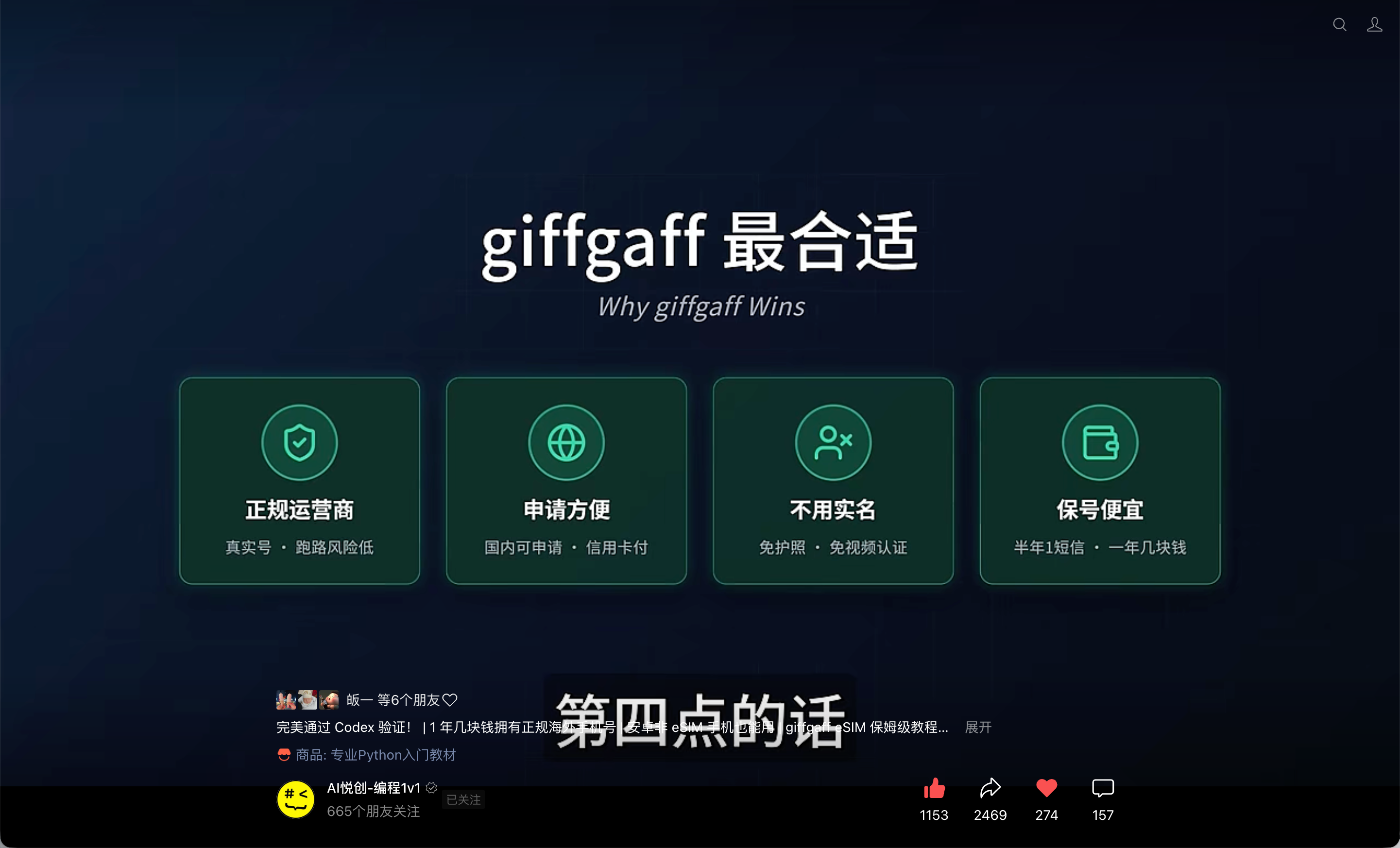
<p>之前在视频号发布了，海外 GG 卡注册教程。没想到，爆火了！</p>
<figure><img src="https://blog.images.one.bornforthis.cn/docs-images/sha256/be/beec46ab580621c9c1c1d486ecacfc530e25c81634b068b538d4c9566a5d0d56.png" alt tabindex="0" loading="lazy"></figure>
<p>很多人都实操，成功了！——不过，后面因为是线上、虚拟卡等各种原因，GG 卡实施了大规模的封号。</p>]]></summary>
    <content type="html"><![CDATA[<p>你好，我是 Brclio。</p>
<p>之前在视频号发布了，海外 GG 卡注册教程。没想到，爆火了！</p>
<figure><img src="https://blog.images.one.bornforthis.cn/docs-images/sha256/be/beec46ab580621c9c1c1d486ecacfc530e25c81634b068b538d4c9566a5d0d56.png" alt tabindex="0" loading="lazy"></figure>
<p>很多人都实操，成功了！——不过，后面因为是线上、虚拟卡等各种原因，GG 卡实施了大规模的封号。</p>
<h2>1. 为什么选择「新西兰🇳🇿实体手机卡」</h2>
<h3>1.1 原因一：OpenAI 不允许换绑</h3>
<p>OpenAI 不允许绑定的手机号，后期修改。并且，不知道后期会不会开始：仅限手机号登录。</p>
<p>官方链接说明：</p>
<ul>
<li><a href="https://help.openai.com/zh-hans-cn/articles/9135134-how-to-change-the-phone-number-associated-with-your-account" target="_blank" rel="noopener noreferrer">https://help.openai.com/zh-hans-cn/articles/9135134-how-to-change-the-phone-number-associated-with-your-account</a></li>
<li><a href="https://help.openai.com/zh-hans-cn/articles/10388702-phone-only-signups" target="_blank" rel="noopener noreferrer">https://help.openai.com/zh-hans-cn/articles/10388702-phone-only-signups</a></li>
</ul>
<figure><img src="https://blog.images.one.bornforthis.cn/docs-images/sha256/16/1600dc6b68136f365c3f96b333df9931573141db0eb215261d3b9b87acbd13d8.png" alt tabindex="0" loading="lazy"></figure>
<figure><img src="https://blog.images.one.bornforthis.cn/docs-images/sha256/4a/4a07f47d265df91a312ef5660d5382e40bd090c1dd8723aaf90b049aa6ac6478.png" alt tabindex="0" loading="lazy"></figure>
<h3>1.2 原因二：折腾半天有可能被封</h3>
<ul>
<li><strong>群友官方邮件</strong>：</li>
</ul>
<img src="https://blog.images.one.bornforthis.cn/docs-images/sha256/14/1468c089e5f52bd94514177beeaec2fee416e3714b23e8363eb77e019e7d9941.png" style="zoom:50%;">
<ul>
<li><strong>谷歌查询</strong>：</li>
</ul>
<figure><img src="https://blog.images.one.bornforthis.cn/docs-images/sha256/40/405dc1a087ea8cdf1427c2ec8546b5b687e1cb1d8073868181a1cd2bf756a465.png" alt tabindex="0" loading="lazy"></figure>
<ul>
<li><strong>粉丝群里实际截图：</strong></li>
</ul>

<p>所以，折腾半天还有被封号的可能。还是选择直接卖吧～</p>
<h3>1.3 原因三：真实客户的需求&amp;面临的情况</h3>
<p>你去市面上的店去买，大部分是没有我这得天独厚的条件。我的朋友是定居新西兰的，并且也是和我一致想做这个业务。</p>
<p>对于，大部分人来说：自己操作办理一张卡，还是有难度的。</p>
<figure><img src="https://blog.images.one.bornforthis.cn/docs-images/sha256/e2/e229fec251b058dba8c3ba62a1921e63d3073c6cf28fcf28e424e4e80b139b34.png" alt tabindex="0" loading="lazy"></figure>
<figure><img src="https://blog.images.one.bornforthis.cn/docs-images/sha256/ea/eaeb8a8949d61c2271e6e3662f720c00463293e8ca141fcc16c074bb30201a17.png" alt tabindex="0" loading="lazy"></figure>
<figure><img src="https://blog.images.one.bornforthis.cn/docs-images/sha256/19/19e94cb0e4e52a79423d6640d894794def54dd5fc1ba91341f7b93e7a338ee1d.png" alt tabindex="0" loading="lazy"></figure>
<h3>1.4 原因四：为什么要做？源于一段对话</h3>
<ul>
<li>现在新账号用 Codex 都要用手机号。</li>
<li>一开始的想法：就是不做假手机卡，这个卡可以邮寄，但是运费客户出，用户也可以不出，收日常管理费和维护的一点话费，用的时候提前联系，你插卡然后收验证码。（最后得出：直接卖卡方便，用户自己养号）</li>
<li>得天独厚的匿名开卡。</li>
</ul>
<figure><img src="https://blog.images.one.bornforthis.cn/docs-images/sha256/1a/1aaf5ee829c5d995bca393b5c96b0128a6f05bdb761bb002969c15eb7b883c78.png" alt tabindex="0" loading="lazy"></figure>
<figure><img src="https://blog.images.one.bornforthis.cn/docs-images/sha256/2d/2d2c4cb0cadfb385ee1f48dfee6f641307b62f5615dbf6c58480e86fdf37ae15.png" alt tabindex="0" loading="lazy"></figure>
<figure><img src="https://blog.images.one.bornforthis.cn/docs-images/sha256/90/906eb63a206afb9c6b15e704f047b2ca41a3659e0a5b3b46b23f7a3b05ae2f2c.png" alt tabindex="0" loading="lazy"></figure>
<h3>1.5 原因五：自己折腾的钱和买一张差不多</h3>
<figure><img src="https://blog.images.one.bornforthis.cn/docs-images/sha256/f9/f92eec983bea18c8055dd4d0161505bcc08fcfbd77b2f6740feff251d836b08c.jpg" alt tabindex="0" loading="lazy"></figure>
<p>为什么要买，前后折腾要花的钱【一百来块】，直接买只需要：【125 元】。主打：省心！</p>
<h2>2. 新西兰卡的费用&amp;购买方式</h2>
<h2>2.0 两种卡的区别</h2>
<p>One.nz 和 Spark 的区别就是：中国移动和中国联通这样的区别，不过实际测试下来：</p>
<ul>
<li>One.nz：插卡、获取国内信号稍慢，网络 4G、5G 切换；</li>
<li>Spark：插卡，秒入国内网，稳定 5G；（我个人喜欢大牌）</li>
</ul>
<p><strong>以上结论，均要结合自己实际情况！仅供参考！</strong></p>
<h3>2.1 One.nz</h3>
<p>125 元，再无其它额外的费用。</p>
<p>付款方式：先付款 120¥，等卡从新西兰寄到国内，到我手里。———&gt; 我再联系你们进行 Codex 激活，确保手机卡可用———&gt;微信小店下单 5¥。（为了走微信小店的物流，便于查询）</p>
<p>直接微信、支付宝转账付款即可。</p>
<p>缺点：国内信号接入慢一点，就是插卡到有信号📶会慢一些，信号稍弱。但不影响使用！</p>
<h3>2.2 Spark 最大牌卡（推荐）</h3>
<p>185 元，再无其它额外的费用。</p>
<p>付款方式：先付款 180¥，等卡从新西兰寄到国内，到我手里。———&gt; 我再联系你们进行 Codex 激活，确保手机卡可用———&gt;微信小店下单 5¥。（为了走微信小店的物流，便于查询）</p>
<h3>2.3 优质号码</h3>
<p>这个就是所谓的靓号的意思，如果想要长期养号一个优质号码。</p>
<ul>
<li>one.nz：在上面的基础上+20，也就是 125+20=145 元；</li>
<li>Spark：在上面的基础上+20，也就是 185+20=205 元；</li>
</ul>
<h2>3. 交易总流程</h2>
<p>微信、支付宝付款———&gt;手机卡到我手里，联系激活 Codex———&gt;微信小店下单———&gt;寄出快递———&gt;自行使用。</p>
<p><strong>欢迎推荐给你的好友们，让大家一起降低门槛使用海外 AI。当然，有出国旅游的，也可以进行购买。</strong></p>
<p>购买的，不要着急，耐心等待。真实国际物流，海关、新西兰工作效率较慢。我会按顺序联系你们！</p>
<p>不论你们用手机号做什么，我会在邮寄给你们之前，会先帮助你们进行手机号验证 Codex，保证验证通过且手机卡正常。</p>
<p>所以，你们需要提前准备一个谷歌账号。（网页版注册、手机 Gamil 注册，都试一试，因为有时候谷歌风控，不好注册。）</p>
<p>然后用谷歌账号注册 ChatGPT，安装客户端 Codex。提示手机验证，就可以正式开始。</p>
<p>需要 🪜，大家应该都有。如果没有，我新书《编程启蒙：思维与代码》北航出版，购书➕好评。福利：一年🪜。</p>
<p>各自做好准备。</p>
<h2>4. 快递多久到？</h2>
<p>首先，先从新西兰邮寄到国内，需要：1～3 周。（经过实测发现，主要占用最多的时间有三：新西兰工作效率、北京海关、福建海关）</p>
<h2>5. 为什么选择我们？</h2>
<h3>5.1 合规、合法</h3>
<p>合规、合法！正规途径！（国际物流、走海关！海关可过，代表一切！）</p>
<h3>5.2 真实国际物流</h3>
<p>从下面图片中，你也能知道需要多久物流了。真实所需的物流时间！</p>
<ul>
<li><strong>www.nzpost.co.nz</strong>：</li>
</ul>
<figure><img src="https://blog.images.one.bornforthis.cn/docs-images/sha256/5f/5ff84798ad86e76abc8cea3a26634916c1c9628f42c669e1cb0bacf47e80fad9.png" alt tabindex="0" loading="lazy"></figure>
<figure><img src="https://blog.images.one.bornforthis.cn/docs-images/sha256/16/16f32be82d333e33c0da3c34d1dbe3c0aab3fdc950ef3ec94ffd606f65dff177.png" alt tabindex="0" loading="lazy"></figure>
<figure><img src="https://blog.images.one.bornforthis.cn/docs-images/sha256/ce/ce5acdcef6d10373b8bac70cf7b4c630aa85499f1af7756228705582a7fe1f71.png" alt tabindex="0" loading="lazy"></figure>
<ul>
<li><strong>邮政 EMS 也可查询</strong>：</li>
</ul>
<figure><img src="https://blog.images.one.bornforthis.cn/docs-images/sha256/a9/a99bacc5a69ae271badf79c71a00c6edc1411f9cd37814d51962cd7c0cd12d41.png" alt tabindex="0" loading="lazy"></figure>
<figure><img src="https://blog.images.one.bornforthis.cn/docs-images/sha256/68/683a5c11e67bdf726b02855db766c0ca1c378d1a29adff2123f888e0564869a3.png" alt tabindex="0" loading="lazy"></figure>
<figure><img src="https://blog.images.one.bornforthis.cn/docs-images/sha256/e8/e8f8a8a3a59cc92812d2f0b44dbccd82d0352733338c1730aaa2af0a4be1ea48.png" alt tabindex="0" loading="lazy"></figure>
<figure><img src="https://blog.images.one.bornforthis.cn/docs-images/sha256/22/222ad1c74c7eba910eac01d0b023dc991ed525145dd7432bd1d101ae44e9f428.png" alt tabindex="0" loading="lazy"></figure>
<figure><img src="https://blog.images.one.bornforthis.cn/docs-images/sha256/94/946fc9d126fb435cc661c7309e8fab27ca055b2035d5f90abed0a0f070a7e56e.jpg" alt tabindex="0" loading="lazy"></figure>
<h2>6. 你为什么需要长期养一个手机号？</h2>
<p>未来，国外的 AI 产品只会越来越多。不知道，封锁如何，在国内的我们如果想要使用国外的产品，拥有一个海外手机号还是必要的。特别是对于我们这种，没条件出国的人。</p>
<p>不少，新产品大部分都要验证手机号，这不是使用🪜可以解决、办理的。</p>
<h2>7. 为什么是新西兰，而不是其它国家？</h2>
<ol>
<li>为什么是新西兰，我朋友刚刚好在新西兰；</li>
<li>新西兰支持匿名办理手机卡；</li>
<li>国内合规（能过海关就是最好的证明）；</li>
<li>新西兰是老美的狗腿子。</li>
</ol>
<h2>8. 实测结论（不定期增加）</h2>
<ol>
<li>实测：一张手机卡支持激活两个 Codex 账号，中间间隔 1 周。（实际你们可以自行测试）建议：最好用在自己的账号，不要借此共享。（此结论，未经过批量测试，实际不支持也不要死磕）</li>
<li>待增加；</li>
</ol>
<h2>9. 手机卡百问（不定期更新）</h2>
<h3>9.1 每年养号如何养？</h3>
<p>每年充值 5 美元即可，目前政策无需消费。</p>
<p><strong>收到之后，请尽快充值！</strong></p>
<ul>
<li>政策链接：<a href="https://one.nz/faq/when-does-prepay-credit-expire?utm_source=chatgpt.com" target="_blank" rel="noopener noreferrer">https://one.nz/faq/when-does-prepay-credit-expire?utm_source=chatgpt.com</a></li>
</ul>
<figure><img src="https://blog.images.one.bornforthis.cn/docs-images/sha256/c6/c6fb0eb50b5508b1bca6d5d7693f399568b811d90dd03cea16dc10d51e90a5db.png" alt tabindex="0" loading="lazy"></figure>
<h3>9.2 短信一条短信多少钱？</h3>
<p>参考：漫游大概 4rmb 一条，按实际情况即可。</p>
<p>收短信不要钱！</p>
<h3>9.3 卡是什么类型？</h3>
<p>就是正常国内的手机卡，可以直接插卡。不是虚拟的 esim 卡，如果需要可以特殊申请办理。（价格看实际情况）</p>
<h3>9.4 如何交易？</h3>
<p>直接微信、支付宝，皆可！</p>
<h3>9.5 这个卡会不会被封卡呀？经常在国内用</h3>
<p>目前不会，目前政策是支持长期海外使用，不过实际看情况，都属于不可抗力！</p>
<h3>9.6 这个卡在国外已经激活了，邮箱什么的，我回来什么都能改吗？</h3>
<p>我们只负责：购买卡、激活卡，其它都是交给你们自己操作。没有什么绑定邮箱，那些复杂流程。</p>
<p>和你在国内办理手机卡一样（你在国内办理手机卡，要绑定邮箱？显然不用。），就是一张卡，其它自己操作。</p>
<h3>9.7 这个卡也不敢说能用多长时间是吧?会不会在国内取消是吧？</h3>
<p>新西兰不会封，主要看国内。国内政府要来封卡，谁都管不了，只要别做违法的事情，一般也不会被封。</p>
<p>当然，如果新西兰政策改变的话，那也没办法～</p>
<h2>10. 售后问题</h2>
<p>质保半年，这玩意都是看政策走的。半年内，出现问题。经过验证、运营商查询后，我们会联系当地运营商进行注销或者补办一张卡。不过，就不再邮寄。</p>
<p>如果需要邮寄，实际邮费多少就付多少，我们不再赚钱。</p>
<p>每位顾客，仅限售后一次！</p>
<h2>10. 充值教程</h2>
<details class="hint-container details"><summary>公众号：AI悦创【二维码】</summary>
<figure><img src="/gzh.jpg" alt tabindex="0" loading="lazy"></figure>
</details>
<div class="hint-container info">
<p class="hint-container-title">AI悦创·编程一对一</p>
<p>AI悦创·推出辅导班啦，包括「Python 语言辅导班、C++ 辅导班、java 辅导班、算法/数据结构辅导班、少儿编程、pygame 游戏开发、Web、Linux」，招收学员面向国内外，国外占 80%。全部都是一对一教学：一对一辅导 + 一对一答疑 + 布置作业 + 项目实践等。当然，还有线下线上摄影课程、Photoshop、Premiere 一对一教学、QQ、微信在线，随时响应！微信：Jiabcdefh</p>
<p>C++ 信息奥赛题解，长期更新！长期招收一对一中小学信息奥赛集训，莆田、厦门地区有机会线下上门，其他地区线上。微信：Jiabcdefh</p>
<p>方法一：<a href="http://wpa.qq.com/msgrd?v=3&amp;uin=1432803776&amp;site=qq&amp;menu=yes" target="_blank" rel="noopener noreferrer">QQ</a></p>
<p>方法二：微信：Jiabcdefh</p>
</div>
<figure><img src="/zsxq.jpg" alt tabindex="0" loading="lazy"></figure>
]]></content>
    <author>
      <name>AI悦创</name>
    </author>
    <contributor>
      <name>AI悦创</name>
    </contributor>
    <published>2026-08-22T21:48:55.000Z</published>
    <rights>Copyright by AI悦创</rights>
  </entry>
  <entry>
    <title type="text">开篇词｜AI 能写策略，但不能替你承担交易风险</title>
    <id>https://bornforthis.cn/column/Python-Programming-Course/P19-codex-llm-quantitative-trading-course/00-ai-strategy-trading-risk.html</id>
    <link href="https://bornforthis.cn/column/Python-Programming-Course/P19-codex-llm-quantitative-trading-course/00-ai-strategy-trading-risk.html"/>
    <updated>2026-08-17T08:22:29.000Z</updated>
    <summary type="html"><![CDATA[<figure><img src="https://blog.images.one.bornforthis.cn/2026/07/20260816230112589.png" alt tabindex="0" loading="lazy"></figure>
<p>你好，我是悦创。</p>
<p>如果你有想法，但还不知道怎么把它做成证据，那这就是为你准备的开篇。</p>
<p>你不需要一开始就懂完整的量化系统，也不需要先相信 AI 能预测市场。我们要做的，是把一个听起来有道理的交易念头，拆成数据、假设、信号、回测、风险和验收记录。AI 和 Codex 会让这个过程变快，但本专栏更在意另一件事：<strong>当结果看起来很漂亮时，我们有没有足够的证据知道它还能不能被相信</strong>。</p>]]></summary>
    <content type="html"><![CDATA[<figure><img src="https://blog.images.one.bornforthis.cn/2026/07/20260816230112589.png" alt tabindex="0" loading="lazy"></figure>
<p>你好，我是悦创。</p>
<p>如果你有想法，但还不知道怎么把它做成证据，那这就是为你准备的开篇。</p>
<p>你不需要一开始就懂完整的量化系统，也不需要先相信 AI 能预测市场。我们要做的，是把一个听起来有道理的交易念头，拆成数据、假设、信号、回测、风险和验收记录。AI 和 Codex 会让这个过程变快，但本专栏更在意另一件事：<strong>当结果看起来很漂亮时，我们有没有足够的证据知道它还能不能被相信</strong>。</p>
<p>所以，这不是一条通往“自动赚钱机器”的捷径，而是一套把好奇心落到可复查研究里的方法。能跑出结果很重要，能在证据不足时停下来，同样重要。</p>
<h2>1. 你有一个交易想法，但还不是一个研究系统</h2>
<p>我们先从最常见的起点说起：一个朴素、模糊、还没有被验证过的交易念头。它不是坏事，很多研究都从这里开始；真正的分水岭在于，你愿不愿意把它交给数据、规则和失败记录来检查。</p>
<h3>1.1 从一句想法到可验证假设</h3>
<p>如果你也有过这样的念头：</p>
<blockquote>
<p>我有一个交易想法，好像有点道理，但我不知道怎么把它做出来。</p>
</blockquote>
<p>那我们大概率可以聊到一起。这个想法可能很简单，比如“双均线上穿以后能不能跟一段趋势”；也可能更时髦一点，比如“让 LLM 读行情、资金、链上和情绪数据，然后输出一个结构化信号”。</p>
<p>以前，想把这类想法做成能验证的东西，门槛不低：数据从哪来，时间序列怎么清洗，指标怎么算，策略怎么写，回测可信吗，风险怎么拦，页面怎么展示，出错时系统会不会老实停下来。</p>
<h3>1.2 你可能已经开始了，却卡在半路</h3>
<p>也许你已经让 AI 写过策略，却不知道代码是否偷看了未来数据；跑出过一条上涨的权益曲线，却说不清手续费、滑点和样本窗口换了以后会怎样；也许你收藏了很多教程，复制了不少代码，但手里仍然没有一条从想法、数据到回测和验收的完整路径。</p>
<p>这些问题不是因为你“不会写几行代码”，而是因为一个研究结果需要的不只是代码。它还需要可追溯的数据、没有歧义的规则、诚实的失败记录和别人能复跑的验收过程。本专栏要帮你补上的，正是这条从“做出来”到“证明它值不值得相信”的路。</p>
<h3>1.3 AI 让搭建变快，也让误信变容易</h3>
<p>现在有了 LLM 和 Codex，事情突然变得顺手很多。LLM 可以帮你整理上下文、解释市场状态、把一堆信息压成结构化结论；Codex 可以进入代码仓库，读文件、改代码、跑测试、修失败、生成图表和页面。一个过去需要几个人配合的小型研究系统，现在一个人也能搭出雏形。</p>
<p>这当然让人兴奋，但也正因为太顺手，才更容易踩坑。</p>
<p>AI 给你一段“看起来很专业”的交易解释，不代表它真的知道市场会怎么走；Codex 帮你跑出一条漂亮的回测曲线，也不代表这条策略可以拿真钱试。量化研究里最要命的误会，往往不是程序报错，而是程序没报错、图也很好看、解释也很流畅，然后你就信了。</p>
<h3>1.4 从想法到证据链</h3>
<p>所以本专栏想陪你练的，不是“怎样让 AI 说得更像交易员”，而是：</p>
<ul>
<li>一个想法怎样写成可以被验证的假设；</li>
<li>一份数据怎样留下来源、时间、缺失和回退记录；</li>
<li>一个 LLM 信号怎样被结构化、评分、拒绝和复查；</li>
<li>一条策略怎样进入回测，而不是直接变成订单；</li>
<li>一次回测怎样同时看收益、回撤、成本、窗口稳定性和过拟合风险；</li>
<li>一个研究系统怎样在自动化之前先学会停下来；</li>
<li>最后，别人能不能接手你的材料，复跑同样的命令，看见同样的证据。</li>
</ul>
<h2>2. 先说清楚：这不是交易秘籍</h2>
<p>在进入工具和系统之前，边界要先摆在前面。交易研究最怕把“能解释”“能回测”“能展示”误读成“能赚钱”，所以这一节先说明本专栏做什么，也说明它坚决不做什么。</p>
<h3>2.1 研究、教学和模拟验证的边界</h3>
<p>本专栏用一套可运行的 Web3（以区块链和链上数据为核心的互联网形态）市场研究与模拟策略验证系统贯穿 35 讲。选择 Web3，不是因为它更容易赚钱，而是因为它很适合暴露问题：市场全天运行，数据噪声大，行情、资金、链上、情绪数据各说各话，热点切换很快，LLM 又特别擅长把不完整的信息讲成一个完整故事。</p>
<p>这套系统只做研究、教学和模拟验证。它会用固定离线样本和可保存快照，展示行情总览、机会雷达、K 线（蜡烛图）分析、LLM 信号、策略回测、风险中心和模拟交易页面；但它不连接真实交易所账户，不连接钱包，不提交真实订单，也不提供个性化投资建议。</p>
<p>更正式地说：本专栏内容仅用于技术研究、工程教学和模拟验证，不构成任何形式的投资建议、交易建议、收益承诺或资产配置建议。你如果基于自己的判断做真实投资或交易，需要自行承担全部风险；专栏里的样本、代码、图表和回测结果，都不能作为真实下单依据。</p>
<h3>2.2 允许、审批、禁止三类动作</h3>
<p>后面所有设计都会守住三层边界：</p>
<div class="language-markdown line-numbers-mode" data-highlighter="shiki" data-ext="markdown" style="--shiki-light:#383A42;--shiki-dark:#abb2bf;--shiki-light-bg:#FAFAFA;--shiki-dark-bg:#282c34"><pre class="shiki shiki-themes one-light one-dark-pro vp-code"><code class="language-markdown"><span class="line"><span style="--shiki-light:#383A42;--shiki-dark:#ABB2BF">允许：市场研究、结构化信号、历史回测、模拟风控、研究草稿</span></span>
<span class="line"><span style="--shiki-light:#383A42;--shiki-dark:#ABB2BF">审批：模型切换、策略版本变更、自动化范围扩大、对外发布</span></span>
<span class="line"><span style="--shiki-light:#383A42;--shiki-dark:#ABB2BF">禁止：真实账户登录、钱包授权、订单执行、个性化投资建议</span></span></code></pre>
<div class="line-numbers" aria-hidden="true" style="counter-reset:line-number 0"><div class="line-number"></div><div class="line-number"></div><div class="line-number"></div></div></div><p>你可以把它理解成朋友之间提前说好的规矩：我们可以一起研究、一起验证、一起拆穿幻觉，但不把方向盘交给模型。</p>
<h2>3. AI、Codex、量化方法和人各做什么</h2>
<p>接下来要拆清楚工具之间的分工。AI 可以生成解释，Codex 可以改代码，量化方法可以检验假设，但它们都不能替人承担判断和责任；只有边界清楚，协作才不会变成互相背书。</p>
<h3>3.1 从好案例学可复查</h3>
<p>优秀的量化和 AI 工程案例，真正值得学的通常不是“它用了什么神奇策略”，而是“它怎样把流程做得可复查”。</p>
<p>例如：</p>
<ul>
<li><a href="https://www.quantconnect.com/docs/v2/lean-engine" target="_blank" rel="noopener noreferrer">QuantConnect LEAN（开源量化交易引擎）</a> 把研究、回测、组合建模和多资产支持放进同一套开源引擎里，提醒我们：策略不是一句买卖建议，而是数据、组合、交易规则和运行环境共同作用的结果。</li>
<li><a href="https://www.backtrader.com/docu/" target="_blank" rel="noopener noreferrer">Backtrader（基于 Python 编程语言的回测框架）</a> 这类框架强调可复用策略、指标和分析器，也提醒我们不要每次都临时写一个只服务当前结论的小脚本。</li>
<li><a href="https://hudsonthames.org/mlfinlab/" target="_blank" rel="noopener noreferrer">MlFinLab（金融机器学习工具库）</a> 反复提醒回测很容易过拟合、制造“虚假的投资发现”；</li>
<li><a href="https://platform.openai.com/docs/api-reference/evals" target="_blank" rel="noopener noreferrer">OpenAI Evals（模型评测框架）</a> 的思路则告诉我们：面对不稳定的 LLM 输出，不能只凭感觉说“这版更好”，而要用固定样本、评分规程和失败样本去比较。</li>
</ul>
<p>这些案例给我们的共同启发很朴素：<strong>别急着相信结果，先把结果变成别人也能检查的东西</strong>。</p>
<h3>3.2 四个角色，别互相冒充</h3>
<p>本专栏会反复出现四个角色：Codex、LLM、量化方法和人。它们可以配合，但不能互相冒充。</p>
<p>表 0-1 先把四个角色的边界放在桌面上。</p>
<p>| 角色     | 擅长什么                                 | 要留下什么证据                           | 不能替代什么               |
|</p>
]]></content>
    <author>
      <name>AI悦创</name>
    </author>
    <contributor>
      <name>AI悦创</name>
    </contributor>
    <published>2026-08-16T08:55:40.000Z</published>
    <rights>Copyright by AI悦创</rights>
  </entry>
  <entry>
    <title type="text">01-留学生作业代写「unsw.edu.au」</title>
    <id>https://bornforthis.cn/1v1/study-abroad-academic-support/01-assagment1.html</id>
    <link href="https://bornforthis.cn/1v1/study-abroad-academic-support/01-assagment1.html"/>
    <updated>2026-08-17T08:22:29.000Z</updated>
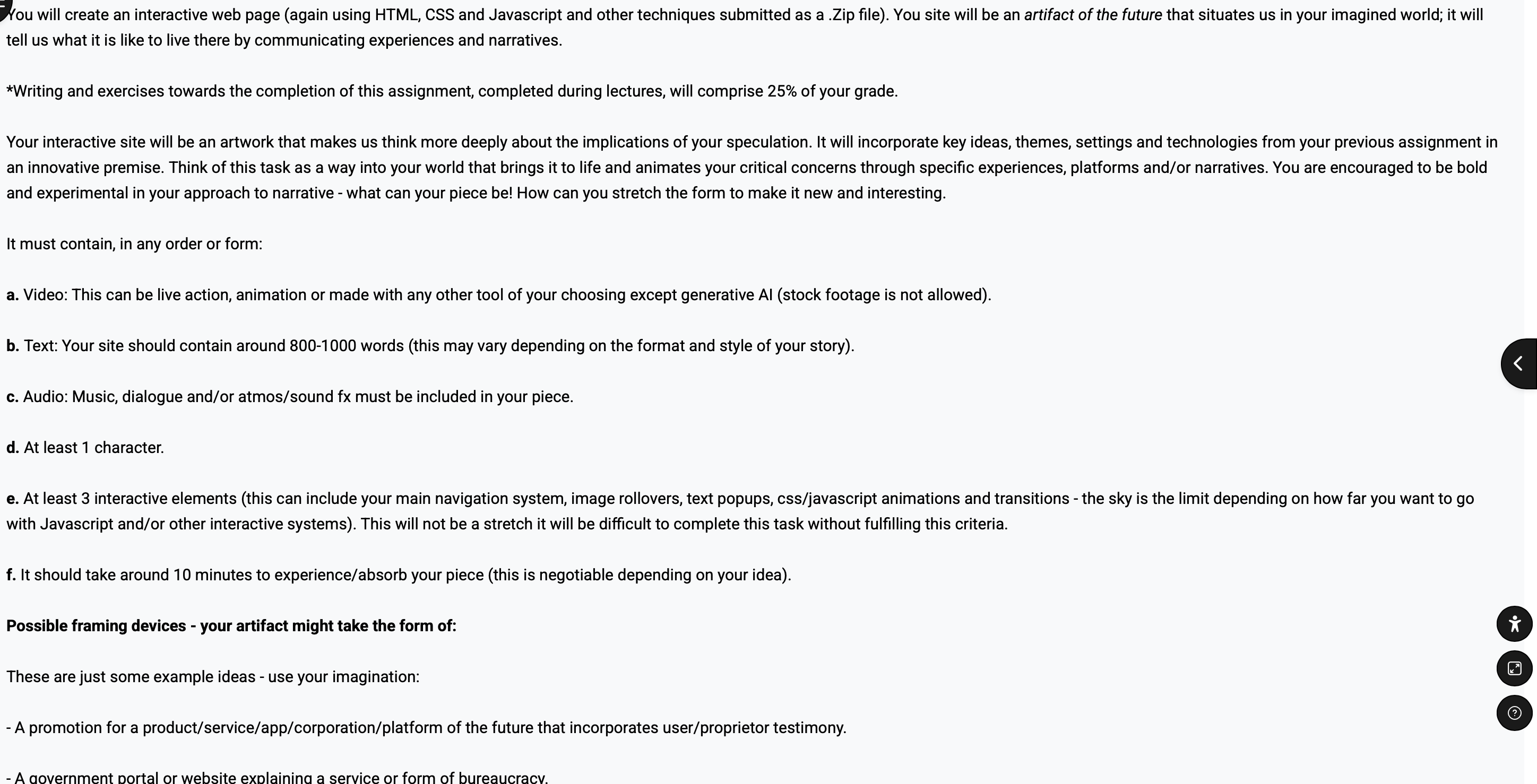
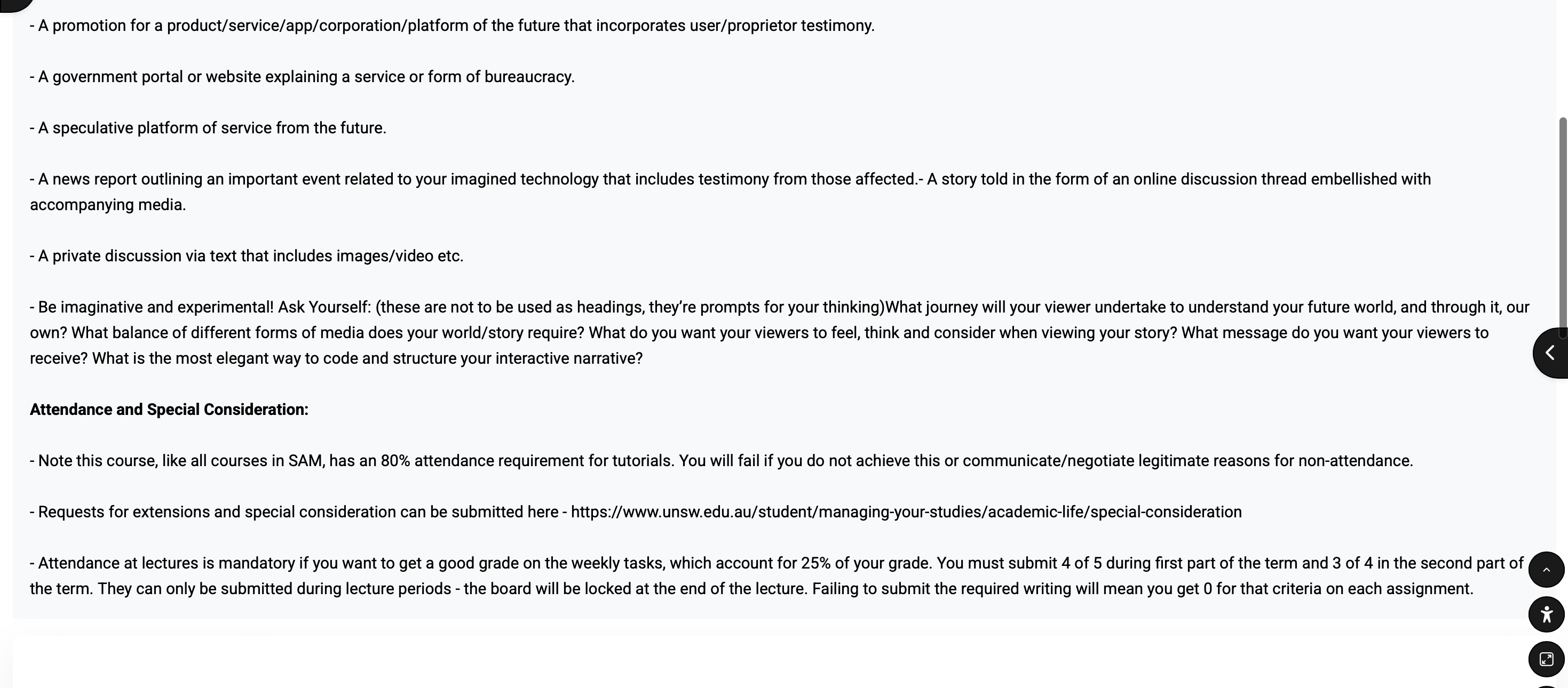
    <summary type="html"><![CDATA[<h2>1. 题目</h2>
<details class="hint-container details"><summary>原始图片</summary>
<figure><img src="https://blog.images.one.bornforthis.cn/2026/07/c595e5c1d945aad4803eb4d60a1af11c.png" alt tabindex="0" loading="lazy"></figure>
<figure><img src="https://blog.images.one.bornforthis.cn/2026/07/20260803230319724.png" alt tabindex="0" loading="lazy"></figure>
<figure><img src="https://blog.images.one.bornforthis.cn/2026/07/20260803225740383.png" alt tabindex="0" loading="lazy"></figure>
<figure><img src="https://blog.images.one.bornforthis.cn/2026/07/20260803225749166.png" alt tabindex="0" loading="lazy"></figure>
</details>]]></summary>
    <content type="html"><![CDATA[<h2>1. 题目</h2>
<details class="hint-container details"><summary>原始图片</summary>
<figure><img src="https://blog.images.one.bornforthis.cn/2026/07/c595e5c1d945aad4803eb4d60a1af11c.png" alt tabindex="0" loading="lazy"></figure>
<figure><img src="https://blog.images.one.bornforthis.cn/2026/07/20260803230319724.png" alt tabindex="0" loading="lazy"></figure>
<figure><img src="https://blog.images.one.bornforthis.cn/2026/07/20260803225740383.png" alt tabindex="0" loading="lazy"></figure>
<figure><img src="https://blog.images.one.bornforthis.cn/2026/07/20260803225749166.png" alt tabindex="0" loading="lazy"></figure>
</details>
<div class="language-markdown line-numbers-mode" data-highlighter="shiki" data-ext="markdown" style="--shiki-light:#383A42;--shiki-dark:#abb2bf;--shiki-light-bg:#FAFAFA;--shiki-dark-bg:#282c34"><pre class="shiki shiki-themes one-light one-dark-pro vp-code"><code class="language-markdown"><span class="line"><span style="--shiki-light:#E45649;--shiki-dark:#E06C75"># Interactive Web Page Assignment Brief</span></span>
<span class="line"></span>
<span class="line"><span style="--shiki-light:#383A42;--shiki-dark:#ABB2BF">You will create an interactive web page (again using HTML, CSS and Javascript and other techniques submitted as a .Zip file). Your site will be an artifact of the future that situates us in your imagined world; it will tell us what it is like to live there by communicating experiences and narratives.</span></span>
<span class="line"></span>
<span class="line"><span style="--shiki-light:#A0A1A7;--shiki-light-font-style:italic;--shiki-dark:#5C6370;--shiki-dark-font-style:inherit">> </span><span style="--shiki-light:#A626A4;--shiki-light-font-style:italic;--shiki-dark:#C678DD;--shiki-dark-font-style:italic">*Writing and exercises towards the completion of this assignment, completed during lectures, will comprise 25% of your grade.*</span></span>
<span class="line"></span>
<span class="line"><span style="--shiki-light:#383A42;--shiki-dark:#ABB2BF">Your interactive site will be an artwork that makes us think more deeply about the implications of your speculation. It will incorporate key ideas, themes, settings and technologies from your previous assignment in an innovative premise. Think of this task as a way into your world that brings it to life and animates your critical concerns through specific experiences, platforms and/or narratives. You are encouraged to be bold and experimental in your approach to narrative - what can your piece be? How can you stretch the form to make it new and interesting.</span></span></code></pre>
<div class="line-numbers" aria-hidden="true" style="counter-reset:line-number 0"><div class="line-number"></div><div class="line-number"></div><div class="line-number"></div><div class="line-number"></div><div class="line-number"></div><div class="line-number"></div><div class="line-number"></div></div></div>]]></content>
    <author>
      <name>AI悦创</name>
    </author>
    <contributor>
      <name>AI悦创</name>
    </contributor>
    <published>2026-07-31T14:17:21.000Z</published>
    <rights>Copyright by AI悦创</rights>
  </entry>
  <entry>
    <title type="text">Python体系课2022版「编程一对一教学」</title>
    <id>https://bornforthis.cn/1v1-txk.html</id>
    <link href="https://bornforthis.cn/1v1-txk.html"/>
    <updated>2026-08-02T14:50:16.000Z</updated>
    <summary type="html"><![CDATA[<div class="hint-container tip">
<p class="hint-container-title">最新版课表</p>
<p><a href="https://bornforthis.cn/column/Python-Programming-Course/ClassSchedule.html" target="_blank" rel="noopener noreferrer">https://bornforthis.cn/column/Python-Programming-Course/ClassSchedule.html</a></p>
</div>
<h2>阶段一：零基础突破！</h2>]]></summary>
    <content type="html"><![CDATA[<div class="hint-container tip">
<p class="hint-container-title">最新版课表</p>
<p><a href="https://bornforthis.cn/column/Python-Programming-Course/ClassSchedule.html" target="_blank" rel="noopener noreferrer">https://bornforthis.cn/column/Python-Programming-Course/ClassSchedule.html</a></p>
</div>
<h2>阶段一：零基础突破！</h2>
<p>| 序号                       | 名称                           |
|</p>
]]></content>
    <author>
      <name>AI悦创</name>
    </author>
    <category term="Python 体系课"/>
    <contributor>
      <name>AI悦创</name>
    </contributor>
    <published>2022-09-04T21:09:53.000Z</published>
    <rights>Copyright by AI悦创</rights>
  </entry>
  <entry>
    <title type="text">Python私教/Java私教保姆级教学/一对一教学</title>
    <id>https://bornforthis.cn/1v1.html</id>
    <link href="https://bornforthis.cn/1v1.html"/>
    <updated>2026-08-02T14:50:16.000Z</updated>
    <summary type="html"><![CDATA[<h2>平时讲课比较忙，没时间写具体的课程计划，加微信咨询：Jiabcdefh</h2>
<h2>课程内容：</h2>
<table>
<thead>
<tr>
<th>序号</th>
<th>名称</th>
</tr>
</thead>
<tbody>
<tr>
<td><strong>第一章 变量和数据类型</strong></td>
<td></td>
</tr>
<tr>
<td>01</td>
<td><strong>第一节丨变量</strong></td>
</tr>
<tr>
<td>02</td>
<td><strong>第二节丨初识数据类型</strong></td>
</tr>
<tr>
<td>03</td>
<td>章节测试一</td>
</tr>
<tr>
<td><strong>第二章 数据类型（上）</strong></td>
<td></td>
</tr>
<tr>
<td>01</td>
<td><strong>第一节丨数值</strong></td>
</tr>
<tr>
<td>02</td>
<td><strong>第二节丨字符串</strong></td>
</tr>
<tr>
<td>03</td>
<td>作业一丨创建一个问答式简历软件</td>
</tr>
<tr>
<td>04</td>
<td><strong>作业一讲解</strong></td>
</tr>
<tr>
<td>05</td>
<td>章节测试二</td>
</tr>
<tr>
<td><strong>第三章 数据类型（中）</strong></td>
<td></td>
</tr>
<tr>
<td>01</td>
<td><strong>第一节丨列表</strong></td>
</tr>
<tr>
<td>02</td>
<td><strong>第二节丨元组</strong></td>
</tr>
<tr>
<td>03</td>
<td>章节测试三</td>
</tr>
<tr>
<td><strong>第四章 数据类型（下）</strong></td>
<td></td>
</tr>
<tr>
<td>01</td>
<td><strong>第一节丨字典</strong></td>
</tr>
<tr>
<td>02</td>
<td><strong>第二节丨集合</strong></td>
</tr>
<tr>
<td>03</td>
<td>章节测试四</td>
</tr>
<tr>
<td><strong>第五章 if条件判断</strong></td>
<td></td>
</tr>
<tr>
<td>01</td>
<td><strong>第一节丨布尔表达式</strong></td>
</tr>
<tr>
<td>02</td>
<td><strong>第二节丨if条件判断</strong></td>
</tr>
<tr>
<td>03</td>
<td>章节测试五</td>
</tr>
<tr>
<td><strong>第六章 while循环</strong></td>
<td></td>
</tr>
<tr>
<td>01</td>
<td><strong>while循环</strong></td>
</tr>
<tr>
<td>02</td>
<td>章节测试六</td>
</tr>
<tr>
<td><strong>第七章 for循环</strong></td>
<td></td>
</tr>
<tr>
<td>01</td>
<td><strong>for循环</strong></td>
</tr>
<tr>
<td>02</td>
<td>作业二丨创建一个运势预测软件</td>
</tr>
<tr>
<td>03</td>
<td>章节测试七</td>
</tr>
<tr>
<td><strong>复习及测试习题讲解</strong></td>
<td></td>
</tr>
<tr>
<td>01</td>
<td><strong>复习及测试习题讲解</strong></td>
</tr>
<tr>
<td><strong>第八章 函数</strong></td>
<td></td>
</tr>
<tr>
<td>01</td>
<td><strong>第一节丨计算机函数的概念</strong></td>
</tr>
<tr>
<td>02</td>
<td><strong>第二节丨函数的定义与调用</strong></td>
</tr>
<tr>
<td>03</td>
<td>章节测试八</td>
</tr>
<tr>
<td><strong>第九章 类</strong></td>
<td></td>
</tr>
<tr>
<td>01</td>
<td><strong>第一节丨类的概念</strong></td>
</tr>
<tr>
<td>02</td>
<td><strong>第二节丨类的使用</strong></td>
</tr>
<tr>
<td>03</td>
<td><strong>第三节丨self参数的使用</strong></td>
</tr>
<tr>
<td>04</td>
<td>章节测试九</td>
</tr>
<tr>
<td>05</td>
<td>项目作业丨对话式对战游戏设计</td>
</tr>
<tr>
<td><strong>阶段测试</strong></td>
<td></td>
</tr>
<tr>
<td>01</td>
<td>Python-基础课程结业测试</td>
</tr>
<tr>
<td><strong>课程重点总结及答疑</strong></td>
<td></td>
</tr>
<tr>
<td>01</td>
<td>课程重点总结及答疑</td>
</tr>
</tbody>
</table>]]></summary>
    <content type="html"><![CDATA[<h2>平时讲课比较忙，没时间写具体的课程计划，加微信咨询：Jiabcdefh</h2>
<h2>课程内容：</h2>
<p>| 序号                      | 名称                           |
|</p>
]]></content>
    <author>
      <name>AI悦创</name>
    </author>
    <category term="Python 1v1"/>
    <contributor>
      <name>AI悦创</name>
    </contributor>
    <published>2022-09-22T12:10:52.000Z</published>
    <rights>Copyright by AI悦创</rights>
  </entry>
  <entry>
    <title type="text">「推荐」自由职业摄影师 Plus 视频课程</title>
    <id>https://bornforthis.cn/494.html</id>
    <link href="https://bornforthis.cn/494.html"/>
    <updated>2026-08-02T14:50:16.000Z</updated>
    <summary type="html"><![CDATA[<h2>全套视频百度网盘下载地址：</h2>
<p>价格：50元，付款后。</p>
<details class="hint-container details"><summary>微信</summary>
<img src="https://blog.images.bornforthis.cn/docs-images/sha256/fd/fdc5c07a97857467c68d515fc1d080922f8465737ae017067dbfd96aa1b7ddf6.jpg" style="zoom:25%;">
</details>
<details class="hint-container details"><summary>支付宝</summary>
<img src="https://blog.images.bornforthis.cn/docs-images/sha256/19/190e6de6aa1f2d54176871c93770f4821cb42584f4f73162486f1283acb1480e.jpg" style="zoom:25%;">
</details>]]></summary>
    <content type="html"><![CDATA[<h2>全套视频百度网盘下载地址：</h2>
<p>价格：50元，付款后。</p>
<details class="hint-container details"><summary>微信</summary>
<img src="https://blog.images.bornforthis.cn/docs-images/sha256/fd/fdc5c07a97857467c68d515fc1d080922f8465737ae017067dbfd96aa1b7ddf6.jpg" style="zoom:25%;">
</details>
<details class="hint-container details"><summary>支付宝</summary>
<img src="https://blog.images.bornforthis.cn/docs-images/sha256/19/190e6de6aa1f2d54176871c93770f4821cb42584f4f73162486f1283acb1480e.jpg" style="zoom:25%;">
</details>
<p>添加微信：Jiabcdefh</p>
<figure><img src="https://blog.images.bornforthis.cn/docs-images/sha256/2a/2a83be57f862222a403927ef9805af0f6cd2de6c80741fa007319bf38aae7e8a.jpeg" alt="img" tabindex="0" loading="lazy"><figcaption>img</figcaption></figure>
<h3>学摄影时，我们都在学什么？</h3>
<blockquote>
<p>咔图摄影教育中心 叶梓</p>
</blockquote>
<p>不少摄影人纠结于繁复的相机操作，同时还要考虑构图、色彩、光线的事情，一个脑子实在是不够用！学的越多，就越是不知道该怎么拍才好！摄影真的有那么复杂吗？恐怕不是！</p>
<p>本课程由国际摄影爱好者协会（IPEA）主席，咔图摄影教育中心创始人及CEO叶梓老师全程亲授， 你将掌握自由职业摄影师所需全部技能，并学会如何从零到一创建自己的工作室。</p>
<blockquote>
<p>讲师介绍：
知名摄影师、摄影讲师、行业意见领袖亲制亲授
叶梓
咔图摄影教育中心创始人及CEO
叶梓咔图摄影教育中心创始人及CEO自由摄影师，Adobe资深客席讲师，Datacolor色彩管理专家，曾为《中国摄影报》撰写专栏。曾于北京水立方等场馆举办三次个展，作品曾于德国十城巡展，进修于玛格南大师班，师从英国摄影师Olivia Arthur。叶梓先生从事摄影教育多年，其希望以摄影艺术、审美教育为手段，最终达到改善人们生活品质的目标。</p>
</blockquote>
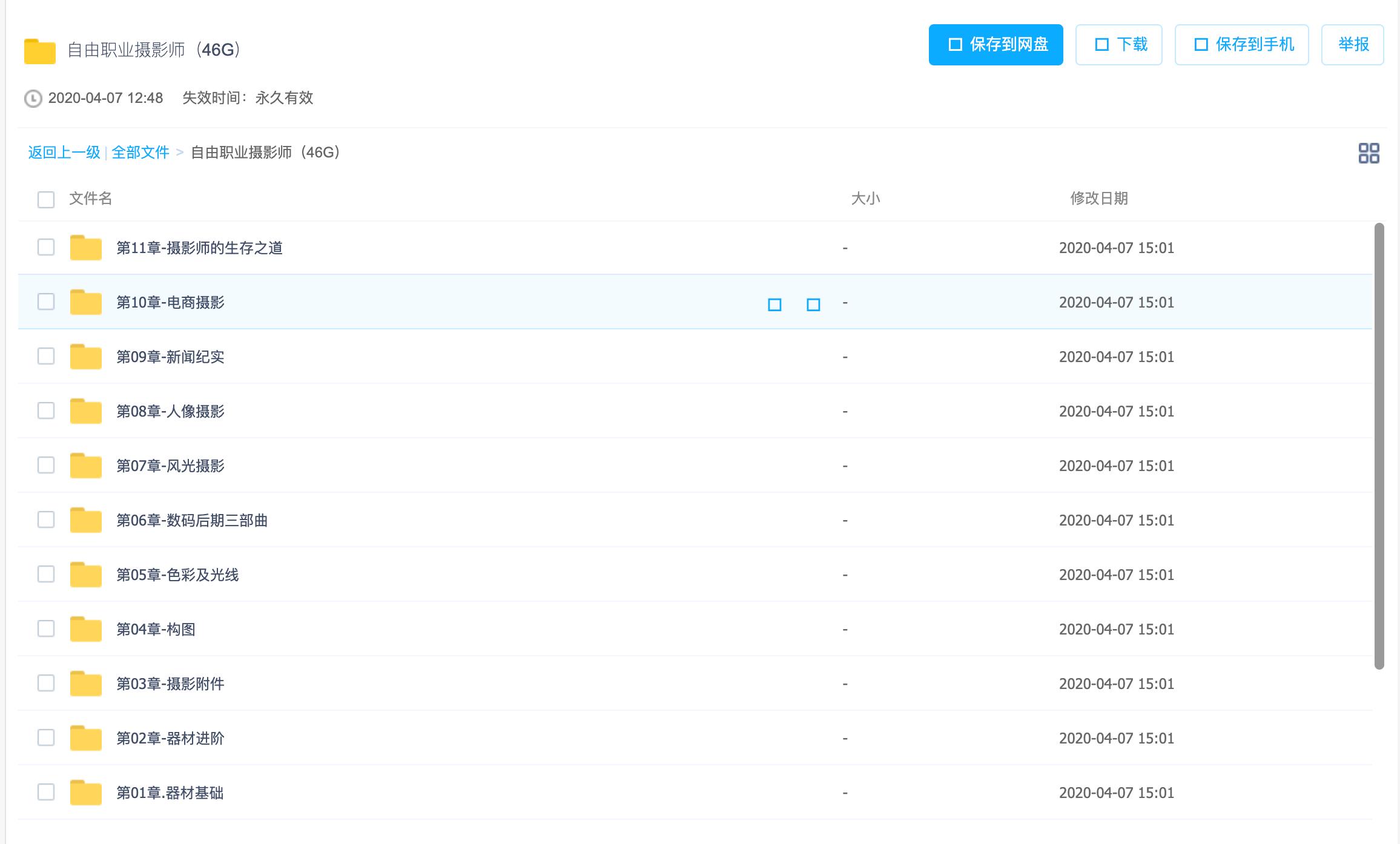
<h2>包含课程</h2>
<h3>1 器材基础必修</h3>
<p><strong>适合人群：没有摄影基础，或者基础薄弱没有接受过系统教学的摄影人。</strong></p>
<ol>
<li>为什么我要学这门课？</li>
<li>器材操作是摄影艺术的基础，如果器材操作不熟悉，就有如当兵的不会用枪；</li>
<li>如今网络上的摄影教程五花八门，其中存在不少误区，真假难辩；</li>
<li>摄影的坏习惯一旦形成，就很难纠正，因此你需要一位引路人；</li>
<li>兴趣很重要，不要被那些枯燥的说教磨灭了你的热情；</li>
<li>顶级的讲师为你授课，费用还不及他平时授课费的1/20，你还犹豫什么？</li>
</ol>
<h3>2 器材进阶必修</h3>
<p><strong>适合人群：希望深入学习器材操作的高级技巧，或者基础薄弱没有接受过系统教学的摄影人。</strong></p>
<ol>
<li>学完这门课我可以：</li>
<li>全面了解手中器材的优缺点，扬长避短；</li>
<li>摆脱器材的束缚，任何设备都能拍出背景虚化的照片；</li>
<li>拍出神奇的多重曝摄影作品；</li>
<li>了解各类镜头的特点及优缺点；</li>
<li>哦！原来以前看到的那张大师照是这么拍的！</li>
</ol>
<h3>3 摄影附件必修</h3>
<p><strong>适合人群：职业摄影师必备技能及风光、人像摄影爱好者。</strong></p>
<ol>
<li>为什么我要学这门课？</li>
<li>有些滤镜的效果是后期所无法达到的；</li>
<li>绝大多数的风光摄影及商业摄影均需用到摄影附件；</li>
<li>只买对的，不买贵的，教你挑选适合自己的附件；</li>
<li>了解各类相机的优缺点，丰富自己的专业摄影知识；</li>
<li>顶级的讲师为你授课，费用还不及他平时授课费的零头，你还犹豫什么？</li>
</ol>
<h3>4 构图必修</h3>
<p><strong>适合人群：想要拍出漂亮照片的你。</strong></p>
<ol>
<li>为什么我要学这门课？</li>
<li>了解摄影人在创作时的思维步骤；</li>
<li>迅速拍出漂亮的照片；</li>
<li>学会不同的构图方法，作品从此不再单一；</li>
<li>让我们的照片离完美又近了一步；</li>
<li>顶级的讲师为你授课，费用还不及他平时授课费的零头，你还犹豫什么？</li>
</ol>
<h3>5 色彩及光线必修</h3>
<p><strong>适合人群：想要拍出漂亮照片的你。</strong></p>
<ol>
<li>为什么我要学这门课？</li>
<li>了解色彩带给我们的心理影响，如何搭配色彩；</li>
<li>认知白平衡及色温的意义；</li>
<li>不同光的拍摄手法；</li>
<li>掌握摄影的基本常识；</li>
<li>顶级的讲师为你授课，费用还不及他平时授课费的零头，你还犹豫什么？</li>
</ol>
<h3>6 数码后期三部曲必修</h3>
<p><strong>适合人群：想要成立自己的摄影工作室进行商业拍摄的摄影师，或者希望进一步完善自己摄影作品的摄影爱好者。</strong></p>
<ol>
<li>为什么我要学这门课？</li>
<li>节省照片整理的时间，科学管理照片；</li>
<li>快速修饰和挑选照片；</li>
<li>校正屏幕、相机及打印机的色彩，与色差说拜拜；</li>
<li>版权很重要，学会如何维权；</li>
<li>顶级的讲师为你授课，费用还不及他平时授课费的零头，你还犹豫什么？</li>
</ol>
<h3>7 风光摄影必修</h3>
<p><strong>适合人群：想要成为职业风光摄影师或风光摄影爱好者。</strong></p>
<ol>
<li>为什么我要学这门课？</li>
<li>了解风光摄影的器材准备；</li>
<li>掌握不同天气的拍摄手法；</li>
<li>把握最佳的拍摄光线；</li>
<li>全面提升自己风光摄影的技能；</li>
<li>顶级的讲师为你授课，费用还不及他平时授课费的零头，你还犹豫什么？</li>
</ol>
<h3>8 人像摄影必修</h3>
<p><strong>适合人群：自由职业摄影师或摄影爱好者。</strong></p>
<ol>
<li>为什么我要学这门课？</li>
<li>电商拍模特离不开人像摄影；</li>
<li>组建婚纱、婚礼摄影工作室离不开人像摄影；</li>
<li>接拍儿童摄影的工作离不开人像摄影；</li>
<li>生活记录更离不开人像摄影；</li>
<li>顶级的讲师为你授课，费用还不及他平时授课费的零头，你还犹豫什么？</li>
</ol>
<h3>9 新闻纪实必修</h3>
<ol>
<li>适合人群：喜爱新闻纪实类摄影人群。</li>
<li>为什么我要学这门课？</li>
<li>让我们知道新闻纪实的摄影意义；</li>
<li>了解新闻纪实的特性；</li>
<li>用它去简述你身边感人的故事；</li>
<li>欣赏大师级的新闻纪实摄影作品；</li>
<li>顶级的讲师为你授课，费用还不及他平时授课费的零头，你还犹豫什么？</li>
</ol>
<h3>10 电商摄影必修</h3>
<ol>
<li>适合人群：电商创业者。</li>
<li>为什么我要学这门课？</li>
<li>怎么拍照片促进我们的销售量；</li>
<li>各类商品的拍摄方法；</li>
<li>如何布置商品的拍摄环境；</li>
<li>必不可少的后期处理；</li>
<li>顶级的讲师为你授课，费用还不及他平时授课费的零头，你还犹豫什么？</li>
</ol>
<h3>11 摄影师的生存之道必修</h3>
<p>适合人群：针对希望从事摄影行业及业余摄影爱好者。</p>
<ol>
<li>为什么我要学这门课？</li>
<li>了解自己照片的权利；</li>
<li>如何为自己进行营销；</li>
<li>做好自己的经纪人；</li>
<li>维护自己的权益；</li>
<li>顶级的讲师为你授课，费用还不及他平时授课费的零头，你还犹豫什么？</li>
</ol>
<figure><img src="https://blog.images.bornforthis.cn/docs-images/sha256/a4/a4339a85e407b8f49f1ebaef476b62993124080b1df111560e14bbcb48a4f385.jpeg" alt="img" tabindex="0" loading="lazy"><figcaption>img</figcaption></figure>
<figure><img src="https://www.pianshen.com/images/358/577f0a1bcbda63728643ae14ace59756.JPEG" alt="img" tabindex="0" loading="lazy"><figcaption>img</figcaption></figure>
<p>课程资源截图：</p>
<figure><img src="https://blog.images.bornforthis.cn/docs-images/sha256/a8/a8fc2d5a0943baf6000f42ad1f168a3e6fd9373a6d6afe640be04c859243ebeb.jpeg" alt="image-20200705153137184" tabindex="0" loading="lazy"><figcaption>image-20200705153137184</figcaption></figure>
<div align="center"><img src="https://blog.images.bornforthis.cn/docs-images/sha256/51/51f1983c47ad09a50469d03ff84853eddd43b52c02bc8320e13de6cdb90ed9a7.jpg" alt="微信号：Jiabcdefh" style="zoom:25%;"></div>]]></content>
    <author>
      <name>AI悦创</name>
    </author>
    <contributor>
      <name>AI悦创</name>
    </contributor>
    <published>2022-11-14T12:10:52.000Z</published>
    <rights>Copyright by AI悦创</rights>
  </entry>
  <entry>
    <title type="text">AI 画图✍️</title>
    <id>https://bornforthis.cn/AI-drawing.html</id>
    <link href="https://bornforthis.cn/AI-drawing.html"/>
    <updated>2026-08-02T14:50:16.000Z</updated>
    <summary type="html"><![CDATA[<h2>课程内容：</h2>
<table>
<thead>
<tr>
<th>序号</th>
<th>名称</th>
</tr>
</thead>
<tbody>
<tr>
<td><strong>第一章 Midjourney</strong></td>
<td></td>
</tr>
<tr>
<td>01</td>
<td>课程专属 xxx 使用</td>
</tr>
<tr>
<td>02</td>
<td>国外“ MJ 平台” Discord 注册登录</td>
</tr>
<tr>
<td>03</td>
<td>国外“ MJ 平台”机器人加入 Discord，会员计划等</td>
</tr>
<tr>
<td>04</td>
<td>Discord 基础使用 MJ</td>
</tr>
<tr>
<td>05</td>
<td>AI 绘画的通用方法是什么？</td>
</tr>
<tr>
<td>06</td>
<td>怎样为你和身边人打造多风格形象？</td>
</tr>
<tr>
<td>07</td>
<td>怎样给自己的宠物创造 Q 版形象？</td>
</tr>
<tr>
<td>08</td>
<td>怎样定制你的专属壁纸？</td>
</tr>
<tr>
<td>09</td>
<td>怎样快速上手品牌 logo 设计？</td>
</tr>
<tr>
<td>10</td>
<td>怎样让你的作品封面更吸引人？</td>
</tr>
<tr>
<td>11</td>
<td>怎样做海报更有氛围感？</td>
</tr>
<tr>
<td>12</td>
<td>怎样把你心爱的物件设计成手办？</td>
</tr>
<tr>
<td>13</td>
<td>怎样为艺术照设计场景？</td>
</tr>
<tr>
<td>14</td>
<td>如何设置你的专属饰品？</td>
</tr>
<tr>
<td>15</td>
<td>怎样画出你理想中的家装设计？</td>
</tr>
<tr>
<td>16</td>
<td>怎样创作你的独家绘本？</td>
</tr>
<tr>
<td>17</td>
<td>怎样画出你心中的漫画故事？</td>
</tr>
<tr>
<td>18</td>
<td>怎样用超现实主义风格创作惊奇画面？</td>
</tr>
<tr>
<td><strong>第二章 Stable Diffusion</strong></td>
<td></td>
</tr>
<tr>
<td>01</td>
<td></td>
</tr>
<tr>
<td></td>
<td></td>
</tr>
<tr>
<td></td>
<td></td>
</tr>
<tr>
<td></td>
<td></td>
</tr>
<tr>
<td></td>
<td></td>
</tr>
</tbody>
</table>]]></summary>
    <content type="html"><![CDATA[<h2>课程内容：</h2>
<p>| 序号                        | 名称                                         |
|</p>
]]></content>
    <author>
      <name>AI悦创</name>
    </author>
    <category term="Python 基础"/>
    <contributor>
      <name>AI悦创</name>
    </contributor>
    <published>2024-07-07T14:12:15.000Z</published>
    <rights>Copyright by AI悦创</rights>
  </entry>
  <entry>
    <title type="text">AIGC一对一教学课程计划</title>
    <id>https://bornforthis.cn/AIGC.html</id>
    <link href="https://bornforthis.cn/AIGC.html"/>
    <updated>2026-08-02T14:50:16.000Z</updated>
    <summary type="html"><![CDATA[<h2>Midjourney</h2>
<table>
<thead>
<tr>
<th>序号</th>
<th>名称</th>
</tr>
</thead>
<tbody>
<tr>
<td><strong>第一章 Midjourney</strong></td>
<td></td>
</tr>
<tr>
<td>01</td>
<td><strong>Midjourney 注册及订阅详细流程</strong></td>
</tr>
<tr>
<td></td>
<td></td>
</tr>
<tr>
<td></td>
<td></td>
</tr>
<tr>
<td></td>
<td></td>
</tr>
<tr>
<td></td>
<td></td>
</tr>
<tr>
<td></td>
<td></td>
</tr>
<tr>
<td></td>
<td></td>
</tr>
<tr>
<td></td>
<td></td>
</tr>
<tr>
<td></td>
<td></td>
</tr>
<tr>
<td></td>
<td></td>
</tr>
<tr>
<td></td>
<td></td>
</tr>
<tr>
<td></td>
<td></td>
</tr>
<tr>
<td></td>
<td></td>
</tr>
<tr>
<td></td>
<td></td>
</tr>
<tr>
<td></td>
<td></td>
</tr>
<tr>
<td></td>
<td></td>
</tr>
<tr>
<td></td>
<td></td>
</tr>
<tr>
<td></td>
<td></td>
</tr>
<tr>
<td></td>
<td></td>
</tr>
</tbody>
</table>]]></summary>
    <content type="html"><![CDATA[<h2>Midjourney</h2>
<p>| 序号                  | 名称                              |
|</p>
]]></content>
    <author>
      <name>AI悦创</name>
    </author>
    <category term="Python 基础"/>
    <category term="Python一对一教学"/>
    <contributor>
      <name>AI悦创</name>
    </contributor>
    <published>2023-11-29T12:12:21.000Z</published>
    <rights>Copyright by AI悦创</rights>
  </entry>
  <entry>
    <title type="text">AI悦创·私教课｜上课指南</title>
    <id>https://bornforthis.cn/Class-guide.html</id>
    <link href="https://bornforthis.cn/Class-guide.html"/>
    <updated>2026-08-02T14:50:16.000Z</updated>
    <summary type="html"><![CDATA[<div class="hint-container tip">
<p class="hint-container-title">寄语</p>
<p>欢迎👏你加入 AI悦创编程私教这个大家庭，也请相信你的选择是对的。我不能说我有多优秀的履历，但是我可以负责任的说：我是私教学员的良师益友。一步一步脚踏实地的来接触编程这个世界吧～</p>
</div>
<div class="hint-container warning">
<p class="hint-container-title">注意</p>
<p>我这里不支持欠课时上课，如：课时扣完，请及时续费。以免无法及时安排时间，会优先安排给有课时的学员。</p>
<p>上课期间如有必要会免费提供“国际上网”服务，上课期结束后会停止“国际上网”的免费支持，支持首次付费：半价！</p>
</div>]]></summary>
    <content type="html"><![CDATA[<div class="hint-container tip">
<p class="hint-container-title">寄语</p>
<p>欢迎👏你加入 AI悦创编程私教这个大家庭，也请相信你的选择是对的。我不能说我有多优秀的履历，但是我可以负责任的说：我是私教学员的良师益友。一步一步脚踏实地的来接触编程这个世界吧～</p>
</div>
<div class="hint-container warning">
<p class="hint-container-title">注意</p>
<p>我这里不支持欠课时上课，如：课时扣完，请及时续费。以免无法及时安排时间，会优先安排给有课时的学员。</p>
<p>上课期间如有必要会免费提供“国际上网”服务，上课期结束后会停止“国际上网”的免费支持，支持首次付费：半价！</p>
</div>
<h2>1. 看看自己有什么装备吧🎉</h2>
<p>| 序号       | 设备1       | 设备2      | 设备3      | 效率星级 | 上课 |
|</p>
]]></content>
    <author>
      <name>AI悦创</name>
    </author>
    <category term="上课指南"/>
    <contributor>
      <name>AI悦创</name>
    </contributor>
    <published>2023-02-04T19:37:55.000Z</published>
    <rights>Copyright by AI悦创</rights>
  </entry>
  <entry>
    <title type="text">Python/Java/C++/编程一对一AI悦创公告</title>
    <id>https://bornforthis.cn/Notice.html</id>
    <link href="https://bornforthis.cn/Notice.html"/>
    <updated>2026-08-02T14:50:16.000Z</updated>
    <summary type="html"><![CDATA[<h2>关于编程私教</h2>
<p>本人长期招收编程私教、作业代写、长期辅导、毕业设计等。。。。</p>
<h2>关于加密文章｜专栏</h2>
<div class="hint-container tip">
<p class="hint-container-title">限时</p>
<p>现在开始，限时免费阅读加密专栏，添加微信，注明来意。我拉群、发密码。微信：Jiabcdefh</p>
</div>
<p><s>加密文章属于私教学员、VIP 会员即可阅读。VIP 会员一个月 69元即可阅读全部文章 VIP 终身会员 99元，即可终身阅读指定选取的专栏。</s></p>
<h2>微信：</h2>]]></summary>
    <content type="html"><![CDATA[<h2>关于编程私教</h2>
<p>本人长期招收编程私教、作业代写、长期辅导、毕业设计等。。。。</p>
<h2>关于加密文章｜专栏</h2>
<div class="hint-container tip">
<p class="hint-container-title">限时</p>
<p>现在开始，限时免费阅读加密专栏，添加微信，注明来意。我拉群、发密码。微信：Jiabcdefh</p>
</div>
<p><s>加密文章属于私教学员、VIP 会员即可阅读。VIP 会员一个月 69元即可阅读全部文章 VIP 终身会员 99元，即可终身阅读指定选取的专栏。</s></p>
<h2>微信：</h2>
<img src="https://blog.images.bornforthis.cn/docs-images/sha256/51/51f1983c47ad09a50469d03ff84853eddd43b52c02bc8320e13de6cdb90ed9a7.jpg" alt="AI悦创·微信" style="zoom:25%;">
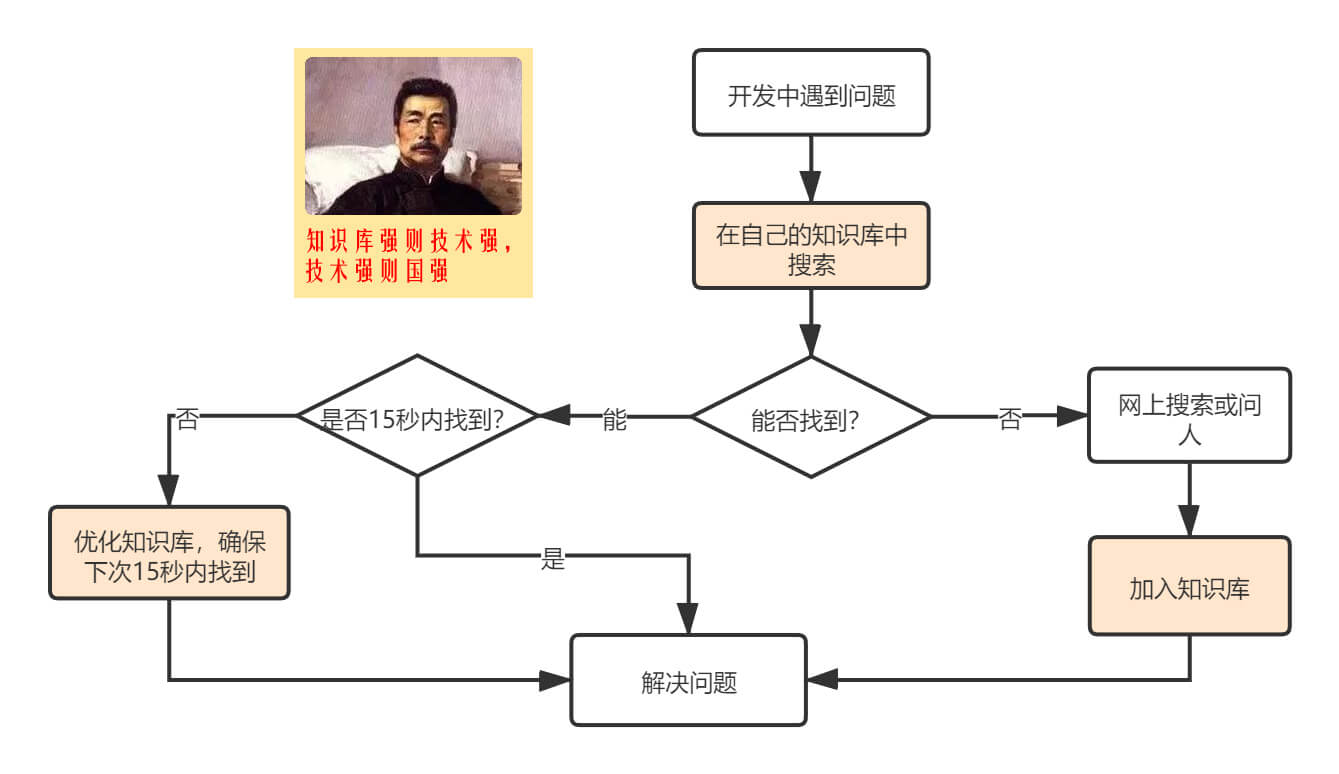
<h2>关于我为什么建议你写笔记和博客</h2>
<p>一图胜千言～</p>
<figure><img src="https://blog.images.bornforthis.cn/docs-images/sha256/c0/c0e19778c164b04245051f03138570e7fda6b73352c1c838395ed12bf2b5368f.jpg" alt="知识库" tabindex="0" loading="lazy"><figcaption>知识库</figcaption></figure>
<h2>视频不能正常播放？</h2>
<p><s>因为特殊存储方法导致，国内学员/用户不能流畅播放，如需要正常播放，联系我购买。</s></p>
<div class="hint-container info">
<p class="hint-container-title">相关信息</p>
<p>不要让世界左右你的情绪，也不要让情绪左右你的理性。</p>
</div>
]]></content>
    <author>
      <name>AI悦创</name>
    </author>
    <category term="Python 1v1"/>
    <category term="Java 1v1"/>
    <category term="Web 1v1"/>
    <contributor>
      <name>AI悦创</name>
    </contributor>
    <published>2022-12-06T11:14:06.000Z</published>
    <rights>Copyright by AI悦创</rights>
  </entry>
  <entry>
    <title type="text">Now</title>
    <id>https://bornforthis.cn/Now.html</id>
    <link href="https://bornforthis.cn/Now.html"/>
    <updated>2026-08-02T14:50:16.000Z</updated>
    <summary type="html"><![CDATA[<p>如果你好奇，我正在做的事情，你可以查看此页面。👇</p>
<div class="hint-container tip">
<p class="hint-container-title">Now</p>
<p>Now 页面会随着时间和当下生活的优先级而更新，用来<strong>让别人看见这个人现在生活的重点是什么</strong>，和<strong>提醒自己专注于当下最重要的事</strong>。</p>
</div>
<h2>💪 正在做</h2>
<table>
<thead>
<tr>
<th>序号</th>
<th>任务</th>
<th>开始日期</th>
<th>进展描述</th>
<th>完成日期</th>
<th>完成情况</th>
</tr>
</thead>
<tbody>
<tr>
<td>01</td>
<td>所有私教广告（转账、咨询、成绩等）进行整理、设计、发布，准备年底书籍出版。</td>
<td>2025 年 9 月 23 日 22:42:34</td>
<td></td>
<td></td>
<td></td>
</tr>
<tr>
<td>02</td>
<td>思考：短视频拍摄「程序员的私房菜、科技产品开箱（利用 7 天无理由）、」</td>
<td>2025 年 9 月 23 日 22:42:34</td>
<td></td>
<td></td>
<td></td>
</tr>
<tr>
<td>03</td>
<td>陈皮品质区分、如何冲煮、以及功效、会不会导致上火🔥等</td>
<td>2025 年 9 月 23 日 22:44:30</td>
<td>其实没怎么细看，不能喝太多并且重复泡的后面，容易喝了口渴。</td>
<td>2025 年 9 月 254日</td>
<td>✅</td>
</tr>
<tr>
<td>04</td>
<td>Python 编程思维与代码书籍配套视频课程</td>
<td>2025 年 9 月 23 日 22:48:05</td>
<td></td>
<td></td>
<td></td>
</tr>
<tr>
<td>05</td>
<td>小红书运营目前流量主力来自小红书，需要妥善思考运营方式与计划。主要计划：用拍视频的方式来推广，而不能直接文案，容易被小红书针对！</td>
<td>2025 年 9 月 23 日 22:49:49</td>
<td></td>
<td></td>
<td></td>
</tr>
<tr>
<td>06</td>
<td>微博账号也需要进行运营与发文，视频也要发布。</td>
<td>2025 年 9 月 24 日 08:43:30</td>
<td></td>
<td></td>
<td></td>
</tr>
<tr>
<td>07</td>
<td>可以考虑今日头条也发布视频、文章，找时间试一试具体情况。</td>
<td>2025 年 9 月 24 日 08:48:30</td>
<td>1. 第一个《华为路由器开箱视频》上传成功（2025 年 9 月 24 日 8:52:34）；<br>2.</td>
<td></td>
<td></td>
</tr>
<tr>
<td>08</td>
<td>考虑不仅仅在知乎发文章，也多回答知乎上的疑问，例如使用 AI 来辅助回答、运营。</td>
<td>2025 年 9 月 24 日 08:59:59</td>
<td></td>
<td></td>
<td></td>
</tr>
<tr>
<td>09</td>
<td>每日菜单整理</td>
<td>2025 年 9 月 24 日 10:21:40</td>
<td>-</td>
<td>-</td>
<td>-</td>
</tr>
<tr>
<td>10</td>
<td>相册网站研发</td>
<td>2025 年 9 月 24 日 10:22:22</td>
<td></td>
<td></td>
<td></td>
</tr>
<tr>
<td>11</td>
<td>视频号、小红书、抖音、哔哩哔哩进行转播科技直播</td>
<td>2025 年 9 月 24 日 10:50:00</td>
<td>1. 使用视频号、小红书进行转播「2025 年 9 月 24 日 11:53:36」；</td>
<td>-</td>
<td>-</td>
</tr>
<tr>
<td>12</td>
<td>竞品分析：<br>1. <a href="https://space.bilibili.com/14848367" target="_blank" rel="noopener noreferrer">https://space.bilibili.com/14848367</a><br>2. <a href="https://millionweekend.feishu.cn/wiki/O2hzwH0esip0D6kmDDhcxX87nFf" target="_blank" rel="noopener noreferrer">https://millionweekend.feishu.cn/wiki/O2hzwH0esip0D6kmDDhcxX87nFf</a><br>3. <a href="https://ai.feishu.cn/docx/XxDFdsQ8tosbjbx9ReScbkNPnld" target="_blank" rel="noopener noreferrer">https://ai.feishu.cn/docx/XxDFdsQ8tosbjbx9ReScbkNPnld</a></td>
<td></td>
<td></td>
<td></td>
<td></td>
</tr>
<tr>
<td>13</td>
<td>待研究的有趣项目：<br>1. 【Gemini 3 审美绝了！三分钟搓一个手势交互页面】 https://www.bilibili.com/video/BV1BRUXBKEje/?share_source=copy_web&amp;vd_source=13dbd886c44de9b1509d07863f93bff2<br>2. https://space.bilibili.com/316244795?spm_id_from=333.788.upinfo.head.click<br></td>
<td>数字媒体艺术</td>
<td>交互艺术】 https://www.bilibili.com/video/BV1epU8BfEvt/?share_source=copy_web&amp;vd_source=13dbd886c44de9b1509d07863f93bff2</td>
<td></td>
<td></td>
</tr>
</tbody>
</table>]]></summary>
    <content type="html"><![CDATA[<p>如果你好奇，我正在做的事情，你可以查看此页面。👇</p>
<div class="hint-container tip">
<p class="hint-container-title">Now</p>
<p>Now 页面会随着时间和当下生活的优先级而更新，用来<strong>让别人看见这个人现在生活的重点是什么</strong>，和<strong>提醒自己专注于当下最重要的事</strong>。</p>
</div>
<h2>💪 正在做</h2>
<p>| 序号 | 任务                                                         | 开始日期                    | 进展描述                                                     | 完成日期           | 完成情况 |
|</p>
]]></content>
    <published>2023-01-11T19:14:27.000Z</published>
  </entry>
  <entry>
    <title type="text">录课的悲催经历</title>
    <id>https://bornforthis.cn/Record_the_class.html</id>
    <link href="https://bornforthis.cn/Record_the_class.html"/>
    <updated>2026-08-02T14:50:16.000Z</updated>
    <summary type="html"><![CDATA[<h2>2022年07月10日</h2>
<h3>01-环境搭建</h3>
<table>
<thead>
<tr>
<th>序号</th>
<th>名称</th>
<th>出问题</th>
<th>建议</th>
</tr>
</thead>
<tbody>
<tr>
<td>01</td>
<td>屏幕录制2022-07-10 14.14.11</td>
<td>楼上突然电转，让我很无语</td>
<td>推荐找个没人的时间段emmmm</td>
</tr>
<tr>
<td>02</td>
<td>屏幕录制2022-07-10 15.14.35</td>
<td>没有节奏，废话多</td>
<td>多尝试几次，多捋一下逻辑</td>
</tr>
<tr>
<td>03</td>
<td>屏幕录制2022-07-10 15.16.24</td>
<td>又是楼上装修 TM，问过物业说30min，结果一直没停</td>
<td>准备夜晚开始录</td>
</tr>
</tbody>
</table>]]></summary>
    <content type="html"><![CDATA[<h2>2022年07月10日</h2>
<h3>01-环境搭建</h3>
<p>| 序号 | 名称                        | 出问题                                         | 建议                      |
|</p>
]]></content>
    <published>2022-11-30T07:27:28.000Z</published>
  </entry>
  <entry>
    <title type="text">AI悦创·私教课｜费用</title>
    <id>https://bornforthis.cn/Scale-of-charges.html</id>
    <link href="https://bornforthis.cn/Scale-of-charges.html"/>
    <updated>2026-08-02T14:50:16.000Z</updated>
    <summary type="html"><![CDATA[<div class="hint-container tip">
<p class="hint-container-title">寄语</p>
<p>欢迎👏你加入 AI悦创编程私教这个大家庭，也请相信你的选择是对的。我不能说我有多优秀的履历，但是我可以负责任的说：我是私教学员的良师益友。一步一步脚踏实地的来接触编程这个世界吧～</p>
</div>
<div class="hint-container warning">
<p class="hint-container-title">注意</p>
<p>我这里不支持欠课时上课，如：课时扣完，请及时续费。以免无法及时安排时间，会优先安排给有课时的学员。</p>
</div>]]></summary>
    <content type="html"><![CDATA[<div class="hint-container tip">
<p class="hint-container-title">寄语</p>
<p>欢迎👏你加入 AI悦创编程私教这个大家庭，也请相信你的选择是对的。我不能说我有多优秀的履历，但是我可以负责任的说：我是私教学员的良师益友。一步一步脚踏实地的来接触编程这个世界吧～</p>
</div>
<div class="hint-container warning">
<p class="hint-container-title">注意</p>
<p>我这里不支持欠课时上课，如：课时扣完，请及时续费。以免无法及时安排时间，会优先安排给有课时的学员。</p>
</div>
<h2>1. 上课价目表</h2>
<p>下面是我的课价表，请自行查阅。</p>

]]></content>
    <author>
      <name>AI悦创</name>
    </author>
    <category term="上课指南"/>
    <contributor>
      <name>AI悦创</name>
    </contributor>
    <published>2023-06-19T15:01:14.000Z</published>
    <rights>Copyright by AI悦创</rights>
  </entry>
  <entry>
    <title type="text">AI 产品经理私教课表</title>
    <id>https://bornforthis.cn/ai-model.html</id>
    <link href="https://bornforthis.cn/ai-model.html"/>
    <updated>2026-08-02T14:50:16.000Z</updated>
    <summary type="html"><![CDATA[<h2>Project 1: GPT 应用入门课</h2>
<p>时值互联网拐点，产品增长乏力，“努力”的边际收益随之锐减，不少人都被迫化身卷王，在旧的赛道里心力交瘁。让新技术助力提效，这题有没有解？</p>
<p>GPT 这个通用智能模型的出现，让新的高效工作流也逐渐浮出水面。不管市场怎么推进，<strong>个人最关注的永远是怎么利用 GPT 提效，实现代上班。</strong></p>
<figure><img src="https://blog.images.bornforthis.cn/docs-images/sha256/4a/4af4efda5537dfa0d6fd95a32b66c31c4b1e855e7e1bbc6e9a48edda79babe11.jpg" alt="新思路、新逻辑" tabindex="0" loading="lazy"><figcaption>新思路、新逻辑</figcaption></figure>]]></summary>
    <content type="html"><![CDATA[<h2>Project 1: GPT 应用入门课</h2>
<p>时值互联网拐点，产品增长乏力，“努力”的边际收益随之锐减，不少人都被迫化身卷王，在旧的赛道里心力交瘁。让新技术助力提效，这题有没有解？</p>
<p>GPT 这个通用智能模型的出现，让新的高效工作流也逐渐浮出水面。不管市场怎么推进，<strong>个人最关注的永远是怎么利用 GPT 提效，实现代上班。</strong></p>
<figure><img src="https://blog.images.bornforthis.cn/docs-images/sha256/4a/4af4efda5537dfa0d6fd95a32b66c31c4b1e855e7e1bbc6e9a48edda79babe11.jpg" alt="新思路、新逻辑" tabindex="0" loading="lazy"><figcaption>新思路、新逻辑</figcaption></figure>
<p>想要获取 GPT 助力减负的秘诀，就在这么几个问题里。</p>
<ul>
<li><strong>提问</strong>：怎么向 AI 提出高质量、少冗余的需求？</li>
<li><strong>设计</strong>：如何独立设计 prompt，指挥 GPT 干活？</li>
<li><strong>迭代</strong>：GPT 的答案总是及格以上，交付未满，迭代秘诀是什么？</li>
<li><strong>核心</strong>：智能时代的“原话师”需要掌握哪些核心魔法？</li>
<li><strong>重塑</strong>：如何使用 GPT 重塑工作流，高效“代上班”？</li>
<li><strong>套路</strong>：一份需求多次使用，事半功倍的套路是什么？</li>
</ul>
<p>ChatGPT 非常强大，但它能发挥多少本事，取决于你怎么挖掘。基于此，我们邀请到了近期专注于实现 AI 代上班和 AI 反内卷的林健，和你分享他独立设计的一系列综合 AI 智能人设和解决方案。让你真正做到“AI 用得好，天天下班早”！</p>
<p>课程主要分为 3 个模块。</p>
<h3>课程模块设计</h3>
<p><strong>第一模块：基础速通</strong></p>
<p>欢迎来到新世界。这个模块会让你对 GPT 有一个快速的初步了解，提供一些由简入繁的实例指引。同时，带你了解 GPT 的局限性，从而在当前的能力边界内“求最优解”。</p>
<p>你甚至可以转换思维来拓宽边界，把 GPT 当做一个超级中枢，真正实现迷人的“万物无联”。通过 Markdown 和实用符号的加持，你的“智能答案”也能图文并貌，让交付质量秒速提升。</p>
<p><strong>第二模块：黄金秘钥</strong></p>
<p>这个模块会重点深入讲解玩转 GPT 的独家秘诀，拓展和掌握“人 - 智”交互的新思路。学完这个模块，你一定能快速驯服 GPT，成为一名懂设计、有套路、有心法的 GPT Master。这些方法同样可以快速应用到其他 AI 工具，比如 Claude、Bard。</p>
<p>键盘老师也会传授给你轻量的输入法神技，让 GPT 领衔主演的私人智囊团随时随地由你支配，即使在寸土寸金的手机单行对话框，也能解决复杂需求。</p>
<p><strong>第三模块：综合实战</strong></p>
<p>这个模块会带你运用之前掌握的系统知识来进行实战检验，帮你融会贯通、举一反三，能将具体的挑战正确地转化为专业的 prompt 设计，指挥 GPT 输出可交付的工作成果。</p>
<p>密码管理、自学助手、材料整理、数据清洗、数据分析、智能画师，这些高频需求的应用都会在这个模块给你参考答案。在工作上、生活上、学习上都有令人惊艳的收益。</p>
<p>| 序号         | 名称                                 |
|</p>
]]></content>
    <author>
      <name>AI悦创</name>
    </author>
    <category term="AI产品经理"/>
    <contributor>
      <name>AI悦创</name>
    </contributor>
    <published>2023-06-07T13:16:11.000Z</published>
    <rights>Copyright by AI悦创</rights>
  </entry>
  <entry>
    <title type="text">Python 办公自动化一对一教学课程表</title>
    <id>https://bornforthis.cn/autooffice.html</id>
    <link href="https://bornforthis.cn/autooffice.html"/>
    <updated>2026-08-02T14:50:16.000Z</updated>
    <summary type="html"><![CDATA[<table>
<thead>
<tr>
<th>序号</th>
<th>内容</th>
</tr>
</thead>
<tbody>
<tr>
<td><strong>课前准备</strong></td>
<td></td>
</tr>
<tr>
<td>01</td>
<td>重复工作这么多，怎样才能提高工作效率？</td>
</tr>
<tr>
<td>02</td>
<td>入门 Python 的必备知识</td>
</tr>
<tr>
<td><strong>“输入”模块：不同文件类型的批量合并和拆分问题</strong></td>
<td></td>
</tr>
<tr>
<td>03</td>
<td>拆分与合并：如何快速地批量处理内容相似的 Excel？</td>
</tr>
<tr>
<td>04</td>
<td>善用 Python 扩展库：如何批量合并多个文档？</td>
</tr>
<tr>
<td>05</td>
<td>图片转文字：如何提高识别准确率？</td>
</tr>
<tr>
<td><strong>AI悦创特别放送</strong></td>
<td></td>
</tr>
<tr>
<td>06</td>
<td>特别放送 1｜实体水果店转线上销售的数据统计问题</td>
</tr>
<tr>
<td>07</td>
<td>特别放送2｜用自顶至底的思路解决数据统计问题</td>
</tr>
<tr>
<td>08</td>
<td>特别放送3｜揭晓项目作业的答案</td>
</tr>
<tr>
<td><strong>“运算”模块：扩展常用的统计、搜索和排序功能</strong></td>
<td></td>
</tr>
<tr>
<td>09</td>
<td>函数与字典：如何实现多次替换</td>
</tr>
<tr>
<td>10</td>
<td>图像处理库：如何实现长图拼接？</td>
</tr>
<tr>
<td>11</td>
<td>jieba 分词：如何基于感情色彩进行单词数量统计？</td>
</tr>
<tr>
<td>12</td>
<td>快速读写文件：如何实现跨文件的字数统计？</td>
</tr>
<tr>
<td>13</td>
<td>正则表达式：如何提高搜索内容的精确度？</td>
</tr>
<tr>
<td>14</td>
<td>扩展搜索：如何快速找到想要的文件？</td>
</tr>
<tr>
<td>15</td>
<td>按指定顺序给词语排序，提高查找效率</td>
</tr>
<tr>
<td>16</td>
<td>通过程序并行计算，避免CPU资源浪费</td>
</tr>
<tr>
<td><strong>“控制”模块：增强办公软件及周边软硬件的交互能力</strong></td>
<td></td>
</tr>
<tr>
<td>17</td>
<td>文本处理函数：三招解决数据对齐问题</td>
</tr>
<tr>
<td>18</td>
<td>Excel 插件：如何扩展Excel的基本功能？</td>
</tr>
<tr>
<td>19</td>
<td>VBA 脚本编程：如何扩展 Excel，实现文件的批量打印？</td>
</tr>
<tr>
<td>20</td>
<td>PowerShell 脚本：如何实现文件批量处理的自动化？</td>
</tr>
<tr>
<td><strong>“存储”模块：和文件相关的常用操作</strong></td>
<td></td>
</tr>
<tr>
<td>21</td>
<td>循环与文件目录管理：如何实现文件的批量重命名？</td>
</tr>
<tr>
<td>22</td>
<td>不同操作系统下，如何通过网络同步文件？</td>
</tr>
<tr>
<td>23</td>
<td>http 库：如何批量下载在线内容，解放鼠标（上）？</td>
</tr>
<tr>
<td>24</td>
<td>http 库：如何批量下载在线内容，解放鼠标（下）？</td>
</tr>
<tr>
<td>25</td>
<td>不同文件混在一起，怎么快速分类？</td>
</tr>
<tr>
<td>26</td>
<td>SQLite 文本数据库：如何进行数据管理（上）？</td>
</tr>
<tr>
<td>27</td>
<td>SQLite 文本数据库：如何进行数据管理（下）？</td>
</tr>
<tr>
<td><strong>“输出”模块：智能化输出自己的工作成果</strong></td>
<td></td>
</tr>
<tr>
<td>28</td>
<td>怎么用数据透视表更直观地展示汇报成果？</td>
</tr>
<tr>
<td>29</td>
<td>条形、饼状、柱状图最适合用在什么场景下？</td>
</tr>
<tr>
<td>30</td>
<td>图表库：想要生成动态图表，用 Echarts 就够了</td>
</tr>
<tr>
<td>31</td>
<td>快速提取图片中的色块，模仿一张大师的照片</td>
</tr>
<tr>
<td>32</td>
<td>zipfile 压缩库：如何给数据压缩&amp;加密备份？</td>
</tr>
<tr>
<td>33</td>
<td>Celery 库：让计算机定时执行任务，解放人力</td>
</tr>
<tr>
<td>34</td>
<td>网络和邮件库：定时收发邮件，减少手动操作</td>
</tr>
<tr>
<td>35</td>
<td>怎么快速把任意文件格式转成 PDF，并批量加水印？</td>
</tr>
<tr>
<td><strong>结束语</strong></td>
<td></td>
</tr>
<tr>
<td>36</td>
<td>结课测试题｜这些 Python 自动化办公的知识你都掌握了吗？</td>
</tr>
<tr>
<td>37</td>
<td>结束语｜和我一起成为10X效率职场人</td>
</tr>
</tbody>
</table>]]></summary>
    <content type="html"><![CDATA[<p>| 序号                                               | 内容                                                   |
|</p>
]]></content>
    <author>
      <name>AI悦创</name>
    </author>
    <category term="Python 办公自动化"/>
    <contributor>
      <name>AI悦创</name>
    </contributor>
    <published>2022-06-14T15:09:52.000Z</published>
    <rights>Copyright by AI悦创</rights>
  </entry>
  <entry>
    <title type="text">变更日志</title>
    <id>https://bornforthis.cn/changelog.html</id>
    <link href="https://bornforthis.cn/changelog.html"/>
    <updated>2026-08-02T14:50:16.000Z</updated>
    <summary type="html"><![CDATA[<p>该文件包含 AI悦创网站及其文章、专栏的所有显着更改，前面更新未记录。那今天开始记录。</p>
<h2>升级命令「2022-11-12 11:51:54」</h2>
<div class="language-sh line-numbers-mode" data-highlighter="shiki" data-ext="sh" style="--shiki-light:#383A42;--shiki-dark:#abb2bf;--shiki-light-bg:#FAFAFA;--shiki-dark-bg:#282c34"><pre class="shiki shiki-themes one-light one-dark-pro vp-code"><code class="language-sh"><span class="line"><span style="--shiki-light:#4078F2;--shiki-dark:#61AFEF">yarn</span><span style="--shiki-light:#50A14F;--shiki-dark:#98C379"> add</span><span style="--shiki-light:#50A14F;--shiki-dark:#98C379"> @vuepress/client@next</span><span style="--shiki-light:#50A14F;--shiki-dark:#98C379"> @vuepress/plugin-docsearch@next</span><span style="--shiki-light:#50A14F;--shiki-dark:#98C379"> vue@next</span><span style="--shiki-light:#50A14F;--shiki-dark:#98C379"> vuepress@next</span><span style="--shiki-light:#50A14F;--shiki-dark:#98C379"> vuepress-theme-hope@next</span><span style="--shiki-light:#383A42;--shiki-dark:#ABB2BF"> &#x26;&#x26; </span><span style="--shiki-light:#4078F2;--shiki-dark:#61AFEF">yarn</span><span style="--shiki-light:#50A14F;--shiki-dark:#98C379"> install</span><span style="--shiki-light:#383A42;--shiki-dark:#ABB2BF"> &#x26;&#x26; </span><span style="--shiki-light:#4078F2;--shiki-dark:#61AFEF">yarn</span><span style="--shiki-light:#50A14F;--shiki-dark:#98C379"> upgrade</span></span></code></pre>
<div class="line-numbers" aria-hidden="true" style="counter-reset:line-number 0"><div class="line-number"></div></div></div>]]></summary>
    <content type="html"><![CDATA[<p>该文件包含 AI悦创网站及其文章、专栏的所有显着更改，前面更新未记录。那今天开始记录。</p>
<h2>升级命令「2022-11-12 11:51:54」</h2>
<div class="language-sh line-numbers-mode" data-highlighter="shiki" data-ext="sh" style="--shiki-light:#383A42;--shiki-dark:#abb2bf;--shiki-light-bg:#FAFAFA;--shiki-dark-bg:#282c34"><pre class="shiki shiki-themes one-light one-dark-pro vp-code"><code class="language-sh"><span class="line"><span style="--shiki-light:#4078F2;--shiki-dark:#61AFEF">yarn</span><span style="--shiki-light:#50A14F;--shiki-dark:#98C379"> add</span><span style="--shiki-light:#50A14F;--shiki-dark:#98C379"> @vuepress/client@next</span><span style="--shiki-light:#50A14F;--shiki-dark:#98C379"> @vuepress/plugin-docsearch@next</span><span style="--shiki-light:#50A14F;--shiki-dark:#98C379"> vue@next</span><span style="--shiki-light:#50A14F;--shiki-dark:#98C379"> vuepress@next</span><span style="--shiki-light:#50A14F;--shiki-dark:#98C379"> vuepress-theme-hope@next</span><span style="--shiki-light:#383A42;--shiki-dark:#ABB2BF"> &#x26;&#x26; </span><span style="--shiki-light:#4078F2;--shiki-dark:#61AFEF">yarn</span><span style="--shiki-light:#50A14F;--shiki-dark:#98C379"> install</span><span style="--shiki-light:#383A42;--shiki-dark:#ABB2BF"> &#x26;&#x26; </span><span style="--shiki-light:#4078F2;--shiki-dark:#61AFEF">yarn</span><span style="--shiki-light:#50A14F;--shiki-dark:#98C379"> upgrade</span></span></code></pre>
<div class="line-numbers" aria-hidden="true" style="counter-reset:line-number 0"><div class="line-number"></div></div></div><h2>升级前的配置「2022-11-02 10:09:52」</h2>
<div class="language-json line-numbers-mode has-collapsed-lines collapsed" data-highlighter="shiki" data-ext="json" style="--vp-collapsed-lines:15;--shiki-light:#383A42;--shiki-dark:#abb2bf;--shiki-light-bg:#FAFAFA;--shiki-dark-bg:#282c34"><pre class="shiki shiki-themes one-light one-dark-pro vp-code"><code class="language-json"><span class="line"><span style="--shiki-light:#383A42;--shiki-dark:#ABB2BF">{</span></span>
<span class="line"><span style="--shiki-light:#E45649;--shiki-dark:#E06C75">  "name"</span><span style="--shiki-light:#383A42;--shiki-dark:#ABB2BF">: </span><span style="--shiki-light:#50A14F;--shiki-dark:#98C379">"bornforthis"</span><span style="--shiki-light:#383A42;--shiki-dark:#ABB2BF">,</span></span>
<span class="line"><span style="--shiki-light:#E45649;--shiki-dark:#E06C75">  "version"</span><span style="--shiki-light:#383A42;--shiki-dark:#ABB2BF">: </span><span style="--shiki-light:#50A14F;--shiki-dark:#98C379">"2.0.0"</span><span style="--shiki-light:#383A42;--shiki-dark:#ABB2BF">,</span></span>
<span class="line"><span style="--shiki-light:#E45649;--shiki-dark:#E06C75">  "description"</span><span style="--shiki-light:#383A42;--shiki-dark:#ABB2BF">: </span><span style="--shiki-light:#50A14F;--shiki-dark:#98C379">"编程1v1,AI悦创,Python,编程一对一,C++,Java,AI,人工智能,黄家宝"</span><span style="--shiki-light:#383A42;--shiki-dark:#ABB2BF">,</span></span>
<span class="line"><span style="--shiki-light:#E45649;--shiki-dark:#E06C75">  "license"</span><span style="--shiki-light:#383A42;--shiki-dark:#ABB2BF">: </span><span style="--shiki-light:#50A14F;--shiki-dark:#98C379">"MIT"</span><span style="--shiki-light:#383A42;--shiki-dark:#ABB2BF">,</span></span>
<span class="line"><span style="--shiki-light:#E45649;--shiki-dark:#E06C75">  "type"</span><span style="--shiki-light:#383A42;--shiki-dark:#ABB2BF">: </span><span style="--shiki-light:#50A14F;--shiki-dark:#98C379">"module"</span><span style="--shiki-light:#383A42;--shiki-dark:#ABB2BF">,</span></span>
<span class="line"><span style="--shiki-light:#E45649;--shiki-dark:#E06C75">  "scripts"</span><span style="--shiki-light:#383A42;--shiki-dark:#ABB2BF">: {</span></span>
<span class="line"><span style="--shiki-light:#E45649;--shiki-dark:#E06C75">    "docs:build"</span><span style="--shiki-light:#383A42;--shiki-dark:#ABB2BF">: </span><span style="--shiki-light:#50A14F;--shiki-dark:#98C379">"vuepress build docs"</span><span style="--shiki-light:#383A42;--shiki-dark:#ABB2BF">,</span></span>
<span class="line"><span style="--shiki-light:#E45649;--shiki-dark:#E06C75">    "docs:clean-dev"</span><span style="--shiki-light:#383A42;--shiki-dark:#ABB2BF">: </span><span style="--shiki-light:#50A14F;--shiki-dark:#98C379">"vuepress dev docs --clean-cache"</span><span style="--shiki-light:#383A42;--shiki-dark:#ABB2BF">,</span></span>
<span class="line"><span style="--shiki-light:#E45649;--shiki-dark:#E06C75">    "docs:dev"</span><span style="--shiki-light:#383A42;--shiki-dark:#ABB2BF">: </span><span style="--shiki-light:#50A14F;--shiki-dark:#98C379">"vuepress dev docs"</span></span>
<span class="line"><span style="--shiki-light:#383A42;--shiki-dark:#ABB2BF">  },</span></span>
<span class="line"><span style="--shiki-light:#E45649;--shiki-dark:#E06C75">  "devDependencies"</span><span style="--shiki-light:#383A42;--shiki-dark:#ABB2BF">: {</span></span>
<span class="line"><span style="--shiki-light:#E45649;--shiki-dark:#E06C75">    "@vuepress/client"</span><span style="--shiki-light:#383A42;--shiki-dark:#ABB2BF">: </span><span style="--shiki-light:#50A14F;--shiki-dark:#98C379">"^2.0.0-beta.51"</span><span style="--shiki-light:#383A42;--shiki-dark:#ABB2BF">,</span></span>
<span class="line"><span style="--shiki-light:#E45649;--shiki-dark:#E06C75">    "@vuepress/plugin-docsearch"</span><span style="--shiki-light:#383A42;--shiki-dark:#ABB2BF">: </span><span style="--shiki-light:#50A14F;--shiki-dark:#98C379">"^2.0.0-beta.51"</span><span style="--shiki-light:#383A42;--shiki-dark:#ABB2BF">,</span></span>
<span class="line"><span style="--shiki-light:#E45649;--shiki-dark:#E06C75">    "vue"</span><span style="--shiki-light:#383A42;--shiki-dark:#ABB2BF">: </span><span style="--shiki-light:#50A14F;--shiki-dark:#98C379">"^3.2.29"</span><span style="--shiki-light:#383A42;--shiki-dark:#ABB2BF">,</span></span>
<span class="line"><span style="--shiki-light:#E45649;--shiki-dark:#E06C75">    "vuepress"</span><span style="--shiki-light:#383A42;--shiki-dark:#ABB2BF">: </span><span style="--shiki-light:#50A14F;--shiki-dark:#98C379">"^2.0.0-beta.51"</span><span style="--shiki-light:#383A42;--shiki-dark:#ABB2BF">,</span></span>
<span class="line"><span style="--shiki-light:#E45649;--shiki-dark:#E06C75">    "vuepress-theme-hope"</span><span style="--shiki-light:#383A42;--shiki-dark:#ABB2BF">: </span><span style="--shiki-light:#50A14F;--shiki-dark:#98C379">"^2.0.0-beta.110"</span></span>
<span class="line"><span style="--shiki-light:#383A42;--shiki-dark:#ABB2BF">  },</span></span>
<span class="line"><span style="--shiki-light:#E45649;--shiki-dark:#E06C75">  "dependencies"</span><span style="--shiki-light:#383A42;--shiki-dark:#ABB2BF">: {</span></span>
<span class="line"><span style="--shiki-light:#E45649;--shiki-dark:#E06C75">    "yarn"</span><span style="--shiki-light:#383A42;--shiki-dark:#ABB2BF">: </span><span style="--shiki-light:#50A14F;--shiki-dark:#98C379">"^1.22.19"</span></span>
<span class="line"><span style="--shiki-light:#383A42;--shiki-dark:#ABB2BF">  }</span></span>
<span class="line"><span style="--shiki-light:#383A42;--shiki-dark:#ABB2BF">}</span></span></code></pre>
<div class="line-numbers" aria-hidden="true" style="counter-reset:line-number 0"><div class="line-number"></div><div class="line-number"></div><div class="line-number"></div><div class="line-number"></div><div class="line-number"></div><div class="line-number"></div><div class="line-number"></div><div class="line-number"></div><div class="line-number"></div><div class="line-number"></div><div class="line-number"></div><div class="line-number"></div><div class="line-number"></div><div class="line-number"></div><div class="line-number"></div><div class="line-number"></div><div class="line-number"></div><div class="line-number"></div><div class="line-number"></div><div class="line-number"></div><div class="line-number"></div><div class="line-number"></div></div><div class="collapsed-lines"></div></div><ul>
<li>添加 哔哩哔哩、YouTube 视频播放</li>
<li>代码块修复</li>
</ul>
<h2><a href="/changelog.html" target="_blank">添加网站更改日志</a> (2022-06-15 21:01:21)</h2>
<h3>Features</h3>
<ul>
<li>Add Changelog.md</li>
<li>MD 播放视频</li>
<li>视频播放代码，不适合放进博客首页摘要，容易出现报错！</li>
</ul>
<details class="hint-container details"><summary>代码</summary>
<div class="language-html line-numbers-mode" data-highlighter="shiki" data-ext="html" style="--shiki-light:#383A42;--shiki-dark:#abb2bf;--shiki-light-bg:#FAFAFA;--shiki-dark-bg:#282c34"><pre class="shiki shiki-themes one-light one-dark-pro vp-code"><code class="language-html"><span class="line"><span style="--shiki-light:#383A42;--shiki-dark:#ABB2BF">&#x3C;</span><span style="--shiki-light:#E45649;--shiki-dark:#E06C75">iframe</span><span style="--shiki-light:#383A42;--shiki-dark:#ABB2BF"> </span></span>
<span class="line"><span style="--shiki-light:#986801;--shiki-dark:#D19A66">src</span><span style="--shiki-light:#383A42;--shiki-dark:#ABB2BF">=</span><span style="--shiki-light:#50A14F;--shiki-dark:#98C379">"https://v.xiaohongshu.com/01e284d1cd6bdf230183700380d6d6fda0_259.mp4?sign=2a88f9e24468c75ffb69817190a64f29&#x26;t=62ab5380"</span><span style="--shiki-light:#383A42;--shiki-dark:#ABB2BF"> </span></span>
<span class="line"><span style="--shiki-light:#986801;--shiki-dark:#D19A66">scrolling</span><span style="--shiki-light:#383A42;--shiki-dark:#ABB2BF">=</span><span style="--shiki-light:#50A14F;--shiki-dark:#98C379">"no"</span><span style="--shiki-light:#383A42;--shiki-dark:#ABB2BF"> </span></span>
<span class="line"><span style="--shiki-light:#000000;--shiki-dark:#D19A66">border</span><span style="--shiki-light:#383A42;--shiki-dark:#ABB2BF">=</span><span style="--shiki-light:#50A14F;--shiki-dark:#98C379">"0"</span><span style="--shiki-light:#383A42;--shiki-dark:#ABB2BF"> </span></span>
<span class="line"><span style="--shiki-light:#986801;--shiki-dark:#D19A66">frameborder</span><span style="--shiki-light:#383A42;--shiki-dark:#ABB2BF">=</span><span style="--shiki-light:#50A14F;--shiki-dark:#98C379">"no"</span><span style="--shiki-light:#383A42;--shiki-dark:#ABB2BF"> </span></span>
<span class="line"><span style="--shiki-light:#986801;--shiki-dark:#D19A66">framespacing</span><span style="--shiki-light:#383A42;--shiki-dark:#ABB2BF">=</span><span style="--shiki-light:#50A14F;--shiki-dark:#98C379">"0"</span><span style="--shiki-light:#383A42;--shiki-dark:#ABB2BF"> </span></span>
<span class="line"><span style="--shiki-light:#986801;--shiki-dark:#D19A66">allowfullscreen</span><span style="--shiki-light:#383A42;--shiki-dark:#ABB2BF">=</span><span style="--shiki-light:#50A14F;--shiki-dark:#98C379">"true"</span><span style="--shiki-light:#383A42;--shiki-dark:#ABB2BF"> </span></span>
<span class="line"><span style="--shiki-light:#986801;--shiki-dark:#D19A66">height</span><span style="--shiki-light:#383A42;--shiki-dark:#ABB2BF">=</span><span style="--shiki-light:#50A14F;--shiki-dark:#98C379">600</span><span style="--shiki-light:#383A42;--shiki-dark:#ABB2BF"> </span></span>
<span class="line"><span style="--shiki-light:#986801;--shiki-dark:#D19A66">width</span><span style="--shiki-light:#383A42;--shiki-dark:#ABB2BF">=</span><span style="--shiki-light:#50A14F;--shiki-dark:#98C379">800</span><span style="--shiki-light:#383A42;--shiki-dark:#ABB2BF">> </span></span>
<span class="line"><span style="--shiki-light:#383A42;--shiki-dark:#ABB2BF">&#x3C;/</span><span style="--shiki-light:#E45649;--shiki-dark:#E06C75">iframe</span><span style="--shiki-light:#383A42;--shiki-dark:#ABB2BF">></span></span></code></pre>
<div class="line-numbers" aria-hidden="true" style="counter-reset:line-number 0"><div class="line-number"></div><div class="line-number"></div><div class="line-number"></div><div class="line-number"></div><div class="line-number"></div><div class="line-number"></div><div class="line-number"></div><div class="line-number"></div><div class="line-number"></div><div class="line-number"></div></div></div></details>
<h3>Bug Fixes</h3>
<ul>
<li>无</li>
</ul>
<p>欢迎关注我公众号：AI悦创，有更多更好玩的等你发现！</p>
<details class="hint-container details"><summary>公众号：AI悦创【二维码】</summary>
<figure><img src="https://blog.images.bornforthis.cn/docs-images/sha256/77/77f67d48a67ec6a44a4ef1f01ffc85830eb3c121b1ece45dc5ada06e20e2f52b.jpg" alt tabindex="0" loading="lazy"></figure>
</details>
<div class="hint-container info">
<p class="hint-container-title">AI悦创·编程一对一</p>
<p>AI悦创·推出辅导班啦，包括「Python 语言辅导班、C++ 辅导班、java 辅导班、算法/数据结构辅导班、少儿编程、pygame 游戏开发、Linux、Web」，全部都是一对一教学：一对一辅导 + 一对一答疑 + 布置作业 + 项目实践等。当然，还有线下线上摄影课程、Photoshop、Premiere 一对一教学、QQ、微信在线，随时响应！微信：Jiabcdefh</p>
<p>C++ 信息奥赛题解，长期更新！长期招收一对一中小学信息奥赛集训，莆田、厦门地区有机会线下上门，其他地区线上。微信：Jiabcdefh</p>
<p>方法一：<a href="http://wpa.qq.com/msgrd?v=3&amp;uin=1432803776&amp;site=qq&amp;menu=yes" target="_blank" rel="noopener noreferrer">QQ</a></p>
<p>方法二：微信：Jiabcdefh</p>
</div>
<figure><img src="https://blog.images.bornforthis.cn/docs-images/sha256/30/3087c629da73428daa0ee050f5b31709c30f650686164b54c724b892a422c585.jpg" alt tabindex="0" loading="lazy"></figure>
]]></content>
    <author>
      <name>AI悦创</name>
    </author>
    <contributor>
      <name>AI悦创</name>
    </contributor>
    <published>2022-06-15T21:01:21.000Z</published>
    <rights>Copyright by AI悦创</rights>
  </entry>
  <entry>
    <title type="text">ChatGPT全家桶/代注册/IOS美区账号一步到位</title>
    <id>https://bornforthis.cn/chatgpt.html</id>
    <link href="https://bornforthis.cn/chatgpt.html"/>
    <updated>2026-08-02T14:50:16.000Z</updated>
    <summary type="html"><![CDATA[<h2>ChatGPT 代注册</h2>
<p>只需10元，注册账号；「发送自己的邮箱和想注册的密码」手机号我搞定🤝</p>
<h2>梯子🪜</h2>
<p>我这里注册的免费使用梯子16天。</p>
<h2>IOS 美区账号</h2>
<p>支持买断。</p>
<p>我的微信号：Jiabcdefh</p>
<p>如果你有其他需求或者疑问，点击：<a href="http://wpa.qq.com/msgrd?v=3&amp;uin=1432803776&amp;site=qq&amp;menu=yes" target="_blank" rel="noopener noreferrer">QQ 在线客服</a></p>]]></summary>
    <content type="html"><![CDATA[<h2>ChatGPT 代注册</h2>
<p>只需10元，注册账号；「发送自己的邮箱和想注册的密码」手机号我搞定🤝</p>
<h2>梯子🪜</h2>
<p>我这里注册的免费使用梯子16天。</p>
<h2>IOS 美区账号</h2>
<p>支持买断。</p>
<p>我的微信号：Jiabcdefh</p>
<p>如果你有其他需求或者疑问，点击：<a href="http://wpa.qq.com/msgrd?v=3&amp;uin=1432803776&amp;site=qq&amp;menu=yes" target="_blank" rel="noopener noreferrer">QQ 在线客服</a></p>
<p>微信：</p>
<div align="center"><img src="https://blog.images.bornforthis.cn/docs-images/sha256/51/51f1983c47ad09a50469d03ff84853eddd43b52c02bc8320e13de6cdb90ed9a7.jpg" alt="微信号：Jiabcdefh" style="zoom:25%;"></div>
]]></content>
    <author>
      <name>AI悦创</name>
    </author>
    <category term="Python 基础"/>
    <category term="Python一对一教学"/>
    <contributor>
      <name>AI悦创</name>
    </contributor>
    <published>2023-05-19T11:47:35.000Z</published>
    <rights>Copyright by AI悦创</rights>
  </entry>
  <entry>
    <title type="text">Python私教/一对一教学/作业辅导</title>
    <id>https://bornforthis.cn/code1v1.html</id>
    <link href="https://bornforthis.cn/code1v1.html"/>
    <updated>2026-08-02T14:50:16.000Z</updated>
    <summary type="html"><![CDATA[<figure><img src="https://blog.images.bornforthis.cn/docs-images/sha256/b0/b0c048b1a355c7ce7270824cdc440ce4e2b59eeb788a1cfa9c090686921f74a9.png" alt="02" tabindex="0" loading="lazy"><figcaption>02</figcaption></figure>
<figure><img src="https://blog.images.bornforthis.cn/docs-images/sha256/51/51ba40e3424196ef5e04821e1fde96d879f3e51b41854d25dde80633e804fe19.png" alt="01" tabindex="0" loading="lazy"><figcaption>01</figcaption></figure>]]></summary>
    <content type="html"><![CDATA[<figure><img src="https://blog.images.bornforthis.cn/docs-images/sha256/b0/b0c048b1a355c7ce7270824cdc440ce4e2b59eeb788a1cfa9c090686921f74a9.png" alt="02" tabindex="0" loading="lazy"><figcaption>02</figcaption></figure>
<figure><img src="https://blog.images.bornforthis.cn/docs-images/sha256/51/51ba40e3424196ef5e04821e1fde96d879f3e51b41854d25dde80633e804fe19.png" alt="01" tabindex="0" loading="lazy"><figcaption>01</figcaption></figure>
<h2>平时讲课比较忙，没时间写具体的课程计划，加微信咨询：Jiabcdefh</h2>
<h2>课程内容：</h2>
<p>| 序号                      | 名称                           |
|</p>
]]></content>
    <author>
      <name>AI悦创</name>
    </author>
    <category term="Python 1v1"/>
    <contributor>
      <name>AI悦创</name>
    </contributor>
    <published>2022-10-07T23:10:52.000Z</published>
    <rights>Copyright by AI悦创</rights>
  </entry>
  <entry>
    <title type="text">Essay</title>
    <id>https://bornforthis.cn/essays.html</id>
    <link href="https://bornforthis.cn/essays.html"/>
    <updated>2026-08-04T00:56:17.000Z</updated>
    <summary type="html"><![CDATA[<p>你好，我是悦创。欢迎在留言区写下你对某句话的见解，一起交流。</p>
<h2>2021 年</h2>
<div class="hint-container tip">
<p class="hint-container-title">手札1 2021</p>
<p>浅者见浅，深者见深——黄家宝</p>
</div>
<details class="hint-container details"><summary>优质评论 1+</summary>
<p>浅度思考的人看到的只是敷于表面的内容，大多停在一知半解；深度思考的人会得到更多的想法甚至是理念，在联系中找到解决问题的方法。学习也是如此，不仅仅是学习概念和原理，更多的是要融会贯通，独立思考，不能被表象所迷惑。批判地看待事物的不同角度，学会举一反三。——<strong>悦兮小栈</strong> 福建 WeChat8s.0Android 11 2022-05-26 10:10</p>
</details>]]></summary>
    <content type="html"><![CDATA[<p>你好，我是悦创。欢迎在留言区写下你对某句话的见解，一起交流。</p>
<h2>2021 年</h2>
<div class="hint-container tip">
<p class="hint-container-title">手札1 2021</p>
<p>浅者见浅，深者见深——黄家宝</p>
</div>
<details class="hint-container details"><summary>优质评论 1+</summary>
<p>浅度思考的人看到的只是敷于表面的内容，大多停在一知半解；深度思考的人会得到更多的想法甚至是理念，在联系中找到解决问题的方法。学习也是如此，不仅仅是学习概念和原理，更多的是要融会贯通，独立思考，不能被表象所迷惑。批判地看待事物的不同角度，学会举一反三。——<strong>悦兮小栈</strong> 福建 WeChat8s.0Android 11 2022-05-26 10:10</p>
</details>
<h2>2022年</h2>
<div class="hint-container tip">
<p class="hint-container-title">手札2 2022-05-16</p>
<p>我们有时候不仅仅要看选择项以内的答案，也要去思考选择项以外的答案。——AI悦创</p>
</div>
<div class="hint-container tip">
<p class="hint-container-title">手札3</p>
<p>起的最早的是理想主义者，跑的最快的是骗子，而胆子最大的是那些冒险家，害怕错过一切，疯狂往里冲的是韭菜，而真正的成功者，可能还没有入场。</p>
</div>
<div class="hint-container tip">
<p class="hint-container-title">手札 4 2022年6月2日</p>
<p>先实现功能，再去优化，否则一切会很乱。——AI悦创</p>
</div>
<h2>2023 年</h2>
<div class="hint-container tip">
<p class="hint-container-title">记录 2023-01-29 14:40:30</p>
<p>凡是你不能清晰写下来的东西，都是你还没有真正理解的东西</p>
</div>
<div class="hint-container tip">
<p class="hint-container-title">记录 2023-01-30 11:23:35</p>
<p>有些事情本很遥远，你争取它就离你很近了！</p>
</div>
<div class="hint-container tip">
<p class="hint-container-title">记录 Cynthia 课上交流</p>
<p>深度有了，但是没有出路。Cynthia——2023-02-12 17:54:13</p>
</div>
<div class="hint-container tip">
<p class="hint-container-title">FM交流 2023-02-16 00:05:20</p>
<p>语言的高贵，不取决于他的长短，而是取决于作者的心意。——与 FM 交流</p>
</div>
<div class="hint-container tip">
<p class="hint-container-title">高天琦上课 2023-02-26 20:27:04</p>
<p>不要纯粹的思考，还有动手验证——AI悦创</p>
</div>
<div class="hint-container tip">
<p class="hint-container-title">Jason 上课后 2023-07-07 23:04:10</p>
<p>编程应该是一种思维、一种创造、一种乐趣，这才是本该有的样子，而不是一种负担～——AI悦创</p>
</div>
<div class="hint-container tip">
<p class="hint-container-title">收拾桌面思考🤔️到麦克风</p>
<p>当一件事情，超出你的认知，你就会变得小心翼翼，生怕生出变故。比如，我想到这个的原因是：我花钱找人调试麦克的情景，给我安装了一堆我不认识的软件，以至我当时直接问：这个我之后升级系统之类的会不会影响之类的，她说不会。但我内心并没有好些，因为我并不知道真的会不会发生以及我怎么解决我有可能遇见的问题。虽然，最后没有调试好，我申请退款了。——2023-07-25 13:53:47</p>
</div>
<div class="hint-container tip">
<p class="hint-container-title">认知1</p>
<p>群里没有大佬，我只是比你们早接触早研究而已，真正的大佬是开发这些开源工具、模型等的人，愿我们都虚心的学习～——2023-07-27 14:09:12</p>
</div>
<div class="hint-container tip">
<p class="hint-container-title">认知2</p>
<p>普通人，在 AI下如何赚钱？别异想天开了，你想这个的时候，你已经不是成为别人的韭菜，就是成为韭菜的路上。现在需要学这个是未来做辅助和增强竞争力，想直接变现少做梦了。这也是很多互联网上的“卖点”。能赚钱的，不是长期准备或者就在装大佬割韭菜。</p>
<p>学这个有用吗？有，只要你是想融合到你自己的领域这有用，或者是为未来做准备。但是你是想变现为目的也行，但是别想的太简单就行。——2023-07-27 14:10:44</p>
</div>
<div class="hint-container tip">
<p class="hint-container-title">手札 2023-10-24 21:31:14 张杨</p>
<p>国外是看家庭情况卷，国内是不看家庭情况卷。——张扬</p>
</div>
<div class="hint-container tip">
<p class="hint-container-title">手札 2023-11-10 11:24:19</p>
<p>现阶段的 AI 还需要活人去填补～AI悦创 2023-11-10 11:24:19</p>
</div>
<div class="hint-container tip">
<p class="hint-container-title">手札 2023-12-30 11:24:34</p>
<p>做什么的事情的时候，如果感觉到麻烦，千万别懒别烦。此时，多想一步：有没有更方便的方法？这是一个内推力（内在动力）是推进你精进、学习的时机。</p>
</div>
<h2>2024 年</h2>
<div class="hint-container tip">
<p class="hint-container-title">思考</p>
<p>有时候，不要只看局部。站的高点，站的远点，使我们有全局视角，这样往往更便于我们发现事物中所存在的关联关系或规律。——AI悦创 2024-01-01 23:17:10</p>
</div>
<div class="hint-container tip">
<p class="hint-container-title">爱你我的老婆</p>
<p>爱不是某一次的集中表达，而是散落在日日中的平凡表达～AI悦创 2024年04月03日 16:10</p>
</div>
<div class="hint-container tip">
<p class="hint-container-title">2024-03-08 20:09:15</p>
<p>我发现所有的称呼，都无法彻底表达出我对你的深情～2024-03-08 20:09:15</p>
</div>
<div class="hint-container tip">
<p class="hint-container-title">2024-06-28 22:43:02</p>
<p>现实当中，你会了。那代码就是你践行现实中的行为～代码工具</p>
</div>
<div class="hint-container tip">
<p class="hint-container-title">2024-06-28 23:25:14</p>
<p><strong>移除重复字母保持顺序</strong> 编写一个函数 <code>remove_duplicates(s)</code>，它接受一个字符串 <code>s</code> 作为参数，并返回一个新的字符串，该字符串包含 <code>s</code> 中的字符，每个字符只出现一次，并保持它们在原字符串中的顺序。 例如，<code>remove_duplicates(&quot;banana&quot;)</code> 应返回 <code>&quot;ban&quot;</code>。</p>
<p>你以为的结束，没准只是开始～</p>
<details class="hint-container details"><summary>详情</summary>
<div class="language-python line-numbers-mode has-collapsed-lines collapsed" data-highlighter="shiki" data-ext="python" style="--vp-collapsed-lines:15;--shiki-light:#383A42;--shiki-dark:#abb2bf;--shiki-light-bg:#FAFAFA;--shiki-dark-bg:#282c34"><pre class="shiki shiki-themes one-light one-dark-pro vp-code"><code class="language-python"><span class="line"><span style="--shiki-light:#50A14F;--shiki-dark:#98C379">"""</span></span>
<span class="line"><span style="--shiki-light:#50A14F;--shiki-dark:#98C379">Student Code here</span></span>
<span class="line"><span style="--shiki-light:#50A14F;--shiki-dark:#98C379">def remove_duplicates(s):</span></span>
<span class="line"><span style="--shiki-light:#50A14F;--shiki-dark:#98C379">    index_s = 0</span></span>
<span class="line"><span style="--shiki-light:#50A14F;--shiki-dark:#98C379">    lst = []</span></span>
<span class="line"><span style="--shiki-light:#50A14F;--shiki-dark:#98C379">    for i in s:</span></span>
<span class="line"><span style="--shiki-light:#50A14F;--shiki-dark:#98C379">        if s[index_s] in lst:</span></span>
<span class="line"><span style="--shiki-light:#50A14F;--shiki-dark:#98C379">            lst.append(index_s)</span></span>
<span class="line"><span style="--shiki-light:#50A14F;--shiki-dark:#98C379">        elif s[index_s] not in lst:</span></span>
<span class="line"><span style="--shiki-light:#50A14F;--shiki-dark:#98C379">            index_s += 1</span></span>
<span class="line"><span style="--shiki-light:#50A14F;--shiki-dark:#98C379">    return lst</span></span>
<span class="line"></span>
<span class="line"><span style="--shiki-light:#50A14F;--shiki-dark:#98C379">result = remove_duplicates("apple")</span></span>
<span class="line"><span style="--shiki-light:#50A14F;--shiki-dark:#98C379">print(result)</span></span>
<span class="line"><span style="--shiki-light:#50A14F;--shiki-dark:#98C379">"""</span></span>
<span class="line"></span>
<span class="line"><span style="--shiki-light:#50A14F;--shiki-dark:#98C379">"""def remove_duplicates(s):</span></span>
<span class="line"><span style="--shiki-light:#50A14F;--shiki-dark:#98C379">    index_s = 0</span></span>
<span class="line"><span style="--shiki-light:#50A14F;--shiki-dark:#98C379">    lst = []  # 初始化是空列表</span></span>
<span class="line"><span style="--shiki-light:#50A14F;--shiki-dark:#98C379">    for i in s:</span></span>
<span class="line"><span style="--shiki-light:#50A14F;--shiki-dark:#98C379">        if s[index_s] in lst:  # 而你使用 s[index_s] in lst，这个是恒为 False。永远不在列表里面。</span></span>
<span class="line"><span style="--shiki-light:#50A14F;--shiki-dark:#98C379">            lst.append(index_s)</span></span>
<span class="line"><span style="--shiki-light:#50A14F;--shiki-dark:#98C379">        elif s[index_s] not in lst:</span></span>
<span class="line"><span style="--shiki-light:#50A14F;--shiki-dark:#98C379">            index_s += 1</span></span>
<span class="line"><span style="--shiki-light:#50A14F;--shiki-dark:#98C379">    return lst</span></span>
<span class="line"></span>
<span class="line"><span style="--shiki-light:#50A14F;--shiki-dark:#98C379">result = remove_duplicates("apple")</span></span>
<span class="line"><span style="--shiki-light:#50A14F;--shiki-dark:#98C379">print(result)</span></span>
<span class="line"><span style="--shiki-light:#50A14F;--shiki-dark:#98C379">"""</span></span>
<span class="line"></span>
<span class="line"><span style="--shiki-light:#A626A4;--shiki-dark:#C678DD">def</span><span style="--shiki-light:#4078F2;--shiki-dark:#61AFEF"> remove_duplicates</span><span style="--shiki-light:#383A42;--shiki-dark:#ABB2BF">(</span><span style="--shiki-light:#986801;--shiki-light-font-style:inherit;--shiki-dark:#D19A66;--shiki-dark-font-style:italic">s</span><span style="--shiki-light:#383A42;--shiki-dark:#ABB2BF">):</span></span>
<span class="line"><span style="--shiki-light:#383A42;--shiki-dark:#ABB2BF">    index_s </span><span style="--shiki-light:#383A42;--shiki-dark:#56B6C2">=</span><span style="--shiki-light:#986801;--shiki-dark:#D19A66"> 0</span></span>
<span class="line"><span style="--shiki-light:#383A42;--shiki-dark:#ABB2BF">    lst </span><span style="--shiki-light:#383A42;--shiki-dark:#56B6C2">=</span><span style="--shiki-light:#383A42;--shiki-dark:#ABB2BF"> []  </span><span style="--shiki-light:#A0A1A7;--shiki-light-font-style:italic;--shiki-dark:#7F848E;--shiki-dark-font-style:italic"># 初始化是空列表</span></span>
<span class="line"><span style="--shiki-light:#A626A4;--shiki-dark:#C678DD">    for</span><span style="--shiki-light:#383A42;--shiki-dark:#ABB2BF"> i </span><span style="--shiki-light:#A626A4;--shiki-dark:#C678DD">in</span><span style="--shiki-light:#383A42;--shiki-dark:#ABB2BF"> s:</span></span>
<span class="line"><span style="--shiki-light:#A626A4;--shiki-dark:#C678DD">        if</span><span style="--shiki-light:#383A42;--shiki-dark:#ABB2BF"> s[index_s] </span><span style="--shiki-light:#A626A4;--shiki-dark:#C678DD">not</span><span style="--shiki-light:#A626A4;--shiki-dark:#C678DD"> in</span><span style="--shiki-light:#383A42;--shiki-dark:#ABB2BF"> lst:  </span><span style="--shiki-light:#A0A1A7;--shiki-light-font-style:italic;--shiki-dark:#7F848E;--shiki-dark-font-style:italic"># 而你使用 s[index_s] in lst，这个是恒为 False。永远不在列表里面。</span></span>
<span class="line"><span style="--shiki-light:#383A42;--shiki-dark:#ABB2BF">            lst.</span><span style="--shiki-light:#383A42;--shiki-dark:#61AFEF">append</span><span style="--shiki-light:#383A42;--shiki-dark:#ABB2BF">(s[index_s])</span></span>
<span class="line"><span style="--shiki-light:#383A42;--shiki-dark:#ABB2BF">            index_s </span><span style="--shiki-light:#383A42;--shiki-dark:#56B6C2">+=</span><span style="--shiki-light:#986801;--shiki-dark:#D19A66"> 1</span></span>
<span class="line"><span style="--shiki-light:#A626A4;--shiki-dark:#C678DD">        elif</span><span style="--shiki-light:#383A42;--shiki-dark:#ABB2BF"> s[index_s] </span><span style="--shiki-light:#A626A4;--shiki-dark:#C678DD">in</span><span style="--shiki-light:#383A42;--shiki-dark:#ABB2BF"> lst:</span></span>
<span class="line"><span style="--shiki-light:#383A42;--shiki-dark:#ABB2BF">            index_s </span><span style="--shiki-light:#383A42;--shiki-dark:#56B6C2">+=</span><span style="--shiki-light:#986801;--shiki-dark:#D19A66"> 1</span></span>
<span class="line"><span style="--shiki-light:#A626A4;--shiki-dark:#C678DD">    return</span><span style="--shiki-light:#383A42;--shiki-dark:#ABB2BF"> lst</span></span>
<span class="line"></span>
<span class="line"><span style="--shiki-light:#383A42;--shiki-dark:#ABB2BF">result </span><span style="--shiki-light:#383A42;--shiki-dark:#56B6C2">=</span><span style="--shiki-light:#383A42;--shiki-dark:#61AFEF"> remove_duplicates</span><span style="--shiki-light:#383A42;--shiki-dark:#ABB2BF">(</span><span style="--shiki-light:#50A14F;--shiki-dark:#98C379">"apple"</span><span style="--shiki-light:#383A42;--shiki-dark:#ABB2BF">)</span></span>
<span class="line"><span style="--shiki-light:#0184BC;--shiki-dark:#56B6C2">print</span><span style="--shiki-light:#383A42;--shiki-dark:#ABB2BF">(result)</span></span>
<span class="line"></span>
<span class="line"><span style="--shiki-light:#A0A1A7;--shiki-light-font-style:italic;--shiki-dark:#7F848E;--shiki-dark-font-style:italic"># 你以为的结束，没准只是开始～2024-06-28 23:25:14「题目要的是得到字符串」</span></span></code></pre>
<div class="line-numbers" aria-hidden="true" style="counter-reset:line-number 0"><div class="line-number"></div><div class="line-number"></div><div class="line-number"></div><div class="line-number"></div><div class="line-number"></div><div class="line-number"></div><div class="line-number"></div><div class="line-number"></div><div class="line-number"></div><div class="line-number"></div><div class="line-number"></div><div class="line-number"></div><div class="line-number"></div><div class="line-number"></div><div class="line-number"></div><div class="line-number"></div><div class="line-number"></div><div class="line-number"></div><div class="line-number"></div><div class="line-number"></div><div class="line-number"></div><div class="line-number"></div><div class="line-number"></div><div class="line-number"></div><div class="line-number"></div><div class="line-number"></div><div class="line-number"></div><div class="line-number"></div><div class="line-number"></div><div class="line-number"></div><div class="line-number"></div><div class="line-number"></div><div class="line-number"></div><div class="line-number"></div><div class="line-number"></div><div class="line-number"></div><div class="line-number"></div><div class="line-number"></div><div class="line-number"></div><div class="line-number"></div><div class="line-number"></div><div class="line-number"></div><div class="line-number"></div><div class="line-number"></div><div class="line-number"></div><div class="line-number"></div><div class="line-number"></div><div class="line-number"></div><div class="line-number"></div></div><div class="collapsed-lines"></div></div></details>
</div>
<h2>2025 年</h2>
<div class="hint-container tip">
<p class="hint-container-title">学习思维</p>
<p>我给你讲解的代码示例，是我认为你掌握这个知识点必不可少的演示。而你在理解这个示例过程中遇到的问题，才是真正值得你深入学习的地方。——2025-02-28 09:06:05 AI悦创</p>
</div>
<div class="hint-container tip">
<p class="hint-container-title">辛泽承 日期：2025 年 10 月 10 日 9:59</p>
<p>写代码的核心是什么？不是语法，而是逻辑。语法只是工具，真正使你可以写代码的能力是由逻辑思维去推动。举个例子：让你用代码写出乘法交换律。</p>
<p>那你要怎么写？你得理解乘法交换律的本质原理是：a * b = b * a；</p>
<p>故而，你就可以写出如下代码：</p>
<div class="language-python line-numbers-mode" data-highlighter="shiki" data-ext="python" style="--shiki-light:#383A42;--shiki-dark:#abb2bf;--shiki-light-bg:#FAFAFA;--shiki-dark-bg:#282c34"><pre class="shiki shiki-themes one-light one-dark-pro vp-code"><code class="language-python"><span class="line"><span style="--shiki-light:#383A42;--shiki-dark:#ABB2BF">a </span><span style="--shiki-light:#383A42;--shiki-dark:#56B6C2">=</span><span style="--shiki-light:#0184BC;--shiki-dark:#56B6C2"> int</span><span style="--shiki-light:#383A42;--shiki-dark:#ABB2BF">(</span><span style="--shiki-light:#0184BC;--shiki-dark:#56B6C2">input</span><span style="--shiki-light:#383A42;--shiki-dark:#ABB2BF">())</span></span>
<span class="line"><span style="--shiki-light:#383A42;--shiki-dark:#ABB2BF">b </span><span style="--shiki-light:#383A42;--shiki-dark:#56B6C2">=</span><span style="--shiki-light:#0184BC;--shiki-dark:#56B6C2"> int</span><span style="--shiki-light:#383A42;--shiki-dark:#ABB2BF">(</span><span style="--shiki-light:#0184BC;--shiki-dark:#56B6C2">input</span><span style="--shiki-light:#383A42;--shiki-dark:#ABB2BF">())</span></span>
<span class="line"></span>
<span class="line"><span style="--shiki-light:#383A42;--shiki-dark:#ABB2BF">r1 </span><span style="--shiki-light:#383A42;--shiki-dark:#56B6C2">=</span><span style="--shiki-light:#383A42;--shiki-dark:#ABB2BF"> a </span><span style="--shiki-light:#383A42;--shiki-dark:#56B6C2">*</span><span style="--shiki-light:#383A42;--shiki-dark:#ABB2BF"> b</span></span>
<span class="line"><span style="--shiki-light:#383A42;--shiki-dark:#ABB2BF">r2 </span><span style="--shiki-light:#383A42;--shiki-dark:#56B6C2">=</span><span style="--shiki-light:#383A42;--shiki-dark:#ABB2BF"> b </span><span style="--shiki-light:#383A42;--shiki-dark:#56B6C2">*</span><span style="--shiki-light:#383A42;--shiki-dark:#ABB2BF"> a</span></span>
<span class="line"><span style="--shiki-light:#0184BC;--shiki-dark:#56B6C2">print</span><span style="--shiki-light:#383A42;--shiki-dark:#ABB2BF">(</span><span style="--shiki-light:#A626A4;--shiki-dark:#C678DD">f</span><span style="--shiki-light:#50A14F;--shiki-dark:#98C379">"r1 == r2: </span><span style="--shiki-light:#986801;--shiki-dark:#D19A66">{</span><span style="--shiki-light:#383A42;--shiki-dark:#ABB2BF">r1 </span><span style="--shiki-light:#383A42;--shiki-dark:#56B6C2">==</span><span style="--shiki-light:#383A42;--shiki-dark:#ABB2BF"> r2</span><span style="--shiki-light:#986801;--shiki-dark:#D19A66">}</span><span style="--shiki-light:#50A14F;--shiki-dark:#98C379">"</span><span style="--shiki-light:#383A42;--shiki-dark:#ABB2BF">)</span></span></code></pre>
<div class="line-numbers" aria-hidden="true" style="counter-reset:line-number 0"><div class="line-number"></div><div class="line-number"></div><div class="line-number"></div><div class="line-number"></div><div class="line-number"></div><div class="line-number"></div></div></div><p>上面的代码实现难吗？不难，取决于你是否理解这个乘法交换律，简简单单的几行代码，实现了一个很强大的乘法交换律。</p>
</div>
<div class="hint-container tip">
<p class="hint-container-title">提示</p>
<p>print 输出中看不中用</p>
<div class="language-python line-numbers-mode" data-highlighter="shiki" data-ext="python" style="--shiki-light:#383A42;--shiki-dark:#abb2bf;--shiki-light-bg:#FAFAFA;--shiki-dark-bg:#282c34"><pre class="shiki shiki-themes one-light one-dark-pro vp-code"><code class="language-python"><span class="line"><span style="--shiki-light:#0184BC;--shiki-dark:#56B6C2">print</span><span style="--shiki-light:#383A42;--shiki-dark:#ABB2BF">(</span><span style="--shiki-light:#50A14F;--shiki-dark:#98C379">"Hello bornforthis.cn"</span><span style="--shiki-light:#383A42;--shiki-dark:#ABB2BF">)</span></span>
<span class="line"></span>
<span class="line"><span style="--shiki-light:#A626A4;--shiki-dark:#C678DD">def</span><span style="--shiki-light:#4078F2;--shiki-dark:#61AFEF"> main</span><span style="--shiki-light:#383A42;--shiki-dark:#ABB2BF">():</span></span>
<span class="line"><span style="--shiki-light:#A626A4;--shiki-dark:#C678DD">    return</span><span style="--shiki-light:#50A14F;--shiki-dark:#98C379"> "Hello bornforthis.cn"</span></span>
<span class="line"></span>
<span class="line"><span style="--shiki-light:#0184BC;--shiki-dark:#56B6C2">print</span><span style="--shiki-light:#383A42;--shiki-dark:#ABB2BF">(</span><span style="--shiki-light:#383A42;--shiki-dark:#61AFEF">main</span><span style="--shiki-light:#383A42;--shiki-dark:#ABB2BF">() </span><span style="--shiki-light:#383A42;--shiki-dark:#56B6C2">+</span><span style="--shiki-light:#50A14F;--shiki-dark:#98C379"> " from main function"</span><span style="--shiki-light:#383A42;--shiki-dark:#ABB2BF">)</span></span></code></pre>
<div class="line-numbers" aria-hidden="true" style="counter-reset:line-number 0"><div class="line-number"></div><div class="line-number"></div><div class="line-number"></div><div class="line-number"></div><div class="line-number"></div><div class="line-number"></div></div></div></div>
<div class="hint-container tip">
<p class="hint-container-title">在学习过程中，要愿意或敢于承认自己错了，才可以真正进步。——日期：2025 年 10 月 29 日 21:18:23</p>
</div>
<div class="hint-container tip">
<p class="hint-container-title">提示</p>
<div class="language-python line-numbers-mode" data-highlighter="shiki" data-ext="python" style="--shiki-light:#383A42;--shiki-dark:#abb2bf;--shiki-light-bg:#FAFAFA;--shiki-dark-bg:#282c34"><pre class="shiki shiki-themes one-light one-dark-pro vp-code"><code class="language-python"><span class="line"><span style="--shiki-light:#383A42;--shiki-dark:#ABB2BF">dm </span><span style="--shiki-light:#383A42;--shiki-dark:#56B6C2">=</span><span style="--shiki-light:#50A14F;--shiki-dark:#98C379"> "</span><span style="--shiki-light:#986801;--shiki-dark:#D19A66">{end}</span><span style="--shiki-light:#50A14F;--shiki-dark:#98C379">"</span></span>
<span class="line"><span style="--shiki-light:#383A42;--shiki-dark:#ABB2BF">dm </span><span style="--shiki-light:#383A42;--shiki-dark:#56B6C2">=</span><span style="--shiki-light:#383A42;--shiki-dark:#ABB2BF"> dm.</span><span style="--shiki-light:#383A42;--shiki-dark:#61AFEF">format</span><span style="--shiki-light:#383A42;--shiki-dark:#ABB2BF">(</span><span style="--shiki-light:#986801;--shiki-light-font-style:inherit;--shiki-dark:#E06C75;--shiki-dark-font-style:italic">end</span><span style="--shiki-light:#383A42;--shiki-dark:#56B6C2">=</span><span style="--shiki-light:#50A14F;--shiki-dark:#98C379">"ss"</span><span style="--shiki-light:#383A42;--shiki-dark:#ABB2BF">)</span></span>
<span class="line"><span style="--shiki-light:#0184BC;--shiki-dark:#56B6C2">print</span><span style="--shiki-light:#383A42;--shiki-dark:#ABB2BF">(dm)</span></span>
<span class="line"></span>
<span class="line"><span style="--shiki-light:#383A42;--shiki-dark:#ABB2BF">dm </span><span style="--shiki-light:#383A42;--shiki-dark:#56B6C2">=</span><span style="--shiki-light:#383A42;--shiki-dark:#ABB2BF"> dm.</span><span style="--shiki-light:#383A42;--shiki-dark:#61AFEF">format</span><span style="--shiki-light:#383A42;--shiki-dark:#ABB2BF">(</span><span style="--shiki-light:#986801;--shiki-light-font-style:inherit;--shiki-dark:#E06C75;--shiki-dark-font-style:italic">end</span><span style="--shiki-light:#383A42;--shiki-dark:#56B6C2">=</span><span style="--shiki-light:#50A14F;--shiki-dark:#98C379">"ssssssss"</span><span style="--shiki-light:#383A42;--shiki-dark:#ABB2BF">)</span></span>
<span class="line"><span style="--shiki-light:#0184BC;--shiki-dark:#56B6C2">print</span><span style="--shiki-light:#383A42;--shiki-dark:#ABB2BF">(dm)</span></span>
<span class="line"></span>
<span class="line"><span style="--shiki-light:#383A42;--shiki-dark:#ABB2BF">string </span><span style="--shiki-light:#383A42;--shiki-dark:#56B6C2">=</span><span style="--shiki-light:#50A14F;--shiki-dark:#98C379"> "aiyuechuang"</span></span>
<span class="line"><span style="--shiki-light:#0184BC;--shiki-dark:#56B6C2">print</span><span style="--shiki-light:#383A42;--shiki-dark:#ABB2BF">(string.</span><span style="--shiki-light:#383A42;--shiki-dark:#61AFEF">format</span><span style="--shiki-light:#383A42;--shiki-dark:#ABB2BF">(</span><span style="--shiki-light:#986801;--shiki-light-font-style:inherit;--shiki-dark:#E06C75;--shiki-dark-font-style:italic">a</span><span style="--shiki-light:#383A42;--shiki-dark:#56B6C2">=</span><span style="--shiki-light:#986801;--shiki-dark:#D19A66">10</span><span style="--shiki-light:#383A42;--shiki-dark:#ABB2BF">))  </span><span style="--shiki-light:#A0A1A7;--shiki-light-font-style:italic;--shiki-dark:#7F848E;--shiki-dark-font-style:italic"># 原本的不存在，直接按原字符串输出</span></span></code></pre>
<div class="line-numbers" aria-hidden="true" style="counter-reset:line-number 0"><div class="line-number"></div><div class="line-number"></div><div class="line-number"></div><div class="line-number"></div><div class="line-number"></div><div class="line-number"></div><div class="line-number"></div><div class="line-number"></div><div class="line-number"></div></div></div></div>
<div class="hint-container tip">
<p class="hint-container-title">日期：2025 年 11 月 20 日 视频号</p>
<p>高效学习应遵循以下核心原则：</p>
<ul>
<li><strong>学习方式</strong>：自学优于补课，主动探索比被动接受更有效。</li>
<li><strong>刷题方法</strong>：归纳总结比机械刷题更重要，质量胜于数量。</li>
<li><strong>记忆策略</strong>：理解是记忆的基础，而非死记硬背。</li>
<li><strong>考试准备</strong>：扎实的基础比应试技巧更关键。</li>
<li><strong>知识构建</strong>：体系化的学习优于零散的知识点积累。</li>
</ul>
<blockquote>
<p>大家要记得一句话，学习的第一原理是自学，而不是补课。刷题的第一原理是归纳和总结，而不是数量。记忆的第一原理是理解，而不是背诵。考试的第一原理是基础，而不是技巧。知识的第一原理是体系，而不是碎片。</p>
</blockquote>
</div>
<h2>文案</h2>
<ul>
<li>我们在一起就万物成诗啦(<code>^з^</code>)</li>
<li>“遇见你之后，似醉梦方醒，停留于不变的刹那与永恒”</li>
<li>不是出去吃饭是幸福，而是有人给你在家里做饭才是幸福。</li>
<li>以前你是一个人，或许吃外卖或者不吃或者出去吃，接下来不一样咯❤️</li>
<li>我无数次想，假如我是文字工作者，或许我会快乐很多吧？哈哈，或许吧～</li>
<li>奇怪，说出口的心愿怎么次次不变～</li>
<li>与你共度的每一刻，都让我感觉拥有了全世界❤️</li>
<li>关于美好，要从我遇见你的那天说起。</li>
</ul>
<p>欢迎关注我公众号：AI悦创，有更多更好玩的等你发现！</p>
<details class="hint-container details"><summary>公众号：AI悦创【二维码】</summary>
<figure><img src="https://blog.images.bornforthis.cn/docs-images/sha256/77/77f67d48a67ec6a44a4ef1f01ffc85830eb3c121b1ece45dc5ada06e20e2f52b.jpg" alt tabindex="0" loading="lazy"></figure>
</details>
<div class="hint-container info">
<p class="hint-container-title">AI悦创·编程一对一</p>
<p>AI悦创·推出辅导班啦，包括「Python 语言辅导班、C++ 辅导班、java 辅导班、算法/数据结构辅导班、少儿编程、pygame 游戏开发」，全部都是一对一教学：一对一辅导 + 一对一答疑 + 布置作业 + 项目实践等。当然，还有线下线上摄影课程、Photoshop、Premiere 一对一教学、QQ、微信在线，随时响应！微信：Jiabcdefh</p>
<p>C++ 信息奥赛题解，长期更新！长期招收一对一中小学信息奥赛集训，莆田、厦门地区有机会线下上门，其他地区线上。微信：Jiabcdefh</p>
<p>方法一：<a href="http://wpa.qq.com/msgrd?v=3&amp;uin=1432803776&amp;site=qq&amp;menu=yes" target="_blank" rel="noopener noreferrer">QQ</a></p>
<p>方法二：微信：Jiabcdefh</p>
</div>
<figure><img src="https://blog.images.bornforthis.cn/docs-images/sha256/30/3087c629da73428daa0ee050f5b31709c30f650686164b54c724b892a422c585.jpg" alt tabindex="0" loading="lazy"></figure>
]]></content>
    <author>
      <name>AI悦创</name>
    </author>
    <contributor>
      <name>AI悦创</name>
    </contributor>
    <published>2022-07-17T11:40:17.000Z</published>
    <rights>Copyright by AI悦创</rights>
  </entry>
  <entry>
    <title type="text">友情链接</title>
    <id>https://bornforthis.cn/friendship-link.html</id>
    <link href="https://bornforthis.cn/friendship-link.html"/>
    <updated>2026-08-02T14:50:16.000Z</updated>
    <summary type="html"><![CDATA[<p>AI悦创｜Python一对一辅导，长期招收</p>
<p>独自一人，独自前行。长期编程辅导～</p>
<p>只要不失去你的崇高，整个世界都会为你敞开</p>
]]></summary>
    <content type="html"><![CDATA[<p>AI悦创｜Python一对一辅导，长期招收</p>
<p>独自一人，独自前行。长期编程辅导～</p>
<p>只要不失去你的崇高，整个世界都会为你敞开</p>
]]></content>
    <published>2023-01-12T08:51:46.000Z</published>
  </entry>
  <entry>
    <title type="text">常用命令或链接</title>
    <id>https://bornforthis.cn/home.html</id>
    <link href="https://bornforthis.cn/home.html"/>
    <updated>2026-08-02T14:50:16.000Z</updated>
    <summary type="html"><![CDATA[<h2>xxx</h2>

<h2>Serv00.com</h2>
<ul>
<li>虚拟环境：<a href="https://docs.serv00.com/Python/#virtualenv" target="_blank" rel="noopener noreferrer">https://docs.serv00.com/Python/#virtualenv</a></li>
<li>Flask：<a href="https://docs.serv00.com/Flask/" target="_blank" rel="noopener noreferrer">https://docs.serv00.com/Flask/</a></li>
</ul>]]></summary>
    <content type="html"><![CDATA[<h2>xxx</h2>

<h2>Serv00.com</h2>
<ul>
<li>虚拟环境：<a href="https://docs.serv00.com/Python/#virtualenv" target="_blank" rel="noopener noreferrer">https://docs.serv00.com/Python/#virtualenv</a></li>
<li>Flask：<a href="https://docs.serv00.com/Flask/" target="_blank" rel="noopener noreferrer">https://docs.serv00.com/Flask/</a></li>
</ul>
<h3>huangjiabao</h3>

<h2>常用文章查询</h2>
<p>| 序号 | 内容                      | 链接                                                         |
|</p>
]]></content>
    <author>
      <name>AI悦创</name>
    </author>
    <category term="工具表"/>
    <contributor>
      <name>AI悦创</name>
    </contributor>
    <published>2022-11-27T10:11:29.000Z</published>
    <rights>Copyright by AI悦创</rights>
  </entry>
  <entry>
    <title type="text">Markdown 公式汇总</title>
    <id>https://bornforthis.cn/math.html</id>
    <link href="https://bornforthis.cn/math.html"/>
    <updated>2026-08-02T14:50:16.000Z</updated>
    <summary type="html"><![CDATA[<table>
<thead>
<tr>
<th>符号</th>
<th>效果</th>
<th>符号</th>
<th>效果</th>
<th>符号</th>
<th>效果</th>
<th>符号</th>
<th>效果</th>
</tr>
</thead>
<tbody>
<tr>
<td><code>\ell</code></td>
<td><span v-pre class="katex"><span class="katex-mathml"><math xmlns="http://www.w3.org/1998/Math/MathML"><semantics><mrow><mi mathvariant="normal">ℓ</mi></mrow><annotation encoding="application/x-tex">\ell</annotation></semantics></math></span><span class="katex-html" aria-hidden="true"><span class="katex-base"><span class="katex-strut" style="height:0.6944em;"></span><span class="mord">ℓ</span></span></span></span></td>
<td><code>\ldots</code></td>
<td><span v-pre class="katex"><span class="katex-mathml"><math xmlns="http://www.w3.org/1998/Math/MathML"><semantics><mrow><mo>…</mo></mrow><annotation encoding="application/x-tex">\ldots</annotation></semantics></math></span><span class="katex-html" aria-hidden="true"><span class="katex-base"><span class="katex-strut" style="height:0.123em;"></span><span class="minner">…</span></span></span></span></td>
<td><code>\mathbb{N}</code></td>
<td><span v-pre class="katex"><span class="katex-mathml"><math xmlns="http://www.w3.org/1998/Math/MathML"><semantics><mrow><mi mathvariant="double-struck">N</mi></mrow><annotation encoding="application/x-tex">\mathbb{N}</annotation></semantics></math></span><span class="katex-html" aria-hidden="true"><span class="katex-base"><span class="katex-strut" style="height:0.6889em;"></span><span class="mord mathbb">N</span></span></span></span></td>
<td></td>
<td></td>
</tr>
<tr>
<td></td>
<td></td>
<td></td>
<td></td>
<td></td>
<td></td>
<td></td>
<td></td>
</tr>
<tr>
<td></td>
<td></td>
<td></td>
<td></td>
<td></td>
<td></td>
<td></td>
<td></td>
</tr>
<tr>
<td></td>
<td></td>
<td></td>
<td></td>
<td></td>
<td></td>
<td></td>
<td></td>
</tr>
<tr>
<td></td>
<td></td>
<td></td>
<td></td>
<td></td>
<td></td>
<td></td>
<td></td>
</tr>
<tr>
<td></td>
<td></td>
<td></td>
<td></td>
<td></td>
<td></td>
<td></td>
<td></td>
</tr>
<tr>
<td></td>
<td></td>
<td></td>
<td></td>
<td></td>
<td></td>
<td></td>
<td></td>
</tr>
</tbody>
</table>]]></summary>
    <content type="html"><![CDATA[<p>| 符号   | 效果   | 符号     | 效果     | 符号         | 效果         | 符号 | 效果 |
|</p>
]]></content>
    <author>
      <name>AI悦创</name>
    </author>
    <contributor>
      <name>AI悦创</name>
    </contributor>
    <published>2023-12-31T18:32:55.000Z</published>
    <rights>Copyright by AI悦创</rights>
  </entry>
  <entry>
    <title type="text">Python 零基础入门一对一教学课程表</title>
    <id>https://bornforthis.cn/onepython.html</id>
    <link href="https://bornforthis.cn/onepython.html"/>
    <updated>2026-08-02T14:50:16.000Z</updated>
    <summary type="html"><![CDATA[<h2>课程内容：</h2>
<table>
<thead>
<tr>
<th>序号</th>
<th>名称</th>
</tr>
</thead>
<tbody>
<tr>
<td><strong>第一章 变量和数据类型</strong></td>
<td></td>
</tr>
<tr>
<td>01</td>
<td><strong>第一节丨变量</strong></td>
</tr>
<tr>
<td>02</td>
<td><strong>第二节丨初识数据类型</strong></td>
</tr>
<tr>
<td>03</td>
<td><a href="https://bornforthis.cn/column/py/basequestion/q1.html" target="_blank" rel="noopener noreferrer"><strong>章节测试一</strong></a></td>
</tr>
<tr>
<td><strong>第二章 数据类型（上）</strong></td>
<td></td>
</tr>
<tr>
<td>01</td>
<td><strong>第一节丨数值</strong></td>
</tr>
<tr>
<td>02</td>
<td><strong>第二节丨字符串</strong></td>
</tr>
<tr>
<td>03</td>
<td><a href="https://bornforthis.cn/column/py/basequestion/hw1.html" target="_blank" rel="noopener noreferrer"><strong>作业一丨创建一个问答式简历软件</strong></a></td>
</tr>
<tr>
<td>04</td>
<td><strong>作业一讲解</strong></td>
</tr>
<tr>
<td>05</td>
<td><a href="https://bornforthis.cn/column/py/basequestion/q2.html" target="_blank" rel="noopener noreferrer"><strong>章节测试二</strong></a></td>
</tr>
<tr>
<td><strong>第三章 数据类型（中）</strong></td>
<td></td>
</tr>
<tr>
<td>01</td>
<td><strong>第一节丨列表</strong></td>
</tr>
<tr>
<td>02</td>
<td><strong>第二节丨元组</strong></td>
</tr>
<tr>
<td>03</td>
<td><a href="https://bornforthis.cn/column/py/basequestion/q3.html" target="_blank" rel="noopener noreferrer"><strong>章节测试三</strong></a></td>
</tr>
<tr>
<td><strong>第四章 数据类型（下）</strong></td>
<td></td>
</tr>
<tr>
<td>01</td>
<td><strong>第一节丨字典</strong></td>
</tr>
<tr>
<td>02</td>
<td><strong>第二节丨集合</strong></td>
</tr>
<tr>
<td>03</td>
<td><a href="https://bornforthis.cn/column/py/basequestion/q4.html" target="_blank" rel="noopener noreferrer"><strong>章节测试四</strong></a></td>
</tr>
<tr>
<td><strong>第五章 if条件判断</strong></td>
<td></td>
</tr>
<tr>
<td>01</td>
<td><strong>第一节丨布尔表达式</strong></td>
</tr>
<tr>
<td>02</td>
<td><strong>第二节丨if 条件判断</strong></td>
</tr>
<tr>
<td>03</td>
<td><a href="https://bornforthis.cn/column/py/basequestion/q5.html" target="_blank" rel="noopener noreferrer"><strong>章节测试五</strong></a></td>
</tr>
<tr>
<td><strong>第六章 while循环</strong></td>
<td></td>
</tr>
<tr>
<td>01</td>
<td><strong>while循环</strong></td>
</tr>
<tr>
<td>02</td>
<td><a href="https://bornforthis.cn/column/py/basequestion/q6.html" target="_blank" rel="noopener noreferrer"><strong>章节测试六</strong></a></td>
</tr>
<tr>
<td><strong>第七章 for循环</strong></td>
<td></td>
</tr>
<tr>
<td>01</td>
<td><strong>for循环</strong></td>
</tr>
<tr>
<td>02</td>
<td><a href="https://bornforthis.cn/column/py/basequestion/hw2.html" target="_blank" rel="noopener noreferrer"><strong>作业二丨创建一个运势预测软件</strong></a></td>
</tr>
<tr>
<td>03</td>
<td><a href="https://bornforthis.cn/column/py/basequestion/q7.html" target="_blank" rel="noopener noreferrer"><strong>章节测试七</strong></a></td>
</tr>
<tr>
<td><strong>复习及测试习题讲解</strong></td>
<td></td>
</tr>
<tr>
<td>01</td>
<td><strong>复习及测试习题讲解</strong></td>
</tr>
<tr>
<td><strong>第八章 函数</strong></td>
<td></td>
</tr>
<tr>
<td>01</td>
<td><strong>第一节丨计算机函数的概念</strong></td>
</tr>
<tr>
<td>02</td>
<td><strong>第二节丨函数的定义与调用</strong></td>
</tr>
<tr>
<td>03</td>
<td><a href="https://bornforthis.cn/column/py/basequestion/q8.html" target="_blank" rel="noopener noreferrer"><strong>章节测试八</strong></a></td>
</tr>
<tr>
<td><strong>第九章 类</strong></td>
<td></td>
</tr>
<tr>
<td>01</td>
<td><strong>第一节丨类的概念</strong></td>
</tr>
<tr>
<td>02</td>
<td><strong>第二节丨类的使用</strong></td>
</tr>
<tr>
<td>03</td>
<td><strong>第三节丨self参数的使用</strong></td>
</tr>
<tr>
<td>04</td>
<td><a href="https://bornforthis.cn/column/py/basequestion/q9.html" target="_blank" rel="noopener noreferrer"><strong>章节测试九</strong></a></td>
</tr>
<tr>
<td>05</td>
<td><a href="https://bornforthis.cn/column/py/basequestion/hw_word_game.html" target="_blank" rel="noopener noreferrer"><strong>项目作业丨对话式对战游戏设计</strong></a></td>
</tr>
<tr>
<td><strong>阶段测试</strong></td>
<td></td>
</tr>
<tr>
<td>01</td>
<td><a href="https://bornforthis.cn/column/py/basequestion/q10.html" target="_blank" rel="noopener noreferrer"><strong>Python-基础课程结业测试</strong></a></td>
</tr>
<tr>
<td><strong>课程重点总结及答疑</strong></td>
<td></td>
</tr>
<tr>
<td>01</td>
<td>课程重点总结及答疑</td>
</tr>
</tbody>
</table>]]></summary>
    <content type="html"><![CDATA[<h2>课程内容：</h2>
<p>| 序号                      | 名称                                                         |
|</p>
]]></content>
    <author>
      <name>AI悦创</name>
    </author>
    <category term="Python 基础"/>
    <contributor>
      <name>AI悦创</name>
    </contributor>
    <published>2021-03-02T12:10:52.000Z</published>
    <rights>Copyright by AI悦创</rights>
  </entry>
  <entry>
    <title type="text">AI悦创施工计划</title>
    <id>https://bornforthis.cn/plan.html</id>
    <link href="https://bornforthis.cn/plan.html"/>
    <updated>2026-08-02T14:50:16.000Z</updated>
    <summary type="html"><![CDATA[<h2>心愿清单</h2>
<ul class="task-list-container">
<li class="task-list-item"><input type="checkbox" class="task-list-item-checkbox" id="task-item-0" checked="checked" disabled="disabled"><label class="task-list-item-label" for="task-item-0"> MacBook Pro 16「预估 3万」分期，24「全款购买」</label></li>
<li class="task-list-item"><input type="checkbox" class="task-list-item-checkbox" id="task-item-1" disabled="disabled"><label class="task-list-item-label" for="task-item-1"> 黑胶唱片机器「4k」</label></li>
<li class="task-list-item"><input type="checkbox" class="task-list-item-checkbox" id="task-item-2" checked="checked" disabled="disabled"><label class="task-list-item-label" for="task-item-2"> 音箱「2.5k」</label></li>
<li class="task-list-item"><input type="checkbox" class="task-list-item-checkbox" id="task-item-3" checked="checked" disabled="disabled"><label class="task-list-item-label" for="task-item-3"> 相机「预估 5万」</label></li>
<li class="task-list-item"><input type="checkbox" class="task-list-item-checkbox" id="task-item-4" checked="checked" disabled="disabled"><label class="task-list-item-label" for="task-item-4"> 便携投影仪「预估3～4k」「不买了」</label></li>
</ul>]]></summary>
    <content type="html"><![CDATA[<h2>心愿清单</h2>
<ul class="task-list-container">
<li class="task-list-item"><input type="checkbox" class="task-list-item-checkbox" id="task-item-0" checked="checked" disabled="disabled"><label class="task-list-item-label" for="task-item-0"> MacBook Pro 16「预估 3万」分期，24「全款购买」</label></li>
<li class="task-list-item"><input type="checkbox" class="task-list-item-checkbox" id="task-item-1" disabled="disabled"><label class="task-list-item-label" for="task-item-1"> 黑胶唱片机器「4k」</label></li>
<li class="task-list-item"><input type="checkbox" class="task-list-item-checkbox" id="task-item-2" checked="checked" disabled="disabled"><label class="task-list-item-label" for="task-item-2"> 音箱「2.5k」</label></li>
<li class="task-list-item"><input type="checkbox" class="task-list-item-checkbox" id="task-item-3" checked="checked" disabled="disabled"><label class="task-list-item-label" for="task-item-3"> 相机「预估 5万」</label></li>
<li class="task-list-item"><input type="checkbox" class="task-list-item-checkbox" id="task-item-4" checked="checked" disabled="disabled"><label class="task-list-item-label" for="task-item-4"> 便携投影仪「预估3～4k」「不买了」</label></li>
</ul>
<h2>World</h2>
<p>| English   | Chinese |
|</p>
]]></content>
    <published>2022-09-04T12:24:00.000Z</published>
  </entry>
  <entry>
    <title type="text">Python一对一教学</title>
    <id>https://bornforthis.cn/python1v1-jiaoxue.html</id>
    <link href="https://bornforthis.cn/python1v1-jiaoxue.html"/>
    <updated>2026-08-02T14:50:16.000Z</updated>
    <summary type="html"><![CDATA[<h2>课程内容：</h2>
<table>
<thead>
<tr>
<th>序号</th>
<th>名称</th>
</tr>
</thead>
<tbody>
<tr>
<td><strong>第一章 变量和数据类型</strong></td>
<td></td>
</tr>
<tr>
<td>01</td>
<td><strong>第一节丨变量</strong></td>
</tr>
<tr>
<td>02</td>
<td><strong>第二节丨初识数据类型</strong></td>
</tr>
<tr>
<td>03</td>
<td><strong>章节测试一</strong></td>
</tr>
<tr>
<td><strong>第二章 数据类型（上）</strong></td>
<td></td>
</tr>
<tr>
<td>01</td>
<td><strong>第一节丨数值</strong></td>
</tr>
<tr>
<td>02</td>
<td><strong>第二节丨字符串</strong></td>
</tr>
<tr>
<td>03</td>
<td><strong>作业一丨创建一个问答式简历软件</strong></td>
</tr>
<tr>
<td>04</td>
<td><strong>作业一讲解</strong></td>
</tr>
<tr>
<td>05</td>
<td><strong>章节测试二</strong></td>
</tr>
<tr>
<td><strong>第三章 数据类型（中）</strong></td>
<td></td>
</tr>
<tr>
<td>01</td>
<td><strong>第一节丨列表</strong></td>
</tr>
<tr>
<td>02</td>
<td><strong>第二节丨元组</strong></td>
</tr>
<tr>
<td>03</td>
<td><strong>章节测试三</strong></td>
</tr>
<tr>
<td><strong>第四章 数据类型（下）</strong></td>
<td></td>
</tr>
<tr>
<td>01</td>
<td><strong>第一节丨字典</strong></td>
</tr>
<tr>
<td>02</td>
<td><strong>第二节丨集合</strong></td>
</tr>
<tr>
<td>03</td>
<td><strong>章节测试四</strong></td>
</tr>
<tr>
<td><strong>第五章 if条件判断</strong></td>
<td></td>
</tr>
<tr>
<td>01</td>
<td><strong>第一节丨布尔表达式</strong></td>
</tr>
<tr>
<td>02</td>
<td><strong>第二节丨if 条件判断</strong></td>
</tr>
<tr>
<td>03</td>
<td><strong>章节测试五</strong></td>
</tr>
<tr>
<td><strong>第六章 while循环</strong></td>
<td></td>
</tr>
<tr>
<td>01</td>
<td><strong>while循环</strong></td>
</tr>
<tr>
<td>02</td>
<td><strong>章节测试六</strong></td>
</tr>
<tr>
<td><strong>第七章 for循环</strong></td>
<td></td>
</tr>
<tr>
<td>01</td>
<td><strong>for循环</strong></td>
</tr>
<tr>
<td>02</td>
<td><strong>作业二丨创建一个运势预测软件</strong></td>
</tr>
<tr>
<td>03</td>
<td><strong>章节测试七</strong></td>
</tr>
<tr>
<td><strong>复习及测试习题讲解</strong></td>
<td></td>
</tr>
<tr>
<td>01</td>
<td><strong>复习及测试习题讲解</strong></td>
</tr>
<tr>
<td><strong>第八章 函数</strong></td>
<td></td>
</tr>
<tr>
<td>01</td>
<td><strong>第一节丨计算机函数的概念</strong></td>
</tr>
<tr>
<td>02</td>
<td><strong>第二节丨函数的定义与调用</strong></td>
</tr>
<tr>
<td>03</td>
<td><strong>章节测试八</strong></td>
</tr>
<tr>
<td><strong>第九章 类</strong></td>
<td></td>
</tr>
<tr>
<td>01</td>
<td><strong>第一节丨类的概念</strong></td>
</tr>
<tr>
<td>02</td>
<td><strong>第二节丨类的使用</strong></td>
</tr>
<tr>
<td>03</td>
<td><strong>第三节丨self 参数的使用</strong></td>
</tr>
<tr>
<td>04</td>
<td><strong>章节测试九</strong></td>
</tr>
<tr>
<td>05</td>
<td><strong>项目作业丨对话式对战游戏设计</strong></td>
</tr>
<tr>
<td><strong>阶段测试</strong></td>
<td></td>
</tr>
<tr>
<td>01</td>
<td><strong>Python-基础课程结业测试</strong></td>
</tr>
<tr>
<td><strong>课程重点总结及答疑</strong></td>
<td></td>
</tr>
<tr>
<td>01</td>
<td>课程重点总结及答疑</td>
</tr>
</tbody>
</table>]]></summary>
    <content type="html"><![CDATA[<h2>课程内容：</h2>
<p>| 序号                      | 名称                               |
|</p>
]]></content>
    <author>
      <name>AI悦创</name>
    </author>
    <category term="Python 基础"/>
    <contributor>
      <name>AI悦创</name>
    </contributor>
    <published>2023-02-22T17:39:52.000Z</published>
    <rights>Copyright by AI悦创</rights>
  </entry>
  <entry>
    <title type="text">Python私教/一对一教学</title>
    <id>https://bornforthis.cn/python1v1-learning.html</id>
    <link href="https://bornforthis.cn/python1v1-learning.html"/>
    <updated>2026-08-02T14:50:16.000Z</updated>
    <summary type="html"><![CDATA[<figure><img src="https://blog.images.bornforthis.cn/docs-images/sha256/d5/d5ecb704fadd9d38976116d02076657cca1910a52cd364204d8ac6a417232775.png" alt="img" tabindex="0" loading="lazy"><figcaption>img</figcaption></figure>
<h2>写在前面的话</h2>
<p>你好，我是悦创。最近为了恰饭，需要发一篇这样的文章，希望大家多多支持。</p>
<p>亲爱的小伙伴们，大家好，非常欢迎您来到 CSDN、AI悦创平台学习，我是负责 Python 答疑的老师也负责教学的老师（一对一），现在也在网易云课堂单独授课，很高兴您们踏进编程的大门，并选择 Python 作为一个 <strong>“敲门砖”</strong> 。Python 语言由于它的易学性和易理解性，深受小伙伴们的喜欢。</p>]]></summary>
    <content type="html"><![CDATA[<figure><img src="https://blog.images.bornforthis.cn/docs-images/sha256/d5/d5ecb704fadd9d38976116d02076657cca1910a52cd364204d8ac6a417232775.png" alt="img" tabindex="0" loading="lazy"><figcaption>img</figcaption></figure>
<h2>写在前面的话</h2>
<p>你好，我是悦创。最近为了恰饭，需要发一篇这样的文章，希望大家多多支持。</p>
<p>亲爱的小伙伴们，大家好，非常欢迎您来到 CSDN、AI悦创平台学习，我是负责 Python 答疑的老师也负责教学的老师（一对一），现在也在网易云课堂单独授课，很高兴您们踏进编程的大门，并选择 Python 作为一个 <strong>“敲门砖”</strong> 。Python 语言由于它的易学性和易理解性，深受小伙伴们的喜欢。</p>
<p>在当下人工智能与机器学习发展势头如火如荼，Python 语言在这个领域可谓是编程语言中的佼佼者。无论您是初次学习编程，还是已经接触过其他编程语言，其实每门编程语言的基础都尤为重要。</p>
<p>常言道：<strong>“合抱之木，生于毫末；九层之台，起于累土”</strong>，如果基础不牢靠，又何谈进阶学习呢？所以我们要将一门语言的基础打牢固，在今后学习中我将陪伴你们一起重点掌握 Python 的基础知识。当然也不止这些，我们也将一起探讨 Python 的进阶之路。</p>
<h2>答疑/授课老师是谁？</h2>
<h3>1) 曾经的我</h3>
<p>I’m Mr AI悦创，很高兴能通过 CSDN、AI悦创等多个平台和大家相识，坐标：厦门，主要从事 Python 开发的工作，对于数据分析以及机器学习也略有研究。编程世界的有趣，让我我深深的爱上了程序员这个职业，程序员的工作说起来枯燥无味，但是一个真正的编程爱好者是非常陶醉其中的。</p>
<p>接触 Python 的几年的时间里接触过大大小小十多个项目，在项目中我把知识学以致用，过往的几年时间里给我最深的体会就是做事要认真、灵活、细致、有效率。</p>
<h3>2) 现在的我</h3>
<p>我自己创立公众号：AI悦创，网站：<a href="https://bornforthis.cn/" target="_blank" rel="noopener noreferrer">https://bornforthis.cn/</a> ，并且在圈内小有名气。编写了诸多文章，在编写的过程中我力求把每一个知识点讲明白，以通俗易懂的方式和读者交流，同时也加入我自己的一些实际工作经历，希望自己踩过的坑，能够让大家避免，少走弯路。</p>
<p>现在正在编写有关数据以及人工智能方面的教程，比如 NumPy、Pandas、TensorFlow 等。我也积极的学习 Python 人工智能方面最新的知识，不断的武装充实自己。程序员的世界无关风花雪月，只有学习才是最长久的陪伴。</p>
<p><strong>当然，我最擅长的就是带你入门：Python、爬虫、Python 办公自动化、Django 等等能带你非常好的入门。、C++ 系统入门。</strong></p>
<h2>我的座右铭</h2>
<p>最后把我的座右铭分享给大家，希望我们可以共勉，“学习就像谈恋爱，如果足够爱它，那么一切的问题都不是问题”，当你累了倦了的时候，想想自己为什么出发，为什么选择学习编程，我想你会收拾好心情，继续上路！</p>
<h2>我的教育理念</h2>
<p>浅者觉得其浅，深者觉得其深。——AI悦创</p>
<h2>我参与过的项目</h2>
<p>在几年中参与过的主要项目：</p>
<ul>
<li>基于 Django 的 Web 开发</li>
<li>批量处理过万 Excel「办公自动化」</li>
<li>Python 爬虫提供数据支持</li>
<li>分布式爬虫</li>
<li>清华团队、有道精品课、网易云课堂课程，技术答疑老师</li>
<li>Python 课程设计</li>
<li>Web 自动化测试</li>
<li>等诸多项目</li>
</ul>
<h2>答疑/上课方法</h2>
<ul>
<li>腾讯会议一对一上课</li>
<li>网易云课堂直播课</li>
<li>微信、知识星球等</li>
</ul>
<h2>如何收费</h2>
<p>Python 一对一答疑/教学，按具体需要来定制，支持私人定制。费用可以按具体内容交流。</p>
<h2>答疑/教学人数</h2>
<ul>
<li>答疑或教学人数，答疑 5000+（网易云课堂、有道精品课、清华团队等学员）</li>
<li>教学：一对一私教学员：300 +</li>
</ul>
<h2>此文章长期有效！</h2>
<h2>微信：Jiabcdefh</h2>
<p>联系方式：Jiabcdefh</p>
<figure><img src="https://blog.images.bornforthis.cn/docs-images/sha256/a9/a948618305a73fc9dc6d89d657292e820a5f9f0a98f30f9cacdcbd5e337e2485.png" alt="image-20230114124314923" tabindex="0" loading="lazy"><figcaption>image-20230114124314923</figcaption></figure>
<h2>课程内容：</h2>
<p>| 序号                      | 名称                                                         |
|</p>
]]></content>
    <author>
      <name>AI悦创</name>
    </author>
    <category term="Python 基础"/>
    <category term="Python私教一对一教学"/>
    <category term="线上编程一对一教学"/>
    <contributor>
      <name>AI悦创</name>
    </contributor>
    <published>2023-01-14T12:44:46.000Z</published>
    <rights>Copyright by AI悦创</rights>
  </entry>
  <entry>
    <title type="text">Python一对一辅导</title>
    <id>https://bornforthis.cn/python1v1.html</id>
    <link href="https://bornforthis.cn/python1v1.html"/>
    <updated>2026-08-02T14:50:16.000Z</updated>
    <summary type="html"><![CDATA[<h2>课程内容：</h2>
<table>
<thead>
<tr>
<th>序号</th>
<th>名称</th>
</tr>
</thead>
<tbody>
<tr>
<td><strong>第一章 变量和数据类型</strong></td>
<td></td>
</tr>
<tr>
<td>01</td>
<td><strong>第一节丨变量</strong></td>
</tr>
<tr>
<td>02</td>
<td><strong>第二节丨初识数据类型</strong></td>
</tr>
<tr>
<td>03</td>
<td><strong>章节测试一</strong></td>
</tr>
<tr>
<td><strong>第二章 数据类型（上）</strong></td>
<td></td>
</tr>
<tr>
<td>01</td>
<td><strong>第一节丨数值</strong></td>
</tr>
<tr>
<td>02</td>
<td><strong>第二节丨字符串</strong></td>
</tr>
<tr>
<td>03</td>
<td>作业一丨创建一个问答式简历软件</td>
</tr>
<tr>
<td>04</td>
<td><strong>作业一讲解</strong></td>
</tr>
<tr>
<td>05</td>
<td>章节测试二</td>
</tr>
<tr>
<td><strong>第三章 数据类型（中）</strong></td>
<td></td>
</tr>
<tr>
<td>01</td>
<td><strong>第一节丨列表</strong></td>
</tr>
<tr>
<td>02</td>
<td><strong>第二节丨元组</strong></td>
</tr>
<tr>
<td>03</td>
<td>章节测试三</td>
</tr>
<tr>
<td><strong>第四章 数据类型（下）</strong></td>
<td></td>
</tr>
<tr>
<td>01</td>
<td><strong>第一节丨字典</strong></td>
</tr>
<tr>
<td>02</td>
<td><strong>第二节丨集合</strong></td>
</tr>
<tr>
<td>03</td>
<td>章节测试四</td>
</tr>
<tr>
<td><strong>第五章 if条件判断</strong></td>
<td></td>
</tr>
<tr>
<td>01</td>
<td><strong>第一节丨布尔表达式</strong></td>
</tr>
<tr>
<td>02</td>
<td><strong>第二节丨if条件判断</strong></td>
</tr>
<tr>
<td>03</td>
<td><a href="column/py/basequestion/q5"><strong>章节测试五</strong></a></td>
</tr>
<tr>
<td><strong>第六章 while循环</strong></td>
<td></td>
</tr>
<tr>
<td>01</td>
<td><strong>while循环</strong></td>
</tr>
<tr>
<td>02</td>
<td><a href="column/py/basequestion/q6"><strong>章节测试六</strong></a></td>
</tr>
<tr>
<td><strong>第七章 for循环</strong></td>
<td></td>
</tr>
<tr>
<td>01</td>
<td><strong>for循环</strong></td>
</tr>
<tr>
<td>02</td>
<td><a href="https://www.aiyc.top/628.html" target="_blank" rel="noopener noreferrer"><strong>作业二丨创建一个运势预测软件</strong></a>：https://www.aiyc.top/628.html</td>
</tr>
<tr>
<td>03</td>
<td><a href="column/py/basequestion/q7"><strong>章节测试七</strong></a></td>
</tr>
<tr>
<td><strong>复习及测试习题讲解</strong></td>
<td></td>
</tr>
<tr>
<td>01</td>
<td><strong>复习及测试习题讲解</strong></td>
</tr>
<tr>
<td><strong>第八章 函数</strong></td>
<td></td>
</tr>
<tr>
<td>01</td>
<td><strong>第一节丨计算机函数的概念</strong></td>
</tr>
<tr>
<td>02</td>
<td><strong>第二节丨函数的定义与调用</strong></td>
</tr>
<tr>
<td>03</td>
<td>章节测试八</td>
</tr>
<tr>
<td><strong>第九章 类</strong></td>
<td></td>
</tr>
<tr>
<td>01</td>
<td><strong>第一节丨类的概念</strong></td>
</tr>
<tr>
<td>02</td>
<td><strong>第二节丨类的使用</strong></td>
</tr>
<tr>
<td>03</td>
<td><strong>第三节丨self参数的使用</strong></td>
</tr>
<tr>
<td>04</td>
<td>章节测试九</td>
</tr>
<tr>
<td>05</td>
<td><strong>项目作业丨对话式对战游戏设计</strong></td>
</tr>
<tr>
<td><strong>阶段测试</strong></td>
<td></td>
</tr>
<tr>
<td>01</td>
<td><strong>Python-基础课程结业测试</strong></td>
</tr>
<tr>
<td><strong>课程重点总结及答疑</strong></td>
<td></td>
</tr>
<tr>
<td>01</td>
<td>课程重点总结及答疑</td>
</tr>
</tbody>
</table>]]></summary>
    <content type="html"><![CDATA[<h2>课程内容：</h2>
<p>| 序号                      | 名称                                                         |
|</p>
]]></content>
    <author>
      <name>AI悦创</name>
    </author>
    <category term="Python 基础"/>
    <contributor>
      <name>AI悦创</name>
    </contributor>
    <published>2023-01-13T09:41:23.000Z</published>
    <rights>Copyright by AI悦创</rights>
  </entry>
  <entry>
    <title type="text">Python一对一教学</title>
    <id>https://bornforthis.cn/python1v12.html</id>
    <link href="https://bornforthis.cn/python1v12.html"/>
    <updated>2026-08-02T14:50:16.000Z</updated>
    <summary type="html"><![CDATA[<h2>课程内容：</h2>
<table>
<thead>
<tr>
<th>序号</th>
<th>名称</th>
</tr>
</thead>
<tbody>
<tr>
<td><strong>第一章 变量和数据类型</strong></td>
<td></td>
</tr>
<tr>
<td>01</td>
<td><strong>第一节丨变量</strong></td>
</tr>
<tr>
<td>02</td>
<td><strong>第二节丨初识数据类型</strong></td>
</tr>
<tr>
<td>03</td>
<td><strong>章节测试一</strong></td>
</tr>
<tr>
<td><strong>第二章 数据类型（上）</strong></td>
<td></td>
</tr>
<tr>
<td>01</td>
<td><strong>第一节丨数值</strong></td>
</tr>
<tr>
<td>02</td>
<td><strong>第二节丨字符串</strong></td>
</tr>
<tr>
<td>03</td>
<td><strong>作业一丨创建一个问答式简历软件</strong></td>
</tr>
<tr>
<td>04</td>
<td><strong>作业一讲解</strong></td>
</tr>
<tr>
<td>05</td>
<td><strong>章节测试二</strong></td>
</tr>
<tr>
<td><strong>第三章 数据类型（中）</strong></td>
<td></td>
</tr>
<tr>
<td>01</td>
<td><strong>第一节丨列表</strong></td>
</tr>
<tr>
<td>02</td>
<td><strong>第二节丨元组</strong></td>
</tr>
<tr>
<td>03</td>
<td><strong>章节测试三</strong></td>
</tr>
<tr>
<td><strong>第四章 数据类型（下）</strong></td>
<td></td>
</tr>
<tr>
<td>01</td>
<td><strong>第一节丨字典</strong></td>
</tr>
<tr>
<td>02</td>
<td><strong>第二节丨集合</strong></td>
</tr>
<tr>
<td>03</td>
<td><strong>章节测试四</strong></td>
</tr>
<tr>
<td><strong>第五章 if条件判断</strong></td>
<td></td>
</tr>
<tr>
<td>01</td>
<td><strong>第一节丨布尔表达式</strong></td>
</tr>
<tr>
<td>02</td>
<td><strong>第二节丨if条件判断</strong></td>
</tr>
<tr>
<td>03</td>
<td><strong>章节测试五</strong></td>
</tr>
<tr>
<td><strong>第六章 while循环</strong></td>
<td></td>
</tr>
<tr>
<td>01</td>
<td><strong>while循环</strong></td>
</tr>
<tr>
<td>02</td>
<td><strong>章节测试六</strong></td>
</tr>
<tr>
<td><strong>第七章 for循环</strong></td>
<td></td>
</tr>
<tr>
<td>01</td>
<td><strong>for循环</strong></td>
</tr>
<tr>
<td>02</td>
<td><strong>作业二丨创建一个运势预测软件</strong></td>
</tr>
<tr>
<td>03</td>
<td><strong>章节测试七</strong></td>
</tr>
<tr>
<td><strong>复习及测试习题讲解</strong></td>
<td></td>
</tr>
<tr>
<td>01</td>
<td><strong>复习及测试习题讲解</strong></td>
</tr>
<tr>
<td><strong>第八章 函数</strong></td>
<td></td>
</tr>
<tr>
<td>01</td>
<td><strong>第一节丨计算机函数的概念</strong></td>
</tr>
<tr>
<td>02</td>
<td><strong>第二节丨函数的定义与调用</strong></td>
</tr>
<tr>
<td>03</td>
<td><strong>章节测试八</strong></td>
</tr>
<tr>
<td><strong>第九章 类</strong></td>
<td></td>
</tr>
<tr>
<td>01</td>
<td><strong>第一节丨类的概念</strong></td>
</tr>
<tr>
<td>02</td>
<td><strong>第二节丨类的使用</strong></td>
</tr>
<tr>
<td>03</td>
<td><strong>第三节丨self参数的使用</strong></td>
</tr>
<tr>
<td>04</td>
<td><strong>章节测试九</strong></td>
</tr>
<tr>
<td>05</td>
<td><strong>项目作业丨对话式对战游戏设计</strong></td>
</tr>
<tr>
<td><strong>阶段测试</strong></td>
<td></td>
</tr>
<tr>
<td>01</td>
<td><strong>Python-基础课程结业测试</strong></td>
</tr>
<tr>
<td><strong>课程重点总结及答疑</strong></td>
<td></td>
</tr>
<tr>
<td>01</td>
<td>课程重点总结及答疑</td>
</tr>
</tbody>
</table>]]></summary>
    <content type="html"><![CDATA[<h2>课程内容：</h2>
<p>| 序号                      | 名称                               |
|</p>
]]></content>
    <author>
      <name>AI悦创</name>
    </author>
    <category term="Python 基础"/>
    <category term="Python一对一教学"/>
    <contributor>
      <name>AI悦创</name>
    </contributor>
    <published>2023-02-01T10:56:58.000Z</published>
    <rights>Copyright by AI悦创</rights>
  </entry>
  <entry>
    <title type="text">独立博客过时后，为什么开始写博客了？</title>
    <id>https://bornforthis.cn/why-blog.html</id>
    <link href="https://bornforthis.cn/why-blog.html"/>
    <updated>2026-08-02T14:50:16.000Z</updated>
    <summary type="html"><![CDATA[<p>你好，我是悦创。</p>
<p>独立博客现在（<strong>2023</strong>）听来像是很古早的产物。独立域名、服务器空间和原创内容组成了独立博客，听起来是很 Geek 的事。独立博客设置了一道技术门栏，进门以后的人都去做技术博客了（误）。</p>
<p>想写一个博客是从之前就有的想法（<strong>2018</strong>），有了想法之后就有了疑惑：</p>
<ul>
<li>写博客应该写什么？</li>
<li>我的文笔不好，写了没人看怎么办？</li>
<li>如果我想写的东西别人已经写过了，我还有必要写吗？</li>
<li>…</li>
</ul>
<p>抱着这样的疑惑和犹豫迟迟没有开始，直到最近读到 Alexey Guzey 的 <a href="https://guzey.com/personal/why-have-a-blog/" target="_blank" rel="noopener noreferrer">Why you should start a Blog Right Now</a> 才恍然大悟，鼓励了我把想法付诸实践。</p>]]></summary>
    <content type="html"><![CDATA[<p>你好，我是悦创。</p>
<p>独立博客现在（<strong>2023</strong>）听来像是很古早的产物。独立域名、服务器空间和原创内容组成了独立博客，听起来是很 Geek 的事。独立博客设置了一道技术门栏，进门以后的人都去做技术博客了（误）。</p>
<p>想写一个博客是从之前就有的想法（<strong>2018</strong>），有了想法之后就有了疑惑：</p>
<ul>
<li>写博客应该写什么？</li>
<li>我的文笔不好，写了没人看怎么办？</li>
<li>如果我想写的东西别人已经写过了，我还有必要写吗？</li>
<li>…</li>
</ul>
<p>抱着这样的疑惑和犹豫迟迟没有开始，直到最近读到 Alexey Guzey 的 <a href="https://guzey.com/personal/why-have-a-blog/" target="_blank" rel="noopener noreferrer">Why you should start a Blog Right Now</a> 才恍然大悟，鼓励了我把想法付诸实践。</p>
<h2>为什么要写博客？</h2>
<h3>以输入来判断一个人是尤为无聊的</h3>
<p>上半年在网上看到一段话：</p>
<div class="hint-container info">
<p class="hint-container-title">引用</p>
<p>成就更关乎你输出的影响，所带来的真正价值。你可以买全所有的奢侈品，你也可以看完所有的好电影，但这是世界对你的输入。以输入来判断一个人是尤为无聊的。</p>
</div>
<p>这段话像当头一棒把我敲醒，惊觉原来自己一直在接受被动输入。那些制定的读书计划，观影列表，储存的稍后读文章，都是计划着怎么向自己的大脑输入别人的想法。</p>
<p>突然明白一个个体即使标记自己看了 1000 本书，1000 部电影，他也不过是一个接受了世界很多输入的无聊的人。「读书不等于有知识」</p>
<details class="hint-container details"><summary>认知篇：读书不等于有知识</summary>
<p>你好，我是悦创。</p>
<p>有空么？我想跟你聊两句。</p>
<p>很多人都有一个错觉：他们觉得读了人家的书，就掌握了人家的知识，不对的。</p>
<p>知识最重要的是<strong>体系</strong>，而不是<strong>信息</strong>。</p>
<p>什么是体系？——就是从零开发一个操作系统，思考怎么去组合，怎么架构，怎么实现你的想法💡。反复失败，反复尝试，最终开发出来一个，有生命的 Windows，可以卖几百个亿。</p>
<p>但是你复制一个盗版盘，就只能卖 5块钱，虽然代码看起来一摸一样。</p>
<p>遗憾的是：<strong>大多数人在教你复制，却没有一个在教你思考。</strong></p>
<p>比如同样的一件事情，成功了叫力排众议，是哲理小故事。失败了叫一意孤行，也是哲理小故事。</p>
<p>可是你真正需要的是：独立判断出，什么时候应该力排众议，什么时候应该集思广益。并且敢为你的错误，去承担所有的后果。</p>
<p>如果学了一大堆知识或技能等，就是不敢对自己的判断负责，那就是什么都没学到。</p>
<p>真正的学习，应该是洞悉本质，明辨对错。</p>
<p>这个世界上，最无用的知识，就是 A 对，B 也对，C 也有道理。</p>
<p>跟我学习编程，不仅仅是编程，更是一种思维，一种体系。</p>
</details>
<div style="text-align:center">
<p><strong><span style="color:orange">“我也要向世界输出一些东西。”</span></strong></p>
</div>
<p>于是有了这样的想法。</p>
<h3>好的思考方式不会通过阅读被动获得</h3>
<p>Alexey Guzey 在 <a href="https://guzey.com/personal/why-have-a-blog/" target="_blank" rel="noopener noreferrer">Why You Should start a Blog Right Now</a> 中写到：</p>
<div class="hint-container info">
<p class="hint-container-title">引用</p>
<p><em>You can read all the self-help books in the world. You can read all the blog posts in the world. It’s not enough.</em> <strong>Good thinking doesn’t happen by passive osmosis of other people’s good thinking.</strong> <em>You have to actually write essays and journals to debug yourself and your ideas.</em></p>
<p><strong><span style="color:orange">你可以读完世界上所有关于自救的书，读完所有的博客，但这远远不够，好的思考方式不会通过别人好的思考方式被动地渗透给你。你需要真正动笔写博客和日记来为自己和你的想法排错。</span></strong></p>
</div>
<p>我囤积了几十本待看的书，几十篇稍后读文章，这句话让我明白就算我把这些书和文章一字不落地看完了，我也并不会因此变得更聪明，阅读作者的好想法并不会获得作者写下好想法时的思考方式，<strong><span style="color:orange">写一点什么比看很多更重要</span></strong>。</p>
<h3>你只知道那些你创造的</h3>
<p>Ali Abdaal 在<a href="https://m.youtube.com/watch?v=OP3dA2GcAh8&amp;feature=youtu.be" target="_blank" rel="noopener noreferrer"> 一期如何建立Second Brain的视频</a> 中提到 “<strong>You Only Know What You Make</strong>”。</p>
<div class="hint-container info">
<p class="hint-container-title">手札</p>
<p>我们可以读想读的书，看想看的视频，听想听的播客，但你真正知道的，能真正影响你的生活的，能在你的未來項目中用到的，只有那些你创造的。</p>
<p>比如读完书后做的读书总结，听完播客后自己写的见解，甚至是平时生活中产生的一个想法…当我们和自己创造的内容交互，而不是依赖于已经存在的那些别人的材料，我们会对这个内容更熟悉，也可以通过自己的东西做出更有趣的内容来。</p>
</div>
<p>我发现“<strong>你只知道那些你创造的东西</strong>”这个概念，和费曼学习法类似。费曼学习法认为：</p>
<div class="hint-container info">
<p class="hint-container-title">摘要</p>
<p><em>If you can’t explain something in simple terms, you don’t understand it.</em></p>
<p><em>如果你不能向其他人简单地解释一件事，那么你就是还没有真正弄懂它。</em></p>
</div>
<p>向其他人简单地解释一件事，前置条件是“简单的解释”，所以你不能只是简单通过重复念别人的材料来解释，而是要根据别人的材料作自己的理解，再把自己的理解用简单的语句输出，这个输出，这个“简单的理解”，是你“创造”的东西。</p>
<p>所以我决定，每读过一本书，看完一篇有价值的文章，不要在“看完”这个动作止步和自喜，而是要进一步根据看过的内容去创造，去检验自己是否有真的掌握那些重要的概念。</p>
<h2>写博客的好处</h2>
<h3>学得更快更好</h3>
<p>David Perell 说：</p>
<div class="hint-container tip">
<p class="hint-container-title">引用</p>
<p>The best way to learn faster is to have a stake in the outcome.</p>
<p>学得更快的最好方式是与结果的利害相关。</p>
<blockquote>
<p>这句话的意思是，如果你对结果有所投入或者有所期待，那么你学习的速度会更快。这里的“have a stake in the outcome”意味着对结果有个人的关注或者利益相关。换句话说，当你对学习的成果感到重要，或者这个成果对你有重要意义时，你会更加努力和专注于学习，从而加快学习速度。这可以通过提高动机、增加参与度和提升责任感来实现。</p>
</blockquote>
</div>
<p>当你意识到别人可能在看自己，你会想要做得更好，让自己看起来体面得当，担心自己可能会「不够体面」的潜在风险会让你的大脑像即将面对一盆浇过来的凉水一样警惕清醒。</p>
<p>David Perell 认为公开写作就像邀请别人到家里做客，你会打扫房间，因为希望别人看到自己的家是干净的；会多次检查做饭的食材是否齐全，希望别人吃到的是你的好手艺。</p>
<p>写博客时为了输出整洁又有清晰的内容，你会在思考，整理知识，用自己的逻辑和语言尽可能讲清楚一件事，而在这个过程中，你会不断地与知识材料交互，从而产生更深的理解。</p>
<p>这一点与私有笔记不一样，因为私有笔记不管写成什么样也只有自己会看，没有社交压力，不可避免地可以偷懒。但公开写博客，你输出的内容影响着别人会怎么看你，即使想偷懒也会逼自己把不懂的地方搞清楚。</p>
<p>《Atomic Habits》的作者 James Clear 也说过：</p>
<div class="hint-container tip">
<p class="hint-container-title">引用</p>
<p><em>If you wish you would take something more seriously, do it publicly… Social pressure forces you to up your game.</em></p>
<p><em>如果你希望自己能更认真地对待某件事情，那就公开地去做……社会压力逼你尽量提高你的水平。</em></p>
</div>
<h3>写作是最好的社交</h3>
<p>如果你有同感，成人之后的交友变得很困难。我的原因大概是：</p>
<ol>
<li>缺少交友途径</li>
<li>盲目地去交友需要花时间去确定三观是否合得来，消耗心力</li>
<li>因为社恐，不希望线下社交</li>
<li>自由职业做编程私教，社交圈就更少但是得到更优质的学员</li>
</ol>
<p>而写作是最好的社交方式，因为写作是一种反向的筛选，阅读过你的文章后，对你产生交流兴趣的人已经经过了一层筛选，对方很可能认同你的观点，对某件事有着相同的看法，你们有着一样的兴趣爱好，写作让你更有机率认识到你希望认识的朋友。</p>
<h2>写博客到底要写什么？</h2>
<p>我在写什么这个问题上纠结了很久，也是我即使知道写博客有好处但是迟迟没能开始的原因。Alexey 和 Ali 启发和指引了我。</p>
<ul>
<li>Alexey 推荐写：
<ol>
<li>分享个人经验，也许其他人会从中受益</li>
<li>写阅读别人的文章时，自己产生的不同意的观点</li>
<li>写和朋友交流时产生的、别人可能也会感兴趣的想法</li>
<li>收集自己认为很有趣，也许别人也会觉得有趣的东西</li>
</ol>
</li>
<li>Ali 推荐写：
<ol>
<li>写至少对世界上一个人有帮助的内容（比如记录组装一台电脑的过程，学习语言时产生的学习心得…</li>
<li>写一本书的总结，从一本书中学到的观点，技巧，见解等</li>
<li>写听完一个播客后一直在脑子里忘不掉的那个观点</li>
<li>探索自己感兴趣的话题中的内容</li>
<li>记录你学到的东西</li>
</ol>
</li>
</ul>
<p>他们给的建议都是简单可行的，这些建议并不要求你去创造什么有很大价值的东西，只是记录，记录你的想法，记录你的过程，记录你的探索。</p>
<p>Ali 解释他很喜欢的一句话 “<strong>Document, don’t create.</strong>”：</p>
<div class="hint-container tip">
<p class="hint-container-title">引用</p>
<p><em>Creating content and the concept of that is actually really hard. It feels like a big deal. But if you just think about documenting the stuff that you’re doing anyway. It becomes very easy to find ideas of things to write about.</em></p>
<p><em>创造内容和创建概念实际上非常困难，让人感觉这是件大事。但是，如果只是考虑记录你正在做的事情，很容易就能找到要写的想法。</em></p>
</div>
<h2>为什么写非原创的东西有用？</h2>
<p>这是 Alexey 在 <a href="https://guzey.com/personal/why-have-a-blog/" target="_blank" rel="noopener noreferrer">Why you should start a Blog Right Now</a> 中谈到的我最喜欢的内容。为什么写非原创的东西是有用的？你要写的读书笔记别人可能早就写过了，你记录的学到的东西也是可能别人已经分享过的…</p>
<p>Alexey 认为：</p>
<ol>
<li>这有助于发现和支持那些不被重视的观点</li>
<li>你写的关于这个观点的文章，可能是说服读者去尝试这个观点的最后一遍「这句需要你自己细品」</li>
</ol>
<p>我认为第 2 点很重要，我反思自己作为读者的过程中，确实不太会在第一次看到一个观点时就去做点什么，而是经过一段时间的阅读后，再次遇到相似的观点一次两次，慢慢被说服，逐渐去接受。</p>
<p>创作歌手 Tessa Violet 在<a href="https://m.youtube.com/watch?v=QzBoGVToWEo&amp;feature=youtu.be" target="_blank" rel="noopener noreferrer"> 一期关于创造力的视频</a>中回答评论 “<strong>我要怎么才能让我的歌曲听起来是原创的</strong>” 时讲这样说：</p>
<blockquote>
<p>如果一直担心自己一定要写出原创的东西，最后可能什么都写不出来。不要给自己压力，不用逼自己一定要原创，一定要写足够好的东西，这可以只是一件你在做的事，请允许你给你的创造力一次机会。</p>
</blockquote>
<h2>结语</h2>
<p>最后回答标题「独立博客过时以后，为什么开始写博客了？」，虽然独立博客是互联网早期的产物，但是它的意义从来没有过时过。</p>
<p>自我成长和探索，是贯穿一生的事情。而在这个过程中，记录显得尤为重要，因为没有记录就没有发生，没有记录就会被遗忘。整理自己学到的，记录自己有共鸣的，对世界输出一些什么，通过创造来学习更多，这就是我开始写博客的原因。</p>
]]></content>
    <author>
      <name>AI悦创</name>
    </author>
    <contributor>
      <name>AI悦创</name>
    </contributor>
    <published>2023-12-05T00:13:18.000Z</published>
    <rights>Copyright by AI悦创</rights>
  </entry>
  <entry>
    <title type="text">AI悦创编程·1v1 系列课上笔记</title>
    <id>https://bornforthis.cn/1v1/</id>
    <link href="https://bornforthis.cn/1v1/"/>
    <updated>2026-08-02T14:50:16.000Z</updated>
    <summary type="html"><![CDATA[<h2>1. NoteBook/Homework</h2>
<table>
<thead>
<tr>
<th>名称</th>
<th>链接</th>
<th>名称</th>
<th>链接</th>
</tr>
</thead>
<tbody>
<tr>
<td><strong>01-Thomas</strong></td>
<td><a href="/1v1/01-Thomas-hw-note/01-Variable.html" target="_blank">01-Thomas-hw-note</a></td>
<td><strong>02-YueBao</strong></td>
<td><a href="/1v1/02-yuebao/" target="_blank">02-yuebao</a></td>
</tr>
<tr>
<td><strong>03-Dannie</strong></td>
<td><a href="/1v1/03-Dannie/01.html" target="_blank">03-Dannie</a></td>
<td><strong>04-TommyTian</strong></td>
<td><a href="/1v1/04-TommyTian/01.html" target="_blank">04-TommyTian</a></td>
</tr>
<tr>
<td><strong>05-Patrick</strong></td>
<td><a href="/1v1/05-Patrick/01-CITS1401-Computational-Thinking-with-Python.html" target="_blank">05-Patrick</a></td>
<td><strong>06-KAI</strong></td>
<td><a href="/1v1/06-KAI/" target="_blank">06-KAI</a></td>
</tr>
<tr>
<td><strong>07-AJuN</strong></td>
<td><a href="/1v1/07-AJuN/01-W14-Worksheet-14-File-IO-and-CSV-Files.html" target="_blank">07-AJuN</a></td>
<td><strong>08-LionGuo</strong></td>
<td><a href="/1v1/08-LionGuo/01-Homework-Problem-DNA-sequencing.html" target="_blank">08-LionGuo</a></td>
</tr>
<tr>
<td><strong>09-Liujiahui</strong></td>
<td><a href="/1v1/09-liujiahui/01-Coursework-1-Property-Viewer.html" target="_blank">09-LiuJiaHui</a></td>
<td><strong>10-Java note</strong></td>
<td><a href="/1v1/10-java-note/01.html" target="_blank">10-Java Note</a></td>
</tr>
<tr>
<td><strong>11-MaLin</strong></td>
<td><a href="/1v1/11-MaLin/01-Java-Hw.html" target="_blank">11-MaLin</a></td>
<td><strong>12-T0Mnn</strong></td>
<td><a href="/1v1/12-T0Mnn/01-Diploma-in-Information-Technology.html" target="_blank">12-T0Mnn</a></td>
</tr>
<tr>
<td><strong>13-liuyiton</strong></td>
<td><a href="/1v1/13-liuyiton/" target="_blank">13-liuyiton</a></td>
<td><strong>14-tingting</strong></td>
<td><a href="/1v1/14-Tingting/" target="_blank">14-Tingting</a></td>
</tr>
<tr>
<td><strong>15-Lantern_Fs</strong></td>
<td><a href="/1v1/15-Lantern_Fs/" target="_blank">15-Lantern_Fs</a></td>
<td><strong>16-mdm505</strong></td>
<td><a href="/1v1/16-mdm505/" target="_blank">16-mdm505</a></td>
</tr>
<tr>
<td><strong>17-R</strong></td>
<td><a href="/1v1/17-R/" target="_blank">17-R</a></td>
<td><strong>18-Jason</strong></td>
<td><a href="/1v1/18-Jason/" target="_blank">18-jason</a></td>
</tr>
<tr>
<td><strong>19-zhaojinwei</strong></td>
<td><a href="/1v1/19-zhaojinwei/" target="_blank">19-zhaojinwei</a></td>
<td><strong>20-Frank</strong></td>
<td><a href="/1v1/20-Frank/" target="_blank">20-Frank</a></td>
</tr>
<tr>
<td><strong>21-YuXinyi</strong></td>
<td><a href="/1v1/21-YuXinyi/01-function.html" target="_blank">21-YuXinyi</a></td>
<td><strong>22-DongYuhang</strong></td>
<td><a href="/1v1/22-DongYuhang/01-lab01.html" target="_blank">22-DongYuhang</a></td>
</tr>
<tr>
<td><strong>23-gengmiao</strong></td>
<td><a href="/1v1/23-gengmiao/01.html" target="_blank">23-gengmiao</a></td>
<td><strong>24-Borghi</strong></td>
<td><a href="/1v1/24-Borghi/01.html" target="_blank">24-Borghi</a></td>
</tr>
<tr>
<td><strong>25-Cynthia</strong></td>
<td><a href="/1v1/25-Cynthia/01.html" target="_blank">25-Cynthia</a></td>
<td><strong>26-Shoop</strong></td>
<td><a href="/1v1/26-Shoop/01-question.html" target="_blank">26-Shoop</a></td>
</tr>
<tr>
<td><strong>27-111923</strong></td>
<td><a href="/1v1/27-111923/01.html" target="_blank">27-111923</a></td>
<td><strong>28-GaoTianQi</strong></td>
<td><a href="/1v1/28-GaoTianQi/" target="_blank">28-GaoTianQi</a></td>
</tr>
<tr>
<td><strong>29-Wulili</strong></td>
<td><a href="/1v1/29-Wulili/" target="_blank">29-Wulili</a></td>
<td><strong>30-TangRujia</strong></td>
<td><a href="/1v1/30-TangRujia/" target="_blank">30-TangRujia</a></td>
</tr>
<tr>
<td><strong>31-ZhangShuoteng</strong></td>
<td><a href="/1v1/31-ZhangShuoteng/" target="_blank">31-ZhangShuoteng</a></td>
<td><strong>32-FYN</strong></td>
<td><a href="/1v1/32-FYN/" target="_blank">32-FYN</a></td>
</tr>
<tr>
<td><strong>33-chenyaoyao</strong></td>
<td><a href="/1v1/33-chenyaoyao/" target="_blank">33-chenyaoyao</a></td>
<td><strong>34-WangQien</strong></td>
<td><a href="/1v1/34-WangQien/" target="_blank">34-WangQien</a></td>
</tr>
<tr>
<td><strong>35-LiuYirao</strong></td>
<td><a href="/1v1/35-LiuYirao/" target="_blank">35-LiuYirao</a></td>
<td><strong>36-Ricardo</strong></td>
<td><a href="/1v1/36-Ricardo/" target="_blank">36-Ricardo</a></td>
</tr>
<tr>
<td><strong>37-JIngWenn</strong></td>
<td><a href="/1v1/37-JIngWenn/" target="_blank">37-JIngWenn</a></td>
<td><strong>38-coisini</strong></td>
<td><a href="/1v1/38-coisini/" target="_blank">38-coisini</a></td>
</tr>
<tr>
<td><strong>39-xiaohonshu</strong></td>
<td><a href="/1v1/39-xiaohonshu/" target="_blank">39-xiaohonshu</a></td>
<td><strong>40-yushu</strong></td>
<td><a href="/1v1/40-yushu/" target="_blank">40-yushu</a></td>
</tr>
<tr>
<td><strong>41-ZhengHaoyuan</strong></td>
<td><a href="/1v1/41-ZhengHaoyuan/" target="_blank">41-ZhengHaoyuan</a></td>
<td><strong>44-Lizimo</strong></td>
<td><a href="/1v1/44-Lizimo/01.html" target="_blank">44-Lizimo</a></td>
</tr>
<tr>
<td><strong>46-Jenny</strong></td>
<td><a href="/1v1/46-Jenny/01-Assignment1.html" target="_blank">46-Jenny</a></td>
<td><strong>47-qiuzhen</strong></td>
<td><a href="/1v1/47-qiuzhen/" target="_blank">47-qiuzhen</a></td>
</tr>
<tr>
<td><strong>48-Bob</strong></td>
<td><a href="48-Bob/01-Assignment2">48-Bob</a></td>
<td><strong>49-CaoYuguang</strong></td>
<td><a href="/1v1/49-CaoYuguang/01-Mid-Semester-Practice-Test-August-2023.html" target="_blank">49-CaoYuguang</a></td>
</tr>
<tr>
<td><strong>50-ST omp</strong></td>
<td><a href="50-STomp/01-FIT9136-Algorithms-and-Programming-Foundations-in-Python-Assignment1">50-ST omp</a></td>
<td><strong>51-YeDanning</strong></td>
<td><a href="51-YeDanning/01-auto-Office">51-YeDanning</a></td>
</tr>
<tr>
<td><strong>52-Pandora</strong></td>
<td><a href="52-Pandora/01-quiz">52-Pandora</a></td>
<td><strong>53-FanFan</strong></td>
<td><a href="53-FanFan/01">53-FanFan</a></td>
</tr>
<tr>
<td><strong>54-BananaYuShu</strong></td>
<td><a href="/1v1/54-BananaYuShu/" target="_blank">54-BananaYuShu</a></td>
<td><strong>55-Mooncake-eason</strong></td>
<td><a href="/1v1/55-Mooncake-eason/01-hw1">55-Mooncake-eason</a></td>
</tr>
<tr>
<td><strong>56-YY-University-of-Pennsylvania</strong></td>
<td><a href="/1v1/56-YY-University-of-Pennsylvania/Homework3">56-YY-University-of-Pennsylvania</a></td>
<td><strong>57-Ren-Xinxing-gatech-edu-USA</strong></td>
<td><a href="/1v1/57-Ren-Xinxing-gatech-edu-USA/Part0">57-Ren-Xinxing-gatech-edu-USA</a></td>
</tr>
<tr>
<td><strong>58-sbhw</strong></td>
<td><a href="/1v1/58-sbhw/01.html" target="_blank">58-sbhw</a></td>
<td><strong>59-Chenxi-Huang</strong></td>
<td><a href="/1v1/59-Chenxi-Huang/" target="_blank">59-x_10</a></td>
</tr>
<tr>
<td><strong>60-wudi</strong></td>
<td><a href="/1v1/60-wudi/HomeWork/Exercise0.html" target="_blank">60-wudi</a></td>
<td><strong>61-XuXin-Nora</strong></td>
<td><a href="/1v1/61-XuXin-Nora/01.html" target="_blank">61-XuXin-Nora</a></td>
</tr>
<tr>
<td><strong>62-SuzIhAn</strong></td>
<td><a href="/1v1/62-SuzIhAn/" target="_blank">62-SuzIhAn</a></td>
<td><strong>63-BiLLLL</strong></td>
<td><a href="/1v1/63-BiLLLL/" target="_blank">63-BiLLLL</a></td>
</tr>
<tr>
<td><strong>64-MKQ</strong></td>
<td><a href="/1v1/64-MKQ">64-MKQ</a></td>
<td><strong>65-ihatesilentletter</strong></td>
<td><a href="/1v1/65-ihatesilentletter/MATH-1MP3-TEST1">65-ihatesilentletter</a></td>
</tr>
<tr>
<td><strong>66-doubao</strong></td>
<td><a href="/1v1/66-doubao/assignment1.html" target="_blank">66-doubao</a></td>
<td><strong>67-Doncic</strong></td>
<td><a href="/1v1/67-Doncic/01-Plan">67-Doncic</a></td>
</tr>
<tr>
<td><strong>68-GUI-Zhiyi-Engineering</strong></td>
<td><a href="/1v1/68-GUI-Zhiyi-Engineering/" target="_blank">68-GUI-Zhiyi-Engineering</a></td>
<td><strong>69-OuyangYijie</strong></td>
<td><a href="/1v1/69-OuyangYijie/Lab4">69-OuyangYijie</a></td>
</tr>
<tr>
<td><strong>70-WuYue</strong></td>
<td><a href="/1v1/70-WuYue/" target="_blank">70-WuYue</a></td>
<td><strong>71-YangZichen</strong></td>
<td><a href="/1v1/71-YangZichen/01-The-Real-GTA-Grand-Theft-Auto-Bonus20-Points">71-YangZichen</a></td>
</tr>
<tr>
<td><strong>72-zhangborui</strong></td>
<td><a href="/1v1/72-zhangborui/01-Assignment3">72-zhangborui</a></td>
<td><strong>73-MKQ</strong></td>
<td><a href="/1v1/73-MKQ/01-Final-Project-IEOR-E4501-Fall-2023">73-MKQ</a></td>
</tr>
<tr>
<td><strong>74-DH</strong></td>
<td><a href="/1v1/74-Dh/01-dh-Midterm-Exam">74-DH</a></td>
<td><strong>75-chen</strong></td>
<td><a href="/1v1/75-chen/01.html" target="_blank">75-chen</a></td>
</tr>
<tr>
<td><strong>76-Jianxin-Berkeley-Optoelectronics</strong></td>
<td><a href="/1v1/76-Jianxin-Berkeley-Optoelectronics/01-cs61">76-Jianxin-Berkeley-Optoelectronics</a></td>
<td><strong>77-xiaoxianyue</strong></td>
<td><a href="/1v1/77-xiaoxianyue/01-HomeWork04.html" target="_blank">77-xiaoxianyue</a></td>
</tr>
<tr>
<td><strong>78-scott-guan2008</strong></td>
<td><a href="/1v1/78-scott-guan2008/ICS3U-Unit-3-Intro-Java-Summative-Review-Assignment.html" target="_blank">78-scott-guan2008</a></td>
<td><strong>79-SuKungran</strong></td>
<td><a href="/1v1/79-SuKungran/homework01.html" target="_blank">79-SuKungran</a></td>
</tr>
<tr>
<td><strong>80-Qingfeng</strong></td>
<td><a href="/1v1/80-Qingfeng/Assignment2.html" target="_blank">80-Qingfeng</a></td>
<td><strong>81-guizhiyi</strong></td>
<td><a href="/1v1/81-guizhiyi/Part1.html" target="_blank">81-guizhiyi</a></td>
</tr>
<tr>
<td><strong>82-0</strong></td>
<td><a href="/1v1/82-0/fuxi01.html" target="_blank">82-0</a></td>
<td><strong>83-LuXingjiu</strong></td>
<td><a href="/1v1/83-LuXingjiu/01-python-hw.html" target="_blank">83-LuXingjiu</a></td>
</tr>
<tr>
<td><strong>84-Z</strong></td>
<td><a href="/1v1/84-Z/01-HW.html" target="_blank">84-Z</a></td>
<td><strong>85-AmyXiao</strong></td>
<td><a href="/1v1/85-AmyXiao/Prac00-Introduction-to-Linux.html" target="_blank">85-AmyXiao</a></td>
</tr>
<tr>
<td><strong>86-malaixiya-nanshannan</strong></td>
<td><a href="/1v1/86-malaixiya-nanshannan/01-Plan.html" target="_blank">86-malaixiya-nanshannan</a></td>
<td><strong>87-Final-assignment</strong></td>
<td><a href="/1v1/87-Final-assignment/01-Python-development-and-finance-applications.html" target="_blank">87-Final-assignment</a></td>
</tr>
<tr>
<td><strong>88-Simple-swimming-leech</strong></td>
<td><a href="/1v1/88-Simple-swimming-leech/lecture01.html" target="_blank">88-Simple-swimming-leech</a></td>
<td><strong>89-liuyue</strong></td>
<td><a href="/1v1/89-liuyue/01-Plan.html" target="_blank">89-liuyue</a></td>
</tr>
<tr>
<td><strong>90-Ganglion</strong></td>
<td><a href="/1v1/90-Ganglion/NoteBook.html" target="_blank">90-Ganglion</a></td>
<td><strong>91-Jinnng</strong></td>
<td><a href="/1v1/91-Jinnng/Question1.html" target="_blank">91-Jinnng</a></td>
</tr>
<tr>
<td><strong>92-lztc1751</strong></td>
<td><a href="/1v1/92-lztc1751/HW1.html" target="_blank">92-lztc1751</a></td>
<td><strong>93-LiquidLeon</strong></td>
<td><a href="/1v1/93-LiquidLeon/Builder.html" target="_blank">93-LiquidLeon</a></td>
</tr>
<tr>
<td><strong>94-Gregre_</strong></td>
<td><a href="/1v1/94-Gregre_/HW2.html" target="_blank">94-Gregre_</a></td>
<td><strong>95-Diotai</strong></td>
<td><a href="/1v1/95-Diotai/P2-Project2-CompRPG.html" target="_blank">95-Diotai</a></td>
</tr>
<tr>
<td><strong>96-Four-dimensional</strong></td>
<td><a href="/1v1/96-Four-dimensional/" target="_blank">96-Four-dimensional</a></td>
<td><strong>97-Loyal</strong></td>
<td><a href="/1v1/97-Loyal/" target="_blank">97-Loyal</a></td>
</tr>
<tr>
<td><strong>98-官子钊</strong></td>
<td><a href="/1v1/98-%E5%AE%98%E5%AD%90%E9%92%8A/" target="_blank">98-官子钊</a></td>
<td><strong>99-AshinLi</strong></td>
<td><a href="/1v1/99-AshinLi/" target="_blank">99-AshinLi</a></td>
</tr>
<tr>
<td><strong>100-Leo</strong></td>
<td><a href="/1v1/100-Leo/" target="_blank">100-Leo</a></td>
<td></td>
<td></td>
</tr>
</tbody>
</table>]]></summary>
    <content type="html"><![CDATA[<h2>1. NoteBook/Homework</h2>
<p>| 名称                                    | 链接                                                         | 名称                              | 链接                                                         |
|</p>
]]></content>
    <published>2022-09-01T14:38:16.000Z</published>
  </entry>
  <entry>
    <title type="text">《编程启蒙：思维与代码》</title>
    <id>https://bornforthis.cn/Books/</id>
    <link href="https://bornforthis.cn/Books/"/>
    <updated>2026-08-02T14:50:16.000Z</updated>
    <summary type="html"><![CDATA[<p>你好，我是悦创。</p>
<p>因为出版社书稿字数、页数限制等因素，本页面为本书相关资源。如果有部分想要详细讲解或补充，请直接评论即可！「支持实时更新内容」</p>
<div class="vp-card-container">


</div>
<h2>1. 购买本书的福利（仅限我的微信小店）</h2>
<ul>
<li>福利 1：进入书籍交流群，获得去海量读者交流学习的机会；</li>
<li>福利 2：获取全球上网权限 180 天，购买订单好评，再赠送 180 天；（不售卖，仅做福利）</li>
<li>福利 3：价值 399 的《悦创的家庭育儿宝典》；｜待更新</li>
<li>福利 4：CodeMark 学习平台 VIP 一年，推荐三人购买本书获取学习平台终身 VIP。｜研发中</li>
<li>福利 5：「适合有需要的人」免费的职业规划沟通 30 分钟；</li>
<li>福利 6：豆瓣写短评、书评、评分等，允许你用 AI 写，但不要太假了！至少把书的内容或者目录（或者其它）给 AI，让 AI 来写。送 30 天🪜：<a href="https://book.douban.com/subject/38456287/" target="_blank" rel="noopener noreferrer">https://book.douban.com/subject/38456287/</a></li>
<li>福利 7：一个平台写帖子分享，就赠送 1 个月全球上网福利，需要带上标签（<code>#编程启蒙思维与代码 #跟AI悦创学编程 #编程启蒙 #AI悦创编程一对一辅导 #留学生编程一对一辅导 #BornforthisAI实验室</code>）；（小红书、视频号、抖音，各大网购平台好评也是！）</li>
<li>福利 8：本书的完整版在线版阅读权限（实时更新内容）；｜考虑中</li>
<li><s>福利 9：「福利」购买本书的，未来可以以本书兑换 30min 的课时。（每个人仅限兑换 10 本）；</s></li>
</ul>]]></summary>
    <content type="html"><![CDATA[<p>你好，我是悦创。</p>
<p>因为出版社书稿字数、页数限制等因素，本页面为本书相关资源。如果有部分想要详细讲解或补充，请直接评论即可！「支持实时更新内容」</p>
<div class="vp-card-container">


</div>
<h2>1. 购买本书的福利（仅限我的微信小店）</h2>
<ul>
<li>福利 1：进入书籍交流群，获得去海量读者交流学习的机会；</li>
<li>福利 2：获取全球上网权限 180 天，购买订单好评，再赠送 180 天；（不售卖，仅做福利）</li>
<li>福利 3：价值 399 的《悦创的家庭育儿宝典》；｜待更新</li>
<li>福利 4：CodeMark 学习平台 VIP 一年，推荐三人购买本书获取学习平台终身 VIP。｜研发中</li>
<li>福利 5：「适合有需要的人」免费的职业规划沟通 30 分钟；</li>
<li>福利 6：豆瓣写短评、书评、评分等，允许你用 AI 写，但不要太假了！至少把书的内容或者目录（或者其它）给 AI，让 AI 来写。送 30 天🪜：<a href="https://book.douban.com/subject/38456287/" target="_blank" rel="noopener noreferrer">https://book.douban.com/subject/38456287/</a></li>
<li>福利 7：一个平台写帖子分享，就赠送 1 个月全球上网福利，需要带上标签（<code>#编程启蒙思维与代码 #跟AI悦创学编程 #编程启蒙 #AI悦创编程一对一辅导 #留学生编程一对一辅导 #BornforthisAI实验室</code>）；（小红书、视频号、抖音，各大网购平台好评也是！）</li>
<li>福利 8：本书的完整版在线版阅读权限（实时更新内容）；｜考虑中</li>
<li><s>福利 9：「福利」购买本书的，未来可以以本书兑换 30min 的课时。（每个人仅限兑换 10 本）；</s></li>
</ul>
<h2>2. 本书纠错</h2>
<details class="hint-container details"><summary>Message</summary>
<ul>
<li>
<p>错误不分先后顺序！一经发现，就会在此登记！</p>
</li>
<li>
<p>原本是想着，我现在给学生上课时，发现不足或者错误的直接修改登记。但是转念一想，还是需要书籍出版后，带着书籍页面来进行纠错。——2025-06-11 07:21:13</p>
</li>
</ul>
</details>
<h2>3. 补充文章</h2>

<h2>4. 本书练习</h2>
<h2>5. 本书资源</h2>
<details class="hint-container details"><summary>无关内容·便于作者维护目录</summary>
<div class="language-html line-numbers-mode" data-highlighter="shiki" data-ext="html" style="--shiki-light:#383A42;--shiki-dark:#abb2bf;--shiki-light-bg:#FAFAFA;--shiki-dark-bg:#282c34"><pre class="shiki shiki-themes one-light one-dark-pro vp-code"><code class="language-html"><span class="line"><span style="--shiki-light:#383A42;--shiki-dark:#ABB2BF">&#x3C;</span><span style="--shiki-light:#E45649;--shiki-dark:#E06C75">div</span><span style="--shiki-light:#986801;--shiki-dark:#D19A66"> class</span><span style="--shiki-light:#383A42;--shiki-dark:#ABB2BF">=</span><span style="--shiki-light:#50A14F;--shiki-dark:#98C379">"catalog-display-container"</span><span style="--shiki-light:#383A42;--shiki-dark:#ABB2BF">></span></span>
<span class="line"><span style="--shiki-light:#383A42;--shiki-dark:#ABB2BF">  &#x3C;</span><span style="--shiki-light:#50A14F;--shiki-dark:#E06C75">Catalog</span><span style="--shiki-light:#986801;--shiki-dark:#D19A66"> base</span><span style="--shiki-light:#383A42;--shiki-dark:#ABB2BF">=</span><span style="--shiki-light:#50A14F;--shiki-dark:#98C379">'/Books/'</span><span style="--shiki-light:#986801;--shiki-dark:#D19A66"> hideHeading</span><span style="--shiki-light:#383A42;--shiki-dark:#ABB2BF">=</span><span style="--shiki-light:#50A14F;--shiki-dark:#98C379">"false"</span><span style="--shiki-light:#383A42;--shiki-dark:#ABB2BF"> /></span></span>
<span class="line"><span style="--shiki-light:#383A42;--shiki-dark:#ABB2BF">&#x3C;/</span><span style="--shiki-light:#E45649;--shiki-dark:#E06C75">div</span><span style="--shiki-light:#383A42;--shiki-dark:#ABB2BF">></span></span></code></pre>
<div class="line-numbers" aria-hidden="true" style="counter-reset:line-number 0"><div class="line-number"></div><div class="line-number"></div><div class="line-number"></div></div></div></details>
<h2>6. 常见问题</h2>
<h3>6.1 字这么多小孩读的下去吗？</h3>
<p>书字这么多，小孩可以看的下去吗？可以，思维部分按篇阅读，不讲顺序。编程逻辑需要逐篇阅读学习，不行找我报名学。</p>
<h2>7. 福利核销方式</h2>
<p>添加我的微信：<code>Jiabcdefh</code>，记得备注来意！</p>
<ul>
<li><strong>步骤一</strong>：主动发送订单截图，需包含订单号、价格等；（预防同一个订单多次核销）</li>
<li><strong>步骤二</strong>：进行开通对应的福利；</li>
</ul>
]]></content>
    <author>
      <name>AI悦创</name>
    </author>
    <contributor>
      <name>AI悦创</name>
    </contributor>
    <published>2025-05-01T19:55:33.000Z</published>
    <rights>Copyright by AI悦创</rights>
  </entry>
  <entry>
    <title type="text">NoteSearch 开发日志</title>
    <id>https://bornforthis.cn/Development-library/NoteSearch.html</id>
    <link href="https://bornforthis.cn/Development-library/NoteSearch.html"/>
    <updated>2026-08-02T14:50:16.000Z</updated>
    <summary type="html"><![CDATA[
<h2>2023-1-6</h2>
<ul class="task-list-container">
<li class="task-list-item"><input type="checkbox" class="task-list-item-checkbox" id="task-item-0" checked="checked" disabled="disabled"><label class="task-list-item-label" for="task-item-0"> 修复 SEARCH DATA and PATH JSON 文件重复问题 <code>os.path.exists</code></label></li>
<li>[ ]</li>
</ul>]]></summary>
    <content type="html"><![CDATA[
<h2>2023-1-6</h2>
<ul class="task-list-container">
<li class="task-list-item"><input type="checkbox" class="task-list-item-checkbox" id="task-item-0" checked="checked" disabled="disabled"><label class="task-list-item-label" for="task-item-0"> 修复 SEARCH DATA and PATH JSON 文件重复问题 <code>os.path.exists</code></label></li>
<li>[ ]</li>
</ul>
<h2>2022-12-19</h2>
<ul>
<li>
<p>保存构建好的数据</p>
</li>
<li>
<p>探究文件的结合读取</p>
</li>
</ul>
<h2>Features</h2>
<ul>
<li>获取用户输入</li>
<li>使用 regex 匹配</li>
<li>如果匹配到目标数据，则获取该数据前面的 uuid 作为 key 索引 json。-&gt; 返回 <code>路径</code></li>
</ul>
<h2><a href="https://github.com/AndersonHJB/aiyc1v1/commit/ec9d47de199a0d3df4f3d48d01177fc207ade8d1" target="_blank" rel="noopener noreferrer">0.0.28</a>2022-12-17</h2>
<ul>
<li>开发 json 数据存储</li>
</ul>
<h2>Features</h2>
<ul>
<li>Generate search data;</li>
</ul>
<p>关注公众号：AI悦创，更多优质技术文章等你哦！</p>
<details class="hint-container details"><summary>公众号：AI悦创【二维码】</summary>
<figure><img src="https://blog.images.bornforthis.cn/docs-images/sha256/77/77f67d48a67ec6a44a4ef1f01ffc85830eb3c121b1ece45dc5ada06e20e2f52b.jpg" alt tabindex="0" loading="lazy"></figure>
</details>
<div class="hint-container info">
<p class="hint-container-title">AI悦创·编程一对一</p>
<p>AI悦创·推出辅导班啦，包括「Python 语言辅导班、C++ 辅导班、java 辅导班、算法/数据结构辅导班、少儿编程、pygame 游戏开发」，全部都是一对一教学：一对一辅导 + 一对一答疑 + 布置作业 + 项目实践等。当然，还有线下线上摄影课程、Photoshop、Premiere 一对一教学、QQ、微信在线，随时响应！微信：Jiabcdefh</p>
<p>C++ 信息奥赛题解，长期更新！长期招收一对一中小学信息奥赛集训，莆田、厦门地区有机会线下上门，其他地区线上。微信：Jiabcdefh</p>
<p>方法一：<a href="http://wpa.qq.com/msgrd?v=3&amp;uin=1432803776&amp;site=qq&amp;menu=yes" target="_blank" rel="noopener noreferrer">QQ</a></p>
<p>方法二：微信：Jiabcdefh</p>
</div>
<figure><img src="https://blog.images.bornforthis.cn/docs-images/sha256/30/3087c629da73428daa0ee050f5b31709c30f650686164b54c724b892a422c585.jpg" alt tabindex="0" loading="lazy"></figure>
]]></content>
    <author>
      <name>AI悦创</name>
    </author>
    <category term="Development library"/>
    <contributor>
      <name>AI悦创</name>
    </contributor>
    <published>2022-12-17T13:49:42.000Z</published>
    <rights>Copyright by AI悦创</rights>
  </entry>
  <entry>
    <title type="text">Termius 7.28.0 破解版 (最好用的SSH连接客户端)</title>
    <id>https://bornforthis.cn/MacWK/01-Termius.html</id>
    <link href="https://bornforthis.cn/MacWK/01-Termius.html"/>
    <updated>2026-08-02T14:50:16.000Z</updated>
    <summary type="html"><![CDATA[<h2>特别提醒</h2>
<p>防止影响某些功能的可用性，我没有去掉试用窗口，在第一次安装运行后会弹出一个试用登录窗口，只需要点击 <code>Continue Without Account</code> 即可。（该窗口只出现一次）</p>
<p>Termius Mac 破解版是一款非常好用而且漂亮的 SSH 客户端，能快速远程控制服务器，可以定制自己喜欢的主题，支持 FTP/SFTP 连接。</p>
<h3>快速方便的连接</h3>
<p>通过清晰的分组列表帮助您方便快速的通过 SSH 连接您的服务器。</p>
<h3>稳定高效的 command</h3>
<p>无需每次都输入连接密码，只需双击服务器名称即刻连接</p>]]></summary>
    <content type="html"><![CDATA[<h2>特别提醒</h2>
<p>防止影响某些功能的可用性，我没有去掉试用窗口，在第一次安装运行后会弹出一个试用登录窗口，只需要点击 <code>Continue Without Account</code> 即可。（该窗口只出现一次）</p>
<p>Termius Mac 破解版是一款非常好用而且漂亮的 SSH 客户端，能快速远程控制服务器，可以定制自己喜欢的主题，支持 FTP/SFTP 连接。</p>
<h3>快速方便的连接</h3>
<p>通过清晰的分组列表帮助您方便快速的通过 SSH 连接您的服务器。</p>
<h3>稳定高效的 command</h3>
<p>无需每次都输入连接密码，只需双击服务器名称即刻连接</p>
<h3>主题定制</h3>
<p>统一漂亮舒适的 commond，支持12种主题切换，可以调整字体大小</p>
<figure><img src="https://blog.images.bornforthis.cn/docs-images/sha256/e5/e51ea12e6fe38e2dca6f11bfb5faf3cdf079693d08b9297e9504fd0748b3dd55.jpg" alt="img" tabindex="0" loading="lazy"><figcaption>img</figcaption></figure>
<figure><img src="https://blog.images.bornforthis.cn/docs-images/sha256/c5/c504c4b341f5be89e8676b62f09694bfb13299e71422a2f22b4c5b028b66d7e9.jpg" alt tabindex="0" loading="lazy"></figure>
<figure><img src="https://blog.images.bornforthis.cn/docs-images/sha256/2e/2e105e51af20cbcf1373e0c804739591d39dbf54ad577205fa07b77cadd5d072.jpg" alt tabindex="0" loading="lazy"></figure>
<figure><img src="https://blog.images.bornforthis.cn/docs-images/sha256/67/671cd47163ea24f6959969c14623cf9984094c2019256a9ddca30d46c1eb909c.jpg" alt tabindex="0" loading="lazy"></figure>
<figure><img src="https://blog.images.bornforthis.cn/docs-images/sha256/e9/e9ca4f2db8f3cc1838bafdcdb25e9fc9450f540605d80bef0035badb89ab7936.jpg" alt tabindex="0" loading="lazy"></figure>
<figure><img src="https://blog.images.bornforthis.cn/docs-images/sha256/39/398509682aadbc2fd8c6032f9d5bff2fdbec439c0d39a7a6486aa5f93bba3bb8.jpg" alt tabindex="0" loading="lazy"></figure>
<p><strong>软件下载地址：</strong><a href="https://xiaoniaoyun.im/f/R5SQS6" target="_blank" rel="noopener noreferrer"><strong>https://xiaoniaoyun.im/f/R5SQS6</strong></a></p>
<p>失效请留言。</p>
<details class="hint-container details"><summary>公众号：AI悦创【二维码】</summary>
<figure><img src="https://blog.images.bornforthis.cn/docs-images/sha256/77/77f67d48a67ec6a44a4ef1f01ffc85830eb3c121b1ece45dc5ada06e20e2f52b.jpg" alt tabindex="0" loading="lazy"></figure>
</details>
<div class="hint-container info">
<p class="hint-container-title">AI悦创·编程一对一</p>
<p>AI悦创·推出辅导班啦，包括「Python 语言辅导班、C++ 辅导班、java 辅导班、算法/数据结构辅导班、少儿编程、pygame 游戏开发」，全部都是一对一教学：一对一辅导 + 一对一答疑 + 布置作业 + 项目实践等。当然，还有线下线上摄影课程、Photoshop、Premiere 一对一教学、QQ、微信在线，随时响应！微信：Jiabcdefh</p>
<p>C++ 信息奥赛题解，长期更新！长期招收一对一中小学信息奥赛集训，莆田、厦门地区有机会线下上门，其他地区线上。微信：Jiabcdefh</p>
<p>方法一：<a href="http://wpa.qq.com/msgrd?v=3&amp;uin=1432803776&amp;site=qq&amp;menu=yes" target="_blank" rel="noopener noreferrer">QQ</a></p>
<p>方法二：微信：Jiabcdefh</p>
</div>
<figure><img src="https://blog.images.bornforthis.cn/docs-images/sha256/30/3087c629da73428daa0ee050f5b31709c30f650686164b54c724b892a422c585.jpg" alt tabindex="0" loading="lazy"></figure>
]]></content>
    <author>
      <name>AI悦创</name>
    </author>
    <category term="MacWK"/>
    <category term="Mac破解安装包"/>
    <contributor>
      <name>AI悦创</name>
    </contributor>
    <published>2022-10-16T21:35:10.000Z</published>
    <rights>Copyright by AI悦创</rights>
  </entry>
  <entry>
    <title type="text">Development plan</title>
    <id>https://bornforthis.cn/Code1v1/Development-plan.html</id>
    <link href="https://bornforthis.cn/Code1v1/Development-plan.html"/>
    <updated>2026-08-02T14:50:16.000Z</updated>
    <summary type="html"><![CDATA[<p>你好，我是悦创。</p>
<p>本页面为 Code1v1 开发计划表，如果你想法欢迎👏加入一起研发，为中国青少年编程出一份力。</p>
<h2>模块一：chapter1</h2>
<h3>1. 内容计划</h3>
<ul class="task-list-container">
<li class="task-list-item"><input type="checkbox" class="task-list-item-checkbox" id="task-item-0" disabled="disabled"><label class="task-list-item-label" for="task-item-0"> Variable</label></li>
<li class="task-list-item"><input type="checkbox" class="task-list-item-checkbox" id="task-item-1" disabled="disabled"><label class="task-list-item-label" for="task-item-1"> Initial knowledge of data types「初识数据类型」</label></li>
</ul>]]></summary>
    <content type="html"><![CDATA[<p>你好，我是悦创。</p>
<p>本页面为 Code1v1 开发计划表，如果你想法欢迎👏加入一起研发，为中国青少年编程出一份力。</p>
<h2>模块一：chapter1</h2>
<h3>1. 内容计划</h3>
<ul class="task-list-container">
<li class="task-list-item"><input type="checkbox" class="task-list-item-checkbox" id="task-item-0" disabled="disabled"><label class="task-list-item-label" for="task-item-0"> Variable</label></li>
<li class="task-list-item"><input type="checkbox" class="task-list-item-checkbox" id="task-item-1" disabled="disabled"><label class="task-list-item-label" for="task-item-1"> Initial knowledge of data types「初识数据类型」</label></li>
</ul>

<p>设置游戏装备名称：列表</p>
]]></content>
    <author>
      <name>AI悦创</name>
    </author>
    <contributor>
      <name>AI悦创</name>
    </contributor>
    <published>2023-02-01T08:51:18.000Z</published>
    <rights>Copyright by AI悦创</rights>
  </entry>
  <entry>
    <title type="text">Changelog</title>
    <id>https://bornforthis.cn/Code1v1/changelog.html</id>
    <link href="https://bornforthis.cn/Code1v1/changelog.html"/>
    <updated>2026-08-02T14:50:16.000Z</updated>
    <summary type="html"><![CDATA[<p>All notable changes to this project will be documented in this file. See <a href="https://conventionalcommits.org" target="_blank" rel="noopener noreferrer">Conventional Commits</a> for commit guidelines.</p>
<ul>
<li>突发的变化：⚠ BREAKING CHANGES</li>
<li>特性：Features</li>
<li>错误修复：Bug Fixes</li>
</ul>]]></summary>
    <content type="html"><![CDATA[<p>All notable changes to this project will be documented in this file. See <a href="https://conventionalcommits.org" target="_blank" rel="noopener noreferrer">Conventional Commits</a> for commit guidelines.</p>
<ul>
<li>突发的变化：⚠ BREAKING CHANGES</li>
<li>特性：Features</li>
<li>错误修复：Bug Fixes</li>
</ul>
<h2><a href="https://github.com/AndersonHJB/Code1v1/releases/tag/v0.0.3" target="_blank" rel="noopener noreferrer">Version-0.0.3</a> (2023-01-31)</h2>
<h3>⚠ BREAKING CHANGES</h3>
<ul>
<li>第一个版本发布～</li>
</ul>
<h3>Features</h3>
<ul>
<li>catalog component is now inside auto-catalog plugin (<a href="https://github.com/vuepress-theme-hope/vuepress-theme-hope/commit/760c686a9719e7cad4304e4168ffc02f83988b34" target="_blank" rel="noopener noreferrer">760c686</a>)</li>
</ul>
<h3>Bug Fixes</h3>
<ul>
<li><strong>create:</strong> fix zh blog template (<a href="https://github.com/vuepress-theme-hope/vuepress-theme-hope/commit/ae89ecc1bb6476c7d1dc9eb858950a85e6ca55fc" target="_blank" rel="noopener noreferrer">ae89ecc</a>)</li>
</ul>
]]></content>
    <author>
      <name>AI悦创</name>
    </author>
    <contributor>
      <name>AI悦创</name>
    </contributor>
    <published>2023-01-31T23:55:27.000Z</published>
    <rights>Copyright by AI悦创</rights>
  </entry>
  <entry>
    <title type="text">01-为什么我们要学习编程？</title>
    <id>https://bornforthis.cn/Open_up_your_pattern/01.html</id>
    <link href="https://bornforthis.cn/Open_up_your_pattern/01.html"/>
    <updated>2026-08-02T14:50:16.000Z</updated>
    <summary type="html"><![CDATA[<h2>1. 为什么需要学习编程？</h2>
<p>如今，学习编程的人分为两类，一类是程序员，另一类是期望成为程序员的人。</p>
<p>编程这个事儿，在大多数人眼中还是一种特定领域的、专门的技能，认为学的人都是需要以此谋生的。</p>
<p>其实，我曾经跟一个作为一个“码龄”超过20年的老程序员聊过，他是这样认为的：在不久的将来（也许三五年，也许十来年之后），编程将<strong>从一个职业技能逐步蜕变为职场通用技能</strong>。</p>
<p>对此，我们可以类比“识字”这个技能来看——</p>
<blockquote>
<p>百十年前，大多数老百姓都不认识母语文字。当年具备了“认字”这一技能的人，就可以获得比大多数人更优越的工作环境，报酬更高的职位。那时，识字无疑是一种必备的职业技能。</p>
<p>但到了今天，识字率已经差不多100%了，具备此技能已经不再是职场的加分项了。相反，如果在今天不认字，那恐怕注定只能从事低端工作了。而如今的职场环境，要比之前要求的多，除了基本的电脑办公软件，要求会编程，也在各个互联网公司的面试中开始蔓延开来。</p>
</blockquote>]]></summary>
    <content type="html"><![CDATA[<h2>1. 为什么需要学习编程？</h2>
<p>如今，学习编程的人分为两类，一类是程序员，另一类是期望成为程序员的人。</p>
<p>编程这个事儿，在大多数人眼中还是一种特定领域的、专门的技能，认为学的人都是需要以此谋生的。</p>
<p>其实，我曾经跟一个作为一个“码龄”超过20年的老程序员聊过，他是这样认为的：在不久的将来（也许三五年，也许十来年之后），编程将<strong>从一个职业技能逐步蜕变为职场通用技能</strong>。</p>
<p>对此，我们可以类比“识字”这个技能来看——</p>
<blockquote>
<p>百十年前，大多数老百姓都不认识母语文字。当年具备了“认字”这一技能的人，就可以获得比大多数人更优越的工作环境，报酬更高的职位。那时，识字无疑是一种必备的职业技能。</p>
<p>但到了今天，识字率已经差不多100%了，具备此技能已经不再是职场的加分项了。相反，如果在今天不认字，那恐怕注定只能从事低端工作了。而如今的职场环境，要比之前要求的多，除了基本的电脑办公软件，要求会编程，也在各个互联网公司的面试中开始蔓延开来。</p>
</blockquote>
<p>类似的技能还有：</p>
<blockquote>
<p>驾驶——汽车工业发展起来后，职业司机越来越少，驾驶逐渐成为人们的通用技能。</p>
</blockquote>
<p>在未来，编程就会成为人人都会做的事情，作为势必要踏入职场中的一员，除了要具备听说读写本国语言的能力外，还需要能够读写代码。</p>
<p>不久的将来，职业写代码的人，将越来越少。取而代之的，编程将是每个职业人的必备技能，拥有更多技能的人，就更有拿到好 offer，升职加薪的机会。</p>
<p>即便现在一时之间无法达到社会全员编程的地步，至少是朝着这个方向发展，未来3年或5年，编程将成为<strong>互联网从业者的必修课</strong>。所以，在此我们要把握这个机会，勇敢的迎上新时代的机遇，只有把握先机的人，才会在未来的发展中有一席之地。</p>
<h2>2. 那么编程的核心是什么？</h2>
<p>从语言特征（词汇、语法等）的角度来讲，<strong>最复杂的编程语言远比最简单的自然语言简单得多</strong> 。</p>
<p>我们学习各种自然语言是为了日常生活与人交流、收发信息，那么，学习编程语言又是为什么呢？</p>
<p>其实是为了用编程语言来描述事物、概念，以及它们之间的相互关系和运行方式，将我们身处在的大千世界转化为一台计算机能够理解的电信号，驱动硅晶金属构造的计算机部件去完成任务！我们学会了这门语言，用来和计算机交流，在反过来作用于自己，创造更多的价值。</p>
<p><strong>编程的核心</strong>在于通过各种各样的算法去实现具体的业务逻辑，把繁杂的过程抽象化、可计算化。</p>
<p>从纯粹软件的角度讲，甚至可以说：<strong>算法 + 数据 == 计算机程序</strong> 。</p>
<p>受过计算机科班教育的人一定上过一门课：数据结构，这门课是计算机科学的基础，它的核心内容就是各式各样的算法，它们是几代计算机科学家从解决现实问题中提取出的套路——这些才是编程的核心。</p>
<h2>3. 经得起时间考验的通识技能</h2>
<p>计算机技术从诞生起就处在飞速发展之中。编程语言从无到有，从少到多，从最初的01代码，机器语言到后来百花齐放的高级语言，此消彼长，兴衰交替。</p>
<p>各种工具、框架更是日新月异，各领风骚三五年乃至三五月就被淘汰者成百上千。但是经由现实问题中提炼出来的经典算法，却经得起时间的考验。</p>
<p>这些经典算法是计算机发展过程中世界上最聪明的一小撮人千锤百炼出的，解决某些模式问题的方法和策略。</p>
<p>这些方法和策略基于人类几千年文明史的思维积淀，又经历了最严格的数学分析和验证，本身既是人类文明的结晶，同时又是一种有效的思维训练。这种逻辑思维能力，也能用于平时的生活中解决问题，当你的逻辑思维被打通，你会发现没什么难事，都会有解决方法。</p>
<p>用数值表达现实事物，用运算描述任务目标，再通过算法处理数据找到达到目标的最优化路径——这个思维的形成过程，远比学会模型本身更为难得。</p>
<p>经过这种思考训练内化出的思维能力，也是学习者可以相伴终身的助力。</p>
<p>关注公众号：AI悦创，更多优质技术文章等你哦！</p>
<details class="hint-container details"><summary>公众号：AI悦创【二维码】</summary>
<figure><img src="https://blog.images.bornforthis.cn/docs-images/sha256/77/77f67d48a67ec6a44a4ef1f01ffc85830eb3c121b1ece45dc5ada06e20e2f52b.jpg" alt tabindex="0" loading="lazy"></figure>
</details>
<div class="hint-container info">
<p class="hint-container-title">AI悦创·编程一对一</p>
<p>AI悦创·推出辅导班啦，包括「Python 语言辅导班、C++ 辅导班、java 辅导班、算法/数据结构辅导班、少儿编程、pygame 游戏开发」，全部都是一对一教学：一对一辅导 + 一对一答疑 + 布置作业 + 项目实践等。当然，还有线下线上摄影课程、Photoshop、Premiere 一对一教学、QQ、微信在线，随时响应！微信：Jiabcdefh</p>
<p>C++ 信息奥赛题解，长期更新！长期招收一对一中小学信息奥赛集训，莆田、厦门地区有机会线下上门，其他地区线上。微信：Jiabcdefh</p>
<p>方法一：<a href="http://wpa.qq.com/msgrd?v=3&amp;uin=1432803776&amp;site=qq&amp;menu=yes" target="_blank" rel="noopener noreferrer">QQ</a></p>
<p>方法二：微信：Jiabcdefh</p>
</div>
<figure><img src="https://blog.images.bornforthis.cn/docs-images/sha256/30/3087c629da73428daa0ee050f5b31709c30f650686164b54c724b892a422c585.jpg" alt tabindex="0" loading="lazy"></figure>
]]></content>
    <author>
      <name>AI悦创</name>
    </author>
    <category term="把你的格局打开"/>
    <contributor>
      <name>AI悦创</name>
    </contributor>
    <published>2022-07-16T09:42:35.000Z</published>
    <rights>Copyright by AI悦创</rights>
  </entry>
  <entry>
    <title type="text">AI悦创终身 VIP 会员服务条款</title>
    <id>https://bornforthis.cn/Protocol/Protocol.html</id>
    <link href="https://bornforthis.cn/Protocol/Protocol.html"/>
    <updated>2026-08-02T14:50:16.000Z</updated>
    <summary type="html"><![CDATA[<p>你好，我是悦创。</p>
<p>目前不启用，也还未编写</p>
<details class="hint-container details"><summary>.</summary>
<p>欢迎使用 w3cschool 编程狮经营者（厦门亿动网络科技有限公司）以下简称“w3cschool编程狮”的终身VIP会员服务，为了保障您的权益，请在进行下一步操作前，详细阅读本协议的所有内容，特别是免除或限制责任的相应条款。当您勾选《VIP会员服务协议》行为或其他类似含义的行为时，则表示您同意并签署了本协议，并同意遵守本协议中的约定。该协议构成您与w3cschool编程狮达成的协议，具有法律效力。</p>
<p>如果您未满18周岁，请在法定监护人的陪同下阅读本协议，并特别注意未成年人使用条款。</p>
<p><strong>一、【协议的范围】</strong></p>
<p>1.1【协议适用主体范围】 本协议是您与w3cschool编程狮经营者（厦门亿动网络科技有限公司）之间关于您使用本服务所订立的协议。</p>
<p>1.2【协议的内容】 本协议视为《注册声明》、《版权声明》、《隐私声明》的补充协议，是其不可分割的组成部分，与其构成统一整体。本协议与上述内容存在冲突的，以本协议为准。本协议内容包括本协议正文、w3cschool编程狮已经发布和/或将来可能发布的与w3cschool编程狮VIP会员服务相关的各类规则。所有规则为本协议不可分割的组成部分，与本协议具有同等法律效力。一旦相关内容发生变动，w3cschool编程狮将在相关页面提示您。如果您不同意对本协议内容所做的修改，则应立即停止使用本服务；如果您继续使用本服务的，则视为您同意对本协议内容所做的修改。</p>
<p><strong>二、【关于本服务】</strong></p>
<p>2.1 终身VIP会员：指注册用户在签署本协议并根据w3cschool编程狮公布的收费标准支付相应的费用后获取的特殊资格，具体资格名称以w3cschool编程狮公示的名称为准。以下简称“会员”。</p>
<p>2.2 终身VIP服务期限：指自本服务开通之日起，在w3cschool编程狮（https://www.w3cschool.cn/）运营存续期内，皆享有VIP会员权益，除非w3cschool编程狮项目停止运营；</p>
<p>2.3 终身VIP费用消耗机制：为保障用户权益，终身VIP服务费用将实行“一天一销”制，即用户终身VIP权益生效之日起，将会自动按照1天1元的费用进行消耗，消耗费用将划扣至编程狮资金账户。当消耗费用大于等于开通费用，即终身VIP会员费划扣完毕；</p>
<p>2.4.会员服务：指会员所享有根据选择购买的会员选项所享有的特殊服务，具体以w3cschool编程狮在VIP会员中心公布的服务内容为准。</p>
<p><strong>三、权利义务</strong></p>
<p>3.1【关于收费】</p>
<p>3.1.1 本服务是w3cschool编程狮提供的收费服务，您须在按照本服务的收费标准支付相应费用后，方可使用本服务。此外，您也可以通过w3cschool编程狮认可的其他方式享有、使用本服务。</p>
<p>3.1.2 w3cschool编程狮可能会根据本服务的整体规划，对本服务的收费标准、方式等进行修改和变更，前述修改、变更，w3cschool编程狮将在相应服务页面进行展示。您若需要获取、使用本服务，请先提前明悉当时关于本服务的收费标准、方式等信息。</p>
<p>3.1.3 w3cschool编程狮有权单方根据本服务的整体规划对其提供的虚拟产品(包括但不限于VIP会员)的收费标准、方式等进行修改和变更，且w3cschool编程狮在此获得您的授权可以根据平台统一调整比例调整您已经获取的虚拟产品; 基于虚拟产品的性质和特征，您所获取的虚拟产品不能够进行退货、换货、兑换现金，亦不得用于商业领域如买卖、置换、抵押等。一切通过非官方公布渠道取得的虚拟产品及其衍生服务均不获得保护，w3cschool编程狮有权中止或终止对您的服务。</p>
<p>3.2【服务开通】</p>
<p>3.2.1 您应该通过w3cschool编程狮指定的包括但不限于支付宝、微信支付等现有或未来新增的方式依约支付一定费用后开通本服务。本服务开通之后，适用“一人一账号”原则，各个账号之间的使用权限不得更改或转移、互赠、售卖、租借、分享给任何第三人，各账号使用权限有且仅有开通该账号的用户享有，否则，w3cschool编程狮有权对该账号进行封号、中止或终止对您的服务。请您在登录/充值/参加活动时注意区分，避免造成损失。若造成损失的，由您自行承担。</p>
<p>3.2.2 w3cschool编程狮仅提供相关的网络服务，除此之外与相关网络服务有关的设备（如个人电脑、手机、及其他与接入互联网或移动网有关的装置）及所需的费用（如为接入互联网而支付的电话费及上网费、为使用移动网而支付的手机费）均应由VIP会员自行负担。</p>
<p>3.2.3 您在使用本服务时不得利用本服务从事以下行为，否则w3cschool编程狮有权取消VIP会员的服务资格，有此引发的问题由VIP会员自行承担，w3cschool编程狮不负任何责任。禁止行为包括但不限于：</p>
<p>（1）发布、传送、传播、储存违反国家法律、危害国家安全统一、社会稳定、公序良俗、社会公德以及侮辱、诽谤、淫秽、暴力的内容；</p>
<p>（2）发布、传送、传播、储存侵害他人名誉权、肖像权、知识产权、商业秘密等合法权利的内容；</p>
<p>（3）虚构事实、隐瞒真相以误导、欺骗他人；</p>
<p>（4）发表、传送、传播广告信息及垃圾信息；</p>
<p>（5）从事其他违反法律法规、政策及公序良俗、社会公德等的行为。</p>
<p>（6）通过任何方式搜集本服务中其他用户的用户名、电子邮件等相关信息，并以发送垃圾邮件、连锁邮件、垃圾短信、即时消息等方式干扰、骚扰其他用户；</p>
<p>（7）通过本服务发布包含广告、宣传、促销等内容的信息；</p>
<p>（8）将本服务提供的内容再次许可他人使用；</p>
<p>（9）以营利、经营等非个人使用的目的为自己或他人开通本服务；</p>
<p>（10）通过任何机器人软件、蜘蛛软件、爬虫软件、刷屏软件等任何作弊程序、软件方式为自己或他人开通或使用本服务；</p>
<p>（11）通过任何不正当手段或以违反诚实信用原则的方式为自己或他人开通或使用本服务；</p>
<p>（12）通过非w3cschool编程狮指定的方式为自己或他人开通本服务；</p>
<p>（13）通过侵犯w3cschool编程狮或他人合法权益的方式为自己或他人开通本服务；</p>
<p>（14）通过其他违反相关法律、行政法规、国家政策等的方式为自己或他人开通本服务。</p>
<p>（15）转让、转售、授予分许可、出租、捐赠或以其他方式转让VIP或开通服务获得的内容给第三方。</p>
<p>（16）其他未经w3cschool编程狮许可的行为。</p>
<p>3.3【服务期限】 本服务的服务期限以您自行选择并支付相应服务费用的期限为准，您也可以登录w3cschool编程狮充值中心或者本服务的相应页面查询。若您希望在有效期届满后继续享受会员服务，则需要重新购买。</p>
<p>3.4【对自己行为负责】 您充分了解并同意，您必须为自己注册账号下的一切行为负责，包括但不限于您所发表的任何内容以及由此产生的任何后果。您应对本服务中的内容自行加以判断，并承担因使用内容而引起的所有风险，包括因对内容的正确性、完整性或实用性的依赖而产生的风险。</p>
<p>3.5【服务的变更、中止或终止】 您充分了解并同意，由于互联网的特殊性，w3cschool编程狮可能会按照相关法规、双方约定或在其他必要时，中止或终止向您提供本服务，届时，w3cschool编程狮会依法保护您的合法权益。</p>
<p>3.6【诚信原则】</p>
<p>3.6.1 定义：为了保障用户与w3cschool编程狮的合法权益，保护版权环境有序健康发展，特制定诚信原则。即会员在使用w3cschool编程狮服务时应当遵循诚信原则，不得以盈利、损害w3cschool编程狮利益等为目购买或使用VIP，包括但不限于会员非出于使用之目的，利用下载特权恶意囤积作品，大批量下载w3cschool编程狮素材作品并储存于电脑/硬盘/第三方等存储介质；直接或间接转售下载的作品；与其他第三方共享VIP账号；怠于完成在线实名认证；存在短期内高频、大量下载作品的异常行为、其他干扰网站正常运营的行为。</p>
<p>3.6.2 行为的排查和认定：</p>
<p>（1）人工排查及判定：会员应当按照诚实信用原则妥善使用VIP账号。w3cschool编程狮在收到投诉、举报或获取w3cschool编程狮认为可信的线索、证据的情况下，会安排人员对会员干扰网站正常运营的异常情况进行排查，如会员被w3cschool编程狮认定存在异常行为，会员无法做出合理解释和提供充分抗辩证据以证明其并未实施干扰网站正常运营的行为的，将被认为违反本诚信原则；</p>
<p>（2）系统排查：w3cschool编程狮的会员数量特别巨大，w3cschool编程狮基于统计学和人工智能等方法，研发了“防盗刷系统”。该系统可从会员账号的登录、下载等行为方式多个维度对异常数据进行排查，如果您在短期内高频大量下载，或在会员有效期内非以使用为目的远超于正常下载数据恶意囤图，将触发该系统并被系统判定违规。</p>
<p>3.6.3 行为的规制：若会员因人工或系统被判定为违反诚信原则，w3cschool编程狮有权依照本协议或其他相关协议和网站规则对会员进行包括但不限于对未经认证的用户暂停提供服务、增加异常会员的校验、限制异常会员的下载次数、短期冻结异常账号、永久性封号、要求异常会员赔偿损失等处罚措施。</p>
<p>3.6.4 违反诚信原则的申诉：如会员认为w3cschool编程狮对其异常行为判定有误，可向w3cschool编程狮申诉，会员需做出合理解释和提供充分抗辩证据以证明其并未实施干扰网站正常运营的行为。申诉期间不停止依据本协议做出的规制或处罚。</p>
<p>3.6.5 其他 尽管我们尽力避免对异常行为的误判，但由于违反诚信的情形和表现方式复杂，人工或系统排查的准确率受到客观因素和技术发展水平的限制，在极端偶然的情况下，可能会产生误判，核实误判后我们将第一时间尽快消除规制和处罚，受到影响的会员承诺放弃向w3cschool编程狮进行索赔的权利。</p>
<p><strong>四、【违约责任】</strong></p>
<p>4.1 如果w3cschool编程狮发现或收到他人举报您有违反本协议任何行为的，w3cschool编程狮有权依法进行独立判断并采取技术手段予以删除、屏蔽或断开相关的信息。同时，w3cschool编程狮有权视您的行为性质，对您采取包括但不限于暂停或终止部分或全部本服务、中止或终止您对w3cschool编程狮账号使用、追究您法律责任等措施，w3cschool编程狮也无需向您退还任何费用，而由此给您带来的损失（包括但不限于通信中断、相关数据清空、未使用的服务费用作为违约金而归w3cschool编程狮所有等），由您自行承担，造成w3cschool编程狮损失的，您也应予以赔偿。</p>
<p>4.2【对第三方损害的处理】 您有违反本协议任何行为，导致任何第三方损害的，您应当独立承担责任；w3cschool编程狮因此遭受损失的，您也应当一并赔偿。</p>
<p><strong>五、【会员售后服务】</strong></p>
<p>5.1 您知悉并确认，开通会员服务后：</p>
<p>5.1.1 若您已使用视频观看、素材下载、源文件下载服务，因提供教程视频以及下载服务的特殊性，一经下载文件将会存储于您的电脑，代表您已经使用该服务，若您中途主动取消服务或终止资格或被w3cschool编程狮根据《注册协议》、本协议及相关规则注销账号、终止会员资格的，您已支付的费用将不予退还，因w3cschool编程狮的原因导致您无法观看、无法下载、购买的会员不可使用的情况除外；</p>
<p>5.1.2 付费后已开具对应发票的，可终止账户，但不予退款；</p>
<p>5.1.3 参加特价优惠或促销活动购买VIP，可终止账户，但不予退款；</p>
<p>5.1.4 若用户在使用w3cschool编程狮账号或购买课程过程中违反与w3cschool编程狮达成的相关协议，从事违法、侵犯w3cschool编程狮及第三方合法权益的行为，w3cschool编程狮在采取封禁/冻结账号措施后一律不予退款。</p>
<p>5.2 如您的申请不属于5.1的情形，w3cschool编程狮可能会根据您的付费内容和申请理由和申请提出的时间，决定是否同意您的申请，w3cschool编程狮同意退款的，视VIP使用情况收取10%退款手续费：</p>
<p>5.2.1 如您要求终止的是VIP课程并退还有关付费：</p>
<p>（1）升级VIP类型：用户购买分类VIP后7日内，又购买了更高级别的VIP类型，系统将自动为您开通高级别的VIP类型，您可以在付款后7日内依照售后流程向w3cschool编程狮申请变更VIP类型，原充值的分类VIP将原路退回。</p>
<p>（2）平行调整VIP类型/用户申请变更VIP账号：应当在购买付费服务后7日内提出申请，并遵循相应售后流程。您理解并认可，用户应当在充值账户时尽到注意义务，每位用户有且仅有一次申请调整VIP类型/变更VIP账号的机会；若w3cschool编程狮有理由怀疑您以转售、共享账号为目的申请变更，w3cschool编程狮有权利拒绝，并根据相关协议做出处罚。</p>
<p>5.2.2 如您要求终止的是w3cschool编程狮服务并退还有关付费：</p>
<p>（1）用户购买付费服务之日起7日内、课程未开课、赠送课程未兑换，可全额退款；购买课程中含赠送课程，且赠送课程已兑换的，扣除赠送课程金额后退差额。</p>
<p>（2）除非法律法规另有规定或本协议另有约定外，用户购买付费服务后已开具发票，或用户购买付费服务之日起超过7日，一律不予退款。</p>
<p>（3）课程定金：用户通过平台支付的课程预付定金款项需在指定的课程页告知的付款时间内一次性付清尾款，没有在课程页告知的付款时间内付清尾款的用户，平台有权对您预付的课程定金款项不予退款。</p>
<p>5.2.3 关于通过iOS APP内消费：所有在苹果公司iOS APP内的消费需要退款服务时，由于苹果公司收取了支付平台手续费，用户申请退款时，在满足上述可退款规则的基础上，平台只能退款平台的实收金额，即扣除苹果公司收取的手续费（实付金额30%）。</p>
<p>5.2.4 关于“特价优惠、促销、拼团”等活动：参加特价优惠或促销活动的退款规则以具体活动规则为准。</p>
<p>5.3 申请退款时您应当提交：w3cschool编程狮学号（用户后台右上角数字）；提供充值记录；提供问题原因和联系方式。w3cschool编程狮将在您提供了下述信息、核对通过后在 3个工作日内为您办理退款手续。</p>
<p>5.4 【关于保价】</p>
<p>5.4.1 w3cschool编程狮用户可享受保价承诺，w3cschool编程狮承诺：自通过w3cschool编程狮网官方充值渠道购买会员之日起7天内，如遇w3cschool编程狮官方充值渠道中同会员销售价格下调，w3cschool编程狮将退还差价。</p>
<p>5.4.2 “同会员”指：会员有效期相同、会员类目相同、会员所提供服务相同、会员所购买渠道相同。</p>
<p>5.4.3 “w3cschool编程狮官方充值渠道”指：w3cschool编程狮非活动页面充值开通w3cschool编程狮会员的渠道。</p>
<p>5.4.4 “销售价格”指：w3cschool编程狮VIP官方充值渠道中展示的会员实时售价。</p>
<p>5.4.5 若会员用户自会员购买之日起7天内，发现同会员销售价格下调，可立即联系w3cschool编程狮客服，并提供相关会员链接信息或截图。</p>
<p>5.4.6 若经核实通过、w3cschool编程狮会将差价在7个工作日内通过支付渠道原路退还。</p>
<p>5.4.7 除官方充值渠道外的特殊活动会员（包括但不限于w3cschool编程狮“拼团““秒杀” “砍价”活动、使用优惠券充值或第三方充值渠道）不参与本保价政策，亦不可作为差价退还的参照标准。</p>
<p><strong>六、【其他】</strong></p>
<p>6.1【协议的生效】 您使用本服务即视为您已阅读并同意受本协议的约束。</p>
<p>6.2【协议签订地】 本协议签订地为中华人民共和国厦门市集美区。</p>
<p>6.3【适用法律】 本协议的成立、生效、履行、解释及纠纷解决，适用中华人民共和国大陆地区法律（不包括冲突法）。</p>
<p>6.4【争议解决】 若您和w3cschool编程狮之间发生任何纠纷或争议，首先应友好协商解决；协商不成的，您同意将纠纷或争议提交厦门市集美区人民法院管辖。</p>
<p>6.5【条款标题】 本协议所有条款的标题仅为阅读方便，本身并无实际涵义，不能作为本协议涵义解释的依据。</p>
<p>6.6【条款效力】 本协议条款无论因何种原因部分无效或不可执行，其余条款仍有效，对双方具有约束力。</p>
</details>]]></summary>
    <content type="html"><![CDATA[<p>你好，我是悦创。</p>
<p>目前不启用，也还未编写</p>
<details class="hint-container details"><summary>.</summary>
<p>欢迎使用 w3cschool 编程狮经营者（厦门亿动网络科技有限公司）以下简称“w3cschool编程狮”的终身VIP会员服务，为了保障您的权益，请在进行下一步操作前，详细阅读本协议的所有内容，特别是免除或限制责任的相应条款。当您勾选《VIP会员服务协议》行为或其他类似含义的行为时，则表示您同意并签署了本协议，并同意遵守本协议中的约定。该协议构成您与w3cschool编程狮达成的协议，具有法律效力。</p>
<p>如果您未满18周岁，请在法定监护人的陪同下阅读本协议，并特别注意未成年人使用条款。</p>
<p><strong>一、【协议的范围】</strong></p>
<p>1.1【协议适用主体范围】 本协议是您与w3cschool编程狮经营者（厦门亿动网络科技有限公司）之间关于您使用本服务所订立的协议。</p>
<p>1.2【协议的内容】 本协议视为《注册声明》、《版权声明》、《隐私声明》的补充协议，是其不可分割的组成部分，与其构成统一整体。本协议与上述内容存在冲突的，以本协议为准。本协议内容包括本协议正文、w3cschool编程狮已经发布和/或将来可能发布的与w3cschool编程狮VIP会员服务相关的各类规则。所有规则为本协议不可分割的组成部分，与本协议具有同等法律效力。一旦相关内容发生变动，w3cschool编程狮将在相关页面提示您。如果您不同意对本协议内容所做的修改，则应立即停止使用本服务；如果您继续使用本服务的，则视为您同意对本协议内容所做的修改。</p>
<p><strong>二、【关于本服务】</strong></p>
<p>2.1 终身VIP会员：指注册用户在签署本协议并根据w3cschool编程狮公布的收费标准支付相应的费用后获取的特殊资格，具体资格名称以w3cschool编程狮公示的名称为准。以下简称“会员”。</p>
<p>2.2 终身VIP服务期限：指自本服务开通之日起，在w3cschool编程狮（https://www.w3cschool.cn/）运营存续期内，皆享有VIP会员权益，除非w3cschool编程狮项目停止运营；</p>
<p>2.3 终身VIP费用消耗机制：为保障用户权益，终身VIP服务费用将实行“一天一销”制，即用户终身VIP权益生效之日起，将会自动按照1天1元的费用进行消耗，消耗费用将划扣至编程狮资金账户。当消耗费用大于等于开通费用，即终身VIP会员费划扣完毕；</p>
<p>2.4.会员服务：指会员所享有根据选择购买的会员选项所享有的特殊服务，具体以w3cschool编程狮在VIP会员中心公布的服务内容为准。</p>
<p><strong>三、权利义务</strong></p>
<p>3.1【关于收费】</p>
<p>3.1.1 本服务是w3cschool编程狮提供的收费服务，您须在按照本服务的收费标准支付相应费用后，方可使用本服务。此外，您也可以通过w3cschool编程狮认可的其他方式享有、使用本服务。</p>
<p>3.1.2 w3cschool编程狮可能会根据本服务的整体规划，对本服务的收费标准、方式等进行修改和变更，前述修改、变更，w3cschool编程狮将在相应服务页面进行展示。您若需要获取、使用本服务，请先提前明悉当时关于本服务的收费标准、方式等信息。</p>
<p>3.1.3 w3cschool编程狮有权单方根据本服务的整体规划对其提供的虚拟产品(包括但不限于VIP会员)的收费标准、方式等进行修改和变更，且w3cschool编程狮在此获得您的授权可以根据平台统一调整比例调整您已经获取的虚拟产品; 基于虚拟产品的性质和特征，您所获取的虚拟产品不能够进行退货、换货、兑换现金，亦不得用于商业领域如买卖、置换、抵押等。一切通过非官方公布渠道取得的虚拟产品及其衍生服务均不获得保护，w3cschool编程狮有权中止或终止对您的服务。</p>
<p>3.2【服务开通】</p>
<p>3.2.1 您应该通过w3cschool编程狮指定的包括但不限于支付宝、微信支付等现有或未来新增的方式依约支付一定费用后开通本服务。本服务开通之后，适用“一人一账号”原则，各个账号之间的使用权限不得更改或转移、互赠、售卖、租借、分享给任何第三人，各账号使用权限有且仅有开通该账号的用户享有，否则，w3cschool编程狮有权对该账号进行封号、中止或终止对您的服务。请您在登录/充值/参加活动时注意区分，避免造成损失。若造成损失的，由您自行承担。</p>
<p>3.2.2 w3cschool编程狮仅提供相关的网络服务，除此之外与相关网络服务有关的设备（如个人电脑、手机、及其他与接入互联网或移动网有关的装置）及所需的费用（如为接入互联网而支付的电话费及上网费、为使用移动网而支付的手机费）均应由VIP会员自行负担。</p>
<p>3.2.3 您在使用本服务时不得利用本服务从事以下行为，否则w3cschool编程狮有权取消VIP会员的服务资格，有此引发的问题由VIP会员自行承担，w3cschool编程狮不负任何责任。禁止行为包括但不限于：</p>
<p>（1）发布、传送、传播、储存违反国家法律、危害国家安全统一、社会稳定、公序良俗、社会公德以及侮辱、诽谤、淫秽、暴力的内容；</p>
<p>（2）发布、传送、传播、储存侵害他人名誉权、肖像权、知识产权、商业秘密等合法权利的内容；</p>
<p>（3）虚构事实、隐瞒真相以误导、欺骗他人；</p>
<p>（4）发表、传送、传播广告信息及垃圾信息；</p>
<p>（5）从事其他违反法律法规、政策及公序良俗、社会公德等的行为。</p>
<p>（6）通过任何方式搜集本服务中其他用户的用户名、电子邮件等相关信息，并以发送垃圾邮件、连锁邮件、垃圾短信、即时消息等方式干扰、骚扰其他用户；</p>
<p>（7）通过本服务发布包含广告、宣传、促销等内容的信息；</p>
<p>（8）将本服务提供的内容再次许可他人使用；</p>
<p>（9）以营利、经营等非个人使用的目的为自己或他人开通本服务；</p>
<p>（10）通过任何机器人软件、蜘蛛软件、爬虫软件、刷屏软件等任何作弊程序、软件方式为自己或他人开通或使用本服务；</p>
<p>（11）通过任何不正当手段或以违反诚实信用原则的方式为自己或他人开通或使用本服务；</p>
<p>（12）通过非w3cschool编程狮指定的方式为自己或他人开通本服务；</p>
<p>（13）通过侵犯w3cschool编程狮或他人合法权益的方式为自己或他人开通本服务；</p>
<p>（14）通过其他违反相关法律、行政法规、国家政策等的方式为自己或他人开通本服务。</p>
<p>（15）转让、转售、授予分许可、出租、捐赠或以其他方式转让VIP或开通服务获得的内容给第三方。</p>
<p>（16）其他未经w3cschool编程狮许可的行为。</p>
<p>3.3【服务期限】 本服务的服务期限以您自行选择并支付相应服务费用的期限为准，您也可以登录w3cschool编程狮充值中心或者本服务的相应页面查询。若您希望在有效期届满后继续享受会员服务，则需要重新购买。</p>
<p>3.4【对自己行为负责】 您充分了解并同意，您必须为自己注册账号下的一切行为负责，包括但不限于您所发表的任何内容以及由此产生的任何后果。您应对本服务中的内容自行加以判断，并承担因使用内容而引起的所有风险，包括因对内容的正确性、完整性或实用性的依赖而产生的风险。</p>
<p>3.5【服务的变更、中止或终止】 您充分了解并同意，由于互联网的特殊性，w3cschool编程狮可能会按照相关法规、双方约定或在其他必要时，中止或终止向您提供本服务，届时，w3cschool编程狮会依法保护您的合法权益。</p>
<p>3.6【诚信原则】</p>
<p>3.6.1 定义：为了保障用户与w3cschool编程狮的合法权益，保护版权环境有序健康发展，特制定诚信原则。即会员在使用w3cschool编程狮服务时应当遵循诚信原则，不得以盈利、损害w3cschool编程狮利益等为目购买或使用VIP，包括但不限于会员非出于使用之目的，利用下载特权恶意囤积作品，大批量下载w3cschool编程狮素材作品并储存于电脑/硬盘/第三方等存储介质；直接或间接转售下载的作品；与其他第三方共享VIP账号；怠于完成在线实名认证；存在短期内高频、大量下载作品的异常行为、其他干扰网站正常运营的行为。</p>
<p>3.6.2 行为的排查和认定：</p>
<p>（1）人工排查及判定：会员应当按照诚实信用原则妥善使用VIP账号。w3cschool编程狮在收到投诉、举报或获取w3cschool编程狮认为可信的线索、证据的情况下，会安排人员对会员干扰网站正常运营的异常情况进行排查，如会员被w3cschool编程狮认定存在异常行为，会员无法做出合理解释和提供充分抗辩证据以证明其并未实施干扰网站正常运营的行为的，将被认为违反本诚信原则；</p>
<p>（2）系统排查：w3cschool编程狮的会员数量特别巨大，w3cschool编程狮基于统计学和人工智能等方法，研发了“防盗刷系统”。该系统可从会员账号的登录、下载等行为方式多个维度对异常数据进行排查，如果您在短期内高频大量下载，或在会员有效期内非以使用为目的远超于正常下载数据恶意囤图，将触发该系统并被系统判定违规。</p>
<p>3.6.3 行为的规制：若会员因人工或系统被判定为违反诚信原则，w3cschool编程狮有权依照本协议或其他相关协议和网站规则对会员进行包括但不限于对未经认证的用户暂停提供服务、增加异常会员的校验、限制异常会员的下载次数、短期冻结异常账号、永久性封号、要求异常会员赔偿损失等处罚措施。</p>
<p>3.6.4 违反诚信原则的申诉：如会员认为w3cschool编程狮对其异常行为判定有误，可向w3cschool编程狮申诉，会员需做出合理解释和提供充分抗辩证据以证明其并未实施干扰网站正常运营的行为。申诉期间不停止依据本协议做出的规制或处罚。</p>
<p>3.6.5 其他 尽管我们尽力避免对异常行为的误判，但由于违反诚信的情形和表现方式复杂，人工或系统排查的准确率受到客观因素和技术发展水平的限制，在极端偶然的情况下，可能会产生误判，核实误判后我们将第一时间尽快消除规制和处罚，受到影响的会员承诺放弃向w3cschool编程狮进行索赔的权利。</p>
<p><strong>四、【违约责任】</strong></p>
<p>4.1 如果w3cschool编程狮发现或收到他人举报您有违反本协议任何行为的，w3cschool编程狮有权依法进行独立判断并采取技术手段予以删除、屏蔽或断开相关的信息。同时，w3cschool编程狮有权视您的行为性质，对您采取包括但不限于暂停或终止部分或全部本服务、中止或终止您对w3cschool编程狮账号使用、追究您法律责任等措施，w3cschool编程狮也无需向您退还任何费用，而由此给您带来的损失（包括但不限于通信中断、相关数据清空、未使用的服务费用作为违约金而归w3cschool编程狮所有等），由您自行承担，造成w3cschool编程狮损失的，您也应予以赔偿。</p>
<p>4.2【对第三方损害的处理】 您有违反本协议任何行为，导致任何第三方损害的，您应当独立承担责任；w3cschool编程狮因此遭受损失的，您也应当一并赔偿。</p>
<p><strong>五、【会员售后服务】</strong></p>
<p>5.1 您知悉并确认，开通会员服务后：</p>
<p>5.1.1 若您已使用视频观看、素材下载、源文件下载服务，因提供教程视频以及下载服务的特殊性，一经下载文件将会存储于您的电脑，代表您已经使用该服务，若您中途主动取消服务或终止资格或被w3cschool编程狮根据《注册协议》、本协议及相关规则注销账号、终止会员资格的，您已支付的费用将不予退还，因w3cschool编程狮的原因导致您无法观看、无法下载、购买的会员不可使用的情况除外；</p>
<p>5.1.2 付费后已开具对应发票的，可终止账户，但不予退款；</p>
<p>5.1.3 参加特价优惠或促销活动购买VIP，可终止账户，但不予退款；</p>
<p>5.1.4 若用户在使用w3cschool编程狮账号或购买课程过程中违反与w3cschool编程狮达成的相关协议，从事违法、侵犯w3cschool编程狮及第三方合法权益的行为，w3cschool编程狮在采取封禁/冻结账号措施后一律不予退款。</p>
<p>5.2 如您的申请不属于5.1的情形，w3cschool编程狮可能会根据您的付费内容和申请理由和申请提出的时间，决定是否同意您的申请，w3cschool编程狮同意退款的，视VIP使用情况收取10%退款手续费：</p>
<p>5.2.1 如您要求终止的是VIP课程并退还有关付费：</p>
<p>（1）升级VIP类型：用户购买分类VIP后7日内，又购买了更高级别的VIP类型，系统将自动为您开通高级别的VIP类型，您可以在付款后7日内依照售后流程向w3cschool编程狮申请变更VIP类型，原充值的分类VIP将原路退回。</p>
<p>（2）平行调整VIP类型/用户申请变更VIP账号：应当在购买付费服务后7日内提出申请，并遵循相应售后流程。您理解并认可，用户应当在充值账户时尽到注意义务，每位用户有且仅有一次申请调整VIP类型/变更VIP账号的机会；若w3cschool编程狮有理由怀疑您以转售、共享账号为目的申请变更，w3cschool编程狮有权利拒绝，并根据相关协议做出处罚。</p>
<p>5.2.2 如您要求终止的是w3cschool编程狮服务并退还有关付费：</p>
<p>（1）用户购买付费服务之日起7日内、课程未开课、赠送课程未兑换，可全额退款；购买课程中含赠送课程，且赠送课程已兑换的，扣除赠送课程金额后退差额。</p>
<p>（2）除非法律法规另有规定或本协议另有约定外，用户购买付费服务后已开具发票，或用户购买付费服务之日起超过7日，一律不予退款。</p>
<p>（3）课程定金：用户通过平台支付的课程预付定金款项需在指定的课程页告知的付款时间内一次性付清尾款，没有在课程页告知的付款时间内付清尾款的用户，平台有权对您预付的课程定金款项不予退款。</p>
<p>5.2.3 关于通过iOS APP内消费：所有在苹果公司iOS APP内的消费需要退款服务时，由于苹果公司收取了支付平台手续费，用户申请退款时，在满足上述可退款规则的基础上，平台只能退款平台的实收金额，即扣除苹果公司收取的手续费（实付金额30%）。</p>
<p>5.2.4 关于“特价优惠、促销、拼团”等活动：参加特价优惠或促销活动的退款规则以具体活动规则为准。</p>
<p>5.3 申请退款时您应当提交：w3cschool编程狮学号（用户后台右上角数字）；提供充值记录；提供问题原因和联系方式。w3cschool编程狮将在您提供了下述信息、核对通过后在 3个工作日内为您办理退款手续。</p>
<p>5.4 【关于保价】</p>
<p>5.4.1 w3cschool编程狮用户可享受保价承诺，w3cschool编程狮承诺：自通过w3cschool编程狮网官方充值渠道购买会员之日起7天内，如遇w3cschool编程狮官方充值渠道中同会员销售价格下调，w3cschool编程狮将退还差价。</p>
<p>5.4.2 “同会员”指：会员有效期相同、会员类目相同、会员所提供服务相同、会员所购买渠道相同。</p>
<p>5.4.3 “w3cschool编程狮官方充值渠道”指：w3cschool编程狮非活动页面充值开通w3cschool编程狮会员的渠道。</p>
<p>5.4.4 “销售价格”指：w3cschool编程狮VIP官方充值渠道中展示的会员实时售价。</p>
<p>5.4.5 若会员用户自会员购买之日起7天内，发现同会员销售价格下调，可立即联系w3cschool编程狮客服，并提供相关会员链接信息或截图。</p>
<p>5.4.6 若经核实通过、w3cschool编程狮会将差价在7个工作日内通过支付渠道原路退还。</p>
<p>5.4.7 除官方充值渠道外的特殊活动会员（包括但不限于w3cschool编程狮“拼团““秒杀” “砍价”活动、使用优惠券充值或第三方充值渠道）不参与本保价政策，亦不可作为差价退还的参照标准。</p>
<p><strong>六、【其他】</strong></p>
<p>6.1【协议的生效】 您使用本服务即视为您已阅读并同意受本协议的约束。</p>
<p>6.2【协议签订地】 本协议签订地为中华人民共和国厦门市集美区。</p>
<p>6.3【适用法律】 本协议的成立、生效、履行、解释及纠纷解决，适用中华人民共和国大陆地区法律（不包括冲突法）。</p>
<p>6.4【争议解决】 若您和w3cschool编程狮之间发生任何纠纷或争议，首先应友好协商解决；协商不成的，您同意将纠纷或争议提交厦门市集美区人民法院管辖。</p>
<p>6.5【条款标题】 本协议所有条款的标题仅为阅读方便，本身并无实际涵义，不能作为本协议涵义解释的依据。</p>
<p>6.6【条款效力】 本协议条款无论因何种原因部分无效或不可执行，其余条款仍有效，对双方具有约束力。</p>
</details>
]]></content>
    <author>
      <name>AI悦创</name>
    </author>
    <category term="Python 一对一教学"/>
    <contributor>
      <name>AI悦创</name>
    </contributor>
    <published>2023-06-30T12:12:42.000Z</published>
    <rights>Copyright by AI悦创</rights>
  </entry>
  <entry>
    <title type="text">0基础python入门培训</title>
    <id>https://bornforthis.cn/advertising/Python1v1.html</id>
    <link href="https://bornforthis.cn/advertising/Python1v1.html"/>
    <updated>2026-08-02T14:50:16.000Z</updated>
    <summary type="html"><![CDATA[<figure><img src="https://blog.images.bornforthis.cn/docs-images/sha256/4c/4c39b204d7febb4b14ff635e5c7068a5f4af5ae087240a5b8de3401c9fa976df.png" alt tabindex="0" loading="lazy"></figure>
<h1>0基础python入门培训</h1>
<p>0 基础入门 Python 难在哪里？难在概念理解不透彻，难在无人指导抓不住重点，难在一个人学习缺少计划难以持久，难在遇到问题无人解答耽搁进度。</p>
<p>本人10年编程经验，在线教学收徒已超过百人，有着丰富的教学经验，不同于培训机构里的老师，我仍然在职工作，技术水平保持在业界最高水准。</p>]]></summary>
    <content type="html"><![CDATA[<figure><img src="https://blog.images.bornforthis.cn/docs-images/sha256/4c/4c39b204d7febb4b14ff635e5c7068a5f4af5ae087240a5b8de3401c9fa976df.png" alt tabindex="0" loading="lazy"></figure>
<h1>0基础python入门培训</h1>
<p>0 基础入门 Python 难在哪里？难在概念理解不透彻，难在无人指导抓不住重点，难在一个人学习缺少计划难以持久，难在遇到问题无人解答耽搁进度。</p>
<p>本人10年编程经验，在线教学收徒已超过百人，有着丰富的教学经验，不同于培训机构里的老师，我仍然在职工作，技术水平保持在业界最高水准。</p>
<p>历经一年潜心研究和实践经验总结，编制出一套0基础python入门课程，专门为初学者设计，本课程有以下优点：</p>
<ol>
<li>使用最通俗的语言讲解最专业的知识和概念</li>
<li>示例丰富可供学习参考，大量练习题可巩固所学</li>
<li>教学期间，可随时提问交流，答疑解惑，问题不积压，保证学习进度</li>
</ol>
<p>| 编号   | 内容                       | 教学重点                                                     | 课时  |
|</p>
]]></content>
    <author>
      <name>AI悦创</name>
    </author>
    <category term="Python 1v1"/>
    <category term="Python一对一教学"/>
    <category term="Python一对一辅导"/>
    <category term="Python指导"/>
    <category term="Python辅导"/>
    <category term="少儿编程一对一"/>
    <category term="NOI竞赛辅导"/>
    <contributor>
      <name>AI悦创</name>
    </contributor>
    <published>2023-02-13T08:27:35.000Z</published>
    <rights>Copyright by AI悦创</rights>
  </entry>
  <entry>
    <title type="text">00-让你的孩子享受前沿的脑科学研究成果</title>
    <id>https://bornforthis.cn/Yuechuangs-Family-EducationHandbook/00.html</id>
    <link href="https://bornforthis.cn/Yuechuangs-Family-EducationHandbook/00.html"/>
    <updated>2026-08-02T14:50:16.000Z</updated>
    <summary type="html"><![CDATA[<div style="text-align:center">
<p><strong>养孩子难过当程序员</strong></p>
<p><strong>你的儿女，其实不是你的儿女。你们是弓，你们的孩子是从弦上发出的生命的箭矢。</strong></p>
</div>
<p>👨‍💻你好，我是悦创。</p>
<p>一个程序员 + 编程私教 + 教育研究者</p>
<p>👶最近，我又多了一个新身份——奶爸！</p>
<p>说实话，写程序、带学生、调大模型，我都不怕。但当我第一次抱起自己的孩子，我忽然意识到：</p>
<blockquote>
<p>🚀 世界上最复杂的系统，不是火箭，不是操作系统，而是——孩子的大脑。</p>
</blockquote>]]></summary>
    <content type="html"><![CDATA[<div style="text-align:center">
<p><strong>养孩子难过当程序员</strong></p>
<p><strong>你的儿女，其实不是你的儿女。你们是弓，你们的孩子是从弦上发出的生命的箭矢。</strong></p>
</div>
<p>👨‍💻你好，我是悦创。</p>
<p>一个程序员 + 编程私教 + 教育研究者</p>
<p>👶最近，我又多了一个新身份——奶爸！</p>
<p>说实话，写程序、带学生、调大模型，我都不怕。但当我第一次抱起自己的孩子，我忽然意识到：</p>
<blockquote>
<p>🚀 世界上最复杂的系统，不是火箭，不是操作系统，而是——孩子的大脑。</p>
</blockquote>
<h2>1. 🧩为什么说“养娃”比造火箭还难？</h2>
<p>🛠️火箭、汽车有图纸、有标准、出错了还能复盘；</p>
<p>👶孩子没有图纸、没有统一标准，而且没有“重来”的机会！</p>
<p>更让人抓狂的是：</p>
<blockquote>
<p>👶孩子呢？没有标准答案，没有回头路。你只能“实时编程”，边做边调试，还没有 Debug 工具…</p>
</blockquote>
<p>孩子每一天都在变化，变量无穷无尽。你想复制“成功经验”？不好意思，不一定能复现。</p>
<h2>2. 📚我啃了几十本育儿书，结果……</h2>
<p>坦白说，越看越迷茫。</p>
<p>🔎很多育儿书还在用几十年前的理论；</p>
<p>🎭还有一些，干脆是“商家包装的伪科学”。</p>
<p>是打着“科学”旗号的营销套路，比如：</p>
<ul>
<li>
<p>❌“左右脑分工训练”？</p>
<ul>
<li>✅真相：大脑是协作工作的整体，不存在左脑右脑分开练。</li>
</ul>
</li>
<li>
<p>❌“关键期错过就完了”？</p>
<ul>
<li>✅其实，科学说的是“敏感期”，而且时间跨度比你想的长得多。（时间没有那么死板）</li>
</ul>
</li>
</ul>
<p>总结一句话：<strong>不是你育儿方式不行，而是你参考的内容早就过时了。</strong></p>
<h2>3. 🛠️那我该怎么办？</h2>
<p>既然找不到靠谱答案，程序员的直觉告诉我：不如程序员的方式，自己做一套科学、系统的育儿“方法论”！</p>
<p>于是，我和一群热爱学习、追求科学的爸妈们开始了一场“家庭教育重构计划”——</p>
<p>📡用最新的脑科学、认知心理学、儿童发展研究，🧠翻译成每个家长都能听懂、用得上的“人话版本”。</p>
<h2>4. 📘《悦创的家庭教育宝典》正式上线！</h2>
<p>这一年，我将与你分享科学育儿的<strong>五大“脑力系统”</strong>：</p>
<p>| 模块     | 包含能力                     |
|</p>
]]></content>
    <author>
      <name>AI悦创</name>
    </author>
    <contributor>
      <name>AI悦创</name>
    </contributor>
    <published>2025-06-09T16:53:27.000Z</published>
    <rights>Copyright by AI悦创</rights>
  </entry>
  <entry>
    <title type="text">智力脑｜01-运用三个方法，让孩子比你更聪明</title>
    <id>https://bornforthis.cn/Yuechuangs-Family-EducationHandbook/01.html</id>
    <link href="https://bornforthis.cn/Yuechuangs-Family-EducationHandbook/01.html"/>
    <updated>2026-08-02T14:50:16.000Z</updated>
    <summary type="html"><![CDATA[<figure><img src="https://blog.images.bornforthis.cn/docs-images/sha256/91/91206e45e274827ca5f9fab833203c5826af9ee5e25c94cf4ca6cfdd6d3e9465.jpg" alt tabindex="0" loading="lazy"></figure>
<div style="text-align:center">
<h4>4 岁的孩子和加州大学伯克利分校的学生，谁更聪明</h4>
</div>
<p>你好，我是悦创。也是程序员奶爸👨‍💻，日常在育儿这门“无图纸编程”里反复 debug，不断 refactor👷。</p>]]></summary>
    <content type="html"><![CDATA[<figure><img src="https://blog.images.bornforthis.cn/docs-images/sha256/91/91206e45e274827ca5f9fab833203c5826af9ee5e25c94cf4ca6cfdd6d3e9465.jpg" alt tabindex="0" loading="lazy"></figure>
<div style="text-align:center">
<h4>4 岁的孩子和加州大学伯克利分校的学生，谁更聪明</h4>
</div>
<p>你好，我是悦创。也是程序员奶爸👨‍💻，日常在育儿这门“无图纸编程”里反复 debug，不断 refactor👷。</p>
<p>今天来和你聊个让我“脑洞大开”的研究案例，主角不是高智商的精英大学生，而是——年纪还不到 4 岁的小朋友 👶。</p>
<h2>1. 孩子的思维为何比成年人更灵活？</h2>
<p>如果问你：“4岁的孩子和美国顶尖大学的学生相比，谁更聪明？”</p>
<p>你或许会毫不犹豫地回答：“当然是大学生啦！”但事实可能出乎你的意料。</p>
<p>美国加州大学伯克利分校的心理学家 Alison Gopnik 教授曾做过一个经典实验：她让一群4岁的孩子和一批伯克利大学的学生完成两项任务。</p>
<ul>
<li>实验一：简单清晰，每个人要找出哪个物体能点亮一台机器，孩子和大学生都轻松完成。</li>
<li>实验二：更复杂，要求两个特定物体共同点亮机器。出人意料的是，孩子们的表现远超大学生。</li>
</ul>
<p>这是为什么呢？其实在现实生活中，一般是一把钥匙开一只锁，一个物体驱动一台机器。所以，在第二个实验里，成年人会不由自主地引用这些老经验，脑子转不过弯来。这种思维僵化是非常根深蒂固的，实验者已经向大学生展示了这台机器需要两个物体才会亮，但是他们的选择还是会被老经验影响，还被一个物体驱动一台机器的思维限制。而孩子不一样，他们非常快地接受新的设定，并且使用新的两个物体对应一台机器的规则来完成挑战。</p>
<h2>2. 经验为何成为思维的束缚？</h2>
<p>举个生活中的例子：当你在北京街头看到一个穿裙子的孩子时，这个孩子是男孩的概率大，还是女孩的概率大？</p>
<p>你会立刻判断出“女孩”概率更大，答对了！你同时问你的孩子，他也可以立刻猜对。</p>
<p><strong>为什么呢？</strong></p>
<p>这是因为你的经验告诉你：在中国男孩一般穿裤子，女孩一半穿裤子，一半穿裙子。</p>
<p>我们现在换个场景，有一天你和孩子到苏格兰去旅行，远远地看到一个穿裙子的小孩，还是来猜猜小孩的性别。这个时候，你家孩子更可能回答对，就是这穿裙子的孩子是男孩，而你可能还在犹豫甚至答错。</p>
<p><strong>为什么呢？</strong></p>
<p>因为，你家小孩如果知道在“苏格兰”，“男孩都穿裙子”，他会极快地把这个新的经验利用到男女判别上。而大人可能还会被老的在中国的经验所干扰，所以判断慢很多，也更可能出错。（省字版：经验在干扰我们的判断）</p>
<p>认知科学系列研究发现：孩子们在面对新鲜情境时，往往比成年人表现得更聪明。究其原因并非孩子拥有更多知识，而是成年人过多依赖旧有经验，难以迅速调整，而孩子却善于快速接纳和整合新信息。</p>
<p>这个研究和我们现实生活中的观察是一致的：手机上的新功能，智能电器的新玩法，你家小孩学起来，比爷爷奶奶快，甚至比你还要快！</p>
<p>想象一下，未来你的家中购买了第一台家政机器人，谁能更快地掌握这个新鲜事物？答案显而易见——很可能是你的孩子。这并不是因为他们有多牛，有多少知识的积累，恰恰是你的经验限制了你接受新的信息，而孩子的思维却更加灵活。</p>
<p>当然，成年人不像孩子一样思维灵活，随时准备接纳新的信息，也是有进化原因的。在人类历史的绝大部分的时间里，生活环境的变化是很慢的。所以，成年人学到的经验，是非常有价值的，不会轻易地过时。但是，时代已经改变，旧有的经验过时得越来越快，想想我们从BP 机到手机的转换，从一般手机到智能手机的转换，迅速掌握这些新工具新视野，在快速变化的如今，变得越来越重要。</p>
<h2>3. 如何保护孩子与生俱来的好奇心？</h2>
<p>要让孩子保持思维灵活和开放，关键就在于保护他们天生的好奇心。《悦创的家庭育儿宝典》给大家提供三个实用的建议：</p>
<h3>一、鼓励孩子大胆探索，激发好奇心</h3>
<p>好奇心是孩子与生俱来的学习动力，促使你的孩子保持学习的心态。只要确保安全，你就应该尽量鼓励他们去好奇、去尽情地探索和观察。</p>
<p>例如：当我们只是看小孩在安静地、一动不动的盯着小鸡小鸭观察时，其实有关这些动物行为的各种数据正在迅速涌入他的大脑，他正在学习这个世界的规律。</p>
<p>千万不能在他观察一朵野花的时候，一把拉起他说：“快走，上美术补习班去。”因为当他观察野花的时候，得到的关于大自然的美的感悟，说不定比美术课还多呢。</p>
<p><strong>切记</strong>：你不必催促他离开去上所谓的“更有意义”的课，因为他正在用最自然的方式学习这个世界的运作规律。</p>
<p>我举这两个例子，就是要强调：孩子好奇的东西很可能是鲜活的、大自然的知识，而不是抽象的课本知识，这个恰恰是在育儿早期最能激发孩子的学习形式。</p>
<p>所以，有条件的家庭，可以经常带孩子去博物馆、大自然，或探索新开的游乐场，让孩子从生活中真实而丰富的刺激中汲取养分。这些鲜活的事物是最容易激发孩子的好奇心，本质上就是在练习孩子整合新信息的能力。</p>
<h3>二、利用家里的日常事物培养创新思维</h3>
<p><strong>除了到外面去找新刺激之外，其实你也可以利用家里的熟悉场景和小道具，让孩子探索。</strong></p>
<p>在家中也可以提供探索和创新的机会。</p>
<p>比如，跟孩子合作搭一艘玩具船，但是搭建玩具船的所有小部件都要孩子自己去找，利用家里现成的小材料。比如一个空盒子做船舱，用一根吸管做桅杆，等等。这就是在<strong>鼓励他找到熟悉物品的新特点</strong>，这样他就能更容易地意识到，<strong>一般的事物其实不是只有一个目的，一个用途，而是可以灵活地组成新事物。</strong>（省字版：培养孩子用新眼光看待熟悉物品）</p>
<p>类似的，你给孩子买玩具的时候，也可以多买些开放式玩法的玩具，比如乐高、积木、黏土、磁力球之类，这些玩具都是要求孩子可以自己琢磨玩出新花样的，而不是有标准答案的。尽量少买那种只有一两种确定玩法的。（省字版：选择没有唯一标准玩法的玩具，更能培养孩子自由探索的兴趣。）</p>
<p>这样一来，他就不会只有看到新奇的东西才有好奇心，只有新的刺激才能让他感兴趣，不会看到熟悉的事物就自动放弃探索。而是能一直保持好奇心，能对耳熟能详的事物都能提出新的看法和创意。</p>
<h3>三、慎重对待孩子的探索成果，不做负面评判</h3>
<p>比如，孩子在外面玩，忽然兴冲冲地跑回来说：“爸爸，你看我捡到个什么？”你一看，唉，不就是一个又脏又破的橡皮筋嘛。但是，这在你孩子的眼里，可是个新奇的宝贝，他拉一拉橡皮筋就变长，手一放橡皮筋又缩回去了，他从这上面发现了很多以前他不知道的东西。</p>
<p>在他的大脑里其实刚刚发生了一次神奇的新奇经验整合的过程，如果你这么轻率地否定他的探索结果，他就会怀疑自己的这个体验，“哦，原来我对于新信息的判断标准是错的。”那他下次再看到新奇的东西，就不会立即激发这个新奇经验整合过程，而是先想一想：“这个东西，爸爸也认为它新奇吗？”这个外在就表现为，孩子慢慢地失去了好奇心。</p>
<p>所以，哪怕孩子不过是捡来一个橡皮筋，你也不能说：“这是什么脏东西，快扔掉！”而应该说：“哇，这是什么？你来说说它有什么特别的。”然后你就能听到孩子滔滔不绝地说出对这个橡皮筋上的发现。这就是他把新信息整合到自己大脑里，又重新整理之后输出了。</p>
<p>既然是孩子的探索，就不要随意否定他们，要让孩子来主导，让他去整合信息，形成自己的判断。然后，当孩子有能力形成自己的判断时，家长就可以发挥另外的作用，给孩子们指向一些新信息，引导孩子注意一些他们看不到的、疏漏了的信息。这里的重点就是让孩子知道，答案不是唯一的。</p>
<p>比如，你带孩子去爬山，爬了一天后问孩子：“你今天在山上发现了什么？”</p>
<p>孩子说：“我发现山上比下面冷多了！”</p>
<p>这个答案可能跟你期望的不一样，因为在你看来，今天最独特的体验是这座山的风景，只有这座山上有。至于山上冷不冷，这算什么发现呢？</p>
<p>可是你不能因此就干涉他的判断，直接说：“山上当然比下面冷，这有什么稀奇的？”这时候你应该<strong>首先肯定他们的感受，然后引导孩子</strong>，你可以说：“是的呀，山上确实比较冷。你看！你有没有看到路上的瀑布多漂亮啊，这些树叶的颜色多美啊！”这样的话，孩子的思维就自然而然被你引导了，以后新事物送到眼前了，他们也更可能接受多元的思考角度，正确估计新形势。</p>
<h2>4. 悦创的小提醒</h2>
<p>我们的育儿目标，从来不是让孩子和我们一样聪明，而是要帮助他们超越我们。只要保护好孩子的好奇心、灵活性、开发性思维，他们便能在不断变化的世界里，保持强大的适应力和超越我们的聪明才智。</p>
<div class="hint-container tip">
<p class="hint-container-title">小结</p>
<p>在日新月异的未来世界，你的孩子天生就是一个有灵活思维的学习者，在新的变化面前，你孩子比你聪明。这个就表现为孩子超强的好奇心。所以，我们需要在育儿中，有意地保护他的好奇心，具体做法就是：</p>
<ol>
<li>鼓励孩子去探索、观察大自然、博物馆等新奇的事物。</li>
<li>也在家里引导孩子探索看上去是熟悉的东西，观察出新用途。</li>
<li>管住嘴，不要对孩子的探索结果作出负面评判。</li>
</ol>
</div>
<details class="hint-container details"><summary>公众号：AI悦创【二维码】</summary>
<figure><img src="https://blog.images.bornforthis.cn/docs-images/sha256/77/77f67d48a67ec6a44a4ef1f01ffc85830eb3c121b1ece45dc5ada06e20e2f52b.jpg" alt tabindex="0" loading="lazy"></figure>
</details>
<div class="hint-container info">
<p class="hint-container-title">AI悦创·编程一对一</p>
<p>AI悦创·推出辅导班啦，包括「Python 语言辅导班、C++ 辅导班、java 辅导班、算法/数据结构辅导班、少儿编程、pygame 游戏开发、Web、Linux」，招收学员面向国内外，国外占 80%。全部都是一对一教学：一对一辅导 + 一对一答疑 + 布置作业 + 项目实践等。当然，还有线下线上摄影课程、Photoshop、Premiere 一对一教学、QQ、微信在线，随时响应！微信：Jiabcdefh</p>
<p>C++ 信息奥赛题解，长期更新！长期招收一对一中小学信息奥赛集训，莆田、厦门地区有机会线下上门，其他地区线上。微信：Jiabcdefh</p>
<p>方法一：<a href="http://wpa.qq.com/msgrd?v=3&amp;uin=1432803776&amp;site=qq&amp;menu=yes" target="_blank" rel="noopener noreferrer">QQ</a></p>
<p>方法二：微信：Jiabcdefh</p>
</div>
<figure><img src="https://blog.images.bornforthis.cn/docs-images/sha256/30/3087c629da73428daa0ee050f5b31709c30f650686164b54c724b892a422c585.jpg" alt tabindex="0" loading="lazy"></figure>
]]></content>
    <author>
      <name>AI悦创</name>
    </author>
    <contributor>
      <name>AI悦创</name>
    </contributor>
    <published>2025-06-09T16:53:43.000Z</published>
    <rights>Copyright by AI悦创</rights>
  </entry>
  <entry>
    <title type="text">智力脑｜02-电子设备，是洪水猛兽还是育儿助手？</title>
    <id>https://bornforthis.cn/Yuechuangs-Family-EducationHandbook/02.html</id>
    <link href="https://bornforthis.cn/Yuechuangs-Family-EducationHandbook/02.html"/>
    <updated>2026-08-02T14:50:16.000Z</updated>
    <summary type="html"><![CDATA[<h2>1. 📱电子设备：育儿路上的“甜蜜陷阱”</h2>
<div style="text-align:center">
<p>我们都知道电子设备的坏处，可还是到处都能看到，家长在一边忙着，宝宝自己拿着手机玩得不亦乐乎。</p>
</div>
<p>你好，我是悦创。</p>
<p>👨‍👩‍👧 你是不是也有过这样的画面？</p>
<p>孩子安静地坐在一旁，手里拿着手机，眼睛一动不动地盯着屏幕。你在一旁终于能松口气，刷会儿手机、处理点工作或者吃口饭。</p>
<p>我常常在小区散步时看到类似的场景：大人三五成群地聊天，小朋友坐在角落里滑着 iPad。乍一看，孩子很安静，似乎一切都井然有序。</p>]]></summary>
    <content type="html"><![CDATA[<h2>1. 📱电子设备：育儿路上的“甜蜜陷阱”</h2>
<div style="text-align:center">
<p>我们都知道电子设备的坏处，可还是到处都能看到，家长在一边忙着，宝宝自己拿着手机玩得不亦乐乎。</p>
</div>
<p>你好，我是悦创。</p>
<p>👨‍👩‍👧 你是不是也有过这样的画面？</p>
<p>孩子安静地坐在一旁，手里拿着手机，眼睛一动不动地盯着屏幕。你在一旁终于能松口气，刷会儿手机、处理点工作或者吃口饭。</p>
<p>我常常在小区散步时看到类似的场景：大人三五成群地聊天，小朋友坐在角落里滑着 iPad。乍一看，孩子很安静，似乎一切都井然有序。</p>
<h2>2. 🎤 家长的无奈：没有电子设备，真的撑不住</h2>
<p>曾有家长在直播间留言说：</p>
<blockquote>
<p>“我真的懂电子产品的危害，可我和孩子爸工作都太忙了。每天拖着疲惫的身体回到家，还要哄娃、做饭、收拾家务。孩子吵个不停的时候，手机就成了我最后的救命稻草。”</p>
</blockquote>
<p>这话说得太真实了。</p>
<p>现代生活节奏飞快，父母不可能每时每刻都陪在孩子身边，而电子设备恰好能立刻“接管孩子”，让他们安静下来。</p>
<p>并且在现代社会，让孩子彻底远离电子设备不现实。连你自己是不是都片刻离不开手机？包括带孩子玩，你也会给他拍照，发到朋友圈去晒晒。要吃饭了，拿手机去查哪家餐厅好，甚至连买个玩具，都能用手机支付。手机整天在孩子眼前晃，他肯定好奇，想自己拿来玩玩，你总是藏着掖着也不是办法。</p>
<p>就连美国儿科学会，也在去年修改了对儿童“荧屏时间”的指导意见，这个“荧屏时间”就是看手机、电脑和电视等各种电子屏幕的时间。他们把“荧屏时间”改得更宽松，而且把儿童使用电子设备的最小年龄，也从两岁放宽到了一岁半。</p>
<div style="text-align:center">
<h3>电子设备，能不用就不用</h3>
</div>
<p>那么，如果你家宝宝过了一岁半，就可以放心地让他玩手机了吗？那我可要很认真地警告你：当然不是！首先，电子设备伤害宝宝视力。因为小孩子的视觉系统还没有发育完全，对颜色的处理虽然在一岁前就发育得差不多了，但追踪物体、深度视觉等能力，还远远没有成熟。如果这时候你放纵孩子玩各种电子设备，对他们的视觉影响很大。</p>
<figure><img src="https://blog.images.bornforthis.cn/docs-images/sha256/6e/6ef5fa6ee0da9d83deba62b3bace1f2359161372c12a43b272ef64568bcbd7da.png" alt tabindex="0" loading="lazy"></figure>
<h2>2. 🧠 大脑成长不是靠屏幕</h2>
<p>婴幼儿的学习，靠的不是看动画片，而是靠五感：摸、闻、听、看、尝等来一步步感知这个世界的。</p>
<p>电子屏幕虽然五光十色，孩子却只能坐着看、被动接收，很少有动手、动脑的空间。这就像让孩子吃“信息罐头”，吃得饱但营养不够。而且，<strong>长期沉浸在这种单一刺激中，大脑的神经连接也难以得到充分锻炼。</strong>——这就是<strong>神经可塑性原理</strong>。</p>
<div style="text-align:center">
<h3>💡延伸知识：什么是神经可塑性？</h3>
</div>
<p>简单说，大脑像一块“会重塑的橡皮泥”，能根据经验和环境重组自己。而在儿童时期，这种重塑能力最强。</p>
<ul>
<li>如果孩子多动手、动脑，就能不断增强神经连接，提升各项能力；</li>
<li>反过来，若长时间只接收单调输入，脑部发展可能变得单一、迟缓。</li>
</ul>
<h2>3. 👫 “真人互动”才是关键营养素</h2>
<p>也有人反驳着说，现在电子设备升级速度快，不再是以前的单向输出了，交互性越来越强，甚至能“教东西”，这样能给孩子带来的好处也变多了。这话当然没错，现在的电子产品确实越来越智能了，用户也可以跟它交互，甚至跟其他玩家或者智能聊天机器人一起互动。</p>
<p>可你要知道，这些都不是面对面的交流。</p>
<div style="text-align:center">
<p><strong>再高级的程序，也替代不了人类面对面交流的学习。</strong></p>
</div>
<p><s>孩子从和大人、同龄人面对面互动中，才能真正学会“怎么沟通”、“怎么表达情绪”、“怎么解决冲突”。这些社交技能，在电子屏幕上是学不到的。</s></p>
<p>因为人脑最擅长从面对面的人际交互中学习，包括学习怎么识别别人的情绪和意图，怎么恰当地与人交流而不产生冲突，怎么在冲突中调节自己的情绪。这些都不是在电子设备中可以学习过来的。如果不跟真人多交流，就会影响到孩子社会交往的能力，这样危害就大了。<strong>所以你一定要多让孩子和真人互动，而不是和机器互动。</strong></p>
<h2>4. 🍱生活才是最好的“教育场”</h2>
<p>不光是真人互动，现实生活中的交流超过电子设备的好处。比如在现实中，你陪孩子玩游戏、给他读故事、带他去旅行，这就是在复杂环境中给孩子各种感官刺激，来促进他们形成思考。这样做确实比较耗时耗力，但是这样才符合宝宝的认知发展规律。屏幕上的动画片再好看，也不如我们在日常生活中陪孩子爬山、玩游戏、跳舞、打球，这才是促使孩子全面发展的最有效的方法。</p>
<div style="text-align:center">
<p>（省字版：你带孩子爬山、搭积木、讲故事，看似简单，却提供了复杂丰富的感官刺激。与之相比，屏幕上的卡通片，哪怕再精彩，也比不上一次真实的户外游戏。）</p>
</div>
<p><strong>我总结一下，大原则就是电子设备，能不让孩子玩就尽量不让他玩。</strong> 电子屏幕后面对应的是一个虚拟环境，这个虚拟环境的刺激是有限的，是被特意设计成吸引人的注意力的，而真实环境能提供给孩子更多更丰富的刺激，特别是和真人的互动中得到的刺激。（省字版：✋能不看屏幕就别看，现实生活才是成长的主战场。）</p>
<div style="text-align:center">
<h3>《悦创的家庭教育宝典》查询结果：</h3>
<h4>限定时间、限定场景、提供替代方案</h4>
</div>
<p>电子设备光靠躲，是躲不过去的。你肯定也有体会，孩子经常不停地要求玩手机、玩 iPad。你要限制他玩电子设备，到底要怎么限制呢？</p>
<p>躲是躲不过的，我们要的是“管理”。我在这里给你三点建议：<strong>第一，限定时间；第二，限定场景；第三，提供替代方案。</strong></p>
<h3>1. 限定时间</h3>
<p><strong>这个很好理解，就是每次看屏幕的时间不准超过多少分钟</strong>。这个时间限制因人而异，大原则是越短越好。比如：你要严格限制孩子玩电子设备的时间，以前是 5 分钟，到了 5 岁之后，可以给她延长到了 10 分钟，但不能再多了。时间一到，就要求她休息，保护她的视力。从小就要让她知道，并且这个规则要在家里实行很长时间，让小孩养成习惯，只要时间到了，她就乖乖地放下电子设备去玩其他东西。</p>
<p>小孩是没有多少自制力的，所以你帮他严格遵守规则，也是培养他自制力的好机会。所以，规则定下来之后，千万不能纵容。有的家长为了省事，直接把 iPad 给小孩，让他们安静地待一边去玩，在我家是不可能的。这是家长偷懒的行为，绝对地不提倡。</p>
<p>除了每次观看的时间外，每天的总时间也要限定。我在这儿给你介绍一下美国儿科学会的推荐规定，一个是我刚才说的，一岁半以下的宝宝应该禁止使用任何电子设备，除非是跟家人的视频通话。（这个我也会禁止 3 岁前视频通话）那么对于两岁以上儿童，每天使用电子设备的时间，总共也不要超过一小时。在我家，其实规定还要再严格一点，我不让我女儿每天使用电子设备的总时间超过半小时。</p>
<p><strong>简单要点：</strong></p>
<ul>
<li>看多久？——越短越好。</li>
<li>一岁半以前，最好完全不看；</li>
<li>两岁以上，每天别超过一小时（我家更严格：半小时）；</li>
<li>看完就得停，不讲价。</li>
</ul>
<p>这不仅保护视力，也是培养自控力的好机会。</p>
<h3>2. 限定场景</h3>
<p>这是什么意思呢？就是说很多情况下完全不允许使用电子产品。比如说吃饭，我不允许孩子在吃饭的时候看手机。有些家长带孩子出去，跟朋友一起吃饭，大家在一起聊天，孩子觉得无聊，要缠大人了，很多人在这个时候就会拿出手机，把孩子打发到一边去。那我推荐的做法是，给她准备一个小玩具或者涂鸦本，让她可以玩一玩，写写画画，也不给她手机玩。在餐桌上，大家既不许看电视，也不许看手机，就是一家人一边吃饭，一边轻松地聊聊天，互相说说当天的事情，这才是孩子应该有的家庭生活，也是她了解自己的家庭的好时候。</p>
<p>还有一个场景是睡觉，在睡觉前的一小时里，我不许女儿玩电子设备。因为电子屏幕发出来的光线，跟自然的太阳光不一样，<strong>会抑制人体内褪黑激素的分泌</strong>。褪黑激素是干什么的呢？是可以帮助人睡眠的。所以，孩子晚上接触过电子设备的话，睡眠时间就会变短。所以睡觉前我是绝对不允许孩子接触电子设备的。</p>
<p>当然，这些其实也是对我们大人的要求，就是我们大人自己，在吃饭的时候，或者在哄宝宝入睡的时候，也不能看手机。这也就是我一直提倡的，育儿育己。你想要让孩子远离电子设备，那你至少要在孩子面前先远离电子设备。所以，在我家里，我设了几个“无电子设备区”，还有孩子的房间，也是“无电子设备区”。我会在她的房间里多放些绘本，多放些书。这就是从空间上、从场景上来限制孩子使用电子设备。</p>
<p><strong>简单要点：</strong></p>
<ul>
<li>吃饭不看；</li>
<li>睡前一小时不看；</li>
<li>家里设置“无电子区”（比如孩子房间、餐桌）。</li>
</ul>
<p>孩子不是听你说教就能改，而是会模仿你怎么做。如果你边吃饭边刷短视频，他当然也想拿手机！</p>
<h3>3. 为电子设备提供替代品</h3>
<p>这是最难的一条，但也是最有用的一条。电子设备到底对孩子有多大危害？这个问题的关键，恐怕不是他几岁开始看电子屏幕，而是你在他生活中的角色。你在生活中有没有给他提供其他更好的刺激？如果生活中有其他更好玩的事情，就算给他玩手机，他也不会沉溺于其中。</p>
<p>相反，如果你平时也不陪他玩，不带他爬山、踢球、逛博物馆，不培养他比较健康的爱好，那就算你禁止他看手机到小学毕业，到他上中学的时候，忽然接触到电脑，你猜会怎样？肯定立刻是上网成瘾啊！所以，电子设备本身不是问题，最根本的问题，还是你能不能在生活中给孩子提供一个更加健康的环境。</p>
<p>咱们做家长的，其实要有意识地跟电子设备竞争。我们跟孩子好好玩，带孩子痛快地玩，让快乐充满孩子的内心，那他也就不需要到电子设备里去寻找满足感了。</p>
<p>最好的方法，就是运动，尤其是户外运动。运动能让人产生多巴胺，也就是大脑里的“快乐因子”。无论是跟孩子打球、爬山，还是随便疯跑，都会让他快乐起来。在户外运动中接触大自然，能给孩子大脑各种丰富的刺激，促进他大脑发展，还能保护孩子的视力。</p>
<p>还有一些电子游戏，吸引孩子是因为里面有社交功能，那你该怎么办？你可以邀请孩子的好朋友过来一起玩，跟孩子一边玩一边互动。或者你也可以找一些亲子桌面游戏跟孩子玩，因为桌面游戏既有游戏的成分，又有互动社交的成分，而且又没有电子屏幕的坏处，而是跟真人、实物在现实世界里互动，所以好处很多。关于桌面游戏，我在后面还会专门再讲一下。所以，你可以让孩子的朋友来一起玩，或者你自己跟孩子玩桌面游戏，因为孩子喜欢的关键是社交，电子游戏只是社交功能的载体，如果你能在现实生活中满足他的这个需求，他就不需要到电子游戏里去寻找了。</p>
<p>当然，听到这里，我猜你可能还是有个疑问：“好吧，我限制孩子使用电子设备，但也不是绝对不让他用啊。那么，在他可以使用电子设备的那半个小时、一个小时内，怎么样用电子设备最好呢？”关于这个问题，里面也大有学问，由于时间关系，咱们就之后再讲了。</p>
<p><strong>悦创的小提醒：</strong></p>
<p>陪伴孩子成长的过程，也是你自我提升的过程。在孩子还不能自我控制前，你一定要身体力行，一方面在孩子面前要少使用电子设备，另一方面，从根本上说，你自己也可以减少对电子设备的依赖。</p>
<p>比如说，我刚才提到的限制场景的两条原则，吃饭时不用手机，不看手机看看书，你能不能先做到呢？只要你能以身作则，那你要孩子远离电子设备，也就轻松得很了。</p>
<blockquote>
<p><strong>省字版：</strong></p>
<p>你不能只让孩子不看屏幕，还得让他有更好玩的事做！陪他画画、做手工、搭乐高、讲故事……这些才是长期有效的替代方案。</p>
<p>别忘了，电子设备最吸引人的地方其实是“社交感”。如果你能陪孩子玩亲子桌游、叫小伙伴来家里玩，他自然就不会沉迷在游戏世界里。</p>
</blockquote>
<h2>5. 🌿总结：别让屏幕代替了爱</h2>
<p>育儿不是“看好”孩子，而是“陪着”孩子。</p>
<p>当然，我们都不完美，忙碌、烦躁、疲惫，都会让我们想“借助一下电子设备”。但我们可以设定原则、限制场景、并努力营造更多有趣的生活内容。</p>
<p>在我家，iPad 不是禁忌，但也从不成为默认选项。只有在例如长途旅行等极特殊的情况下才会启用。</p>
<div style="text-align:center">
<p><strong>孩子的成长，需要的是你，而不是一块屏幕。</strong></p>
</div>
<h2>6. 🎓悦创补充小课堂：什么是神经可塑性？</h2>
<p>神经可塑性，简单理解就是：</p>
<blockquote>
<p>大脑可以通过“练习+体验”，不断优化自己的神经连接，就像代码可以持续更新优化一样。</p>
</blockquote>
<p>它分成三种形式：</p>
<ol>
<li><strong>突触可塑性</strong>：常用的连接更强，不用的就退化（用进废退）；</li>
<li><strong>功能可塑性</strong>：大脑可以把某个区域的功能“搬家”到别处，比如中风康复；</li>
<li><strong>结构可塑性</strong>：新突触、新神经元会在学习中生成，尤其是在儿童阶段。</li>
</ol>
<p><strong>注意</strong>：大脑也会因为坏习惯产生“负塑性”。比如，长期沉迷电子设备，就可能削弱专注力和自我控制力。</p>
<p>📍最后一句话送给你：</p>
<blockquote>
<p>管孩子用电子产品，最终是为了让他更自由，而不是更依赖。</p>
</blockquote>
<p>你就是孩子成长过程中最好的“操作系统”。</p>
<details class="hint-container details"><summary>公众号：AI悦创【二维码】</summary>
<figure><img src="https://blog.images.bornforthis.cn/docs-images/sha256/77/77f67d48a67ec6a44a4ef1f01ffc85830eb3c121b1ece45dc5ada06e20e2f52b.jpg" alt tabindex="0" loading="lazy"></figure>
</details>
<div class="hint-container info">
<p class="hint-container-title">AI悦创·编程一对一</p>
<p>AI悦创·推出辅导班啦，包括「Python 语言辅导班、C++ 辅导班、java 辅导班、算法/数据结构辅导班、少儿编程、pygame 游戏开发、Web、Linux」，招收学员面向国内外，国外占 80%。全部都是一对一教学：一对一辅导 + 一对一答疑 + 布置作业 + 项目实践等。当然，还有线下线上摄影课程、Photoshop、Premiere 一对一教学、QQ、微信在线，随时响应！微信：Jiabcdefh</p>
<p>C++ 信息奥赛题解，长期更新！长期招收一对一中小学信息奥赛集训，莆田、厦门地区有机会线下上门，其他地区线上。微信：Jiabcdefh</p>
<p>方法一：<a href="http://wpa.qq.com/msgrd?v=3&amp;uin=1432803776&amp;site=qq&amp;menu=yes" target="_blank" rel="noopener noreferrer">QQ</a></p>
<p>方法二：微信：Jiabcdefh</p>
</div>
<figure><img src="https://blog.images.bornforthis.cn/docs-images/sha256/30/3087c629da73428daa0ee050f5b31709c30f650686164b54c724b892a422c585.jpg" alt tabindex="0" loading="lazy"></figure>
]]></content>
    <author>
      <name>AI悦创</name>
    </author>
    <contributor>
      <name>AI悦创</name>
    </contributor>
    <published>2025-06-21T15:08:55.000Z</published>
    <rights>Copyright by AI悦创</rights>
  </entry>
  <entry>
    <title type="text">智力脑｜03-什么是靠谱的智力提升法？</title>
    <id>https://bornforthis.cn/Yuechuangs-Family-EducationHandbook/03.html</id>
    <link href="https://bornforthis.cn/Yuechuangs-Family-EducationHandbook/03.html"/>
    <updated>2026-08-02T14:50:16.000Z</updated>
    <summary type="html"><![CDATA[<p>你好，我是悦创。</p>
<p>在这个信息泛滥的年代，关于“如何让孩子更聪明”这样的说法简直多到数不清。随便一搜，你就会看到各种打着“科学研究”旗号的方法：</p>
<ul>
<li>孕妇多补点铁，孩子会更聪明？</li>
<li>小宝宝多听听音乐，智力就蹭蹭往上涨？</li>
<li>花钱买个训练注意力的软件，就能让孩子大脑开挂？</li>
</ul>
<p>先别急着信，我得直说一句：<strong>这些都不靠谱！这三个方法都没法真正提高孩子的智力水平。</strong></p>
<p>或许有人会反驳：“不是有论文发表过吗？难道论文还骗人？”——<strong>论文也分三六九等，结论也有适用范围和前提条件！</strong></p>]]></summary>
    <content type="html"><![CDATA[<p>你好，我是悦创。</p>
<p>在这个信息泛滥的年代，关于“如何让孩子更聪明”这样的说法简直多到数不清。随便一搜，你就会看到各种打着“科学研究”旗号的方法：</p>
<ul>
<li>孕妇多补点铁，孩子会更聪明？</li>
<li>小宝宝多听听音乐，智力就蹭蹭往上涨？</li>
<li>花钱买个训练注意力的软件，就能让孩子大脑开挂？</li>
</ul>
<p>先别急着信，我得直说一句：<strong>这些都不靠谱！这三个方法都没法真正提高孩子的智力水平。</strong></p>
<p>或许有人会反驳：“不是有论文发表过吗？难道论文还骗人？”——<strong>论文也分三六九等，结论也有适用范围和前提条件！</strong></p>
<div style="text-align:center">
<p><strong>一个真正科学的态度，不是看谁先喊出来。</strong></p>
</div>
<p>别看那些打着“有论文背书”的方法听起来特别有说服力，真正去翻看原文就会发现，很多实验条件和结论常被人曲解。要想用科学武装自己，就得知道一项研究是怎么做的、它的限制在哪儿、同行有没有重复验证过、有没有相反的结果……</p>
<p>我研究育儿科学的初衷就是帮大家把这些弯弯绕绕给捋清楚，让家长们别被营销话术带跑偏，真正在日常中做到科学育儿。</p>
<h2>1. 有效的智力提升方法，其实已经有了共识</h2>
<p>在专业领域里，科学家们对“孩子智力能不能被提升、该怎么提升”早就积累了不少研究成果，还整理成了庞大的数据库。这个“智力提升数据库”里，只收录那些设计严谨、可重复、对正常儿童适用的研究成果。</p>
<p>那什么样的研究能被收进去呢？下面这几点很关键：</p>
<h3>1.1 必须是针对普通孩子，而不是特殊人群</h3>
<p>有些家长听说过“训练注意力的软件能让孩子更聪明”，其实这个说法的源头是针对多动症儿童的实验。比如早在 2005 年，有科学家发现，用电脑小游戏锻炼多动症孩子的工作记忆确实有效。</p>
<p>问题是，这个方法对正常孩子压根没啥效果。特殊人群的研究结果不能随便照搬到普通孩子身上，这点很容易被忽视。</p>
<h3>1.2 实验得有对照组，结论才靠谱</h3>
<p>还有些研究，说什么“训练半年后，孩子智商明显提高”。可别急着信！孩子本来就会自然长大，自然发育智力。如果实验里没设置对照组，只比较训练前后，得出的结果根本没说服力。</p>
<p>真正严谨的实验，必须有同龄孩子不接受训练作为对照，只有效果远超自然增长，才说明方法有效。</p>
<h3>1.3 一定要有持久效果，不能是考前突击</h3>
<p>有些方法能临时提高测试分数，比如：教孩子做智商题，考完立马忘，换个时间，换个测试，一切打回原形。根本不是真的提高了认知水平，这种“昙花一现”的提升，毫无意义。</p>
<h2>2. 那些常见的伪智力提升，真没必要花钱和精力</h2>
<p>回头看一眼那些被反复提到的“神器”：</p>
<ul>
<li>孕期、婴儿期狂补铁？没证据表明有用，除非缺铁，正常补够即可。</li>
<li>放莫扎特古典乐？所谓“莫扎特效应”针对的其实是成年人，效果还微乎其微，更别说婴幼儿了。</li>
<li>花大钱买训练注意力的软件？对多动症孩子可能有点用，对大多数孩子没啥帮助。</li>
</ul>
<p>倒是让孕妈心情好点、放松一下，听点轻音乐没坏处，但别指望靠这个让孩子变天才。</p>
<div style="text-align:center">
<h2><span style="color:orange">《悦创的家庭教育宝典》查询结果：</span></h2>
<h3><span style="color:orange">教你几招有效提升智力的方法</span></h3>
</div>
<p>前面提到的几个点，来说说怎么样才是有效的：</p>
<ol>
<li><strong>补对营养才有效</strong>：补铁没用，但<strong>补充 Omega-3（深海鱼油）和 DHA</strong>是有科学依据的，能对胎儿和婴儿的大脑发育起到作用。不过要记住：吃够就行，别盲目猛吃。</li>
<li><strong>听音乐不如唱歌更有用</strong>：放音乐没效果，可如果你能带着节奏跟宝宝唱童谣，做手指游戏，效果可不一样。语言的互动、亲子阅读、陪孩子一起看书，这些比纯粹放背景音乐有效得多。「省字版：不要让孩子被动的听，而是要互动！」</li>
<li><strong>幼儿园的语言环境很关键</strong>：如果条件允许，给孩子创造一个有语言交流和集体活动的环境，对智力发展非常有益。</li>
</ol>
<p>接下来，来说说具体的提升智力的方法。</p>
<p>本文我先说一件基本而又重要的事情，是你可以为孩子做到，又能有效提升智力的，就是给孩子提供一个丰富的环境，可以不断地刺激他的认知能力发展。</p>
<ol>
<li>
<p><strong>真正的关键：别让孩子的大脑“闲着”</strong>「什么是神经可塑性？」</p>
<p>为什么呢？因为有一系列对育儿很有启发的研究，叫做“神经可塑性”。我尝试着通俗些给你解释下这个理论。它说的是，0-3岁，孩子大脑神经元的连接，叫做“突触”，突触的数目急速增加，到2岁左右达到峰值，甚至超过了成年人。</p>
<p>那么后来到底发生了什么事情呢？削减。很少被刺激到的神经元会丧失突触，这叫<strong>突触削减（synaptic pruning）</strong>，这个削减非常厉害，在整个儿童和青少年期，一共要削减大约40%，而经常刺激的脑网络的突触会被加强。我把它叫做“<strong>大脑的用进废退</strong>”，科学术语就是神经可塑性。因此，<strong>刺激，给予大脑的刺激，就是修饰大脑的驱动力</strong>。</p>
<p>你也不要紧张，这个刺激不是说给大脑来一下电击，或者喝点神奇的刺激性的药水。刺激就是孩子看到的东西，比如说动画片，这是对视觉系统的刺激。听到的东西，比如说音乐，这是对听觉系统的刺激。也可以是体育运动，这是对脑部的运动系统的刺激。<strong>刺激就是你给孩子什么样的学习机会和经历</strong>。</p>
</li>
<li>
<p><strong>给孩子大脑丰富的刺激，提升大脑发育</strong></p>
<p>所以，如果在孩子成长的过程当中，你给他的大脑的刺激不够多，不够丰富，就会影响到他大脑的发育。科学家根据这个原理，就设计出一些干预方法。他们从那些给孩子刺激比较少的家庭里，选了一些妈妈，她们的孩子是三到四岁的样子。</p>
<p>科学家教这些妈妈什么呢？其实也很简单，就是怎么在家里给孩子更多的语言刺激，比如：用一只袜子做个玩偶跟孩子玩，用杂志上的图片教孩子如何给东西分类，教给妈妈一些儿歌让她们回家跟孩子一起唱，还教她们可以跟孩子玩的手指游戏，也送给她们一些书、拼图游戏等，让她们带回家给孩子玩。</p>
<p>听上去是不是很简单？做了11个星期之后，一测智商，这些妈妈的孩子的智商提高了7点，而对照组，也就是没有使用这些干预方法的普通家庭的孩子，智商变化就不明显。</p>
</li>
<li>
<p><strong>智力 VS 智商，别搞混</strong></p>
<p>这里要特别说明一下，我们前面既提到了智力又提到了智商，那智力和智商的区别是什么呢？</p>
<p>智力指广义上人的认知能力，心智水平，这包含了多种方面。而智商是测量智力水平的一系列标准测试得来的分数，很多智力研究会用智商数据作为指标。</p>
<ul>
<li><strong>智力</strong>是广义的认知能力，包含记忆、理解、推理等多个维度；</li>
<li><strong>智商</strong>是用标准化测试算出来的分数，常被用来衡量智力水平变化。</li>
</ul>
<p>孩子智力的发展，需要你给他大脑以丰富的刺激。神经可塑的过程就是你提供刺激，培养孩子大脑的过程。这是育儿里面可以说是最重要的科学原理之一，它不仅决定你孩子的智力，也决定你孩子在情绪、运动等等各方面如何发展，你会在后面的内容里逐渐听到如何在这些不同的方面，用正确的刺激来帮助孩子的大脑发育。</p>
</li>
</ol>
<div style="text-align:center">
<h2>悦创的贴心提示：科学育儿是不断更新的</h2>
</div>
<p>所以在养育孩子的过程中，你更需要了解科学的儿童发展规律，正确的科学育儿方法，这样才能知道孩子什么能力要早培养，什么阶段要提供什么刺激，削减哪些，留下哪些，因为这些都是后天养育可以塑造的。</p>
<p>我会持续帮你把最新、最靠谱的科学研究，翻译成你能看懂、能做到的日常育儿方案。咱们一起把“科学育儿”落到实处，别再花冤枉钱，别再被“伪科学”套路。</p>
<p><strong>我是悦创，你的私人育儿顾问，咱们下次继续聊真正有用的育儿方法！</strong></p>
<p><strong>智力脑｜今日小结</strong></p>
<p>育儿要讲科学，但讲科学也需要正确的姿势。有人会拿科学的名义来忽悠你，故意夸大、歪曲科学研究的结果，为他自己赚钱。</p>
<details class="hint-container details"><summary>公众号：AI悦创【二维码】</summary>
<figure><img src="https://blog.images.bornforthis.cn/docs-images/sha256/77/77f67d48a67ec6a44a4ef1f01ffc85830eb3c121b1ece45dc5ada06e20e2f52b.jpg" alt tabindex="0" loading="lazy"></figure>
</details>
<div class="hint-container info">
<p class="hint-container-title">AI悦创·编程一对一</p>
<p>AI悦创·推出辅导班啦，包括「Python 语言辅导班、C++ 辅导班、java 辅导班、算法/数据结构辅导班、少儿编程、pygame 游戏开发、Web、Linux」，招收学员面向国内外，国外占 80%。全部都是一对一教学：一对一辅导 + 一对一答疑 + 布置作业 + 项目实践等。当然，还有线下线上摄影课程、Photoshop、Premiere 一对一教学、QQ、微信在线，随时响应！微信：Jiabcdefh</p>
<p>C++ 信息奥赛题解，长期更新！长期招收一对一中小学信息奥赛集训，莆田、厦门地区有机会线下上门，其他地区线上。微信：Jiabcdefh</p>
<p>方法一：<a href="http://wpa.qq.com/msgrd?v=3&amp;uin=1432803776&amp;site=qq&amp;menu=yes" target="_blank" rel="noopener noreferrer">QQ</a></p>
<p>方法二：微信：Jiabcdefh</p>
</div>
<figure><img src="https://blog.images.bornforthis.cn/docs-images/sha256/30/3087c629da73428daa0ee050f5b31709c30f650686164b54c724b892a422c585.jpg" alt tabindex="0" loading="lazy"></figure>
]]></content>
    <author>
      <name>AI悦创</name>
    </author>
    <contributor>
      <name>AI悦创</name>
    </contributor>
    <published>2025-07-05T07:29:04.000Z</published>
    <rights>Copyright by AI悦创</rights>
  </entry>
  <entry>
    <title type="text">智力脑｜04-互动阅读比给孩子“堆书”更有效</title>
    <id>https://bornforthis.cn/Yuechuangs-Family-EducationHandbook/04.html</id>
    <link href="https://bornforthis.cn/Yuechuangs-Family-EducationHandbook/04.html"/>
    <updated>2026-08-02T14:50:16.000Z</updated>
    <summary type="html"><![CDATA[<div style="text-align:center">
<p><strong>和孩子一起读书，是我发现的“育儿神技”📚✨</strong></p>
</div>
<p>你好，我是悦创。</p>
<p>小时候读书，是一种逃离世界的快乐；当了爸妈之后才发现，读书也可以是和孩子之间最温暖的链接方式。</p>
<p>很多人以为，“亲子共读”只是培养感情的小项目。但在我看来，它其实是帮助孩子聪明成长的“神操作”之一。</p>
<div style="text-align:center">
<p><strong>📖 我为什么这么热衷亲子阅读？</strong></p>
</div>
<p>我是个爱读书到骨子里的人，哪怕每天只挤出十分钟，也要看上几页。有人问我为什么表达能力好，为什么讲课时能滔滔不绝，其实秘诀很简单：常年读书积累的结果罢了。</p>]]></summary>
    <content type="html"><![CDATA[<div style="text-align:center">
<p><strong>和孩子一起读书，是我发现的“育儿神技”📚✨</strong></p>
</div>
<p>你好，我是悦创。</p>
<p>小时候读书，是一种逃离世界的快乐；当了爸妈之后才发现，读书也可以是和孩子之间最温暖的链接方式。</p>
<p>很多人以为，“亲子共读”只是培养感情的小项目。但在我看来，它其实是帮助孩子聪明成长的“神操作”之一。</p>
<div style="text-align:center">
<p><strong>📖 我为什么这么热衷亲子阅读？</strong></p>
</div>
<p>我是个爱读书到骨子里的人，哪怕每天只挤出十分钟，也要看上几页。有人问我为什么表达能力好，为什么讲课时能滔滔不绝，其实秘诀很简单：常年读书积累的结果罢了。</p>
<p>但有了孩子后，我才明白，有一件事比自己读书更有意义——那就是和孩子一起读书。</p>
<div style="text-align:center">
<p><strong>❓“我买了一堆书，孩子就是不爱读”，怎么办？</strong></p>
</div>
<p>很多爸妈都遇到过这个问题：书买了，架子也摆满了，结果孩子就是没兴趣，甚至一逼他看书反而更反感了。</p>
<p>我以前也很头疼，直到我接触到了“<strong>互动阅读</strong>”。</p>
<div style="text-align:center">
<h2><span style="color:orange">《悦创的家庭教育宝典》查询结果：</span></h2>
<h3><span style="color:orange">互动阅读，能提升孩子智力</span></h3>
</div>
<p>💡<strong>互动阅读，是打开孩子阅读兴趣的金钥匙</strong>。</p>
<p>你光把书摆在那儿，其实远远不够。阅读这件事，需要爸妈“参与”进去。</p>
<p>这时候有家长会问：🔬<strong>有科学依据吗？</strong></p>
<p>有！香港中文大学曾经做过一个实验，把 86 个小朋友分成三组，一组亲子互动阅读，一组爸妈只是自己念书，最后一组干脆没读。结果发现——只有互动阅读组的孩子，阅读能力进步最明显！</p>
<p>国外研究也表明：互动阅读可以让孩子的智商提高平均 6 个点！</p>
<h2>🧠 互动阅读的三个关键好处</h2>
<ol>
<li><strong>提升语言表达</strong>：问答互动能激发孩子说话的欲望，理解和表达双提升。</li>
<li><strong>更沉浸的体验</strong>：不只是看图念字，而是把阅读变成一次亲子“共同冒险”。</li>
<li><strong>塑造积极情绪</strong>：当孩子觉得读书=快乐，就会越来越主动地去读。</li>
</ol>
<p><strong>特别提醒</strong>：互动阅读对 4 岁以下的孩子效果最好。过了这个年龄段，效果会渐渐减弱。</p>
<h2>🎯 实操指南：怎么和孩子进行互动阅读？</h2>
<p>别担心，看完下面这几点，你就知道怎么做啦👇</p>
<h3>1. 和孩子“聊”书，而不是单向朗读</h3>
<ul>
<li>举个例子：读到《三只小猪》，你可以问：“你觉得哪只小猪最聪明？”“如果你是大灰狼，你会怎么做？”</li>
<li>不要只是问“对/错”这种封闭式问题，开放式问题才更能激发思考。</li>
</ul>
<h3>2. 跟着孩子的兴趣走，不要“死磕整本书”</h3>
<ul>
<li>孩子喜欢熊猫那一页？那就多聊聊熊猫！</li>
<li>他问了一个冷门的问题？就顺着这个线索去探索。</li>
<li>有时候，他可能只爱一本书的一页，也没关系，<strong>重要的是他乐在其中</strong>。</li>
</ul>
<h3>3. 把阅读变成游戏！</h3>
<ul>
<li>比如“找图比赛”：“快看，谁先找到大熊猫？”</li>
<li>或者“猜情节”：读到悬念的时候暂停一下，让孩子来猜接下来会发生什么。</li>
<li>加点夸张的情绪、搞笑的语调，甚至模仿角色声音，孩子会乐翻！</li>
</ul>
<h2>🚨 温馨提醒：不要把阅读变成“任务”</h2>
<p>很多家长不自觉就让阅读带上了“<strong>功利</strong>”色彩：</p>
<ul>
<li>“读完书给你个冰淇淋” → 孩子理解为“读书=苦差事”</li>
<li>孩子玩得正开心时强行打断 → 阅读变成“必须完成的正经事”</li>
</ul>
<p>正确姿势是：让阅读成为日常生活的一部分，甚至是最有趣的部分！</p>
<h2>❤️ 我的亲子阅读经验小结</h2>
<p>我家女儿现在快 1 岁了，我也准备开始互动阅读了，要一起一步步培养。</p>
<p>想要把孩子培养好，真的不是靠填鸭式教育，而是靠着我们一天天坚持的亲子阅读时光。</p>
<p>希望读者阅读完我这篇文章后，能达到：小孩每天睡前，都会抱着书来找我们：“爸爸，我们今天读这个吧！”对她来说，读书不是任务，是一天中最期待的亲密时光。</p>
<p>你要知道，这些看似平常的亲子共读时光，其实正在悄悄帮她积累词汇、培养想象力、激发表达能力，甚至塑造她的自信心。</p>
<h2>✅ 结语：与其让孩子独自摸索阅读，不如陪他一起爱上阅读！</h2>
<p>在孩子还小的时候，最重要的从来不是“读了多少书”，而是——他是否爱上了读书这件事。</p>
<p>把书变成亲子互动的工具，把阅读变成一场好玩的冒险游戏。你会发现，孩子不仅爱上了读书，也更爱和你在一起。</p>
<blockquote>
<p>阅读的种子，往往是在亲子互动中，悄悄发芽的🌱。</p>
</blockquote>
<p>📌你也在和孩子亲子阅读的路上吗？欢迎留言分享你们的趣事和小技巧，一起让更多孩子爱上阅读！❤️</p>
<details class="hint-container details"><summary>公众号：AI悦创【二维码】</summary>
<figure><img src="https://blog.images.bornforthis.cn/docs-images/sha256/77/77f67d48a67ec6a44a4ef1f01ffc85830eb3c121b1ece45dc5ada06e20e2f52b.jpg" alt tabindex="0" loading="lazy"></figure>
</details>
<div class="hint-container info">
<p class="hint-container-title">AI悦创·编程一对一</p>
<p>AI悦创·推出辅导班啦，包括「Python 语言辅导班、C++ 辅导班、java 辅导班、算法/数据结构辅导班、少儿编程、pygame 游戏开发、Web、Linux」，招收学员面向国内外，国外占 80%。全部都是一对一教学：一对一辅导 + 一对一答疑 + 布置作业 + 项目实践等。当然，还有线下线上摄影课程、Photoshop、Premiere 一对一教学、QQ、微信在线，随时响应！微信：Jiabcdefh</p>
<p>C++ 信息奥赛题解，长期更新！长期招收一对一中小学信息奥赛集训，莆田、厦门地区有机会线下上门，其他地区线上。微信：Jiabcdefh</p>
<p>方法一：<a href="http://wpa.qq.com/msgrd?v=3&amp;uin=1432803776&amp;site=qq&amp;menu=yes" target="_blank" rel="noopener noreferrer">QQ</a></p>
<p>方法二：微信：Jiabcdefh</p>
</div>
<figure><img src="https://blog.images.bornforthis.cn/docs-images/sha256/30/3087c629da73428daa0ee050f5b31709c30f650686164b54c724b892a422c585.jpg" alt tabindex="0" loading="lazy"></figure>
]]></content>
    <author>
      <name>AI悦创</name>
    </author>
    <contributor>
      <name>AI悦创</name>
    </contributor>
    <published>2025-07-17T10:53:06.000Z</published>
    <rights>Copyright by AI悦创</rights>
  </entry>
  <entry>
    <title type="text">手把手教你GitBook使用</title>
    <id>https://bornforthis.cn/archives/491.html</id>
    <link href="https://bornforthis.cn/archives/491.html"/>
    <updated>2026-08-02T14:50:16.000Z</updated>
    <summary type="html"><![CDATA[<p>你好，我是悦创。</p>
<blockquote>
<p>详细的记录了一步步搭建自己的电子文档笔记</p>
</blockquote>
<h1>1. 环境搭建</h1>
<h2>1.1 安装 Nodejs</h2>
<p>大佬级别直接看下面这句话，就没啥问题：</p>
<p>这个安装很简单，只需要下载，然后一路 next 即可。下载链接：<a href="https://nodejs.org/en/" target="_blank" rel="noopener noreferrer">https://nodejs.org/en/</a></p>
<p>小白继续看看下来：</p>
<p>用于所有主流平台的官方软件包，可访问 <a href="http://nodejs.cn/download/" target="_blank" rel="noopener noreferrer">http://nodejs.cn/download/</a></p>]]></summary>
    <content type="html"><![CDATA[<p>你好，我是悦创。</p>
<blockquote>
<p>详细的记录了一步步搭建自己的电子文档笔记</p>
</blockquote>
<h1>1. 环境搭建</h1>
<h2>1.1 安装 Nodejs</h2>
<p>大佬级别直接看下面这句话，就没啥问题：</p>
<p>这个安装很简单，只需要下载，然后一路 next 即可。下载链接：<a href="https://nodejs.org/en/" target="_blank" rel="noopener noreferrer">https://nodejs.org/en/</a></p>
<p>小白继续看看下来：</p>
<p>用于所有主流平台的官方软件包，可访问 <a href="http://nodejs.cn/download/" target="_blank" rel="noopener noreferrer">http://nodejs.cn/download/</a></p>
<p>安装 Node.js 的其中一种非常便捷的方式是通过软件包管理器。 对于这种情况，每种操作系统都有其自身的软件包管理器。</p>
<p>在 macOS 上，<a href="https://brew.sh/" target="_blank" rel="noopener noreferrer">Homebrew</a> 是业界的标准，在安装之后可以非常轻松地安装 Node.js（通过在 CLI 中运行以下命令）：</p>
<div class="language-cmd line-numbers-mode" data-highlighter="shiki" data-ext="cmd" style="--shiki-light:#383A42;--shiki-dark:#abb2bf;--shiki-light-bg:#FAFAFA;--shiki-dark-bg:#282c34"><pre class="shiki shiki-themes one-light one-dark-pro vp-code"><code class="language-cmd"><span class="line"><span style="--shiki-light:#383A42;--shiki-dark:#ABB2BF">brew install node</span></span></code></pre>
<div class="line-numbers" aria-hidden="true" style="counter-reset:line-number 0"><div class="line-number"></div></div></div><p>其他适用于 Linux 和 Windows 的软件包管理器列出在 <a href="https://nodejs.org/en/download/package-manager/" target="_blank" rel="noopener noreferrer">https://nodejs.org/en/download/package-manager/</a>。</p>
<p>nvm 是一种流行的运行 Node.js 的方式。 例如，它可以轻松地切换 Node.js 版本，也可以安装新版本用以尝试并且当出现问题时轻松地回滚。</p>
<p>这对于使用旧版本的 Node.js 来测试代码非常有用。</p>
<p>详见 <a href="https://github.com/creationix/nvm" target="_blank" rel="noopener noreferrer">https://github.com/creationix/nvm</a>。</p>
<p>建议，如果刚入门并且还没有用过 Homebrew，则使用官方的安装程序，否则，Homebrew 是更好的解决方案。</p>
<p>无论如何，当安装 Node.js 之后，就可以在命令行中访问 node 可执行程序。</p>
<h2>1.2 gitbook-cli 脚手架安装</h2>
<ol>
<li>命令安装</li>
</ol>
<div class="language-javascript line-numbers-mode" data-highlighter="shiki" data-ext="javascript" style="--shiki-light:#383A42;--shiki-dark:#abb2bf;--shiki-light-bg:#FAFAFA;--shiki-dark-bg:#282c34"><pre class="shiki shiki-themes one-light one-dark-pro vp-code"><code class="language-javascript"><span class="line"><span style="--shiki-light:#383A42;--shiki-dark:#E06C75">npm</span><span style="--shiki-light:#383A42;--shiki-dark:#E06C75"> install</span><span style="--shiki-light:#0184BC;--shiki-dark:#56B6C2"> -</span><span style="--shiki-light:#383A42;--shiki-dark:#E06C75">g</span><span style="--shiki-light:#383A42;--shiki-dark:#E06C75"> gitbook</span><span style="--shiki-light:#0184BC;--shiki-dark:#56B6C2">-</span><span style="--shiki-light:#383A42;--shiki-dark:#E06C75">cli</span></span></code></pre>
<div class="line-numbers" aria-hidden="true" style="counter-reset:line-number 0"><div class="line-number"></div></div></div><ol start="2">
<li>版本验证</li>
</ol>
<div class="language-javascript line-numbers-mode" data-highlighter="shiki" data-ext="javascript" style="--shiki-light:#383A42;--shiki-dark:#abb2bf;--shiki-light-bg:#FAFAFA;--shiki-dark-bg:#282c34"><pre class="shiki shiki-themes one-light one-dark-pro vp-code"><code class="language-javascript"><span class="line"><span style="--shiki-light:#383A42;--shiki-dark:#ABB2BF"># </span><span style="--shiki-light:#383A42;--shiki-dark:#E06C75">gitbook</span><span style="--shiki-light:#0184BC;--shiki-dark:#56B6C2"> -</span><span style="--shiki-light:#986801;--shiki-dark:#E5C07B">V</span></span>
<span class="line"><span style="--shiki-light:#986801;--shiki-dark:#E5C07B">CLI</span><span style="--shiki-light:#383A42;--shiki-dark:#E06C75"> version</span><span style="--shiki-light:#383A42;--shiki-dark:#ABB2BF">: </span><span style="--shiki-light:#986801;--shiki-dark:#D19A66">2.3</span><span style="--shiki-light:#383A42;--shiki-dark:#ABB2BF">.</span><span style="--shiki-light:#986801;--shiki-dark:#D19A66">2</span></span>
<span class="line"><span style="--shiki-light:#383A42;--shiki-dark:#E06C75">GitBook</span><span style="--shiki-light:#383A42;--shiki-dark:#E06C75"> version</span><span style="--shiki-light:#383A42;--shiki-dark:#ABB2BF">: </span><span style="--shiki-light:#986801;--shiki-dark:#D19A66">3.2</span><span style="--shiki-light:#383A42;--shiki-dark:#ABB2BF">.</span><span style="--shiki-light:#986801;--shiki-dark:#D19A66">3</span></span></code></pre>
<div class="line-numbers" aria-hidden="true" style="counter-reset:line-number 0"><div class="line-number"></div><div class="line-number"></div><div class="line-number"></div></div></div><ol start="3">
<li>
<p>编译器的选择:推荐下面两个</p>
</li>
<li>
<p>vscode</p>
</li>
<li>
<p>Typora</p>
</li>
<li>
<p>sublimeText3</p>
</li>
</ol>
<h1>2. 创建目录，初始化</h1>
<div class="language-cmd line-numbers-mode" data-highlighter="shiki" data-ext="cmd" style="--shiki-light:#383A42;--shiki-dark:#abb2bf;--shiki-light-bg:#FAFAFA;--shiki-dark-bg:#282c34"><pre class="shiki shiki-themes one-light one-dark-pro vp-code"><code class="language-cmd"><span class="line"><span style="--shiki-light:#A626A4;--shiki-dark:#C678DD">mkdir</span><span style="--shiki-light:#383A42;--shiki-dark:#ABB2BF"> gitbook-imsdk   // 创建项目目录</span></span>
<span class="line"><span style="--shiki-light:#A626A4;--shiki-dark:#C678DD">cd</span><span style="--shiki-light:#383A42;--shiki-dark:#ABB2BF"> gitbook-imsdk</span></span>
<span class="line"><span style="--shiki-light:#383A42;--shiki-dark:#ABB2BF">gitbook init  // 初始化目录</span></span></code></pre>
<div class="line-numbers" aria-hidden="true" style="counter-reset:line-number 0"><div class="line-number"></div><div class="line-number"></div><div class="line-number"></div></div></div><p><strong>PS: 如果初始化报错的话：</strong></p>
<div class="language-cmd line-numbers-mode" data-highlighter="shiki" data-ext="cmd" style="--shiki-light:#383A42;--shiki-dark:#abb2bf;--shiki-light-bg:#FAFAFA;--shiki-dark-bg:#282c34"><pre class="shiki shiki-themes one-light one-dark-pro vp-code"><code class="language-cmd"><span class="line"><span style="--shiki-light:#383A42;--shiki-dark:#ABB2BF">TypeError [ERR_INVALID_ARG_TYPE]: The </span><span style="--shiki-light:#50A14F;--shiki-dark:#98C379">"data"</span><span style="--shiki-light:#383A42;--shiki-dark:#ABB2BF"> argument must be of </span><span style="--shiki-light:#A626A4;--shiki-dark:#C678DD">type</span><span style="--shiki-light:#383A42;--shiki-dark:#ABB2BF"> string or an instance of Buffer, TypedArray, or DataView. Received an instance of Promise</span></span></code></pre>
<div class="line-numbers" aria-hidden="true" style="counter-reset:line-number 0"><div class="line-number"></div></div></div><p>经排查，node 版本过高，降低一下 nodejs 版本即可。但是需要重新安装？——可以重新安装，但是不划算也没有技术的体现。使用 nvm，至于什么是 nvm 点击此文章阅读：<a href="https://www.aiyc.top/1946.html" target="_blank" rel="noopener noreferrer">NVM 常用命令</a></p>
<div class="language-bash line-numbers-mode" data-highlighter="shiki" data-ext="bash" style="--shiki-light:#383A42;--shiki-dark:#abb2bf;--shiki-light-bg:#FAFAFA;--shiki-dark-bg:#282c34"><pre class="shiki shiki-themes one-light one-dark-pro vp-code"><code class="language-bash"><span class="line"><span style="--shiki-light:#4078F2;--shiki-dark:#61AFEF">nvm</span><span style="--shiki-light:#50A14F;--shiki-dark:#98C379"> list</span></span>
<span class="line"><span style="--shiki-light:#4078F2;--shiki-dark:#61AFEF">nvm</span><span style="--shiki-light:#50A14F;--shiki-dark:#98C379"> use</span><span style="--shiki-light:#50A14F;--shiki-dark:#98C379"> vxxxx</span></span>
<span class="line"><span style="--shiki-light:#4078F2;--shiki-dark:#61AFEF">然后从新进入</span><span style="--shiki-light:#50A14F;--shiki-dark:#98C379"> cd</span><span style="--shiki-light:#50A14F;--shiki-dark:#98C379"> gitbook-imsdk</span></span>
<span class="line"><span style="--shiki-light:#4078F2;--shiki-dark:#61AFEF">gitbook</span><span style="--shiki-light:#50A14F;--shiki-dark:#98C379"> init</span></span></code></pre>
<div class="line-numbers" aria-hidden="true" style="counter-reset:line-number 0"><div class="line-number"></div><div class="line-number"></div><div class="line-number"></div><div class="line-number"></div></div></div><p>PS:</p>
<div class="language-cmd line-numbers-mode" data-highlighter="shiki" data-ext="cmd" style="--shiki-light:#383A42;--shiki-dark:#abb2bf;--shiki-light-bg:#FAFAFA;--shiki-dark-bg:#282c34"><pre class="shiki shiki-themes one-light one-dark-pro vp-code"><code class="language-cmd"><span class="line"><span style="--shiki-light:#383A42;--shiki-dark:#ABB2BF"># nvm list</span></span>
<span class="line"></span>
<span class="line"><span style="--shiki-light:#383A42;--shiki-dark:#ABB2BF">  * 14.18.0 (Currently using 64-bit executable)</span></span>
<span class="line"><span style="--shiki-light:#383A42;--shiki-dark:#ABB2BF">    10.12.0</span></span>
<span class="line"></span>
<span class="line"><span style="--shiki-light:#383A42;--shiki-dark:#ABB2BF"># nvm use v10.12.0</span></span>
<span class="line"><span style="--shiki-light:#383A42;--shiki-dark:#ABB2BF">Now using node v10.12.0 (64-bit)</span></span></code></pre>
<div class="line-numbers" aria-hidden="true" style="counter-reset:line-number 0"><div class="line-number"></div><div class="line-number"></div><div class="line-number"></div><div class="line-number"></div><div class="line-number"></div><div class="line-number"></div><div class="line-number"></div></div></div><p>初始化完成，默认生成两个文件：<code>SUMMARY.md</code>，<code>README.md</code></p>
<figure><img src="https://blog.images.bornforthis.cn/docs-images/sha256/c5/c5f3a4344c6bbb9a495bec6906ae2d3d450ddc65087a714640784d68af2ccada.png" alt tabindex="0" loading="lazy"></figure>
<h1>3. 详细说明</h1>
<h2>3.1 编写 README and SUMMARY</h2>
<p>此文件为章节目录设置文件，如果我们想为我们的创作添加章节目录，我们可以利用 Sumary.md 文件进行章节目录划分，此文件的书写格式也比较简单，例如：</p>
<h3>3.1.1 README.md</h3>
<p>这个文件相对于是一本 Gitbook 的简介，比如我们这本书的 <code>README.md</code> :</p>
<div class="language-markdown line-numbers-mode" data-highlighter="shiki" data-ext="markdown" style="--shiki-light:#383A42;--shiki-dark:#abb2bf;--shiki-light-bg:#FAFAFA;--shiki-dark-bg:#282c34"><pre class="shiki shiki-themes one-light one-dark-pro vp-code"><code class="language-markdown"><span class="line"><span style="--shiki-light:#E45649;--shiki-dark:#E06C75"># Gitbook 使用入门</span></span>
<span class="line"></span>
<span class="line"><span style="--shiki-light:#A0A1A7;--shiki-light-font-style:italic;--shiki-dark:#5C6370;--shiki-dark-font-style:inherit">> GitBook 是一个基于 Node.js 的命令行工具，可使用 Github/Git 和 Markdown 来制作精美的电子书。</span></span>
<span class="line"></span>
<span class="line"><span style="--shiki-light:#383A42;--shiki-dark:#ABB2BF">本书将简单介绍如何安装、编写、生成、发布一本在线图书。</span></span></code></pre>
<div class="line-numbers" aria-hidden="true" style="counter-reset:line-number 0"><div class="line-number"></div><div class="line-number"></div><div class="line-number"></div><div class="line-number"></div><div class="line-number"></div><div class="line-number"></div></div></div><h3>3.1.2 SUMMARY.md</h3>
<p>这个文件相对于是一本书的目录结构。比如我们这本书的 <code>SUMMARY.md</code> :</p>
<div class="language-markdown line-numbers-mode has-collapsed-lines collapsed" data-highlighter="shiki" data-ext="markdown" style="--vp-collapsed-lines:15;--shiki-light:#383A42;--shiki-dark:#abb2bf;--shiki-light-bg:#FAFAFA;--shiki-dark-bg:#282c34"><pre class="shiki shiki-themes one-light one-dark-pro vp-code"><code class="language-markdown"><span class="line"><span style="--shiki-light:#E45649;--shiki-dark:#E06C75"># Summary</span></span>
<span class="line"></span>
<span class="line"><span style="--shiki-light:#383A42;--shiki-dark:#E5C07B">*</span><span style="--shiki-light:#986801;--shiki-dark:#ABB2BF"> [</span><span style="--shiki-light:#4078F2;--shiki-dark:#61AFEF">Introduction</span><span style="--shiki-light:#986801;--shiki-dark:#ABB2BF">]</span><span style="--shiki-light:#A626A4;--shiki-dark:#E06C75">(</span><span style="--shiki-light:#A626A4;--shiki-light-text-decoration:inherit;--shiki-dark:#C678DD;--shiki-dark-text-decoration:underline">README.md</span><span style="--shiki-light:#A626A4;--shiki-dark:#E06C75">)</span></span>
<span class="line"><span style="--shiki-light:#383A42;--shiki-dark:#E5C07B">*</span><span style="--shiki-light:#986801;--shiki-dark:#ABB2BF"> [</span><span style="--shiki-light:#4078F2;--shiki-dark:#61AFEF">基本安装</span><span style="--shiki-light:#986801;--shiki-dark:#ABB2BF">]</span><span style="--shiki-light:#A626A4;--shiki-dark:#E06C75">(</span><span style="--shiki-light:#A626A4;--shiki-light-text-decoration:inherit;--shiki-dark:#C678DD;--shiki-dark-text-decoration:underline">howtouse/README.md</span><span style="--shiki-light:#A626A4;--shiki-dark:#E06C75">)</span></span>
<span class="line"><span style="--shiki-light:#383A42;--shiki-dark:#E5C07B">   *</span><span style="--shiki-light:#986801;--shiki-dark:#ABB2BF"> [</span><span style="--shiki-light:#4078F2;--shiki-dark:#61AFEF">Node.js安装</span><span style="--shiki-light:#986801;--shiki-dark:#ABB2BF">]</span><span style="--shiki-light:#A626A4;--shiki-dark:#E06C75">(</span><span style="--shiki-light:#A626A4;--shiki-light-text-decoration:inherit;--shiki-dark:#C678DD;--shiki-dark-text-decoration:underline">howtouse/nodejsinstall.md</span><span style="--shiki-light:#A626A4;--shiki-dark:#E06C75">)</span></span>
<span class="line"><span style="--shiki-light:#383A42;--shiki-dark:#E5C07B">   *</span><span style="--shiki-light:#986801;--shiki-dark:#ABB2BF"> [</span><span style="--shiki-light:#4078F2;--shiki-dark:#61AFEF">Gitbook安装</span><span style="--shiki-light:#986801;--shiki-dark:#ABB2BF">]</span><span style="--shiki-light:#A626A4;--shiki-dark:#E06C75">(</span><span style="--shiki-light:#A626A4;--shiki-light-text-decoration:inherit;--shiki-dark:#C678DD;--shiki-dark-text-decoration:underline">howtouse/gitbookinstall.md</span><span style="--shiki-light:#A626A4;--shiki-dark:#E06C75">)</span></span>
<span class="line"><span style="--shiki-light:#383A42;--shiki-dark:#E5C07B">   *</span><span style="--shiki-light:#986801;--shiki-dark:#ABB2BF"> [</span><span style="--shiki-light:#4078F2;--shiki-dark:#61AFEF">Gitbook命令行速览</span><span style="--shiki-light:#986801;--shiki-dark:#ABB2BF">]</span><span style="--shiki-light:#A626A4;--shiki-dark:#E06C75">(</span><span style="--shiki-light:#A626A4;--shiki-light-text-decoration:inherit;--shiki-dark:#C678DD;--shiki-dark-text-decoration:underline">howtouse/gitbookcli.md</span><span style="--shiki-light:#A626A4;--shiki-dark:#E06C75">)</span></span>
<span class="line"><span style="--shiki-light:#383A42;--shiki-dark:#E5C07B">*</span><span style="--shiki-light:#986801;--shiki-dark:#ABB2BF"> [</span><span style="--shiki-light:#4078F2;--shiki-dark:#61AFEF">图书项目结构</span><span style="--shiki-light:#986801;--shiki-dark:#ABB2BF">]</span><span style="--shiki-light:#A626A4;--shiki-dark:#E06C75">(</span><span style="--shiki-light:#A626A4;--shiki-light-text-decoration:inherit;--shiki-dark:#C678DD;--shiki-dark-text-decoration:underline">book/README.md</span><span style="--shiki-light:#A626A4;--shiki-dark:#E06C75">)</span></span>
<span class="line"><span style="--shiki-light:#383A42;--shiki-dark:#E5C07B">   *</span><span style="--shiki-light:#986801;--shiki-dark:#ABB2BF"> [</span><span style="--shiki-light:#4078F2;--shiki-dark:#61AFEF">README.md 与 SUMMARY编写</span><span style="--shiki-light:#986801;--shiki-dark:#ABB2BF">]</span><span style="--shiki-light:#A626A4;--shiki-dark:#E06C75">(</span><span style="--shiki-light:#A626A4;--shiki-light-text-decoration:inherit;--shiki-dark:#C678DD;--shiki-dark-text-decoration:underline">book/file.md</span><span style="--shiki-light:#A626A4;--shiki-dark:#E06C75">)</span></span>
<span class="line"><span style="--shiki-light:#383A42;--shiki-dark:#E5C07B">   *</span><span style="--shiki-light:#986801;--shiki-dark:#ABB2BF"> [</span><span style="--shiki-light:#4078F2;--shiki-dark:#61AFEF">目录初始化</span><span style="--shiki-light:#986801;--shiki-dark:#ABB2BF">]</span><span style="--shiki-light:#A626A4;--shiki-dark:#E06C75">(</span><span style="--shiki-light:#A626A4;--shiki-light-text-decoration:inherit;--shiki-dark:#C678DD;--shiki-dark-text-decoration:underline">book/prjinit.md</span><span style="--shiki-light:#A626A4;--shiki-dark:#E06C75">)</span></span>
<span class="line"><span style="--shiki-light:#383A42;--shiki-dark:#E5C07B">*</span><span style="--shiki-light:#986801;--shiki-dark:#ABB2BF"> [</span><span style="--shiki-light:#4078F2;--shiki-dark:#61AFEF">图书输出</span><span style="--shiki-light:#986801;--shiki-dark:#ABB2BF">]</span><span style="--shiki-light:#A626A4;--shiki-dark:#E06C75">(</span><span style="--shiki-light:#A626A4;--shiki-light-text-decoration:inherit;--shiki-dark:#C678DD;--shiki-dark-text-decoration:underline">output/README.md</span><span style="--shiki-light:#A626A4;--shiki-dark:#E06C75">)</span></span>
<span class="line"><span style="--shiki-light:#383A42;--shiki-dark:#E5C07B">   *</span><span style="--shiki-light:#986801;--shiki-dark:#ABB2BF"> [</span><span style="--shiki-light:#4078F2;--shiki-dark:#61AFEF">输出为静态网站</span><span style="--shiki-light:#986801;--shiki-dark:#ABB2BF">]</span><span style="--shiki-light:#A626A4;--shiki-dark:#E06C75">(</span><span style="--shiki-light:#A626A4;--shiki-light-text-decoration:inherit;--shiki-dark:#C678DD;--shiki-dark-text-decoration:underline">output/outfile.md</span><span style="--shiki-light:#A626A4;--shiki-dark:#E06C75">)</span></span>
<span class="line"><span style="--shiki-light:#383A42;--shiki-dark:#E5C07B">   *</span><span style="--shiki-light:#986801;--shiki-dark:#ABB2BF"> [</span><span style="--shiki-light:#4078F2;--shiki-dark:#61AFEF">输出PDF</span><span style="--shiki-light:#986801;--shiki-dark:#ABB2BF">]</span><span style="--shiki-light:#A626A4;--shiki-dark:#E06C75">(</span><span style="--shiki-light:#A626A4;--shiki-light-text-decoration:inherit;--shiki-dark:#C678DD;--shiki-dark-text-decoration:underline">output/pdfandebook.md</span><span style="--shiki-light:#A626A4;--shiki-dark:#E06C75">)</span></span>
<span class="line"><span style="--shiki-light:#383A42;--shiki-dark:#E5C07B">*</span><span style="--shiki-light:#986801;--shiki-dark:#ABB2BF"> [</span><span style="--shiki-light:#4078F2;--shiki-dark:#61AFEF">发布</span><span style="--shiki-light:#986801;--shiki-dark:#ABB2BF">]</span><span style="--shiki-light:#A626A4;--shiki-dark:#E06C75">(</span><span style="--shiki-light:#A626A4;--shiki-light-text-decoration:inherit;--shiki-dark:#C678DD;--shiki-dark-text-decoration:underline">publish/README.md</span><span style="--shiki-light:#A626A4;--shiki-dark:#E06C75">)</span></span>
<span class="line"><span style="--shiki-light:#383A42;--shiki-dark:#E5C07B">   *</span><span style="--shiki-light:#986801;--shiki-dark:#ABB2BF"> [</span><span style="--shiki-light:#4078F2;--shiki-dark:#61AFEF">发布到Github Pages</span><span style="--shiki-light:#986801;--shiki-dark:#ABB2BF">]</span><span style="--shiki-light:#A626A4;--shiki-dark:#E06C75">(</span><span style="--shiki-light:#A626A4;--shiki-light-text-decoration:inherit;--shiki-dark:#C678DD;--shiki-dark-text-decoration:underline">publish/gitpages.md</span><span style="--shiki-light:#A626A4;--shiki-dark:#E06C75">)</span></span>
<span class="line"><span style="--shiki-light:#383A42;--shiki-dark:#E5C07B">*</span><span style="--shiki-light:#986801;--shiki-dark:#ABB2BF"> [</span><span style="--shiki-light:#4078F2;--shiki-dark:#61AFEF">结束</span><span style="--shiki-light:#986801;--shiki-dark:#ABB2BF">]</span><span style="--shiki-light:#A626A4;--shiki-dark:#E06C75">(</span><span style="--shiki-light:#A626A4;--shiki-light-text-decoration:inherit;--shiki-dark:#C678DD;--shiki-dark-text-decoration:underline">end/README.md</span><span style="--shiki-light:#A626A4;--shiki-dark:#E06C75">)</span></span></code></pre>
<div class="line-numbers" aria-hidden="true" style="counter-reset:line-number 0"><div class="line-number"></div><div class="line-number"></div><div class="line-number"></div><div class="line-number"></div><div class="line-number"></div><div class="line-number"></div><div class="line-number"></div><div class="line-number"></div><div class="line-number"></div><div class="line-number"></div><div class="line-number"></div><div class="line-number"></div><div class="line-number"></div><div class="line-number"></div><div class="line-number"></div><div class="line-number"></div></div><div class="collapsed-lines"></div></div><p><code>SUMMARY.md</code> 基本上是列表加链接的语法。链接中可以使用目录，也可以使用。</p>
<h2>3.2 本地预览</h2>
<h3>3.2.1 gitbook init</h3>
<p>在预览之前，还需要做一步操作。</p>
<p>当 README.md、SUMMARY.md 创建完毕之后，我们可以使用 Gitbook 的命令行工具将这个目目录结构生成相应地目录及文件</p>
<div class="language-bash line-numbers-mode has-collapsed-lines collapsed" data-highlighter="shiki" data-ext="bash" style="--vp-collapsed-lines:15;--shiki-light:#383A42;--shiki-dark:#abb2bf;--shiki-light-bg:#FAFAFA;--shiki-dark-bg:#282c34"><pre class="shiki shiki-themes one-light one-dark-pro vp-code"><code class="language-bash"><span class="line"><span style="--shiki-light:#4078F2;--shiki-dark:#61AFEF">$</span><span style="--shiki-light:#50A14F;--shiki-dark:#98C379"> gitbook</span><span style="--shiki-light:#50A14F;--shiki-dark:#98C379"> init</span><span style="--shiki-light:#A0A1A7;--shiki-light-font-style:italic;--shiki-dark:#7F848E;--shiki-dark-font-style:italic"> # 命令得到的输出省略</span></span>
<span class="line"></span>
<span class="line"><span style="--shiki-light:#4078F2;--shiki-dark:#61AFEF">$</span><span style="--shiki-light:#50A14F;--shiki-dark:#98C379"> ls</span></span>
<span class="line"><span style="--shiki-light:#4078F2;--shiki-dark:#61AFEF">README.md</span><span style="--shiki-light:#50A14F;--shiki-dark:#98C379">    SUMMARY.md</span><span style="--shiki-light:#50A14F;--shiki-dark:#98C379">    book</span><span style="--shiki-light:#50A14F;--shiki-dark:#98C379">    end</span><span style="--shiki-light:#50A14F;--shiki-dark:#98C379">    howtouse</span><span style="--shiki-light:#50A14F;--shiki-dark:#98C379">    output</span><span style="--shiki-light:#50A14F;--shiki-dark:#98C379">    publish</span></span>
<span class="line"></span>
<span class="line"><span style="--shiki-light:#E45649;--shiki-dark:#E06C75">$tree</span></span>
<span class="line"><span style="--shiki-light:#0184BC;--shiki-dark:#56B6C2">.</span></span>
<span class="line"><span style="--shiki-light:#4078F2;--shiki-dark:#61AFEF">├──</span><span style="--shiki-light:#50A14F;--shiki-dark:#98C379"> README.md</span></span>
<span class="line"><span style="--shiki-light:#4078F2;--shiki-dark:#61AFEF">├──</span><span style="--shiki-light:#50A14F;--shiki-dark:#98C379"> SUMMARY.md</span></span>
<span class="line"><span style="--shiki-light:#4078F2;--shiki-dark:#61AFEF">├──</span><span style="--shiki-light:#50A14F;--shiki-dark:#98C379"> book</span></span>
<span class="line"><span style="--shiki-light:#4078F2;--shiki-dark:#61AFEF">│</span><span style="--shiki-light:#50A14F;--shiki-dark:#98C379">   ├──</span><span style="--shiki-light:#50A14F;--shiki-dark:#98C379"> README.md</span></span>
<span class="line"><span style="--shiki-light:#4078F2;--shiki-dark:#61AFEF">│</span><span style="--shiki-light:#50A14F;--shiki-dark:#98C379">   ├──</span><span style="--shiki-light:#50A14F;--shiki-dark:#98C379"> file.md</span></span>
<span class="line"><span style="--shiki-light:#4078F2;--shiki-dark:#61AFEF">│</span><span style="--shiki-light:#50A14F;--shiki-dark:#98C379">   └──</span><span style="--shiki-light:#50A14F;--shiki-dark:#98C379"> prjinit.md</span></span>
<span class="line"><span style="--shiki-light:#4078F2;--shiki-dark:#61AFEF">├──</span><span style="--shiki-light:#50A14F;--shiki-dark:#98C379"> howtouse</span></span>
<span class="line"><span style="--shiki-light:#4078F2;--shiki-dark:#61AFEF">│</span><span style="--shiki-light:#50A14F;--shiki-dark:#98C379">   ├──</span><span style="--shiki-light:#50A14F;--shiki-dark:#98C379"> Nodejsinstall.md</span></span>
<span class="line"><span style="--shiki-light:#4078F2;--shiki-dark:#61AFEF">│</span><span style="--shiki-light:#50A14F;--shiki-dark:#98C379">   ├──</span><span style="--shiki-light:#50A14F;--shiki-dark:#98C379"> README.md</span></span>
<span class="line"><span style="--shiki-light:#4078F2;--shiki-dark:#61AFEF">│</span><span style="--shiki-light:#50A14F;--shiki-dark:#98C379">   ├──</span><span style="--shiki-light:#50A14F;--shiki-dark:#98C379"> gitbookcli.md</span></span>
<span class="line"><span style="--shiki-light:#4078F2;--shiki-dark:#61AFEF">│</span><span style="--shiki-light:#50A14F;--shiki-dark:#98C379">   └──</span><span style="--shiki-light:#50A14F;--shiki-dark:#98C379"> gitbookinstall.md</span></span>
<span class="line"><span style="--shiki-light:#4078F2;--shiki-dark:#61AFEF">├──</span><span style="--shiki-light:#50A14F;--shiki-dark:#98C379"> output</span></span>
<span class="line"><span style="--shiki-light:#4078F2;--shiki-dark:#61AFEF">│</span><span style="--shiki-light:#50A14F;--shiki-dark:#98C379">   ├──</span><span style="--shiki-light:#50A14F;--shiki-dark:#98C379"> README.md</span></span>
<span class="line"><span style="--shiki-light:#4078F2;--shiki-dark:#61AFEF">│</span><span style="--shiki-light:#50A14F;--shiki-dark:#98C379">   ├──</span><span style="--shiki-light:#50A14F;--shiki-dark:#98C379"> outfile.md</span></span>
<span class="line"><span style="--shiki-light:#4078F2;--shiki-dark:#61AFEF">│</span><span style="--shiki-light:#50A14F;--shiki-dark:#98C379">   └──</span><span style="--shiki-light:#50A14F;--shiki-dark:#98C379"> pdfandebook.md</span></span>
<span class="line"><span style="--shiki-light:#4078F2;--shiki-dark:#61AFEF">└──</span><span style="--shiki-light:#50A14F;--shiki-dark:#98C379"> publish</span></span>
<span class="line"><span style="--shiki-light:#4078F2;--shiki-dark:#61AFEF">    ├──</span><span style="--shiki-light:#50A14F;--shiki-dark:#98C379"> README.md</span></span>
<span class="line"><span style="--shiki-light:#4078F2;--shiki-dark:#61AFEF">    └──</span><span style="--shiki-light:#50A14F;--shiki-dark:#98C379"> gitpages.md</span></span></code></pre>
<div class="line-numbers" aria-hidden="true" style="counter-reset:line-number 0"><div class="line-number"></div><div class="line-number"></div><div class="line-number"></div><div class="line-number"></div><div class="line-number"></div><div class="line-number"></div><div class="line-number"></div><div class="line-number"></div><div class="line-number"></div><div class="line-number"></div><div class="line-number"></div><div class="line-number"></div><div class="line-number"></div><div class="line-number"></div><div class="line-number"></div><div class="line-number"></div><div class="line-number"></div><div class="line-number"></div><div class="line-number"></div><div class="line-number"></div><div class="line-number"></div><div class="line-number"></div><div class="line-number"></div><div class="line-number"></div><div class="line-number"></div></div><div class="collapsed-lines"></div></div><p>我们可以看到，gitbook 给我们生成了与 <code>SUMMARY.md</code> 所对应的目录及文件。</p>
<p>每个目录中，都有一个 <code>README.md</code> 文件，用于描述这一章的说明。</p>
<h3>3.2.2 gitbook serve</h3>
<p>接下来，我们使用</p>
<div class="language-cmd line-numbers-mode" data-highlighter="shiki" data-ext="cmd" style="--shiki-light:#383A42;--shiki-dark:#abb2bf;--shiki-light-bg:#FAFAFA;--shiki-dark-bg:#282c34"><pre class="shiki shiki-themes one-light one-dark-pro vp-code"><code class="language-cmd"><span class="line"><span style="--shiki-light:#383A42;--shiki-dark:#ABB2BF">gitbook serve ./{book_name}</span></span></code></pre>
<div class="line-numbers" aria-hidden="true" style="counter-reset:line-number 0"><div class="line-number"></div></div></div><p>我的操作，启动服务，进行预览：</p>
<div class="language-bash line-numbers-mode" data-highlighter="shiki" data-ext="bash" style="--shiki-light:#383A42;--shiki-dark:#abb2bf;--shiki-light-bg:#FAFAFA;--shiki-dark-bg:#282c34"><pre class="shiki shiki-themes one-light one-dark-pro vp-code"><code class="language-bash"><span class="line"><span style="--shiki-light:#4078F2;--shiki-dark:#61AFEF">gitbook</span><span style="--shiki-light:#50A14F;--shiki-dark:#98C379"> serve</span></span></code></pre>
<div class="line-numbers" aria-hidden="true" style="counter-reset:line-number 0"><div class="line-number"></div></div></div><p>启动完之后，浏览器输入：<code>http://localhost:4000</code></p>
<p><strong>注意：</strong></p>
<p>可以事先创建好文章目录，通过执行 gitbook init 自动生成对应的文件，然后在 gitbook serve。</p>
<h2>3.3 图书输出</h2>
<p>目前为止，Gitbook 支持如下输出：</p>
<ul>
<li>静态 HTML，可以看作一个静态网站</li>
<li>PDF 格式</li>
<li>eBook格式</li>
<li>单个 HTML 文件</li>
<li>JSON 格式</li>
</ul>
<p>我们这里着重说下如何输出静态的 HTML 和 PDF 文件。</p>
<h3>3.3.1 输出为静态网站</h3>
<p>你有两种方式输出一个静态的网站：</p>
<h4>1. 本地预览是自动生成</h4>
<p>当你编辑好 gitbook 文档之后，你可以使用 gitbook 的命令来进行本地预览。</p>
<div class="language-cmd line-numbers-mode" data-highlighter="shiki" data-ext="cmd" style="--shiki-light:#383A42;--shiki-dark:#abb2bf;--shiki-light-bg:#FAFAFA;--shiki-dark-bg:#282c34"><pre class="shiki shiki-themes one-light one-dark-pro vp-code"><code class="language-cmd"><span class="line"><span style="--shiki-light:#383A42;--shiki-dark:#ABB2BF">gitbook serve ./{book_name}</span></span></code></pre>
<div class="line-numbers" aria-hidden="true" style="counter-reset:line-number 0"><div class="line-number"></div></div></div><p>gitbook 会启动一个 4000 端口用于预览。</p>
<p>比如，通过 <code>gitbook serve</code> 来预览本文档：</p>
<div class="language-cmd line-numbers-mode has-collapsed-lines collapsed" data-highlighter="shiki" data-ext="cmd" style="--vp-collapsed-lines:15;--shiki-light:#383A42;--shiki-dark:#abb2bf;--shiki-light-bg:#FAFAFA;--shiki-dark-bg:#282c34"><pre class="shiki shiki-themes one-light one-dark-pro vp-code"><code class="language-cmd"><span class="line"><span style="--shiki-light:#383A42;--shiki-dark:#ABB2BF">clela@AIYC D:\gitee_all\quicksand_suanfa</span></span>
<span class="line"><span style="--shiki-light:#383A42;--shiki-dark:#ABB2BF"># gitbook serve</span></span>
<span class="line"><span style="--shiki-light:#383A42;--shiki-dark:#ABB2BF">Live reload server started on port: </span><span style="--shiki-light:#986801;--shiki-dark:#D19A66">35729</span></span>
<span class="line"><span style="--shiki-light:#383A42;--shiki-dark:#ABB2BF">Press CTRL+C to quit ...</span></span>
<span class="line"></span>
<span class="line"><span style="--shiki-light:#383A42;--shiki-dark:#ABB2BF">info: </span><span style="--shiki-light:#986801;--shiki-dark:#D19A66">7</span><span style="--shiki-light:#383A42;--shiki-dark:#ABB2BF"> plugins are installed</span></span>
<span class="line"><span style="--shiki-light:#383A42;--shiki-dark:#ABB2BF">info: loading plugin </span><span style="--shiki-light:#50A14F;--shiki-dark:#98C379">"livereload"</span><span style="--shiki-light:#383A42;--shiki-dark:#ABB2BF">... OK</span></span>
<span class="line"><span style="--shiki-light:#383A42;--shiki-dark:#ABB2BF">info: loading plugin </span><span style="--shiki-light:#50A14F;--shiki-dark:#98C379">"highlight"</span><span style="--shiki-light:#383A42;--shiki-dark:#ABB2BF">... OK</span></span>
<span class="line"><span style="--shiki-light:#383A42;--shiki-dark:#ABB2BF">info: loading plugin </span><span style="--shiki-light:#50A14F;--shiki-dark:#98C379">"search"</span><span style="--shiki-light:#383A42;--shiki-dark:#ABB2BF">... OK</span></span>
<span class="line"><span style="--shiki-light:#383A42;--shiki-dark:#ABB2BF">info: loading plugin </span><span style="--shiki-light:#50A14F;--shiki-dark:#98C379">"lunr"</span><span style="--shiki-light:#383A42;--shiki-dark:#ABB2BF">... OK</span></span>
<span class="line"><span style="--shiki-light:#383A42;--shiki-dark:#ABB2BF">info: loading plugin </span><span style="--shiki-light:#50A14F;--shiki-dark:#98C379">"sharing"</span><span style="--shiki-light:#383A42;--shiki-dark:#ABB2BF">... OK</span></span>
<span class="line"><span style="--shiki-light:#383A42;--shiki-dark:#ABB2BF">info: loading plugin </span><span style="--shiki-light:#50A14F;--shiki-dark:#98C379">"fontsettings"</span><span style="--shiki-light:#383A42;--shiki-dark:#ABB2BF">... OK</span></span>
<span class="line"><span style="--shiki-light:#383A42;--shiki-dark:#ABB2BF">info: loading plugin </span><span style="--shiki-light:#50A14F;--shiki-dark:#98C379">"theme-default"</span><span style="--shiki-light:#383A42;--shiki-dark:#ABB2BF">... OK</span></span>
<span class="line"><span style="--shiki-light:#383A42;--shiki-dark:#ABB2BF">info: found </span><span style="--shiki-light:#986801;--shiki-dark:#D19A66">14</span><span style="--shiki-light:#383A42;--shiki-dark:#ABB2BF"> pages</span></span>
<span class="line"><span style="--shiki-light:#383A42;--shiki-dark:#ABB2BF">info: found </span><span style="--shiki-light:#986801;--shiki-dark:#D19A66">13</span><span style="--shiki-light:#383A42;--shiki-dark:#ABB2BF"> asset files</span></span>
<span class="line"><span style="--shiki-light:#383A42;--shiki-dark:#ABB2BF">info: >> generation finished with success in 1.0s !</span></span>
<span class="line"></span>
<span class="line"><span style="--shiki-light:#383A42;--shiki-dark:#ABB2BF">Starting server ...</span></span>
<span class="line"><span style="--shiki-light:#383A42;--shiki-dark:#ABB2BF">Serving book on http://localhost:4000</span></span></code></pre>
<div class="line-numbers" aria-hidden="true" style="counter-reset:line-number 0"><div class="line-number"></div><div class="line-number"></div><div class="line-number"></div><div class="line-number"></div><div class="line-number"></div><div class="line-number"></div><div class="line-number"></div><div class="line-number"></div><div class="line-number"></div><div class="line-number"></div><div class="line-number"></div><div class="line-number"></div><div class="line-number"></div><div class="line-number"></div><div class="line-number"></div><div class="line-number"></div><div class="line-number"></div><div class="line-number"></div><div class="line-number"></div></div><div class="collapsed-lines"></div></div><p>你可以你的浏览器中打开这个网址： <a href="http://localhost:4000" target="_blank" rel="noopener noreferrer">http://localhost:4000</a></p>
<figure><img src="https://blog.images.bornforthis.cn/docs-images/sha256/ad/ad8aa67a5026aa81c8b20b7fbbd5393465377b93d7662af9f1789a3af2b174f8.png" alt tabindex="0" loading="lazy"></figure>
<p>你会发现，在你编辑的 gitbook项目的目录中会多一个 <code>_book</code> 目录，而这个目录中就是生成的本地预览的静态网站内容。</p>
<h4>2. 使用 gitbook build 参数</h4>
<p>与直接预览生成的静态网站不一样的时，使用这个命令，你可以将内容输出到你想要的目录。</p>
<blockquote>
<p>Ps：<code>gitbook build ./{book_name} --output=./{outputFolde}</code>
<code>gitbook build [当前路径] [输出路径]</code>
<code>gitbook build ./ doc # 默认打包输出到当前路径下面的 doc 文件夹中</code></p>
</blockquote>
<div class="language-cmd line-numbers-mode" data-highlighter="shiki" data-ext="cmd" style="--shiki-light:#383A42;--shiki-dark:#abb2bf;--shiki-light-bg:#FAFAFA;--shiki-dark-bg:#282c34"><pre class="shiki shiki-themes one-light one-dark-pro vp-code"><code class="language-cmd"><span class="line"><span style="--shiki-light:#383A42;--shiki-dark:#ABB2BF">$ gitbook build --output=/tmp/gitbook</span></span>
<span class="line"><span style="--shiki-light:#383A42;--shiki-dark:#ABB2BF">Starting build ...</span></span>
<span class="line"><span style="--shiki-light:#383A42;--shiki-dark:#ABB2BF">Successfuly built !</span></span>
<span class="line"><span style="--shiki-light:#383A42;--shiki-dark:#ABB2BF">$ ls /tmp/gitbook/</span></span>
<span class="line"><span style="--shiki-light:#383A42;--shiki-dark:#ABB2BF">howtouse          search_index.json</span></span>
<span class="line"><span style="--shiki-light:#383A42;--shiki-dark:#ABB2BF">book              imgs              output</span></span>
<span class="line"><span style="--shiki-light:#383A42;--shiki-dark:#ABB2BF">gitbook           index.html        publish</span></span></code></pre>
<div class="line-numbers" aria-hidden="true" style="counter-reset:line-number 0"><div class="line-number"></div><div class="line-number"></div><div class="line-number"></div><div class="line-number"></div><div class="line-number"></div><div class="line-number"></div><div class="line-number"></div></div></div><p><strong>注意：</strong></p>
<p>打包成功之后，默认输出的文件放在 <code>_book</code> 文件夹里面，编译之后的入口： <code>index.html</code></p>
<p><strong>无论哪种方式，你都可以将这个静态网站打包，发布到你想要发布的服务器上，或者直接将这个打包文件给阅读者。</strong></p>
<h3>3.3.2 输出 PDF</h3>
<p>输出为 PDF 文件，需要先安装 <code>gitbook pdf</code></p>
<div class="language-cmd line-numbers-mode" data-highlighter="shiki" data-ext="cmd" style="--shiki-light:#383A42;--shiki-dark:#abb2bf;--shiki-light-bg:#FAFAFA;--shiki-dark-bg:#282c34"><pre class="shiki shiki-themes one-light one-dark-pro vp-code"><code class="language-cmd"><span class="line"><span style="--shiki-light:#383A42;--shiki-dark:#ABB2BF">npm install gitbook-pdf -g</span></span></code></pre>
<div class="line-numbers" aria-hidden="true" style="counter-reset:line-number 0"><div class="line-number"></div></div></div><blockquote>
<p>一般来说，不推荐安装全局环境，安装局部环境会比较好。</p>
</blockquote>
<blockquote>
<p>如果在安装 gitbook-pdf 时，觉得下载 phantomjs 包太慢的话，你可以到 phantomjs 的官方网站上去下载。
<a href="http://phantomjs.org/" target="_blank" rel="noopener noreferrer">http://phantomjs.org/</a>
这个包的安装方式，参考其官网的说明文档。</p>
</blockquote>
<p><strong>当然，上面的方法，我试了，以失败告终。所以我换了一种方法。</strong></p>
<p>Windows下使用 gitbook 生成PDF文件：<a href="https://www.aiyc.top/1969.html" target="_blank" rel="noopener noreferrer">https://www.aiyc.top/1969.html</a></p>
<p>然后，用下面的命令就可以生成 PDF 文件了。</p>
<div class="language-cmd line-numbers-mode" data-highlighter="shiki" data-ext="cmd" style="--shiki-light:#383A42;--shiki-dark:#abb2bf;--shiki-light-bg:#FAFAFA;--shiki-dark-bg:#282c34"><pre class="shiki shiki-themes one-light one-dark-pro vp-code"><code class="language-cmd"><span class="line"><span style="--shiki-light:#383A42;--shiki-dark:#ABB2BF">gitbook pdf {book_name}</span></span></code></pre>
<div class="line-numbers" aria-hidden="true" style="counter-reset:line-number 0"><div class="line-number"></div></div></div><p>如果，你已经在编写的 gitbook 当前目录，也可以使用相对路径。</p>
<div class="language-cmd line-numbers-mode" data-highlighter="shiki" data-ext="cmd" style="--shiki-light:#383A42;--shiki-dark:#abb2bf;--shiki-light-bg:#FAFAFA;--shiki-dark-bg:#282c34"><pre class="shiki shiki-themes one-light one-dark-pro vp-code"><code class="language-cmd"><span class="line"><span style="--shiki-light:#383A42;--shiki-dark:#ABB2BF">gitbook pdf .</span></span></code></pre>
<div class="line-numbers" aria-hidden="true" style="counter-reset:line-number 0"><div class="line-number"></div></div></div><p>然后，你就会发现，你的目录中多了一个名为 <code>book.pdf</code> 的文件。</p>
<h2>3.4 查看帮助</h2>
<div class="language-bash line-numbers-mode has-collapsed-lines collapsed" data-highlighter="shiki" data-ext="bash" style="--vp-collapsed-lines:15;--shiki-light:#383A42;--shiki-dark:#abb2bf;--shiki-light-bg:#FAFAFA;--shiki-dark-bg:#282c34"><pre class="shiki shiki-themes one-light one-dark-pro vp-code"><code class="language-bash"><span class="line"><span style="--shiki-light:#4078F2;--shiki-dark:#61AFEF">clela@AIYC</span><span style="--shiki-light:#50A14F;--shiki-dark:#98C379"> D:</span><span style="--shiki-light:#0184BC;--shiki-dark:#56B6C2">\g</span><span style="--shiki-light:#50A14F;--shiki-dark:#98C379">itee_all</span><span style="--shiki-light:#0184BC;--shiki-dark:#56B6C2">\q</span><span style="--shiki-light:#50A14F;--shiki-dark:#98C379">uicksand_suanfa</span></span>
<span class="line"><span style="--shiki-light:#A0A1A7;--shiki-light-font-style:italic;--shiki-dark:#7F848E;--shiki-dark-font-style:italic"># gitbook -h</span></span>
<span class="line"></span>
<span class="line"><span style="--shiki-light:#4078F2;--shiki-dark:#61AFEF">  Usage:</span><span style="--shiki-light:#50A14F;--shiki-dark:#98C379"> gitbook</span><span style="--shiki-light:#383A42;--shiki-dark:#ABB2BF"> [options] [command]</span></span>
<span class="line"></span>
<span class="line"><span style="--shiki-light:#4078F2;--shiki-dark:#61AFEF">  Options:</span></span>
<span class="line"></span>
<span class="line"><span style="--shiki-light:#4078F2;--shiki-dark:#61AFEF">    -v,</span><span style="--shiki-light:#986801;--shiki-dark:#D19A66"> --gitbook</span><span style="--shiki-light:#383A42;--shiki-dark:#ABB2BF"> [version]  specify GitBook version to use</span></span>
<span class="line"><span style="--shiki-light:#4078F2;--shiki-dark:#61AFEF">    -d,</span><span style="--shiki-light:#986801;--shiki-dark:#D19A66"> --debug</span><span style="--shiki-light:#50A14F;--shiki-dark:#98C379">              enable</span><span style="--shiki-light:#50A14F;--shiki-dark:#98C379"> verbose</span><span style="--shiki-light:#50A14F;--shiki-dark:#98C379"> error</span></span>
<span class="line"><span style="--shiki-light:#4078F2;--shiki-dark:#61AFEF">    -V,</span><span style="--shiki-light:#986801;--shiki-dark:#D19A66"> --version</span><span style="--shiki-light:#50A14F;--shiki-dark:#98C379">            Display</span><span style="--shiki-light:#50A14F;--shiki-dark:#98C379"> running</span><span style="--shiki-light:#50A14F;--shiki-dark:#98C379"> versions</span><span style="--shiki-light:#50A14F;--shiki-dark:#98C379"> of</span><span style="--shiki-light:#50A14F;--shiki-dark:#98C379"> gitbook</span><span style="--shiki-light:#50A14F;--shiki-dark:#98C379"> and</span><span style="--shiki-light:#50A14F;--shiki-dark:#98C379"> gitbook-cli</span></span>
<span class="line"><span style="--shiki-light:#4078F2;--shiki-dark:#61AFEF">    -h,</span><span style="--shiki-light:#986801;--shiki-dark:#D19A66"> --help</span><span style="--shiki-light:#50A14F;--shiki-dark:#98C379">               output</span><span style="--shiki-light:#50A14F;--shiki-dark:#98C379"> usage</span><span style="--shiki-light:#50A14F;--shiki-dark:#98C379"> information</span></span>
<span class="line"></span>
<span class="line"><span style="--shiki-light:#4078F2;--shiki-dark:#61AFEF">  Commands:</span></span>
<span class="line"></span>
<span class="line"><span style="--shiki-light:#4078F2;--shiki-dark:#61AFEF">    ls</span><span style="--shiki-light:#50A14F;--shiki-dark:#98C379">                        List</span><span style="--shiki-light:#50A14F;--shiki-dark:#98C379"> versions</span><span style="--shiki-light:#50A14F;--shiki-dark:#98C379"> installed</span><span style="--shiki-light:#50A14F;--shiki-dark:#98C379"> locally</span></span>
<span class="line"><span style="--shiki-light:#4078F2;--shiki-dark:#61AFEF">    current</span><span style="--shiki-light:#50A14F;--shiki-dark:#98C379">                   Display</span><span style="--shiki-light:#50A14F;--shiki-dark:#98C379"> currently</span><span style="--shiki-light:#50A14F;--shiki-dark:#98C379"> activated</span><span style="--shiki-light:#50A14F;--shiki-dark:#98C379"> version</span></span>
<span class="line"><span style="--shiki-light:#4078F2;--shiki-dark:#61AFEF">    ls-remote</span><span style="--shiki-light:#50A14F;--shiki-dark:#98C379">                 List</span><span style="--shiki-light:#50A14F;--shiki-dark:#98C379"> remote</span><span style="--shiki-light:#50A14F;--shiki-dark:#98C379"> versions</span><span style="--shiki-light:#50A14F;--shiki-dark:#98C379"> available</span><span style="--shiki-light:#50A14F;--shiki-dark:#98C379"> for</span><span style="--shiki-light:#50A14F;--shiki-dark:#98C379"> install</span></span>
<span class="line"><span style="--shiki-light:#4078F2;--shiki-dark:#61AFEF">    fetch</span><span style="--shiki-light:#383A42;--shiki-dark:#ABB2BF"> [version]           Download and install a &#x3C;version></span></span>
<span class="line"><span style="--shiki-light:#0184BC;--shiki-dark:#56B6C2">    alias</span><span style="--shiki-light:#383A42;--shiki-dark:#ABB2BF"> [folder] [version]  Set an alias named &#x3C;version> pointing to &#x3C;folder></span></span>
<span class="line"><span style="--shiki-light:#4078F2;--shiki-dark:#61AFEF">    uninstall</span><span style="--shiki-light:#383A42;--shiki-dark:#ABB2BF"> [version]       Uninstall a version</span></span>
<span class="line"><span style="--shiki-light:#4078F2;--shiki-dark:#61AFEF">    update</span><span style="--shiki-light:#383A42;--shiki-dark:#ABB2BF"> [tag]              Update to the latest version of GitBook</span></span>
<span class="line"><span style="--shiki-light:#4078F2;--shiki-dark:#61AFEF">    help</span><span style="--shiki-light:#50A14F;--shiki-dark:#98C379">                      List</span><span style="--shiki-light:#50A14F;--shiki-dark:#98C379"> commands</span><span style="--shiki-light:#50A14F;--shiki-dark:#98C379"> for</span><span style="--shiki-light:#50A14F;--shiki-dark:#98C379"> GitBook</span></span>
<span class="line"><span style="--shiki-light:#4078F2;--shiki-dark:#61AFEF">    *</span><span style="--shiki-light:#50A14F;--shiki-dark:#98C379">                         run</span><span style="--shiki-light:#50A14F;--shiki-dark:#98C379"> a</span><span style="--shiki-light:#50A14F;--shiki-dark:#98C379"> command</span><span style="--shiki-light:#50A14F;--shiki-dark:#98C379"> with</span><span style="--shiki-light:#50A14F;--shiki-dark:#98C379"> a</span><span style="--shiki-light:#50A14F;--shiki-dark:#98C379"> specific</span><span style="--shiki-light:#50A14F;--shiki-dark:#98C379"> gitbook</span><span style="--shiki-light:#50A14F;--shiki-dark:#98C379"> version</span></span></code></pre>
<div class="line-numbers" aria-hidden="true" style="counter-reset:line-number 0"><div class="line-number"></div><div class="line-number"></div><div class="line-number"></div><div class="line-number"></div><div class="line-number"></div><div class="line-number"></div><div class="line-number"></div><div class="line-number"></div><div class="line-number"></div><div class="line-number"></div><div class="line-number"></div><div class="line-number"></div><div class="line-number"></div><div class="line-number"></div><div class="line-number"></div><div class="line-number"></div><div class="line-number"></div><div class="line-number"></div><div class="line-number"></div><div class="line-number"></div><div class="line-number"></div><div class="line-number"></div><div class="line-number"></div><div class="line-number"></div><div class="line-number"></div></div><div class="collapsed-lines"></div></div><h2>3.5 发布</h2>
<p>可以使用 Github Pages 服务将我们写的 gitbook 发布到互联网上，前提是你已经了解了 Git、Github 及 Github Pages 的使用。</p>
<h3>3.5.1 发布到 Github Pages</h3>
<h4>1. 将静态网站直接发布到 Github Pages</h4>
<p>可以将编写好的 <code>.md</code> 文件通过 Gitbook 处理成静态网站，然后发布到<a href="https://pages.github.com/" target="_blank" rel="noopener noreferrer">Github Pages</a> 上。</p>
<p>这个参考这个：[https://www.yuque.com/docs/share/9afacf4e-005e-4c5e-8373-a81af2940a68?# 《利用 GitHub 从零开始搭建一个博客》](https://www.yuque.com/docs/share/9afacf4e-005e-4c5e-8373-a81af2940a68?# 《利用 GitHub 从零开始搭建一个博客》)</p>
<h3>3.5.2 使用项目的 Pages 服务</h3>
<p>除了上面的直接发布静态文件到 Github Pages 的方法以外，还可以使用一个单独的项目的 Github Pages 功能。</p>
<h4>1. 创建仓库与分支</h4>
<ol>
<li>登陆到 Github，创建一个新的仓库，名称我们就命名为 <code>book</code> ，这样我就得到一个 <code>book</code> 仓库。（创建的时候小白推荐选上 <code>README.md</code> 初始化）</li>
<li>克隆仓库到本地： <code>git clone git@github.com:/USER_NAME/book.git</code></li>
<li>创建一个新分支： <code>git checkout -b gh-pages</code>，注意，分支名必须为 <code>gh-pages</code> 。</li>
<li>将分支 push 到仓库： <code>git push -u origin gh-pages</code>。</li>
<li>切换到主分支：<code>git checkout main</code>。</li>
</ol>
<p>经过这一步处理，我们已经创建了 <code>gh-pages</code> 分支了，有了这个分支，Github会自动为你分配一个网址。</p>
<blockquote>
<p><a href="http://USERNAME.github.io/book" target="_blank" rel="noopener noreferrer">http://USERNAME.github.io/book</a></p>
</blockquote>
<p><strong>同步静态网站代码到分支：</strong></p>
<p>下面我们就可以将 build 好的静态网站代码同步到 <code>gh-pages</code> 分支中去了。</p>
<p>把 build 成功的文件复制到 book 本地的 book 文件夹中。</p>
<ol>
<li>切换 git 分支</li>
</ol>
<div class="language-cmd line-numbers-mode" data-highlighter="shiki" data-ext="cmd" style="--shiki-light:#383A42;--shiki-dark:#abb2bf;--shiki-light-bg:#FAFAFA;--shiki-dark-bg:#282c34"><pre class="shiki shiki-themes one-light one-dark-pro vp-code"><code class="language-cmd"><span class="line"><span style="--shiki-light:#383A42;--shiki-dark:#ABB2BF">git checkout gh-pages # 需要按上面的步骤操作，上面的步骤操作后也会自动切换分支</span></span></code></pre>
<div class="line-numbers" aria-hidden="true" style="counter-reset:line-number 0"><div class="line-number"></div></div></div><p>我的实际操作：</p>
<div class="language-cmd line-numbers-mode" data-highlighter="shiki" data-ext="cmd" style="--shiki-light:#383A42;--shiki-dark:#abb2bf;--shiki-light-bg:#FAFAFA;--shiki-dark-bg:#282c34"><pre class="shiki shiki-themes one-light one-dark-pro vp-code"><code class="language-cmd"><span class="line"><span style="--shiki-light:#383A42;--shiki-dark:#ABB2BF">aiyc@aiyc:/mnt/d/Github_pages/book$ git checkout gh-pages</span></span>
<span class="line"><span style="--shiki-light:#383A42;--shiki-dark:#ABB2BF">Switched to branch 'gh-pages'</span></span>
<span class="line"><span style="--shiki-light:#383A42;--shiki-dark:#ABB2BF">Your branch is up to </span><span style="--shiki-light:#A626A4;--shiki-dark:#C678DD">date</span><span style="--shiki-light:#383A42;--shiki-dark:#ABB2BF"> with 'origin/gh-pages'.</span></span></code></pre>
<div class="line-numbers" aria-hidden="true" style="counter-reset:line-number 0"><div class="line-number"></div><div class="line-number"></div><div class="line-number"></div></div></div><p>接下来，输入下面的一系列命令：</p>
<div class="language-cmd line-numbers-mode" data-highlighter="shiki" data-ext="cmd" style="--shiki-light:#383A42;--shiki-dark:#abb2bf;--shiki-light-bg:#FAFAFA;--shiki-dark-bg:#282c34"><pre class="shiki shiki-themes one-light one-dark-pro vp-code"><code class="language-cmd"><span class="line"><span style="--shiki-light:#383A42;--shiki-dark:#ABB2BF">git add .</span></span>
<span class="line"><span style="--shiki-light:#383A42;--shiki-dark:#ABB2BF">git commit -m </span><span style="--shiki-light:#50A14F;--shiki-dark:#98C379">"first commit"</span></span>
<span class="line"><span style="--shiki-light:#383A42;--shiki-dark:#ABB2BF">git push</span></span></code></pre>
<div class="line-numbers" aria-hidden="true" style="counter-reset:line-number 0"><div class="line-number"></div><div class="line-number"></div><div class="line-number"></div></div></div><p>然后，等十来分钟后，你就可以访问到你的在线图书了。以后，只要你每次修改之后，将生成静态网站 Copy 到 <code>book</code> 目录，然后运行上面三条命令一下就 OK 了。</p>
<p>后面会更新插件的用法，敬请期待！</p>
<p>欢迎关注我公众号：AI悦创，有更多更好玩的等你发现！</p>
<details class="hint-container details"><summary>公众号：AI悦创【二维码】</summary>
<figure><img src="https://blog.images.bornforthis.cn/docs-images/sha256/77/77f67d48a67ec6a44a4ef1f01ffc85830eb3c121b1ece45dc5ada06e20e2f52b.jpg" alt tabindex="0" loading="lazy"></figure>
</details>
<div class="hint-container info">
<p class="hint-container-title">AI悦创·编程一对一</p>
<p>AI悦创·推出辅导班啦，包括「Python 语言辅导班、C++ 辅导班、java 辅导班、算法/数据结构辅导班、少儿编程、pygame 游戏开发」，全部都是一对一教学：一对一辅导 + 一对一答疑 + 布置作业 + 项目实践等。当然，还有线下线上摄影课程、Photoshop、Premiere 一对一教学、QQ、微信在线，随时响应！微信：Jiabcdefh</p>
<p>C++ 信息奥赛题解，长期更新！长期招收一对一中小学信息奥赛集训，莆田、厦门地区有机会线下上门，其他地区线上。微信：Jiabcdefh</p>
<p>方法一：<a href="http://wpa.qq.com/msgrd?v=3&amp;uin=1432803776&amp;site=qq&amp;menu=yes" target="_blank" rel="noopener noreferrer">QQ</a></p>
<p>方法二：微信：Jiabcdefh</p>
</div>
<figure><img src="https://blog.images.bornforthis.cn/docs-images/sha256/30/3087c629da73428daa0ee050f5b31709c30f650686164b54c724b892a422c585.jpg" alt tabindex="0" loading="lazy"></figure>
]]></content>
    <author>
      <name>AI悦创</name>
    </author>
    <category term="GitBook"/>
    <contributor>
      <name>AI悦创</name>
    </contributor>
    <published>2021-10-10T15:15:40.000Z</published>
    <rights>Copyright by AI悦创</rights>
  </entry>
  <entry>
    <title type="text">创业第一次会议：目标确认与投资资金规划</title>
    <id>https://bornforthis.cn/education-entrepreneurship/startup-goals-and-funding.html</id>
    <link href="https://bornforthis.cn/education-entrepreneurship/startup-goals-and-funding.html"/>
    <updated>2026-08-02T14:50:16.000Z</updated>
    <summary type="html"><![CDATA[<h2>0. 会议目标</h2>
<table>
<thead>
<tr>
<th>序号</th>
<th>目标</th>
<th>完成</th>
<th>备注</th>
</tr>
</thead>
<tbody>
<tr>
<td>01</td>
<td>教育行业（少儿编程、思维、大模型、学科类教学）、表达各自的想法</td>
<td></td>
<td></td>
</tr>
<tr>
<td>02</td>
<td>了解具体要做的事情，估计合适的<strong>预算</strong>（预算构成）</td>
<td></td>
<td></td>
</tr>
<tr>
<td>03</td>
<td>说明各自可以胜任的工作</td>
<td></td>
<td></td>
</tr>
<tr>
<td>04</td>
<td>明里暗里招收学科类补课</td>
<td></td>
<td></td>
</tr>
</tbody>
</table>]]></summary>
    <content type="html"><![CDATA[<h2>0. 会议目标</h2>
<p>| 序号 | 目标                                                         | 完成 | 备注 |
|</p>
]]></content>
    <author>
      <name>AI悦创</name>
    </author>
    <contributor>
      <name>AI悦创</name>
    </contributor>
    <published>2026-03-08T21:06:43.000Z</published>
    <rights>Copyright by AI悦创</rights>
  </entry>
  <entry>
    <title type="text">2023跨年演讲｜这个思路有启发！「全文稿」</title>
    <id>https://bornforthis.cn/enlighten/2023-Friend-of-Time-Enlighten.html</id>
    <link href="https://bornforthis.cn/enlighten/2023-Friend-of-Time-Enlighten.html"/>
    <updated>2026-08-02T14:50:16.000Z</updated>
    <summary type="html"><![CDATA[<h2>罗振宇2023“时间的朋友”跨年演讲完整PDF</h2>
<h2>一、空间、时间与葡萄酒</h2>
<p>你好。我是罗振宇。现在，是 2022 年 12 月 31 日晚上八点半。</p>
<p>这是“时间的朋友”跨年演讲第8场，也是倒数第13场。</p>
<p>如果你是跨年演讲的老观众，可能看出来了，今年的跨年演讲有点不一样。对，我不像往年，是在一个体育馆里。此时此刻，我正站在一座书店里。这里是位于深圳市龙华区的深圳书城。</p>
<p>诺贝尔文学奖得主索尔·贝娄对书有一个定义，书是什么？书是广阔生活的保证人。</p>
<figure><img src="https://blog.images.bornforthis.cn/docs-images/sha256/01/0191cc23fbeada77342727c759458e0dfc2096b72ebe43818c0d7da1038a72a3.jpeg" alt="书是广阔生活的保证人" tabindex="0" loading="lazy"><figcaption>书是广阔生活的保证人</figcaption></figure>]]></summary>
    <content type="html"><![CDATA[<h2>罗振宇2023“时间的朋友”跨年演讲完整PDF</h2>
<h2>一、空间、时间与葡萄酒</h2>
<p>你好。我是罗振宇。现在，是 2022 年 12 月 31 日晚上八点半。</p>
<p>这是“时间的朋友”跨年演讲第8场，也是倒数第13场。</p>
<p>如果你是跨年演讲的老观众，可能看出来了，今年的跨年演讲有点不一样。对，我不像往年，是在一个体育馆里。此时此刻，我正站在一座书店里。这里是位于深圳市龙华区的深圳书城。</p>
<p>诺贝尔文学奖得主索尔·贝娄对书有一个定义，书是什么？书是广阔生活的保证人。</p>
<figure><img src="https://blog.images.bornforthis.cn/docs-images/sha256/01/0191cc23fbeada77342727c759458e0dfc2096b72ebe43818c0d7da1038a72a3.jpeg" alt="书是广阔生活的保证人" tabindex="0" loading="lazy"><figcaption>书是广阔生活的保证人</figcaption></figure>
<p>距离 2023 年还有 3 个半小时，我想请朋友们坐下来，在这么多“广阔生活的保证人”的陪伴下，咱们聚在一起聊聊天。今天晚上，我给你准备了 22 个故事，咱们开始。</p>
<figure><img src="https://blog.images.bornforthis.cn/docs-images/sha256/39/395364c3d8808e52517fd8ae77a1c223afbdd4b05037a41af53b431c699e5fc8.jpeg" alt="电动车与书店" tabindex="0" loading="lazy"><figcaption>电动车与书店</figcaption></figure>
<p>欢迎关注我公众号：AI悦创，有更多更好玩的等你发现！</p>
<details class="hint-container details"><summary>公众号：AI悦创【二维码】</summary>
<figure><img src="https://blog.images.bornforthis.cn/docs-images/sha256/77/77f67d48a67ec6a44a4ef1f01ffc85830eb3c121b1ece45dc5ada06e20e2f52b.jpg" alt tabindex="0" loading="lazy"></figure>
</details>
<div class="hint-container info">
<p class="hint-container-title">AI悦创·编程一对一</p>
<p>AI悦创·推出辅导班啦，包括「Python 语言辅导班、C++ 辅导班、java 辅导班、算法/数据结构辅导班、少儿编程、pygame 游戏开发、Linux、Web」，全部都是一对一教学：一对一辅导 + 一对一答疑 + 布置作业 + 项目实践等。当然，还有线下线上摄影课程、Photoshop、Premiere 一对一教学、QQ、微信在线，随时响应！微信：Jiabcdefh</p>
<p>C++ 信息奥赛题解，长期更新！长期招收一对一中小学信息奥赛集训，莆田、厦门地区有机会线下上门，其他地区线上。微信：Jiabcdefh</p>
<p>方法一：<a href="http://wpa.qq.com/msgrd?v=3&amp;uin=1432803776&amp;site=qq&amp;menu=yes" target="_blank" rel="noopener noreferrer">QQ</a></p>
<p>方法二：微信：Jiabcdefh</p>
</div>
<figure><img src="https://blog.images.bornforthis.cn/docs-images/sha256/30/3087c629da73428daa0ee050f5b31709c30f650686164b54c724b892a422c585.jpg" alt tabindex="0" loading="lazy"></figure>
]]></content>
    <author>
      <name>AI悦创</name>
    </author>
    <category term="启发俱乐部"/>
    <contributor>
      <name>AI悦创</name>
    </contributor>
    <published>2023-01-03T23:17:42.000Z</published>
    <rights>Copyright by AI悦创</rights>
  </entry>
  <entry>
    <title type="text">Browser</title>
    <id>https://bornforthis.cn/learning_web/Browser.html</id>
    <link href="https://bornforthis.cn/learning_web/Browser.html"/>
    <updated>2026-08-02T14:50:16.000Z</updated>
    <summary type="html"><![CDATA[<h2>2025 年</h2>

<h2>2024 年</h2>
<h3>06月08日</h3>
<ol>
<li>
<p>利用GitHub免费搭建托管个人站点：<a href="https://blog.justdoless.cn/posts/deploy/gh-pages.html" target="_blank" rel="noopener noreferrer">https://blog.justdoless.cn/posts/deploy/gh-pages.html</a>「部署到另一个仓库」</p>
</li>
<li></li>
</ol>
<h2>2023 年</h2>
<h3>12月27日</h3>]]></summary>
    <content type="html"><![CDATA[<h2>2025 年</h2>

<h2>2024 年</h2>
<h3>06月08日</h3>
<ol>
<li>
<p>利用GitHub免费搭建托管个人站点：<a href="https://blog.justdoless.cn/posts/deploy/gh-pages.html" target="_blank" rel="noopener noreferrer">https://blog.justdoless.cn/posts/deploy/gh-pages.html</a>「部署到另一个仓库」</p>
</li>
<li></li>
</ol>
<h2>2023 年</h2>
<h3>12月27日</h3>
<ol>
<li>剑桥练习：<a href="https://github.com/CambridgeEngineering/Part-IA-ExamplesPapers-Python/tree/master" target="_blank" rel="noopener noreferrer">https://github.com/CambridgeEngineering/Part-IA-ExamplesPapers-Python/tree/master</a></li>
<li>Public <strong>L</strong>ibrary <strong>o</strong>f <strong>B</strong>ioinformatics (PLoB):<a href="https://www.plob.org/whatisplob.html" target="_blank" rel="noopener noreferrer">https://www.plob.org/whatisplob.html</a></li>
<li><a href="https://www.learn-r.org/" target="_blank" rel="noopener noreferrer">Learn R - Online R Programming Tutorial (learn-r.org)</a></li>
<li>通用 LaTeX 数学公式语法手册: <a href="http://www.uinio.com/Math/LaTex/" target="_blank" rel="noopener noreferrer">http://www.uinio.com/Math/LaTex/</a></li>
<li>GeoGebra: <a href="https://www.geogebra.org/" target="_blank" rel="noopener noreferrer">https://www.geogebra.org/</a> 在线数学</li>
<li>desmos 在线数学工具：<a href="https://www.desmos.com/?lang=zh-CN" target="_blank" rel="noopener noreferrer">https://www.desmos.com/?lang=zh-CN</a></li>
<li>视频下载器：<a href="https://save.tube/en37/" target="_blank" rel="noopener noreferrer">https://save.tube/en37/</a></li>
<li>图码可视化交互平台：<a href="https://totuma.cn/" target="_blank" rel="noopener noreferrer">https://totuma.cn/</a></li>
</ol>
<h3>10月29日</h3>
<ol>
<li><a href="https://tingwu.aliyun.com/shared/mine" target="_blank" rel="noopener noreferrer">https://tingwu.aliyun.com/shared/mine</a></li>
<li><a href="https://solss.uow.edu.au/sid/sols_login_ctl.login?p_message=SOLS_AUTH_ERR17" target="_blank" rel="noopener noreferrer">https://solss.uow.edu.au/sid/sols_login_ctl.login?p_message=SOLS_AUTH_ERR17</a></li>
<li><a href="https://www.openinnolab.org.cn/pjedu/aibookDetail?id=8z3edvhygx" target="_blank" rel="noopener noreferrer">https://www.openinnolab.org.cn/pjedu/aibookDetail?id=8z3edvhygx</a></li>
<li><a href="https://gitee.com/carryyip/mobot" target="_blank" rel="noopener noreferrer">https://gitee.com/carryyip/mobot</a></li>
<li><a href="https://www.nyu.edu/life/information-technology/teaching-and-learning-services/instructional-tools/nyu-lms-brightspace.html" target="_blank" rel="noopener noreferrer">https://www.nyu.edu/life/information-technology/teaching-and-learning-services/instructional-tools/nyu-lms-brightspace.html</a></li>
<li>Junior Data Analyst: <a href="https://app.dataquest.io/learning-path/junior-data-analyst" target="_blank" rel="noopener noreferrer">https://app.dataquest.io/learning-path/junior-data-analyst</a></li>
<li><a href="https://northeastern.instructure.com/courses/156799" target="_blank" rel="noopener noreferrer">https://northeastern.instructure.com/courses/156799</a></li>
<li>哥伦比亚大学：<a href="https://cas.columbia.edu/cas/login?service=https%3A%2F%2Fcourseworks2.columbia.edu%2Flogin%2Fcas" target="_blank" rel="noopener noreferrer">https://cas.columbia.edu/cas/login?service=https%3A%2F%2Fcourseworks2.columbia.edu%2Flogin%2Fcas</a></li>
<li><a href="https://abdn.blackboard.com/?new_loc=%2Fultra%2Fcourse" target="_blank" rel="noopener noreferrer">https://abdn.blackboard.com/?new_loc=%2Fultra%2Fcourse</a></li>
<li><a href="https://avenue.cllmcmaster.ca/d2l/login?sessionExpired=1&amp;target=%2fd2l%2fhome" target="_blank" rel="noopener noreferrer">https://avenue.cllmcmaster.ca/d2l/login?sessionExpired=1&amp;target=%2fd2l%2fhome</a></li>
<li><a href="https://comp.anu.edu.au/courses/comp1730/assessments/project/" target="_blank" rel="noopener noreferrer">https://comp.anu.edu.au/courses/comp1730/assessments/project/</a></li>
<li>曼切斯特大学 Python: <a href="https://personalpages.manchester.ac.uk/staff/stefan.guettel/py/" target="_blank" rel="noopener noreferrer">https://personalpages.manchester.ac.uk/staff/stefan.guettel/py/</a></li>
<li>黄晨曦：<a href="https://codehs.com/student/4420175/section/437095/assignment/79523866" target="_blank" rel="noopener noreferrer">https://codehs.com/student/4420175/section/437095/assignment/79523866</a></li>
<li><a href="https://gatech.instructure.com/courses/346886/modules" target="_blank" rel="noopener noreferrer">https://gatech.instructure.com/courses/346886/modules</a></li>
<li><a href="https://github.com/search?q=def+coo2csr%28coo_rows%2C+coo_cols%2C+coo_vals%29&amp;type=code" target="_blank" rel="noopener noreferrer">https://github.com/search?q=def+coo2csr%28coo_rows%2C+coo_cols%2C+coo_vals%29&amp;type=code</a></li>
<li>阿里云：<a href="https://www.modelscope.cn/studios/CVstudio/cv_human_portrait/summary" target="_blank" rel="noopener noreferrer">https://www.modelscope.cn/studios/CVstudio/cv_human_portrait/summary</a></li>
<li>数学：<a href="https://www.symbolab.com/" target="_blank" rel="noopener noreferrer">https://www.symbolab.com/</a></li>
<li>加餐｜魔改GPT，快速打造一个私人助手: <a href="https://time.geekbang.org/column/article/659990" target="_blank" rel="noopener noreferrer">https://time.geekbang.org/column/article/659990</a></li>
<li>R 语言课程：<a href="https://www.w3cschool.cn/minicourse/play/r_language#menulist" target="_blank" rel="noopener noreferrer">https://www.w3cschool.cn/minicourse/play/r_language#menulist</a></li>
<li>剑桥大学：<a href="https://courses.uow.edu.au/subjects/2023/CSIT881?year=2023" target="_blank" rel="noopener noreferrer">https://courses.uow.edu.au/subjects/2023/CSIT881?year=2023</a></li>
<li>pyplot 教程：<a href="https://wizardforcel.gitbooks.io/matplotlib-user-guide/content/3.1.html" target="_blank" rel="noopener noreferrer">https://wizardforcel.gitbooks.io/matplotlib-user-guide/content/3.1.html</a></li>
<li>Matplotlib 精选资源：<a href="https://www.matplotlib.org.cn/awesome/" target="_blank" rel="noopener noreferrer">https://www.matplotlib.org.cn/awesome/</a></li>
<li><a href="https://mofanpy.com/tutorials/data-manipulation/plt/" target="_blank" rel="noopener noreferrer">https://mofanpy.com/tutorials/data-manipulation/plt/</a></li>
<li>R语言数据分析组队学习: <a href="https://rlearning.netlify.app/index.html#%E8%AF%BE%E7%A8%8B%E7%AE%80%E4%BB%8B" target="_blank" rel="noopener noreferrer">https://rlearning.netlify.app/index.html#%E8%AF%BE%E7%A8%8B%E7%AE%80%E4%BB%8B</a></li>
<li><a href="https://shixiangwang.github.io/geek-r-tutorial/prepare.html" target="_blank" rel="noopener noreferrer">https://shixiangwang.github.io/geek-r-tutorial/prepare.html</a></li>
<li><a href="https://edu.py2fun.com/learn#/course/021/catalog" target="_blank" rel="noopener noreferrer">https://edu.py2fun.com/learn#/course/021/catalog</a></li>
<li>数学文档编写：<a href="https://www.overleaf.com/project" target="_blank" rel="noopener noreferrer">https://www.overleaf.com/project</a></li>
</ol>
<h3>10月21日</h3>
<ol>
<li><a href="https://github.com/ATQQ/sugar-blog" target="_blank" rel="noopener noreferrer">https://github.com/ATQQ/sugar-blog</a></li>
<li>面试题54. 二叉搜索树的第 k 大节点: <a href="https://sugarat.top/computerBase/offer/p54.html" target="_blank" rel="noopener noreferrer">https://sugarat.top/computerBase/offer/p54.html</a></li>
<li>向量数据库: <a href="https://guangzhengli.com/blog/zh/vector-database/" target="_blank" rel="noopener noreferrer">https://guangzhengli.com/blog/zh/vector-database/</a></li>
<li><a href="https://github.com/hrwleo/dwnlpinterview/tree/main/NLPinterview" target="_blank" rel="noopener noreferrer">https://github.com/hrwleo/dwnlpinterview/tree/main/NLPinterview</a></li>
<li>【关于 Faiss 】 那些你不知道的事: <a href="https://github.com/soledad921/NLP-Interview-Notes/blob/main/NLPinterview/QA/Faiss/readme.md" target="_blank" rel="noopener noreferrer">https://github.com/soledad921/NLP-Interview-Notes/blob/main/NLPinterview/QA/Faiss/readme.md</a></li>
<li><a href="https://github.com/km1994/nlp_paper_study" target="_blank" rel="noopener noreferrer">https://github.com/km1994/nlp_paper_study</a></li>
<li><a href="https://huggingface.co/facebook/fasttext-language-identification" target="_blank" rel="noopener noreferrer">facebook/fasttext-language-identification</a></li>
<li>FlagEmbedding: <a href="https://github.com/FlagOpen/FlagEmbedding/blob/master/README_zh.md" target="_blank" rel="noopener noreferrer">https://github.com/FlagOpen/FlagEmbedding/blob/master/README_zh.md</a></li>
<li>罗永浩: <a href="https://zh.wikiquote.org/wiki/%E7%BD%97%E6%B0%B8%E6%B5%A9" target="_blank" rel="noopener noreferrer">https://zh.wikiquote.org/wiki/%E7%BD%97%E6%B0%B8%E6%B5%A9</a></li>
<li>R语言教程: <a href="https://www.math.pku.edu.cn/teachers/lidf/docs/Rbook/html/_Rbook/index.html" target="_blank" rel="noopener noreferrer">https://www.math.pku.edu.cn/teachers/lidf/docs/Rbook/html/_Rbook/index.html</a> 🌟🌟🌟🌟🌟</li>
<li>Hello，Vector DB｜可能是最易上手的 Faiss 教程：<a href="https://xie.infoq.cn/article/94bfb933ed6923d060518ba70" target="_blank" rel="noopener noreferrer">https://xie.infoq.cn/article/94bfb933ed6923d060518ba70</a></li>
<li>Understanding FAISS: <a href="https://towardsdatascience.com/understanding-faiss-619bb6db2d1a" target="_blank" rel="noopener noreferrer">https://towardsdatascience.com/understanding-faiss-619bb6db2d1a</a></li>
<li>R语言入门: <a href="https://rstudio-pubs-static.s3.amazonaws.com/284588_dfc0e8d600bf460f8fb7cc82ed43e43d.html" target="_blank" rel="noopener noreferrer">https://rstudio-pubs-static.s3.amazonaws.com/284588_dfc0e8d600bf460f8fb7cc82ed43e43d.html</a> 不错的教程素材🌱</li>
<li>9个学习R语言的网站和教程，搞定R语言自学（国内外知名大学课程）： <a href="https://www.xue8nav.com/2063.html" target="_blank" rel="noopener noreferrer">https://www.xue8nav.com/2063.html</a></li>
<li>Jupyter docs：<a href="https://nbviewer.org/github/CambridgeEngineering/Part-IA-ExamplesPapers-Python/tree/master/" target="_blank" rel="noopener noreferrer">https://nbviewer.org/github/CambridgeEngineering/Part-IA-ExamplesPapers-Python/tree/master/</a></li>
<li>How to Use FAISS to Build Your First Similarity Search: <a href="https://medium.com/loopio-tech/how-to-use-faiss-to-build-your-first-similarity-search-bf0f708aa772" target="_blank" rel="noopener noreferrer">https://medium.com/loopio-tech/how-to-use-faiss-to-build-your-first-similarity-search-bf0f708aa772</a></li>
<li>博客自动部落项目: <a href="https://github.com/wuxianqiang/easy-blog" target="_blank" rel="noopener noreferrer">https://github.com/wuxianqiang/easy-blog</a></li>
<li><a href="https://realpython.com/python3-object-oriented-programming/" target="_blank" rel="noopener noreferrer">Object-Oriented Programming (OOP) in Python 3</a></li>
<li><a href="https://www.python123.io/" target="_blank" rel="noopener noreferrer">https://www.python123.io/</a></li>
<li>Project assignment (S2 2023): <a href="https://comp.anu.edu.au/courses/comp1730/assessments/project/" target="_blank" rel="noopener noreferrer">https://comp.anu.edu.au/courses/comp1730/assessments/project/</a></li>
<li><a href="https://nbviewer.org/github/CambridgeEngineering/Part-IA-ExamplesPapers-Python/tree/master/" target="_blank" rel="noopener noreferrer">https://nbviewer.org/github/CambridgeEngineering/Part-IA-ExamplesPapers-Python/tree/master/</a></li>
<li>剑桥大学：<a href="https://github.com/CambridgeEngineering" target="_blank" rel="noopener noreferrer">https://github.com/CambridgeEngineering</a></li>
<li>曼切斯特大学：<a href="https://personalpages.manchester.ac.uk/staff/stefan.guettel/py/" target="_blank" rel="noopener noreferrer">https://personalpages.manchester.ac.uk/staff/stefan.guettel/py/</a></li>
<li><a href="https://github.com/maicat11/Computing-for-Data-Analysis/tree/master" target="_blank" rel="noopener noreferrer">https://github.com/maicat11/Computing-for-Data-Analysis/tree/master</a></li>
<li>数据结构与算法（Python）: <a href="https://jackkuo666.github.io/Data_Structure_with_Python_book/index.html" target="_blank" rel="noopener noreferrer">https://jackkuo666.github.io/Data_Structure_with_Python_book/index.html</a></li>
<li>目录生成器：<a href="https://toc.struy.cn/" target="_blank" rel="noopener noreferrer">https://toc.struy.cn/</a></li>
<li>Pytorch安装及环境配置详细教程（CUDA版本）: <a href="https://aitechtogether.com/python/59099.html" target="_blank" rel="noopener noreferrer">https://aitechtogether.com/python/59099.html</a></li>
<li>R 语言教程: <a href="https://www.runoob.com/r/r-tutorial.html" target="_blank" rel="noopener noreferrer">https://www.runoob.com/r/r-tutorial.html</a></li>
<li>墨问西东之对话智能体小墨: <a href="https://gitee.com/carryyip/mobot" target="_blank" rel="noopener noreferrer">https://gitee.com/carryyip/mobot</a></li>
<li>Matplotlib: <a href="https://www.delftstack.com/zh/tags/matplotlib/" target="_blank" rel="noopener noreferrer">https://www.delftstack.com/zh/tags/matplotlib/</a></li>
<li>Matplotlib 教程: <a href="https://www.runoob.com/matplotlib/matplotlib-tutorial.html" target="_blank" rel="noopener noreferrer">https://www.runoob.com/matplotlib/matplotlib-tutorial.html</a></li>
<li>生信技能树R语言练习题_高级: <a href="https://rpubs.com/ucco/492188" target="_blank" rel="noopener noreferrer">https://rpubs.com/ucco/492188</a></li>
</ol>
<h3>10月20日</h3>
<ol>
<li><a href="https://github.com/pamelafox/django-quiz-app" target="_blank" rel="noopener noreferrer">django-quiz-app</a></li>
<li><a href="https://data-flair.training/blogs/create-quiz-application-python-django/" target="_blank" rel="noopener noreferrer">How to Create a Quiz Web Application with Python Django</a></li>
<li><a href="https://github.com/tomwalker/django_quiz" target="_blank" rel="noopener noreferrer">django_quiz</a></li>
<li><a href="https://pypi.org/project/django-quiz-app/" target="_blank" rel="noopener noreferrer">django-quiz-app 0.5.1</a></li>
<li><a href="https://realpython.com/beginners-guide-python-turtle/" target="_blank" rel="noopener noreferrer">The Beginner's Guide to Python Turtle</a></li>
<li><a href="https://realpython.com/primer-on-python-decorators/" target="_blank" rel="noopener noreferrer">Primer on Python Decorators</a></li>
<li><a href="https://github.com/wangzheng0822/algo" target="_blank" rel="noopener noreferrer">数据结构和算法必知必会的50个代码实现</a></li>
<li><a href="https://algo.itcharge.cn/" target="_blank" rel="noopener noreferrer">算法通关手册（LeetCode）</a> 🌟🌟🌟🌟</li>
<li><a href="https://github.com/itcharge/LeetCode-Py" target="_blank" rel="noopener noreferrer">LeetCode-Py</a></li>
<li><a href="https://www.helloworld.net/p/4259549934" target="_blank" rel="noopener noreferrer">【数据结构之栈】用详细图文把「栈」搞明白（原理篇）</a></li>
<li><a href="https://github.com/apachecn/zetcode-zh" target="_blank" rel="noopener noreferrer">ZetCode 中文系列教程</a></li>
<li><a href="https://zetcode.com/gui/javafx/" target="_blank" rel="noopener noreferrer">ZetCode</a></li>
<li><a href="https://towardsdatascience.com/forget-about-algorithms-and-models-learn-how-to-solve-problems-first-c791fde5842e" target="_blank" rel="noopener noreferrer">Forget about algorithms and models — Learn how to solve problems first</a></li>
<li><a href="https://ke.qq.com/course/350988/2633828565080844#term_id=100417368" target="_blank" rel="noopener noreferrer">Unity初级案例 - 愤怒的小鸟</a></li>
<li><a href="https://cs61.seas.harvard.edu/site/2022/#gsc.tab=0" target="_blank" rel="noopener noreferrer">CS61</a></li>
<li><a href="https://cs61a.org/" target="_blank" rel="noopener noreferrer">https://cs61a.org/</a></li>
<li>CS3113-material: <a href="https://github.com/sebastianromerocruz/CS3113-material" target="_blank" rel="noopener noreferrer">https://github.com/sebastianromerocruz/CS3113-material</a></li>
<li><a href="https://cloud.tencent.com/developer/article/2264456" target="_blank" rel="noopener noreferrer">开源图像模型Stable Diffusion入门手册</a></li>
<li>Data Structure Visualizations: <a href="https://www.cs.usfca.edu/~galles/visualization/source.html" target="_blank" rel="noopener noreferrer">https://www.cs.usfca.edu/~galles/visualization/source.html</a> 开源数据可视化</li>
<li><a href="https://oi-wiki.org/tools/" target="_blank" rel="noopener noreferrer">https://oi-wiki.org/tools/</a></li>
<li><a href="http://www.lotdoc.cn/" target="_blank" rel="noopener noreferrer">http://www.lotdoc.cn/</a></li>
<li><a href="https://github.com/liaokongVFX/LangChain-Chinese-Getting-Started-Guide" target="_blank" rel="noopener noreferrer">LangChain-Chinese-Getting-Started-Guide</a></li>
<li><a href="https://www.langchain.asia/" target="_blank" rel="noopener noreferrer">https://www.langchain.asia/</a></li>
<li><a href="https://www.uisdc.com/lora-model" target="_blank" rel="noopener noreferrer">如何从零开始训练专属 LoRA 模型？4600字总结送给你！</a></li>
<li><a href="https://www.uisdc.com/group/518981.html" target="_blank" rel="noopener noreferrer">Midjourney 入门教程！12个常用基础命令概述</a></li>
<li><a href="https://hao.uisdc.com/ai/?source=uub" target="_blank" rel="noopener noreferrer">https://hao.uisdc.com/ai/?source=uub</a></li>
<li><a href="https://www.uisdc.com/group/518905.html" target="_blank" rel="noopener noreferrer">AI绘画！8张 Midjourney 生成端午节创意素材</a></li>
<li><a href="https://www.uisdc.com/fooocus#post_download" target="_blank" rel="noopener noreferrer">AI绘画神器Fooocus来啦！免费使用，体验直追Midjourney</a></li>
<li><a href="https://www.uisdc.com/47-stable-diffusion-models" target="_blank" rel="noopener noreferrer">出图效率倍增！47个高质量的 Stable Diffusion 常用模型推荐</a></li>
<li><a href="https://www.tktoc.com/ainews/3152.html" target="_blank" rel="noopener noreferrer">ChatGPT中文指令（Prompt）角色预设大全！让你的AI更懂你！</a></li>
<li><a href="https://aitechtogether.com/python/74392.html" target="_blank" rel="noopener noreferrer">chat gpt 常见角色及对应的提示词汇总</a></li>
<li><a href="https://www.qukuailianbi.com/blockchain/44163.html" target="_blank" rel="noopener noreferrer">ChatGPT可以做些什么?128种ChatGPT充当人类角色</a></li>
<li><a href="https://moodle.gtiit.edu.cn/moodle/my/" target="_blank" rel="noopener noreferrer">https://moodle.gtiit.edu.cn/moodle/my/</a>  瑶瑶</li>
<li><a href="https://blog.csdn.net/xufox/article/details/91048187" target="_blank" rel="noopener noreferrer">Markdown符号和公式</a></li>
<li><a href="https://github.com/maicat11/Computing-for-Data-Analysis" target="_blank" rel="noopener noreferrer">https://github.com/maicat11/Computing-for-Data-Analysis</a></li>
<li><a href="https://www.101computing.net/moroccan-mosaic/" target="_blank" rel="noopener noreferrer">Moroccan Mosaic</a></li>
<li><a href="https://medium.com/swlh/doing-math-art-with-python-cc77dcd058e5" target="_blank" rel="noopener noreferrer">Doing Math Art with Python</a></li>
<li><a href="https://github.com/BigShuang/big-shuang-python-introductory-course/tree/main" target="_blank" rel="noopener noreferrer">https://github.com/BigShuang/big-shuang-python-introductory-course/tree/main</a></li>
<li><a href="https://prompts.chat/" target="_blank" rel="noopener noreferrer">https://prompts.chat/</a></li>
<li>如何找到创作自由: <a href="https://aliabdaal.com/newsletter/how-to-find-creative-freedom/" target="_blank" rel="noopener noreferrer">How to Find Creative Freedom</a></li>
<li>为一个人写作: <a href="https://perell.com/note/write-for-yourself/" target="_blank" rel="noopener noreferrer">Write for One Person</a></li>
<li><a href="https://cuttontail.blog/about/" target="_blank" rel="noopener noreferrer">https://cuttontail.blog/about/</a></li>
<li>独立博客过时后，为什么开始写博客了？: <a href="https://cuttontail.blog/blog/why-blog/" target="_blank" rel="noopener noreferrer">https://cuttontail.blog/blog/why-blog/</a></li>
<li><a href="https://github.com/thinkingjimmy/Learning-Prompt" target="_blank" rel="noopener noreferrer">Learning-Prompt</a></li>
<li><a href="https://www.python123.io/" target="_blank" rel="noopener noreferrer">https://www.python123.io/</a></li>
<li><a href="https://github.com/xuwenhao/geektime-ai-course" target="_blank" rel="noopener noreferrer">geektime-ai-course</a></li>
<li>治愈心理学：<a href="https://www.facebook.com/groups/815133429345999/search/?q=Xiaoyu%20Cheong" target="_blank" rel="noopener noreferrer">https://www.facebook.com/groups/815133429345999/search/?q=Xiaoyu%20Cheong</a></li>
<li><a href="https://github.com/juliali/ProgrammingFirstStep" target="_blank" rel="noopener noreferrer">ProgrammingFirstStep</a></li>
<li><a href="https://github.com/yzfly/awesome-chatgpt-zh" target="_blank" rel="noopener noreferrer">https://github.com/yzfly/awesome-chatgpt-zh</a></li>
<li><a href="https://github.com/yzfly/awesome-chatgpt-zh/blob/main/docs/ChatGPT_prompts.md" target="_blank" rel="noopener noreferrer">https://github.com/yzfly/awesome-chatgpt-zh/blob/main/docs/ChatGPT_prompts.md</a></li>
<li><a href="https://github.com/yzfly/LangGPT" target="_blank" rel="noopener noreferrer">https://github.com/yzfly/LangGPT</a></li>
<li><a href="https://github.com/PlexPt/awesome-chatgpt-prompts-zh" target="_blank" rel="noopener noreferrer">https://github.com/PlexPt/awesome-chatgpt-prompts-zh</a></li>
<li><a href="https://github.com/cystanford/aigc_LLM_engineering" target="_blank" rel="noopener noreferrer">https://github.com/cystanford/aigc_LLM_engineering</a></li>
<li>Computing-for-Data-Analysis: <a href="https://github.com/maicat11/Computing-for-Data-Analysis" target="_blank" rel="noopener noreferrer">https://github.com/maicat11/Computing-for-Data-Analysis</a> 记得抓去下来</li>
<li><a href="https://github.com/hjk612/GATech-CSE6040/tree/master" target="_blank" rel="noopener noreferrer">https://github.com/hjk612/GATech-CSE6040/tree/master</a> GATech-CSE6040 rex  记得抓去下来</li>
</ol>
<p>If <span v-pre class="katex"><span class="katex-mathml"><math xmlns="http://www.w3.org/1998/Math/MathML"><semantics><mrow><mi>f</mi><mo stretchy="false">(</mo><mi>x</mi><mo stretchy="false">)</mo><mo>−</mo><msup><mi>x</mi><mn>2</mn></msup><mo stretchy="false">[</mo><mi>f</mi><mo stretchy="false">(</mo><mi>x</mi><mo stretchy="false">)</mo><msup><mo stretchy="false">]</mo><mn>3</mn></msup><mo>=</mo><mo>−</mo><mn>9</mn><mi>x</mi><mo>+</mo><mn>3</mn></mrow><annotation encoding="application/x-tex">f(x) - x^2 [f(x)]^3 = -9x + 3</annotation></semantics></math></span><span class="katex-html" aria-hidden="true"><span class="katex-base"><span class="katex-strut" style="height:1em;vertical-align:-0.25em;"></span><span class="mord mathnormal" style="margin-right:0.1076em;">f</span><span class="mopen">(</span><span class="mord mathnormal">x</span><span class="mclose">)</span><span class="mspace" style="margin-right:0.2222em;"></span><span class="mbin">−</span><span class="mspace" style="margin-right:0.2222em;"></span></span><span class="katex-base"><span class="katex-strut" style="height:1.0641em;vertical-align:-0.25em;"></span><span class="mord"><span class="mord mathnormal">x</span><span class="msupsub"><span class="vlist-t"><span class="vlist-r"><span class="vlist" style="height:0.8141em;"><span style="top:-3.063em;margin-right:0.05em;"><span class="pstrut" style="height:2.7em;"></span><span class="katex-sizing reset-size6 size3 mtight"><span class="mord mtight">2</span></span></span></span></span></span></span></span><span class="mopen">[</span><span class="mord mathnormal" style="margin-right:0.1076em;">f</span><span class="mopen">(</span><span class="mord mathnormal">x</span><span class="mclose">)</span><span class="mclose"><span class="mclose">]</span><span class="msupsub"><span class="vlist-t"><span class="vlist-r"><span class="vlist" style="height:0.8141em;"><span style="top:-3.063em;margin-right:0.05em;"><span class="pstrut" style="height:2.7em;"></span><span class="katex-sizing reset-size6 size3 mtight"><span class="mord mtight">3</span></span></span></span></span></span></span></span><span class="mspace" style="margin-right:0.2778em;"></span><span class="mrel">=</span><span class="mspace" style="margin-right:0.2778em;"></span></span><span class="katex-base"><span class="katex-strut" style="height:0.7278em;vertical-align:-0.0833em;"></span><span class="mord">−</span><span class="mord">9</span><span class="mord mathnormal">x</span><span class="mspace" style="margin-right:0.2222em;"></span><span class="mbin">+</span><span class="mspace" style="margin-right:0.2222em;"></span></span><span class="katex-base"><span class="katex-strut" style="height:0.6444em;"></span><span class="mord">3</span></span></span></span> and <span v-pre class="katex"><span class="katex-mathml"><math xmlns="http://www.w3.org/1998/Math/MathML"><semantics><mrow><mi>f</mi><mo stretchy="false">(</mo><mn>1</mn><mo stretchy="false">)</mo><mo>=</mo><mn>2</mn></mrow><annotation encoding="application/x-tex">f(1) = 2</annotation></semantics></math></span><span class="katex-html" aria-hidden="true"><span class="katex-base"><span class="katex-strut" style="height:1em;vertical-align:-0.25em;"></span><span class="mord mathnormal" style="margin-right:0.1076em;">f</span><span class="mopen">(</span><span class="mord">1</span><span class="mclose">)</span><span class="mspace" style="margin-right:0.2778em;"></span><span class="mrel">=</span><span class="mspace" style="margin-right:0.2778em;"></span></span><span class="katex-base"><span class="katex-strut" style="height:0.6444em;"></span><span class="mord">2</span></span></span></span>,  find <span v-pre class="katex"><span class="katex-mathml"><math xmlns="http://www.w3.org/1998/Math/MathML"><semantics><mrow><msup><mi>f</mi><mo mathvariant="normal" lspace="0em" rspace="0em">′</mo></msup><mo stretchy="false">(</mo><mn>1</mn><mo stretchy="false">)</mo></mrow><annotation encoding="application/x-tex">f&#x27;(1)</annotation></semantics></math></span><span class="katex-html" aria-hidden="true"><span class="katex-base"><span class="katex-strut" style="height:1.0019em;vertical-align:-0.25em;"></span><span class="mord"><span class="mord mathnormal" style="margin-right:0.1076em;">f</span><span class="msupsub"><span class="vlist-t"><span class="vlist-r"><span class="vlist" style="height:0.7519em;"><span style="top:-3.063em;margin-right:0.05em;"><span class="pstrut" style="height:2.7em;"></span><span class="katex-sizing reset-size6 size3 mtight"><span class="mord mtight"><span class="mord mtight">′</span></span></span></span></span></span></span></span></span><span class="mopen">(</span><span class="mord">1</span><span class="mclose">)</span></span></span></span>.</p>
<p>欢迎关注我公众号：AI悦创，有更多更好玩的等你发现！</p>
<details class="hint-container details"><summary>公众号：AI悦创【二维码】</summary>
<figure><img src="https://blog.images.bornforthis.cn/docs-images/sha256/77/77f67d48a67ec6a44a4ef1f01ffc85830eb3c121b1ece45dc5ada06e20e2f52b.jpg" alt tabindex="0" loading="lazy"></figure>
</details>
<div class="hint-container info">
<p class="hint-container-title">AI悦创·编程一对一</p>
<p>AI悦创·推出辅导班啦，包括「Python 语言辅导班、C++ 辅导班、java 辅导班、算法/数据结构辅导班、少儿编程、pygame 游戏开发」，全部都是一对一教学：一对一辅导 + 一对一答疑 + 布置作业 + 项目实践等。当然，还有线下线上摄影课程、Photoshop、Premiere 一对一教学、QQ、微信在线，随时响应！微信：Jiabcdefh</p>
<p>C++ 信息奥赛题解，长期更新！长期招收一对一中小学信息奥赛集训，莆田、厦门地区有机会线下上门，其他地区线上。微信：Jiabcdefh</p>
<p>方法一：<a href="http://wpa.qq.com/msgrd?v=3&amp;uin=1432803776&amp;site=qq&amp;menu=yes" target="_blank" rel="noopener noreferrer">QQ</a></p>
<p>方法二：微信：Jiabcdefh</p>
</div>
<figure><img src="https://blog.images.bornforthis.cn/docs-images/sha256/30/3087c629da73428daa0ee050f5b31709c30f650686164b54c724b892a422c585.jpg" alt tabindex="0" loading="lazy"></figure>
]]></content>
    <author>
      <name>AI悦创</name>
    </author>
    <category term="我收集的网站"/>
    <contributor>
      <name>AI悦创</name>
    </contributor>
    <published>2023-10-21T07:56:49.000Z</published>
    <rights>Copyright by AI悦创</rights>
  </entry>
  <entry>
    <title type="text">Design websites to share</title>
    <id>https://bornforthis.cn/learning_web/Design-websites-to-share.html</id>
    <link href="https://bornforthis.cn/learning_web/Design-websites-to-share.html"/>
    <updated>2026-08-02T14:50:16.000Z</updated>
    <summary type="html"><![CDATA[<h2>设计类网站分享</h2>
<table>
<thead>
<tr>
<th>序号</th>
<th>名称</th>
<th>链接</th>
<th>说明</th>
</tr>
</thead>
<tbody>
<tr>
<td>01</td>
<td><img src="https://blog.images.bornforthis.cn/docs-images/sha256/cc/cce041c7a7e3ff791f2abbf7bf072734edbb64e931c40004aaa15e961a22d553.svg" alt="BrandCrowd" loading="lazy"></td>
<td><a href="https://www.brandcrowd.com/" target="_blank" rel="noopener noreferrer">https://www.brandcrowd.com/</a></td>
<td>logo 生成器网站</td>
</tr>
<tr>
<td>02</td>
<td><strong>Unicode</strong></td>
<td><a href="https://unicode-table.com/cn/" target="_blank" rel="noopener noreferrer">https://unicode-table.com/cn/</a></td>
<td>HTML Unicode 编码</td>
</tr>
<tr>
<td>03</td>
<td><strong>Favicon</strong></td>
<td><a href="https://www.logosc.cn/" target="_blank" rel="noopener noreferrer">https://www.logosc.cn/</a></td>
<td>Favicon</td>
</tr>
<tr>
<td>04</td>
<td><strong>iloveimg</strong></td>
<td><a href="https://www.iloveimg.com/zh-cn" target="_blank" rel="noopener noreferrer">https://www.iloveimg.com/zh-cn</a></td>
<td>图片在线编辑</td>
</tr>
<tr>
<td>05</td>
<td><strong>bootstrapmb</strong></td>
<td><a href="http://www.bootstrapmb.com/" target="_blank" rel="noopener noreferrer">http://www.bootstrapmb.com/</a></td>
<td>前端模版网站搬运至开源：<a href="https://github.com/AndersonHJB/bootstrapmb" target="_blank" rel="noopener noreferrer">https://github.com/AndersonHJB/bootstrapmb</a></td>
</tr>
<tr>
<td>06</td>
<td><strong>dummyimage</strong></td>
<td><a href="https://dummyimage.com/" target="_blank" rel="noopener noreferrer">https://dummyimage.com/</a></td>
<td>图片模拟尺寸「适用网站设计开发」</td>
</tr>
<tr>
<td>07</td>
<td><strong>naiveui</strong></td>
<td><a href="https://www.naiveui.com/zh-CN/light" target="_blank" rel="noopener noreferrer">https://www.naiveui.com/zh-CN/light</a></td>
<td>UI 组件</td>
</tr>
<tr>
<td>08</td>
<td><strong>Bootstrap Starter</strong></td>
<td><a href="https://bootstrapstarter.com/" target="_blank" rel="noopener noreferrer">https://bootstrapstarter.com/</a></td>
<td>Web HTML 模版「待验证」</td>
</tr>
<tr>
<td>09</td>
<td><strong>Jamstack Themes</strong></td>
<td><a href="https://jamstackthemes.dev/" target="_blank" rel="noopener noreferrer">https://jamstackthemes.dev/</a></td>
<td>开源主题</td>
</tr>
<tr>
<td>10</td>
<td><strong>themes.dog</strong></td>
<td><a href="https://themes.dog/" target="_blank" rel="noopener noreferrer">https://themes.dog/</a></td>
<td>这里有丰富免费开源博客、网站的动态及静态主题，如Hexo、Hugo、Jekyll、Wordpress等等</td>
</tr>
<tr>
<td>11</td>
<td><strong>fotor</strong></td>
<td><a href="https://www.fotor.com" target="_blank" rel="noopener noreferrer">https://www.fotor.com</a></td>
<td>在线图片编辑器</td>
</tr>
<tr>
<td>12</td>
<td><strong>loading.io</strong></td>
<td><a href="https://loading.io/#" target="_blank" rel="noopener noreferrer">https://loading.io/#</a></td>
<td>Gif loading</td>
</tr>
<tr>
<td>13</td>
<td><strong>urlscan</strong></td>
<td><a href="https://urlscan.io/" target="_blank" rel="noopener noreferrer">https://urlscan.io/</a></td>
<td>可以实现网页快速截图</td>
</tr>
<tr>
<td>14</td>
<td><strong>fontshub</strong></td>
<td><a href="https://fontshub.pro/" target="_blank" rel="noopener noreferrer">https://fontshub.pro/</a></td>
<td>字体</td>
</tr>
<tr>
<td>15</td>
<td><strong>pexels</strong></td>
<td><a href="https://www.pexels.com/" target="_blank" rel="noopener noreferrer">https://www.pexels.com/</a></td>
<td>优质的图片网站</td>
</tr>
<tr>
<td>16</td>
<td><strong>imgur</strong></td>
<td><a href="https://imgur.com/" target="_blank" rel="noopener noreferrer">https://imgur.com/</a></td>
<td>图片网站</td>
</tr>
<tr>
<td>17</td>
<td><strong>picsum</strong></td>
<td><a href="https://picsum.photos/" target="_blank" rel="noopener noreferrer">https://picsum.photos/</a></td>
<td>图片 API 网站</td>
</tr>
<tr>
<td>18</td>
<td><strong>cssmoban</strong></td>
<td><a href="http://www.cssmoban.com/" target="_blank" rel="noopener noreferrer">http://www.cssmoban.com/</a></td>
<td>HTML 模版</td>
</tr>
<tr>
<td>19</td>
<td><strong>gifer</strong></td>
<td><a href="https://gifer.com/en/" target="_blank" rel="noopener noreferrer">https://gifer.com/en/</a></td>
<td>GIT 图片素材</td>
</tr>
<tr>
<td>20</td>
<td><strong>craftpix.net</strong></td>
<td><a href="https://craftpix.net/" target="_blank" rel="noopener noreferrer">https://craftpix.net/</a></td>
<td>游戏开发素材</td>
</tr>
<tr>
<td>21</td>
<td><strong>ui8</strong></td>
<td><a href="https://ui8.net/" target="_blank" rel="noopener noreferrer">https://ui8.net/</a></td>
<td>UI 模版，没用过</td>
</tr>
<tr>
<td>22</td>
<td><strong>remove</strong></td>
<td><a href="https://www.remove.bg/" target="_blank" rel="noopener noreferrer">https://www.remove.bg/</a></td>
<td>移除图片背景</td>
</tr>
<tr>
<td>23</td>
<td><strong>media.io</strong></td>
<td><a href="https://www.media.io/index-b.html" target="_blank" rel="noopener noreferrer">https://www.media.io/index-b.html</a></td>
<td>去掉视频水印，还不错。但是要花钱。</td>
</tr>
</tbody>
</table>]]></summary>
    <content type="html"><![CDATA[<h2>设计类网站分享</h2>
<p>| 序号 | 名称                                                         | 链接                                                         | 说明                                                         |
|</p>
]]></content>
    <author>
      <name>AI悦创</name>
    </author>
    <category term="我收集的网站"/>
    <contributor>
      <name>AI悦创</name>
    </contributor>
    <published>2022-12-13T16:16:04.000Z</published>
    <rights>Copyright by AI悦创</rights>
  </entry>
  <entry>
    <title type="text">Learning Websites</title>
    <id>https://bornforthis.cn/learning_web/Learning-Websites.html</id>
    <link href="https://bornforthis.cn/learning_web/Learning-Websites.html"/>
    <updated>2026-08-02T14:50:16.000Z</updated>
    <summary type="html"><![CDATA[<h2>学习网站</h2>
<table>
<thead>
<tr>
<th>序号</th>
<th>网站名称</th>
<th>内容</th>
<th>链接</th>
<th>语言</th>
<th>发现原因</th>
</tr>
</thead>
<tbody>
<tr>
<td>01</td>
<td><strong>studytonight</strong></td>
<td>可以学习 IT 类型资料</td>
<td><a href="https://www.studytonight.com/" target="_blank" rel="noopener noreferrer">https://www.studytonight.com/</a></td>
<td>EN</td>
<td>搜寻 tkinter 知识点</td>
</tr>
<tr>
<td>02</td>
<td><strong>tutorialspoint</strong></td>
<td>可以学习 IT 类型资料</td>
<td><a href="https://www.tutorialspoint.com/" target="_blank" rel="noopener noreferrer">https://www.tutorialspoint.com/</a></td>
<td>EN</td>
<td>搜寻 tkinter 知识点</td>
</tr>
<tr>
<td>03</td>
<td><strong>programiz</strong></td>
<td>可以学习 IT 类型资料</td>
<td><a href="https://www.programiz.com/" target="_blank" rel="noopener noreferrer">https://www.programiz.com/</a></td>
<td>EN</td>
<td>搜寻 casefold() 知识点</td>
</tr>
<tr>
<td>04</td>
<td><strong>cainiaojc</strong></td>
<td>可以学习 IT 类型资料</td>
<td><a href="https://www.cainiaojc.com/" target="_blank" rel="noopener noreferrer">https://www.cainiaojc.com/</a></td>
<td>ZH</td>
<td>搜寻 casefold() 知识点</td>
</tr>
<tr>
<td>05</td>
<td></td>
<td></td>
<td></td>
<td></td>
<td></td>
</tr>
<tr>
<td>06</td>
<td><strong>W3Schools</strong></td>
<td>web</td>
<td><a href="https://www.w3schools.com/" target="_blank" rel="noopener noreferrer">https://www.w3schools.com/</a></td>
<td>EN</td>
<td>HTML</td>
</tr>
<tr>
<td>07</td>
<td><strong>W3School</strong></td>
<td>web</td>
<td><a href="https://www.w3school.com.cn/index.html" target="_blank" rel="noopener noreferrer">https://www.w3school.com.cn/index.html</a></td>
<td>zh</td>
<td></td>
</tr>
<tr>
<td>08</td>
<td><img src="https://blog.images.bornforthis.cn/docs-images/sha256/47/4780811f6d5ee6724ae2a81af46eb481eee809b644580ee7172742744366efb0.png" alt="logo" loading="lazy"></td>
<td>学习 Python 与 gui 之类的</td>
<td><a href="https://www.delftstack.com/zh/" target="_blank" rel="noopener noreferrer">https://www.delftstack.com/zh/</a></td>
<td>EN</td>
<td>Python GUI Tkinter Text</td>
</tr>
<tr>
<td>09</td>
<td>流沙团队书籍</td>
<td>全栈</td>
<td><a href="https://book.bornforthi.com/" target="_blank" rel="noopener noreferrer">https://book.bornforthi.com/</a></td>
<td>zh</td>
<td></td>
</tr>
<tr>
<td>10</td>
<td>mozilla</td>
<td>Web</td>
<td><a href="https://developer.mozilla.org/en-US/" target="_blank" rel="noopener noreferrer">https://developer.mozilla.org/en-US/</a></td>
<td>EN</td>
<td>HTML em</td>
</tr>
<tr>
<td>11</td>
<td><img src="https://blog.images.bornforthis.cn/docs-images/sha256/47/4776331593cd2df444aecdb9ee04a803a5327449ba41a130105b4c090c4a5fcd.svg" alt="geeksforgeeks" loading="lazy"><strong>geeksforgeeks</strong></td>
<td>全栈</td>
<td><a href="https://www.geeksforgeeks.org/" target="_blank" rel="noopener noreferrer">https://www.geeksforgeeks.org/</a></td>
<td>EN</td>
<td>Python</td>
</tr>
<tr>
<td>12</td>
<td>Pythons 数据之道</td>
<td>Python、pandas</td>
<td><a href="http://liyangbit.com/math/jupyter-latex/" target="_blank" rel="noopener noreferrer">http://liyangbit.com/math/jupyter-latex/</a><br><a href="http://liyangbit.com/" target="_blank" rel="noopener noreferrer">http://liyangbit.com/</a></td>
<td>zh</td>
<td>Python「寻找 markdown 知识点」</td>
</tr>
<tr>
<td>13</td>
<td>shuxuele</td>
<td>数学</td>
<td><a href="https://www.mathsisfun.com/" target="_blank" rel="noopener noreferrer">https://www.mathsisfun.com/</a><br><a href="https://www.shuxuele.com/" target="_blank" rel="noopener noreferrer">https://www.shuxuele.com/</a></td>
<td>en/zh</td>
<td>数学</td>
</tr>
<tr>
<td>14</td>
<td>NumberSystem</td>
<td></td>
<td><a href="https://byjus.com/maths/number-system-conversion/" target="_blank" rel="noopener noreferrer">https://byjus.com/maths/number-system-conversion/</a></td>
<td></td>
<td></td>
</tr>
<tr>
<td>15</td>
<td>zetcode</td>
<td></td>
<td><a href="https://zetcode.com/" target="_blank" rel="noopener noreferrer">https://zetcode.com/</a></td>
<td>en</td>
<td>code</td>
</tr>
<tr>
<td>16</td>
<td>d2l</td>
<td>AI学习开源</td>
<td><a href="http://courses.d2l.ai/" target="_blank" rel="noopener noreferrer">http://courses.d2l.ai/</a><br><a href="https://zh.d2l.ai/" target="_blank" rel="noopener noreferrer">https://zh.d2l.ai/</a><br><a href="https://github.com/d2l-ai/berkeley-stat-157" target="_blank" rel="noopener noreferrer">https://github.com/d2l-ai/berkeley-stat-157</a><br><a href="https://github.com/d2l-ai" target="_blank" rel="noopener noreferrer">https://github.com/d2l-ai</a></td>
<td>En/zh</td>
<td></td>
</tr>
<tr>
<td>17</td>
<td>网道</td>
<td>文档</td>
<td><a href="https://wangdoc.com/" target="_blank" rel="noopener noreferrer">https://wangdoc.com/</a></td>
<td>zh</td>
<td>web</td>
</tr>
<tr>
<td>18</td>
<td>mozilla</td>
<td>文档/演示</td>
<td><a href="https://developer.mozilla.org/zh-CN/" target="_blank" rel="noopener noreferrer">https://developer.mozilla.org/zh-CN/</a></td>
<td>Zh/en</td>
<td>web</td>
</tr>
<tr>
<td>19</td>
<td>聚巧网</td>
<td>学习简笔画</td>
<td><a href="https://www.diyju.com/" target="_blank" rel="noopener noreferrer">https://www.diyju.com/</a></td>
<td>zh</td>
<td>Draw</td>
</tr>
<tr>
<td>20</td>
<td>C 语言网</td>
<td>编程</td>
<td><a href="https://www.dotcpp.com/course/" target="_blank" rel="noopener noreferrer">https://www.dotcpp.com/course/</a></td>
<td></td>
<td></td>
</tr>
<tr>
<td>21</td>
<td>Mysql</td>
<td>数据库</td>
<td><a href="https://www.sjkjc.com/mysql/what-is-mysql/" target="_blank" rel="noopener noreferrer">https://www.sjkjc.com/mysql/what-is-mysql/</a></td>
<td>zh</td>
<td>感觉还可以？</td>
</tr>
<tr>
<td>22</td>
<td>R 语言教程</td>
<td>R</td>
<td><a href="https://www.math.pku.edu.cn/teachers/lidf/docs/Rbook/html/_Rbook/index.html" target="_blank" rel="noopener noreferrer">https://www.math.pku.edu.cn/teachers/lidf/docs/Rbook/html/_Rbook/index.html</a></td>
<td>zh</td>
<td>一般般，比较杂/北京大学</td>
</tr>
<tr>
<td>23</td>
<td>R 语言忍者秘籍</td>
<td>R</td>
<td><a href="https://bookdown.org/yihui/r-ninja/" target="_blank" rel="noopener noreferrer">https://bookdown.org/yihui/r-ninja/</a></td>
<td>Zh</td>
<td>一般般</td>
</tr>
<tr>
<td>24</td>
<td>R 语言数据分析实战</td>
<td></td>
<td><a href="https://bookdown.org/xiangyun/data-analysis-in-action/" target="_blank" rel="noopener noreferrer">https://bookdown.org/xiangyun/data-analysis-in-action/</a><br><a href="https://github.com/XiangyunHuang/data-analysis-in-action" target="_blank" rel="noopener noreferrer">https://github.com/XiangyunHuang/data-analysis-in-action</a></td>
<td></td>
<td>优质</td>
</tr>
<tr>
<td>25</td>
<td>LeetCode-Book</td>
<td>数据结构与算法</td>
<td><a href="https://github.com/krahets/LeetCode-Book" target="_blank" rel="noopener noreferrer">https://github.com/krahets/LeetCode-Book</a></td>
<td>zh</td>
<td></td>
</tr>
<tr>
<td>26</td>
<td>hell algo</td>
<td>数据结构与算法</td>
<td><a href="https://github.com/krahets/hello-algo" target="_blank" rel="noopener noreferrer">https://github.com/krahets/hello-algo</a></td>
<td>zh</td>
<td></td>
</tr>
<tr>
<td>27</td>
<td>数学乐</td>
<td></td>
<td><a href="https://www.shuxuele.com/" target="_blank" rel="noopener noreferrer">https://www.shuxuele.com/</a></td>
<td></td>
<td></td>
</tr>
</tbody>
</table>]]></summary>
    <content type="html"><![CDATA[<h2>学习网站</h2>
<p>| 序号 | 网站名称                                                     | 内容                      | 链接                                                         | 语言  | 发现原因                       |
|</p>
]]></content>
    <author>
      <name>AI悦创</name>
    </author>
    <category term="我收集的网站"/>
    <contributor>
      <name>AI悦创</name>
    </contributor>
    <published>2022-12-13T16:06:52.000Z</published>
    <rights>Copyright by AI悦创</rights>
  </entry>
  <entry>
    <title type="text">Open source</title>
    <id>https://bornforthis.cn/learning_web/Open-source.html</id>
    <link href="https://bornforthis.cn/learning_web/Open-source.html"/>
    <updated>2026-08-02T14:50:16.000Z</updated>
    <summary type="html"><![CDATA[<h2>好的开源项目</h2>
<table>
<thead>
<tr>
<th>序号</th>
<th>名称</th>
<th>链接</th>
<th>作用</th>
</tr>
</thead>
<tbody>
<tr>
<td>01</td>
<td><strong>LiaScript</strong></td>
<td><a href="https://github.com/LiaScript/LiaScript" target="_blank" rel="noopener noreferrer">https://github.com/LiaScript/LiaScript</a></td>
<td>交互式 Python</td>
</tr>
<tr>
<td>02</td>
<td><strong>httrack</strong></td>
<td><a href="https://www.httrack.com/" target="_blank" rel="noopener noreferrer">https://www.httrack.com/</a><br><a href="https://www.httrack.com/page/2/en/index.html" target="_blank" rel="noopener noreferrer">https://www.httrack.com/page/2/en/index.html</a></td>
<td>网站克隆</td>
</tr>
<tr>
<td>03</td>
<td><strong>cdnpkg</strong></td>
<td><a href="https://www.cdnpkg.com/" target="_blank" rel="noopener noreferrer">https://www.cdnpkg.com/</a></td>
<td>web js、css 等 cdn 链接</td>
</tr>
<tr>
<td>04</td>
<td><strong>okpy</strong></td>
<td><a href="https://okpy.org/" target="_blank" rel="noopener noreferrer">https://okpy.org/</a><br><a href="https://github.com/okpy/ok" target="_blank" rel="noopener noreferrer">https://github.com/okpy/ok</a></td>
<td>伯克利 Python 判题</td>
</tr>
<tr>
<td>05</td>
<td><strong>geogebra</strong></td>
<td><a href="https://www.geogebra.org/calculator" target="_blank" rel="noopener noreferrer">https://www.geogebra.org/calculator</a></td>
<td>在线数学计算「计算器套件」</td>
</tr>
<tr>
<td>06</td>
<td><strong>SwitchHosts</strong></td>
<td><a href="https://github.com/oldj/SwitchHosts" target="_blank" rel="noopener noreferrer">https://github.com/oldj/SwitchHosts</a></td>
<td>修改 host</td>
</tr>
<tr>
<td>07</td>
<td><strong>problem-killer</strong></td>
<td><a href="https://github.com/serfend/problem-killer" target="_blank" rel="noopener noreferrer">https://github.com/serfend/problem-killer</a></td>
<td>答题静态网站</td>
</tr>
<tr>
<td>08</td>
<td><strong>P5Py</strong></td>
<td><a href="https://github.com/AndersonBY/p5py" target="_blank" rel="noopener noreferrer">https://github.com/AndersonBY/p5py</a></td>
<td>Python online</td>
</tr>
<tr>
<td>09</td>
<td><strong>翻译社区</strong></td>
<td><a href="https://github.com/apachecn" target="_blank" rel="noopener noreferrer">https://github.com/apachecn</a><br><a href="https://home.apachecn.org/#/" target="_blank" rel="noopener noreferrer">https://home.apachecn.org/#/</a></td>
<td>翻译社区</td>
</tr>
<tr>
<td>10</td>
<td><strong>在线前端项目</strong></td>
<td><a href="https://stackblitz.com/" target="_blank" rel="noopener noreferrer">https://stackblitz.com/</a></td>
<td></td>
</tr>
<tr>
<td>11</td>
<td><strong>NavNav+</strong></td>
<td><a href="https://navnav.co/" target="_blank" rel="noopener noreferrer">https://navnav.co/</a></td>
<td>Web 前端模版代码</td>
</tr>
<tr>
<td>12</td>
<td><strong>pyscript</strong></td>
<td><a href="https://pyscript.net/" target="_blank" rel="noopener noreferrer">https://pyscript.net/</a></td>
<td>开源web运行Python</td>
</tr>
<tr>
<td>13</td>
<td><strong>markmap</strong></td>
<td><a href="https://markmap.js.org/" target="_blank" rel="noopener noreferrer">https://markmap.js.org/</a></td>
<td>Markdown 转 脑图</td>
</tr>
<tr>
<td>14</td>
<td><strong>bootstrapmb</strong></td>
<td><a href="https://github.com/AndersonHJB/bootstrapmb" target="_blank" rel="noopener noreferrer">https://github.com/AndersonHJB/bootstrapmb</a></td>
<td>开源 HTML 模版、插件</td>
</tr>
<tr>
<td>15</td>
<td><strong>aiyc1v1</strong></td>
<td><a href="https://github.com/AndersonHJB/aiyc1v1" target="_blank" rel="noopener noreferrer">https://github.com/AndersonHJB/aiyc1v1</a></td>
<td>个人开源库教学</td>
</tr>
<tr>
<td>16</td>
<td><strong>codepile</strong></td>
<td><a href="https://www.codepile.net/" target="_blank" rel="noopener noreferrer">https://www.codepile.net/</a></td>
<td>代码分享？</td>
</tr>
<tr>
<td>17</td>
<td><strong>licecap</strong></td>
<td><a href="https://www.cockos.com/licecap/" target="_blank" rel="noopener noreferrer">https://www.cockos.com/licecap/</a></td>
<td>Mac gif 制作</td>
</tr>
<tr>
<td>18</td>
<td><strong>Datawhale</strong></td>
<td><a href="https://github.com/datawhalechina" target="_blank" rel="noopener noreferrer">https://github.com/datawhalechina</a></td>
<td>Datawhale「教程参考」</td>
</tr>
<tr>
<td>19</td>
<td><strong>算法通关手册（LeetCode）</strong></td>
<td><a href="https://algo.itcharge.cn/" target="_blank" rel="noopener noreferrer">https://algo.itcharge.cn/</a></td>
<td>算法通关手册（LeetCode）</td>
</tr>
<tr>
<td>20</td>
<td><strong>macOS-Tips</strong></td>
<td><a href="https://github.com/itcharge/macOS-Tips" target="_blank" rel="noopener noreferrer">https://github.com/itcharge/macOS-Tips</a></td>
<td>macOS 系统的使用技巧介绍、常用软件推荐、效率工具推荐。</td>
</tr>
<tr>
<td>21</td>
<td><strong>数据结构和算法：简单方法</strong></td>
<td><a href="https://www.helloworld.net/special/d/egwewj" target="_blank" rel="noopener noreferrer">https://www.helloworld.net/special/d/egwewj</a></td>
<td>详细的图示加形象的描述，讲述简单、简洁的数据结构和算法。</td>
</tr>
<tr>
<td>22</td>
<td><strong>visualgo</strong></td>
<td><a href="https://visualgo.net/zh" target="_blank" rel="noopener noreferrer">https://visualgo.net/zh</a></td>
<td>数据结构可视化</td>
</tr>
<tr>
<td>23</td>
<td><strong>visualization</strong></td>
<td><a href="https://www.cs.usfca.edu/~galles/visualization/" target="_blank" rel="noopener noreferrer">https://www.cs.usfca.edu/~galles/visualization/</a></td>
<td>数据结构可视化</td>
</tr>
<tr>
<td>24</td>
<td><strong>Video2x</strong></td>
<td><a href="https://github.com/k4yt3x/video2x" target="_blank" rel="noopener noreferrer">https://github.com/k4yt3x/video2x</a></td>
<td>把视频清晰度提升</td>
</tr>
<tr>
<td>25</td>
<td><strong>ChinaTextbook</strong></td>
<td><a href="https://github.com/TapXWorld/ChinaTextbook" target="_blank" rel="noopener noreferrer">https://github.com/TapXWorld/ChinaTextbook</a></td>
<td>中国教材</td>
</tr>
<tr>
<td>26</td>
<td><strong>F5-TTS</strong></td>
<td><a href="https://github.com/SWivid/F5-TTS" target="_blank" rel="noopener noreferrer">https://github.com/SWivid/F5-TTS</a></td>
<td>人声、声音模型？待研究</td>
</tr>
<tr>
<td>27</td>
<td><strong>Bert-VITS2</strong></td>
<td><a href="https://github.com/fishaudio/Bert-VITS2" target="_blank" rel="noopener noreferrer">https://github.com/fishaudio/Bert-VITS2</a></td>
<td></td>
</tr>
<tr>
<td>28</td>
<td><strong>《动手学大模型》系列编程实践教程</strong></td>
<td><a href="https://github.com/Lordog/dive-into-llms" target="_blank" rel="noopener noreferrer">https://github.com/Lordog/dive-into-llms</a></td>
<td></td>
</tr>
<tr>
<td>29</td>
<td><strong>CookLikeHOC</strong></td>
<td><a href="https://github.com/Gar-b-age/CookLikeHOC" target="_blank" rel="noopener noreferrer">https://github.com/Gar-b-age/CookLikeHOC</a><br><a href="https://github.com/GuihongWang/lxjchina" target="_blank" rel="noopener noreferrer">https://github.com/GuihongWang/lxjchina</a><br><a href="https://cooklikehoc.soilzhu.su/" target="_blank" rel="noopener noreferrer">https://cooklikehoc.soilzhu.su/</a></td>
<td></td>
</tr>
<tr>
<td>30</td>
<td><strong>AnimatedDrawings</strong></td>
<td><a href="https://github.com/facebookresearch/AnimatedDrawings" target="_blank" rel="noopener noreferrer">https://github.com/facebookresearch/AnimatedDrawings</a></td>
<td></td>
</tr>
<tr>
<td></td>
<td></td>
<td></td>
<td></td>
</tr>
</tbody>
</table>]]></summary>
    <content type="html"><![CDATA[<h2>好的开源项目</h2>
<p>| 序号 | 名称                                 | 链接                                                         | 作用                                                     |
|</p>
]]></content>
    <author>
      <name>AI悦创</name>
    </author>
    <category term="我收集的网站"/>
    <contributor>
      <name>AI悦创</name>
    </contributor>
    <published>2022-12-13T16:00:09.000Z</published>
    <rights>Copyright by AI悦创</rights>
  </entry>
  <entry>
    <title type="text">Personal</title>
    <id>https://bornforthis.cn/learning_web/Personal.html</id>
    <link href="https://bornforthis.cn/learning_web/Personal.html"/>
    <updated>2026-08-02T14:50:16.000Z</updated>
    <summary type="html"><![CDATA[<h2>方便备课</h2>
<table>
<thead>
<tr>
<th>序号</th>
<th>名称</th>
<th>内容</th>
<th>链接</th>
<th>说明</th>
<th>星级</th>
</tr>
</thead>
<tbody>
<tr>
<td>01</td>
<td>简明教程</td>
<td>IT</td>
<td><a href="https://www.jmjc.tech/" target="_blank" rel="noopener noreferrer">https://www.jmjc.tech/</a></td>
<td>备课用</td>
<td>🌟</td>
</tr>
<tr>
<td>02</td>
<td>易百教程</td>
<td>IT</td>
<td><s><a href="https://www.yiibai.com/" target="_blank" rel="noopener noreferrer">https://www.yiibai.com/</a></s></td>
<td>备课用</td>
<td>🌟</td>
</tr>
<tr>
<td>03</td>
<td>OJ</td>
<td>IT</td>
<td><a href="https://dmoj.ca/problems/" target="_blank" rel="noopener noreferrer">https://dmoj.ca/problems/</a></td>
<td>备课出题用</td>
<td></td>
</tr>
<tr>
<td>04</td>
<td>数学题</td>
<td>数学题</td>
<td><a href="https://www.mathopolis.com/index.php" target="_blank" rel="noopener noreferrer">https://www.mathopolis.com/index.php</a></td>
<td></td>
<td>🌟🌟🌟🌟🌟🌟</td>
</tr>
<tr>
<td>05</td>
<td>AI</td>
<td></td>
<td><a href="https://github.com/d2l-ai/d2l-zh" target="_blank" rel="noopener noreferrer">https://github.com/d2l-ai/d2l-zh</a></td>
<td></td>
<td>🌟</td>
</tr>
<tr>
<td>06</td>
<td>基础教程</td>
<td></td>
<td><a href="https://www.nhooo.com/" target="_blank" rel="noopener noreferrer">https://www.nhooo.com/</a></td>
<td>备课用</td>
<td>🌟</td>
</tr>
<tr>
<td>07</td>
<td>hackerrank</td>
<td>hackerrank</td>
<td><a href="https://www.hackerrank.com/" target="_blank" rel="noopener noreferrer">https://www.hackerrank.com/</a></td>
<td>类似 oj</td>
<td>🌟</td>
</tr>
<tr>
<td>08</td>
<td>极客教程</td>
<td>全部</td>
<td><a href="https://geek-docs.com" target="_blank" rel="noopener noreferrer">https://geek-docs.com</a></td>
<td>备课</td>
<td>🌟</td>
</tr>
<tr>
<td>09</td>
<td>数学参考「manim」</td>
<td>manim</td>
<td><a href="https://www.manim.community/" target="_blank" rel="noopener noreferrer">https://www.manim.community/</a></td>
<td>数学参考</td>
<td>🌟🌟</td>
</tr>
<tr>
<td>10</td>
<td>网道</td>
<td>网道</td>
<td><a href="https://wangdoc.com/" target="_blank" rel="noopener noreferrer">https://wangdoc.com/</a></td>
<td>网道</td>
<td>🌟🌟</td>
</tr>
<tr>
<td>11</td>
<td>freecodecamp</td>
<td><a href="https://www.freecodecamp.org/" target="_blank" rel="noopener noreferrer">https://www.freecodecamp.org/</a></td>
<td>EN</td>
<td>🌟🌟🌟</td>
</tr>
<tr>
<td>12</td>
<td>阮一峰</td>
<td>IT</td>
<td><a href="https://www.ruanyifeng.com/blog/" target="_blank" rel="noopener noreferrer">https://www.ruanyifeng.com/blog/</a><br><a href="https://github.com/ruanyf?tab=repositories" target="_blank" rel="noopener noreferrer">https://github.com/ruanyf?tab=repositories</a></td>
<td></td>
<td>🌟🌟</td>
</tr>
<tr>
<td>13</td>
<td>freecodecamp</td>
<td>IT</td>
<td><a href="https://www.freecodecamp.org/chinese/" target="_blank" rel="noopener noreferrer">https://www.freecodecamp.org/chinese/</a></td>
<td>EN/ZH</td>
<td>🌟🌟🌟</td>
</tr>
<tr>
<td>14</td>
<td>liaoxuefeng</td>
<td>IT</td>
<td><a href="https://www.liaoxuefeng.com/" target="_blank" rel="noopener noreferrer">https://www.liaoxuefeng.com/</a></td>
<td>zh</td>
<td>🌟</td>
</tr>
<tr>
<td>15</td>
<td>懒人 Excel</td>
<td>IT</td>
<td><a href="https://www.lanrenexcel.com/" target="_blank" rel="noopener noreferrer">https://www.lanrenexcel.com/</a></td>
<td>zh</td>
<td>🌟🌟</td>
</tr>
<tr>
<td>16</td>
<td><a href="https://mongoing.com/" target="_blank" rel="noopener noreferrer"><img src="https://blog.images.bornforthis.cn/docs-images/sha256/e5/e5718a0180b5dc0254238aadaa2491531f47cffb1688976b39401329460619b2.png" alt="首页-MongoDB中文社区-全球最大的MongoDB中文社区" loading="lazy"></a></td>
<td>DB</td>
<td><a href="https://mongoing.com/" target="_blank" rel="noopener noreferrer">https://mongoing.com/</a></td>
<td>有待考究</td>
<td>🌟</td>
</tr>
<tr>
<td>17</td>
<td>小明明的技术分享</td>
<td>IT</td>
<td><a href="https://www.dongwm.com/" target="_blank" rel="noopener noreferrer">https://www.dongwm.com/</a></td>
<td>有待考究</td>
<td>🌟🌟</td>
</tr>
<tr>
<td>18</td>
<td>CodeWars</td>
<td>IT</td>
<td><a href="https://www.codewars.com/dashboard" target="_blank" rel="noopener noreferrer">https://www.codewars.com/dashboard</a></td>
<td>刷题网站</td>
<td>🌟🌟🌟</td>
</tr>
<tr>
<td>19</td>
<td>coolpython</td>
<td>IT</td>
<td><s><a href="http://www.coolpython.net/" target="_blank" rel="noopener noreferrer">http://www.coolpython.net/</a></s></td>
<td>平平无奇</td>
<td>无</td>
</tr>
<tr>
<td>20</td>
<td>数学公式生成</td>
<td>IT</td>
<td><a href="https://www.latexlive.com/" target="_blank" rel="noopener noreferrer">https://www.latexlive.com/</a></td>
<td>数学公式生成</td>
<td>🌟</td>
</tr>
<tr>
<td>21</td>
<td>codingbat</td>
<td>IT/Python/Java</td>
<td><a href="https://codingbat.com/java" target="_blank" rel="noopener noreferrer">https://codingbat.com/java</a></td>
<td>刷题网站</td>
<td>🌟</td>
</tr>
<tr>
<td>22</td>
<td><strong>matrix.sysu.edu.cn</strong></td>
<td></td>
<td><a href="https://matrix.sysu.edu.cn/home" target="_blank" rel="noopener noreferrer">https://matrix.sysu.edu.cn/home</a></td>
<td>中山大学「刷题网站」</td>
<td>🌟</td>
</tr>
<tr>
<td>23</td>
<td><strong>Dotcpp编程 - 实用的编程学练平台</strong></td>
<td></td>
<td><a href="https://www.dotcpp.com/" target="_blank" rel="noopener noreferrer">https://www.dotcpp.com/</a></td>
<td></td>
<td></td>
</tr>
<tr>
<td>24</td>
<td>牛客网</td>
<td></td>
<td><a href="https://www.nowcoder.com/" target="_blank" rel="noopener noreferrer">https://www.nowcoder.com/</a></td>
<td></td>
<td></td>
</tr>
<tr>
<td>25</td>
<td></td>
<td>力扣加加 - 努力做西湖区最好的算法题解</td>
<td><a href="https://leetcode-solution-leetcode-pp.gitbook.io/leetcode-solution/thinkings/slide-window" target="_blank" rel="noopener noreferrer">https://leetcode-solution-leetcode-pp.gitbook.io/leetcode-solution/thinkings/slide-window</a></td>
<td></td>
<td></td>
</tr>
<tr>
<td>26</td>
<td>数据结构</td>
<td></td>
<td><a href="https://github.com/krahets/hello-algo" target="_blank" rel="noopener noreferrer">https://github.com/krahets/hello-algo</a></td>
<td></td>
<td></td>
</tr>
<tr>
<td>27</td>
<td>算法通关手册（LeetCode）</td>
<td></td>
<td><a href="https://algo.itcharge.cn/" target="_blank" rel="noopener noreferrer">https://algo.itcharge.cn/</a></td>
<td></td>
<td></td>
</tr>
<tr>
<td>28</td>
<td><a href="https://www.w3resource.com/" target="_blank" rel="noopener noreferrer">w3resource</a></td>
<td>未知</td>
<td><a href="https://www.w3resource.com/index.php" target="_blank" rel="noopener noreferrer">https://www.w3resource.com/index.php</a></td>
<td></td>
<td></td>
</tr>
<tr>
<td>29</td>
<td>吴迪数据分析学习</td>
<td></td>
<td><a href="https://app.dataquest.io/dashboard" target="_blank" rel="noopener noreferrer">https://app.dataquest.io/dashboard</a></td>
<td></td>
<td></td>
</tr>
<tr>
<td>30</td>
<td>学生作业网站</td>
<td>Project 2: Ants Vs. SomeBees</td>
<td><a href="https://c88c.org/sp24/proj/ants/#problem-12-7-pt" target="_blank" rel="noopener noreferrer">https://c88c.org/sp24/proj/ants/#problem-12-7-pt</a></td>
<td></td>
<td></td>
</tr>
</tbody>
</table>]]></summary>
    <content type="html"><![CDATA[<h2>方便备课</h2>
<p>| 序号 | 名称                                                         | 内容                                  | 链接                                                         | 说明                 | 星级   |
|</p>
]]></content>
    <author>
      <name>AI悦创</name>
    </author>
    <category term="我收集的网站"/>
    <contributor>
      <name>AI悦创</name>
    </contributor>
    <published>2022-12-13T16:22:01.000Z</published>
    <rights>Copyright by AI悦创</rights>
  </entry>
  <entry>
    <title type="text">Resource Website</title>
    <id>https://bornforthis.cn/learning_web/Resource-Website.html</id>
    <link href="https://bornforthis.cn/learning_web/Resource-Website.html"/>
    <updated>2026-08-02T14:50:16.000Z</updated>
    <summary type="html"><![CDATA[<h2>资源网站</h2>
<table>
<thead>
<tr>
<th>序号</th>
<th>名称</th>
<th>链接</th>
<th>描述</th>
</tr>
</thead>
<tbody>
<tr>
<td>01</td>
<td><img src="https://blog.images.bornforthis.cn/docs-images/sha256/17/17f1b803e9d7c6d234056b3a2e08557c7419bd903e2c3309e21bbecd00fb366f.png" alt="精品MAC应用分享" loading="lazy"></td>
<td><a href="https://xclient.info/" target="_blank" rel="noopener noreferrer">https://xclient.info/</a></td>
<td></td>
</tr>
<tr>
<td>02</td>
<td>MacWk「挂了」</td>
<td><a href="https://www.macwk.com/" target="_blank" rel="noopener noreferrer">https://www.macwk.com/</a></td>
<td>绝绝子</td>
</tr>
<tr>
<td>03</td>
<td>IDE 激活</td>
<td><a href="https://idea.medeming.com/" target="_blank" rel="noopener noreferrer">https://idea.medeming.com/</a></td>
<td>IDE 激活</td>
</tr>
<tr>
<td>04</td>
<td>PPT、演示星球</td>
<td><a href="https://www.pop-ppt.com/" target="_blank" rel="noopener noreferrer">https://www.pop-ppt.com/</a></td>
<td></td>
</tr>
<tr>
<td>05</td>
<td>Mac-01</td>
<td><a href="https://t.me/geekshare/435" target="_blank" rel="noopener noreferrer">https://t.me/geekshare/435</a></td>
<td>待验证</td>
</tr>
<tr>
<td>06</td>
<td>Mac破解【估计是乱收费的】</td>
<td><a href="https://www.zhiniw.com/" target="_blank" rel="noopener noreferrer">https://www.zhiniw.com/</a></td>
<td>待验证</td>
</tr>
<tr>
<td>07</td>
<td>appstorrent「看起来不错」</td>
<td><a href="https://appstorrent.ru/" target="_blank" rel="noopener noreferrer">https://appstorrent.ru/</a></td>
<td><s>待验证</s>「很棒」</td>
</tr>
<tr>
<td>08</td>
<td><s><strong>macos.one</strong></s></td>
<td><s><a href="https://macos.one/" target="_blank" rel="noopener noreferrer">https://macos.one/</a></s></td>
<td><s>挂了搬运：MacWk</s></td>
</tr>
<tr>
<td>09</td>
<td>macyy</td>
<td><a href="https://www.macyy.cn/" target="_blank" rel="noopener noreferrer">https://www.macyy.cn/</a></td>
<td>待验证</td>
</tr>
<tr>
<td>10</td>
<td>macapp</td>
<td><a href="https://macapp.org.cn/" target="_blank" rel="noopener noreferrer">https://macapp.org.cn/</a></td>
<td>待验证</td>
</tr>
<tr>
<td>11</td>
<td><strong>macdo</strong></td>
<td><a href="https://www.macdo.cn/" target="_blank" rel="noopener noreferrer">https://www.macdo.cn/</a></td>
<td><s>待验证</s>要花钱，别去！</td>
</tr>
<tr>
<td>12</td>
<td><a href="https://www.macbed.com/" target="_blank" rel="noopener noreferrer"><img src="https://blog.images.bornforthis.cn/docs-images/sha256/97/970b3fb4ebd47eb90af863fa28b45cdd356c5f09033b08955a8547899aeb4624.png" alt="AppKed" loading="lazy"></a></td>
<td><a href="https://www.macbed.com/" target="_blank" rel="noopener noreferrer">https://www.macbed.com/</a></td>
<td>待验证</td>
</tr>
<tr>
<td>13</td>
<td>haxmac</td>
<td><a href="https://haxmac.cc/" target="_blank" rel="noopener noreferrer">https://haxmac.cc/</a></td>
<td>待验证</td>
</tr>
<tr>
<td>14</td>
<td>macappbox</td>
<td><a href="https://www.macappbox.com/" target="_blank" rel="noopener noreferrer">https://www.macappbox.com/</a></td>
<td>待验证</td>
</tr>
</tbody>
</table>]]></summary>
    <content type="html"><![CDATA[<h2>资源网站</h2>
<p>| 序号 | 名称                                                         | 链接                                                     | 描述                     |
|</p>
]]></content>
    <author>
      <name>AI悦创</name>
    </author>
    <category term="我收集的网站"/>
    <contributor>
      <name>AI悦创</name>
    </contributor>
    <published>2022-12-13T16:08:58.000Z</published>
    <rights>Copyright by AI悦创</rights>
  </entry>
  <entry>
    <title type="text">Looks like a good blog</title>
    <id>https://bornforthis.cn/learning_web/blog.html</id>
    <link href="https://bornforthis.cn/learning_web/blog.html"/>
    <updated>2026-08-02T14:50:16.000Z</updated>
    <summary type="html"><![CDATA[<h2>看起来不错的博客</h2>
<table>
<thead>
<tr>
<th>序号</th>
<th>名称</th>
<th>主页</th>
<th>发现链接</th>
<th>语言</th>
<th>说明</th>
<th>评价</th>
</tr>
</thead>
<tbody>
<tr>
<td>01</td>
<td><strong>Arpit Bhayani</strong></td>
<td><a href="https://arpitbhayani.me/" target="_blank" rel="noopener noreferrer">https://arpitbhayani.me/</a></td>
<td><a href="https://arpitbhayani.me/blogs/function-overloading" target="_blank" rel="noopener noreferrer">Function Overloading in Python</a></td>
<td>EN</td>
<td>IT</td>
<td><img src="https://blog.images.bornforthis.cn/docs-images/sha256/75/75fa2e81229fc6315013325b41db0aeb58de9367192f496ea70f6a6ef6a61422.png" alt="😀" loading="lazy"></td>
</tr>
<tr>
<td>02</td>
<td><strong>老齐教室</strong></td>
<td><a href="https://qiwsir.github.io/" target="_blank" rel="noopener noreferrer">https://qiwsir.github.io/</a></td>
<td><a href="https://qiwsir.github.io/2020/02/26/python-overload-function/" target="_blank" rel="noopener noreferrer">Python如何实现重载函数</a></td>
<td>CN</td>
<td>IT</td>
<td><img src="https://blog.images.bornforthis.cn/docs-images/sha256/41/41649d3acddbc9b3cfdeeee14e27d40abadf8892986031f483cfdabe0eeb97bb.png" alt="🥶" loading="lazy"></td>
</tr>
<tr>
<td>03</td>
<td><strong>Mr.Hope</strong></td>
<td><a href="https://mrhope.site/" target="_blank" rel="noopener noreferrer">https://mrhope.site/</a></td>
<td>CN</td>
<td>IT</td>
<td><img src="https://blog.images.bornforthis.cn/docs-images/sha256/bc/bcee19073d682776e45574f8bd00fc4d675e8bbbf6ed2fbec91cbdbbfff60aa9.svg" alt="Mr.Hope" loading="lazy">👍</td>
</tr>
<tr>
<td></td>
<td></td>
<td></td>
<td></td>
<td></td>
<td></td>
<td></td>
</tr>
<tr>
<td></td>
<td></td>
<td></td>
<td></td>
<td></td>
<td></td>
<td></td>
</tr>
<tr>
<td></td>
<td></td>
<td></td>
<td></td>
<td></td>
<td></td>
<td></td>
</tr>
<tr>
<td></td>
<td></td>
<td></td>
<td></td>
<td></td>
<td></td>
<td></td>
</tr>
</tbody>
</table>]]></summary>
    <content type="html"><![CDATA[<h2>看起来不错的博客</h2>
<p>| 序号 | 名称              | 主页                                                   | 发现链接                                                     | 语言 | 说明 | 评价                                                         |
|</p>
]]></content>
    <author>
      <name>AI悦创</name>
    </author>
    <category term="我收集的网站"/>
    <contributor>
      <name>AI悦创</name>
    </contributor>
    <published>2022-12-17T12:38:20.000Z</published>
    <rights>Copyright by AI悦创</rights>
  </entry>
  <entry>
    <title type="text">为什么机器人不能点击网站上的“我不是机器人”框？</title>
    <id>https://bornforthis.cn/medium/why-cant-robots-click-the-i-m-not-a-robot-box-on-websites.html</id>
    <link href="https://bornforthis.cn/medium/why-cant-robots-click-the-i-m-not-a-robot-box-on-websites.html"/>
    <updated>2026-08-02T14:50:16.000Z</updated>
    <summary type="html"><![CDATA[<figure><img src="https://blog.images.bornforthis.cn/docs-images/sha256/64/6469a25c63a12ce8c8c025c327bf66595fca9bc28a30f7b56bdf4544bd7bbd10.jpeg" alt tabindex="0" loading="lazy"></figure>
<div style="text-align:center">
<p>点击一个小框就能告诉 Google 你是否是人类</p>
</div>
<p>你好，我是悦创。</p>
<p>如果你在网上浏览过一段时间，你很可能会遇到一个 reCAPTCHA 框。这些框在你第一次进入某些网站时会出现，要求你勾选一个框来证明你不是机器人。这个框被标记为“我不是机器人”，每个人都会不假思索地点击，因为他们不是机器人。有时候，点击这个框会迫使你进行一系列视觉谜题，比如让你点击所有带有摩托车的图片或所有带有路灯的图片。这些基本测试让人们相信机器人做不到这些。但实际情况并非如此。</p>]]></summary>
    <content type="html"><![CDATA[<figure><img src="https://blog.images.bornforthis.cn/docs-images/sha256/64/6469a25c63a12ce8c8c025c327bf66595fca9bc28a30f7b56bdf4544bd7bbd10.jpeg" alt tabindex="0" loading="lazy"></figure>
<div style="text-align:center">
<p>点击一个小框就能告诉 Google 你是否是人类</p>
</div>
<p>你好，我是悦创。</p>
<p>如果你在网上浏览过一段时间，你很可能会遇到一个 reCAPTCHA 框。这些框在你第一次进入某些网站时会出现，要求你勾选一个框来证明你不是机器人。这个框被标记为“我不是机器人”，每个人都会不假思索地点击，因为他们不是机器人。有时候，点击这个框会迫使你进行一系列视觉谜题，比如让你点击所有带有摩托车的图片或所有带有路灯的图片。这些基本测试让人们相信机器人做不到这些。但实际情况并非如此。</p>
<p>在线机器人，或者通常称为“机器人”，它们非常先进。它们被训练用于从玩 Runescape 到管理整个 X (前称 Twitter) 账户农场等各种任务。所以他们显然可以点击一个框或一个带有停车标志的图像。关键在于这些测试并不是在判断你是否可以点击这些东西，而是如何点击它们。</p>
<blockquote>
<p>reCAPTCHA 框判断你是否为人类的方式是，你与机器相比的缓慢和低效。</p>
</blockquote>
<h2>什么是 reCAPTCHA？</h2>
<p>reCAPTCHA 是 Google 拥有的一家公司，负责运行当你在网上浏览时屏幕上出现的所有小框。这些框上有一个右侧带箭头的循环图标，上面写着 reCAPTCHA。这是 Google 为网站主机提供的一项高级程序，帮助他们阻止不需要的流量。</p>
<p>reCAPTCHA 取代了旧的 CAPTCHA 系统。你可能还记得原始的 CAPTCHA，它们是一系列用波浪字体书写或通过某种屏幕遮挡以使其难以辨认的字母和数字。不幸的是，旧系统对视力不好的人来说很困难，对普通人来说可能非常令人沮丧。机器人最终学会了破解旧的 CAPTCHA 系统，所以 Google 收购了一家公司，更新系统以对抗更先进的在线机器人。</p>
<p>CAPTCHA 代表完全自动化的公开图灵测试，用于区分计算机和人类。这个名称很拗口，但它非常直白地描述了这些奇怪的框的目的。它们旨在进行自动化的公开图灵测试。</p>
<p>什么是图灵测试？图灵测试是由计算机科学家艾伦·图灵在 1950 年设计的一个简单测试。该测试的目的是确定某人是计算机、机器人还是人类。机器人或非人类计算实体将不通过测试，从而暴露它们不是人类的身份。</p>
<p>那么，这些框是如何区分机器人和人类的呢？这相当侵入性。</p>
<h2>reCAPTCHA 方法</h2>
<p>如上所述，测试并不是一个人或机器人能否点击提示你声明“我不是机器人”的小框（尽管任何点击该框的机器人都是在撒谎！有些机器人真无耻。）测试的重点是看你如何点击框。机器人在某些事情上总是比人类快速和高效。例如，如果你编程一个机器人来点击这些烦人的框，机器人将直接快速定位到目标点并尽可能快地点击。光标可能会沿着到达框的最短路径完美直线移动，从而响应极快。响应的速度和鼠标的路径是测试的一部分。</p>
<p>你看，人类是缓慢、低效和随机的。一个人永远不会以相同的方式拖动鼠标到 CAPTCHA 框。人类的手太随机了。同样，他们也不会总是以快速或高效的方式这样做。人们可能会停下来读框或检查他们试图访问的网站。机器人永远不会做这些事情（除非它们被编程为此，但即便如此，它们也总是僵硬和高效的。）</p>
<p>这在使用笔记本电脑的触摸板的人身上尤其如此。触摸板总会导致向“我不是机器人”框的随机和漫无目的的路径，这几乎每次都会保证通过。</p>
<p>如果你点击得太快，你可能会被要求进行一些视觉谜题。新的视觉谜题是原始模糊文字的直接演变。Cloudflare 表示，即使是最先进的 AI 目前也仍然难以从杂乱或模糊的图像中挑选出特定物体。人类则没有这样的问题。被要求在模糊的自行车、摩托车和摩托车图片之间辨别是 AI 目前难以通过的测试。</p>
<h2>侵入性和隐形的 reCAPTCHA 方法</h2>
<p>一些网站已开始使用隐形 CAPTCHA 程序，它们扫描你的电脑寻找诸如 cookie、浏览历史、鼠标轨迹和互联网行为等信息，以确定你是否是机器人。Google 的 reCAPTCHA Enterprise 系统根据现成的信息给用户一个分数，以确定他们是人类还是机器人。</p>
<p>你可以在这里用 Google 自己的话阅读有关该系统的信息。</p>
<p>这些隐形的机器人社会信用评分系统感觉有点侵入性和有点可怕，但 Google 认为它有助于让用户体验更加流畅。许多人在屏幕上出现 CAPTCHA 框时会感到恼火或沮丧，因为它打乱了他们的常规工作流。这个系统允许你在不必经过这些繁琐测试的情况下访问网站，同时仍然保护网站免受大量机器人活动的影响。</p>
<h2>结论</h2>
<p>如果你曾经想知道为什么机器人不能在出现时就点击“我不是机器人”框的某种神奇原因，你并不孤单。事实上，没有任何东西阻止机器人在计算机屏幕上点击他们想要的任何东西。关键在于他们如何点击。机器人被编程为快速和高效，它们总是会点击得更快、移动得更快和处理得更快。所以，这些测试是为了观察你完成它们的速度和方式。</p>
<p>在一次有趣的转变中，计算机科学家声称最新版本的 ChatGPT 可以轻松通过图灵测试，甚至是高级的，这只会进一步模糊人类和 AI 在在线活动中的界限。</p>
<p>我们可能需要一个新的 reCAPTCHA 系统，能够筛选出正在开发的更先进和更像人类的机器人。</p>
<p>欢迎关注我公众号：AI悦创，有更多更好玩的等你发现！</p>
<details class="hint-container details"><summary>公众号：AI悦创【二维码】</summary>
<figure><img src="https://blog.images.bornforthis.cn/docs-images/sha256/77/77f67d48a67ec6a44a4ef1f01ffc85830eb3c121b1ece45dc5ada06e20e2f52b.jpg" alt tabindex="0" loading="lazy"></figure>
</details>
<div class="hint-container info">
<p class="hint-container-title">AI悦创·编程一对一</p>
<p>AI悦创·推出辅导班啦，包括「Python 语言辅导班、C++ 辅导班、java 辅导班、算法/数据结构辅导班、少儿编程、pygame 游戏开发、Linux、Web 全栈」，全部都是一对一教学：一对一辅导 + 一对一答疑 + 布置作业 + 项目实践等。当然，还有线下线上摄影课程、Photoshop、Premiere 一对一教学、QQ、微信在线，随时响应！微信：Jiabcdefh</p>
<p>C++ 信息奥赛题解，长期更新！长期招收一对一中小学信息奥赛集训，莆田、厦门地区有机会线下上门，其他地区线上。微信：Jiabcdefh</p>
<p>方法一：<a href="http://wpa.qq.com/msgrd?v=3&amp;uin=1432803776&amp;site=qq&amp;menu=yes" target="_blank" rel="noopener noreferrer">QQ</a></p>
<p>方法二：微信：Jiabcdefh</p>
</div>
<figure><img src="https://blog.images.bornforthis.cn/docs-images/sha256/30/3087c629da73428daa0ee050f5b31709c30f650686164b54c724b892a422c585.jpg" alt tabindex="0" loading="lazy"></figure>
]]></content>
    <author>
      <name>AI悦创</name>
    </author>
    <contributor>
      <name>AI悦创</name>
    </contributor>
    <published>2024-07-08T23:38:59.000Z</published>
    <rights>Copyright by AI悦创</rights>
  </entry>
  <entry>
    <title type="text">Spring Festival</title>
    <id>https://bornforthis.cn/now_docs/SpringFestival.html</id>
    <link href="https://bornforthis.cn/now_docs/SpringFestival.html"/>
    <updated>2026-08-02T14:50:16.000Z</updated>
    <summary type="html"><![CDATA[<ul class="task-list-container">
<li class="task-list-item">
<p><input type="checkbox" class="task-list-item-checkbox" id="task-item-0" checked="checked" disabled="disabled"><label class="task-list-item-label" for="task-item-0"> 断电</label></p>
</li>
<li class="task-list-item">
<p><input type="checkbox" class="task-list-item-checkbox" id="task-item-1" checked="checked" disabled="disabled"><label class="task-list-item-label" for="task-item-1"> 电脑</label></p>
</li>
<li class="task-list-item">
<p><input type="checkbox" class="task-list-item-checkbox" id="task-item-2" checked="checked" disabled="disabled"><label class="task-list-item-label" for="task-item-2"> 显示屏</label></p>
</li>
<li class="task-list-item">
<p><input type="checkbox" class="task-list-item-checkbox" id="task-item-3" checked="checked" disabled="disabled"><label class="task-list-item-label" for="task-item-3"> 洗车</label></p>
</li>
<li class="task-list-item">
<p><input type="checkbox" class="task-list-item-checkbox" id="task-item-4" checked="checked" disabled="disabled"><label class="task-list-item-label" for="task-item-4"> 丢垃圾</label></p>
</li>
<li class="task-list-item">
<p><input type="checkbox" class="task-list-item-checkbox" id="task-item-5" checked="checked" disabled="disabled"><label class="task-list-item-label" for="task-item-5"> 阳台衣架收起来</label></p>
</li>
<li class="task-list-item">
<p><input type="checkbox" class="task-list-item-checkbox" id="task-item-6" checked="checked" disabled="disabled"><label class="task-list-item-label" for="task-item-6"> 相机</label></p>
</li>
<li class="task-list-item">
<p><input type="checkbox" class="task-list-item-checkbox" id="task-item-7" checked="checked" disabled="disabled"><label class="task-list-item-label" for="task-item-7"> 三脚架</label></p>
</li>
<li class="task-list-item">
<p><input type="checkbox" class="task-list-item-checkbox" id="task-item-8" checked="checked" disabled="disabled"><label class="task-list-item-label" for="task-item-8"> 读卡器</label></p>
</li>
<li class="task-list-item">
<p><input type="checkbox" class="task-list-item-checkbox" id="task-item-9" checked="checked" disabled="disabled"><label class="task-list-item-label" for="task-item-9"> 给t吃的</label></p>
</li>
<li class="task-list-item">
<p><input type="checkbox" class="task-list-item-checkbox" id="task-item-10" checked="checked" disabled="disabled"><label class="task-list-item-label" for="task-item-10"> 带照片打印机</label></p>
</li>
<li class="task-list-item">
<p><input type="checkbox" class="task-list-item-checkbox" id="task-item-11" checked="checked" disabled="disabled"><label class="task-list-item-label" for="task-item-11"> 相片纸</label></p>
</li>
<li class="task-list-item">
<p><input type="checkbox" class="task-list-item-checkbox" id="task-item-12" checked="checked" disabled="disabled"><label class="task-list-item-label" for="task-item-12"> 冰箱的食物</label></p>
</li>
<li class="task-list-item">
<p><input type="checkbox" class="task-list-item-checkbox" id="task-item-13" checked="checked" disabled="disabled"><label class="task-list-item-label" for="task-item-13"> 洗头、定型</label></p>
</li>
<li class="task-list-item">
<p><input type="checkbox" class="task-list-item-checkbox" id="task-item-14" checked="checked" disabled="disabled"><label class="task-list-item-label" for="task-item-14"> 手表</label></p>
</li>
<li class="task-list-item">
<p><input type="checkbox" class="task-list-item-checkbox" id="task-item-15" checked="checked" disabled="disabled"><label class="task-list-item-label" for="task-item-15"> 书籍📚</label></p>
</li>
<li class="task-list-item">
<p><input type="checkbox" class="task-list-item-checkbox" id="task-item-16" checked="checked" disabled="disabled"><label class="task-list-item-label" for="task-item-16"> 公章</label></p>
</li>
<li class="task-list-item">
<p><input type="checkbox" class="task-list-item-checkbox" id="task-item-17" checked="checked" disabled="disabled"><label class="task-list-item-label" for="task-item-17"> 苹果耳机🎧</label></p>
</li>
<li class="task-list-item">
<p><input type="checkbox" class="task-list-item-checkbox" id="task-item-18" checked="checked" disabled="disabled"><label class="task-list-item-label" for="task-item-18"> 水杯</label></p>
</li>
<li class="task-list-item">
<p><input type="checkbox" class="task-list-item-checkbox" id="task-item-19" checked="checked" disabled="disabled"><label class="task-list-item-label" for="task-item-19"> 药</label></p>
</li>
<li class="task-list-item">
<p><input type="checkbox" class="task-list-item-checkbox" id="task-item-20" checked="checked" disabled="disabled"><label class="task-list-item-label" for="task-item-20"> 小米手机、iPhone8</label></p>
</li>
<li class="task-list-item">
<p><input type="checkbox" class="task-list-item-checkbox" id="task-item-21" checked="checked" disabled="disabled"><label class="task-list-item-label" for="task-item-21"> 书本架子</label></p>
</li>
<li class="task-list-item">
<p><input type="checkbox" class="task-list-item-checkbox" id="task-item-22" checked="checked" disabled="disabled"><label class="task-list-item-label" for="task-item-22"> 行李🧳</label></p>
</li>
<li class="task-list-item">
<p><input type="checkbox" class="task-list-item-checkbox" id="task-item-23" disabled="disabled"><label class="task-list-item-label" for="task-item-23"> 吉他</label></p>
</li>
<li class="task-list-item">
<p><input type="checkbox" class="task-list-item-checkbox" id="task-item-24" disabled="disabled"><label class="task-list-item-label" for="task-item-24"> 绿幕</label></p>
</li>
<li class="task-list-item">
<p><input type="checkbox" class="task-list-item-checkbox" id="task-item-25" checked="checked" disabled="disabled"><label class="task-list-item-label" for="task-item-25"> 电脑有线接口</label></p>
</li>
<li class="task-list-item">
<p><input type="checkbox" class="task-list-item-checkbox" id="task-item-26" checked="checked" disabled="disabled"><label class="task-list-item-label" for="task-item-26"> 叶黄素</label></p>
</li>
<li class="task-list-item">
<p><input type="checkbox" class="task-list-item-checkbox" id="task-item-27" checked="checked" disabled="disabled"><label class="task-list-item-label" for="task-item-27"> 眼药水</label></p>
</li>
<li class="task-list-item">
<p><input type="checkbox" class="task-list-item-checkbox" id="task-item-28" checked="checked" disabled="disabled"><label class="task-list-item-label" for="task-item-28"> 和她父母喝茶</label></p>
</li>
</ul>]]></summary>
    <content type="html"><![CDATA[<ul class="task-list-container">
<li class="task-list-item">
<p><input type="checkbox" class="task-list-item-checkbox" id="task-item-0" checked="checked" disabled="disabled"><label class="task-list-item-label" for="task-item-0"> 断电</label></p>
</li>
<li class="task-list-item">
<p><input type="checkbox" class="task-list-item-checkbox" id="task-item-1" checked="checked" disabled="disabled"><label class="task-list-item-label" for="task-item-1"> 电脑</label></p>
</li>
<li class="task-list-item">
<p><input type="checkbox" class="task-list-item-checkbox" id="task-item-2" checked="checked" disabled="disabled"><label class="task-list-item-label" for="task-item-2"> 显示屏</label></p>
</li>
<li class="task-list-item">
<p><input type="checkbox" class="task-list-item-checkbox" id="task-item-3" checked="checked" disabled="disabled"><label class="task-list-item-label" for="task-item-3"> 洗车</label></p>
</li>
<li class="task-list-item">
<p><input type="checkbox" class="task-list-item-checkbox" id="task-item-4" checked="checked" disabled="disabled"><label class="task-list-item-label" for="task-item-4"> 丢垃圾</label></p>
</li>
<li class="task-list-item">
<p><input type="checkbox" class="task-list-item-checkbox" id="task-item-5" checked="checked" disabled="disabled"><label class="task-list-item-label" for="task-item-5"> 阳台衣架收起来</label></p>
</li>
<li class="task-list-item">
<p><input type="checkbox" class="task-list-item-checkbox" id="task-item-6" checked="checked" disabled="disabled"><label class="task-list-item-label" for="task-item-6"> 相机</label></p>
</li>
<li class="task-list-item">
<p><input type="checkbox" class="task-list-item-checkbox" id="task-item-7" checked="checked" disabled="disabled"><label class="task-list-item-label" for="task-item-7"> 三脚架</label></p>
</li>
<li class="task-list-item">
<p><input type="checkbox" class="task-list-item-checkbox" id="task-item-8" checked="checked" disabled="disabled"><label class="task-list-item-label" for="task-item-8"> 读卡器</label></p>
</li>
<li class="task-list-item">
<p><input type="checkbox" class="task-list-item-checkbox" id="task-item-9" checked="checked" disabled="disabled"><label class="task-list-item-label" for="task-item-9"> 给t吃的</label></p>
</li>
<li class="task-list-item">
<p><input type="checkbox" class="task-list-item-checkbox" id="task-item-10" checked="checked" disabled="disabled"><label class="task-list-item-label" for="task-item-10"> 带照片打印机</label></p>
</li>
<li class="task-list-item">
<p><input type="checkbox" class="task-list-item-checkbox" id="task-item-11" checked="checked" disabled="disabled"><label class="task-list-item-label" for="task-item-11"> 相片纸</label></p>
</li>
<li class="task-list-item">
<p><input type="checkbox" class="task-list-item-checkbox" id="task-item-12" checked="checked" disabled="disabled"><label class="task-list-item-label" for="task-item-12"> 冰箱的食物</label></p>
</li>
<li class="task-list-item">
<p><input type="checkbox" class="task-list-item-checkbox" id="task-item-13" checked="checked" disabled="disabled"><label class="task-list-item-label" for="task-item-13"> 洗头、定型</label></p>
</li>
<li class="task-list-item">
<p><input type="checkbox" class="task-list-item-checkbox" id="task-item-14" checked="checked" disabled="disabled"><label class="task-list-item-label" for="task-item-14"> 手表</label></p>
</li>
<li class="task-list-item">
<p><input type="checkbox" class="task-list-item-checkbox" id="task-item-15" checked="checked" disabled="disabled"><label class="task-list-item-label" for="task-item-15"> 书籍📚</label></p>
</li>
<li class="task-list-item">
<p><input type="checkbox" class="task-list-item-checkbox" id="task-item-16" checked="checked" disabled="disabled"><label class="task-list-item-label" for="task-item-16"> 公章</label></p>
</li>
<li class="task-list-item">
<p><input type="checkbox" class="task-list-item-checkbox" id="task-item-17" checked="checked" disabled="disabled"><label class="task-list-item-label" for="task-item-17"> 苹果耳机🎧</label></p>
</li>
<li class="task-list-item">
<p><input type="checkbox" class="task-list-item-checkbox" id="task-item-18" checked="checked" disabled="disabled"><label class="task-list-item-label" for="task-item-18"> 水杯</label></p>
</li>
<li class="task-list-item">
<p><input type="checkbox" class="task-list-item-checkbox" id="task-item-19" checked="checked" disabled="disabled"><label class="task-list-item-label" for="task-item-19"> 药</label></p>
</li>
<li class="task-list-item">
<p><input type="checkbox" class="task-list-item-checkbox" id="task-item-20" checked="checked" disabled="disabled"><label class="task-list-item-label" for="task-item-20"> 小米手机、iPhone8</label></p>
</li>
<li class="task-list-item">
<p><input type="checkbox" class="task-list-item-checkbox" id="task-item-21" checked="checked" disabled="disabled"><label class="task-list-item-label" for="task-item-21"> 书本架子</label></p>
</li>
<li class="task-list-item">
<p><input type="checkbox" class="task-list-item-checkbox" id="task-item-22" checked="checked" disabled="disabled"><label class="task-list-item-label" for="task-item-22"> 行李🧳</label></p>
</li>
<li class="task-list-item">
<p><input type="checkbox" class="task-list-item-checkbox" id="task-item-23" disabled="disabled"><label class="task-list-item-label" for="task-item-23"> 吉他</label></p>
</li>
<li class="task-list-item">
<p><input type="checkbox" class="task-list-item-checkbox" id="task-item-24" disabled="disabled"><label class="task-list-item-label" for="task-item-24"> 绿幕</label></p>
</li>
<li class="task-list-item">
<p><input type="checkbox" class="task-list-item-checkbox" id="task-item-25" checked="checked" disabled="disabled"><label class="task-list-item-label" for="task-item-25"> 电脑有线接口</label></p>
</li>
<li class="task-list-item">
<p><input type="checkbox" class="task-list-item-checkbox" id="task-item-26" checked="checked" disabled="disabled"><label class="task-list-item-label" for="task-item-26"> 叶黄素</label></p>
</li>
<li class="task-list-item">
<p><input type="checkbox" class="task-list-item-checkbox" id="task-item-27" checked="checked" disabled="disabled"><label class="task-list-item-label" for="task-item-27"> 眼药水</label></p>
</li>
<li class="task-list-item">
<p><input type="checkbox" class="task-list-item-checkbox" id="task-item-28" checked="checked" disabled="disabled"><label class="task-list-item-label" for="task-item-28"> 和她父母喝茶</label></p>
</li>
</ul>
]]></content>
    <author>
      <name>AI悦创</name>
    </author>
    <category term="live"/>
    <category term="life"/>
    <category term="now"/>
    <contributor>
      <name>AI悦创</name>
    </contributor>
    <published>2023-01-15T23:58:16.000Z</published>
    <rights>Copyright by AI悦创</rights>
  </entry>
  <entry>
    <title type="text">OBS如何多路推流「How does OBS multiplex push」</title>
    <id>https://bornforthis.cn/popular-science/01-How-does-OBS-multiplex-push.html</id>
    <link href="https://bornforthis.cn/popular-science/01-How-does-OBS-multiplex-push.html"/>
    <updated>2026-08-02T14:50:16.000Z</updated>
    <summary type="html"><![CDATA[<h2>背景「background」</h2>
<ul>
<li><a href="https://github.com/AndersonHJB/blog-images/raw/refs/heads/main/%E6%9D%82%E7%89%A9/OBS.zip" target="_blank" rel="noopener noreferrer">点击下载：OBS.zip</a></li>
</ul>
<p>你好，我是悦创。</p>
<div class="hint-container tip">
<p class="hint-container-title">提示</p>
<p>如果你是 Windows 你也可以参考此教程，其他问题添加我好友，入群交流。</p>
</div>]]></summary>
    <content type="html"><![CDATA[<h2>背景「background」</h2>
<ul>
<li><a href="https://github.com/AndersonHJB/blog-images/raw/refs/heads/main/%E6%9D%82%E7%89%A9/OBS.zip" target="_blank" rel="noopener noreferrer">点击下载：OBS.zip</a></li>
</ul>
<p>你好，我是悦创。</p>
<div class="hint-container tip">
<p class="hint-container-title">提示</p>
<p>如果你是 Windows 你也可以参考此教程，其他问题添加我好友，入群交流。</p>
</div>
<p>昨天，晚上再睡之前，一直在思考：我该如何实现多个平台同步直播呢？</p>
<p>这个时候，习惯性的刷一下朋友圈，看见：</p>
<img src="https://blog.images.bornforthis.cn/docs-images/sha256/32/32595f05bb540b9a99bcb9df4e2f38f69249d8224edaf826035f9eaf7ae17183.png" alt="image-20221106134542735" style="zoom:33%;">
<p>这一瞬间，我就知道：我没那么多电脑。😭😭😭</p>
<p>平时需要直播的时候使用 OBS，平时也够用了。但是这个需求也仅限于：一个平台。</p>
<p>可是当我们想要同时直播多个平台的时候，却不能很好的满足我甚至是我的 Mac 群友们。</p>
<p>当然，网络上的解决方法有很多。比如：某平台提供的多平台分发直播——要钱的！这玩意也配要钱，咱们必须自己搞！</p>
<figure><img src="https://blog.images.bornforthis.cn/docs-images/sha256/7d/7d55c3299bc90645f92d230e99c41280690b2a41b59f03d5e32d9de53d0b22e4.png" alt="多台电脑直播·豪气！" tabindex="0" loading="lazy"><figcaption>多台电脑直播·豪气！</figcaption></figure>
<div style="text-align:center">
<h6>上图为学员多设备直播</h6>
</div>
<p>当然，除了大公司提供的直播分发服务，或者是物理多台设备实现。当然还有使用 nginx 进行多个平台推流的。</p>
<figure><img src="https://blog.images.bornforthis.cn/docs-images/sha256/db/db95368c9ccf110c7a2a289cf7035b3fe1104ed6298fb80e01cb75f735d346ab.png" alt="Nginx 轮询算法" tabindex="0" loading="lazy"><figcaption>Nginx 轮询算法</figcaption></figure>
<p>nginx 是个不错的方法，但是还是讲究技术的，不适合非技术的小白。「如果想学，可以留言，我之后补写或者我搭建一个简单的分发平台给大家使用。」</p>
<p>但是，我们可以使用 OBS 插件，推荐电脑配置好一些的使用哦。</p>
<h2>插件 obs-multi-rtmp「plug-in obs-multi-rtmp」</h2>
<p>这个插件是免费的，大家不要花钱去购买哦！</p>
<figure><img src="https://blog.images.bornforthis.cn/docs-images/sha256/b1/b12a34f9b690c8f3c9896c76b884b981508ca12b84e0990cc019e0d871f3f06d.png" alt="image-20221108101648035" tabindex="0" loading="lazy"><figcaption>image-20221108101648035</figcaption></figure>
<p>使用方法也很简单，我会写能适配的最新 OBS 版本。</p>
<ul>
<li>OBS：<a href="https://github.com/obsproject/obs-studio/releases/tag/28.1.2" target="_blank" rel="noopener noreferrer">https://github.com/obsproject/obs-studio/releases/tag/28.1.2</a></li>
<li>插件：<a href="https://github.com/kilinbox/obs-multi-rtmp/releases" target="_blank" rel="noopener noreferrer">https://github.com/kilinbox/obs-multi-rtmp/releases</a></li>
</ul>
<div class="hint-container tip">
<p class="hint-container-title">提示</p>
<p>国内下载还是有可能会失败或者访问不了，需要科学上网，还有专门的 Mac 交流群，欢迎加入。</p>
</div>
<h2>安装步骤「Installation steps」</h2>
<h3>step1:安装 OBS</h3>
<figure><img src="https://blog.images.bornforthis.cn/docs-images/sha256/75/755ae6de3aec16f972b1c5b1633433c10a17ebd38cf553302e955ebebc452d83.png" alt="image-20221108104046707" tabindex="0" loading="lazy"><figcaption>image-20221108104046707</figcaption></figure>
<p>OBS 安装还是很简单的，直接安装即可。</p>
<h3>step2:安装插件</h3>
<figure><img src="https://blog.images.bornforthis.cn/docs-images/sha256/49/49a19c7a8d6f8cfe164a96f83f50a11b4d02b7644538443d1e1d8a2e5271fc6a.png" alt="image-20221108104500816" tabindex="0" loading="lazy"><figcaption>image-20221108104500816</figcaption></figure>
<p>把你下载的插件放进去即可，重启 OBS 或者 重启 电脑。记得：关掉打开的访达。</p>
<figure><img src="https://blog.images.bornforthis.cn/docs-images/sha256/19/19592186929046dee1c924b633453291cc0799c799bf39aa3772a0596fdf5887.png" alt="image-20221108104731998" tabindex="0" loading="lazy"><figcaption>image-20221108104731998</figcaption></figure>
<h2>效果</h2>
<figure><img src="https://blog.images.bornforthis.cn/docs-images/sha256/ef/efff8cb7e9edafd7cce3ad0ab0c90e9be147dd3fe83224a408316bfbb6e5d1b1.png" alt="image-20221108104832583" tabindex="0" loading="lazy"><figcaption>image-20221108104832583</figcaption></figure>
<figure><img src="https://blog.images.bornforthis.cn/docs-images/sha256/7c/7cc85424f3fb14655aef26e60eb3b38f1e31a76fee8bf00a6e56b2f1363a117a.png" alt="image-20221108104847800" tabindex="0" loading="lazy"><figcaption>image-20221108104847800</figcaption></figure>
<p>欢迎关注我公众号：AI悦创，有更多更好玩的等你发现！</p>
<details class="hint-container details"><summary>公众号：AI悦创【二维码】</summary>
<figure><img src="https://blog.images.bornforthis.cn/docs-images/sha256/77/77f67d48a67ec6a44a4ef1f01ffc85830eb3c121b1ece45dc5ada06e20e2f52b.jpg" alt tabindex="0" loading="lazy"></figure>
</details>
<div class="hint-container info">
<p class="hint-container-title">AI悦创·编程一对一</p>
<p>AI悦创·推出辅导班啦，包括「Python 语言辅导班、C++ 辅导班、java 辅导班、算法/数据结构辅导班、少儿编程、pygame 游戏开发、Web、Linux」，全部都是一对一教学：一对一辅导 + 一对一答疑 + 布置作业 + 项目实践等。当然，还有线下线上摄影课程、Photoshop、Premiere 一对一教学、QQ、微信在线，随时响应！微信：Jiabcdefh</p>
<p>C++ 信息奥赛题解，长期更新！长期招收一对一中小学信息奥赛集训，莆田、厦门地区有机会线下上门，其他地区线上。微信：Jiabcdefh</p>
<p>方法一：<a href="http://wpa.qq.com/msgrd?v=3&amp;uin=1432803776&amp;site=qq&amp;menu=yes" target="_blank" rel="noopener noreferrer">QQ</a></p>
<p>方法二：微信：Jiabcdefh</p>
</div>
<figure><img src="https://blog.images.bornforthis.cn/docs-images/sha256/30/3087c629da73428daa0ee050f5b31709c30f650686164b54c724b892a422c585.jpg" alt tabindex="0" loading="lazy"></figure>
<p>插件 GitHub：<a href="https://github.com/sorayuki/obs-multi-rtmp" target="_blank" rel="noopener noreferrer">https://github.com/sorayuki/obs-multi-rtmp</a></p>
]]></content>
    <author>
      <name>AI悦创</name>
    </author>
    <category term="科普"/>
    <category term="直播"/>
    <category term="OBS"/>
    <contributor>
      <name>AI悦创</name>
    </contributor>
    <published>2022-11-06T08:58:10.000Z</published>
    <rights>Copyright by AI悦创</rights>
  </entry>
  <entry>
    <title type="text">局域网服务开发</title>
    <id>https://bornforthis.cn/popular-science/02-http-server.html</id>
    <link href="https://bornforthis.cn/popular-science/02-http-server.html"/>
    <updated>2026-08-02T14:50:16.000Z</updated>
    <summary type="html"><![CDATA[<h2>背景「background」</h2>
<p>视频：[]</p>
<h2>获取计算机本机局域网 IP</h2>
<h3>方法一：</h3>
<div class="language-python line-numbers-mode" data-highlighter="shiki" data-ext="python" style="--shiki-light:#383A42;--shiki-dark:#abb2bf;--shiki-light-bg:#FAFAFA;--shiki-dark-bg:#282c34"><pre class="shiki shiki-themes one-light one-dark-pro vp-code"><code class="language-python"><span class="line"><span style="--shiki-light:#A626A4;--shiki-dark:#C678DD">import</span><span style="--shiki-light:#383A42;--shiki-dark:#ABB2BF"> socket</span></span>
<span class="line"></span>
<span class="line"><span style="--shiki-light:#A0A1A7;--shiki-light-font-style:italic;--shiki-dark:#7F848E;--shiki-dark-font-style:italic"># 获取本机计算机名称</span></span>
<span class="line"><span style="--shiki-light:#383A42;--shiki-dark:#ABB2BF">hostname </span><span style="--shiki-light:#383A42;--shiki-dark:#56B6C2">=</span><span style="--shiki-light:#383A42;--shiki-dark:#ABB2BF"> socket.</span><span style="--shiki-light:#383A42;--shiki-dark:#61AFEF">gethostname</span><span style="--shiki-light:#383A42;--shiki-dark:#ABB2BF">()</span></span>
<span class="line"><span style="--shiki-light:#A0A1A7;--shiki-light-font-style:italic;--shiki-dark:#7F848E;--shiki-dark-font-style:italic"># 获取本机ip</span></span>
<span class="line"><span style="--shiki-light:#383A42;--shiki-dark:#ABB2BF">ip </span><span style="--shiki-light:#383A42;--shiki-dark:#56B6C2">=</span><span style="--shiki-light:#383A42;--shiki-dark:#ABB2BF"> socket.</span><span style="--shiki-light:#383A42;--shiki-dark:#61AFEF">gethostbyname</span><span style="--shiki-light:#383A42;--shiki-dark:#ABB2BF">(hostname)</span></span>
<span class="line"><span style="--shiki-light:#0184BC;--shiki-dark:#56B6C2">print</span><span style="--shiki-light:#383A42;--shiki-dark:#ABB2BF">(ip)</span></span></code></pre>
<div class="line-numbers" aria-hidden="true" style="counter-reset:line-number 0"><div class="line-number"></div><div class="line-number"></div><div class="line-number"></div><div class="line-number"></div><div class="line-number"></div><div class="line-number"></div><div class="line-number"></div></div></div>]]></summary>
    <content type="html"><![CDATA[<h2>背景「background」</h2>
<p>视频：[]</p>
<h2>获取计算机本机局域网 IP</h2>
<h3>方法一：</h3>
<div class="language-python line-numbers-mode" data-highlighter="shiki" data-ext="python" style="--shiki-light:#383A42;--shiki-dark:#abb2bf;--shiki-light-bg:#FAFAFA;--shiki-dark-bg:#282c34"><pre class="shiki shiki-themes one-light one-dark-pro vp-code"><code class="language-python"><span class="line"><span style="--shiki-light:#A626A4;--shiki-dark:#C678DD">import</span><span style="--shiki-light:#383A42;--shiki-dark:#ABB2BF"> socket</span></span>
<span class="line"></span>
<span class="line"><span style="--shiki-light:#A0A1A7;--shiki-light-font-style:italic;--shiki-dark:#7F848E;--shiki-dark-font-style:italic"># 获取本机计算机名称</span></span>
<span class="line"><span style="--shiki-light:#383A42;--shiki-dark:#ABB2BF">hostname </span><span style="--shiki-light:#383A42;--shiki-dark:#56B6C2">=</span><span style="--shiki-light:#383A42;--shiki-dark:#ABB2BF"> socket.</span><span style="--shiki-light:#383A42;--shiki-dark:#61AFEF">gethostname</span><span style="--shiki-light:#383A42;--shiki-dark:#ABB2BF">()</span></span>
<span class="line"><span style="--shiki-light:#A0A1A7;--shiki-light-font-style:italic;--shiki-dark:#7F848E;--shiki-dark-font-style:italic"># 获取本机ip</span></span>
<span class="line"><span style="--shiki-light:#383A42;--shiki-dark:#ABB2BF">ip </span><span style="--shiki-light:#383A42;--shiki-dark:#56B6C2">=</span><span style="--shiki-light:#383A42;--shiki-dark:#ABB2BF"> socket.</span><span style="--shiki-light:#383A42;--shiki-dark:#61AFEF">gethostbyname</span><span style="--shiki-light:#383A42;--shiki-dark:#ABB2BF">(hostname)</span></span>
<span class="line"><span style="--shiki-light:#0184BC;--shiki-dark:#56B6C2">print</span><span style="--shiki-light:#383A42;--shiki-dark:#ABB2BF">(ip)</span></span></code></pre>
<div class="line-numbers" aria-hidden="true" style="counter-reset:line-number 0"><div class="line-number"></div><div class="line-number"></div><div class="line-number"></div><div class="line-number"></div><div class="line-number"></div><div class="line-number"></div><div class="line-number"></div></div></div><h3>方法二：</h3>
<div class="language-python line-numbers-mode has-collapsed-lines collapsed" data-highlighter="shiki" data-ext="python" style="--vp-collapsed-lines:15;--shiki-light:#383A42;--shiki-dark:#abb2bf;--shiki-light-bg:#FAFAFA;--shiki-dark-bg:#282c34"><pre class="shiki shiki-themes one-light one-dark-pro vp-code"><code class="language-python"><span class="line"><span style="--shiki-light:#A626A4;--shiki-dark:#C678DD">import</span><span style="--shiki-light:#383A42;--shiki-dark:#ABB2BF"> socket</span></span>
<span class="line"></span>
<span class="line"><span style="--shiki-light:#A626A4;--shiki-dark:#C678DD">def</span><span style="--shiki-light:#4078F2;--shiki-dark:#61AFEF"> get_host_ip</span><span style="--shiki-light:#383A42;--shiki-dark:#ABB2BF">():</span></span>
<span class="line"><span style="--shiki-light:#50A14F;--shiki-dark:#98C379">    """</span></span>
<span class="line"><span style="--shiki-light:#50A14F;--shiki-dark:#98C379">    查询本机ip地址</span></span>
<span class="line"><span style="--shiki-light:#50A14F;--shiki-dark:#98C379">    :return: ip</span></span>
<span class="line"><span style="--shiki-light:#50A14F;--shiki-dark:#98C379">    """</span></span>
<span class="line"><span style="--shiki-light:#A626A4;--shiki-dark:#C678DD">    global</span><span style="--shiki-light:#383A42;--shiki-dark:#ABB2BF"> s</span></span>
<span class="line"><span style="--shiki-light:#A626A4;--shiki-dark:#C678DD">    try</span><span style="--shiki-light:#383A42;--shiki-dark:#ABB2BF">:</span></span>
<span class="line"><span style="--shiki-light:#383A42;--shiki-dark:#ABB2BF">        s </span><span style="--shiki-light:#383A42;--shiki-dark:#56B6C2">=</span><span style="--shiki-light:#383A42;--shiki-dark:#ABB2BF"> socket.</span><span style="--shiki-light:#383A42;--shiki-dark:#61AFEF">socket</span><span style="--shiki-light:#383A42;--shiki-dark:#ABB2BF">(socket.</span><span style="--shiki-light:#383A42;--shiki-dark:#D19A66">AF_INET</span><span style="--shiki-light:#383A42;--shiki-dark:#ABB2BF">, socket.</span><span style="--shiki-light:#383A42;--shiki-dark:#D19A66">SOCK_DGRAM</span><span style="--shiki-light:#383A42;--shiki-dark:#ABB2BF">)</span></span>
<span class="line"><span style="--shiki-light:#383A42;--shiki-dark:#ABB2BF">        s.</span><span style="--shiki-light:#383A42;--shiki-dark:#61AFEF">connect</span><span style="--shiki-light:#383A42;--shiki-dark:#ABB2BF">((</span><span style="--shiki-light:#50A14F;--shiki-dark:#98C379">'8.8.8.8'</span><span style="--shiki-light:#383A42;--shiki-dark:#ABB2BF">, </span><span style="--shiki-light:#986801;--shiki-dark:#D19A66">80</span><span style="--shiki-light:#383A42;--shiki-dark:#ABB2BF">))</span></span>
<span class="line"><span style="--shiki-light:#383A42;--shiki-dark:#ABB2BF">        ip </span><span style="--shiki-light:#383A42;--shiki-dark:#56B6C2">=</span><span style="--shiki-light:#383A42;--shiki-dark:#ABB2BF"> s.</span><span style="--shiki-light:#383A42;--shiki-dark:#61AFEF">getsockname</span><span style="--shiki-light:#383A42;--shiki-dark:#ABB2BF">()[</span><span style="--shiki-light:#986801;--shiki-dark:#D19A66">0</span><span style="--shiki-light:#383A42;--shiki-dark:#ABB2BF">]</span></span>
<span class="line"><span style="--shiki-light:#A626A4;--shiki-dark:#C678DD">    finally</span><span style="--shiki-light:#383A42;--shiki-dark:#ABB2BF">:</span></span>
<span class="line"><span style="--shiki-light:#383A42;--shiki-dark:#ABB2BF">        s.</span><span style="--shiki-light:#383A42;--shiki-dark:#61AFEF">close</span><span style="--shiki-light:#383A42;--shiki-dark:#ABB2BF">()</span></span>
<span class="line"></span>
<span class="line"><span style="--shiki-light:#A626A4;--shiki-dark:#C678DD">    return</span><span style="--shiki-light:#383A42;--shiki-dark:#ABB2BF"> ip</span></span>
<span class="line"></span>
<span class="line"><span style="--shiki-light:#A626A4;--shiki-dark:#C678DD">if</span><span style="--shiki-light:#E45649;--shiki-dark:#E06C75"> __name__</span><span style="--shiki-light:#383A42;--shiki-dark:#56B6C2"> ==</span><span style="--shiki-light:#50A14F;--shiki-dark:#98C379"> '__main__'</span><span style="--shiki-light:#383A42;--shiki-dark:#ABB2BF">:</span></span>
<span class="line"><span style="--shiki-light:#0184BC;--shiki-dark:#56B6C2">    print</span><span style="--shiki-light:#383A42;--shiki-dark:#ABB2BF">(</span><span style="--shiki-light:#383A42;--shiki-dark:#61AFEF">get_host_ip</span><span style="--shiki-light:#383A42;--shiki-dark:#ABB2BF">())</span></span></code></pre>
<div class="line-numbers" aria-hidden="true" style="counter-reset:line-number 0"><div class="line-number"></div><div class="line-number"></div><div class="line-number"></div><div class="line-number"></div><div class="line-number"></div><div class="line-number"></div><div class="line-number"></div><div class="line-number"></div><div class="line-number"></div><div class="line-number"></div><div class="line-number"></div><div class="line-number"></div><div class="line-number"></div><div class="line-number"></div><div class="line-number"></div><div class="line-number"></div><div class="line-number"></div><div class="line-number"></div><div class="line-number"></div><div class="line-number"></div><div class="line-number"></div></div><div class="collapsed-lines"></div></div><h2>服务器启动代码</h2>
<div class="language-python line-numbers-mode has-collapsed-lines collapsed" data-highlighter="shiki" data-ext="python" style="--vp-collapsed-lines:15;--shiki-light:#383A42;--shiki-dark:#abb2bf;--shiki-light-bg:#FAFAFA;--shiki-dark-bg:#282c34"><pre class="shiki shiki-themes one-light one-dark-pro vp-code"><code class="language-python"><span class="line"><span style="--shiki-light:#A0A1A7;--shiki-light-font-style:italic;--shiki-dark:#7F848E;--shiki-dark-font-style:italic"># -*- coding: utf-8 -*-</span></span>
<span class="line"><span style="--shiki-light:#A0A1A7;--shiki-light-font-style:italic;--shiki-dark:#7F848E;--shiki-dark-font-style:italic"># @Time    : 2022/11/22 22:01</span></span>
<span class="line"><span style="--shiki-light:#A0A1A7;--shiki-light-font-style:italic;--shiki-dark:#7F848E;--shiki-dark-font-style:italic"># @Author  : AI悦创</span></span>
<span class="line"><span style="--shiki-light:#A0A1A7;--shiki-light-font-style:italic;--shiki-dark:#7F848E;--shiki-dark-font-style:italic"># @FileName: demo.py</span></span>
<span class="line"><span style="--shiki-light:#A0A1A7;--shiki-light-font-style:italic;--shiki-dark:#7F848E;--shiki-dark-font-style:italic"># @Software: PyCharm</span></span>
<span class="line"><span style="--shiki-light:#A0A1A7;--shiki-light-font-style:italic;--shiki-dark:#7F848E;--shiki-dark-font-style:italic"># @Blog    ：https://bornforthis.cn/</span></span>
<span class="line"><span style="--shiki-light:#A0A1A7;--shiki-light-font-style:italic;--shiki-dark:#7F848E;--shiki-dark-font-style:italic"># import tkinter as tk</span></span>
<span class="line"><span style="--shiki-light:#A626A4;--shiki-dark:#C678DD">from</span><span style="--shiki-light:#383A42;--shiki-dark:#ABB2BF"> http.server </span><span style="--shiki-light:#A626A4;--shiki-dark:#C678DD">import</span><span style="--shiki-light:#383A42;--shiki-dark:#ABB2BF"> SimpleHTTPRequestHandler</span></span>
<span class="line"><span style="--shiki-light:#A626A4;--shiki-dark:#C678DD">from</span><span style="--shiki-light:#383A42;--shiki-dark:#ABB2BF"> http.server </span><span style="--shiki-light:#A626A4;--shiki-dark:#C678DD">import</span><span style="--shiki-light:#383A42;--shiki-dark:#ABB2BF"> CGIHTTPRequestHandler</span></span>
<span class="line"><span style="--shiki-light:#A626A4;--shiki-dark:#C678DD">from</span><span style="--shiki-light:#383A42;--shiki-dark:#ABB2BF"> http.server </span><span style="--shiki-light:#A626A4;--shiki-dark:#C678DD">import</span><span style="--shiki-light:#383A42;--shiki-dark:#ABB2BF"> ThreadingHTTPServer</span></span>
<span class="line"><span style="--shiki-light:#A626A4;--shiki-dark:#C678DD">from</span><span style="--shiki-light:#383A42;--shiki-dark:#ABB2BF"> functools </span><span style="--shiki-light:#A626A4;--shiki-dark:#C678DD">import</span><span style="--shiki-light:#383A42;--shiki-dark:#ABB2BF"> partial</span></span>
<span class="line"><span style="--shiki-light:#A626A4;--shiki-dark:#C678DD">import</span><span style="--shiki-light:#383A42;--shiki-dark:#ABB2BF"> contextlib</span></span>
<span class="line"><span style="--shiki-light:#A626A4;--shiki-dark:#C678DD">import</span><span style="--shiki-light:#383A42;--shiki-dark:#ABB2BF"> sys</span></span>
<span class="line"><span style="--shiki-light:#A626A4;--shiki-dark:#C678DD">import</span><span style="--shiki-light:#383A42;--shiki-dark:#ABB2BF"> os</span></span>
<span class="line"><span style="--shiki-light:#A626A4;--shiki-dark:#C678DD">import</span><span style="--shiki-light:#383A42;--shiki-dark:#ABB2BF"> socket</span></span>
<span class="line"></span>
<span class="line"><span style="--shiki-light:#A626A4;--shiki-dark:#C678DD">class</span><span style="--shiki-light:#C18401;--shiki-dark:#E5C07B"> DualStackServer</span><span style="--shiki-light:#C18401;--shiki-dark:#ABB2BF">(</span><span style="--shiki-light:#C18401;--shiki-dark:#E5C07B">ThreadingHTTPServer</span><span style="--shiki-light:#C18401;--shiki-dark:#ABB2BF">)</span><span style="--shiki-light:#383A42;--shiki-dark:#ABB2BF">:</span></span>
<span class="line"><span style="--shiki-light:#A626A4;--shiki-dark:#C678DD">    def</span><span style="--shiki-light:#4078F2;--shiki-dark:#61AFEF"> server_bind</span><span style="--shiki-light:#383A42;--shiki-dark:#ABB2BF">(</span><span style="--shiki-light:#986801;--shiki-light-font-style:inherit;--shiki-dark:#E5C07B;--shiki-dark-font-style:italic">self</span><span style="--shiki-light:#383A42;--shiki-dark:#ABB2BF">):</span></span>
<span class="line"><span style="--shiki-light:#A0A1A7;--shiki-light-font-style:italic;--shiki-dark:#7F848E;--shiki-dark-font-style:italic">        # suppress exception when protocol is IPv4</span></span>
<span class="line"><span style="--shiki-light:#A626A4;--shiki-dark:#C678DD">        with</span><span style="--shiki-light:#383A42;--shiki-dark:#ABB2BF"> contextlib.</span><span style="--shiki-light:#383A42;--shiki-dark:#61AFEF">suppress</span><span style="--shiki-light:#383A42;--shiki-dark:#ABB2BF">(</span><span style="--shiki-light:#0184BC;--shiki-dark:#ABB2BF">Exception</span><span style="--shiki-light:#383A42;--shiki-dark:#ABB2BF">):</span></span>
<span class="line"><span style="--shiki-light:#E45649;--shiki-dark:#E5C07B">            self</span><span style="--shiki-light:#383A42;--shiki-dark:#ABB2BF">.socket.</span><span style="--shiki-light:#383A42;--shiki-dark:#61AFEF">setsockopt</span><span style="--shiki-light:#383A42;--shiki-dark:#ABB2BF">(socket.</span><span style="--shiki-light:#383A42;--shiki-dark:#D19A66">IPPROTO_IPV6</span><span style="--shiki-light:#383A42;--shiki-dark:#ABB2BF">, socket.</span><span style="--shiki-light:#383A42;--shiki-dark:#D19A66">IPV6_V6ONLY</span><span style="--shiki-light:#383A42;--shiki-dark:#ABB2BF">, </span><span style="--shiki-light:#986801;--shiki-dark:#D19A66">0</span><span style="--shiki-light:#383A42;--shiki-dark:#ABB2BF">)</span></span>
<span class="line"><span style="--shiki-light:#A626A4;--shiki-dark:#C678DD">        return</span><span style="--shiki-light:#0184BC;--shiki-dark:#56B6C2"> super</span><span style="--shiki-light:#383A42;--shiki-dark:#ABB2BF">().</span><span style="--shiki-light:#383A42;--shiki-dark:#61AFEF">server_bind</span><span style="--shiki-light:#383A42;--shiki-dark:#ABB2BF">()</span></span>
<span class="line"></span>
<span class="line"><span style="--shiki-light:#A626A4;--shiki-dark:#C678DD">def</span><span style="--shiki-light:#4078F2;--shiki-dark:#61AFEF"> run</span><span style="--shiki-light:#383A42;--shiki-dark:#ABB2BF">(</span><span style="--shiki-light:#986801;--shiki-light-font-style:inherit;--shiki-dark:#D19A66;--shiki-dark-font-style:italic">server_class</span><span style="--shiki-light:#383A42;--shiki-dark:#ABB2BF">=</span><span style="--shiki-light:#986801;--shiki-dark:#ABB2BF">DualStackServer</span><span style="--shiki-light:#383A42;--shiki-dark:#ABB2BF">,</span></span>
<span class="line"><span style="--shiki-light:#986801;--shiki-light-font-style:inherit;--shiki-dark:#D19A66;--shiki-dark-font-style:italic">        handler_class</span><span style="--shiki-light:#383A42;--shiki-dark:#ABB2BF">=</span><span style="--shiki-light:#986801;--shiki-dark:#ABB2BF">SimpleHTTPRequestHandler</span><span style="--shiki-light:#383A42;--shiki-dark:#ABB2BF">,</span></span>
<span class="line"><span style="--shiki-light:#986801;--shiki-light-font-style:inherit;--shiki-dark:#D19A66;--shiki-dark-font-style:italic">        port</span><span style="--shiki-light:#383A42;--shiki-dark:#ABB2BF">=</span><span style="--shiki-light:#986801;--shiki-dark:#D19A66">8080</span><span style="--shiki-light:#383A42;--shiki-dark:#ABB2BF">,</span></span>
<span class="line"><span style="--shiki-light:#986801;--shiki-light-font-style:inherit;--shiki-dark:#D19A66;--shiki-dark-font-style:italic">        bind</span><span style="--shiki-light:#383A42;--shiki-dark:#ABB2BF">=</span><span style="--shiki-light:#50A14F;--shiki-dark:#98C379">'127.0.0.1'</span><span style="--shiki-light:#383A42;--shiki-dark:#ABB2BF">,</span></span>
<span class="line"><span style="--shiki-light:#986801;--shiki-light-font-style:inherit;--shiki-dark:#D19A66;--shiki-dark-font-style:italic">        cgi</span><span style="--shiki-light:#383A42;--shiki-dark:#ABB2BF">=</span><span style="--shiki-light:#986801;--shiki-dark:#D19A66">False</span><span style="--shiki-light:#383A42;--shiki-dark:#ABB2BF">,</span></span>
<span class="line"><span style="--shiki-light:#986801;--shiki-light-font-style:inherit;--shiki-dark:#D19A66;--shiki-dark-font-style:italic">        directory</span><span style="--shiki-light:#383A42;--shiki-dark:#ABB2BF">=</span><span style="--shiki-light:#986801;--shiki-dark:#ABB2BF">os.</span><span style="--shiki-light:#986801;--shiki-dark:#61AFEF">getcwd</span><span style="--shiki-light:#986801;--shiki-dark:#ABB2BF">()</span><span style="--shiki-light:#383A42;--shiki-dark:#ABB2BF">):</span></span>
<span class="line"><span style="--shiki-light:#A626A4;--shiki-dark:#C678DD">    if</span><span style="--shiki-light:#383A42;--shiki-dark:#ABB2BF"> cgi:</span></span>
<span class="line"><span style="--shiki-light:#383A42;--shiki-dark:#ABB2BF">        handler_class </span><span style="--shiki-light:#383A42;--shiki-dark:#56B6C2">=</span><span style="--shiki-light:#383A42;--shiki-dark:#61AFEF"> partial</span><span style="--shiki-light:#383A42;--shiki-dark:#ABB2BF">(CGIHTTPRequestHandler, </span><span style="--shiki-light:#986801;--shiki-light-font-style:inherit;--shiki-dark:#E06C75;--shiki-dark-font-style:italic">directory</span><span style="--shiki-light:#383A42;--shiki-dark:#56B6C2">=</span><span style="--shiki-light:#383A42;--shiki-dark:#ABB2BF">directory)</span></span>
<span class="line"><span style="--shiki-light:#A626A4;--shiki-dark:#C678DD">    else</span><span style="--shiki-light:#383A42;--shiki-dark:#ABB2BF">:</span></span>
<span class="line"><span style="--shiki-light:#383A42;--shiki-dark:#ABB2BF">        handler_class </span><span style="--shiki-light:#383A42;--shiki-dark:#56B6C2">=</span><span style="--shiki-light:#383A42;--shiki-dark:#61AFEF"> partial</span><span style="--shiki-light:#383A42;--shiki-dark:#ABB2BF">(SimpleHTTPRequestHandler, </span><span style="--shiki-light:#986801;--shiki-light-font-style:inherit;--shiki-dark:#E06C75;--shiki-dark-font-style:italic">directory</span><span style="--shiki-light:#383A42;--shiki-dark:#56B6C2">=</span><span style="--shiki-light:#383A42;--shiki-dark:#ABB2BF">directory)</span></span>
<span class="line"></span>
<span class="line"><span style="--shiki-light:#A626A4;--shiki-dark:#C678DD">    with</span><span style="--shiki-light:#383A42;--shiki-dark:#61AFEF"> server_class</span><span style="--shiki-light:#383A42;--shiki-dark:#ABB2BF">((bind, port), handler_class) </span><span style="--shiki-light:#A626A4;--shiki-dark:#C678DD">as</span><span style="--shiki-light:#383A42;--shiki-dark:#ABB2BF"> httpd:</span></span>
<span class="line"><span style="--shiki-light:#0184BC;--shiki-dark:#56B6C2">        print</span><span style="--shiki-light:#383A42;--shiki-dark:#ABB2BF">(</span></span>
<span class="line"><span style="--shiki-light:#A626A4;--shiki-dark:#C678DD">            f</span><span style="--shiki-light:#50A14F;--shiki-dark:#98C379">"Serving HTTP on </span><span style="--shiki-light:#986801;--shiki-dark:#D19A66">{</span><span style="--shiki-light:#383A42;--shiki-dark:#ABB2BF">bind</span><span style="--shiki-light:#986801;--shiki-dark:#D19A66">}</span><span style="--shiki-light:#50A14F;--shiki-dark:#98C379"> port </span><span style="--shiki-light:#986801;--shiki-dark:#D19A66">{</span><span style="--shiki-light:#383A42;--shiki-dark:#ABB2BF">port</span><span style="--shiki-light:#986801;--shiki-dark:#D19A66">}</span><span style="--shiki-light:#50A14F;--shiki-dark:#98C379"> "</span></span>
<span class="line"><span style="--shiki-light:#A626A4;--shiki-dark:#C678DD">            f</span><span style="--shiki-light:#50A14F;--shiki-dark:#98C379">"(http://</span><span style="--shiki-light:#986801;--shiki-dark:#D19A66">{</span><span style="--shiki-light:#383A42;--shiki-dark:#ABB2BF">bind</span><span style="--shiki-light:#986801;--shiki-dark:#D19A66">}</span><span style="--shiki-light:#50A14F;--shiki-dark:#98C379">:</span><span style="--shiki-light:#986801;--shiki-dark:#D19A66">{</span><span style="--shiki-light:#383A42;--shiki-dark:#ABB2BF">port</span><span style="--shiki-light:#986801;--shiki-dark:#D19A66">}</span><span style="--shiki-light:#50A14F;--shiki-dark:#98C379">/) ..."</span></span>
<span class="line"><span style="--shiki-light:#383A42;--shiki-dark:#ABB2BF">        )</span></span>
<span class="line"><span style="--shiki-light:#A626A4;--shiki-dark:#C678DD">        try</span><span style="--shiki-light:#383A42;--shiki-dark:#ABB2BF">:</span></span>
<span class="line"><span style="--shiki-light:#383A42;--shiki-dark:#ABB2BF">            httpd.</span><span style="--shiki-light:#383A42;--shiki-dark:#61AFEF">serve_forever</span><span style="--shiki-light:#383A42;--shiki-dark:#ABB2BF">()</span></span>
<span class="line"><span style="--shiki-light:#A626A4;--shiki-dark:#C678DD">        except</span><span style="--shiki-light:#0184BC;--shiki-dark:#ABB2BF"> KeyboardInterrupt</span><span style="--shiki-light:#383A42;--shiki-dark:#ABB2BF">:</span></span>
<span class="line"><span style="--shiki-light:#0184BC;--shiki-dark:#56B6C2">            print</span><span style="--shiki-light:#383A42;--shiki-dark:#ABB2BF">(</span><span style="--shiki-light:#50A14F;--shiki-dark:#98C379">"</span><span style="--shiki-light:#0184BC;--shiki-dark:#56B6C2">\n</span><span style="--shiki-light:#50A14F;--shiki-dark:#98C379">Keyboard interrupt received, exiting."</span><span style="--shiki-light:#383A42;--shiki-dark:#ABB2BF">)</span></span>
<span class="line"><span style="--shiki-light:#383A42;--shiki-dark:#ABB2BF">            sys.</span><span style="--shiki-light:#383A42;--shiki-dark:#61AFEF">exit</span><span style="--shiki-light:#383A42;--shiki-dark:#ABB2BF">(</span><span style="--shiki-light:#986801;--shiki-dark:#D19A66">0</span><span style="--shiki-light:#383A42;--shiki-dark:#ABB2BF">)</span></span>
<span class="line"></span>
<span class="line"><span style="--shiki-light:#A626A4;--shiki-dark:#C678DD">if</span><span style="--shiki-light:#E45649;--shiki-dark:#E06C75"> __name__</span><span style="--shiki-light:#383A42;--shiki-dark:#56B6C2"> ==</span><span style="--shiki-light:#50A14F;--shiki-dark:#98C379"> '__main__'</span><span style="--shiki-light:#383A42;--shiki-dark:#ABB2BF">:</span></span>
<span class="line"><span style="--shiki-light:#383A42;--shiki-dark:#ABB2BF">    port </span><span style="--shiki-light:#383A42;--shiki-dark:#56B6C2">=</span><span style="--shiki-light:#0184BC;--shiki-dark:#56B6C2"> int</span><span style="--shiki-light:#383A42;--shiki-dark:#ABB2BF">(</span><span style="--shiki-light:#0184BC;--shiki-dark:#56B6C2">input</span><span style="--shiki-light:#383A42;--shiki-dark:#ABB2BF">(</span><span style="--shiki-light:#50A14F;--shiki-dark:#98C379">"你的端口:>>>"</span><span style="--shiki-light:#383A42;--shiki-dark:#ABB2BF">))</span></span>
<span class="line"><span style="--shiki-light:#0184BC;--shiki-dark:#56B6C2">    dir</span><span style="--shiki-light:#383A42;--shiki-dark:#56B6C2"> =</span><span style="--shiki-light:#0184BC;--shiki-dark:#56B6C2"> input</span><span style="--shiki-light:#383A42;--shiki-dark:#ABB2BF">(</span><span style="--shiki-light:#50A14F;--shiki-dark:#98C379">"你的路径:>>>"</span><span style="--shiki-light:#383A42;--shiki-dark:#ABB2BF">)</span></span>
<span class="line"><span style="--shiki-light:#A0A1A7;--shiki-light-font-style:italic;--shiki-dark:#7F848E;--shiki-dark-font-style:italic">    # run(port=9011, bind='127.0.0.1')</span></span>
<span class="line"><span style="--shiki-light:#383A42;--shiki-dark:#61AFEF">    run</span><span style="--shiki-light:#383A42;--shiki-dark:#ABB2BF">(</span><span style="--shiki-light:#986801;--shiki-light-font-style:inherit;--shiki-dark:#E06C75;--shiki-dark-font-style:italic">port</span><span style="--shiki-light:#383A42;--shiki-dark:#56B6C2">=</span><span style="--shiki-light:#383A42;--shiki-dark:#ABB2BF">port, </span><span style="--shiki-light:#986801;--shiki-light-font-style:inherit;--shiki-dark:#E06C75;--shiki-dark-font-style:italic">bind</span><span style="--shiki-light:#383A42;--shiki-dark:#56B6C2">=</span><span style="--shiki-light:#50A14F;--shiki-dark:#98C379">'127.0.0.1'</span><span style="--shiki-light:#383A42;--shiki-dark:#ABB2BF">, </span><span style="--shiki-light:#986801;--shiki-light-font-style:inherit;--shiki-dark:#E06C75;--shiki-dark-font-style:italic">directory</span><span style="--shiki-light:#383A42;--shiki-dark:#56B6C2">=</span><span style="--shiki-light:#0184BC;--shiki-dark:#56B6C2">dir</span><span style="--shiki-light:#383A42;--shiki-dark:#ABB2BF">)</span></span></code></pre>
<div class="line-numbers" aria-hidden="true" style="counter-reset:line-number 0"><div class="line-number"></div><div class="line-number"></div><div class="line-number"></div><div class="line-number"></div><div class="line-number"></div><div class="line-number"></div><div class="line-number"></div><div class="line-number"></div><div class="line-number"></div><div class="line-number"></div><div class="line-number"></div><div class="line-number"></div><div class="line-number"></div><div class="line-number"></div><div class="line-number"></div><div class="line-number"></div><div class="line-number"></div><div class="line-number"></div><div class="line-number"></div><div class="line-number"></div><div class="line-number"></div><div class="line-number"></div><div class="line-number"></div><div class="line-number"></div><div class="line-number"></div><div class="line-number"></div><div class="line-number"></div><div class="line-number"></div><div class="line-number"></div><div class="line-number"></div><div class="line-number"></div><div class="line-number"></div><div class="line-number"></div><div class="line-number"></div><div class="line-number"></div><div class="line-number"></div><div class="line-number"></div><div class="line-number"></div><div class="line-number"></div><div class="line-number"></div><div class="line-number"></div><div class="line-number"></div><div class="line-number"></div><div class="line-number"></div><div class="line-number"></div><div class="line-number"></div><div class="line-number"></div><div class="line-number"></div><div class="line-number"></div><div class="line-number"></div><div class="line-number"></div><div class="line-number"></div><div class="line-number"></div></div><div class="collapsed-lines"></div></div><h2>整合代码</h2>
<p>欢迎关注我公众号：AI悦创，有更多更好玩的等你发现！</p>
<details class="hint-container details"><summary>公众号：AI悦创【二维码】</summary>
<figure><img src="https://blog.images.bornforthis.cn/docs-images/sha256/77/77f67d48a67ec6a44a4ef1f01ffc85830eb3c121b1ece45dc5ada06e20e2f52b.jpg" alt tabindex="0" loading="lazy"></figure>
</details>
<div class="hint-container info">
<p class="hint-container-title">AI悦创·编程一对一</p>
<p>AI悦创·推出辅导班啦，包括「Python 语言辅导班、C++ 辅导班、java 辅导班、算法/数据结构辅导班、少儿编程、pygame 游戏开发、Web、Linux」，全部都是一对一教学：一对一辅导 + 一对一答疑 + 布置作业 + 项目实践等。当然，还有线下线上摄影课程、Photoshop、Premiere 一对一教学、QQ、微信在线，随时响应！微信：Jiabcdefh</p>
<p>C++ 信息奥赛题解，长期更新！长期招收一对一中小学信息奥赛集训，莆田、厦门地区有机会线下上门，其他地区线上。微信：Jiabcdefh</p>
<p>方法一：<a href="http://wpa.qq.com/msgrd?v=3&amp;uin=1432803776&amp;site=qq&amp;menu=yes" target="_blank" rel="noopener noreferrer">QQ</a></p>
<p>方法二：微信：Jiabcdefh</p>
</div>
<figure><img src="https://blog.images.bornforthis.cn/docs-images/sha256/30/3087c629da73428daa0ee050f5b31709c30f650686164b54c724b892a422c585.jpg" alt tabindex="0" loading="lazy"></figure>
<p>插件 GitHub：<a href="https://github.com/sorayuki/obs-multi-rtmp" target="_blank" rel="noopener noreferrer">https://github.com/sorayuki/obs-multi-rtmp</a></p>
]]></content>
    <author>
      <name>AI悦创</name>
    </author>
    <category term="科普"/>
    <category term="直播"/>
    <category term="OBS"/>
    <contributor>
      <name>AI悦创</name>
    </contributor>
    <published>2022-11-26T19:15:13.000Z</published>
    <rights>Copyright by AI悦创</rights>
  </entry>
  <entry>
    <title type="text">简易 Web 练习生成器</title>
    <id>https://bornforthis.cn/project/01-Web_exercise_Generator.html</id>
    <link href="https://bornforthis.cn/project/01-Web_exercise_Generator.html"/>
    <updated>2026-08-02T14:50:16.000Z</updated>
    <summary type="html"><![CDATA[
<p>项目地址：<a href="https://github.com/AndersonHJB/Web_exercise_Generator" target="_blank" rel="noopener noreferrer">https://github.com/AndersonHJB/Web_exercise_Generator</a></p>
<h2>1. 功能实现与计划</h2>
<ul class="task-list-container">
<li class="task-list-item"><input type="checkbox" class="task-list-item-checkbox" id="task-item-0" checked="checked" disabled="disabled"><label class="task-list-item-label" for="task-item-0"> 文件名称</label></li>
<li class="task-list-item"><input type="checkbox" class="task-list-item-checkbox" id="task-item-1" checked="checked" disabled="disabled"><label class="task-list-item-label" for="task-item-1"> 输入测试的 Web 代码</label></li>
<li class="task-list-item"><input type="checkbox" class="task-list-item-checkbox" id="task-item-2" disabled="disabled"><label class="task-list-item-label" for="task-item-2"> 指定保存路径</label>
<ul class="task-list-container">
<li class="task-list-item"><input type="checkbox" class="task-list-item-checkbox" id="task-item-3" disabled="disabled"><label class="task-list-item-label" for="task-item-3"> 判断路径是否存在</label></li>
<li class="task-list-item"><input type="checkbox" class="task-list-item-checkbox" id="task-item-4" disabled="disabled"><label class="task-list-item-label" for="task-item-4"> 路径不存在就创建</label></li>
<li class="task-list-item"><input type="checkbox" class="task-list-item-checkbox" id="task-item-5" disabled="disabled"><label class="task-list-item-label" for="task-item-5"> 临时默认本地路径</label></li>
<li class="task-list-item"><input type="checkbox" class="task-list-item-checkbox" id="task-item-6" disabled="disabled"><label class="task-list-item-label" for="task-item-6"> 用户可以选择去除</label></li>
</ul>
</li>
<li class="task-list-item"><input type="checkbox" class="task-list-item-checkbox" id="task-item-7" disabled="disabled"><label class="task-list-item-label" for="task-item-7"> 默认文件名称</label></li>
<li class="task-list-item"><input type="checkbox" class="task-list-item-checkbox" id="task-item-8" checked="checked" disabled="disabled"><label class="task-list-item-label" for="task-item-8"> 保存文件后缀检测</label>
<ul class="task-list-container">
<li class="task-list-item"><input type="checkbox" class="task-list-item-checkbox" id="task-item-9" disabled="disabled"><label class="task-list-item-label" for="task-item-9"> 遇到 bug：出现用户输入带有 html 后缀时，保存为：demo.html.html。</label></li>
<li class="task-list-item"><input type="checkbox" class="task-list-item-checkbox" id="task-item-10" disabled="disabled"><label class="task-list-item-label" for="task-item-10"> 举个例子：用户输入：<code>demo.html</code> 保存为：<code>demo.html.html</code>。</label></li>
<li class="task-list-item"><input type="checkbox" class="task-list-item-checkbox" id="task-item-11" checked="checked" disabled="disabled"><label class="task-list-item-label" for="task-item-11"> 解决日期：2022-07-14 22:45:41</label></li>
</ul>
</li>
<li class="task-list-item"><input type="checkbox" class="task-list-item-checkbox" id="task-item-12" disabled="disabled"><label class="task-list-item-label" for="task-item-12"> 循环功能还未添加</label></li>
<li class="task-list-item"><input type="checkbox" class="task-list-item-checkbox" id="task-item-13" disabled="disabled"><label class="task-list-item-label" for="task-item-13"> 保存文件与已有文件是否重复</label>
<ul class="task-list-container">
<li class="task-list-item"><input type="checkbox" class="task-list-item-checkbox" id="task-item-14" disabled="disabled"><label class="task-list-item-label" for="task-item-14"> 出现重复文件提示是要覆盖还是保留副本</label></li>
</ul>
</li>
<li class="task-list-item"><input type="checkbox" class="task-list-item-checkbox" id="task-item-15" disabled="disabled"><label class="task-list-item-label" for="task-item-15"> GUI 未来计划实现</label></li>
</ul>]]></summary>
    <content type="html"><![CDATA[
<p>项目地址：<a href="https://github.com/AndersonHJB/Web_exercise_Generator" target="_blank" rel="noopener noreferrer">https://github.com/AndersonHJB/Web_exercise_Generator</a></p>
<h2>1. 功能实现与计划</h2>
<ul class="task-list-container">
<li class="task-list-item"><input type="checkbox" class="task-list-item-checkbox" id="task-item-0" checked="checked" disabled="disabled"><label class="task-list-item-label" for="task-item-0"> 文件名称</label></li>
<li class="task-list-item"><input type="checkbox" class="task-list-item-checkbox" id="task-item-1" checked="checked" disabled="disabled"><label class="task-list-item-label" for="task-item-1"> 输入测试的 Web 代码</label></li>
<li class="task-list-item"><input type="checkbox" class="task-list-item-checkbox" id="task-item-2" disabled="disabled"><label class="task-list-item-label" for="task-item-2"> 指定保存路径</label>
<ul class="task-list-container">
<li class="task-list-item"><input type="checkbox" class="task-list-item-checkbox" id="task-item-3" disabled="disabled"><label class="task-list-item-label" for="task-item-3"> 判断路径是否存在</label></li>
<li class="task-list-item"><input type="checkbox" class="task-list-item-checkbox" id="task-item-4" disabled="disabled"><label class="task-list-item-label" for="task-item-4"> 路径不存在就创建</label></li>
<li class="task-list-item"><input type="checkbox" class="task-list-item-checkbox" id="task-item-5" disabled="disabled"><label class="task-list-item-label" for="task-item-5"> 临时默认本地路径</label></li>
<li class="task-list-item"><input type="checkbox" class="task-list-item-checkbox" id="task-item-6" disabled="disabled"><label class="task-list-item-label" for="task-item-6"> 用户可以选择去除</label></li>
</ul>
</li>
<li class="task-list-item"><input type="checkbox" class="task-list-item-checkbox" id="task-item-7" disabled="disabled"><label class="task-list-item-label" for="task-item-7"> 默认文件名称</label></li>
<li class="task-list-item"><input type="checkbox" class="task-list-item-checkbox" id="task-item-8" checked="checked" disabled="disabled"><label class="task-list-item-label" for="task-item-8"> 保存文件后缀检测</label>
<ul class="task-list-container">
<li class="task-list-item"><input type="checkbox" class="task-list-item-checkbox" id="task-item-9" disabled="disabled"><label class="task-list-item-label" for="task-item-9"> 遇到 bug：出现用户输入带有 html 后缀时，保存为：demo.html.html。</label></li>
<li class="task-list-item"><input type="checkbox" class="task-list-item-checkbox" id="task-item-10" disabled="disabled"><label class="task-list-item-label" for="task-item-10"> 举个例子：用户输入：<code>demo.html</code> 保存为：<code>demo.html.html</code>。</label></li>
<li class="task-list-item"><input type="checkbox" class="task-list-item-checkbox" id="task-item-11" checked="checked" disabled="disabled"><label class="task-list-item-label" for="task-item-11"> 解决日期：2022-07-14 22:45:41</label></li>
</ul>
</li>
<li class="task-list-item"><input type="checkbox" class="task-list-item-checkbox" id="task-item-12" disabled="disabled"><label class="task-list-item-label" for="task-item-12"> 循环功能还未添加</label></li>
<li class="task-list-item"><input type="checkbox" class="task-list-item-checkbox" id="task-item-13" disabled="disabled"><label class="task-list-item-label" for="task-item-13"> 保存文件与已有文件是否重复</label>
<ul class="task-list-container">
<li class="task-list-item"><input type="checkbox" class="task-list-item-checkbox" id="task-item-14" disabled="disabled"><label class="task-list-item-label" for="task-item-14"> 出现重复文件提示是要覆盖还是保留副本</label></li>
</ul>
</li>
<li class="task-list-item"><input type="checkbox" class="task-list-item-checkbox" id="task-item-15" disabled="disabled"><label class="task-list-item-label" for="task-item-15"> GUI 未来计划实现</label></li>
</ul>
<h2>2. 功能依赖</h2>
<ol>
<li>HTML 在线编辑器：<a href="https://github.com/BornforthisHJB/html_online" target="_blank" rel="noopener noreferrer">https://github.com/BornforthisHJB/html_online</a></li>
</ol>
]]></content>
    <author>
      <name>AI悦创</name>
    </author>
    <category term="Bornforthis项目"/>
    <contributor>
      <name>AI悦创</name>
    </contributor>
    <published>2022-07-15T00:20:34.000Z</published>
    <rights>Copyright by AI悦创</rights>
  </entry>
  <entry>
    <title type="text">CodeMark</title>
    <id>https://bornforthis.cn/project/02-CodeMark.html</id>
    <link href="https://bornforthis.cn/project/02-CodeMark.html"/>
    <updated>2026-08-02T14:50:16.000Z</updated>
    <summary type="html"><![CDATA[<h2>1. 版本区别</h2>

]]></summary>
    <content type="html"><![CDATA[<h2>1. 版本区别</h2>

]]></content>
    <author>
      <name>AI悦创</name>
    </author>
    <category term="Bornforthis项目"/>
    <contributor>
      <name>AI悦创</name>
    </contributor>
    <published>2024-07-20T15:32:17.000Z</published>
    <rights>Copyright by AI悦创</rights>
  </entry>
  <entry>
    <title type="text">ps 怎么把矩形变成圆形整张图片变成圆形</title>
    <id>https://bornforthis.cn/ps/01.html</id>
    <link href="https://bornforthis.cn/ps/01.html"/>
    <updated>2026-08-02T14:50:16.000Z</updated>
    <summary type="html"><![CDATA[<p>ps 把图片由方形或者矩形制作成圆形的方法有多种，常见的方法是利用椭圆选框工具，绘制出选区，然后建立图层，删除多余的透明区域后，保存为 png 透明背景格式即可，下面通过截图简单说明操作步骤。</p>
<figure><img src="https://blog.images.bornforthis.cn/docs-images/sha256/48/48b313b78ddee6be3d4f499c290d5f6fd30573f00780d6aab66fb175731a1489.jpg" alt="img" tabindex="0" loading="lazy"><figcaption>img</figcaption></figure>]]></summary>
    <content type="html"><![CDATA[<p>ps 把图片由方形或者矩形制作成圆形的方法有多种，常见的方法是利用椭圆选框工具，绘制出选区，然后建立图层，删除多余的透明区域后，保存为 png 透明背景格式即可，下面通过截图简单说明操作步骤。</p>
<figure><img src="https://blog.images.bornforthis.cn/docs-images/sha256/48/48b313b78ddee6be3d4f499c290d5f6fd30573f00780d6aab66fb175731a1489.jpg" alt="img" tabindex="0" loading="lazy"><figcaption>img</figcaption></figure>
<p>1、打开图片之后，右键单击左侧菜单栏上的【矩形选框工具】，弹出的下拉菜单里面，点击选中【椭圆选框工具】，</p>
<figure><img src="https://blog.images.bornforthis.cn/docs-images/sha256/fd/fd2debc3e2c3d1739327d0c15a4dfc080b44f37be017c9e46b063cde3b60fa3d.jpg" alt="img" tabindex="0" loading="lazy"><figcaption>img</figcaption></figure>
<p>2、接下来开始绘制圆形区域，如果想要正圆，可以按住 Shift 键，如果想要移动圆形选框的位置，加按【空格键】后，鼠标拖拉选框移动即可，全程不要松开鼠标左键，</p>
<figure><img src="https://blog.images.bornforthis.cn/docs-images/sha256/f0/f04e6f9901ecae2de8c4a2cc88cecc0fb52b272ccd6274e77354064b6bf53ffa.jpg" alt="img" tabindex="0" loading="lazy"><figcaption>img</figcaption></figure>
<p>3、位置调整好了之后，松开【空格键】，正圆和位置都调整好了之后，先松开鼠标，再松开 Shift，</p>
<figure><img src="https://blog.images.bornforthis.cn/docs-images/sha256/b8/b829f037650a4726527caa6e82f0adcb36c9b778a05a1d1a0940dad23d8b3028.jpg" alt="img" tabindex="0" loading="lazy"><figcaption>img</figcaption></figure>
<p>4、圆形选区建立之后，下一步是建立新的图层，可以在选区范围内单击右键，下拉菜单里面，点击选择【通过拷贝的图层】，或者使用快捷键 Ctrl+J，</p>
<figure><img src="https://blog.images.bornforthis.cn/docs-images/sha256/83/8329fd4357b767df32a388cf6f92cf5978953598c78307af128ba19f7b44c69c.jpg" alt="img" tabindex="0" loading="lazy"><figcaption>img</figcaption></figure>
<p>5、新建的选区图层，有大面积的透明区域，这些地方需要裁剪掉，</p>
<figure><img src="https://blog.images.bornforthis.cn/docs-images/sha256/a2/a253c7de05bd38fa0554f77902e53452f9c7760ccec1822e458b3789cf0f6af8.jpg" alt="img" tabindex="0" loading="lazy"><figcaption>img</figcaption></figure>
<p>6、点击上端菜单栏上的【图像】，弹出的菜单里面，继续点击【裁切】，弹出的界面上，默认是基于【透明像素】，裁切的位置是【顶、底、左、右】，点击确定，</p>
<figure><img src="https://blog.images.bornforthis.cn/docs-images/sha256/7e/7ed4a24f8afadf4b9c9904e96b4f951636ba7be5672e97a6af96710e69b71675.jpg" alt="img" tabindex="0" loading="lazy"><figcaption>img</figcaption></figure>
<p>7、裁切完成之后的效果如下，保存为 png 格式的图片即可。</p>
<figure><img src="https://blog.images.bornforthis.cn/docs-images/sha256/22/22d752d02ce74876ea18075206177f123904e494b4e4e8e64ef17af7d9108ec5.jpg" alt="img" tabindex="0" loading="lazy"><figcaption>img</figcaption></figure>
<p>圆形图片的透明部分，保存为 png 或 gif 格式后，显示的时候就是透明的，但保存为 jpg 就为白色了，如有疑问，可以在下方留言。</p>
<p>欢迎关注我公众号：AI悦创，有更多更好玩的等你发现！</p>
<details class="hint-container details"><summary>公众号：AI悦创【二维码】</summary>
<figure><img src="https://blog.images.bornforthis.cn/docs-images/sha256/77/77f67d48a67ec6a44a4ef1f01ffc85830eb3c121b1ece45dc5ada06e20e2f52b.jpg" alt tabindex="0" loading="lazy"></figure>
</details>
<div class="hint-container info">
<p class="hint-container-title">AI悦创·编程一对一</p>
<p>AI悦创·推出辅导班啦，包括「Python 语言辅导班、C++ 辅导班、java 辅导班、算法/数据结构辅导班、少儿编程、pygame 游戏开发」，全部都是一对一教学：一对一辅导 + 一对一答疑 + 布置作业 + 项目实践等。当然，还有线下线上摄影课程、Photoshop、Premiere 一对一教学、QQ、微信在线，随时响应！微信：Jiabcdefh</p>
<p>C++ 信息奥赛题解，长期更新！长期招收一对一中小学信息奥赛集训，莆田、厦门地区有机会线下上门，其他地区线上。微信：Jiabcdefh</p>
<p>方法一：<a href="http://wpa.qq.com/msgrd?v=3&amp;uin=1432803776&amp;site=qq&amp;menu=yes" target="_blank" rel="noopener noreferrer">QQ</a></p>
<p>方法二：微信：Jiabcdefh</p>
</div>
<figure><img src="https://blog.images.bornforthis.cn/docs-images/sha256/30/3087c629da73428daa0ee050f5b31709c30f650686164b54c724b892a422c585.jpg" alt tabindex="0" loading="lazy"></figure>
]]></content>
    <author>
      <name>AI悦创</name>
    </author>
    <category term="PS 笔记"/>
    <contributor>
      <name>AI悦创</name>
    </contributor>
    <published>2022-08-04T10:12:56.000Z</published>
    <rights>Copyright by AI悦创</rights>
  </entry>
  <entry>
    <title type="text">PS实现人物构图与添加背景</title>
    <id>https://bornforthis.cn/ps/02.html</id>
    <link href="https://bornforthis.cn/ps/02.html"/>
    <updated>2026-08-02T14:50:16.000Z</updated>
    <summary type="html"><![CDATA[<h2>1. 素材</h2>
<figure><img src="https://blog.images.bornforthis.cn/docs-images/sha256/43/435a1100db63da38e3821fe87a119c6d21c1b2ba5721427299361489c8a28d5a.png" alt="image-20221017122648128" tabindex="0" loading="lazy"><figcaption>image-20221017122648128</figcaption></figure>
<figure><img src="https://blog.images.bornforthis.cn/docs-images/sha256/99/99a8320acc33aa52ece6201165cbcf9f7b945b9402dee237f0f1e152001ca429.png" alt="image-20221017122654265" tabindex="0" loading="lazy"><figcaption>image-20221017122654265</figcaption></figure>]]></summary>
    <content type="html"><![CDATA[<h2>1. 素材</h2>
<figure><img src="https://blog.images.bornforthis.cn/docs-images/sha256/43/435a1100db63da38e3821fe87a119c6d21c1b2ba5721427299361489c8a28d5a.png" alt="image-20221017122648128" tabindex="0" loading="lazy"><figcaption>image-20221017122648128</figcaption></figure>
<figure><img src="https://blog.images.bornforthis.cn/docs-images/sha256/99/99a8320acc33aa52ece6201165cbcf9f7b945b9402dee237f0f1e152001ca429.png" alt="image-20221017122654265" tabindex="0" loading="lazy"><figcaption>image-20221017122654265</figcaption></figure>
<h2>2. 人像抠图</h2>
<h3>2.1 放大图像</h3>
<figure><img src="https://blog.images.bornforthis.cn/docs-images/sha256/59/59dbf43dce73c11df58c236278886645aa77d2b50d6d419aeff97f9b76fb4a54.png" alt="image-20221017123659195" tabindex="0" loading="lazy"><figcaption>image-20221017123659195</figcaption></figure>
<figure><img src="https://blog.images.bornforthis.cn/docs-images/sha256/9e/9efbdf3ad27f6a5ba4d829e2bd7c5c551fe630410ca54b62c777a687d6076052.png" alt="image-20221017124056685" tabindex="0" loading="lazy"><figcaption>image-20221017124056685</figcaption></figure>
<p>ps：可以使用魔棒/钢笔工具，分开快速勾选，选择&gt;反选&gt;ctrl + J</p>
<p>欢迎关注我公众号：AI悦创，有更多更好玩的等你发现！</p>
<details class="hint-container details"><summary>公众号：AI悦创【二维码】</summary>
<figure><img src="https://blog.images.bornforthis.cn/docs-images/sha256/77/77f67d48a67ec6a44a4ef1f01ffc85830eb3c121b1ece45dc5ada06e20e2f52b.jpg" alt tabindex="0" loading="lazy"></figure>
</details>
<div class="hint-container info">
<p class="hint-container-title">AI悦创·编程一对一</p>
<p>AI悦创·推出辅导班啦，包括「Python 语言辅导班、C++ 辅导班、java 辅导班、算法/数据结构辅导班、少儿编程、pygame 游戏开发」，全部都是一对一教学：一对一辅导 + 一对一答疑 + 布置作业 + 项目实践等。当然，还有线下线上摄影课程、Photoshop、Premiere 一对一教学、QQ、微信在线，随时响应！微信：Jiabcdefh</p>
<p>C++ 信息奥赛题解，长期更新！长期招收一对一中小学信息奥赛集训，莆田、厦门地区有机会线下上门，其他地区线上。微信：Jiabcdefh</p>
<p>方法一：<a href="http://wpa.qq.com/msgrd?v=3&amp;uin=1432803776&amp;site=qq&amp;menu=yes" target="_blank" rel="noopener noreferrer">QQ</a></p>
<p>方法二：微信：Jiabcdefh</p>
</div>
<figure><img src="https://blog.images.bornforthis.cn/docs-images/sha256/30/3087c629da73428daa0ee050f5b31709c30f650686164b54c724b892a422c585.jpg" alt tabindex="0" loading="lazy"></figure>
]]></content>
    <author>
      <name>AI悦创</name>
    </author>
    <category term="PS 笔记"/>
    <contributor>
      <name>AI悦创</name>
    </contributor>
    <published>2022-10-17T12:26:12.000Z</published>
    <rights>Copyright by AI悦创</rights>
  </entry>
  <entry>
    <title type="text">How to create DataFrame with feature importance from XGBClassifier made by GridSearchCV?</title>
    <id>https://bornforthis.cn/stackoverflow/01.html</id>
    <link href="https://bornforthis.cn/stackoverflow/01.html"/>
    <updated>2026-08-02T14:50:16.000Z</updated>
    <summary type="html"><![CDATA[<p>I use GridSearchCV of scikit-learn to find the best parameters for my XGBClassifier model, I use code like below:</p>
<div class="language-python line-numbers-mode has-collapsed-lines collapsed" data-highlighter="shiki" data-ext="python" style="--vp-collapsed-lines:15;--shiki-light:#383A42;--shiki-dark:#abb2bf;--shiki-light-bg:#FAFAFA;--shiki-dark-bg:#282c34"><pre class="shiki shiki-themes one-light one-dark-pro vp-code"><code class="language-python"><span class="line"><span style="--shiki-light:#383A42;--shiki-dark:#ABB2BF">grid_params </span><span style="--shiki-light:#383A42;--shiki-dark:#56B6C2">=</span><span style="--shiki-light:#383A42;--shiki-dark:#ABB2BF"> {</span></span>
<span class="line"><span style="--shiki-light:#50A14F;--shiki-dark:#98C379">      'n_estimators'</span><span style="--shiki-light:#383A42;--shiki-dark:#ABB2BF"> : [</span><span style="--shiki-light:#986801;--shiki-dark:#D19A66">100</span><span style="--shiki-light:#383A42;--shiki-dark:#ABB2BF">, </span><span style="--shiki-light:#986801;--shiki-dark:#D19A66">500</span><span style="--shiki-light:#383A42;--shiki-dark:#ABB2BF">, </span><span style="--shiki-light:#986801;--shiki-dark:#D19A66">1000</span><span style="--shiki-light:#383A42;--shiki-dark:#ABB2BF">],</span></span>
<span class="line"><span style="--shiki-light:#50A14F;--shiki-dark:#98C379">      'subsample'</span><span style="--shiki-light:#383A42;--shiki-dark:#ABB2BF"> : [</span><span style="--shiki-light:#986801;--shiki-dark:#D19A66">0.01</span><span style="--shiki-light:#383A42;--shiki-dark:#ABB2BF">, </span><span style="--shiki-light:#986801;--shiki-dark:#D19A66">0.05</span><span style="--shiki-light:#383A42;--shiki-dark:#ABB2BF">]</span></span>
<span class="line"><span style="--shiki-light:#383A42;--shiki-dark:#ABB2BF">}</span></span>
<span class="line"></span>
<span class="line"><span style="--shiki-light:#383A42;--shiki-dark:#ABB2BF">est </span><span style="--shiki-light:#383A42;--shiki-dark:#56B6C2">=</span><span style="--shiki-light:#383A42;--shiki-dark:#ABB2BF"> xgb.</span><span style="--shiki-light:#383A42;--shiki-dark:#61AFEF">Classifier</span><span style="--shiki-light:#383A42;--shiki-dark:#ABB2BF">()</span></span>
<span class="line"><span style="--shiki-light:#383A42;--shiki-dark:#ABB2BF">grid_xgb </span><span style="--shiki-light:#383A42;--shiki-dark:#56B6C2">=</span><span style="--shiki-light:#383A42;--shiki-dark:#61AFEF"> GridSearchCV</span><span style="--shiki-light:#383A42;--shiki-dark:#ABB2BF">(</span><span style="--shiki-light:#986801;--shiki-light-font-style:inherit;--shiki-dark:#E06C75;--shiki-dark-font-style:italic">param_grid</span><span style="--shiki-light:#383A42;--shiki-dark:#56B6C2"> =</span><span style="--shiki-light:#383A42;--shiki-dark:#ABB2BF"> grid_params,</span></span>
<span class="line"><span style="--shiki-light:#986801;--shiki-light-font-style:inherit;--shiki-dark:#E06C75;--shiki-dark-font-style:italic">                        estimator</span><span style="--shiki-light:#383A42;--shiki-dark:#56B6C2"> =</span><span style="--shiki-light:#383A42;--shiki-dark:#ABB2BF"> est,</span></span>
<span class="line"><span style="--shiki-light:#986801;--shiki-light-font-style:inherit;--shiki-dark:#E06C75;--shiki-dark-font-style:italic">                        scoring</span><span style="--shiki-light:#383A42;--shiki-dark:#56B6C2"> =</span><span style="--shiki-light:#50A14F;--shiki-dark:#98C379"> 'roc_auc'</span><span style="--shiki-light:#383A42;--shiki-dark:#ABB2BF">,</span></span>
<span class="line"><span style="--shiki-light:#986801;--shiki-light-font-style:inherit;--shiki-dark:#E06C75;--shiki-dark-font-style:italic">                        cv</span><span style="--shiki-light:#383A42;--shiki-dark:#56B6C2"> =</span><span style="--shiki-light:#986801;--shiki-dark:#D19A66"> 4</span><span style="--shiki-light:#383A42;--shiki-dark:#ABB2BF">,</span></span>
<span class="line"><span style="--shiki-light:#986801;--shiki-light-font-style:inherit;--shiki-dark:#E06C75;--shiki-dark-font-style:italic">                        verbose</span><span style="--shiki-light:#383A42;--shiki-dark:#56B6C2"> =</span><span style="--shiki-light:#986801;--shiki-dark:#D19A66"> 0</span><span style="--shiki-light:#383A42;--shiki-dark:#ABB2BF">)</span></span>
<span class="line"><span style="--shiki-light:#383A42;--shiki-dark:#ABB2BF">grid_xgb.</span><span style="--shiki-light:#383A42;--shiki-dark:#61AFEF">fit</span><span style="--shiki-light:#383A42;--shiki-dark:#ABB2BF">(X_train, y_train)</span></span>
<span class="line"></span>
<span class="line"><span style="--shiki-light:#0184BC;--shiki-dark:#56B6C2">print</span><span style="--shiki-light:#383A42;--shiki-dark:#ABB2BF">(</span><span style="--shiki-light:#50A14F;--shiki-dark:#98C379">'best estimator:'</span><span style="--shiki-light:#383A42;--shiki-dark:#ABB2BF">, grid_xgb.best_estimator_)</span></span>
<span class="line"><span style="--shiki-light:#0184BC;--shiki-dark:#56B6C2">print</span><span style="--shiki-light:#383A42;--shiki-dark:#ABB2BF">(</span><span style="--shiki-light:#50A14F;--shiki-dark:#98C379">'best AUC:'</span><span style="--shiki-light:#383A42;--shiki-dark:#ABB2BF">, grid_xgb.best_score_)</span></span>
<span class="line"><span style="--shiki-light:#0184BC;--shiki-dark:#56B6C2">print</span><span style="--shiki-light:#383A42;--shiki-dark:#ABB2BF">(</span><span style="--shiki-light:#50A14F;--shiki-dark:#98C379">'best parameters:'</span><span style="--shiki-light:#383A42;--shiki-dark:#ABB2BF">, grid_xgb.best_params_)</span></span></code></pre>
<div class="line-numbers" aria-hidden="true" style="counter-reset:line-number 0"><div class="line-number"></div><div class="line-number"></div><div class="line-number"></div><div class="line-number"></div><div class="line-number"></div><div class="line-number"></div><div class="line-number"></div><div class="line-number"></div><div class="line-number"></div><div class="line-number"></div><div class="line-number"></div><div class="line-number"></div><div class="line-number"></div><div class="line-number"></div><div class="line-number"></div><div class="line-number"></div></div><div class="collapsed-lines"></div></div>]]></summary>
    <content type="html"><![CDATA[<p>I use GridSearchCV of scikit-learn to find the best parameters for my XGBClassifier model, I use code like below:</p>
<div class="language-python line-numbers-mode has-collapsed-lines collapsed" data-highlighter="shiki" data-ext="python" style="--vp-collapsed-lines:15;--shiki-light:#383A42;--shiki-dark:#abb2bf;--shiki-light-bg:#FAFAFA;--shiki-dark-bg:#282c34"><pre class="shiki shiki-themes one-light one-dark-pro vp-code"><code class="language-python"><span class="line"><span style="--shiki-light:#383A42;--shiki-dark:#ABB2BF">grid_params </span><span style="--shiki-light:#383A42;--shiki-dark:#56B6C2">=</span><span style="--shiki-light:#383A42;--shiki-dark:#ABB2BF"> {</span></span>
<span class="line"><span style="--shiki-light:#50A14F;--shiki-dark:#98C379">      'n_estimators'</span><span style="--shiki-light:#383A42;--shiki-dark:#ABB2BF"> : [</span><span style="--shiki-light:#986801;--shiki-dark:#D19A66">100</span><span style="--shiki-light:#383A42;--shiki-dark:#ABB2BF">, </span><span style="--shiki-light:#986801;--shiki-dark:#D19A66">500</span><span style="--shiki-light:#383A42;--shiki-dark:#ABB2BF">, </span><span style="--shiki-light:#986801;--shiki-dark:#D19A66">1000</span><span style="--shiki-light:#383A42;--shiki-dark:#ABB2BF">],</span></span>
<span class="line"><span style="--shiki-light:#50A14F;--shiki-dark:#98C379">      'subsample'</span><span style="--shiki-light:#383A42;--shiki-dark:#ABB2BF"> : [</span><span style="--shiki-light:#986801;--shiki-dark:#D19A66">0.01</span><span style="--shiki-light:#383A42;--shiki-dark:#ABB2BF">, </span><span style="--shiki-light:#986801;--shiki-dark:#D19A66">0.05</span><span style="--shiki-light:#383A42;--shiki-dark:#ABB2BF">]</span></span>
<span class="line"><span style="--shiki-light:#383A42;--shiki-dark:#ABB2BF">}</span></span>
<span class="line"></span>
<span class="line"><span style="--shiki-light:#383A42;--shiki-dark:#ABB2BF">est </span><span style="--shiki-light:#383A42;--shiki-dark:#56B6C2">=</span><span style="--shiki-light:#383A42;--shiki-dark:#ABB2BF"> xgb.</span><span style="--shiki-light:#383A42;--shiki-dark:#61AFEF">Classifier</span><span style="--shiki-light:#383A42;--shiki-dark:#ABB2BF">()</span></span>
<span class="line"><span style="--shiki-light:#383A42;--shiki-dark:#ABB2BF">grid_xgb </span><span style="--shiki-light:#383A42;--shiki-dark:#56B6C2">=</span><span style="--shiki-light:#383A42;--shiki-dark:#61AFEF"> GridSearchCV</span><span style="--shiki-light:#383A42;--shiki-dark:#ABB2BF">(</span><span style="--shiki-light:#986801;--shiki-light-font-style:inherit;--shiki-dark:#E06C75;--shiki-dark-font-style:italic">param_grid</span><span style="--shiki-light:#383A42;--shiki-dark:#56B6C2"> =</span><span style="--shiki-light:#383A42;--shiki-dark:#ABB2BF"> grid_params,</span></span>
<span class="line"><span style="--shiki-light:#986801;--shiki-light-font-style:inherit;--shiki-dark:#E06C75;--shiki-dark-font-style:italic">                        estimator</span><span style="--shiki-light:#383A42;--shiki-dark:#56B6C2"> =</span><span style="--shiki-light:#383A42;--shiki-dark:#ABB2BF"> est,</span></span>
<span class="line"><span style="--shiki-light:#986801;--shiki-light-font-style:inherit;--shiki-dark:#E06C75;--shiki-dark-font-style:italic">                        scoring</span><span style="--shiki-light:#383A42;--shiki-dark:#56B6C2"> =</span><span style="--shiki-light:#50A14F;--shiki-dark:#98C379"> 'roc_auc'</span><span style="--shiki-light:#383A42;--shiki-dark:#ABB2BF">,</span></span>
<span class="line"><span style="--shiki-light:#986801;--shiki-light-font-style:inherit;--shiki-dark:#E06C75;--shiki-dark-font-style:italic">                        cv</span><span style="--shiki-light:#383A42;--shiki-dark:#56B6C2"> =</span><span style="--shiki-light:#986801;--shiki-dark:#D19A66"> 4</span><span style="--shiki-light:#383A42;--shiki-dark:#ABB2BF">,</span></span>
<span class="line"><span style="--shiki-light:#986801;--shiki-light-font-style:inherit;--shiki-dark:#E06C75;--shiki-dark-font-style:italic">                        verbose</span><span style="--shiki-light:#383A42;--shiki-dark:#56B6C2"> =</span><span style="--shiki-light:#986801;--shiki-dark:#D19A66"> 0</span><span style="--shiki-light:#383A42;--shiki-dark:#ABB2BF">)</span></span>
<span class="line"><span style="--shiki-light:#383A42;--shiki-dark:#ABB2BF">grid_xgb.</span><span style="--shiki-light:#383A42;--shiki-dark:#61AFEF">fit</span><span style="--shiki-light:#383A42;--shiki-dark:#ABB2BF">(X_train, y_train)</span></span>
<span class="line"></span>
<span class="line"><span style="--shiki-light:#0184BC;--shiki-dark:#56B6C2">print</span><span style="--shiki-light:#383A42;--shiki-dark:#ABB2BF">(</span><span style="--shiki-light:#50A14F;--shiki-dark:#98C379">'best estimator:'</span><span style="--shiki-light:#383A42;--shiki-dark:#ABB2BF">, grid_xgb.best_estimator_)</span></span>
<span class="line"><span style="--shiki-light:#0184BC;--shiki-dark:#56B6C2">print</span><span style="--shiki-light:#383A42;--shiki-dark:#ABB2BF">(</span><span style="--shiki-light:#50A14F;--shiki-dark:#98C379">'best AUC:'</span><span style="--shiki-light:#383A42;--shiki-dark:#ABB2BF">, grid_xgb.best_score_)</span></span>
<span class="line"><span style="--shiki-light:#0184BC;--shiki-dark:#56B6C2">print</span><span style="--shiki-light:#383A42;--shiki-dark:#ABB2BF">(</span><span style="--shiki-light:#50A14F;--shiki-dark:#98C379">'best parameters:'</span><span style="--shiki-light:#383A42;--shiki-dark:#ABB2BF">, grid_xgb.best_params_)</span></span></code></pre>
<div class="line-numbers" aria-hidden="true" style="counter-reset:line-number 0"><div class="line-number"></div><div class="line-number"></div><div class="line-number"></div><div class="line-number"></div><div class="line-number"></div><div class="line-number"></div><div class="line-number"></div><div class="line-number"></div><div class="line-number"></div><div class="line-number"></div><div class="line-number"></div><div class="line-number"></div><div class="line-number"></div><div class="line-number"></div><div class="line-number"></div><div class="line-number"></div></div><div class="collapsed-lines"></div></div><p>I need to have feature importance DataFrame with my variables and their importance something like below:</p>
<div class="language-python line-numbers-mode" data-highlighter="shiki" data-ext="python" style="--shiki-light:#383A42;--shiki-dark:#abb2bf;--shiki-light-bg:#FAFAFA;--shiki-dark-bg:#282c34"><pre class="shiki shiki-themes one-light one-dark-pro vp-code"><code class="language-python"><span class="line"><span style="--shiki-light:#383A42;--shiki-dark:#ABB2BF">variable </span><span style="--shiki-light:#383A42;--shiki-dark:#56B6C2">|</span><span style="--shiki-light:#383A42;--shiki-dark:#ABB2BF"> importance</span></span></code></pre>
<div class="line-numbers" aria-hidden="true" style="counter-reset:line-number 0"><div class="line-number"></div></div></div>]]></content>
    <author>
      <name>AI悦创</name>
    </author>
    <category term="stackoverflow"/>
    <category term="python"/>
    <category term="machine-learning"/>
    <category term="scikit-learn"/>
    <category term="xgboost"/>
    <category term="gridsearchcv"/>
    <contributor>
      <name>AI悦创</name>
    </contributor>
    <published>2022-08-08T13:06:48.000Z</published>
    <rights>Copyright by AI悦创</rights>
  </entry>
  <entry>
    <title type="text">《5分钟商学院》4周年：写了100万字，我学到的3件事</title>
    <id>https://bornforthis.cn/posts/01.html</id>
    <link href="https://bornforthis.cn/posts/01.html"/>
    <updated>2026-08-02T14:50:16.000Z</updated>
    <summary type="html"><![CDATA[<p>2016年9月25日，《5分钟商学院》第一次在得到APP上与大家见面。 到今天，正好四周年，有超过40万学员加入。 心中感慨万分。 借此机会，分享一篇2018年，我在更新完2季5商之后，给当时28万学员写的3点感悟。 希望对你有所启发。 以下原文。</p>
<hr>
<p>2013年，离开工作近14年的微软，我问一位前同事：你当时离开的时候，是什么感受？ 他说：</p>
<blockquote>
<p>没什么感受，直到第二天早上。 你刷完牙，洗完脸，吃完早饭，收拾好自己，准备去上班时，突然发现，自己再也不需要去那个去了十几年的地方上班了。 <strong>一种强烈的伤心，突然袭来。</strong> 你从梦中突然醒来：我居然真的离开了。</p>
</blockquote>]]></summary>
    <content type="html"><![CDATA[<p>2016年9月25日，《5分钟商学院》第一次在得到APP上与大家见面。 到今天，正好四周年，有超过40万学员加入。 心中感慨万分。 借此机会，分享一篇2018年，我在更新完2季5商之后，给当时28万学员写的3点感悟。 希望对你有所启发。 以下原文。</p>
<hr>
<p>2013年，离开工作近14年的微软，我问一位前同事：你当时离开的时候，是什么感受？ 他说：</p>
<blockquote>
<p>没什么感受，直到第二天早上。 你刷完牙，洗完脸，吃完早饭，收拾好自己，准备去上班时，突然发现，自己再也不需要去那个去了十几年的地方上班了。 <strong>一种强烈的伤心，突然袭来。</strong> 你从梦中突然醒来：我居然真的离开了。</p>
</blockquote>
<p>就是这种感觉。 <strong>这是我第二次有这种感觉：《5分钟商学院》，居然真的结束了。</strong> 《5分钟商学院》的全名，叫《刘润 · 5分钟商学院》。 为什么？ 2016年，我第一次和罗胖沟通这个产品原型时，他说：你必须把自己的名字，加在产品前面。 这是招牌。 <strong>这样，爱惜羽毛如生命的你，才绝不会敷衍。你丢不起这个人。</strong> 我为罗胖的这个小心思一惊。 果然，我发现我丢不起这个人。 2年后的今天，我以我之名，居然为28万的付费学员，整理了超过1000万字的素材，交付了超过100万字的2季课程。 录制了超过600篇语音，做了10场线上直播，20场线下大课，4次海外游学，请了50多位客座教授驻场，甚至发放了20万元的奖学金。 这2年，很多5商学员对我说，他们获得了不小的收获。 真好。祝贺你们。 但是， <strong>其实有一个人，他这2年悄悄获得的收获，可能是远远超过所有28万学员的。</strong> 这个人获得的成长，是他自己都不敢想象的。 这个人就是我自己。 没有做作，没有夸张。是真的。 你很难想象，我的收获有多么巨大。 我对此满怀感激。 今天，在5商两季课程正式结束之时，请允许我与你分享。</p>
<hr>
<h2>1.只有对普通人讲得清楚，才证明你想得明白</h2>
<p>我以为自己挺会讲课的。</p>
<figure><img src="https://blog.images.bornforthis.cn/docs-images/sha256/e1/e1a25338dd635acf6782de50fb73f077b1168327d6861ce061eb3918e84b75ee.png" alt tabindex="0" loading="lazy"></figure>
<p>在2016年做《刘润 · 5分钟商学院》之前，我已经是有点影响力的咨询顾问，而且每年要给企业家、创业者、CEO讲100天的课。 无数人听完我的分享，会冲过来对我说：</p>
<blockquote>
<p>润总，这是我这辈子听过的最好的课。</p>
</blockquote>
<p>今天想来，只能呵呵了。 <strong>那是因为，你没有对28万人讲过课。</strong> 当我把第一个“5分钟”音频交给罗胖的时候，罗胖当时的“克制”我至今印象深刻。 我能敏锐地体会到，他在努力挑选合适的词，在不伤害我前提下，表达他的不满。 但是显然，他失败了。他没找到这样的词汇。于是，直接劈头盖脸。 我哪受过这样的批评。 但可气的是，他讲得有道理。 然后，我咬着牙回去改。 然后又被打回来。然后再改。 <strong>就这样，我的第一个“5分钟”，一共改了50多稿。</strong> 在微软的时候，我的下属年薪百万。 他们非常优秀，我们的知识结构也非常相似，所以，沟通非常容易。 我们有一大片的共识区域。 <strong>在共识区域里，你的蜻蜓点水，可能就是我的醍醐灌顶。</strong></p>
<figure><img src="https://blog.images.bornforthis.cn/docs-images/sha256/ba/ba1862968b775b660579c6ada24c889ec25da43d767602a57869247ce9901c53.png" alt tabindex="0" loading="lazy"></figure>
<p>但是在5商的28万学员中，大家的知识结构，实在是差太远。 把28万各行各业、各层各次的学员放在一起， <strong>我们的共识，就是没有共识。</strong> 这不是学员的问题，这是我自己的问题。 我需要在几乎完全没有共识的情况下，把事情讲清楚。 <strong>这就逼着我，想清楚那些我本来以为必然正确的东西，也就是共识。</strong> 为什么正确是正确，共识是共识？ 在重新证明共识的过程中，我发现，我对很多概念的理解，似是而非，知其然不知其所以然。 我一身冷汗。 那一刻，我突然明白了，为什么很多知名教授讲不好课。 很多教授很喜欢说，“等你水平到了，就会明白了”。 这句话的本质，是对因为想不透、所以讲不清的自暴自弃。 <strong>只有对普通人讲得清楚，才证明你想得明白。</strong></p>
<figure><img src="https://blog.images.bornforthis.cn/docs-images/sha256/6c/6c16eaf0cb3bc80ce881d5fc26578331941206839d85dec3fff9296d789e4870.png" alt tabindex="0" loading="lazy"></figure>
<h2>2.把自己逼疯，把对手逼死</h2>
<p>在这2年中，《刘润 · 5分钟商学院》出现了很多的模仿者，有6分钟商学院，有7分钟商学院，还有各种五花八门的商学院。 我一开始，有些焦虑。去听了几个。 后来发现，你根本就听不完。 再后来，我就不听了。 我明白，我真正应该关注的，不应该是竞争对手，更不应该是模仿者。 <strong>我唯一应该关注的，是用户。</strong> 因为所有产品的失败，只可能是因为被用户抛弃，而不会是因为被竞争对手干掉。 <strong>逼死竞争对手最好的方式，是把自己逼疯。</strong></p>
<figure><img src="https://blog.images.bornforthis.cn/docs-images/sha256/60/606b89755fcab048f1c3e5ba32426be28fae0c4bc7ade6938aee6a216b607317.png" alt tabindex="0" loading="lazy"></figure>
<p>每一篇5分钟商学院的文章的生产流程，都是先从2万字左右的素材里，先整理出2、3千字的文章。 为什么？ 保证文章的知识浓度。 然后，我再一个字一个字的删减到1800字的音频，保证音频是在5-6分钟左右。 为什么？ 因为一篇10分钟左右的音频，一周没听，就1个小时了。 用户会压力巨大。 两周没听，他就再也不会听了。 而且，他不会觉得是自己的错。 <strong>他会找到一个理由：是你讲得不好！然后删掉APP。</strong> 马克·吐温说：</p>
<blockquote>
<p>抱歉，我没有时间给您写一封简短的信，所以我写了一封长信。</p>
</blockquote>
<p>我花双倍的时间，就是为了节省学员的时间。 <strong>然后，我请专业的声音训练师，帮我练习字、词、句的发音，口播时的吐气、抑扬顿挫。</strong> 学员是不是能听完，除了短，还取决对于是否移步换景，让注意力一直不涣散。 充满吸引力的发音，是抓住注意力的手。 <strong>当然，文章的结构，也非常重要。</strong> 看文章，和听语音最大的不同是，看文章你是可以回去再看一遍的，听语音你只能向前。 所以，语音信息流中的逻辑瀑布，就显得非常重要。 稍有跳跃，用户就会立刻跳悬崖而死，不知道你在说什么。 <strong>就这样，每篇5分钟的课程，不包括我的团队时间，我都要花5-7个小时。</strong> 我的产品经理宁志忠问我：润总，你有拖延症吗？ 我说：我没有“拖延症”，我有“拖延就会死症”。</p>
<figure><img src="https://blog.images.bornforthis.cn/docs-images/sha256/33/331cb3c11854c0b0bc7474d4248dc074adab2030b0ed373f3df6140efd69e01a.png" alt tabindex="0" loading="lazy"></figure>
<p><strong>“拖延就会死症”，把我自己逼疯，把对手逼死。</strong></p>
<h2>3.当你心中没有自己的时候，才会有用户</h2>
<p>第2年的5商，我经历过4任“得到”的产品经理：李双宏，陈轶男，吕燕宜，和宁志忠。 这四任产品经理都有一个特征：特别谦虚。 他们说话的姿势，通常是这样的。 你们感受一下：</p>
<blockquote>
<p>润总，您的这几节课写得太好了，转发率，是专栏里最高的之一，几乎完美。 但是，如果一定要鸡蛋里挑骨头的话，他们的数据比你自己的平均值要低一些。 我们觉得您写得非常好，但是如果您能从以下99个方面做提升，就更完美了。</p>
</blockquote>
<p>一定是罗胖！一定是罗胖培训过他们！ 我知道，我的考验来了。 我实在是太爱这些文字了。谁都不能说它一个字的不好。 我绞尽脑汁，删了写，写了删，再修改，再打磨。 直到我觉得一个字都不能改为止，才敢发布。 你们不知道我是如何斟词酌句写下每一个字的；你们完全不理解我的结构设计；你们哪懂我巧妙的前后呼应；你们 …… …… <strong>我说：好的。我改。</strong> 两年前，我说我改的时候，我是压抑着自己一点点情绪的。 两年过去了，我看到数据 …… <strong>数据不会撒谎，于是我亲手杀死自己的文字。</strong> 心如止水。 改完后，我开始写一篇新专栏，丝毫不会因为以后有可能会改，就减少哪怕一分的心血。 因为，我会再次疯狂爱上自己的文字。 我想，我终于能从心底克服了宜家效应，鸡蛋效应，沉没成本，和其他不管叫什么的心理。 我终于可以做到： <strong>既疯狂爱自己的文字，又能冷静地掐死它。</strong></p>
<figure><img src="https://blog.images.bornforthis.cn/docs-images/sha256/db/db480b93a578a863b3deb81ecf239a31ec932c87304b453b194e6b6d205cc586.png" alt tabindex="0" loading="lazy"></figure>
<p>为什么？ 用户最大的竞争对手是你自己。 <strong>当你心中没有自己的时候，才会有用户。</strong> 无论投入多少心血，都毫不手软。</p>
<h2>最后的话</h2>
<p>《刘润 · 5分钟商学院》两季内容，终于完整交付了。</p>
<p>两季内容，我为28万学员，写了100万字课程。 <strong>以上，就是我在写这100万字时，学到的东西，获得的感悟。</strong> 希望这些感悟，对你，对你的朋友，对所有正在做知识付费，打算做知识付费，或者所有做其他产品的同学，有一点点帮助和启发。 昨天和罗胖、脱不花一起吃饭。脱不花一句话很让我很受触动。 <strong>她说：我不希望，5商变成你人生的支线。</strong> 是的。 我是做咨询公司的。5商不是我做咨询生涯中，插进来的2年支线情节。 我从5商中学习到的，是一生受益价值观；我在5商中结识的28万学员，也希望一生相伴。 在未来，我会持续在得到里，更新更多的“商业选修课”；在我的公号里，更新我更多的商业观察；在真实的商业世界中，与你并肩作战。 第二天早上。我刷完牙，洗完脸，吃完早饭，收拾好自己，坐在办公桌前写《5商》时，突然发现，自己再也不需要写这个写了700多天的课程了。 <strong>我一点都没有伤心。因为我知道，你们都还在。</strong> 这是《刘润 · 5分钟商学院》陪你成长的又一天，期待你的进步。  花半秒钟就看透事物本质的人，  和花一辈子都看不清的人，  注定是截然不同的命运。</p>
<p>欢迎关注我公众号：AI悦创，有更多更好玩的等你发现！</p>
<details class="hint-container details"><summary>公众号：AI悦创【二维码】</summary>
<figure><img src="https://blog.images.bornforthis.cn/docs-images/sha256/77/77f67d48a67ec6a44a4ef1f01ffc85830eb3c121b1ece45dc5ada06e20e2f52b.jpg" alt tabindex="0" loading="lazy"></figure>
</details>
<div class="hint-container info">
<p class="hint-container-title">AI悦创·编程一对一</p>
<p>AI悦创·推出辅导班啦，包括「Python 语言辅导班、C++ 辅导班、java 辅导班、算法/数据结构辅导班、少儿编程、pygame 游戏开发」，全部都是一对一教学：一对一辅导 + 一对一答疑 + 布置作业 + 项目实践等。当然，还有线下线上摄影课程、Photoshop、Premiere 一对一教学、QQ、微信在线，随时响应！微信：Jiabcdefh</p>
<p>C++ 信息奥赛题解，长期更新！长期招收一对一中小学信息奥赛集训，莆田、厦门地区有机会线下上门，其他地区线上。微信：Jiabcdefh</p>
<p>方法一：<a href="http://wpa.qq.com/msgrd?v=3&amp;uin=1432803776&amp;site=qq&amp;menu=yes" target="_blank" rel="noopener noreferrer">QQ</a></p>
<p>方法二：微信：Jiabcdefh</p>
</div>
<figure><img src="https://blog.images.bornforthis.cn/docs-images/sha256/30/3087c629da73428daa0ee050f5b31709c30f650686164b54c724b892a422c585.jpg" alt tabindex="0" loading="lazy"></figure>
]]></content>
    <author>
      <name>AI悦创</name>
    </author>
    <category term="刘润"/>
    <contributor>
      <name>AI悦创</name>
    </contributor>
    <published>2021-02-17T11:36:04.000Z</published>
    <rights>Copyright by AI悦创</rights>
  </entry>
  <entry>
    <title type="text">02-初识数据类型 Notebook</title>
    <id>https://bornforthis.cn/posts/02.html</id>
    <link href="https://bornforthis.cn/posts/02.html"/>
    <updated>2026-08-02T14:50:16.000Z</updated>
    <summary type="html"><![CDATA[
<figure><img src="https://blog.images.bornforthis.cn/docs-images/sha256/29/2952918d49e8df015af55a0adf66edf961b14d8d4ca101ce2a8571f7a3bf647b.png" alt="img" tabindex="0" loading="lazy"><figcaption>img</figcaption></figure>
<h2>1. 数字型【int、float】</h2>
<div class="language-python line-numbers-mode" data-highlighter="shiki" data-ext="python" style="--shiki-light:#383A42;--shiki-dark:#abb2bf;--shiki-light-bg:#FAFAFA;--shiki-dark-bg:#282c34"><pre class="shiki shiki-themes one-light one-dark-pro vp-code"><code class="language-python"><span class="line"><span style="--shiki-light:#383A42;--shiki-dark:#ABB2BF">a </span><span style="--shiki-light:#383A42;--shiki-dark:#56B6C2">=</span><span style="--shiki-light:#986801;--shiki-dark:#D19A66"> 1</span></span>
<span class="line"><span style="--shiki-light:#0184BC;--shiki-dark:#56B6C2">print</span><span style="--shiki-light:#383A42;--shiki-dark:#ABB2BF">(</span><span style="--shiki-light:#0184BC;--shiki-dark:#56B6C2">type</span><span style="--shiki-light:#383A42;--shiki-dark:#ABB2BF">(a))</span></span>
<span class="line"></span>
<span class="line"><span style="--shiki-light:#383A42;--shiki-dark:#ABB2BF">a </span><span style="--shiki-light:#383A42;--shiki-dark:#56B6C2">=</span><span style="--shiki-light:#986801;--shiki-dark:#D19A66"> 1.0</span></span>
<span class="line"><span style="--shiki-light:#0184BC;--shiki-dark:#56B6C2">print</span><span style="--shiki-light:#383A42;--shiki-dark:#ABB2BF">(</span><span style="--shiki-light:#0184BC;--shiki-dark:#56B6C2">type</span><span style="--shiki-light:#383A42;--shiki-dark:#ABB2BF">(a))</span></span>
<span class="line"></span>
<span class="line"><span style="--shiki-light:#A0A1A7;--shiki-light-font-style:italic;--shiki-dark:#7F848E;--shiki-dark-font-style:italic"># type: 类型</span></span>
<span class="line"><span style="--shiki-light:#A0A1A7;--shiki-light-font-style:italic;--shiki-dark:#7F848E;--shiki-dark-font-style:italic"># class: 班级、类别、类型</span></span></code></pre>
<div class="line-numbers" aria-hidden="true" style="counter-reset:line-number 0"><div class="line-number"></div><div class="line-number"></div><div class="line-number"></div><div class="line-number"></div><div class="line-number"></div><div class="line-number"></div><div class="line-number"></div><div class="line-number"></div></div></div>]]></summary>
    <content type="html"><![CDATA[
<figure><img src="https://blog.images.bornforthis.cn/docs-images/sha256/29/2952918d49e8df015af55a0adf66edf961b14d8d4ca101ce2a8571f7a3bf647b.png" alt="img" tabindex="0" loading="lazy"><figcaption>img</figcaption></figure>
<h2>1. 数字型【int、float】</h2>
<div class="language-python line-numbers-mode" data-highlighter="shiki" data-ext="python" style="--shiki-light:#383A42;--shiki-dark:#abb2bf;--shiki-light-bg:#FAFAFA;--shiki-dark-bg:#282c34"><pre class="shiki shiki-themes one-light one-dark-pro vp-code"><code class="language-python"><span class="line"><span style="--shiki-light:#383A42;--shiki-dark:#ABB2BF">a </span><span style="--shiki-light:#383A42;--shiki-dark:#56B6C2">=</span><span style="--shiki-light:#986801;--shiki-dark:#D19A66"> 1</span></span>
<span class="line"><span style="--shiki-light:#0184BC;--shiki-dark:#56B6C2">print</span><span style="--shiki-light:#383A42;--shiki-dark:#ABB2BF">(</span><span style="--shiki-light:#0184BC;--shiki-dark:#56B6C2">type</span><span style="--shiki-light:#383A42;--shiki-dark:#ABB2BF">(a))</span></span>
<span class="line"></span>
<span class="line"><span style="--shiki-light:#383A42;--shiki-dark:#ABB2BF">a </span><span style="--shiki-light:#383A42;--shiki-dark:#56B6C2">=</span><span style="--shiki-light:#986801;--shiki-dark:#D19A66"> 1.0</span></span>
<span class="line"><span style="--shiki-light:#0184BC;--shiki-dark:#56B6C2">print</span><span style="--shiki-light:#383A42;--shiki-dark:#ABB2BF">(</span><span style="--shiki-light:#0184BC;--shiki-dark:#56B6C2">type</span><span style="--shiki-light:#383A42;--shiki-dark:#ABB2BF">(a))</span></span>
<span class="line"></span>
<span class="line"><span style="--shiki-light:#A0A1A7;--shiki-light-font-style:italic;--shiki-dark:#7F848E;--shiki-dark-font-style:italic"># type: 类型</span></span>
<span class="line"><span style="--shiki-light:#A0A1A7;--shiki-light-font-style:italic;--shiki-dark:#7F848E;--shiki-dark-font-style:italic"># class: 班级、类别、类型</span></span></code></pre>
<div class="line-numbers" aria-hidden="true" style="counter-reset:line-number 0"><div class="line-number"></div><div class="line-number"></div><div class="line-number"></div><div class="line-number"></div><div class="line-number"></div><div class="line-number"></div><div class="line-number"></div><div class="line-number"></div></div></div><h2>2. 字符串【str】</h2>
<div class="language-python line-numbers-mode" data-highlighter="shiki" data-ext="python" style="--shiki-light:#383A42;--shiki-dark:#abb2bf;--shiki-light-bg:#FAFAFA;--shiki-dark-bg:#282c34"><pre class="shiki shiki-themes one-light one-dark-pro vp-code"><code class="language-python"><span class="line"><span style="--shiki-light:#383A42;--shiki-dark:#ABB2BF">s </span><span style="--shiki-light:#383A42;--shiki-dark:#56B6C2">=</span><span style="--shiki-light:#50A14F;--shiki-dark:#98C379"> "Hello aiyuechuang."</span></span>
<span class="line"><span style="--shiki-light:#0184BC;--shiki-dark:#56B6C2">print</span><span style="--shiki-light:#383A42;--shiki-dark:#ABB2BF">(</span><span style="--shiki-light:#0184BC;--shiki-dark:#56B6C2">type</span><span style="--shiki-light:#383A42;--shiki-dark:#ABB2BF">(s))</span></span>
<span class="line"><span style="--shiki-light:#A0A1A7;--shiki-light-font-style:italic;--shiki-dark:#7F848E;--shiki-dark-font-style:italic"># 三大特性</span></span>
<span class="line"><span style="--shiki-light:#A0A1A7;--shiki-light-font-style:italic;--shiki-dark:#7F848E;--shiki-dark-font-style:italic"># 1. 有序性【从左到右：0 开始， 从右到左 -1 开始】</span></span>
<span class="line"><span style="--shiki-light:#A0A1A7;--shiki-light-font-style:italic;--shiki-dark:#7F848E;--shiki-dark-font-style:italic"># 2. 不可变【字符串被创建出来之后是不能被修改的（运行当中才是真正创建）】</span></span>
<span class="line"><span style="--shiki-light:#A0A1A7;--shiki-light-font-style:italic;--shiki-dark:#7F848E;--shiki-dark-font-style:italic"># 3. 任意数据类型【字符串里面可以放我们第一张发给你的图片中的所有 Python 的数据类型】</span></span>
<span class="line"><span style="--shiki-light:#A0A1A7;--shiki-light-font-style:italic;--shiki-dark:#7F848E;--shiki-dark-font-style:italic"># s = "122sasda[1, 2, 34]"</span></span></code></pre>
<div class="line-numbers" aria-hidden="true" style="counter-reset:line-number 0"><div class="line-number"></div><div class="line-number"></div><div class="line-number"></div><div class="line-number"></div><div class="line-number"></div><div class="line-number"></div><div class="line-number"></div></div></div><h2>3. 列表【list】</h2>
<div class="language-python line-numbers-mode" data-highlighter="shiki" data-ext="python" style="--shiki-light:#383A42;--shiki-dark:#abb2bf;--shiki-light-bg:#FAFAFA;--shiki-dark-bg:#282c34"><pre class="shiki shiki-themes one-light one-dark-pro vp-code"><code class="language-python"><span class="line"><span style="--shiki-light:#383A42;--shiki-dark:#ABB2BF">lst </span><span style="--shiki-light:#383A42;--shiki-dark:#56B6C2">=</span><span style="--shiki-light:#383A42;--shiki-dark:#ABB2BF"> [</span><span style="--shiki-light:#986801;--shiki-dark:#D19A66">1</span><span style="--shiki-light:#383A42;--shiki-dark:#ABB2BF">, </span><span style="--shiki-light:#986801;--shiki-dark:#D19A66">2</span><span style="--shiki-light:#383A42;--shiki-dark:#ABB2BF">, </span><span style="--shiki-light:#986801;--shiki-dark:#D19A66">3</span><span style="--shiki-light:#383A42;--shiki-dark:#ABB2BF">, </span><span style="--shiki-light:#50A14F;--shiki-dark:#98C379">"aiyc"</span><span style="--shiki-light:#383A42;--shiki-dark:#ABB2BF">, </span><span style="--shiki-light:#986801;--shiki-dark:#D19A66">1.1</span><span style="--shiki-light:#383A42;--shiki-dark:#ABB2BF">]</span></span>
<span class="line"><span style="--shiki-light:#0184BC;--shiki-dark:#56B6C2">print</span><span style="--shiki-light:#383A42;--shiki-dark:#ABB2BF">(lst)</span></span>
<span class="line"><span style="--shiki-light:#0184BC;--shiki-dark:#56B6C2">print</span><span style="--shiki-light:#383A42;--shiki-dark:#ABB2BF">(</span><span style="--shiki-light:#0184BC;--shiki-dark:#56B6C2">type</span><span style="--shiki-light:#383A42;--shiki-dark:#ABB2BF">(lst))</span></span>
<span class="line"><span style="--shiki-light:#A0A1A7;--shiki-light-font-style:italic;--shiki-dark:#7F848E;--shiki-dark-font-style:italic"># 三大特性</span></span>
<span class="line"><span style="--shiki-light:#A0A1A7;--shiki-light-font-style:italic;--shiki-dark:#7F848E;--shiki-dark-font-style:italic"># 1. 有序性【从左到右：0 开始， 从右到左 -1 开始】</span></span>
<span class="line"><span style="--shiki-light:#A0A1A7;--shiki-light-font-style:italic;--shiki-dark:#7F848E;--shiki-dark-font-style:italic"># 2. 可变性【添加、删除、修改】</span></span>
<span class="line"><span style="--shiki-light:#A0A1A7;--shiki-light-font-style:italic;--shiki-dark:#7F848E;--shiki-dark-font-style:italic"># 3. 任意数据类型【它可以存放任意的数据类型】</span></span>
<span class="line"><span style="--shiki-light:#A0A1A7;--shiki-light-font-style:italic;--shiki-dark:#7F848E;--shiki-dark-font-style:italic"># lst = [1, "aiyc", (1, 2, 3)]</span></span></code></pre>
<div class="line-numbers" aria-hidden="true" style="counter-reset:line-number 0"><div class="line-number"></div><div class="line-number"></div><div class="line-number"></div><div class="line-number"></div><div class="line-number"></div><div class="line-number"></div><div class="line-number"></div><div class="line-number"></div></div></div><h2>4. 元组【tuple】</h2>
<div class="language-python line-numbers-mode" data-highlighter="shiki" data-ext="python" style="--shiki-light:#383A42;--shiki-dark:#abb2bf;--shiki-light-bg:#FAFAFA;--shiki-dark-bg:#282c34"><pre class="shiki shiki-themes one-light one-dark-pro vp-code"><code class="language-python"><span class="line"><span style="--shiki-light:#383A42;--shiki-dark:#ABB2BF">tup </span><span style="--shiki-light:#383A42;--shiki-dark:#56B6C2">=</span><span style="--shiki-light:#383A42;--shiki-dark:#ABB2BF"> (</span><span style="--shiki-light:#986801;--shiki-dark:#D19A66">1</span><span style="--shiki-light:#383A42;--shiki-dark:#ABB2BF">, </span><span style="--shiki-light:#986801;--shiki-dark:#D19A66">2</span><span style="--shiki-light:#383A42;--shiki-dark:#ABB2BF">, </span><span style="--shiki-light:#986801;--shiki-dark:#D19A66">3</span><span style="--shiki-light:#383A42;--shiki-dark:#ABB2BF">, </span><span style="--shiki-light:#986801;--shiki-dark:#D19A66">4</span><span style="--shiki-light:#383A42;--shiki-dark:#ABB2BF">, [</span><span style="--shiki-light:#986801;--shiki-dark:#D19A66">1</span><span style="--shiki-light:#383A42;--shiki-dark:#ABB2BF">, </span><span style="--shiki-light:#986801;--shiki-dark:#D19A66">2</span><span style="--shiki-light:#383A42;--shiki-dark:#ABB2BF">, </span><span style="--shiki-light:#986801;--shiki-dark:#D19A66">3</span><span style="--shiki-light:#383A42;--shiki-dark:#ABB2BF">, </span><span style="--shiki-light:#986801;--shiki-dark:#D19A66">4</span><span style="--shiki-light:#383A42;--shiki-dark:#ABB2BF">])</span></span>
<span class="line"><span style="--shiki-light:#0184BC;--shiki-dark:#56B6C2">print</span><span style="--shiki-light:#383A42;--shiki-dark:#ABB2BF">(tup)</span></span>
<span class="line"><span style="--shiki-light:#0184BC;--shiki-dark:#56B6C2">print</span><span style="--shiki-light:#383A42;--shiki-dark:#ABB2BF">(</span><span style="--shiki-light:#0184BC;--shiki-dark:#56B6C2">type</span><span style="--shiki-light:#383A42;--shiki-dark:#ABB2BF">(tup))</span></span>
<span class="line"><span style="--shiki-light:#A0A1A7;--shiki-light-font-style:italic;--shiki-dark:#7F848E;--shiki-dark-font-style:italic"># 1. 有序性【从左到右：0 开始， 从右到左 -1 开始】</span></span>
<span class="line"><span style="--shiki-light:#A0A1A7;--shiki-light-font-style:italic;--shiki-dark:#7F848E;--shiki-dark-font-style:italic"># 2. 不可变</span></span>
<span class="line"><span style="--shiki-light:#A0A1A7;--shiki-light-font-style:italic;--shiki-dark:#7F848E;--shiki-dark-font-style:italic"># 3. 任意数据类型</span></span></code></pre>
<div class="line-numbers" aria-hidden="true" style="counter-reset:line-number 0"><div class="line-number"></div><div class="line-number"></div><div class="line-number"></div><div class="line-number"></div><div class="line-number"></div><div class="line-number"></div></div></div><h2>5. 字典【dict】</h2>
<div class="language-python line-numbers-mode" data-highlighter="shiki" data-ext="python" style="--shiki-light:#383A42;--shiki-dark:#abb2bf;--shiki-light-bg:#FAFAFA;--shiki-dark-bg:#282c34"><pre class="shiki shiki-themes one-light one-dark-pro vp-code"><code class="language-python"><span class="line"><span style="--shiki-light:#A0A1A7;--shiki-light-font-style:italic;--shiki-dark:#7F848E;--shiki-dark-font-style:italic"># key:value</span></span>
<span class="line"><span style="--shiki-light:#A0A1A7;--shiki-light-font-style:italic;--shiki-dark:#7F848E;--shiki-dark-font-style:italic"># {}</span></span>
<span class="line"><span style="--shiki-light:#A0A1A7;--shiki-light-font-style:italic;--shiki-dark:#7F848E;--shiki-dark-font-style:italic"># d = {"key1": "value1", "key2": "value2"}</span></span>
<span class="line"><span style="--shiki-light:#A0A1A7;--shiki-light-font-style:italic;--shiki-dark:#7F848E;--shiki-dark-font-style:italic"># 特点：</span></span>
<span class="line"><span style="--shiki-light:#A0A1A7;--shiki-light-font-style:italic;--shiki-dark:#7F848E;--shiki-dark-font-style:italic"># 1. 无序性【Python 3.6+ 之后的版本，字典是有序的。但是你目前用不到，所以直接理解为无序即可】</span></span>
<span class="line"><span style="--shiki-light:#A0A1A7;--shiki-light-font-style:italic;--shiki-dark:#7F848E;--shiki-dark-font-style:italic"># 2. key: 不可变【你家的钥匙能变形嘛？】变形之后能开门吗？-》不能开门</span></span>
<span class="line"><span style="--shiki-light:#A0A1A7;--shiki-light-font-style:italic;--shiki-dark:#7F848E;--shiki-dark-font-style:italic"># value：任意数据类型</span></span>
<span class="line"><span style="--shiki-light:#A0A1A7;--shiki-light-font-style:italic;--shiki-dark:#7F848E;--shiki-dark-font-style:italic"># 可变性【添加数据、修改数据、删除数据、读取数据】</span></span>
<span class="line"><span style="--shiki-light:#383A42;--shiki-dark:#ABB2BF">d </span><span style="--shiki-light:#383A42;--shiki-dark:#56B6C2">=</span><span style="--shiki-light:#383A42;--shiki-dark:#ABB2BF"> {</span><span style="--shiki-light:#50A14F;--shiki-dark:#98C379">"name"</span><span style="--shiki-light:#383A42;--shiki-dark:#ABB2BF">: </span><span style="--shiki-light:#50A14F;--shiki-dark:#98C379">"aiyc"</span><span style="--shiki-light:#383A42;--shiki-dark:#ABB2BF">, </span><span style="--shiki-light:#50A14F;--shiki-dark:#98C379">"age"</span><span style="--shiki-light:#383A42;--shiki-dark:#ABB2BF">: </span><span style="--shiki-light:#986801;--shiki-dark:#D19A66">18</span><span style="--shiki-light:#383A42;--shiki-dark:#ABB2BF">}</span></span>
<span class="line"><span style="--shiki-light:#0184BC;--shiki-dark:#56B6C2">print</span><span style="--shiki-light:#383A42;--shiki-dark:#ABB2BF">(d)</span></span>
<span class="line"><span style="--shiki-light:#0184BC;--shiki-dark:#56B6C2">print</span><span style="--shiki-light:#383A42;--shiki-dark:#ABB2BF">(</span><span style="--shiki-light:#0184BC;--shiki-dark:#56B6C2">type</span><span style="--shiki-light:#383A42;--shiki-dark:#ABB2BF">(d))</span></span>
<span class="line"><span style="--shiki-light:#383A42;--shiki-dark:#ABB2BF">d </span><span style="--shiki-light:#383A42;--shiki-dark:#56B6C2">=</span><span style="--shiki-light:#383A42;--shiki-dark:#ABB2BF"> {</span><span style="--shiki-light:#986801;--shiki-dark:#D19A66">9</span><span style="--shiki-light:#383A42;--shiki-dark:#ABB2BF">: [</span><span style="--shiki-light:#986801;--shiki-dark:#D19A66">1</span><span style="--shiki-light:#383A42;--shiki-dark:#ABB2BF">, </span><span style="--shiki-light:#986801;--shiki-dark:#D19A66">2</span><span style="--shiki-light:#383A42;--shiki-dark:#ABB2BF">, </span><span style="--shiki-light:#986801;--shiki-dark:#D19A66">3</span><span style="--shiki-light:#383A42;--shiki-dark:#ABB2BF">, </span><span style="--shiki-light:#986801;--shiki-dark:#D19A66">4</span><span style="--shiki-light:#383A42;--shiki-dark:#ABB2BF">], </span><span style="--shiki-light:#50A14F;--shiki-dark:#98C379">"aiyc"</span><span style="--shiki-light:#383A42;--shiki-dark:#ABB2BF">: </span><span style="--shiki-light:#986801;--shiki-dark:#D19A66">2</span><span style="--shiki-light:#383A42;--shiki-dark:#ABB2BF">}</span></span>
<span class="line"><span style="--shiki-light:#0184BC;--shiki-dark:#56B6C2">print</span><span style="--shiki-light:#383A42;--shiki-dark:#ABB2BF">(d)</span></span></code></pre>
<div class="line-numbers" aria-hidden="true" style="counter-reset:line-number 0"><div class="line-number"></div><div class="line-number"></div><div class="line-number"></div><div class="line-number"></div><div class="line-number"></div><div class="line-number"></div><div class="line-number"></div><div class="line-number"></div><div class="line-number"></div><div class="line-number"></div><div class="line-number"></div><div class="line-number"></div><div class="line-number"></div></div></div><h2>6. 集合【set】</h2>
<div class="language-python line-numbers-mode has-collapsed-lines collapsed" data-highlighter="shiki" data-ext="python" style="--vp-collapsed-lines:15;--shiki-light:#383A42;--shiki-dark:#abb2bf;--shiki-light-bg:#FAFAFA;--shiki-dark-bg:#282c34"><pre class="shiki shiki-themes one-light one-dark-pro vp-code"><code class="language-python"><span class="line"><span style="--shiki-light:#A0A1A7;--shiki-light-font-style:italic;--shiki-dark:#7F848E;--shiki-dark-font-style:italic"># set 集合的三大特性</span></span>
<span class="line"><span style="--shiki-light:#A0A1A7;--shiki-light-font-style:italic;--shiki-dark:#7F848E;--shiki-dark-font-style:italic"># 1. 无序性：元素是没有顺序的</span></span>
<span class="line"><span style="--shiki-light:#A0A1A7;--shiki-light-font-style:italic;--shiki-dark:#7F848E;--shiki-dark-font-style:italic"># 2. 确定性：每一个元素都必须是确定的才行，不能是不确定</span></span>
<span class="line"><span style="--shiki-light:#A0A1A7;--shiki-light-font-style:italic;--shiki-dark:#7F848E;--shiki-dark-font-style:italic"># 3. 互异性：不重复</span></span>
<span class="line"><span style="--shiki-light:#A0A1A7;--shiki-light-font-style:italic;--shiki-dark:#7F848E;--shiki-dark-font-style:italic"># 无序性</span></span>
<span class="line"><span style="--shiki-light:#383A42;--shiki-dark:#ABB2BF">s </span><span style="--shiki-light:#383A42;--shiki-dark:#56B6C2">=</span><span style="--shiki-light:#383A42;--shiki-dark:#ABB2BF"> {</span><span style="--shiki-light:#986801;--shiki-dark:#D19A66">1</span><span style="--shiki-light:#383A42;--shiki-dark:#ABB2BF">, </span><span style="--shiki-light:#986801;--shiki-dark:#D19A66">2</span><span style="--shiki-light:#383A42;--shiki-dark:#ABB2BF">, </span><span style="--shiki-light:#986801;--shiki-dark:#D19A66">3</span><span style="--shiki-light:#383A42;--shiki-dark:#ABB2BF">, </span><span style="--shiki-light:#986801;--shiki-dark:#D19A66">4</span><span style="--shiki-light:#383A42;--shiki-dark:#ABB2BF">, </span><span style="--shiki-light:#986801;--shiki-dark:#D19A66">5</span><span style="--shiki-light:#383A42;--shiki-dark:#ABB2BF">, </span><span style="--shiki-light:#986801;--shiki-dark:#D19A66">65</span><span style="--shiki-light:#383A42;--shiki-dark:#ABB2BF">, (</span><span style="--shiki-light:#986801;--shiki-dark:#D19A66">1</span><span style="--shiki-light:#383A42;--shiki-dark:#ABB2BF">, </span><span style="--shiki-light:#986801;--shiki-dark:#D19A66">2</span><span style="--shiki-light:#383A42;--shiki-dark:#ABB2BF">, </span><span style="--shiki-light:#986801;--shiki-dark:#D19A66">3</span><span style="--shiki-light:#383A42;--shiki-dark:#ABB2BF">), </span><span style="--shiki-light:#50A14F;--shiki-dark:#98C379">"aiyc"</span><span style="--shiki-light:#383A42;--shiki-dark:#ABB2BF">, </span><span style="--shiki-light:#986801;--shiki-dark:#D19A66">1.1</span><span style="--shiki-light:#383A42;--shiki-dark:#ABB2BF">}</span></span>
<span class="line"><span style="--shiki-light:#0184BC;--shiki-dark:#56B6C2">print</span><span style="--shiki-light:#383A42;--shiki-dark:#ABB2BF">(s)</span></span>
<span class="line"><span style="--shiki-light:#A0A1A7;--shiki-light-font-style:italic;--shiki-dark:#7F848E;--shiki-dark-font-style:italic"># s = {1, 2, 3}</span></span>
<span class="line"><span style="--shiki-light:#A0A1A7;--shiki-light-font-style:italic;--shiki-dark:#7F848E;--shiki-dark-font-style:italic"># s = {2, 1, 3}</span></span>
<span class="line"><span style="--shiki-light:#A0A1A7;--shiki-light-font-style:italic;--shiki-dark:#7F848E;--shiki-dark-font-style:italic"># s = {3, 2, 1}</span></span>
<span class="line"><span style="--shiki-light:#A0A1A7;--shiki-light-font-style:italic;--shiki-dark:#7F848E;--shiki-dark-font-style:italic"># 确定性</span></span>
<span class="line"><span style="--shiki-light:#A0A1A7;--shiki-light-font-style:italic;--shiki-dark:#7F848E;--shiki-dark-font-style:italic"># s = {1, 2, 3, 4, (1, 2, 34), [1, 2, 3, 4]}</span></span>
<span class="line"><span style="--shiki-light:#50A14F;--shiki-dark:#98C379">"""Traceback (most recent call last):</span></span>
<span class="line"><span style="--shiki-light:#50A14F;--shiki-dark:#98C379">  File "D:/Windows_Code/新建文件夹/data.py", line 54, in &#x3C;module></span></span>
<span class="line"><span style="--shiki-light:#50A14F;--shiki-dark:#98C379">    s = {1, 2, 3, 4, (1, 2, 34), [1, 2, 3, 4]}</span></span>
<span class="line"><span style="--shiki-light:#50A14F;--shiki-dark:#98C379">TypeError: unhashable type: 'list'"""</span></span>
<span class="line"><span style="--shiki-light:#A0A1A7;--shiki-light-font-style:italic;--shiki-dark:#7F848E;--shiki-dark-font-style:italic"># 互异性【去重、数据去重】</span></span>
<span class="line"><span style="--shiki-light:#383A42;--shiki-dark:#ABB2BF">s </span><span style="--shiki-light:#383A42;--shiki-dark:#56B6C2">=</span><span style="--shiki-light:#383A42;--shiki-dark:#ABB2BF"> {</span><span style="--shiki-light:#986801;--shiki-dark:#D19A66">1</span><span style="--shiki-light:#383A42;--shiki-dark:#ABB2BF">, </span><span style="--shiki-light:#986801;--shiki-dark:#D19A66">2</span><span style="--shiki-light:#383A42;--shiki-dark:#ABB2BF">, </span><span style="--shiki-light:#986801;--shiki-dark:#D19A66">3</span><span style="--shiki-light:#383A42;--shiki-dark:#ABB2BF">, </span><span style="--shiki-light:#986801;--shiki-dark:#D19A66">4</span><span style="--shiki-light:#383A42;--shiki-dark:#ABB2BF">, </span><span style="--shiki-light:#986801;--shiki-dark:#D19A66">5</span><span style="--shiki-light:#383A42;--shiki-dark:#ABB2BF">, </span><span style="--shiki-light:#986801;--shiki-dark:#D19A66">5</span><span style="--shiki-light:#383A42;--shiki-dark:#ABB2BF">, </span><span style="--shiki-light:#986801;--shiki-dark:#D19A66">5</span><span style="--shiki-light:#383A42;--shiki-dark:#ABB2BF">, </span><span style="--shiki-light:#986801;--shiki-dark:#D19A66">5</span><span style="--shiki-light:#383A42;--shiki-dark:#ABB2BF">, </span><span style="--shiki-light:#986801;--shiki-dark:#D19A66">5</span><span style="--shiki-light:#383A42;--shiki-dark:#ABB2BF">, </span><span style="--shiki-light:#986801;--shiki-dark:#D19A66">22</span><span style="--shiki-light:#383A42;--shiki-dark:#ABB2BF">, </span><span style="--shiki-light:#986801;--shiki-dark:#D19A66">2</span><span style="--shiki-light:#383A42;--shiki-dark:#ABB2BF">, </span><span style="--shiki-light:#986801;--shiki-dark:#D19A66">2</span><span style="--shiki-light:#383A42;--shiki-dark:#ABB2BF">, </span><span style="--shiki-light:#986801;--shiki-dark:#D19A66">21</span><span style="--shiki-light:#383A42;--shiki-dark:#ABB2BF">, </span><span style="--shiki-light:#986801;--shiki-dark:#D19A66">1</span><span style="--shiki-light:#383A42;--shiki-dark:#ABB2BF">, </span><span style="--shiki-light:#986801;--shiki-dark:#D19A66">1</span><span style="--shiki-light:#383A42;--shiki-dark:#ABB2BF">, </span><span style="--shiki-light:#986801;--shiki-dark:#D19A66">1</span><span style="--shiki-light:#383A42;--shiki-dark:#ABB2BF">, </span><span style="--shiki-light:#986801;--shiki-dark:#D19A66">1</span><span style="--shiki-light:#383A42;--shiki-dark:#ABB2BF">, </span><span style="--shiki-light:#986801;--shiki-dark:#D19A66">1</span><span style="--shiki-light:#383A42;--shiki-dark:#ABB2BF">}</span></span>
<span class="line"><span style="--shiki-light:#0184BC;--shiki-dark:#56B6C2">print</span><span style="--shiki-light:#383A42;--shiki-dark:#ABB2BF">(s)</span></span></code></pre>
<div class="line-numbers" aria-hidden="true" style="counter-reset:line-number 0"><div class="line-number"></div><div class="line-number"></div><div class="line-number"></div><div class="line-number"></div><div class="line-number"></div><div class="line-number"></div><div class="line-number"></div><div class="line-number"></div><div class="line-number"></div><div class="line-number"></div><div class="line-number"></div><div class="line-number"></div><div class="line-number"></div><div class="line-number"></div><div class="line-number"></div><div class="line-number"></div><div class="line-number"></div><div class="line-number"></div><div class="line-number"></div></div><div class="collapsed-lines"></div></div><p>强制转换：</p>
<div class="language-python line-numbers-mode" data-highlighter="shiki" data-ext="python" style="--shiki-light:#383A42;--shiki-dark:#abb2bf;--shiki-light-bg:#FAFAFA;--shiki-dark-bg:#282c34"><pre class="shiki shiki-themes one-light one-dark-pro vp-code"><code class="language-python"><span class="line"><span style="--shiki-light:#A0A1A7;--shiki-light-font-style:italic;--shiki-dark:#7F848E;--shiki-dark-font-style:italic"># 强制转换【可以理解为变性】</span></span>
<span class="line"><span style="--shiki-light:#383A42;--shiki-dark:#ABB2BF">lst </span><span style="--shiki-light:#383A42;--shiki-dark:#56B6C2">=</span><span style="--shiki-light:#383A42;--shiki-dark:#ABB2BF"> [</span><span style="--shiki-light:#986801;--shiki-dark:#D19A66">1</span><span style="--shiki-light:#383A42;--shiki-dark:#ABB2BF">, </span><span style="--shiki-light:#986801;--shiki-dark:#D19A66">2</span><span style="--shiki-light:#383A42;--shiki-dark:#ABB2BF">, </span><span style="--shiki-light:#986801;--shiki-dark:#D19A66">3</span><span style="--shiki-light:#383A42;--shiki-dark:#ABB2BF">, </span><span style="--shiki-light:#986801;--shiki-dark:#D19A66">4</span><span style="--shiki-light:#383A42;--shiki-dark:#ABB2BF">, </span><span style="--shiki-light:#50A14F;--shiki-dark:#98C379">"aiyc"</span><span style="--shiki-light:#383A42;--shiki-dark:#ABB2BF">, </span><span style="--shiki-light:#50A14F;--shiki-dark:#98C379">"book"</span><span style="--shiki-light:#383A42;--shiki-dark:#ABB2BF">]</span></span>
<span class="line"><span style="--shiki-light:#A0A1A7;--shiki-light-font-style:italic;--shiki-dark:#7F848E;--shiki-dark-font-style:italic"># print(set(lst))</span></span>
<span class="line"><span style="--shiki-light:#383A42;--shiki-dark:#ABB2BF">s </span><span style="--shiki-light:#383A42;--shiki-dark:#56B6C2">=</span><span style="--shiki-light:#0184BC;--shiki-dark:#56B6C2"> set</span><span style="--shiki-light:#383A42;--shiki-dark:#ABB2BF">(lst)</span></span>
<span class="line"><span style="--shiki-light:#0184BC;--shiki-dark:#56B6C2">print</span><span style="--shiki-light:#383A42;--shiki-dark:#ABB2BF">(s)</span></span>
<span class="line"><span style="--shiki-light:#0184BC;--shiki-dark:#56B6C2">print</span><span style="--shiki-light:#383A42;--shiki-dark:#ABB2BF">(</span><span style="--shiki-light:#0184BC;--shiki-dark:#56B6C2">type</span><span style="--shiki-light:#383A42;--shiki-dark:#ABB2BF">(s))</span></span></code></pre>
<div class="line-numbers" aria-hidden="true" style="counter-reset:line-number 0"><div class="line-number"></div><div class="line-number"></div><div class="line-number"></div><div class="line-number"></div><div class="line-number"></div><div class="line-number"></div></div></div><h2>7. 布尔型【bool】</h2>
<div class="language-python line-numbers-mode" data-highlighter="shiki" data-ext="python" style="--shiki-light:#383A42;--shiki-dark:#abb2bf;--shiki-light-bg:#FAFAFA;--shiki-dark-bg:#282c34"><pre class="shiki shiki-themes one-light one-dark-pro vp-code"><code class="language-python"><span class="line"><span style="--shiki-light:#A0A1A7;--shiki-light-font-style:italic;--shiki-dark:#7F848E;--shiki-dark-font-style:italic"># 布尔型</span></span>
<span class="line"><span style="--shiki-light:#383A42;--shiki-dark:#ABB2BF">a </span><span style="--shiki-light:#383A42;--shiki-dark:#56B6C2">=</span><span style="--shiki-light:#986801;--shiki-dark:#D19A66"> True</span></span>
<span class="line"><span style="--shiki-light:#383A42;--shiki-dark:#ABB2BF">b </span><span style="--shiki-light:#383A42;--shiki-dark:#56B6C2">=</span><span style="--shiki-light:#986801;--shiki-dark:#D19A66"> False</span></span>
<span class="line"><span style="--shiki-light:#0184BC;--shiki-dark:#56B6C2">print</span><span style="--shiki-light:#383A42;--shiki-dark:#ABB2BF">(a)</span></span>
<span class="line"><span style="--shiki-light:#0184BC;--shiki-dark:#56B6C2">print</span><span style="--shiki-light:#383A42;--shiki-dark:#ABB2BF">(b)</span></span></code></pre>
<div class="line-numbers" aria-hidden="true" style="counter-reset:line-number 0"><div class="line-number"></div><div class="line-number"></div><div class="line-number"></div><div class="line-number"></div><div class="line-number"></div></div></div><div class="hint-container info">
<p class="hint-container-title">Think</p>
<p>我们有时候不仅仅要看选择项以内的答案，也要去思考选择项以外的答案。——AI悦创</p>
</div>
<p>欢迎关注我公众号：AI悦创，有更多更好玩的等你发现！</p>
<details class="hint-container details"><summary>公众号：AI悦创【二维码】</summary>
<figure><img src="https://blog.images.bornforthis.cn/docs-images/sha256/77/77f67d48a67ec6a44a4ef1f01ffc85830eb3c121b1ece45dc5ada06e20e2f52b.jpg" alt tabindex="0" loading="lazy"></figure>
</details>
<div class="hint-container info">
<p class="hint-container-title">AI悦创·编程一对一</p>
<p>AI悦创·推出辅导班啦，包括「Python 语言辅导班、C++ 辅导班、java 辅导班、算法/数据结构辅导班、少儿编程、pygame 游戏开发」，全部都是一对一教学：一对一辅导 + 一对一答疑 + 布置作业 + 项目实践等。当然，还有线下线上摄影课程、Photoshop、Premiere 一对一教学、QQ、微信在线，随时响应！微信：Jiabcdefh</p>
<p>C++ 信息奥赛题解，长期更新！长期招收一对一中小学信息奥赛集训，莆田、厦门地区有机会线下上门，其他地区线上。微信：Jiabcdefh</p>
<p>方法一：<a href="http://wpa.qq.com/msgrd?v=3&amp;uin=1432803776&amp;site=qq&amp;menu=yes" target="_blank" rel="noopener noreferrer">QQ</a></p>
<p>方法二：微信：Jiabcdefh</p>
</div>
<figure><img src="https://blog.images.bornforthis.cn/docs-images/sha256/30/3087c629da73428daa0ee050f5b31709c30f650686164b54c724b892a422c585.jpg" alt tabindex="0" loading="lazy"></figure>
]]></content>
    <author>
      <name>AI悦创</name>
    </author>
    <category term="Python Base Notebook"/>
    <contributor>
      <name>AI悦创</name>
    </contributor>
    <published>2022-04-30T12:10:52.000Z</published>
    <rights>Copyright by AI悦创</rights>
  </entry>
  <entry>
    <title type="text">「练习」Numpy 与 Pandas 读取文件速度对比</title>
    <id>https://bornforthis.cn/posts/03.html</id>
    <link href="https://bornforthis.cn/posts/03.html"/>
    <updated>2026-08-02T14:50:16.000Z</updated>
    <summary type="html"><![CDATA[<p>本题就是操作 Numpy 与 Pandas 读取文件，并对比速度： 数据集：</p>
<ul>
<li>
<p>rating.txt：<a href="https://aiyc.lanzoux.com/iSU8ufj79af" target="_blank" rel="noopener noreferrer">https://aiyc.lanzoux.com/iSU8ufj79af</a></p>
</li>
<li>
<p>rating.csv：<a href="https://aiyc.lanzoux.com/iy3upfxymba" target="_blank" rel="noopener noreferrer">https://aiyc.lanzoux.com/iy3upfxymba</a></p>
</li>
</ul>]]></summary>
    <content type="html"><![CDATA[<p>本题就是操作 Numpy 与 Pandas 读取文件，并对比速度： 数据集：</p>
<ul>
<li>
<p>rating.txt：<a href="https://aiyc.lanzoux.com/iSU8ufj79af" target="_blank" rel="noopener noreferrer">https://aiyc.lanzoux.com/iSU8ufj79af</a></p>
</li>
<li>
<p>rating.csv：<a href="https://aiyc.lanzoux.com/iy3upfxymba" target="_blank" rel="noopener noreferrer">https://aiyc.lanzoux.com/iy3upfxymba</a></p>
</li>
</ul>
<div class="language-python line-numbers-mode has-collapsed-lines collapsed" data-highlighter="shiki" data-ext="python" style="--vp-collapsed-lines:15;--shiki-light:#383A42;--shiki-dark:#abb2bf;--shiki-light-bg:#FAFAFA;--shiki-dark-bg:#282c34"><pre class="shiki shiki-themes one-light one-dark-pro vp-code"><code class="language-python"><span class="line"><span style="--shiki-light:#A626A4;--shiki-dark:#C678DD">import</span><span style="--shiki-light:#383A42;--shiki-dark:#ABB2BF"> numpy </span><span style="--shiki-light:#A626A4;--shiki-dark:#C678DD">as</span><span style="--shiki-light:#383A42;--shiki-dark:#ABB2BF"> np</span></span>
<span class="line"><span style="--shiki-light:#A626A4;--shiki-dark:#C678DD">import</span><span style="--shiki-light:#383A42;--shiki-dark:#ABB2BF"> pandas </span><span style="--shiki-light:#A626A4;--shiki-dark:#C678DD">as</span><span style="--shiki-light:#383A42;--shiki-dark:#ABB2BF"> pd</span></span>
<span class="line"><span style="--shiki-light:#A626A4;--shiki-dark:#C678DD">import</span><span style="--shiki-light:#383A42;--shiki-dark:#ABB2BF"> time</span></span>
<span class="line"></span>
<span class="line"><span style="--shiki-light:#383A42;--shiki-dark:#ABB2BF">start_time </span><span style="--shiki-light:#383A42;--shiki-dark:#56B6C2">=</span><span style="--shiki-light:#383A42;--shiki-dark:#ABB2BF"> time.</span><span style="--shiki-light:#383A42;--shiki-dark:#61AFEF">time</span><span style="--shiki-light:#383A42;--shiki-dark:#ABB2BF">()</span></span>
<span class="line"><span style="--shiki-light:#383A42;--shiki-dark:#ABB2BF">data </span><span style="--shiki-light:#383A42;--shiki-dark:#56B6C2">=</span><span style="--shiki-light:#383A42;--shiki-dark:#ABB2BF"> np.</span><span style="--shiki-light:#383A42;--shiki-dark:#61AFEF">genfromtxt</span><span style="--shiki-light:#383A42;--shiki-dark:#ABB2BF">(</span><span style="--shiki-light:#50A14F;--shiki-dark:#98C379">'./rating.txt'</span><span style="--shiki-light:#383A42;--shiki-dark:#ABB2BF">, </span><span style="--shiki-light:#986801;--shiki-light-font-style:inherit;--shiki-dark:#E06C75;--shiki-dark-font-style:italic">delimiter</span><span style="--shiki-light:#383A42;--shiki-dark:#56B6C2">=</span><span style="--shiki-light:#50A14F;--shiki-dark:#98C379">','</span><span style="--shiki-light:#383A42;--shiki-dark:#ABB2BF">)</span></span>
<span class="line"><span style="--shiki-light:#383A42;--shiki-dark:#ABB2BF">end_reading_time </span><span style="--shiki-light:#383A42;--shiki-dark:#56B6C2">=</span><span style="--shiki-light:#383A42;--shiki-dark:#ABB2BF"> time.</span><span style="--shiki-light:#383A42;--shiki-dark:#61AFEF">time</span><span style="--shiki-light:#383A42;--shiki-dark:#ABB2BF">()</span></span>
<span class="line"><span style="--shiki-light:#0184BC;--shiki-dark:#56B6C2">print</span><span style="--shiki-light:#383A42;--shiki-dark:#ABB2BF">(</span><span style="--shiki-light:#50A14F;--shiki-dark:#98C379">'Numpy reading time: </span><span style="--shiki-light:#986801;--shiki-dark:#D19A66">{}</span><span style="--shiki-light:#50A14F;--shiki-dark:#98C379">ms'</span><span style="--shiki-light:#383A42;--shiki-dark:#ABB2BF">.</span><span style="--shiki-light:#383A42;--shiki-dark:#61AFEF">format</span><span style="--shiki-light:#383A42;--shiki-dark:#ABB2BF">(</span><span style="--shiki-light:#0184BC;--shiki-dark:#56B6C2">round</span><span style="--shiki-light:#383A42;--shiki-dark:#ABB2BF">((end_reading_time </span><span style="--shiki-light:#383A42;--shiki-dark:#56B6C2">-</span><span style="--shiki-light:#383A42;--shiki-dark:#ABB2BF"> start_time) </span><span style="--shiki-light:#383A42;--shiki-dark:#56B6C2">*</span><span style="--shiki-light:#986801;--shiki-dark:#D19A66"> 1000</span><span style="--shiki-light:#383A42;--shiki-dark:#ABB2BF">, </span><span style="--shiki-light:#986801;--shiki-dark:#D19A66">2</span><span style="--shiki-light:#383A42;--shiki-dark:#ABB2BF">)))</span></span>
<span class="line"></span>
<span class="line"><span style="--shiki-light:#383A42;--shiki-dark:#ABB2BF">start_time </span><span style="--shiki-light:#383A42;--shiki-dark:#56B6C2">=</span><span style="--shiki-light:#383A42;--shiki-dark:#ABB2BF"> time.</span><span style="--shiki-light:#383A42;--shiki-dark:#61AFEF">time</span><span style="--shiki-light:#383A42;--shiki-dark:#ABB2BF">()</span></span>
<span class="line"><span style="--shiki-light:#383A42;--shiki-dark:#ABB2BF">data </span><span style="--shiki-light:#383A42;--shiki-dark:#56B6C2">=</span><span style="--shiki-light:#383A42;--shiki-dark:#ABB2BF"> pd.</span><span style="--shiki-light:#383A42;--shiki-dark:#61AFEF">read_table</span><span style="--shiki-light:#383A42;--shiki-dark:#ABB2BF">(</span><span style="--shiki-light:#50A14F;--shiki-dark:#98C379">'./rating.csv'</span><span style="--shiki-light:#383A42;--shiki-dark:#ABB2BF">, </span></span>
<span class="line"><span style="--shiki-light:#986801;--shiki-light-font-style:inherit;--shiki-dark:#E06C75;--shiki-dark-font-style:italic">    names</span><span style="--shiki-light:#383A42;--shiki-dark:#56B6C2">=</span><span style="--shiki-light:#383A42;--shiki-dark:#ABB2BF">[</span><span style="--shiki-light:#50A14F;--shiki-dark:#98C379">'user_id'</span><span style="--shiki-light:#383A42;--shiki-dark:#ABB2BF">, </span><span style="--shiki-light:#50A14F;--shiki-dark:#98C379">'book_id'</span><span style="--shiki-light:#383A42;--shiki-dark:#ABB2BF">, </span><span style="--shiki-light:#50A14F;--shiki-dark:#98C379">'rating'</span><span style="--shiki-light:#383A42;--shiki-dark:#ABB2BF">],</span></span>
<span class="line"><span style="--shiki-light:#986801;--shiki-light-font-style:inherit;--shiki-dark:#E06C75;--shiki-dark-font-style:italic">    sep</span><span style="--shiki-light:#383A42;--shiki-dark:#56B6C2">=</span><span style="--shiki-light:#50A14F;--shiki-dark:#98C379">','</span><span style="--shiki-light:#383A42;--shiki-dark:#ABB2BF">)</span></span>
<span class="line"><span style="--shiki-light:#383A42;--shiki-dark:#ABB2BF">end_reading_time </span><span style="--shiki-light:#383A42;--shiki-dark:#56B6C2">=</span><span style="--shiki-light:#383A42;--shiki-dark:#ABB2BF"> time.</span><span style="--shiki-light:#383A42;--shiki-dark:#61AFEF">time</span><span style="--shiki-light:#383A42;--shiki-dark:#ABB2BF">()</span></span>
<span class="line"><span style="--shiki-light:#0184BC;--shiki-dark:#56B6C2">print</span><span style="--shiki-light:#383A42;--shiki-dark:#ABB2BF">(</span><span style="--shiki-light:#50A14F;--shiki-dark:#98C379">'Pandas reading time: </span><span style="--shiki-light:#986801;--shiki-dark:#D19A66">{}</span><span style="--shiki-light:#50A14F;--shiki-dark:#98C379">ms'</span><span style="--shiki-light:#383A42;--shiki-dark:#ABB2BF">.</span><span style="--shiki-light:#383A42;--shiki-dark:#61AFEF">format</span><span style="--shiki-light:#383A42;--shiki-dark:#ABB2BF">(</span><span style="--shiki-light:#0184BC;--shiki-dark:#56B6C2">round</span><span style="--shiki-light:#383A42;--shiki-dark:#ABB2BF">((end_reading_time </span><span style="--shiki-light:#383A42;--shiki-dark:#56B6C2">-</span><span style="--shiki-light:#383A42;--shiki-dark:#ABB2BF"> start_time) </span><span style="--shiki-light:#383A42;--shiki-dark:#56B6C2">*</span><span style="--shiki-light:#986801;--shiki-dark:#D19A66"> 1000</span><span style="--shiki-light:#383A42;--shiki-dark:#ABB2BF">, </span><span style="--shiki-light:#986801;--shiki-dark:#D19A66">2</span><span style="--shiki-light:#383A42;--shiki-dark:#ABB2BF">)))</span></span>
<span class="line"></span>
<span class="line"><span style="--shiki-light:#A0A1A7;--shiki-light-font-style:italic;--shiki-dark:#7F848E;--shiki-dark-font-style:italic"># 输出</span></span>
<span class="line"><span style="--shiki-light:#383A42;--shiki-dark:#ABB2BF">Numpy reading time: </span><span style="--shiki-light:#986801;--shiki-dark:#D19A66">27029.</span><span style="--shiki-light:#50A14F;--shiki-dark:#FFFFFF">64ms</span></span>
<span class="line"><span style="--shiki-light:#383A42;--shiki-dark:#ABB2BF">Pandas reading time: </span><span style="--shiki-light:#986801;--shiki-dark:#D19A66">1003.</span><span style="--shiki-light:#50A14F;--shiki-dark:#FFFFFF">31ms</span></span></code></pre>
<div class="line-numbers" aria-hidden="true" style="counter-reset:line-number 0"><div class="line-number"></div><div class="line-number"></div><div class="line-number"></div><div class="line-number"></div><div class="line-number"></div><div class="line-number"></div><div class="line-number"></div><div class="line-number"></div><div class="line-number"></div><div class="line-number"></div><div class="line-number"></div><div class="line-number"></div><div class="line-number"></div><div class="line-number"></div><div class="line-number"></div><div class="line-number"></div><div class="line-number"></div><div class="line-number"></div><div class="line-number"></div></div><div class="collapsed-lines"></div></div><p>欢迎关注我公众号：AI悦创，有更多更好玩的等你发现！</p>
<details class="hint-container details"><summary>公众号：AI悦创【二维码】</summary>
<figure><img src="https://blog.images.bornforthis.cn/docs-images/sha256/77/77f67d48a67ec6a44a4ef1f01ffc85830eb3c121b1ece45dc5ada06e20e2f52b.jpg" alt tabindex="0" loading="lazy"></figure>
</details>
<div class="hint-container info">
<p class="hint-container-title">AI悦创·编程一对一</p>
<p>AI悦创·推出辅导班啦，包括「Python 语言辅导班、C++ 辅导班、java 辅导班、算法/数据结构辅导班、少儿编程、pygame 游戏开发」，全部都是一对一教学：一对一辅导 + 一对一答疑 + 布置作业 + 项目实践等。当然，还有线下线上摄影课程、Photoshop、Premiere 一对一教学、QQ、微信在线，随时响应！微信：Jiabcdefh</p>
<p>C++ 信息奥赛题解，长期更新！长期招收一对一中小学信息奥赛集训，莆田、厦门地区有机会线下上门，其他地区线上。微信：Jiabcdefh</p>
<p>方法一：<a href="http://wpa.qq.com/msgrd?v=3&amp;uin=1432803776&amp;site=qq&amp;menu=yes" target="_blank" rel="noopener noreferrer">QQ</a></p>
<p>方法二：微信：Jiabcdefh</p>
</div>
<figure><img src="https://blog.images.bornforthis.cn/docs-images/sha256/30/3087c629da73428daa0ee050f5b31709c30f650686164b54c724b892a422c585.jpg" alt tabindex="0" loading="lazy"></figure>
]]></content>
    <author>
      <name>AI悦创</name>
    </author>
    <category term="Numpy"/>
    <contributor>
      <name>AI悦创</name>
    </contributor>
    <published>2020-08-30T08:08:28.000Z</published>
    <rights>Copyright by AI悦创</rights>
  </entry>
  <entry>
    <title type="text">「练习」分析热门标签</title>
    <id>https://bornforthis.cn/posts/04.html</id>
    <link href="https://bornforthis.cn/posts/04.html"/>
    <updated>2026-08-02T14:50:16.000Z</updated>
    <summary type="html"><![CDATA[<ul>
<li>
<p>任务1：找出最多人想读的50本书的名称</p>
</li>
<li>
<p>任务2：找出这50本书对应最热门的10个标签</p>
</li>
</ul>
<p><strong>文件1：to_read.csv</strong></p>
<ul>
<li>每行两个数据，用户 id 和该用户想读的书籍 id</li>
</ul>
<p><strong>文件2：books.csv</strong></p>
<ul>
<li>书籍的各类 id，名称，作者等信息</li>
</ul>
<p><strong>文件3：tags.csv</strong></p>
<ul>
<li>每行两个数据，标签 id 和标签名称</li>
</ul>]]></summary>
    <content type="html"><![CDATA[<ul>
<li>
<p>任务1：找出最多人想读的50本书的名称</p>
</li>
<li>
<p>任务2：找出这50本书对应最热门的10个标签</p>
</li>
</ul>
<p><strong>文件1：to_read.csv</strong></p>
<ul>
<li>每行两个数据，用户 id 和该用户想读的书籍 id</li>
</ul>
<p><strong>文件2：books.csv</strong></p>
<ul>
<li>书籍的各类 id，名称，作者等信息</li>
</ul>
<p><strong>文件3：tags.csv</strong></p>
<ul>
<li>每行两个数据，标签 id 和标签名称</li>
</ul>
<p><strong>文件4：book_tags.csv</strong></p>
<ul>
<li>每行三个数据，<code>_goodreads_book_id_</code>（和 <code>to_read</code> 中的书籍 id 的对应关系可以在 <code>books.csv</code> 里找到），标签 id，标记次数</li>
</ul>
<p>数据集： 数据集链接：</p>
<ul>
<li>本题数据集文件名称：<strong>homework.zip</strong></li>
<li>本题数据链接：
<ul>
<li>蓝奏云文件链接：<a href="https://aiyc.lanzous.com/iqgPTfxyrxc" target="_blank" rel="noopener noreferrer">https://aiyc.lanzous.com/iqgPTfxyrxc</a></li>
</ul>
</li>
<li>总数据表链接： <a href="https://www.bornforthis.cn/data-analysis-data-set" target="_blank" rel="noopener noreferrer">https://www.bornforthis.cn/data-analysis-data-set</a></li>
</ul>
<p><strong>解答</strong> Python 原生的处理方式，代码如下「简版代码」：</p>
<div class="language-python line-numbers-mode has-collapsed-lines collapsed" data-highlighter="shiki" data-ext="python" style="--vp-collapsed-lines:15;--shiki-light:#383A42;--shiki-dark:#abb2bf;--shiki-light-bg:#FAFAFA;--shiki-dark-bg:#282c34"><pre class="shiki shiki-themes one-light one-dark-pro vp-code"><code class="language-python"><span class="line"><span style="--shiki-light:#A626A4;--shiki-dark:#C678DD">import</span><span style="--shiki-light:#383A42;--shiki-dark:#ABB2BF"> pandas </span><span style="--shiki-light:#A626A4;--shiki-dark:#C678DD">as</span><span style="--shiki-light:#383A42;--shiki-dark:#ABB2BF"> pd</span></span>
<span class="line"><span style="--shiki-light:#A626A4;--shiki-dark:#C678DD">import</span><span style="--shiki-light:#383A42;--shiki-dark:#ABB2BF"> numpy </span><span style="--shiki-light:#A626A4;--shiki-dark:#C678DD">as</span><span style="--shiki-light:#383A42;--shiki-dark:#ABB2BF"> np</span></span>
<span class="line"></span>
<span class="line"><span style="--shiki-light:#383A42;--shiki-dark:#ABB2BF">data </span><span style="--shiki-light:#383A42;--shiki-dark:#56B6C2">=</span><span style="--shiki-light:#383A42;--shiki-dark:#ABB2BF"> pd.</span><span style="--shiki-light:#383A42;--shiki-dark:#61AFEF">read_csv</span><span style="--shiki-light:#383A42;--shiki-dark:#ABB2BF">(</span><span style="--shiki-light:#50A14F;--shiki-dark:#98C379">'../to_read.csv'</span><span style="--shiki-light:#383A42;--shiki-dark:#ABB2BF">)</span></span>
<span class="line"><span style="--shiki-light:#A0A1A7;--shiki-light-font-style:italic;--shiki-dark:#7F848E;--shiki-dark-font-style:italic"># print(data)</span></span>
<span class="line"><span style="--shiki-light:#383A42;--shiki-dark:#ABB2BF">new_data </span><span style="--shiki-light:#383A42;--shiki-dark:#56B6C2">=</span><span style="--shiki-light:#383A42;--shiki-dark:#ABB2BF"> data[</span><span style="--shiki-light:#50A14F;--shiki-dark:#98C379">'book_id'</span><span style="--shiki-light:#383A42;--shiki-dark:#ABB2BF">]</span></span>
<span class="line"><span style="--shiki-light:#A0A1A7;--shiki-light-font-style:italic;--shiki-dark:#7F848E;--shiki-dark-font-style:italic"># array_lengt = len(set(data['book_id']))</span></span>
<span class="line"><span style="--shiki-light:#A0A1A7;--shiki-light-font-style:italic;--shiki-dark:#7F848E;--shiki-dark-font-style:italic"># print(array_lengt)</span></span>
<span class="line"><span style="--shiki-light:#A0A1A7;--shiki-light-font-style:italic;--shiki-dark:#7F848E;--shiki-dark-font-style:italic"># book_count_array = np.zeros(array_lengt)</span></span>
<span class="line"><span style="--shiki-light:#A0A1A7;--shiki-light-font-style:italic;--shiki-dark:#7F848E;--shiki-dark-font-style:italic"># print(set(new_data))</span></span>
<span class="line"><span style="--shiki-light:#383A42;--shiki-dark:#ABB2BF">book_id_values </span><span style="--shiki-light:#383A42;--shiki-dark:#56B6C2">=</span><span style="--shiki-light:#383A42;--shiki-dark:#ABB2BF"> {}</span></span>
<span class="line"><span style="--shiki-light:#383A42;--shiki-dark:#ABB2BF">result </span><span style="--shiki-light:#383A42;--shiki-dark:#56B6C2">=</span><span style="--shiki-light:#0184BC;--shiki-dark:#56B6C2"> list</span><span style="--shiki-light:#383A42;--shiki-dark:#ABB2BF">(new_data)</span></span>
<span class="line"><span style="--shiki-light:#A626A4;--shiki-dark:#C678DD">for</span><span style="--shiki-light:#383A42;--shiki-dark:#ABB2BF"> data </span><span style="--shiki-light:#A626A4;--shiki-dark:#C678DD">in</span><span style="--shiki-light:#0184BC;--shiki-dark:#56B6C2"> set</span><span style="--shiki-light:#383A42;--shiki-dark:#ABB2BF">(new_data):</span></span>
<span class="line"><span style="--shiki-light:#383A42;--shiki-dark:#ABB2BF">    book_id_values[data] </span><span style="--shiki-light:#383A42;--shiki-dark:#56B6C2">=</span><span style="--shiki-light:#383A42;--shiki-dark:#ABB2BF"> result.</span><span style="--shiki-light:#383A42;--shiki-dark:#61AFEF">count</span><span style="--shiki-light:#383A42;--shiki-dark:#ABB2BF">(data)</span></span>
<span class="line"><span style="--shiki-light:#A0A1A7;--shiki-light-font-style:italic;--shiki-dark:#7F848E;--shiki-dark-font-style:italic"># print(book_id_values)</span></span>
<span class="line"><span style="--shiki-light:#383A42;--shiki-dark:#ABB2BF">d_sorted_by_value </span><span style="--shiki-light:#383A42;--shiki-dark:#56B6C2">=</span><span style="--shiki-light:#0184BC;--shiki-dark:#56B6C2"> sorted</span><span style="--shiki-light:#383A42;--shiki-dark:#ABB2BF">(book_id_values.</span><span style="--shiki-light:#383A42;--shiki-dark:#61AFEF">items</span><span style="--shiki-light:#383A42;--shiki-dark:#ABB2BF">(), </span><span style="--shiki-light:#986801;--shiki-light-font-style:inherit;--shiki-dark:#E06C75;--shiki-dark-font-style:italic">key</span><span style="--shiki-light:#383A42;--shiki-dark:#56B6C2">=</span><span style="--shiki-light:#A626A4;--shiki-dark:#C678DD">lambda</span><span style="--shiki-light:#986801;--shiki-light-font-style:inherit;--shiki-dark:#D19A66;--shiki-dark-font-style:italic"> x</span><span style="--shiki-light:#383A42;--shiki-dark:#ABB2BF">: x[</span><span style="--shiki-light:#986801;--shiki-dark:#D19A66">1</span><span style="--shiki-light:#383A42;--shiki-dark:#ABB2BF">]) </span><span style="--shiki-light:#A0A1A7;--shiki-light-font-style:italic;--shiki-dark:#7F848E;--shiki-dark-font-style:italic"># 根据字典值的升序排序</span></span>
<span class="line"><span style="--shiki-light:#383A42;--shiki-dark:#ABB2BF">a </span><span style="--shiki-light:#383A42;--shiki-dark:#56B6C2">=</span><span style="--shiki-light:#383A42;--shiki-dark:#ABB2BF"> d_sorted_by_value[::</span><span style="--shiki-light:#383A42;--shiki-dark:#56B6C2">-</span><span style="--shiki-light:#986801;--shiki-dark:#D19A66">1</span><span style="--shiki-light:#383A42;--shiki-dark:#ABB2BF">][:</span><span style="--shiki-light:#986801;--shiki-dark:#D19A66">50</span><span style="--shiki-light:#383A42;--shiki-dark:#ABB2BF">]</span></span>
<span class="line"><span style="--shiki-light:#0184BC;--shiki-dark:#56B6C2">print</span><span style="--shiki-light:#383A42;--shiki-dark:#ABB2BF">(a)</span></span>
<span class="line"><span style="--shiki-light:#0184BC;--shiki-dark:#56B6C2">print</span><span style="--shiki-light:#383A42;--shiki-dark:#ABB2BF">(</span><span style="--shiki-light:#0184BC;--shiki-dark:#56B6C2">len</span><span style="--shiki-light:#383A42;--shiki-dark:#ABB2BF">(a))</span></span></code></pre>
<div class="line-numbers" aria-hidden="true" style="counter-reset:line-number 0"><div class="line-number"></div><div class="line-number"></div><div class="line-number"></div><div class="line-number"></div><div class="line-number"></div><div class="line-number"></div><div class="line-number"></div><div class="line-number"></div><div class="line-number"></div><div class="line-number"></div><div class="line-number"></div><div class="line-number"></div><div class="line-number"></div><div class="line-number"></div><div class="line-number"></div><div class="line-number"></div><div class="line-number"></div><div class="line-number"></div><div class="line-number"></div><div class="line-number"></div></div><div class="collapsed-lines"></div></div><div class="language-python line-numbers-mode" data-highlighter="shiki" data-ext="python" style="--shiki-light:#383A42;--shiki-dark:#abb2bf;--shiki-light-bg:#FAFAFA;--shiki-dark-bg:#282c34"><pre class="shiki shiki-themes one-light one-dark-pro vp-code"><code class="language-python"><span class="line"><span style="--shiki-light:#383A42;--shiki-dark:#ABB2BF">[(</span><span style="--shiki-light:#986801;--shiki-dark:#D19A66">47</span><span style="--shiki-light:#383A42;--shiki-dark:#ABB2BF">, </span><span style="--shiki-light:#986801;--shiki-dark:#D19A66">2772</span><span style="--shiki-light:#383A42;--shiki-dark:#ABB2BF">), (</span><span style="--shiki-light:#986801;--shiki-dark:#D19A66">143</span><span style="--shiki-light:#383A42;--shiki-dark:#ABB2BF">, </span><span style="--shiki-light:#986801;--shiki-dark:#D19A66">1967</span><span style="--shiki-light:#383A42;--shiki-dark:#ABB2BF">), (</span><span style="--shiki-light:#986801;--shiki-dark:#D19A66">113</span><span style="--shiki-light:#383A42;--shiki-dark:#ABB2BF">, </span><span style="--shiki-light:#986801;--shiki-dark:#D19A66">1840</span><span style="--shiki-light:#383A42;--shiki-dark:#ABB2BF">), (</span><span style="--shiki-light:#986801;--shiki-dark:#D19A66">13</span><span style="--shiki-light:#383A42;--shiki-dark:#ABB2BF">, </span><span style="--shiki-light:#986801;--shiki-dark:#D19A66">1812</span><span style="--shiki-light:#383A42;--shiki-dark:#ABB2BF">), (</span><span style="--shiki-light:#986801;--shiki-dark:#D19A66">11</span><span style="--shiki-light:#383A42;--shiki-dark:#ABB2BF">, </span><span style="--shiki-light:#986801;--shiki-dark:#D19A66">1767</span><span style="--shiki-light:#383A42;--shiki-dark:#ABB2BF">), (</span><span style="--shiki-light:#986801;--shiki-dark:#D19A66">45</span><span style="--shiki-light:#383A42;--shiki-dark:#ABB2BF">, </span><span style="--shiki-light:#986801;--shiki-dark:#D19A66">1717</span><span style="--shiki-light:#383A42;--shiki-dark:#ABB2BF">), (</span><span style="--shiki-light:#986801;--shiki-dark:#D19A66">139</span><span style="--shiki-light:#383A42;--shiki-dark:#ABB2BF">, </span><span style="--shiki-light:#986801;--shiki-dark:#D19A66">1650</span><span style="--shiki-light:#383A42;--shiki-dark:#ABB2BF">), (</span><span style="--shiki-light:#986801;--shiki-dark:#D19A66">39</span><span style="--shiki-light:#383A42;--shiki-dark:#ABB2BF">, </span><span style="--shiki-light:#986801;--shiki-dark:#D19A66">1619</span><span style="--shiki-light:#383A42;--shiki-dark:#ABB2BF">), (</span><span style="--shiki-light:#986801;--shiki-dark:#D19A66">65</span><span style="--shiki-light:#383A42;--shiki-dark:#ABB2BF">, </span><span style="--shiki-light:#986801;--shiki-dark:#D19A66">1608</span><span style="--shiki-light:#383A42;--shiki-dark:#ABB2BF">), (</span><span style="--shiki-light:#986801;--shiki-dark:#D19A66">35</span><span style="--shiki-light:#383A42;--shiki-dark:#ABB2BF">, </span><span style="--shiki-light:#986801;--shiki-dark:#D19A66">1576</span><span style="--shiki-light:#383A42;--shiki-dark:#ABB2BF">), (</span><span style="--shiki-light:#986801;--shiki-dark:#D19A66">342</span><span style="--shiki-light:#383A42;--shiki-dark:#ABB2BF">, </span><span style="--shiki-light:#986801;--shiki-dark:#D19A66">1521</span><span style="--shiki-light:#383A42;--shiki-dark:#ABB2BF">), (</span><span style="--shiki-light:#986801;--shiki-dark:#D19A66">185</span><span style="--shiki-light:#383A42;--shiki-dark:#ABB2BF">, </span><span style="--shiki-light:#986801;--shiki-dark:#D19A66">1502</span><span style="--shiki-light:#383A42;--shiki-dark:#ABB2BF">), (</span><span style="--shiki-light:#986801;--shiki-dark:#D19A66">119</span><span style="--shiki-light:#383A42;--shiki-dark:#ABB2BF">, </span><span style="--shiki-light:#986801;--shiki-dark:#D19A66">1499</span><span style="--shiki-light:#383A42;--shiki-dark:#ABB2BF">), (</span><span style="--shiki-light:#986801;--shiki-dark:#D19A66">8</span><span style="--shiki-light:#383A42;--shiki-dark:#ABB2BF">, </span><span style="--shiki-light:#986801;--shiki-dark:#D19A66">1498</span><span style="--shiki-light:#383A42;--shiki-dark:#ABB2BF">), (</span><span style="--shiki-light:#986801;--shiki-dark:#D19A66">6</span><span style="--shiki-light:#383A42;--shiki-dark:#ABB2BF">, </span><span style="--shiki-light:#986801;--shiki-dark:#D19A66">1484</span><span style="--shiki-light:#383A42;--shiki-dark:#ABB2BF">), (</span><span style="--shiki-light:#986801;--shiki-dark:#D19A66">4</span><span style="--shiki-light:#383A42;--shiki-dark:#ABB2BF">, </span><span style="--shiki-light:#986801;--shiki-dark:#D19A66">1478</span><span style="--shiki-light:#383A42;--shiki-dark:#ABB2BF">), (</span><span style="--shiki-light:#986801;--shiki-dark:#D19A66">94</span><span style="--shiki-light:#383A42;--shiki-dark:#ABB2BF">, </span><span style="--shiki-light:#986801;--shiki-dark:#D19A66">1460</span><span style="--shiki-light:#383A42;--shiki-dark:#ABB2BF">), (</span><span style="--shiki-light:#986801;--shiki-dark:#D19A66">89</span><span style="--shiki-light:#383A42;--shiki-dark:#ABB2BF">, </span><span style="--shiki-light:#986801;--shiki-dark:#D19A66">1458</span><span style="--shiki-light:#383A42;--shiki-dark:#ABB2BF">), (</span><span style="--shiki-light:#986801;--shiki-dark:#D19A66">55</span><span style="--shiki-light:#383A42;--shiki-dark:#ABB2BF">, </span><span style="--shiki-light:#986801;--shiki-dark:#D19A66">1441</span><span style="--shiki-light:#383A42;--shiki-dark:#ABB2BF">), (</span><span style="--shiki-light:#986801;--shiki-dark:#D19A66">61</span><span style="--shiki-light:#383A42;--shiki-dark:#ABB2BF">, </span><span style="--shiki-light:#986801;--shiki-dark:#D19A66">1435</span><span style="--shiki-light:#383A42;--shiki-dark:#ABB2BF">), (</span><span style="--shiki-light:#986801;--shiki-dark:#D19A66">109</span><span style="--shiki-light:#383A42;--shiki-dark:#ABB2BF">, </span><span style="--shiki-light:#986801;--shiki-dark:#D19A66">1432</span><span style="--shiki-light:#383A42;--shiki-dark:#ABB2BF">), (</span><span style="--shiki-light:#986801;--shiki-dark:#D19A66">16</span><span style="--shiki-light:#383A42;--shiki-dark:#ABB2BF">, </span><span style="--shiki-light:#986801;--shiki-dark:#D19A66">1425</span><span style="--shiki-light:#383A42;--shiki-dark:#ABB2BF">), (</span><span style="--shiki-light:#986801;--shiki-dark:#D19A66">31</span><span style="--shiki-light:#383A42;--shiki-dark:#ABB2BF">, </span><span style="--shiki-light:#986801;--shiki-dark:#D19A66">1417</span><span style="--shiki-light:#383A42;--shiki-dark:#ABB2BF">), (</span><span style="--shiki-light:#986801;--shiki-dark:#D19A66">67</span><span style="--shiki-light:#383A42;--shiki-dark:#ABB2BF">, </span><span style="--shiki-light:#986801;--shiki-dark:#D19A66">1352</span><span style="--shiki-light:#383A42;--shiki-dark:#ABB2BF">), (</span><span style="--shiki-light:#986801;--shiki-dark:#D19A66">146</span><span style="--shiki-light:#383A42;--shiki-dark:#ABB2BF">, </span><span style="--shiki-light:#986801;--shiki-dark:#D19A66">1342</span><span style="--shiki-light:#383A42;--shiki-dark:#ABB2BF">), (</span><span style="--shiki-light:#986801;--shiki-dark:#D19A66">54</span><span style="--shiki-light:#383A42;--shiki-dark:#ABB2BF">, </span><span style="--shiki-light:#986801;--shiki-dark:#D19A66">1339</span><span style="--shiki-light:#383A42;--shiki-dark:#ABB2BF">), (</span><span style="--shiki-light:#986801;--shiki-dark:#D19A66">46</span><span style="--shiki-light:#383A42;--shiki-dark:#ABB2BF">, </span><span style="--shiki-light:#986801;--shiki-dark:#D19A66">1325</span><span style="--shiki-light:#383A42;--shiki-dark:#ABB2BF">), (</span><span style="--shiki-light:#986801;--shiki-dark:#D19A66">121</span><span style="--shiki-light:#383A42;--shiki-dark:#ABB2BF">, </span><span style="--shiki-light:#986801;--shiki-dark:#D19A66">1313</span><span style="--shiki-light:#383A42;--shiki-dark:#ABB2BF">), (</span><span style="--shiki-light:#986801;--shiki-dark:#D19A66">5</span><span style="--shiki-light:#383A42;--shiki-dark:#ABB2BF">, </span><span style="--shiki-light:#986801;--shiki-dark:#D19A66">1293</span><span style="--shiki-light:#383A42;--shiki-dark:#ABB2BF">), (</span><span style="--shiki-light:#986801;--shiki-dark:#D19A66">173</span><span style="--shiki-light:#383A42;--shiki-dark:#ABB2BF">, </span><span style="--shiki-light:#986801;--shiki-dark:#D19A66">1292</span><span style="--shiki-light:#383A42;--shiki-dark:#ABB2BF">), (</span><span style="--shiki-light:#986801;--shiki-dark:#D19A66">115</span><span style="--shiki-light:#383A42;--shiki-dark:#ABB2BF">, </span><span style="--shiki-light:#986801;--shiki-dark:#D19A66">1285</span><span style="--shiki-light:#383A42;--shiki-dark:#ABB2BF">), (</span><span style="--shiki-light:#986801;--shiki-dark:#D19A66">68</span><span style="--shiki-light:#383A42;--shiki-dark:#ABB2BF">, </span><span style="--shiki-light:#986801;--shiki-dark:#D19A66">1257</span><span style="--shiki-light:#383A42;--shiki-dark:#ABB2BF">), (</span><span style="--shiki-light:#986801;--shiki-dark:#D19A66">36</span><span style="--shiki-light:#383A42;--shiki-dark:#ABB2BF">, </span><span style="--shiki-light:#986801;--shiki-dark:#D19A66">1211</span><span style="--shiki-light:#383A42;--shiki-dark:#ABB2BF">), (</span><span style="--shiki-light:#986801;--shiki-dark:#D19A66">95</span><span style="--shiki-light:#383A42;--shiki-dark:#ABB2BF">, </span><span style="--shiki-light:#986801;--shiki-dark:#D19A66">1208</span><span style="--shiki-light:#383A42;--shiki-dark:#ABB2BF">), (</span><span style="--shiki-light:#986801;--shiki-dark:#D19A66">167</span><span style="--shiki-light:#383A42;--shiki-dark:#ABB2BF">, </span><span style="--shiki-light:#986801;--shiki-dark:#D19A66">1188</span><span style="--shiki-light:#383A42;--shiki-dark:#ABB2BF">), (</span><span style="--shiki-light:#986801;--shiki-dark:#D19A66">129</span><span style="--shiki-light:#383A42;--shiki-dark:#ABB2BF">, </span><span style="--shiki-light:#986801;--shiki-dark:#D19A66">1181</span><span style="--shiki-light:#383A42;--shiki-dark:#ABB2BF">), (</span><span style="--shiki-light:#986801;--shiki-dark:#D19A66">265</span><span style="--shiki-light:#383A42;--shiki-dark:#ABB2BF">, </span><span style="--shiki-light:#986801;--shiki-dark:#D19A66">1180</span><span style="--shiki-light:#383A42;--shiki-dark:#ABB2BF">), (</span><span style="--shiki-light:#986801;--shiki-dark:#D19A66">137</span><span style="--shiki-light:#383A42;--shiki-dark:#ABB2BF">, </span><span style="--shiki-light:#986801;--shiki-dark:#D19A66">1172</span><span style="--shiki-light:#383A42;--shiki-dark:#ABB2BF">), (</span><span style="--shiki-light:#986801;--shiki-dark:#D19A66">277</span><span style="--shiki-light:#383A42;--shiki-dark:#ABB2BF">, </span><span style="--shiki-light:#986801;--shiki-dark:#D19A66">1160</span><span style="--shiki-light:#383A42;--shiki-dark:#ABB2BF">), (</span><span style="--shiki-light:#986801;--shiki-dark:#D19A66">66</span><span style="--shiki-light:#383A42;--shiki-dark:#ABB2BF">, </span><span style="--shiki-light:#986801;--shiki-dark:#D19A66">1158</span><span style="--shiki-light:#383A42;--shiki-dark:#ABB2BF">), (</span><span style="--shiki-light:#986801;--shiki-dark:#D19A66">267</span><span style="--shiki-light:#383A42;--shiki-dark:#ABB2BF">, </span><span style="--shiki-light:#986801;--shiki-dark:#D19A66">1154</span><span style="--shiki-light:#383A42;--shiki-dark:#ABB2BF">), (</span><span style="--shiki-light:#986801;--shiki-dark:#D19A66">268</span><span style="--shiki-light:#383A42;--shiki-dark:#ABB2BF">, </span><span style="--shiki-light:#986801;--shiki-dark:#D19A66">1149</span><span style="--shiki-light:#383A42;--shiki-dark:#ABB2BF">), (</span><span style="--shiki-light:#986801;--shiki-dark:#D19A66">28</span><span style="--shiki-light:#383A42;--shiki-dark:#ABB2BF">, </span><span style="--shiki-light:#986801;--shiki-dark:#D19A66">1148</span><span style="--shiki-light:#383A42;--shiki-dark:#ABB2BF">), (</span><span style="--shiki-light:#986801;--shiki-dark:#D19A66">38</span><span style="--shiki-light:#383A42;--shiki-dark:#ABB2BF">, </span><span style="--shiki-light:#986801;--shiki-dark:#D19A66">1130</span><span style="--shiki-light:#383A42;--shiki-dark:#ABB2BF">), (</span><span style="--shiki-light:#986801;--shiki-dark:#D19A66">60</span><span style="--shiki-light:#383A42;--shiki-dark:#ABB2BF">, </span><span style="--shiki-light:#986801;--shiki-dark:#D19A66">1129</span><span style="--shiki-light:#383A42;--shiki-dark:#ABB2BF">), (</span><span style="--shiki-light:#986801;--shiki-dark:#D19A66">14</span><span style="--shiki-light:#383A42;--shiki-dark:#ABB2BF">, </span><span style="--shiki-light:#986801;--shiki-dark:#D19A66">1127</span><span style="--shiki-light:#383A42;--shiki-dark:#ABB2BF">), (</span><span style="--shiki-light:#986801;--shiki-dark:#D19A66">225</span><span style="--shiki-light:#383A42;--shiki-dark:#ABB2BF">, </span><span style="--shiki-light:#986801;--shiki-dark:#D19A66">1111</span><span style="--shiki-light:#383A42;--shiki-dark:#ABB2BF">), (</span><span style="--shiki-light:#986801;--shiki-dark:#D19A66">10</span><span style="--shiki-light:#383A42;--shiki-dark:#ABB2BF">, </span><span style="--shiki-light:#986801;--shiki-dark:#D19A66">1110</span><span style="--shiki-light:#383A42;--shiki-dark:#ABB2BF">), (</span><span style="--shiki-light:#986801;--shiki-dark:#D19A66">233</span><span style="--shiki-light:#383A42;--shiki-dark:#ABB2BF">, </span><span style="--shiki-light:#986801;--shiki-dark:#D19A66">1106</span><span style="--shiki-light:#383A42;--shiki-dark:#ABB2BF">), (</span><span style="--shiki-light:#986801;--shiki-dark:#D19A66">252</span><span style="--shiki-light:#383A42;--shiki-dark:#ABB2BF">, </span><span style="--shiki-light:#986801;--shiki-dark:#D19A66">1105</span><span style="--shiki-light:#383A42;--shiki-dark:#ABB2BF">)]</span></span>
<span class="line"><span style="--shiki-light:#986801;--shiki-dark:#D19A66">50</span></span>
<span class="line"><span style="--shiki-light:#383A42;--shiki-dark:#ABB2BF">[Finished </span><span style="--shiki-light:#A626A4;--shiki-dark:#C678DD">in</span><span style="--shiki-light:#986801;--shiki-dark:#D19A66"> 147.</span><span style="--shiki-light:#50A14F;--shiki-dark:#FFFFFF">9s</span><span style="--shiki-light:#383A42;--shiki-dark:#ABB2BF">]</span></span></code></pre>
<div class="line-numbers" aria-hidden="true" style="counter-reset:line-number 0"><div class="line-number"></div><div class="line-number"></div><div class="line-number"></div></div></div><p>Pandas 代码： <strong>第一步，找到最热的50本书</strong></p>
<div class="language-python line-numbers-mode has-collapsed-lines collapsed" data-highlighter="shiki" data-ext="python" style="--vp-collapsed-lines:15;--shiki-light:#383A42;--shiki-dark:#abb2bf;--shiki-light-bg:#FAFAFA;--shiki-dark-bg:#282c34"><pre class="shiki shiki-themes one-light one-dark-pro vp-code"><code class="language-python"><span class="line"><span style="--shiki-light:#A626A4;--shiki-dark:#C678DD">import</span><span style="--shiki-light:#383A42;--shiki-dark:#ABB2BF"> pandas </span><span style="--shiki-light:#A626A4;--shiki-dark:#C678DD">as</span><span style="--shiki-light:#383A42;--shiki-dark:#ABB2BF"> pd</span></span>
<span class="line"><span style="--shiki-light:#A626A4;--shiki-dark:#C678DD">import</span><span style="--shiki-light:#383A42;--shiki-dark:#ABB2BF"> numpy </span><span style="--shiki-light:#A626A4;--shiki-dark:#C678DD">as</span><span style="--shiki-light:#383A42;--shiki-dark:#ABB2BF"> np</span></span>
<span class="line"></span>
<span class="line"><span style="--shiki-light:#383A42;--shiki-dark:#ABB2BF">to_read </span><span style="--shiki-light:#383A42;--shiki-dark:#56B6C2">=</span><span style="--shiki-light:#383A42;--shiki-dark:#ABB2BF"> pd.</span><span style="--shiki-light:#383A42;--shiki-dark:#61AFEF">read_csv</span><span style="--shiki-light:#383A42;--shiki-dark:#ABB2BF">(</span><span style="--shiki-light:#50A14F;--shiki-dark:#98C379">'../to_read.csv'</span><span style="--shiki-light:#383A42;--shiki-dark:#ABB2BF">)</span></span>
<span class="line"><span style="--shiki-light:#383A42;--shiki-dark:#ABB2BF">to_read_counts </span><span style="--shiki-light:#383A42;--shiki-dark:#56B6C2">=</span><span style="--shiki-light:#383A42;--shiki-dark:#ABB2BF"> to_read[</span><span style="--shiki-light:#50A14F;--shiki-dark:#98C379">'book_id'</span><span style="--shiki-light:#383A42;--shiki-dark:#ABB2BF">].</span><span style="--shiki-light:#383A42;--shiki-dark:#61AFEF">value_counts</span><span style="--shiki-light:#383A42;--shiki-dark:#ABB2BF">().</span><span style="--shiki-light:#383A42;--shiki-dark:#61AFEF">sort_values</span><span style="--shiki-light:#383A42;--shiki-dark:#ABB2BF">(</span><span style="--shiki-light:#986801;--shiki-light-font-style:inherit;--shiki-dark:#E06C75;--shiki-dark-font-style:italic">ascending</span><span style="--shiki-light:#383A42;--shiki-dark:#56B6C2">=</span><span style="--shiki-light:#986801;--shiki-dark:#D19A66">False</span><span style="--shiki-light:#383A42;--shiki-dark:#ABB2BF">)</span></span>
<span class="line"><span style="--shiki-light:#383A42;--shiki-dark:#ABB2BF">hottest_50_books_id </span><span style="--shiki-light:#383A42;--shiki-dark:#56B6C2">=</span><span style="--shiki-light:#383A42;--shiki-dark:#ABB2BF"> to_read_counts[:</span><span style="--shiki-light:#986801;--shiki-dark:#D19A66">50</span><span style="--shiki-light:#383A42;--shiki-dark:#ABB2BF">].index</span></span>
<span class="line"><span style="--shiki-light:#383A42;--shiki-dark:#ABB2BF">hottest_50_books_counts </span><span style="--shiki-light:#383A42;--shiki-dark:#56B6C2">=</span><span style="--shiki-light:#383A42;--shiki-dark:#ABB2BF"> to_read_counts[:</span><span style="--shiki-light:#986801;--shiki-dark:#D19A66">50</span><span style="--shiki-light:#383A42;--shiki-dark:#ABB2BF">].values</span></span>
<span class="line"><span style="--shiki-light:#383A42;--shiki-dark:#ABB2BF">hottest_50_books </span><span style="--shiki-light:#383A42;--shiki-dark:#56B6C2">=</span><span style="--shiki-light:#383A42;--shiki-dark:#ABB2BF"> pd.</span><span style="--shiki-light:#383A42;--shiki-dark:#61AFEF">DataFrame</span><span style="--shiki-light:#383A42;--shiki-dark:#ABB2BF">({</span></span>
<span class="line"><span style="--shiki-light:#50A14F;--shiki-dark:#98C379">    'book_id'</span><span style="--shiki-light:#383A42;--shiki-dark:#ABB2BF">: hottest_50_books_id,</span></span>
<span class="line"><span style="--shiki-light:#50A14F;--shiki-dark:#98C379">    'to_read_counts'</span><span style="--shiki-light:#383A42;--shiki-dark:#ABB2BF">: hottest_50_books_counts</span></span>
<span class="line"><span style="--shiki-light:#383A42;--shiki-dark:#ABB2BF">    })</span></span>
<span class="line"></span>
<span class="line"><span style="--shiki-light:#50A14F;--shiki-dark:#98C379">"""</span></span>
<span class="line"><span style="--shiki-light:#50A14F;--shiki-dark:#98C379">涉及到的知识点</span></span>
<span class="line"><span style="--shiki-light:#50A14F;--shiki-dark:#98C379">1. value_counts():  计算重复元素出现的次数「显示形式为：值为索引，次数为值」</span></span>
<span class="line"><span style="--shiki-light:#50A14F;--shiki-dark:#98C379">2. sort_values():   按某一列的数据进行排序，使用 by=列名，来指定。 </span></span>
<span class="line"><span style="--shiki-light:#50A14F;--shiki-dark:#98C379">                    默认是升序排序，可以使用 ascending=False 来反转</span></span>
<span class="line"><span style="--shiki-light:#50A14F;--shiki-dark:#98C379">"""</span></span>
<span class="line"><span style="--shiki-light:#0184BC;--shiki-dark:#56B6C2">print</span><span style="--shiki-light:#383A42;--shiki-dark:#ABB2BF">(hottest_50_books)</span></span></code></pre>
<div class="line-numbers" aria-hidden="true" style="counter-reset:line-number 0"><div class="line-number"></div><div class="line-number"></div><div class="line-number"></div><div class="line-number"></div><div class="line-number"></div><div class="line-number"></div><div class="line-number"></div><div class="line-number"></div><div class="line-number"></div><div class="line-number"></div><div class="line-number"></div><div class="line-number"></div><div class="line-number"></div><div class="line-number"></div><div class="line-number"></div><div class="line-number"></div><div class="line-number"></div><div class="line-number"></div><div class="line-number"></div><div class="line-number"></div></div><div class="collapsed-lines"></div></div><div class="language-python line-numbers-mode has-collapsed-lines collapsed" data-highlighter="shiki" data-ext="python" style="--vp-collapsed-lines:15;--shiki-light:#383A42;--shiki-dark:#abb2bf;--shiki-light-bg:#FAFAFA;--shiki-dark-bg:#282c34"><pre class="shiki shiki-themes one-light one-dark-pro vp-code"><code class="language-python"><span class="line"><span style="--shiki-light:#383A42;--shiki-dark:#ABB2BF">    book_id  to_read_counts</span></span>
<span class="line"><span style="--shiki-light:#986801;--shiki-dark:#D19A66">0</span><span style="--shiki-light:#986801;--shiki-dark:#D19A66">        47</span><span style="--shiki-light:#986801;--shiki-dark:#D19A66">            2772</span></span>
<span class="line"><span style="--shiki-light:#986801;--shiki-dark:#D19A66">1</span><span style="--shiki-light:#986801;--shiki-dark:#D19A66">       143</span><span style="--shiki-light:#986801;--shiki-dark:#D19A66">            1967</span></span>
<span class="line"><span style="--shiki-light:#986801;--shiki-dark:#D19A66">2</span><span style="--shiki-light:#986801;--shiki-dark:#D19A66">       113</span><span style="--shiki-light:#986801;--shiki-dark:#D19A66">            1840</span></span>
<span class="line"><span style="--shiki-light:#986801;--shiki-dark:#D19A66">3</span><span style="--shiki-light:#986801;--shiki-dark:#D19A66">        13</span><span style="--shiki-light:#986801;--shiki-dark:#D19A66">            1812</span></span>
<span class="line"><span style="--shiki-light:#986801;--shiki-dark:#D19A66">4</span><span style="--shiki-light:#986801;--shiki-dark:#D19A66">        11</span><span style="--shiki-light:#986801;--shiki-dark:#D19A66">            1767</span></span>
<span class="line"><span style="--shiki-light:#986801;--shiki-dark:#D19A66">5</span><span style="--shiki-light:#986801;--shiki-dark:#D19A66">        45</span><span style="--shiki-light:#986801;--shiki-dark:#D19A66">            1717</span></span>
<span class="line"><span style="--shiki-light:#986801;--shiki-dark:#D19A66">6</span><span style="--shiki-light:#986801;--shiki-dark:#D19A66">       139</span><span style="--shiki-light:#986801;--shiki-dark:#D19A66">            1650</span></span>
<span class="line"><span style="--shiki-light:#986801;--shiki-dark:#D19A66">7</span><span style="--shiki-light:#986801;--shiki-dark:#D19A66">        39</span><span style="--shiki-light:#986801;--shiki-dark:#D19A66">            1619</span></span>
<span class="line"><span style="--shiki-light:#986801;--shiki-dark:#D19A66">8</span><span style="--shiki-light:#986801;--shiki-dark:#D19A66">        65</span><span style="--shiki-light:#986801;--shiki-dark:#D19A66">            1608</span></span>
<span class="line"><span style="--shiki-light:#986801;--shiki-dark:#D19A66">9</span><span style="--shiki-light:#986801;--shiki-dark:#D19A66">        35</span><span style="--shiki-light:#986801;--shiki-dark:#D19A66">            1576</span></span>
<span class="line"><span style="--shiki-light:#986801;--shiki-dark:#D19A66">10</span><span style="--shiki-light:#986801;--shiki-dark:#D19A66">      342</span><span style="--shiki-light:#986801;--shiki-dark:#D19A66">            1521</span></span>
<span class="line"><span style="--shiki-light:#986801;--shiki-dark:#D19A66">11</span><span style="--shiki-light:#986801;--shiki-dark:#D19A66">      185</span><span style="--shiki-light:#986801;--shiki-dark:#D19A66">            1502</span></span>
<span class="line"><span style="--shiki-light:#986801;--shiki-dark:#D19A66">12</span><span style="--shiki-light:#986801;--shiki-dark:#D19A66">      119</span><span style="--shiki-light:#986801;--shiki-dark:#D19A66">            1499</span></span>
<span class="line"><span style="--shiki-light:#986801;--shiki-dark:#D19A66">13</span><span style="--shiki-light:#986801;--shiki-dark:#D19A66">        8</span><span style="--shiki-light:#986801;--shiki-dark:#D19A66">            1498</span></span>
<span class="line"><span style="--shiki-light:#986801;--shiki-dark:#D19A66">14</span><span style="--shiki-light:#986801;--shiki-dark:#D19A66">        6</span><span style="--shiki-light:#986801;--shiki-dark:#D19A66">            1484</span></span>
<span class="line"><span style="--shiki-light:#986801;--shiki-dark:#D19A66">15</span><span style="--shiki-light:#986801;--shiki-dark:#D19A66">        4</span><span style="--shiki-light:#986801;--shiki-dark:#D19A66">            1478</span></span>
<span class="line"><span style="--shiki-light:#986801;--shiki-dark:#D19A66">16</span><span style="--shiki-light:#986801;--shiki-dark:#D19A66">       94</span><span style="--shiki-light:#986801;--shiki-dark:#D19A66">            1460</span></span>
<span class="line"><span style="--shiki-light:#986801;--shiki-dark:#D19A66">17</span><span style="--shiki-light:#986801;--shiki-dark:#D19A66">       89</span><span style="--shiki-light:#986801;--shiki-dark:#D19A66">            1458</span></span>
<span class="line"><span style="--shiki-light:#986801;--shiki-dark:#D19A66">18</span><span style="--shiki-light:#986801;--shiki-dark:#D19A66">       55</span><span style="--shiki-light:#986801;--shiki-dark:#D19A66">            1441</span></span>
<span class="line"><span style="--shiki-light:#986801;--shiki-dark:#D19A66">19</span><span style="--shiki-light:#986801;--shiki-dark:#D19A66">       61</span><span style="--shiki-light:#986801;--shiki-dark:#D19A66">            1435</span></span>
<span class="line"><span style="--shiki-light:#986801;--shiki-dark:#D19A66">20</span><span style="--shiki-light:#986801;--shiki-dark:#D19A66">      109</span><span style="--shiki-light:#986801;--shiki-dark:#D19A66">            1432</span></span>
<span class="line"><span style="--shiki-light:#986801;--shiki-dark:#D19A66">21</span><span style="--shiki-light:#986801;--shiki-dark:#D19A66">       16</span><span style="--shiki-light:#986801;--shiki-dark:#D19A66">            1425</span></span>
<span class="line"><span style="--shiki-light:#986801;--shiki-dark:#D19A66">22</span><span style="--shiki-light:#986801;--shiki-dark:#D19A66">       31</span><span style="--shiki-light:#986801;--shiki-dark:#D19A66">            1417</span></span>
<span class="line"><span style="--shiki-light:#986801;--shiki-dark:#D19A66">23</span><span style="--shiki-light:#986801;--shiki-dark:#D19A66">       67</span><span style="--shiki-light:#986801;--shiki-dark:#D19A66">            1352</span></span>
<span class="line"><span style="--shiki-light:#986801;--shiki-dark:#D19A66">24</span><span style="--shiki-light:#986801;--shiki-dark:#D19A66">      146</span><span style="--shiki-light:#986801;--shiki-dark:#D19A66">            1342</span></span>
<span class="line"><span style="--shiki-light:#986801;--shiki-dark:#D19A66">25</span><span style="--shiki-light:#986801;--shiki-dark:#D19A66">       54</span><span style="--shiki-light:#986801;--shiki-dark:#D19A66">            1339</span></span>
<span class="line"><span style="--shiki-light:#986801;--shiki-dark:#D19A66">26</span><span style="--shiki-light:#986801;--shiki-dark:#D19A66">       46</span><span style="--shiki-light:#986801;--shiki-dark:#D19A66">            1325</span></span>
<span class="line"><span style="--shiki-light:#986801;--shiki-dark:#D19A66">27</span><span style="--shiki-light:#986801;--shiki-dark:#D19A66">      121</span><span style="--shiki-light:#986801;--shiki-dark:#D19A66">            1313</span></span>
<span class="line"><span style="--shiki-light:#986801;--shiki-dark:#D19A66">28</span><span style="--shiki-light:#986801;--shiki-dark:#D19A66">        5</span><span style="--shiki-light:#986801;--shiki-dark:#D19A66">            1293</span></span>
<span class="line"><span style="--shiki-light:#986801;--shiki-dark:#D19A66">29</span><span style="--shiki-light:#986801;--shiki-dark:#D19A66">      173</span><span style="--shiki-light:#986801;--shiki-dark:#D19A66">            1292</span></span>
<span class="line"><span style="--shiki-light:#986801;--shiki-dark:#D19A66">30</span><span style="--shiki-light:#986801;--shiki-dark:#D19A66">      115</span><span style="--shiki-light:#986801;--shiki-dark:#D19A66">            1285</span></span>
<span class="line"><span style="--shiki-light:#986801;--shiki-dark:#D19A66">31</span><span style="--shiki-light:#986801;--shiki-dark:#D19A66">       68</span><span style="--shiki-light:#986801;--shiki-dark:#D19A66">            1257</span></span>
<span class="line"><span style="--shiki-light:#986801;--shiki-dark:#D19A66">32</span><span style="--shiki-light:#986801;--shiki-dark:#D19A66">       36</span><span style="--shiki-light:#986801;--shiki-dark:#D19A66">            1211</span></span>
<span class="line"><span style="--shiki-light:#986801;--shiki-dark:#D19A66">33</span><span style="--shiki-light:#986801;--shiki-dark:#D19A66">       95</span><span style="--shiki-light:#986801;--shiki-dark:#D19A66">            1208</span></span>
<span class="line"><span style="--shiki-light:#986801;--shiki-dark:#D19A66">34</span><span style="--shiki-light:#986801;--shiki-dark:#D19A66">      167</span><span style="--shiki-light:#986801;--shiki-dark:#D19A66">            1188</span></span>
<span class="line"><span style="--shiki-light:#986801;--shiki-dark:#D19A66">35</span><span style="--shiki-light:#986801;--shiki-dark:#D19A66">      129</span><span style="--shiki-light:#986801;--shiki-dark:#D19A66">            1181</span></span>
<span class="line"><span style="--shiki-light:#986801;--shiki-dark:#D19A66">36</span><span style="--shiki-light:#986801;--shiki-dark:#D19A66">      265</span><span style="--shiki-light:#986801;--shiki-dark:#D19A66">            1180</span></span>
<span class="line"><span style="--shiki-light:#986801;--shiki-dark:#D19A66">37</span><span style="--shiki-light:#986801;--shiki-dark:#D19A66">      137</span><span style="--shiki-light:#986801;--shiki-dark:#D19A66">            1172</span></span>
<span class="line"><span style="--shiki-light:#986801;--shiki-dark:#D19A66">38</span><span style="--shiki-light:#986801;--shiki-dark:#D19A66">      277</span><span style="--shiki-light:#986801;--shiki-dark:#D19A66">            1160</span></span>
<span class="line"><span style="--shiki-light:#986801;--shiki-dark:#D19A66">39</span><span style="--shiki-light:#986801;--shiki-dark:#D19A66">       66</span><span style="--shiki-light:#986801;--shiki-dark:#D19A66">            1158</span></span>
<span class="line"><span style="--shiki-light:#986801;--shiki-dark:#D19A66">40</span><span style="--shiki-light:#986801;--shiki-dark:#D19A66">      267</span><span style="--shiki-light:#986801;--shiki-dark:#D19A66">            1154</span></span>
<span class="line"><span style="--shiki-light:#986801;--shiki-dark:#D19A66">41</span><span style="--shiki-light:#986801;--shiki-dark:#D19A66">      268</span><span style="--shiki-light:#986801;--shiki-dark:#D19A66">            1149</span></span>
<span class="line"><span style="--shiki-light:#986801;--shiki-dark:#D19A66">42</span><span style="--shiki-light:#986801;--shiki-dark:#D19A66">       28</span><span style="--shiki-light:#986801;--shiki-dark:#D19A66">            1148</span></span>
<span class="line"><span style="--shiki-light:#986801;--shiki-dark:#D19A66">43</span><span style="--shiki-light:#986801;--shiki-dark:#D19A66">       38</span><span style="--shiki-light:#986801;--shiki-dark:#D19A66">            1130</span></span>
<span class="line"><span style="--shiki-light:#986801;--shiki-dark:#D19A66">44</span><span style="--shiki-light:#986801;--shiki-dark:#D19A66">       60</span><span style="--shiki-light:#986801;--shiki-dark:#D19A66">            1129</span></span>
<span class="line"><span style="--shiki-light:#986801;--shiki-dark:#D19A66">45</span><span style="--shiki-light:#986801;--shiki-dark:#D19A66">       14</span><span style="--shiki-light:#986801;--shiki-dark:#D19A66">            1127</span></span>
<span class="line"><span style="--shiki-light:#986801;--shiki-dark:#D19A66">46</span><span style="--shiki-light:#986801;--shiki-dark:#D19A66">      225</span><span style="--shiki-light:#986801;--shiki-dark:#D19A66">            1111</span></span>
<span class="line"><span style="--shiki-light:#986801;--shiki-dark:#D19A66">47</span><span style="--shiki-light:#986801;--shiki-dark:#D19A66">       10</span><span style="--shiki-light:#986801;--shiki-dark:#D19A66">            1110</span></span>
<span class="line"><span style="--shiki-light:#986801;--shiki-dark:#D19A66">48</span><span style="--shiki-light:#986801;--shiki-dark:#D19A66">      233</span><span style="--shiki-light:#986801;--shiki-dark:#D19A66">            1106</span></span>
<span class="line"><span style="--shiki-light:#986801;--shiki-dark:#D19A66">49</span><span style="--shiki-light:#986801;--shiki-dark:#D19A66">      252</span><span style="--shiki-light:#986801;--shiki-dark:#D19A66">            1105</span></span>
<span class="line"><span style="--shiki-light:#383A42;--shiki-dark:#ABB2BF">[Finished </span><span style="--shiki-light:#A626A4;--shiki-dark:#C678DD">in</span><span style="--shiki-light:#986801;--shiki-dark:#D19A66"> 0.</span><span style="--shiki-light:#50A14F;--shiki-dark:#FFFFFF">6s</span><span style="--shiki-light:#383A42;--shiki-dark:#ABB2BF">]</span></span></code></pre>
<div class="line-numbers" aria-hidden="true" style="counter-reset:line-number 0"><div class="line-number"></div><div class="line-number"></div><div class="line-number"></div><div class="line-number"></div><div class="line-number"></div><div class="line-number"></div><div class="line-number"></div><div class="line-number"></div><div class="line-number"></div><div class="line-number"></div><div class="line-number"></div><div class="line-number"></div><div class="line-number"></div><div class="line-number"></div><div class="line-number"></div><div class="line-number"></div><div class="line-number"></div><div class="line-number"></div><div class="line-number"></div><div class="line-number"></div><div class="line-number"></div><div class="line-number"></div><div class="line-number"></div><div class="line-number"></div><div class="line-number"></div><div class="line-number"></div><div class="line-number"></div><div class="line-number"></div><div class="line-number"></div><div class="line-number"></div><div class="line-number"></div><div class="line-number"></div><div class="line-number"></div><div class="line-number"></div><div class="line-number"></div><div class="line-number"></div><div class="line-number"></div><div class="line-number"></div><div class="line-number"></div><div class="line-number"></div><div class="line-number"></div><div class="line-number"></div><div class="line-number"></div><div class="line-number"></div><div class="line-number"></div><div class="line-number"></div><div class="line-number"></div><div class="line-number"></div><div class="line-number"></div><div class="line-number"></div><div class="line-number"></div><div class="line-number"></div></div><div class="collapsed-lines"></div></div><p><strong>第二步，找到书籍的名称</strong></p>
<div class="language-python line-numbers-mode" data-highlighter="shiki" data-ext="python" style="--shiki-light:#383A42;--shiki-dark:#abb2bf;--shiki-light-bg:#FAFAFA;--shiki-dark-bg:#282c34"><pre class="shiki shiki-themes one-light one-dark-pro vp-code"><code class="language-python"><span class="line"><span style="--shiki-light:#383A42;--shiki-dark:#ABB2BF">books </span><span style="--shiki-light:#383A42;--shiki-dark:#56B6C2">=</span><span style="--shiki-light:#383A42;--shiki-dark:#ABB2BF"> pd.</span><span style="--shiki-light:#383A42;--shiki-dark:#61AFEF">read_csv</span><span style="--shiki-light:#383A42;--shiki-dark:#ABB2BF">(</span><span style="--shiki-light:#50A14F;--shiki-dark:#98C379">'../books.csv'</span><span style="--shiki-light:#383A42;--shiki-dark:#ABB2BF">)</span></span>
<span class="line"><span style="--shiki-light:#383A42;--shiki-dark:#ABB2BF">book_id_and_title </span><span style="--shiki-light:#383A42;--shiki-dark:#56B6C2">=</span><span style="--shiki-light:#383A42;--shiki-dark:#ABB2BF"> books[[</span><span style="--shiki-light:#50A14F;--shiki-dark:#98C379">'book_id'</span><span style="--shiki-light:#383A42;--shiki-dark:#ABB2BF">, </span><span style="--shiki-light:#50A14F;--shiki-dark:#98C379">'goodreads_book_id'</span><span style="--shiki-light:#383A42;--shiki-dark:#ABB2BF">, </span><span style="--shiki-light:#50A14F;--shiki-dark:#98C379">'title'</span><span style="--shiki-light:#383A42;--shiki-dark:#ABB2BF">]]</span></span>
<span class="line"><span style="--shiki-light:#383A42;--shiki-dark:#ABB2BF">hottest_50_books_with_title </span><span style="--shiki-light:#383A42;--shiki-dark:#56B6C2">=</span><span style="--shiki-light:#383A42;--shiki-dark:#ABB2BF"> pd.</span><span style="--shiki-light:#383A42;--shiki-dark:#61AFEF">merge</span><span style="--shiki-light:#383A42;--shiki-dark:#ABB2BF">(</span></span>
<span class="line"><span style="--shiki-light:#383A42;--shiki-dark:#ABB2BF">    hottest_50_books, </span></span>
<span class="line"><span style="--shiki-light:#383A42;--shiki-dark:#ABB2BF">    book_id_and_title, </span></span>
<span class="line"><span style="--shiki-light:#986801;--shiki-light-font-style:inherit;--shiki-dark:#E06C75;--shiki-dark-font-style:italic">    how</span><span style="--shiki-light:#383A42;--shiki-dark:#56B6C2">=</span><span style="--shiki-light:#50A14F;--shiki-dark:#98C379">'left'</span><span style="--shiki-light:#383A42;--shiki-dark:#ABB2BF">)</span></span>
<span class="line"><span style="--shiki-light:#0184BC;--shiki-dark:#56B6C2">print</span><span style="--shiki-light:#383A42;--shiki-dark:#ABB2BF">(hottest_50_books_with_title)</span></span>
<span class="line"><span style="--shiki-light:#383A42;--shiki-dark:#ABB2BF">hottest_50_books_with_title.</span><span style="--shiki-light:#383A42;--shiki-dark:#61AFEF">to_csv</span><span style="--shiki-light:#383A42;--shiki-dark:#ABB2BF">(</span><span style="--shiki-light:#50A14F;--shiki-dark:#98C379">'hottest_50_books_with_title.csv'</span><span style="--shiki-light:#383A42;--shiki-dark:#ABB2BF">)</span></span></code></pre>
<div class="line-numbers" aria-hidden="true" style="counter-reset:line-number 0"><div class="line-number"></div><div class="line-number"></div><div class="line-number"></div><div class="line-number"></div><div class="line-number"></div><div class="line-number"></div><div class="line-number"></div><div class="line-number"></div></div></div><p><strong>第三步，找到这50本书对应最热的10个标签</strong></p>
<div class="language-python line-numbers-mode" data-highlighter="shiki" data-ext="python" style="--shiki-light:#383A42;--shiki-dark:#abb2bf;--shiki-light-bg:#FAFAFA;--shiki-dark-bg:#282c34"><pre class="shiki shiki-themes one-light one-dark-pro vp-code"><code class="language-python"><span class="line"><span style="--shiki-light:#383A42;--shiki-dark:#ABB2BF">book_tags </span><span style="--shiki-light:#383A42;--shiki-dark:#56B6C2">=</span><span style="--shiki-light:#383A42;--shiki-dark:#ABB2BF"> pd.</span><span style="--shiki-light:#383A42;--shiki-dark:#61AFEF">read_csv</span><span style="--shiki-light:#383A42;--shiki-dark:#ABB2BF">(</span><span style="--shiki-light:#50A14F;--shiki-dark:#98C379">'../book_tags.csv'</span><span style="--shiki-light:#383A42;--shiki-dark:#ABB2BF">)</span></span>
<span class="line"><span style="--shiki-light:#383A42;--shiki-dark:#ABB2BF">book_tags </span><span style="--shiki-light:#383A42;--shiki-dark:#56B6C2">=</span><span style="--shiki-light:#383A42;--shiki-dark:#ABB2BF"> book_tags[book_tags[</span><span style="--shiki-light:#50A14F;--shiki-dark:#98C379">'_goodreads_book_id_'</span><span style="--shiki-light:#383A42;--shiki-dark:#ABB2BF">].</span><span style="--shiki-light:#383A42;--shiki-dark:#61AFEF">isin</span><span style="--shiki-light:#383A42;--shiki-dark:#ABB2BF">(hottest_50_books_with_title[</span><span style="--shiki-light:#50A14F;--shiki-dark:#98C379">'goodreads_book_id'</span><span style="--shiki-light:#383A42;--shiki-dark:#ABB2BF">])]</span></span>
<span class="line"><span style="--shiki-light:#A626A4;--shiki-dark:#C678DD">del</span><span style="--shiki-light:#383A42;--shiki-dark:#ABB2BF"> book_tags[</span><span style="--shiki-light:#50A14F;--shiki-dark:#98C379">'_goodreads_book_id_'</span><span style="--shiki-light:#383A42;--shiki-dark:#ABB2BF">]</span></span>
<span class="line"><span style="--shiki-light:#383A42;--shiki-dark:#ABB2BF">hottest_10_tags </span><span style="--shiki-light:#383A42;--shiki-dark:#56B6C2">=</span><span style="--shiki-light:#383A42;--shiki-dark:#ABB2BF"> book_tags.</span><span style="--shiki-light:#383A42;--shiki-dark:#61AFEF">groupby</span><span style="--shiki-light:#383A42;--shiki-dark:#ABB2BF">(</span><span style="--shiki-light:#50A14F;--shiki-dark:#98C379">'tag_id'</span><span style="--shiki-light:#383A42;--shiki-dark:#ABB2BF">).</span><span style="--shiki-light:#383A42;--shiki-dark:#61AFEF">sum</span><span style="--shiki-light:#383A42;--shiki-dark:#ABB2BF">()</span></span>
<span class="line"><span style="--shiki-light:#383A42;--shiki-dark:#ABB2BF">hottest_10_tags </span><span style="--shiki-light:#383A42;--shiki-dark:#56B6C2">=</span><span style="--shiki-light:#383A42;--shiki-dark:#ABB2BF"> hottest_10_tags.</span><span style="--shiki-light:#383A42;--shiki-dark:#61AFEF">sort_values</span><span style="--shiki-light:#383A42;--shiki-dark:#ABB2BF">(</span><span style="--shiki-light:#986801;--shiki-light-font-style:inherit;--shiki-dark:#E06C75;--shiki-dark-font-style:italic">by</span><span style="--shiki-light:#383A42;--shiki-dark:#56B6C2">=</span><span style="--shiki-light:#50A14F;--shiki-dark:#98C379">'count'</span><span style="--shiki-light:#383A42;--shiki-dark:#ABB2BF">, </span><span style="--shiki-light:#986801;--shiki-light-font-style:inherit;--shiki-dark:#E06C75;--shiki-dark-font-style:italic">ascending</span><span style="--shiki-light:#383A42;--shiki-dark:#56B6C2">=</span><span style="--shiki-light:#986801;--shiki-dark:#D19A66">False</span><span style="--shiki-light:#383A42;--shiki-dark:#ABB2BF">)[:</span><span style="--shiki-light:#986801;--shiki-dark:#D19A66">10</span><span style="--shiki-light:#383A42;--shiki-dark:#ABB2BF">]</span></span>
<span class="line"><span style="--shiki-light:#383A42;--shiki-dark:#ABB2BF">hottest_10_tags </span><span style="--shiki-light:#383A42;--shiki-dark:#56B6C2">=</span><span style="--shiki-light:#383A42;--shiki-dark:#ABB2BF"> pd.</span><span style="--shiki-light:#383A42;--shiki-dark:#61AFEF">DataFrame</span><span style="--shiki-light:#383A42;--shiki-dark:#ABB2BF">({</span></span>
<span class="line"><span style="--shiki-light:#50A14F;--shiki-dark:#98C379">    'tag_id'</span><span style="--shiki-light:#383A42;--shiki-dark:#ABB2BF">: hottest_10_tags.index,</span></span>
<span class="line"><span style="--shiki-light:#50A14F;--shiki-dark:#98C379">    'count'</span><span style="--shiki-light:#383A42;--shiki-dark:#ABB2BF">: hottest_10_tags[</span><span style="--shiki-light:#50A14F;--shiki-dark:#98C379">'count'</span><span style="--shiki-light:#383A42;--shiki-dark:#ABB2BF">]</span></span>
<span class="line"><span style="--shiki-light:#383A42;--shiki-dark:#ABB2BF">    })</span></span>
<span class="line"><span style="--shiki-light:#0184BC;--shiki-dark:#56B6C2">print</span><span style="--shiki-light:#383A42;--shiki-dark:#ABB2BF">(hottest_10_tags[</span><span style="--shiki-light:#50A14F;--shiki-dark:#98C379">'tag_id'</span><span style="--shiki-light:#383A42;--shiki-dark:#ABB2BF">])</span></span></code></pre>
<div class="line-numbers" aria-hidden="true" style="counter-reset:line-number 0"><div class="line-number"></div><div class="line-number"></div><div class="line-number"></div><div class="line-number"></div><div class="line-number"></div><div class="line-number"></div><div class="line-number"></div><div class="line-number"></div><div class="line-number"></div><div class="line-number"></div></div></div><p><strong>第四步，找到这10个标签的名称</strong></p>
<div class="language-python line-numbers-mode" data-highlighter="shiki" data-ext="python" style="--shiki-light:#383A42;--shiki-dark:#abb2bf;--shiki-light-bg:#FAFAFA;--shiki-dark-bg:#282c34"><pre class="shiki shiki-themes one-light one-dark-pro vp-code"><code class="language-python"><span class="line"><span style="--shiki-light:#383A42;--shiki-dark:#ABB2BF">tags </span><span style="--shiki-light:#383A42;--shiki-dark:#56B6C2">=</span><span style="--shiki-light:#383A42;--shiki-dark:#ABB2BF"> pd.</span><span style="--shiki-light:#383A42;--shiki-dark:#61AFEF">read_csv</span><span style="--shiki-light:#383A42;--shiki-dark:#ABB2BF">(</span><span style="--shiki-light:#50A14F;--shiki-dark:#98C379">'../tags.csv'</span><span style="--shiki-light:#383A42;--shiki-dark:#ABB2BF">)</span></span>
<span class="line"><span style="--shiki-light:#383A42;--shiki-dark:#ABB2BF">hottest_10_tags_with_tag_name </span><span style="--shiki-light:#383A42;--shiki-dark:#56B6C2">=</span><span style="--shiki-light:#383A42;--shiki-dark:#ABB2BF"> pd.</span><span style="--shiki-light:#383A42;--shiki-dark:#61AFEF">merge</span><span style="--shiki-light:#383A42;--shiki-dark:#ABB2BF">(</span></span>
<span class="line"><span style="--shiki-light:#383A42;--shiki-dark:#ABB2BF">    hottest_10_tags,</span></span>
<span class="line"><span style="--shiki-light:#383A42;--shiki-dark:#ABB2BF">    tags,</span></span>
<span class="line"><span style="--shiki-light:#986801;--shiki-light-font-style:inherit;--shiki-dark:#E06C75;--shiki-dark-font-style:italic">    on</span><span style="--shiki-light:#383A42;--shiki-dark:#56B6C2">=</span><span style="--shiki-light:#50A14F;--shiki-dark:#98C379">'tag_id'</span><span style="--shiki-light:#383A42;--shiki-dark:#ABB2BF">,</span></span>
<span class="line"><span style="--shiki-light:#986801;--shiki-light-font-style:inherit;--shiki-dark:#E06C75;--shiki-dark-font-style:italic">    how</span><span style="--shiki-light:#383A42;--shiki-dark:#56B6C2">=</span><span style="--shiki-light:#50A14F;--shiki-dark:#98C379">'left'</span><span style="--shiki-light:#383A42;--shiki-dark:#ABB2BF">)</span></span>
<span class="line"><span style="--shiki-light:#0184BC;--shiki-dark:#56B6C2">print</span><span style="--shiki-light:#383A42;--shiki-dark:#ABB2BF">(hottest_10_tags_with_tag_name)</span></span>
<span class="line"><span style="--shiki-light:#383A42;--shiki-dark:#ABB2BF">hottest_10_tags_with_tag_name.</span><span style="--shiki-light:#383A42;--shiki-dark:#61AFEF">to_csv</span><span style="--shiki-light:#383A42;--shiki-dark:#ABB2BF">(</span><span style="--shiki-light:#50A14F;--shiki-dark:#98C379">'hottest_10_tags_with_tag_name.csv'</span><span style="--shiki-light:#383A42;--shiki-dark:#ABB2BF">)</span></span></code></pre>
<div class="line-numbers" aria-hidden="true" style="counter-reset:line-number 0"><div class="line-number"></div><div class="line-number"></div><div class="line-number"></div><div class="line-number"></div><div class="line-number"></div><div class="line-number"></div><div class="line-number"></div><div class="line-number"></div></div></div><p>欢迎关注我公众号：AI悦创，有更多更好玩的等你发现！</p>
<details class="hint-container details"><summary>公众号：AI悦创【二维码】</summary>
<figure><img src="https://blog.images.bornforthis.cn/docs-images/sha256/77/77f67d48a67ec6a44a4ef1f01ffc85830eb3c121b1ece45dc5ada06e20e2f52b.jpg" alt tabindex="0" loading="lazy"></figure>
</details>
<div class="hint-container info">
<p class="hint-container-title">AI悦创·编程一对一</p>
<p>AI悦创·推出辅导班啦，包括「Python 语言辅导班、C++ 辅导班、java 辅导班、算法/数据结构辅导班、少儿编程、pygame 游戏开发」，全部都是一对一教学：一对一辅导 + 一对一答疑 + 布置作业 + 项目实践等。当然，还有线下线上摄影课程、Photoshop、Premiere 一对一教学、QQ、微信在线，随时响应！微信：Jiabcdefh</p>
<p>C++ 信息奥赛题解，长期更新！长期招收一对一中小学信息奥赛集训，莆田、厦门地区有机会线下上门，其他地区线上。微信：Jiabcdefh</p>
<p>方法一：<a href="http://wpa.qq.com/msgrd?v=3&amp;uin=1432803776&amp;site=qq&amp;menu=yes" target="_blank" rel="noopener noreferrer">QQ</a></p>
<p>方法二：微信：Jiabcdefh</p>
</div>
<figure><img src="https://blog.images.bornforthis.cn/docs-images/sha256/30/3087c629da73428daa0ee050f5b31709c30f650686164b54c724b892a422c585.jpg" alt tabindex="0" loading="lazy"></figure>
]]></content>
    <author>
      <name>AI悦创</name>
    </author>
    <category term="Numpy and pandas"/>
    <contributor>
      <name>AI悦创</name>
    </contributor>
    <published>2020-08-30T08:21:26.000Z</published>
    <rights>Copyright by AI悦创</rights>
  </entry>
  <entry>
    <title type="text">「练习」统计书本的平均评分</title>
    <id>https://bornforthis.cn/posts/05.html</id>
    <link href="https://bornforthis.cn/posts/05.html"/>
    <updated>2026-08-02T14:50:16.000Z</updated>
    <summary type="html"><![CDATA[<p><strong>统计书本的平均评分</strong></p>
<ol>
<li>读取文件 rating.txt 中的的数据并分析</li>
</ol>
<ul>
<li>共有 10000 本书，以数字 id 表示</li>
<li>每个用户的打分为1~5</li>
<li>每一行数据有 3 个数字：分别表示用户 ID，书本 ID，该用户对该书的打分</li>
</ul>
<p><strong>要求输出： 所有书本各自的平均得分</strong> 数据集链接：<a href="https://www.bornforthis.cn/data-analysis-data-set" target="_blank" rel="noopener noreferrer">https://www.bornforthis.cn/data-analysis-data-set</a> 请将你的代码，在下方留言。 题目解析已经答案，请自行购买： <a href="https://www.yuque.com/aiyuechuang/fisb2l/fus7c5" target="_blank" rel="noopener noreferrer">https://www.yuque.com/aiyuechuang/fisb2l/fus7c5</a> <strong>作业解析</strong> 文件较大，没必要在测试的时候每次读取全部数据，我们可以创建个数据副本，数据少一些。</p>]]></summary>
    <content type="html"><![CDATA[<p><strong>统计书本的平均评分</strong></p>
<ol>
<li>读取文件 rating.txt 中的的数据并分析</li>
</ol>
<ul>
<li>共有 10000 本书，以数字 id 表示</li>
<li>每个用户的打分为1~5</li>
<li>每一行数据有 3 个数字：分别表示用户 ID，书本 ID，该用户对该书的打分</li>
</ul>
<p><strong>要求输出： 所有书本各自的平均得分</strong> 数据集链接：<a href="https://www.bornforthis.cn/data-analysis-data-set" target="_blank" rel="noopener noreferrer">https://www.bornforthis.cn/data-analysis-data-set</a> 请将你的代码，在下方留言。 题目解析已经答案，请自行购买： <a href="https://www.yuque.com/aiyuechuang/fisb2l/fus7c5" target="_blank" rel="noopener noreferrer">https://www.yuque.com/aiyuechuang/fisb2l/fus7c5</a> <strong>作业解析</strong> 文件较大，没必要在测试的时候每次读取全部数据，我们可以创建个数据副本，数据少一些。</p>
<ol>
<li>读取数据并转换为整数</li>
</ol>
<div class="language-python line-numbers-mode" data-highlighter="shiki" data-ext="python" style="--shiki-light:#383A42;--shiki-dark:#abb2bf;--shiki-light-bg:#FAFAFA;--shiki-dark-bg:#282c34"><pre class="shiki shiki-themes one-light one-dark-pro vp-code"><code class="language-python"><span class="line"><span style="--shiki-light:#A626A4;--shiki-dark:#C678DD">import</span><span style="--shiki-light:#383A42;--shiki-dark:#ABB2BF"> numpy </span><span style="--shiki-light:#A626A4;--shiki-dark:#C678DD">as</span><span style="--shiki-light:#383A42;--shiki-dark:#ABB2BF"> np</span></span>
<span class="line"></span>
<span class="line"><span style="--shiki-light:#383A42;--shiki-dark:#ABB2BF">data </span><span style="--shiki-light:#383A42;--shiki-dark:#56B6C2">=</span><span style="--shiki-light:#383A42;--shiki-dark:#ABB2BF"> np.</span><span style="--shiki-light:#383A42;--shiki-dark:#61AFEF">genfromtxt</span><span style="--shiki-light:#383A42;--shiki-dark:#ABB2BF">(</span><span style="--shiki-light:#50A14F;--shiki-dark:#98C379">'rating.txt'</span><span style="--shiki-light:#383A42;--shiki-dark:#ABB2BF">, </span><span style="--shiki-light:#986801;--shiki-light-font-style:inherit;--shiki-dark:#E06C75;--shiki-dark-font-style:italic">delimiter</span><span style="--shiki-light:#383A42;--shiki-dark:#56B6C2">=</span><span style="--shiki-light:#50A14F;--shiki-dark:#98C379">','</span><span style="--shiki-light:#383A42;--shiki-dark:#ABB2BF">)</span></span>
<span class="line"><span style="--shiki-light:#383A42;--shiki-dark:#ABB2BF">data </span><span style="--shiki-light:#383A42;--shiki-dark:#56B6C2">=</span><span style="--shiki-light:#383A42;--shiki-dark:#ABB2BF"> data.</span><span style="--shiki-light:#383A42;--shiki-dark:#61AFEF">astype</span><span style="--shiki-light:#383A42;--shiki-dark:#ABB2BF">(</span><span style="--shiki-light:#0184BC;--shiki-dark:#56B6C2">int</span><span style="--shiki-light:#383A42;--shiki-dark:#ABB2BF">)</span></span>
<span class="line"><span style="--shiki-light:#0184BC;--shiki-dark:#56B6C2">print</span><span style="--shiki-light:#383A42;--shiki-dark:#ABB2BF">(data)</span></span></code></pre>
<div class="line-numbers" aria-hidden="true" style="counter-reset:line-number 0"><div class="line-number"></div><div class="line-number"></div><div class="line-number"></div><div class="line-number"></div><div class="line-number"></div></div></div><ol start="2">
<li>创建两个数组分别存放各个书籍的总评分和总评分人数</li>
</ol>
<div class="language-python line-numbers-mode" data-highlighter="shiki" data-ext="python" style="--shiki-light:#383A42;--shiki-dark:#abb2bf;--shiki-light-bg:#FAFAFA;--shiki-dark-bg:#282c34"><pre class="shiki shiki-themes one-light one-dark-pro vp-code"><code class="language-python"><span class="line"><span style="--shiki-light:#383A42;--shiki-dark:#ABB2BF">rating_sum </span><span style="--shiki-light:#383A42;--shiki-dark:#56B6C2">=</span><span style="--shiki-light:#383A42;--shiki-dark:#ABB2BF"> np.</span><span style="--shiki-light:#383A42;--shiki-dark:#61AFEF">zeros</span><span style="--shiki-light:#383A42;--shiki-dark:#ABB2BF">(</span><span style="--shiki-light:#986801;--shiki-dark:#D19A66">10000</span><span style="--shiki-light:#383A42;--shiki-dark:#ABB2BF">)</span></span>
<span class="line"><span style="--shiki-light:#383A42;--shiki-dark:#ABB2BF">rating_people_count </span><span style="--shiki-light:#383A42;--shiki-dark:#56B6C2">=</span><span style="--shiki-light:#383A42;--shiki-dark:#ABB2BF"> np.</span><span style="--shiki-light:#383A42;--shiki-dark:#61AFEF">zeros</span><span style="--shiki-light:#383A42;--shiki-dark:#ABB2BF">(</span><span style="--shiki-light:#986801;--shiki-dark:#D19A66">10000</span><span style="--shiki-light:#383A42;--shiki-dark:#ABB2BF">)</span></span></code></pre>
<div class="line-numbers" aria-hidden="true" style="counter-reset:line-number 0"><div class="line-number"></div><div class="line-number"></div></div></div><ol start="3">
<li>For 循环读取每行的数据</li>
</ol>
<div class="language-python line-numbers-mode" data-highlighter="shiki" data-ext="python" style="--shiki-light:#383A42;--shiki-dark:#abb2bf;--shiki-light-bg:#FAFAFA;--shiki-dark-bg:#282c34"><pre class="shiki shiki-themes one-light one-dark-pro vp-code"><code class="language-python"><span class="line"><span style="--shiki-light:#A626A4;--shiki-dark:#C678DD">for</span><span style="--shiki-light:#383A42;--shiki-dark:#ABB2BF"> rating </span><span style="--shiki-light:#A626A4;--shiki-dark:#C678DD">in</span><span style="--shiki-light:#383A42;--shiki-dark:#ABB2BF"> data:</span></span>
<span class="line"><span style="--shiki-light:#383A42;--shiki-dark:#ABB2BF">    book_id </span><span style="--shiki-light:#383A42;--shiki-dark:#56B6C2">=</span><span style="--shiki-light:#383A42;--shiki-dark:#ABB2BF"> rating[</span><span style="--shiki-light:#986801;--shiki-dark:#D19A66">1</span><span style="--shiki-light:#383A42;--shiki-dark:#ABB2BF">] </span><span style="--shiki-light:#383A42;--shiki-dark:#56B6C2">-</span><span style="--shiki-light:#986801;--shiki-dark:#D19A66"> 1</span></span>
<span class="line"><span style="--shiki-light:#383A42;--shiki-dark:#ABB2BF">    rating_sum[book_id] </span><span style="--shiki-light:#383A42;--shiki-dark:#56B6C2">+=</span><span style="--shiki-light:#383A42;--shiki-dark:#ABB2BF"> rating[</span><span style="--shiki-light:#986801;--shiki-dark:#D19A66">2</span><span style="--shiki-light:#383A42;--shiki-dark:#ABB2BF">]</span></span>
<span class="line"><span style="--shiki-light:#383A42;--shiki-dark:#ABB2BF">    rating_people_count[book_id] </span><span style="--shiki-light:#383A42;--shiki-dark:#56B6C2">+=</span><span style="--shiki-light:#986801;--shiki-dark:#D19A66"> 1</span></span></code></pre>
<div class="line-numbers" aria-hidden="true" style="counter-reset:line-number 0"><div class="line-number"></div><div class="line-number"></div><div class="line-number"></div><div class="line-number"></div></div></div><p>第一列是用户的 ID 其实对于我们这道题目来说没什么用，所以我们不需要去管它。 这里我 <code>rating[1] - 1</code> 是为什么减去 1 呢？ 同学们应该是知道的，编程中和数组的索引都是从 0 开始的，所以 减 1 就是为了可以直接使用书本的 ID 进行索引。</p>
<ol start="4">
<li>完整代码</li>
</ol>
<div class="language-python line-numbers-mode has-collapsed-lines collapsed" data-highlighter="shiki" data-ext="python" style="--vp-collapsed-lines:15;--shiki-light:#383A42;--shiki-dark:#abb2bf;--shiki-light-bg:#FAFAFA;--shiki-dark-bg:#282c34"><pre class="shiki shiki-themes one-light one-dark-pro vp-code"><code class="language-python"><span class="line"><span style="--shiki-light:#A626A4;--shiki-dark:#C678DD">import</span><span style="--shiki-light:#383A42;--shiki-dark:#ABB2BF"> numpy </span><span style="--shiki-light:#A626A4;--shiki-dark:#C678DD">as</span><span style="--shiki-light:#383A42;--shiki-dark:#ABB2BF"> np</span></span>
<span class="line"></span>
<span class="line"><span style="--shiki-light:#383A42;--shiki-dark:#ABB2BF">data </span><span style="--shiki-light:#383A42;--shiki-dark:#56B6C2">=</span><span style="--shiki-light:#383A42;--shiki-dark:#ABB2BF"> np.</span><span style="--shiki-light:#383A42;--shiki-dark:#61AFEF">genfromtxt</span><span style="--shiki-light:#383A42;--shiki-dark:#ABB2BF">(</span><span style="--shiki-light:#50A14F;--shiki-dark:#98C379">'rating.txt'</span><span style="--shiki-light:#383A42;--shiki-dark:#ABB2BF">, </span><span style="--shiki-light:#986801;--shiki-light-font-style:inherit;--shiki-dark:#E06C75;--shiki-dark-font-style:italic">delimiter</span><span style="--shiki-light:#383A42;--shiki-dark:#56B6C2">=</span><span style="--shiki-light:#50A14F;--shiki-dark:#98C379">','</span><span style="--shiki-light:#383A42;--shiki-dark:#ABB2BF">)</span></span>
<span class="line"><span style="--shiki-light:#383A42;--shiki-dark:#ABB2BF">data </span><span style="--shiki-light:#383A42;--shiki-dark:#56B6C2">=</span><span style="--shiki-light:#383A42;--shiki-dark:#ABB2BF"> data.</span><span style="--shiki-light:#383A42;--shiki-dark:#61AFEF">astype</span><span style="--shiki-light:#383A42;--shiki-dark:#ABB2BF">(</span><span style="--shiki-light:#0184BC;--shiki-dark:#56B6C2">int</span><span style="--shiki-light:#383A42;--shiki-dark:#ABB2BF">)</span></span>
<span class="line"><span style="--shiki-light:#A0A1A7;--shiki-light-font-style:italic;--shiki-dark:#7F848E;--shiki-dark-font-style:italic"># print(data)</span></span>
<span class="line"></span>
<span class="line"><span style="--shiki-light:#383A42;--shiki-dark:#ABB2BF">rating_sum </span><span style="--shiki-light:#383A42;--shiki-dark:#56B6C2">=</span><span style="--shiki-light:#383A42;--shiki-dark:#ABB2BF"> np.</span><span style="--shiki-light:#383A42;--shiki-dark:#61AFEF">zeros</span><span style="--shiki-light:#383A42;--shiki-dark:#ABB2BF">(</span><span style="--shiki-light:#986801;--shiki-dark:#D19A66">10000</span><span style="--shiki-light:#383A42;--shiki-dark:#ABB2BF">)</span></span>
<span class="line"><span style="--shiki-light:#383A42;--shiki-dark:#ABB2BF">rating_people_count </span><span style="--shiki-light:#383A42;--shiki-dark:#56B6C2">=</span><span style="--shiki-light:#383A42;--shiki-dark:#ABB2BF"> np.</span><span style="--shiki-light:#383A42;--shiki-dark:#61AFEF">zeros</span><span style="--shiki-light:#383A42;--shiki-dark:#ABB2BF">(</span><span style="--shiki-light:#986801;--shiki-dark:#D19A66">10000</span><span style="--shiki-light:#383A42;--shiki-dark:#ABB2BF">)</span></span>
<span class="line"></span>
<span class="line"><span style="--shiki-light:#A626A4;--shiki-dark:#C678DD">for</span><span style="--shiki-light:#383A42;--shiki-dark:#ABB2BF"> rating </span><span style="--shiki-light:#A626A4;--shiki-dark:#C678DD">in</span><span style="--shiki-light:#383A42;--shiki-dark:#ABB2BF"> data:</span></span>
<span class="line"><span style="--shiki-light:#383A42;--shiki-dark:#ABB2BF">    book_id </span><span style="--shiki-light:#383A42;--shiki-dark:#56B6C2">=</span><span style="--shiki-light:#383A42;--shiki-dark:#ABB2BF"> rating[</span><span style="--shiki-light:#986801;--shiki-dark:#D19A66">1</span><span style="--shiki-light:#383A42;--shiki-dark:#ABB2BF">] </span><span style="--shiki-light:#383A42;--shiki-dark:#56B6C2">-</span><span style="--shiki-light:#986801;--shiki-dark:#D19A66"> 1</span></span>
<span class="line"><span style="--shiki-light:#383A42;--shiki-dark:#ABB2BF">    rating_sum[book_id] </span><span style="--shiki-light:#383A42;--shiki-dark:#56B6C2">+=</span><span style="--shiki-light:#383A42;--shiki-dark:#ABB2BF"> rating[</span><span style="--shiki-light:#986801;--shiki-dark:#D19A66">2</span><span style="--shiki-light:#383A42;--shiki-dark:#ABB2BF">]</span></span>
<span class="line"><span style="--shiki-light:#383A42;--shiki-dark:#ABB2BF">    rating_people_count[book_id] </span><span style="--shiki-light:#383A42;--shiki-dark:#56B6C2">+=</span><span style="--shiki-light:#986801;--shiki-dark:#D19A66"> 1</span></span>
<span class="line"></span>
<span class="line"><span style="--shiki-light:#A0A1A7;--shiki-light-font-style:italic;--shiki-dark:#7F848E;--shiki-dark-font-style:italic"># 计算方法一：</span></span>
<span class="line"><span style="--shiki-light:#383A42;--shiki-dark:#ABB2BF">result </span><span style="--shiki-light:#383A42;--shiki-dark:#56B6C2">=</span><span style="--shiki-light:#383A42;--shiki-dark:#ABB2BF"> rating_sum </span><span style="--shiki-light:#383A42;--shiki-dark:#56B6C2">/</span><span style="--shiki-light:#383A42;--shiki-dark:#ABB2BF"> rating_people_count</span></span>
<span class="line"><span style="--shiki-light:#0184BC;--shiki-dark:#56B6C2">print</span><span style="--shiki-light:#383A42;--shiki-dark:#ABB2BF">(result)</span></span>
<span class="line"><span style="--shiki-light:#A0A1A7;--shiki-light-font-style:italic;--shiki-dark:#7F848E;--shiki-dark-font-style:italic"># 计算方法二：</span></span>
<span class="line"><span style="--shiki-light:#0184BC;--shiki-dark:#56B6C2">print</span><span style="--shiki-light:#383A42;--shiki-dark:#ABB2BF">(np.</span><span style="--shiki-light:#383A42;--shiki-dark:#61AFEF">true_divide</span><span style="--shiki-light:#383A42;--shiki-dark:#ABB2BF">(rating_sum, rating_people_count))</span></span>
<span class="line"></span>
<span class="line"><span style="--shiki-light:#A0A1A7;--shiki-light-font-style:italic;--shiki-dark:#7F848E;--shiki-dark-font-style:italic"># 输出</span></span>
<span class="line"><span style="--shiki-light:#383A42;--shiki-dark:#ABB2BF">[</span><span style="--shiki-light:#986801;--shiki-dark:#D19A66">4.27970709</span><span style="--shiki-light:#986801;--shiki-dark:#D19A66"> 4.35135011</span><span style="--shiki-light:#986801;--shiki-dark:#D19A66"> 3.21434056</span><span style="--shiki-light:#383A42;--shiki-dark:#D19A66"> ...</span><span style="--shiki-light:#986801;--shiki-dark:#D19A66"> 4.32352941</span><span style="--shiki-light:#986801;--shiki-dark:#D19A66"> 3.70769231</span><span style="--shiki-light:#986801;--shiki-dark:#D19A66"> 4.00900901</span><span style="--shiki-light:#383A42;--shiki-dark:#ABB2BF">]</span></span>
<span class="line"><span style="--shiki-light:#383A42;--shiki-dark:#ABB2BF">[</span><span style="--shiki-light:#986801;--shiki-dark:#D19A66">4.27970709</span><span style="--shiki-light:#986801;--shiki-dark:#D19A66"> 4.35135011</span><span style="--shiki-light:#986801;--shiki-dark:#D19A66"> 3.21434056</span><span style="--shiki-light:#383A42;--shiki-dark:#D19A66"> ...</span><span style="--shiki-light:#986801;--shiki-dark:#D19A66"> 4.32352941</span><span style="--shiki-light:#986801;--shiki-dark:#D19A66"> 3.70769231</span><span style="--shiki-light:#986801;--shiki-dark:#D19A66"> 4.00900901</span><span style="--shiki-light:#383A42;--shiki-dark:#ABB2BF">]</span></span></code></pre>
<div class="line-numbers" aria-hidden="true" style="counter-reset:line-number 0"><div class="line-number"></div><div class="line-number"></div><div class="line-number"></div><div class="line-number"></div><div class="line-number"></div><div class="line-number"></div><div class="line-number"></div><div class="line-number"></div><div class="line-number"></div><div class="line-number"></div><div class="line-number"></div><div class="line-number"></div><div class="line-number"></div><div class="line-number"></div><div class="line-number"></div><div class="line-number"></div><div class="line-number"></div><div class="line-number"></div><div class="line-number"></div><div class="line-number"></div><div class="line-number"></div><div class="line-number"></div><div class="line-number"></div></div><div class="collapsed-lines"></div></div><p>欢迎关注我公众号：AI悦创，有更多更好玩的等你发现！</p>
<details class="hint-container details"><summary>公众号：AI悦创【二维码】</summary>
<figure><img src="https://blog.images.bornforthis.cn/docs-images/sha256/77/77f67d48a67ec6a44a4ef1f01ffc85830eb3c121b1ece45dc5ada06e20e2f52b.jpg" alt tabindex="0" loading="lazy"></figure>
</details>
<div class="hint-container info">
<p class="hint-container-title">AI悦创·编程一对一</p>
<p>AI悦创·推出辅导班啦，包括「Python 语言辅导班、C++ 辅导班、java 辅导班、算法/数据结构辅导班、少儿编程、pygame 游戏开发」，全部都是一对一教学：一对一辅导 + 一对一答疑 + 布置作业 + 项目实践等。当然，还有线下线上摄影课程、Photoshop、Premiere 一对一教学、QQ、微信在线，随时响应！微信：Jiabcdefh</p>
<p>C++ 信息奥赛题解，长期更新！长期招收一对一中小学信息奥赛集训，莆田、厦门地区有机会线下上门，其他地区线上。微信：Jiabcdefh</p>
<p>方法一：<a href="http://wpa.qq.com/msgrd?v=3&amp;uin=1432803776&amp;site=qq&amp;menu=yes" target="_blank" rel="noopener noreferrer">QQ</a></p>
<p>方法二：微信：Jiabcdefh</p>
</div>
<figure><img src="https://blog.images.bornforthis.cn/docs-images/sha256/30/3087c629da73428daa0ee050f5b31709c30f650686164b54c724b892a422c585.jpg" alt tabindex="0" loading="lazy"></figure>
]]></content>
    <author>
      <name>AI悦创</name>
    </author>
    <category term="Numpy and pandas"/>
    <contributor>
      <name>AI悦创</name>
    </contributor>
    <published>2020-08-12T08:36:02.000Z</published>
    <rights>Copyright by AI悦创</rights>
  </entry>
  <entry>
    <title type="text">爬虫技术成就了这些商业公司的</title>
    <id>https://bornforthis.cn/posts/06.html</id>
    <link href="https://bornforthis.cn/posts/06.html"/>
    <updated>2026-08-02T14:50:16.000Z</updated>
    <summary type="html"><![CDATA[<p>从 98 年 google 以搜索技术起家开始，互联网至今，以提供内容为主的互联网企业每一家都离不开小爬虫的帮助，大到互联网巨头，小到刚成立没几天的创业公司， 在早期没有足够内容来撑住自家网站和 app 时，都会采取抓取手段来补充内容，让自家产品显得内容满满。</p>
<figure><img src="https://blog.images.bornforthis.cn/docs-images/sha256/3c/3c50f63bbda7eecef7e42132b128126692207a4bee2d7fb347b174b44add79e8.png" alt="image-20220512172820550" tabindex="0" loading="lazy"><figcaption>image-20220512172820550</figcaption></figure>]]></summary>
    <content type="html"><![CDATA[<p>从 98 年 google 以搜索技术起家开始，互联网至今，以提供内容为主的互联网企业每一家都离不开小爬虫的帮助，大到互联网巨头，小到刚成立没几天的创业公司， 在早期没有足够内容来撑住自家网站和 app 时，都会采取抓取手段来补充内容，让自家产品显得内容满满。</p>
<figure><img src="https://blog.images.bornforthis.cn/docs-images/sha256/3c/3c50f63bbda7eecef7e42132b128126692207a4bee2d7fb347b174b44add79e8.png" alt="image-20220512172820550" tabindex="0" loading="lazy"><figcaption>image-20220512172820550</figcaption></figure>
<p>还有好些公司的商业模式就建立在爬虫技术之上的，比如搜索引擎公司、大数据处理公司、网络舆情监控公司，没有数据，他们的公司就没法运转。</p>
<p>另外现如今互联网公司的获客成本上升，出现了增长黑客这个概念，里面的大量运营技巧都是要依赖于爬虫技术的手段来驱动，这里不是指抓数据，而是模仿用户请求，模仿用户操作，自动发贴等手法来新增和激活用户。</p>
<p><strong>接下来悦创就来浅谈几家在这方面做得成功的公司。</strong></p>
<ol>
<li>
<p>提到爬虫，必然会说起搜索引擎，它是直接利用爬虫抓取信息来构建底层服务的。简单粗暴，但是直接有效，而如今世界上最大的两家搜索引擎服务公司( google 和百度)，已分别是 7 千亿和 600 亿美金市值。</p>
</li>
<li>
<p>现在已是国民资讯 app 的今日头条，早期通过抓取数百家机构的新闻源，然后以技术手段来分发给用户，做到千人千面的阅读体验，现在已是中国互联网公司第三极。</p>
</li>
</ol>
<p>这也是一个在早期直接利用爬虫手段而成功的例子，如果不抓取别人的新闻资讯，今日头条根本不可能成功。</p>
<ol start="3">
<li>做职场社交，获得 2 亿美金投资的脉脉，早期直接抓取微博用户信息，用来弥补自身用户数量的不足，完成了脉脉早期几百万用户积累，不过脉脉抓取微博用户信息已被法院判决为非法，做社交媒体和舆情监控的估计没几家没抓过微博的数据吧。要小心噢。</li>
</ol>
<p>当下随着国家知识产权法规越来越完善和严格，这种直接抓取别人信息然后直接商业化的行为够你进去蹲几年了。所以要慎重哦！！！</p>
<p><strong>每个时代都有它所谓的企业原罪，8090 年代是企业产权不明，要论互联网时代的原罪估计就是企业早期冷启动时抓取的内容是否应该直接商业化吧。</strong></p>
<p>如果现在再做一个类似搜索引擎和今日头条的产品，不解决版权问题，会随时被请喝茶吧。那么现在爬虫抓取的内容就不能商业化了吗？
也不尽然，比如政府公开的数据是可以直接商用的。</p>
<ol start="4">
<li>在企业工商信息查询领域另辟蹊径的天眼查/企查查。 这两家企业把各个省，市的官方几千万家工商信息抓取出来，结构化整合后提供给用户查询，让人眼前一亮。</li>
</ol>
<p>这个 APP 已成为创业者，投资人，老板们的标配APP，查询法人信息，企业股权结构等等一目了然。类似的数据还有商标，专利，法院判决文书等等</p>
<p>另外在电商领域抓取各家电商平台做比价网站一直是一个商业模式，比如即将在A股上市的什么值得买，把各家电商网站的商品和价格抓取过来，把他们的价格差异展示出来，方便用户查看哪家网站的便宜，但是后来各家电商网站都把价格信息图片化之后，解析准确价格的难度就加大了不少。</p>
<p>再比如在纳斯达克上市，后又被私有化的去哪儿网，在早期能够崛起成为一个机票和酒店预定的流量入口，就是他的搜索比价模式，实时抓取各家机票和酒店信息，把价格差异展示出来，而这正击中了用户想要买便宜的需求。</p>
<p>用抓取的数据发展成为一个商业模式的例子还有很多，以上举了几个较为知名的，还有悦创了解的很多个人站长，自由职业者都是靠着抓取和整合数据做出了不错的流量和用户，每年有不菲的收入，在面朝大海，春暖花开的地方，吃着火锅，喝着小酒，以后再为大家一一道来。</p>
<p>原文链接：<a href="https://www.yuanrenxue.com/crawler/crawler-makes-company-stronger.html" target="_blank" rel="noopener noreferrer">https://www.yuanrenxue.com/crawler/crawler-makes-company-stronger.html</a></p>
<p>欢迎关注我公众号：AI悦创，有更多更好玩的等你发现！</p>
<details class="hint-container details"><summary>公众号：AI悦创【二维码】</summary>
<figure><img src="https://blog.images.bornforthis.cn/docs-images/sha256/77/77f67d48a67ec6a44a4ef1f01ffc85830eb3c121b1ece45dc5ada06e20e2f52b.jpg" alt tabindex="0" loading="lazy"></figure>
</details>
<div class="hint-container info">
<p class="hint-container-title">AI悦创·编程一对一</p>
<p>AI悦创·推出辅导班啦，包括「Python 语言辅导班、C++ 辅导班、java 辅导班、算法/数据结构辅导班、少儿编程、pygame 游戏开发」，全部都是一对一教学：一对一辅导 + 一对一答疑 + 布置作业 + 项目实践等。当然，还有线下线上摄影课程、Photoshop、Premiere 一对一教学、QQ、微信在线，随时响应！微信：Jiabcdefh</p>
<p>C++ 信息奥赛题解，长期更新！长期招收一对一中小学信息奥赛集训，莆田、厦门地区有机会线下上门，其他地区线上。微信：Jiabcdefh</p>
<p>方法一：<a href="http://wpa.qq.com/msgrd?v=3&amp;uin=1432803776&amp;site=qq&amp;menu=yes" target="_blank" rel="noopener noreferrer">QQ</a></p>
<p>方法二：微信：Jiabcdefh</p>
</div>
<figure><img src="https://blog.images.bornforthis.cn/docs-images/sha256/30/3087c629da73428daa0ee050f5b31709c30f650686164b54c724b892a422c585.jpg" alt tabindex="0" loading="lazy"></figure>
]]></content>
    <author>
      <name>AI悦创</name>
    </author>
    <category term="悦创杂谈"/>
    <contributor>
      <name>AI悦创</name>
    </contributor>
    <published>2022-05-12T17:20:02.000Z</published>
    <rights>Copyright by AI悦创</rights>
  </entry>
  <entry>
    <title type="text">【VMware】vmware15 安装win10教程【史上最详细图文教程】</title>
    <id>https://bornforthis.cn/posts/07.html</id>
    <link href="https://bornforthis.cn/posts/07.html"/>
    <updated>2026-08-02T14:50:16.000Z</updated>
    <summary type="html"><![CDATA[<h2>一：创建新的虚拟机 --&gt; 自定义 --&gt; 下一步</h2>
<figure><img src="https://blog.images.bornforthis.cn/docs-images/sha256/db/dba65ae2a7d0cf461777e4032811781c5648501e59027ca2372f6208fcb1357d.png" alt="img" tabindex="0" loading="lazy"><figcaption>img</figcaption></figure>
<h2>二：直接选择下一步</h2>
<figure><img src="https://blog.images.bornforthis.cn/docs-images/sha256/8a/8ac0fc90bdd9d59756730337dcfd8743df47b9a661e97543f4d7c8b22d8a430a.png" alt="img" tabindex="0" loading="lazy"><figcaption>img</figcaption></figure>]]></summary>
    <content type="html"><![CDATA[<h2>一：创建新的虚拟机 --&gt; 自定义 --&gt; 下一步</h2>
<figure><img src="https://blog.images.bornforthis.cn/docs-images/sha256/db/dba65ae2a7d0cf461777e4032811781c5648501e59027ca2372f6208fcb1357d.png" alt="img" tabindex="0" loading="lazy"><figcaption>img</figcaption></figure>
<h2>二：直接选择下一步</h2>
<figure><img src="https://blog.images.bornforthis.cn/docs-images/sha256/8a/8ac0fc90bdd9d59756730337dcfd8743df47b9a661e97543f4d7c8b22d8a430a.png" alt="img" tabindex="0" loading="lazy"><figcaption>img</figcaption></figure>
<h2>三：选择稍后安装操作系统 --&gt; 下一步</h2>
<figure><img src="https://blog.images.bornforthis.cn/docs-images/sha256/11/11b9ed80386bf2b1488dedc1abb0b4ee82d875d939ac9c4d677129802219f2a1.png" alt="img" tabindex="0" loading="lazy"><figcaption>img</figcaption></figure>
<h2>四：选择 Microsoft Windows(W) --&gt; 选择版本 --&gt;下一步</h2>
<figure><img src="https://blog.images.bornforthis.cn/docs-images/sha256/b6/b697847015f831ba3475ee7a2f80fc4011b098be7c549fa515958ed511974b00.png" alt="img" tabindex="0" loading="lazy"><figcaption>img</figcaption></figure>
<h2>五：自定义虚拟机名称和虚拟机保存位置 --&gt; 下一步</h2>
<figure><img src="https://blog.images.bornforthis.cn/docs-images/sha256/1b/1bba0010a065c95a1ee877b7b79c819aa831e7139c94c1fe5c6220cde1288d71.png" alt="img" tabindex="0" loading="lazy"><figcaption>img</figcaption></figure>
<h2>六：选择 BIOS -- &gt; 下一步</h2>
<figure><img src="https://blog.images.bornforthis.cn/docs-images/sha256/70/700515e210220528d4d8d812e3088c2cb3db2fdac213e507b3a592d720c352a7.png" alt="img" tabindex="0" loading="lazy"><figcaption>img</figcaption></figure>
<h2>七：根据宿主机的配置自定义处理器数量</h2>
<figure><img src="https://blog.images.bornforthis.cn/docs-images/sha256/49/4973efd1942927a3241aa85fa7fffda019539645cef3d09acc6c57e3db8783ea.png" alt="img" tabindex="0" loading="lazy"><figcaption>img</figcaption></figure>
<h2>八：根据宿主机的配置自定义内存大小 -- &gt; 下一步</h2>
<figure><img src="https://blog.images.bornforthis.cn/docs-images/sha256/aa/aa7fd180cd0740ef9813bd801d163087781f2b6a21151ebcce31434f57e435a5.png" alt="img" tabindex="0" loading="lazy"><figcaption>img</figcaption></figure>
<h2>九：使用 NAT 网络模式 -- &gt; 下一步</h2>
<figure><img src="https://blog.images.bornforthis.cn/docs-images/sha256/f1/f1c701e5c078cf6c77e4a34f8f2d71d84abdf7dc81522c778dffe0bdc97dc628.png" alt="img" tabindex="0" loading="lazy"><figcaption>img</figcaption></figure>
<h2>十：默认推荐 -- &gt; 下一步</h2>
<figure><img src="https://blog.images.bornforthis.cn/docs-images/sha256/1c/1c0d56d10fe3669e85f9d544dc5ae2f46d7d9af003d4bbc00e8ff51a2dbc78f5.png" alt="img" tabindex="0" loading="lazy"><figcaption>img</figcaption></figure>
<h2>十一：默认推荐 -- &gt; 下一步</h2>
<figure><img src="https://blog.images.bornforthis.cn/docs-images/sha256/7a/7a4069eb77405c0bac42cef9e05c0dc32ccdbd2281fea4817803aefcf50c1919.png" alt="img" tabindex="0" loading="lazy"><figcaption>img</figcaption></figure>
<h2>十二：创建新的磁盘 -- &gt;下一步</h2>
<figure><img src="https://blog.images.bornforthis.cn/docs-images/sha256/c7/c733bfce8465543a4d4573860f87653549637c3663b3b4e45e3415ad5e3aa468.png" alt="img" tabindex="0" loading="lazy"><figcaption>img</figcaption></figure>
<h2>十三：根据宿主机的配置自定义虚拟机磁盘大小 -- &gt; 将磁盘拆分成多个文件 -- &gt; 下一步</h2>
<figure><img src="https://blog.images.bornforthis.cn/docs-images/sha256/6e/6eefcaa85b69f102ed85fb0d0f265a94d994fabb892b83136a6b085f70e78040.png" alt="img" tabindex="0" loading="lazy"><figcaption>img</figcaption></figure>
<h2>十四：选择虚拟系统存储路径 --&gt;下一步</h2>
<figure><img src="https://blog.images.bornforthis.cn/docs-images/sha256/30/30033e73815c8d2c3a38f8145e369729dc77dba00e330c45f4e563c0871a5530.png" alt="img" tabindex="0" loading="lazy"><figcaption>img</figcaption></figure>
<h2>十五：点击自定义硬件</h2>
<figure><img src="https://blog.images.bornforthis.cn/docs-images/sha256/c7/c7b44abfbb4090c26465108ff340f79db85a5d1d8b534096c7c0bb053cf4942f.png" alt="img" tabindex="0" loading="lazy"><figcaption>img</figcaption></figure>
<h2>十六：配置镜像文件</h2>
<p>微软官方正版 Win10 纯净版镜像获取教程【<a href="https://blog.csdn.net/dlc_996/article/details/107106738" target="_blank" rel="noopener noreferrer">传送门</a>】</p>
<figure><img src="https://blog.images.bornforthis.cn/docs-images/sha256/7f/7f89311e842e8abbbb63487918362ffd712ff31d5f326ee3726daa5e9b74d2b2.png" alt="img" tabindex="0" loading="lazy"><figcaption>img</figcaption></figure>
<h2>十七：点击完成</h2>
<figure><img src="https://blog.images.bornforthis.cn/docs-images/sha256/dd/dd5a0a0bc459512776398a635d1fe1ad2ebb36c091466997ad8330e36a72cef4.png" alt="img" tabindex="0" loading="lazy"><figcaption>img</figcaption></figure>
<h2>十八：开机</h2>
<figure><img src="https://blog.images.bornforthis.cn/docs-images/sha256/ef/ef62d6849dd21234f512bdcec1d1e6e2a82e50359c396864f526ffa1b21f63ca.png" alt="img" tabindex="0" loading="lazy"><figcaption>img</figcaption></figure>
<h2>十九：开始安装 Windos10 系统</h2>
<figure><img src="https://blog.images.bornforthis.cn/docs-images/sha256/8e/8e8ff12ddc0521699a7c34bcb1a78fd4f5e4ea238da36b962ce561c46bc44a9a.png" alt="image-20220514194940268" tabindex="0" loading="lazy"><figcaption>image-20220514194940268</figcaption></figure>
<h2>二十：开始安装</h2>
<figure><img src="https://blog.images.bornforthis.cn/docs-images/sha256/fe/feab32fe13ae06b3b185d8bf4fb7481d27843a238efaa3b1336133273aacccbe.png" alt="image-20220514195030207" tabindex="0" loading="lazy"><figcaption>image-20220514195030207</figcaption></figure>
<h2>二十一：选择安装版本 -- &gt; 下一步</h2>
<figure><img src="https://blog.images.bornforthis.cn/docs-images/sha256/8a/8a08df926ccfd2aaa2a99b1a4ad69d50cc6d8cf1b9e6cd39339764903aadfc76.png" alt="img" tabindex="0" loading="lazy"><figcaption>img</figcaption></figure>
<h2>二十二：接受条款 -- &gt; 选择下一步</h2>
<figure><img src="https://blog.images.bornforthis.cn/docs-images/sha256/c8/c8d02abe6ac5ec2bacb001bb3ce605f60fa56a378b4b450c18d73c4cc1e4c6c0.png" alt="img" tabindex="0" loading="lazy"><figcaption>img</figcaption></figure>
<h2>二十三：选择自定义</h2>
<figure><img src="https://blog.images.bornforthis.cn/docs-images/sha256/dd/dd442be53eef5221b8069149b2265f2b48bf2a6c17baae818516930e07c4c400.png" alt="img" tabindex="0" loading="lazy"><figcaption>img</figcaption></figure>
<h2>二十四：选择安装盘符 -- &gt; 下一步</h2>
<figure><img src="https://blog.images.bornforthis.cn/docs-images/sha256/fb/fb4ee349b768c13938207d976526efa3fec10f360883aceb5b1a3acc3c4435bb.png" alt="img" tabindex="0" loading="lazy"><figcaption>img</figcaption></figure>
<h2>二十五：等待安装</h2>
<figure><img src="https://blog.images.bornforthis.cn/docs-images/sha256/8f/8fa999c3b965a12aa43b95042197611088acb9413199d52f445a2c1c4de9cc40.png" alt="img" tabindex="0" loading="lazy"><figcaption>img</figcaption></figure>
<h2>二十六：自定义配置</h2>
<figure><img src="https://blog.images.bornforthis.cn/docs-images/sha256/90/90b5f92b778c6fb9aeae7a62829dbd0f9c47c5ea52016aad1aa416e6e9d7bb23.png" alt="img" tabindex="0" loading="lazy"><figcaption>img</figcaption></figure>
<figure><img src="https://blog.images.bornforthis.cn/docs-images/sha256/b9/b94e6ca752090d85fd554fb63e29591b55432117ae840fc16a7c74585dd18110.png" alt="img" tabindex="0" loading="lazy"><figcaption>img</figcaption></figure>
<figure><img src="https://blog.images.bornforthis.cn/docs-images/sha256/e2/e297f95264af65a20ae2204c3ededca91a8f0da2a77cb119918353baaa9cb903.png" alt="img" tabindex="0" loading="lazy"><figcaption>img</figcaption></figure>
<figure><img src="https://blog.images.bornforthis.cn/docs-images/sha256/04/04e20e46032e9cc721b417a227a7ed7feb5a3431cb4cb9ec22a15b252b27305c.png" alt="img" tabindex="0" loading="lazy"><figcaption>img</figcaption></figure>
<h2>输入账户密码后创建 PIN 密码</h2>
<figure><img src="https://blog.images.bornforthis.cn/docs-images/sha256/2d/2dde3ba6beee6e225de28b0cedc0b24382a264e00c86fb2ce7b4dafc5d4a9dfe.png" alt="img" tabindex="0" loading="lazy"><figcaption>img</figcaption></figure>
<figure><img src="https://blog.images.bornforthis.cn/docs-images/sha256/08/08e5d1a855026d2469fef972669591cc067a3c0b28ea11a718443d38dfb142b6.png" alt="img" tabindex="0" loading="lazy"><figcaption>img</figcaption></figure>
<p>欢迎关注我公众号：AI悦创，有更多更好玩的等你发现！</p>
<details class="hint-container details"><summary>公众号：AI悦创【二维码】</summary>
<figure><img src="https://blog.images.bornforthis.cn/docs-images/sha256/77/77f67d48a67ec6a44a4ef1f01ffc85830eb3c121b1ece45dc5ada06e20e2f52b.jpg" alt tabindex="0" loading="lazy"></figure>
</details>
<div class="hint-container info">
<p class="hint-container-title">AI悦创·编程一对一</p>
<p>AI悦创·推出辅导班啦，包括「Python 语言辅导班、C++ 辅导班、java 辅导班、算法/数据结构辅导班、少儿编程、pygame 游戏开发」，全部都是一对一教学：一对一辅导 + 一对一答疑 + 布置作业 + 项目实践等。当然，还有线下线上摄影课程、Photoshop、Premiere 一对一教学、QQ、微信在线，随时响应！微信：Jiabcdefh</p>
<p>C++ 信息奥赛题解，长期更新！长期招收一对一中小学信息奥赛集训，莆田、厦门地区有机会线下上门，其他地区线上。微信：Jiabcdefh</p>
<p>方法一：<a href="http://wpa.qq.com/msgrd?v=3&amp;uin=1432803776&amp;site=qq&amp;menu=yes" target="_blank" rel="noopener noreferrer">QQ</a></p>
<p>方法二：微信：Jiabcdefh</p>
</div>
<figure><img src="https://blog.images.bornforthis.cn/docs-images/sha256/30/3087c629da73428daa0ee050f5b31709c30f650686164b54c724b892a422c585.jpg" alt tabindex="0" loading="lazy"></figure>
]]></content>
    <author>
      <name>AI悦创</name>
    </author>
    <category term="技术杂谈"/>
    <contributor>
      <name>AI悦创</name>
    </contributor>
    <published>2022-05-13T15:20:02.000Z</published>
    <rights>Copyright by AI悦创</rights>
  </entry>
  <entry>
    <title type="text">手把手教你怎么从微软官方下载 Windos10 正版镜像</title>
    <id>https://bornforthis.cn/posts/08.html</id>
    <link href="https://bornforthis.cn/posts/08.html"/>
    <updated>2026-08-02T14:50:16.000Z</updated>
    <summary type="html"><![CDATA[
<blockquote>
<p>前段时间自己使用 VMware 搭建了一个Windos10系统，并把过程发布到博客【<a href="/posts/07.html" target="_blank">传送门</a>】，至于搭建一个 Windos 系统要做什么，你懂的哦~，你在虚拟机上的操作导致死机后不会影响你物理机哦 ~~~ 所以赶紧动起来吧！！ 咳咳，言归正传，我发到 CSDN 后有小伙伴跟着我的操作走，在最后安装系统的时候出现各种各样的错误，而原因也基本就是系统镜像不是正版的原因，所以，今天我来教你怎么自己获取正版的 Windos10 镜像，跟着来吧！</p>
</blockquote>
]]></summary>
    <content type="html"><![CDATA[
<blockquote>
<p>前段时间自己使用 VMware 搭建了一个Windos10系统，并把过程发布到博客【<a href="/posts/07.html" target="_blank">传送门</a>】，至于搭建一个 Windos 系统要做什么，你懂的哦~，你在虚拟机上的操作导致死机后不会影响你物理机哦 ~~~ 所以赶紧动起来吧！！ 咳咳，言归正传，我发到 CSDN 后有小伙伴跟着我的操作走，在最后安装系统的时候出现各种各样的错误，而原因也基本就是系统镜像不是正版的原因，所以，今天我来教你怎么自己获取正版的 Windos10 镜像，跟着来吧！</p>
</blockquote>
<h1>一、首先找到微软官方网站下载：</h1>
<p><a href="https://www.microsoft.com/zh-cn/software-download/windows10" target="_blank" rel="noopener noreferrer">https://www.microsoft.com/zh-cn/software-download/windows10</a></p>
<p><strong>是不是官方你自己看😕</strong></p>
<p><strong>整体过程是比较久的</strong></p>
<figure><img src="https://blog.images.bornforthis.cn/docs-images/sha256/94/9450c5fb7f798ceee9e03101ec4fdc5584c632939959b4e99e33f28c484e49f2.png" alt="image-20220517100344547" tabindex="0" loading="lazy"><figcaption>image-20220517100344547</figcaption></figure>
<p><strong>点击立即下载工具</strong></p>
<figure><img src="https://blog.images.bornforthis.cn/docs-images/sha256/da/da3697777e03bec0731ef4e990166785f6f026882dc3992feca11bfd0fc6536f.png" alt="image-20220517100542735" tabindex="0" loading="lazy"><figcaption>image-20220517100542735</figcaption></figure>
<p><strong>等待工具下载完毕右键 --&gt; 管理员运行</strong></p>
<figure><img src="https://blog.images.bornforthis.cn/docs-images/sha256/15/15a575604b537216ae425b22f7f0f4cc626b7663f8b3f87977b798a6a636065f.png" alt="img" tabindex="0" loading="lazy"><figcaption>img</figcaption></figure>
<figure><img src="https://blog.images.bornforthis.cn/docs-images/sha256/f0/f092dd7c53bdacc57d549ef1f716aa99c796e5c57a76b80d8f6a5321ff4a812f.png" alt="img" tabindex="0" loading="lazy"><figcaption>img</figcaption></figure>
<p><strong>等待。。。</strong></p>
<figure><img src="https://blog.images.bornforthis.cn/docs-images/sha256/e6/e6ab2f35ec3e7c52606af8fa6db40eca360077b73d4d647b3ea5155195f56d47.png" alt="img" tabindex="0" loading="lazy"><figcaption>img</figcaption></figure>
<p><strong>选择接受条款</strong>，不接受不让你用。。。</p>
<figure><img src="https://blog.images.bornforthis.cn/docs-images/sha256/ea/ea9aed82ece610a3198079714111d1a79f12aff148fd7be970621626847c2af7.png" alt="img" tabindex="0" loading="lazy"><figcaption>img</figcaption></figure>
<p>选择安装介质，我们需要生成 ISO 文件</p>
<figure><img src="https://blog.images.bornforthis.cn/docs-images/sha256/85/856282c9bcdb58cdb3540d3bba808e8e6448ea26170e123f447264148a56aec6.png" alt="img" tabindex="0" loading="lazy"><figcaption>img</figcaption></figure>
<figure><img src="https://blog.images.bornforthis.cn/docs-images/sha256/8a/8aff1585cf8b39dca7430a046ed75f374e0bae91649292e74d2d52ccdd05557d.png" alt="img" tabindex="0" loading="lazy"><figcaption>img</figcaption></figure>
<p><strong>选择使用 ISO 介质</strong></p>
<figure><img src="https://blog.images.bornforthis.cn/docs-images/sha256/e0/e0277e98a79aa68039411d1d5bf809621f424bd130a2952fabfafa92446eddbe.png" alt="img" tabindex="0" loading="lazy"><figcaption>img</figcaption></figure>
<p><strong>起个名字，找个位置给他存储下来</strong></p>
<figure><img src="https://blog.images.bornforthis.cn/docs-images/sha256/bd/bd913e6cf785e602ce7700d935bc04aef6d56fd410dce8951432f408960c1df0.png" alt="img" tabindex="0" loading="lazy"><figcaption>img</figcaption></figure>
<p><strong>等待等待等待 等等等待待待。。。。。。</strong></p>
<figure><img src="https://blog.images.bornforthis.cn/docs-images/sha256/7d/7d10c03b54385b4c0a790d8f873dcbe44af4b16bd5263ddbf0ffd0238b7192eb.png" alt="img" tabindex="0" loading="lazy"><figcaption>img</figcaption></figure>
<p><strong>经过 40 分钟的煎熬，终于成功了。。</strong></p>
<figure><img src="https://blog.images.bornforthis.cn/docs-images/sha256/6f/6f8ffa068df587b07d5306c8bbc04d64dc4a02fbdab380180054f40d0b66e09c.png" alt="img" tabindex="0" loading="lazy"><figcaption>img</figcaption></figure>
<p><strong>这个速度的快慢取决于你的网速，所以你懂的。</strong></p>
<figure><img src="https://blog.images.bornforthis.cn/docs-images/sha256/7b/7b9f9d8fbd9d8690ca71b5ddc735130ad52b3906526265507a2c122a1460c647.png" alt="img" tabindex="0" loading="lazy"><figcaption>img</figcaption></figure>
<p><strong>好了，到这里你的 Win10 ISO 文件就算准备好了有个这个文件就可以在 VMware 上安装另一个 Windos 系统啦。</strong></p>
<p><strong>希望点赞关注。</strong></p>
<h1>👇看完点赞👍 养成习惯😘</h1>
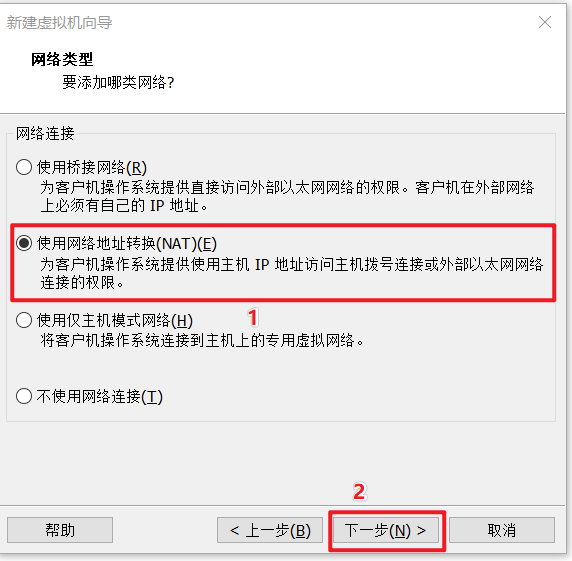
<p>欢迎关注我公众号：AI悦创，有更多更好玩的等你发现！</p>
<details class="hint-container details"><summary>公众号：AI悦创【二维码】</summary>
<figure><img src="https://blog.images.bornforthis.cn/docs-images/sha256/77/77f67d48a67ec6a44a4ef1f01ffc85830eb3c121b1ece45dc5ada06e20e2f52b.jpg" alt tabindex="0" loading="lazy"></figure>
</details>
<div class="hint-container info">
<p class="hint-container-title">AI悦创·编程一对一</p>
<p>AI悦创·推出辅导班啦，包括「Python 语言辅导班、C++ 辅导班、java 辅导班、算法/数据结构辅导班、少儿编程、pygame 游戏开发」，全部都是一对一教学：一对一辅导 + 一对一答疑 + 布置作业 + 项目实践等。当然，还有线下线上摄影课程、Photoshop、Premiere 一对一教学、QQ、微信在线，随时响应！微信：Jiabcdefh</p>
<p>C++ 信息奥赛题解，长期更新！长期招收一对一中小学信息奥赛集训，莆田、厦门地区有机会线下上门，其他地区线上。微信：Jiabcdefh</p>
<p>方法一：<a href="http://wpa.qq.com/msgrd?v=3&amp;uin=1432803776&amp;site=qq&amp;menu=yes" target="_blank" rel="noopener noreferrer">QQ</a></p>
<p>方法二：微信：Jiabcdefh</p>
</div>
<figure><img src="https://blog.images.bornforthis.cn/docs-images/sha256/30/3087c629da73428daa0ee050f5b31709c30f650686164b54c724b892a422c585.jpg" alt tabindex="0" loading="lazy"></figure>
]]></content>
    <author>
      <name>AI悦创</name>
    </author>
    <category term="技术杂谈"/>
    <contributor>
      <name>AI悦创</name>
    </contributor>
    <published>2022-05-16T15:20:02.000Z</published>
    <rights>Copyright by AI悦创</rights>
  </entry>
  <entry>
    <title type="text">Python 使用 Ffmpeg 分割视频生成 ts 并且 git 推送生成 m3u8 链接最终生成 md</title>
    <id>https://bornforthis.cn/posts/09.html</id>
    <link href="https://bornforthis.cn/posts/09.html"/>
    <updated>2026-08-02T14:50:16.000Z</updated>
    <summary type="html"><![CDATA[
<div class="language-python line-numbers-mode has-collapsed-lines collapsed" data-highlighter="shiki" data-ext="python" style="--vp-collapsed-lines:15;--shiki-light:#383A42;--shiki-dark:#abb2bf;--shiki-light-bg:#FAFAFA;--shiki-dark-bg:#282c34"><pre class="shiki shiki-themes one-light one-dark-pro vp-code"><code class="language-python"><span class="line"><span style="--shiki-light:#A0A1A7;--shiki-light-font-style:italic;--shiki-dark:#7F848E;--shiki-dark-font-style:italic"># -*- coding: utf-8 -*-</span></span>
<span class="line"><span style="--shiki-light:#A0A1A7;--shiki-light-font-style:italic;--shiki-dark:#7F848E;--shiki-dark-font-style:italic"># @Author: AI悦创</span></span>
<span class="line"><span style="--shiki-light:#A0A1A7;--shiki-light-font-style:italic;--shiki-dark:#7F848E;--shiki-dark-font-style:italic"># @Date:   2022-05-19 11:40:50</span></span>
<span class="line"><span style="--shiki-light:#A0A1A7;--shiki-light-font-style:italic;--shiki-dark:#7F848E;--shiki-dark-font-style:italic"># @Last Modified by:   aiyc</span></span>
<span class="line"><span style="--shiki-light:#A0A1A7;--shiki-light-font-style:italic;--shiki-dark:#7F848E;--shiki-dark-font-style:italic"># @Last Modified time: 2022-05-20 11:28:48</span></span>
<span class="line"><span style="--shiki-light:#A626A4;--shiki-dark:#C678DD">import</span><span style="--shiki-light:#383A42;--shiki-dark:#ABB2BF"> os, time</span></span>
<span class="line"></span>
<span class="line"><span style="--shiki-light:#A626A4;--shiki-dark:#C678DD">def</span><span style="--shiki-light:#4078F2;--shiki-dark:#61AFEF"> parse_path</span><span style="--shiki-light:#383A42;--shiki-dark:#ABB2BF">(</span><span style="--shiki-light:#986801;--shiki-light-font-style:inherit;--shiki-dark:#D19A66;--shiki-dark-font-style:italic">path</span><span style="--shiki-light:#383A42;--shiki-dark:#ABB2BF">):</span></span>
<span class="line"><span style="--shiki-light:#A0A1A7;--shiki-light-font-style:italic;--shiki-dark:#7F848E;--shiki-dark-font-style:italic">	# for i in os.walk(path):</span></span>
<span class="line"><span style="--shiki-light:#A626A4;--shiki-dark:#C678DD">	for</span><span style="--shiki-light:#383A42;--shiki-dark:#ABB2BF"> dirpath, dirnames, filenames </span><span style="--shiki-light:#A626A4;--shiki-dark:#C678DD">in</span><span style="--shiki-light:#383A42;--shiki-dark:#ABB2BF"> os.</span><span style="--shiki-light:#383A42;--shiki-dark:#61AFEF">walk</span><span style="--shiki-light:#383A42;--shiki-dark:#ABB2BF">(path):</span></span>
<span class="line"><span style="--shiki-light:#A0A1A7;--shiki-light-font-style:italic;--shiki-dark:#7F848E;--shiki-dark-font-style:italic">		# print(i)</span></span>
<span class="line"><span style="--shiki-light:#A626A4;--shiki-dark:#C678DD">		for</span><span style="--shiki-light:#383A42;--shiki-dark:#ABB2BF"> path </span><span style="--shiki-light:#A626A4;--shiki-dark:#C678DD">in</span><span style="--shiki-light:#383A42;--shiki-dark:#ABB2BF"> filenames:</span></span>
<span class="line"><span style="--shiki-light:#A0A1A7;--shiki-light-font-style:italic;--shiki-dark:#7F848E;--shiki-dark-font-style:italic">			# print(os.path.join(dirpath, path))</span></span>
<span class="line"><span style="--shiki-light:#A0A1A7;--shiki-light-font-style:italic;--shiki-dark:#7F848E;--shiki-dark-font-style:italic">			# file_path = os.path.join(dirpath, path)</span></span>
<span class="line"><span style="--shiki-light:#A0A1A7;--shiki-light-font-style:italic;--shiki-dark:#7F848E;--shiki-dark-font-style:italic">			# if file_path.split(".")[-1] == "mp4": </span></span>
<span class="line"><span style="--shiki-light:#A626A4;--shiki-dark:#C678DD">			if</span><span style="--shiki-light:#383A42;--shiki-dark:#ABB2BF"> path.</span><span style="--shiki-light:#383A42;--shiki-dark:#61AFEF">split</span><span style="--shiki-light:#383A42;--shiki-dark:#ABB2BF">(</span><span style="--shiki-light:#50A14F;--shiki-dark:#98C379">"."</span><span style="--shiki-light:#383A42;--shiki-dark:#ABB2BF">)[</span><span style="--shiki-light:#383A42;--shiki-dark:#56B6C2">-</span><span style="--shiki-light:#986801;--shiki-dark:#D19A66">1</span><span style="--shiki-light:#383A42;--shiki-dark:#ABB2BF">] </span><span style="--shiki-light:#383A42;--shiki-dark:#56B6C2">==</span><span style="--shiki-light:#50A14F;--shiki-dark:#98C379"> "mp4"</span><span style="--shiki-light:#383A42;--shiki-dark:#ABB2BF">: </span></span>
<span class="line"><span style="--shiki-light:#A0A1A7;--shiki-light-font-style:italic;--shiki-dark:#7F848E;--shiki-dark-font-style:italic">				# print(file_path)</span></span>
<span class="line"><span style="--shiki-light:#A626A4;--shiki-dark:#C678DD">				return</span><span style="--shiki-light:#383A42;--shiki-dark:#ABB2BF"> path</span></span>
<span class="line"></span>
<span class="line"><span style="--shiki-light:#A626A4;--shiki-dark:#C678DD">def</span><span style="--shiki-light:#4078F2;--shiki-dark:#61AFEF"> generate_html</span><span style="--shiki-light:#383A42;--shiki-dark:#ABB2BF">():</span></span>
<span class="line"><span style="--shiki-light:#A626A4;--shiki-dark:#C678DD">	pass</span></span>
<span class="line"><span style="--shiki-light:#A626A4;--shiki-dark:#C678DD">def</span><span style="--shiki-light:#4078F2;--shiki-dark:#61AFEF"> split_movie</span><span style="--shiki-light:#383A42;--shiki-dark:#ABB2BF">(</span><span style="--shiki-light:#986801;--shiki-light-font-style:inherit;--shiki-dark:#D19A66;--shiki-dark-font-style:italic">path</span><span style="--shiki-light:#383A42;--shiki-dark:#ABB2BF">,</span><span style="--shiki-light:#986801;--shiki-light-font-style:inherit;--shiki-dark:#D19A66;--shiki-dark-font-style:italic"> movie_name</span><span style="--shiki-light:#383A42;--shiki-dark:#ABB2BF">=</span><span style="--shiki-light:#50A14F;--shiki-dark:#98C379">"Defualt"</span><span style="--shiki-light:#383A42;--shiki-dark:#ABB2BF">):</span></span>
<span class="line"><span style="--shiki-light:#A0A1A7;--shiki-light-font-style:italic;--shiki-dark:#7F848E;--shiki-dark-font-style:italic">	# os.system("cd result")</span></span>
<span class="line"><span style="--shiki-light:#383A42;--shiki-dark:#ABB2BF">	os.</span><span style="--shiki-light:#383A42;--shiki-dark:#61AFEF">chdir</span><span style="--shiki-light:#383A42;--shiki-dark:#ABB2BF">(</span><span style="--shiki-light:#50A14F;--shiki-dark:#98C379">"result"</span><span style="--shiki-light:#383A42;--shiki-dark:#ABB2BF">)  </span><span style="--shiki-light:#A0A1A7;--shiki-light-font-style:italic;--shiki-dark:#7F848E;--shiki-dark-font-style:italic"># 指定输出路径</span></span>
<span class="line"><span style="--shiki-light:#0184BC;--shiki-dark:#56B6C2">	print</span><span style="--shiki-light:#383A42;--shiki-dark:#ABB2BF">(os.</span><span style="--shiki-light:#383A42;--shiki-dark:#61AFEF">getcwd</span><span style="--shiki-light:#383A42;--shiki-dark:#ABB2BF">())</span></span>
<span class="line"><span style="--shiki-light:#383A42;--shiki-dark:#ABB2BF">	time.</span><span style="--shiki-light:#383A42;--shiki-dark:#61AFEF">sleep</span><span style="--shiki-light:#383A42;--shiki-dark:#ABB2BF">(</span><span style="--shiki-light:#986801;--shiki-dark:#D19A66">6</span><span style="--shiki-light:#383A42;--shiki-dark:#ABB2BF">)</span></span>
<span class="line"><span style="--shiki-light:#383A42;--shiki-dark:#ABB2BF">	os.</span><span style="--shiki-light:#383A42;--shiki-dark:#61AFEF">system</span><span style="--shiki-light:#383A42;--shiki-dark:#ABB2BF">(</span><span style="--shiki-light:#A626A4;--shiki-dark:#C678DD">f</span><span style="--shiki-light:#50A14F;--shiki-dark:#98C379">"ffmpeg -i </span><span style="--shiki-light:#986801;--shiki-dark:#D19A66">{</span><span style="--shiki-light:#383A42;--shiki-dark:#ABB2BF">path</span><span style="--shiki-light:#986801;--shiki-dark:#D19A66">}</span><span style="--shiki-light:#50A14F;--shiki-dark:#98C379"> -profile:v "</span><span style="--shiki-light:#383A42;--shiki-dark:#ABB2BF"> \</span></span>
<span class="line"><span style="--shiki-light:#50A14F;--shiki-dark:#98C379">		"baseline -level 3.0 -s 1920x1080 -start_number 0 "</span><span style="--shiki-light:#383A42;--shiki-dark:#ABB2BF"> \</span></span>
<span class="line"><span style="--shiki-light:#A626A4;--shiki-dark:#C678DD">		f</span><span style="--shiki-light:#50A14F;--shiki-dark:#98C379">"-hls_time 10 -hls_list_size 0 -f hls </span><span style="--shiki-light:#986801;--shiki-dark:#D19A66">{</span><span style="--shiki-light:#383A42;--shiki-dark:#ABB2BF">movie_name</span><span style="--shiki-light:#986801;--shiki-dark:#D19A66">}</span><span style="--shiki-light:#50A14F;--shiki-dark:#98C379">.m3u8"</span><span style="--shiki-light:#383A42;--shiki-dark:#ABB2BF">)</span></span>
<span class="line"></span>
<span class="line"><span style="--shiki-light:#A626A4;--shiki-dark:#C678DD">def</span><span style="--shiki-light:#4078F2;--shiki-dark:#61AFEF"> main</span><span style="--shiki-light:#383A42;--shiki-dark:#ABB2BF">():</span></span>
<span class="line"><span style="--shiki-light:#383A42;--shiki-dark:#ABB2BF">	path </span><span style="--shiki-light:#383A42;--shiki-dark:#56B6C2">=</span><span style="--shiki-light:#50A14F;--shiki-dark:#98C379"> "."</span></span>
<span class="line"><span style="--shiki-light:#383A42;--shiki-dark:#ABB2BF">	file_path </span><span style="--shiki-light:#383A42;--shiki-dark:#56B6C2">=</span><span style="--shiki-light:#383A42;--shiki-dark:#61AFEF"> parse_path</span><span style="--shiki-light:#383A42;--shiki-dark:#ABB2BF">(path)</span></span>
<span class="line"><span style="--shiki-light:#383A42;--shiki-dark:#ABB2BF">	r_path </span><span style="--shiki-light:#383A42;--shiki-dark:#56B6C2">=</span><span style="--shiki-light:#383A42;--shiki-dark:#ABB2BF"> os.path.</span><span style="--shiki-light:#383A42;--shiki-dark:#61AFEF">join</span><span style="--shiki-light:#383A42;--shiki-dark:#ABB2BF">(os.</span><span style="--shiki-light:#383A42;--shiki-dark:#61AFEF">getcwd</span><span style="--shiki-light:#383A42;--shiki-dark:#ABB2BF">(), file_path)</span></span>
<span class="line"><span style="--shiki-light:#A0A1A7;--shiki-light-font-style:italic;--shiki-dark:#7F848E;--shiki-dark-font-style:italic">	# movie_name = file_path.split(".")[0].replace("\\", "")</span></span>
<span class="line"><span style="--shiki-light:#383A42;--shiki-dark:#ABB2BF">	movie_name </span><span style="--shiki-light:#383A42;--shiki-dark:#56B6C2">=</span><span style="--shiki-light:#383A42;--shiki-dark:#ABB2BF"> file_path.</span><span style="--shiki-light:#383A42;--shiki-dark:#61AFEF">split</span><span style="--shiki-light:#383A42;--shiki-dark:#ABB2BF">(</span><span style="--shiki-light:#50A14F;--shiki-dark:#98C379">"."</span><span style="--shiki-light:#383A42;--shiki-dark:#ABB2BF">)[</span><span style="--shiki-light:#986801;--shiki-dark:#D19A66">0</span><span style="--shiki-light:#383A42;--shiki-dark:#ABB2BF">]</span></span>
<span class="line"><span style="--shiki-light:#0184BC;--shiki-dark:#56B6C2">	print</span><span style="--shiki-light:#383A42;--shiki-dark:#ABB2BF">(</span><span style="--shiki-light:#A626A4;--shiki-dark:#C678DD">f</span><span style="--shiki-light:#50A14F;--shiki-dark:#98C379">"r_path: </span><span style="--shiki-light:#986801;--shiki-dark:#D19A66">{</span><span style="--shiki-light:#383A42;--shiki-dark:#ABB2BF">r_path</span><span style="--shiki-light:#986801;--shiki-dark:#D19A66">}</span><span style="--shiki-light:#50A14F;--shiki-dark:#98C379">, </span><span style="--shiki-light:#0184BC;--shiki-dark:#56B6C2">\n</span><span style="--shiki-light:#50A14F;--shiki-dark:#98C379">movie_name: </span><span style="--shiki-light:#986801;--shiki-dark:#D19A66">{</span><span style="--shiki-light:#383A42;--shiki-dark:#ABB2BF">movie_name</span><span style="--shiki-light:#986801;--shiki-dark:#D19A66">}</span><span style="--shiki-light:#50A14F;--shiki-dark:#98C379">"</span><span style="--shiki-light:#383A42;--shiki-dark:#ABB2BF">)</span></span>
<span class="line"><span style="--shiki-light:#A0A1A7;--shiki-light-font-style:italic;--shiki-dark:#7F848E;--shiki-dark-font-style:italic">	# print(os.getcwd())</span></span>
<span class="line"><span style="--shiki-light:#A0A1A7;--shiki-light-font-style:italic;--shiki-dark:#7F848E;--shiki-dark-font-style:italic">	# print(os.path.join(os.getcwd(), file_path))</span></span>
<span class="line"><span style="--shiki-light:#383A42;--shiki-dark:#61AFEF">	split_movie</span><span style="--shiki-light:#383A42;--shiki-dark:#ABB2BF">(r_path, movie_name)</span></span>
<span class="line"></span>
<span class="line"><span style="--shiki-light:#A626A4;--shiki-dark:#C678DD">if</span><span style="--shiki-light:#E45649;--shiki-dark:#E06C75"> __name__</span><span style="--shiki-light:#383A42;--shiki-dark:#56B6C2"> ==</span><span style="--shiki-light:#50A14F;--shiki-dark:#98C379"> "__main__"</span><span style="--shiki-light:#383A42;--shiki-dark:#ABB2BF">:</span></span>
<span class="line"><span style="--shiki-light:#383A42;--shiki-dark:#61AFEF">	main</span><span style="--shiki-light:#383A42;--shiki-dark:#ABB2BF">()</span></span></code></pre>
<div class="line-numbers" aria-hidden="true" style="counter-reset:line-number 0"><div class="line-number"></div><div class="line-number"></div><div class="line-number"></div><div class="line-number"></div><div class="line-number"></div><div class="line-number"></div><div class="line-number"></div><div class="line-number"></div><div class="line-number"></div><div class="line-number"></div><div class="line-number"></div><div class="line-number"></div><div class="line-number"></div><div class="line-number"></div><div class="line-number"></div><div class="line-number"></div><div class="line-number"></div><div class="line-number"></div><div class="line-number"></div><div class="line-number"></div><div class="line-number"></div><div class="line-number"></div><div class="line-number"></div><div class="line-number"></div><div class="line-number"></div><div class="line-number"></div><div class="line-number"></div><div class="line-number"></div><div class="line-number"></div><div class="line-number"></div><div class="line-number"></div><div class="line-number"></div><div class="line-number"></div><div class="line-number"></div><div class="line-number"></div><div class="line-number"></div><div class="line-number"></div><div class="line-number"></div><div class="line-number"></div><div class="line-number"></div><div class="line-number"></div><div class="line-number"></div><div class="line-number"></div></div><div class="collapsed-lines"></div></div>]]></summary>
    <content type="html"><![CDATA[
<div class="language-python line-numbers-mode has-collapsed-lines collapsed" data-highlighter="shiki" data-ext="python" style="--vp-collapsed-lines:15;--shiki-light:#383A42;--shiki-dark:#abb2bf;--shiki-light-bg:#FAFAFA;--shiki-dark-bg:#282c34"><pre class="shiki shiki-themes one-light one-dark-pro vp-code"><code class="language-python"><span class="line"><span style="--shiki-light:#A0A1A7;--shiki-light-font-style:italic;--shiki-dark:#7F848E;--shiki-dark-font-style:italic"># -*- coding: utf-8 -*-</span></span>
<span class="line"><span style="--shiki-light:#A0A1A7;--shiki-light-font-style:italic;--shiki-dark:#7F848E;--shiki-dark-font-style:italic"># @Author: AI悦创</span></span>
<span class="line"><span style="--shiki-light:#A0A1A7;--shiki-light-font-style:italic;--shiki-dark:#7F848E;--shiki-dark-font-style:italic"># @Date:   2022-05-19 11:40:50</span></span>
<span class="line"><span style="--shiki-light:#A0A1A7;--shiki-light-font-style:italic;--shiki-dark:#7F848E;--shiki-dark-font-style:italic"># @Last Modified by:   aiyc</span></span>
<span class="line"><span style="--shiki-light:#A0A1A7;--shiki-light-font-style:italic;--shiki-dark:#7F848E;--shiki-dark-font-style:italic"># @Last Modified time: 2022-05-20 11:28:48</span></span>
<span class="line"><span style="--shiki-light:#A626A4;--shiki-dark:#C678DD">import</span><span style="--shiki-light:#383A42;--shiki-dark:#ABB2BF"> os, time</span></span>
<span class="line"></span>
<span class="line"><span style="--shiki-light:#A626A4;--shiki-dark:#C678DD">def</span><span style="--shiki-light:#4078F2;--shiki-dark:#61AFEF"> parse_path</span><span style="--shiki-light:#383A42;--shiki-dark:#ABB2BF">(</span><span style="--shiki-light:#986801;--shiki-light-font-style:inherit;--shiki-dark:#D19A66;--shiki-dark-font-style:italic">path</span><span style="--shiki-light:#383A42;--shiki-dark:#ABB2BF">):</span></span>
<span class="line"><span style="--shiki-light:#A0A1A7;--shiki-light-font-style:italic;--shiki-dark:#7F848E;--shiki-dark-font-style:italic">	# for i in os.walk(path):</span></span>
<span class="line"><span style="--shiki-light:#A626A4;--shiki-dark:#C678DD">	for</span><span style="--shiki-light:#383A42;--shiki-dark:#ABB2BF"> dirpath, dirnames, filenames </span><span style="--shiki-light:#A626A4;--shiki-dark:#C678DD">in</span><span style="--shiki-light:#383A42;--shiki-dark:#ABB2BF"> os.</span><span style="--shiki-light:#383A42;--shiki-dark:#61AFEF">walk</span><span style="--shiki-light:#383A42;--shiki-dark:#ABB2BF">(path):</span></span>
<span class="line"><span style="--shiki-light:#A0A1A7;--shiki-light-font-style:italic;--shiki-dark:#7F848E;--shiki-dark-font-style:italic">		# print(i)</span></span>
<span class="line"><span style="--shiki-light:#A626A4;--shiki-dark:#C678DD">		for</span><span style="--shiki-light:#383A42;--shiki-dark:#ABB2BF"> path </span><span style="--shiki-light:#A626A4;--shiki-dark:#C678DD">in</span><span style="--shiki-light:#383A42;--shiki-dark:#ABB2BF"> filenames:</span></span>
<span class="line"><span style="--shiki-light:#A0A1A7;--shiki-light-font-style:italic;--shiki-dark:#7F848E;--shiki-dark-font-style:italic">			# print(os.path.join(dirpath, path))</span></span>
<span class="line"><span style="--shiki-light:#A0A1A7;--shiki-light-font-style:italic;--shiki-dark:#7F848E;--shiki-dark-font-style:italic">			# file_path = os.path.join(dirpath, path)</span></span>
<span class="line"><span style="--shiki-light:#A0A1A7;--shiki-light-font-style:italic;--shiki-dark:#7F848E;--shiki-dark-font-style:italic">			# if file_path.split(".")[-1] == "mp4": </span></span>
<span class="line"><span style="--shiki-light:#A626A4;--shiki-dark:#C678DD">			if</span><span style="--shiki-light:#383A42;--shiki-dark:#ABB2BF"> path.</span><span style="--shiki-light:#383A42;--shiki-dark:#61AFEF">split</span><span style="--shiki-light:#383A42;--shiki-dark:#ABB2BF">(</span><span style="--shiki-light:#50A14F;--shiki-dark:#98C379">"."</span><span style="--shiki-light:#383A42;--shiki-dark:#ABB2BF">)[</span><span style="--shiki-light:#383A42;--shiki-dark:#56B6C2">-</span><span style="--shiki-light:#986801;--shiki-dark:#D19A66">1</span><span style="--shiki-light:#383A42;--shiki-dark:#ABB2BF">] </span><span style="--shiki-light:#383A42;--shiki-dark:#56B6C2">==</span><span style="--shiki-light:#50A14F;--shiki-dark:#98C379"> "mp4"</span><span style="--shiki-light:#383A42;--shiki-dark:#ABB2BF">: </span></span>
<span class="line"><span style="--shiki-light:#A0A1A7;--shiki-light-font-style:italic;--shiki-dark:#7F848E;--shiki-dark-font-style:italic">				# print(file_path)</span></span>
<span class="line"><span style="--shiki-light:#A626A4;--shiki-dark:#C678DD">				return</span><span style="--shiki-light:#383A42;--shiki-dark:#ABB2BF"> path</span></span>
<span class="line"></span>
<span class="line"><span style="--shiki-light:#A626A4;--shiki-dark:#C678DD">def</span><span style="--shiki-light:#4078F2;--shiki-dark:#61AFEF"> generate_html</span><span style="--shiki-light:#383A42;--shiki-dark:#ABB2BF">():</span></span>
<span class="line"><span style="--shiki-light:#A626A4;--shiki-dark:#C678DD">	pass</span></span>
<span class="line"><span style="--shiki-light:#A626A4;--shiki-dark:#C678DD">def</span><span style="--shiki-light:#4078F2;--shiki-dark:#61AFEF"> split_movie</span><span style="--shiki-light:#383A42;--shiki-dark:#ABB2BF">(</span><span style="--shiki-light:#986801;--shiki-light-font-style:inherit;--shiki-dark:#D19A66;--shiki-dark-font-style:italic">path</span><span style="--shiki-light:#383A42;--shiki-dark:#ABB2BF">,</span><span style="--shiki-light:#986801;--shiki-light-font-style:inherit;--shiki-dark:#D19A66;--shiki-dark-font-style:italic"> movie_name</span><span style="--shiki-light:#383A42;--shiki-dark:#ABB2BF">=</span><span style="--shiki-light:#50A14F;--shiki-dark:#98C379">"Defualt"</span><span style="--shiki-light:#383A42;--shiki-dark:#ABB2BF">):</span></span>
<span class="line"><span style="--shiki-light:#A0A1A7;--shiki-light-font-style:italic;--shiki-dark:#7F848E;--shiki-dark-font-style:italic">	# os.system("cd result")</span></span>
<span class="line"><span style="--shiki-light:#383A42;--shiki-dark:#ABB2BF">	os.</span><span style="--shiki-light:#383A42;--shiki-dark:#61AFEF">chdir</span><span style="--shiki-light:#383A42;--shiki-dark:#ABB2BF">(</span><span style="--shiki-light:#50A14F;--shiki-dark:#98C379">"result"</span><span style="--shiki-light:#383A42;--shiki-dark:#ABB2BF">)  </span><span style="--shiki-light:#A0A1A7;--shiki-light-font-style:italic;--shiki-dark:#7F848E;--shiki-dark-font-style:italic"># 指定输出路径</span></span>
<span class="line"><span style="--shiki-light:#0184BC;--shiki-dark:#56B6C2">	print</span><span style="--shiki-light:#383A42;--shiki-dark:#ABB2BF">(os.</span><span style="--shiki-light:#383A42;--shiki-dark:#61AFEF">getcwd</span><span style="--shiki-light:#383A42;--shiki-dark:#ABB2BF">())</span></span>
<span class="line"><span style="--shiki-light:#383A42;--shiki-dark:#ABB2BF">	time.</span><span style="--shiki-light:#383A42;--shiki-dark:#61AFEF">sleep</span><span style="--shiki-light:#383A42;--shiki-dark:#ABB2BF">(</span><span style="--shiki-light:#986801;--shiki-dark:#D19A66">6</span><span style="--shiki-light:#383A42;--shiki-dark:#ABB2BF">)</span></span>
<span class="line"><span style="--shiki-light:#383A42;--shiki-dark:#ABB2BF">	os.</span><span style="--shiki-light:#383A42;--shiki-dark:#61AFEF">system</span><span style="--shiki-light:#383A42;--shiki-dark:#ABB2BF">(</span><span style="--shiki-light:#A626A4;--shiki-dark:#C678DD">f</span><span style="--shiki-light:#50A14F;--shiki-dark:#98C379">"ffmpeg -i </span><span style="--shiki-light:#986801;--shiki-dark:#D19A66">{</span><span style="--shiki-light:#383A42;--shiki-dark:#ABB2BF">path</span><span style="--shiki-light:#986801;--shiki-dark:#D19A66">}</span><span style="--shiki-light:#50A14F;--shiki-dark:#98C379"> -profile:v "</span><span style="--shiki-light:#383A42;--shiki-dark:#ABB2BF"> \</span></span>
<span class="line"><span style="--shiki-light:#50A14F;--shiki-dark:#98C379">		"baseline -level 3.0 -s 1920x1080 -start_number 0 "</span><span style="--shiki-light:#383A42;--shiki-dark:#ABB2BF"> \</span></span>
<span class="line"><span style="--shiki-light:#A626A4;--shiki-dark:#C678DD">		f</span><span style="--shiki-light:#50A14F;--shiki-dark:#98C379">"-hls_time 10 -hls_list_size 0 -f hls </span><span style="--shiki-light:#986801;--shiki-dark:#D19A66">{</span><span style="--shiki-light:#383A42;--shiki-dark:#ABB2BF">movie_name</span><span style="--shiki-light:#986801;--shiki-dark:#D19A66">}</span><span style="--shiki-light:#50A14F;--shiki-dark:#98C379">.m3u8"</span><span style="--shiki-light:#383A42;--shiki-dark:#ABB2BF">)</span></span>
<span class="line"></span>
<span class="line"><span style="--shiki-light:#A626A4;--shiki-dark:#C678DD">def</span><span style="--shiki-light:#4078F2;--shiki-dark:#61AFEF"> main</span><span style="--shiki-light:#383A42;--shiki-dark:#ABB2BF">():</span></span>
<span class="line"><span style="--shiki-light:#383A42;--shiki-dark:#ABB2BF">	path </span><span style="--shiki-light:#383A42;--shiki-dark:#56B6C2">=</span><span style="--shiki-light:#50A14F;--shiki-dark:#98C379"> "."</span></span>
<span class="line"><span style="--shiki-light:#383A42;--shiki-dark:#ABB2BF">	file_path </span><span style="--shiki-light:#383A42;--shiki-dark:#56B6C2">=</span><span style="--shiki-light:#383A42;--shiki-dark:#61AFEF"> parse_path</span><span style="--shiki-light:#383A42;--shiki-dark:#ABB2BF">(path)</span></span>
<span class="line"><span style="--shiki-light:#383A42;--shiki-dark:#ABB2BF">	r_path </span><span style="--shiki-light:#383A42;--shiki-dark:#56B6C2">=</span><span style="--shiki-light:#383A42;--shiki-dark:#ABB2BF"> os.path.</span><span style="--shiki-light:#383A42;--shiki-dark:#61AFEF">join</span><span style="--shiki-light:#383A42;--shiki-dark:#ABB2BF">(os.</span><span style="--shiki-light:#383A42;--shiki-dark:#61AFEF">getcwd</span><span style="--shiki-light:#383A42;--shiki-dark:#ABB2BF">(), file_path)</span></span>
<span class="line"><span style="--shiki-light:#A0A1A7;--shiki-light-font-style:italic;--shiki-dark:#7F848E;--shiki-dark-font-style:italic">	# movie_name = file_path.split(".")[0].replace("\\", "")</span></span>
<span class="line"><span style="--shiki-light:#383A42;--shiki-dark:#ABB2BF">	movie_name </span><span style="--shiki-light:#383A42;--shiki-dark:#56B6C2">=</span><span style="--shiki-light:#383A42;--shiki-dark:#ABB2BF"> file_path.</span><span style="--shiki-light:#383A42;--shiki-dark:#61AFEF">split</span><span style="--shiki-light:#383A42;--shiki-dark:#ABB2BF">(</span><span style="--shiki-light:#50A14F;--shiki-dark:#98C379">"."</span><span style="--shiki-light:#383A42;--shiki-dark:#ABB2BF">)[</span><span style="--shiki-light:#986801;--shiki-dark:#D19A66">0</span><span style="--shiki-light:#383A42;--shiki-dark:#ABB2BF">]</span></span>
<span class="line"><span style="--shiki-light:#0184BC;--shiki-dark:#56B6C2">	print</span><span style="--shiki-light:#383A42;--shiki-dark:#ABB2BF">(</span><span style="--shiki-light:#A626A4;--shiki-dark:#C678DD">f</span><span style="--shiki-light:#50A14F;--shiki-dark:#98C379">"r_path: </span><span style="--shiki-light:#986801;--shiki-dark:#D19A66">{</span><span style="--shiki-light:#383A42;--shiki-dark:#ABB2BF">r_path</span><span style="--shiki-light:#986801;--shiki-dark:#D19A66">}</span><span style="--shiki-light:#50A14F;--shiki-dark:#98C379">, </span><span style="--shiki-light:#0184BC;--shiki-dark:#56B6C2">\n</span><span style="--shiki-light:#50A14F;--shiki-dark:#98C379">movie_name: </span><span style="--shiki-light:#986801;--shiki-dark:#D19A66">{</span><span style="--shiki-light:#383A42;--shiki-dark:#ABB2BF">movie_name</span><span style="--shiki-light:#986801;--shiki-dark:#D19A66">}</span><span style="--shiki-light:#50A14F;--shiki-dark:#98C379">"</span><span style="--shiki-light:#383A42;--shiki-dark:#ABB2BF">)</span></span>
<span class="line"><span style="--shiki-light:#A0A1A7;--shiki-light-font-style:italic;--shiki-dark:#7F848E;--shiki-dark-font-style:italic">	# print(os.getcwd())</span></span>
<span class="line"><span style="--shiki-light:#A0A1A7;--shiki-light-font-style:italic;--shiki-dark:#7F848E;--shiki-dark-font-style:italic">	# print(os.path.join(os.getcwd(), file_path))</span></span>
<span class="line"><span style="--shiki-light:#383A42;--shiki-dark:#61AFEF">	split_movie</span><span style="--shiki-light:#383A42;--shiki-dark:#ABB2BF">(r_path, movie_name)</span></span>
<span class="line"></span>
<span class="line"><span style="--shiki-light:#A626A4;--shiki-dark:#C678DD">if</span><span style="--shiki-light:#E45649;--shiki-dark:#E06C75"> __name__</span><span style="--shiki-light:#383A42;--shiki-dark:#56B6C2"> ==</span><span style="--shiki-light:#50A14F;--shiki-dark:#98C379"> "__main__"</span><span style="--shiki-light:#383A42;--shiki-dark:#ABB2BF">:</span></span>
<span class="line"><span style="--shiki-light:#383A42;--shiki-dark:#61AFEF">	main</span><span style="--shiki-light:#383A42;--shiki-dark:#ABB2BF">()</span></span></code></pre>
<div class="line-numbers" aria-hidden="true" style="counter-reset:line-number 0"><div class="line-number"></div><div class="line-number"></div><div class="line-number"></div><div class="line-number"></div><div class="line-number"></div><div class="line-number"></div><div class="line-number"></div><div class="line-number"></div><div class="line-number"></div><div class="line-number"></div><div class="line-number"></div><div class="line-number"></div><div class="line-number"></div><div class="line-number"></div><div class="line-number"></div><div class="line-number"></div><div class="line-number"></div><div class="line-number"></div><div class="line-number"></div><div class="line-number"></div><div class="line-number"></div><div class="line-number"></div><div class="line-number"></div><div class="line-number"></div><div class="line-number"></div><div class="line-number"></div><div class="line-number"></div><div class="line-number"></div><div class="line-number"></div><div class="line-number"></div><div class="line-number"></div><div class="line-number"></div><div class="line-number"></div><div class="line-number"></div><div class="line-number"></div><div class="line-number"></div><div class="line-number"></div><div class="line-number"></div><div class="line-number"></div><div class="line-number"></div><div class="line-number"></div><div class="line-number"></div><div class="line-number"></div></div><div class="collapsed-lines"></div></div><p>欢迎关注我公众号：AI悦创，有更多更好玩的等你发现！</p>
<details class="hint-container details"><summary>公众号：AI悦创【二维码】</summary>
<figure><img src="https://blog.images.bornforthis.cn/docs-images/sha256/77/77f67d48a67ec6a44a4ef1f01ffc85830eb3c121b1ece45dc5ada06e20e2f52b.jpg" alt tabindex="0" loading="lazy"></figure>
</details>
<div class="hint-container info">
<p class="hint-container-title">AI悦创·编程一对一</p>
<p>AI悦创·推出辅导班啦，包括「Python 语言辅导班、C++ 辅导班、java 辅导班、算法/数据结构辅导班、少儿编程、pygame 游戏开发」，全部都是一对一教学：一对一辅导 + 一对一答疑 + 布置作业 + 项目实践等。当然，还有线下线上摄影课程、Photoshop、Premiere 一对一教学、QQ、微信在线，随时响应！微信：Jiabcdefh</p>
<p>C++ 信息奥赛题解，长期更新！长期招收一对一中小学信息奥赛集训，莆田、厦门地区有机会线下上门，其他地区线上。微信：Jiabcdefh</p>
<p>方法一：<a href="http://wpa.qq.com/msgrd?v=3&amp;uin=1432803776&amp;site=qq&amp;menu=yes" target="_blank" rel="noopener noreferrer">QQ</a></p>
<p>方法二：微信：Jiabcdefh</p>
</div>
<figure><img src="https://blog.images.bornforthis.cn/docs-images/sha256/30/3087c629da73428daa0ee050f5b31709c30f650686164b54c724b892a422c585.jpg" alt tabindex="0" loading="lazy"></figure>
]]></content>
    <author>
      <name>AI悦创</name>
    </author>
    <category term="技术杂谈"/>
    <contributor>
      <name>AI悦创</name>
    </contributor>
    <published>2022-05-16T15:20:02.000Z</published>
    <rights>Copyright by AI悦创</rights>
  </entry>
  <entry>
    <title type="text">Python os 模块详解</title>
    <id>https://bornforthis.cn/posts/10.html</id>
    <link href="https://bornforthis.cn/posts/10.html"/>
    <updated>2026-08-02T14:50:16.000Z</updated>
    <summary type="html"><![CDATA[<p>你好，我是悦创。</p>
<p>此篇文章，是为了完善 Python 办公自动化的课程，有兴趣的报名一对一办公自动化的小伙伴，可以加 V：Jiabcdefh。</p>
<p>如果我们要操作文件、目录，可以在命令行下面输入操作系统提供的各种命令来完成。比如 dir、cp 等命令。</p>
<p><strong>如果要在 Python 程序中执行这些目录和文件的操作怎么办？</strong></p>
<div class="hint-container tip">
<p class="hint-container-title">提示</p>
<p>其实操作系统提供的命令只是简单地调用了操作系统提供的接口函数， Python 内置的 os 模块也可以直接调用操作系统提供的接口函数。</p>
</div>]]></summary>
    <content type="html"><![CDATA[<p>你好，我是悦创。</p>
<p>此篇文章，是为了完善 Python 办公自动化的课程，有兴趣的报名一对一办公自动化的小伙伴，可以加 V：Jiabcdefh。</p>
<p>如果我们要操作文件、目录，可以在命令行下面输入操作系统提供的各种命令来完成。比如 dir、cp 等命令。</p>
<p><strong>如果要在 Python 程序中执行这些目录和文件的操作怎么办？</strong></p>
<div class="hint-container tip">
<p class="hint-container-title">提示</p>
<p>其实操作系统提供的命令只是简单地调用了操作系统提供的接口函数， Python 内置的 os 模块也可以直接调用操作系统提供的接口函数。</p>
</div>
<h2>1. 简介</h2>
<p><code>os</code> 就是 “operating system” 的缩写，顾名思义，<code>os</code> 模块提供的就是各种 Python 程序与操作系统进行交互的接口。通过使用 <code>os</code> 模块，一方面可以方便地与操作系统进行交互，另一方面页可以极大增强代码的可移植性。如果该模块中相关功能出错，会抛出 <code>OSError</code> 异常或其子类异常。</p>
<blockquote>
<p><strong>注意：</strong> 本模块提供了一种使用与操作系统相关的功能的便捷式途径。如果是读写文件的话，建议使用内置函数 <a href="https://docs.python.org/zh-cn/3/library/functions.html#open" target="_blank" rel="noopener noreferrer"><code>open()</code></a> ；如果是路径相关的操作，建议使用 <code>os</code> 的子模块 <a href="https://docs.python.org/zh-cn/3/library/os.path.html#module-os.path" target="_blank" rel="noopener noreferrer"><code>os.path</code></a> ；如果要逐行读取多个文件，建议使用 <a href="https://docs.python.org/zh-cn/3/library/fileinput.html#module-fileinput" target="_blank" rel="noopener noreferrer"><code>fileinput</code></a> 模块；要创建临时文件或路径，建议使用 <a href="https://docs.python.org/zh-cn/3/library/tempfile.html#module-tempfile" target="_blank" rel="noopener noreferrer"><code>tempfile</code></a> 模块；要进行更高级的文件和路径操作则应当使用 <a href="https://docs.python.org/zh-cn/3/library/shutil.html" target="_blank" rel="noopener noreferrer"><code>shutil</code></a> 模块。</p>
</blockquote>
<p>当然，使用 <code>os</code> 模块可以写出操作系统无关的代码，并不意味着 <code>os</code> 无法调用一些特定系统的扩展功能，但要切记一点：一旦这样做就会极大<strong>损害代码的可移植性</strong>。</p>
<p>此外，导入 <code>os</code> 模块时还要小心一点，千万 <strong>不要</strong> 为了图调用省事儿而将<code>os</code> 模块解包导入，即不要使用：</p>
<div class="language-python line-numbers-mode" data-highlighter="shiki" data-ext="python" style="--shiki-light:#383A42;--shiki-dark:#abb2bf;--shiki-light-bg:#FAFAFA;--shiki-dark-bg:#282c34"><pre class="shiki shiki-themes one-light one-dark-pro vp-code"><code class="language-python"><span class="line"><span style="--shiki-light:#A626A4;--shiki-dark:#C678DD"> from</span><span style="--shiki-light:#383A42;--shiki-dark:#ABB2BF"> os </span><span style="--shiki-light:#A626A4;--shiki-dark:#C678DD">import</span><span style="--shiki-light:#383A42;--shiki-dark:#56B6C2"> *</span></span></code></pre>
<div class="line-numbers" aria-hidden="true" style="counter-reset:line-number 0"><div class="line-number"></div></div></div><p>来导入<code>os</code> 模块；否则 <code>os.open()</code> 将会覆盖内置函数 <code>open()</code> ，从而造成预料之外的错误。</p>
<h2>2. 常用功能</h2>
<blockquote>
<p><strong>注意</strong> ，<code>os</code> 模块中大多数接受路径作为参数的函数也可以接受“文件描述符”作为参数。</p>
<p><strong>文件描述符：</strong> file descriptor，在 Python 文档中简记为 fd，是一个与某个打开的文件对象绑定的整数，可以理解为该文件在系统中的编号。</p>
</blockquote>
<h3>2.1 os.name</h3>
<p>该属性宽泛地指明了当前 Python 运行所在的环境，实际上是导入的操作系统相关模块的名称。这个名称也决定了模块中<strong>哪些功能是可用</strong>的，哪些是没有相应实现的。</p>
<p>目前有效名称为以下三个：<code>posix</code>，<code>nt</code>，<code>java</code>。</p>
<p>其中：</p>
<ul>
<li><code>posix</code> 是 Portable Operating System Interface of UNIX（可移植操作系统接口）的缩写。Linux 和 Mac OS 均会返回该值；</li>
<li><code>nt</code> 全称应为 “Microsoft Windows NT”，大体可以等同于 Windows 操作系统，因此 Windows 环境下会返回该值；</li>
<li><code>java</code> 则是 Java 虚拟机环境下的返回值。</li>
</ul>
<p><strong>总之：如果是 posix，说明系统是 Linux、Unix 或 Mac OS X，如果是 nt，就是 Windows 系统。</strong></p>
<p>因此在我的电脑（win10）上执行下述代码，返回值是 <code>nt</code>：</p>
<div class="language-python line-numbers-mode" data-highlighter="shiki" data-ext="python" style="--shiki-light:#383A42;--shiki-dark:#abb2bf;--shiki-light-bg:#FAFAFA;--shiki-dark-bg:#282c34"><pre class="shiki shiki-themes one-light one-dark-pro vp-code"><code class="language-python"><span class="line"><span style="--shiki-light:#383A42;--shiki-dark:#ABB2BF">In [</span><span style="--shiki-light:#986801;--shiki-dark:#D19A66">1</span><span style="--shiki-light:#383A42;--shiki-dark:#ABB2BF">]: </span><span style="--shiki-light:#A626A4;--shiki-dark:#C678DD">import</span><span style="--shiki-light:#383A42;--shiki-dark:#ABB2BF"> os</span></span>
<span class="line"></span>
<span class="line"><span style="--shiki-light:#383A42;--shiki-dark:#ABB2BF">In [</span><span style="--shiki-light:#986801;--shiki-dark:#D19A66">2</span><span style="--shiki-light:#383A42;--shiki-dark:#ABB2BF">]: os.name</span></span>
<span class="line"><span style="--shiki-light:#383A42;--shiki-dark:#ABB2BF">Out[</span><span style="--shiki-light:#986801;--shiki-dark:#D19A66">2</span><span style="--shiki-light:#383A42;--shiki-dark:#ABB2BF">]: </span><span style="--shiki-light:#50A14F;--shiki-dark:#98C379">'nt'</span></span></code></pre>
<div class="line-numbers" aria-hidden="true" style="counter-reset:line-number 0"><div class="line-number"></div><div class="line-number"></div><div class="line-number"></div><div class="line-number"></div></div></div><figure><img src="https://blog.images.bornforthis.cn/docs-images/sha256/26/261c8781709fde9d70e5cf16a3ae844d3028162e9086bc0feafe72205dbc03e5.png" alt tabindex="0" loading="lazy"></figure>
<p>而在 WSL（Windows Subsystem Linux，Windows 下的 Linux 子系统）上的结果则是：</p>
<div class="language- line-numbers-mode" data-highlighter="shiki" data-ext style="--shiki-light:#383A42;--shiki-dark:#abb2bf;--shiki-light-bg:#FAFAFA;--shiki-dark-bg:#282c34"><pre class="shiki shiki-themes one-light one-dark-pro vp-code"><code class="language-"><span class="line"><span>In [2]: import os</span></span>
<span class="line"><span></span></span>
<span class="line"><span>In [3]: os.name</span></span>
<span class="line"><span>Out[3]: 'posix'</span></span></code></pre>
<div class="line-numbers" aria-hidden="true" style="counter-reset:line-number 0"><div class="line-number"></div><div class="line-number"></div><div class="line-number"></div><div class="line-number"></div></div></div><figure><img src="https://blog.images.bornforthis.cn/docs-images/sha256/3a/3a9498d96941f8ae9bcc8390778282ae8f188550717c959bc5b892d80d1db770.png" alt tabindex="0" loading="lazy"></figure>
<blockquote>
<p>查看 <code>sys</code> 模块中的 <code>sys.platform</code> 属性可以得到关于运行平台更详细的信息，在此不再赘述</p>
</blockquote>
<p><strong>Windows10：</strong></p>
<div class="language-python line-numbers-mode" data-highlighter="shiki" data-ext="python" style="--shiki-light:#383A42;--shiki-dark:#abb2bf;--shiki-light-bg:#FAFAFA;--shiki-dark-bg:#282c34"><pre class="shiki shiki-themes one-light one-dark-pro vp-code"><code class="language-python"><span class="line"><span style="--shiki-light:#383A42;--shiki-dark:#ABB2BF">In [</span><span style="--shiki-light:#986801;--shiki-dark:#D19A66">4</span><span style="--shiki-light:#383A42;--shiki-dark:#ABB2BF">]: sys.platform</span></span>
<span class="line"><span style="--shiki-light:#383A42;--shiki-dark:#ABB2BF">Out[</span><span style="--shiki-light:#986801;--shiki-dark:#D19A66">4</span><span style="--shiki-light:#383A42;--shiki-dark:#ABB2BF">]: </span><span style="--shiki-light:#50A14F;--shiki-dark:#98C379">'win32'</span></span></code></pre>
<div class="line-numbers" aria-hidden="true" style="counter-reset:line-number 0"><div class="line-number"></div><div class="line-number"></div></div></div><p><strong>Linux：</strong></p>
<div class="language-python line-numbers-mode" data-highlighter="shiki" data-ext="python" style="--shiki-light:#383A42;--shiki-dark:#abb2bf;--shiki-light-bg:#FAFAFA;--shiki-dark-bg:#282c34"><pre class="shiki shiki-themes one-light one-dark-pro vp-code"><code class="language-python"><span class="line"><span style="--shiki-light:#383A42;--shiki-dark:#ABB2BF">In [</span><span style="--shiki-light:#986801;--shiki-dark:#D19A66">5</span><span style="--shiki-light:#383A42;--shiki-dark:#ABB2BF">]: sys.platform</span></span>
<span class="line"><span style="--shiki-light:#383A42;--shiki-dark:#ABB2BF">Out[</span><span style="--shiki-light:#986801;--shiki-dark:#D19A66">5</span><span style="--shiki-light:#383A42;--shiki-dark:#ABB2BF">]: </span><span style="--shiki-light:#50A14F;--shiki-dark:#98C379">'linux'</span></span></code></pre>
<div class="line-numbers" aria-hidden="true" style="counter-reset:line-number 0"><div class="line-number"></div><div class="line-number"></div></div></div><p><strong>PS：</strong> 要获取详细的系统信息，可以调用 <code>uname()</code> 函数：</p>
<div class="language-python line-numbers-mode" data-highlighter="shiki" data-ext="python" style="--shiki-light:#383A42;--shiki-dark:#abb2bf;--shiki-light-bg:#FAFAFA;--shiki-dark-bg:#282c34"><pre class="shiki shiki-themes one-light one-dark-pro vp-code"><code class="language-python"><span class="line"><span style="--shiki-light:#383A42;--shiki-dark:#ABB2BF">In [</span><span style="--shiki-light:#986801;--shiki-dark:#D19A66">6</span><span style="--shiki-light:#383A42;--shiki-dark:#ABB2BF">]: os.</span><span style="--shiki-light:#383A42;--shiki-dark:#61AFEF">uname</span><span style="--shiki-light:#383A42;--shiki-dark:#ABB2BF">()</span></span>
<span class="line"><span style="--shiki-light:#383A42;--shiki-dark:#ABB2BF">Out[</span><span style="--shiki-light:#986801;--shiki-dark:#D19A66">6</span><span style="--shiki-light:#383A42;--shiki-dark:#ABB2BF">]: posix.</span><span style="--shiki-light:#383A42;--shiki-dark:#61AFEF">uname_result</span><span style="--shiki-light:#383A42;--shiki-dark:#ABB2BF">(</span><span style="--shiki-light:#986801;--shiki-light-font-style:inherit;--shiki-dark:#E06C75;--shiki-dark-font-style:italic">sysname</span><span style="--shiki-light:#383A42;--shiki-dark:#56B6C2">=</span><span style="--shiki-light:#50A14F;--shiki-dark:#98C379">'Linux'</span><span style="--shiki-light:#383A42;--shiki-dark:#ABB2BF">, </span><span style="--shiki-light:#986801;--shiki-light-font-style:inherit;--shiki-dark:#E06C75;--shiki-dark-font-style:italic">nodename</span><span style="--shiki-light:#383A42;--shiki-dark:#56B6C2">=</span><span style="--shiki-light:#50A14F;--shiki-dark:#98C379">'aiyc'</span><span style="--shiki-light:#383A42;--shiki-dark:#ABB2BF">, </span><span style="--shiki-light:#986801;--shiki-light-font-style:inherit;--shiki-dark:#E06C75;--shiki-dark-font-style:italic">release</span><span style="--shiki-light:#383A42;--shiki-dark:#56B6C2">=</span><span style="--shiki-light:#50A14F;--shiki-dark:#98C379">'5.11.0-34-generic'</span><span style="--shiki-light:#383A42;--shiki-dark:#ABB2BF">, </span><span style="--shiki-light:#986801;--shiki-light-font-style:inherit;--shiki-dark:#E06C75;--shiki-dark-font-style:italic">version</span><span style="--shiki-light:#383A42;--shiki-dark:#56B6C2">=</span><span style="--shiki-light:#50A14F;--shiki-dark:#98C379">'#36~20.04.1-Ubuntu SMP Fri Aug 27 08:06:32 UTC 2021'</span><span style="--shiki-light:#383A42;--shiki-dark:#ABB2BF">, </span><span style="--shiki-light:#986801;--shiki-light-font-style:inherit;--shiki-dark:#E06C75;--shiki-dark-font-style:italic">machine</span><span style="--shiki-light:#383A42;--shiki-dark:#56B6C2">=</span><span style="--shiki-light:#50A14F;--shiki-dark:#98C379">'x86_64'</span><span style="--shiki-light:#383A42;--shiki-dark:#ABB2BF">)</span></span></code></pre>
<div class="line-numbers" aria-hidden="true" style="counter-reset:line-number 0"><div class="line-number"></div><div class="line-number"></div></div></div><blockquote>
<p><strong>注意</strong> uname() 函数在 Windows 上不提供，也就是说，os 模块的某些函数是跟操作系统相关的。</p>
</blockquote>
<figure><img src="https://blog.images.bornforthis.cn/docs-images/sha256/25/25d8609227f91b55582da16c15de7dce4f771587f50ad2586f5bc576996d2fa1.png" alt tabindex="0" loading="lazy"></figure>
<h3>2.2 环境变量 os.environ</h3>
<p><code>os.environ</code> 属性可以返回环境相关的信息，主要是各类环境变量。返回值是一个映射（类似字典类型），具体的值为第一次导入 <code>os</code> 模块时的快照；其中的各个键值对，键是环境变量名，值则是环境变量对应的值。在第一次导入 <code>os</code> 模块之后，除非直接修改 <code>os.environ</code> 的值，否则该属性的值不再发生变化。</p>
<p>在操作系统中定义的环境变量，全部保存在 os.environ 这个变量中，可以直接查看：</p>
<div class="language-python line-numbers-mode" data-highlighter="shiki" data-ext="python" style="--shiki-light:#383A42;--shiki-dark:#abb2bf;--shiki-light-bg:#FAFAFA;--shiki-dark-bg:#282c34"><pre class="shiki shiki-themes one-light one-dark-pro vp-code"><code class="language-python"><span class="line"><span style="--shiki-light:#383A42;--shiki-dark:#ABB2BF">In [</span><span style="--shiki-light:#986801;--shiki-dark:#D19A66">8</span><span style="--shiki-light:#383A42;--shiki-dark:#ABB2BF">]: os.environ</span></span>
<span class="line"><span style="--shiki-light:#383A42;--shiki-dark:#ABB2BF">Out[</span><span style="--shiki-light:#986801;--shiki-dark:#D19A66">8</span><span style="--shiki-light:#383A42;--shiki-dark:#ABB2BF">]:</span></span>
<span class="line"><span style="--shiki-light:#383A42;--shiki-dark:#ABB2BF">environ{</span><span style="--shiki-light:#50A14F;--shiki-dark:#98C379">'ALLUSERSPROFILE'</span><span style="--shiki-light:#383A42;--shiki-dark:#ABB2BF">: </span><span style="--shiki-light:#50A14F;--shiki-dark:#98C379">'C:</span><span style="--shiki-light:#0184BC;--shiki-dark:#56B6C2">\\</span><span style="--shiki-light:#50A14F;--shiki-dark:#98C379">ProgramData'</span><span style="--shiki-light:#383A42;--shiki-dark:#ABB2BF">,</span></span>
<span class="line"><span style="--shiki-light:#50A14F;--shiki-dark:#98C379">        'ANSICON'</span><span style="--shiki-light:#383A42;--shiki-dark:#ABB2BF">: </span><span style="--shiki-light:#50A14F;--shiki-dark:#98C379">'75x32766 (75x24)'</span><span style="--shiki-light:#383A42;--shiki-dark:#ABB2BF">,</span></span>
<span class="line"><span style="--shiki-light:#50A14F;--shiki-dark:#98C379">        'ANSICON_DEF'</span><span style="--shiki-light:#383A42;--shiki-dark:#ABB2BF">: </span><span style="--shiki-light:#50A14F;--shiki-dark:#98C379">'7'</span><span style="--shiki-light:#383A42;--shiki-dark:#ABB2BF">,</span></span>
<span class="line"><span style="--shiki-light:#50A14F;--shiki-dark:#98C379">        'APPDATA'</span><span style="--shiki-light:#383A42;--shiki-dark:#ABB2BF">: </span><span style="--shiki-light:#50A14F;--shiki-dark:#98C379">'C:</span><span style="--shiki-light:#0184BC;--shiki-dark:#56B6C2">\\</span><span style="--shiki-light:#50A14F;--shiki-dark:#98C379">Users</span><span style="--shiki-light:#0184BC;--shiki-dark:#56B6C2">\\</span><span style="--shiki-light:#50A14F;--shiki-dark:#98C379">clela</span><span style="--shiki-light:#0184BC;--shiki-dark:#56B6C2">\\</span><span style="--shiki-light:#50A14F;--shiki-dark:#98C379">AppData</span><span style="--shiki-light:#0184BC;--shiki-dark:#56B6C2">\\</span><span style="--shiki-light:#50A14F;--shiki-dark:#98C379">Roaming'</span><span style="--shiki-light:#383A42;--shiki-dark:#ABB2BF">,</span></span>
<span class="line"><span style="--shiki-light:#50A14F;--shiki-dark:#98C379">        'CHOCOLATEYINSTALL'</span><span style="--shiki-light:#383A42;--shiki-dark:#ABB2BF">: </span><span style="--shiki-light:#50A14F;--shiki-dark:#98C379">'C:</span><span style="--shiki-light:#0184BC;--shiki-dark:#56B6C2">\\</span><span style="--shiki-light:#50A14F;--shiki-dark:#98C379">ProgramData</span><span style="--shiki-light:#0184BC;--shiki-dark:#56B6C2">\\</span><span style="--shiki-light:#50A14F;--shiki-dark:#98C379">chocolatey'</span><span style="--shiki-light:#383A42;--shiki-dark:#ABB2BF">,</span></span>
<span class="line"><span style="--shiki-light:#50A14F;--shiki-dark:#98C379">        'CHOCOLATEYLASTPATHUPDATE'</span><span style="--shiki-light:#383A42;--shiki-dark:#ABB2BF">: </span><span style="--shiki-light:#50A14F;--shiki-dark:#98C379">'132726379469707878'</span><span style="--shiki-light:#383A42;--shiki-dark:#ABB2BF">,</span></span>
<span class="line"><span style="--shiki-light:#50A14F;--shiki-dark:#98C379">        'CLASSPATH'</span><span style="--shiki-light:#383A42;--shiki-dark:#ABB2BF">: </span><span style="--shiki-light:#50A14F;--shiki-dark:#98C379">'.;C:</span><span style="--shiki-light:#0184BC;--shiki-dark:#56B6C2">\\</span><span style="--shiki-light:#50A14F;--shiki-dark:#98C379">java</span><span style="--shiki-light:#0184BC;--shiki-dark:#56B6C2">\\</span><span style="--shiki-light:#50A14F;--shiki-dark:#98C379">lib</span><span style="--shiki-light:#0184BC;--shiki-dark:#56B6C2">\\</span><span style="--shiki-light:#50A14F;--shiki-dark:#98C379">dt.jar;C:</span><span style="--shiki-light:#0184BC;--shiki-dark:#56B6C2">\\</span><span style="--shiki-light:#50A14F;--shiki-dark:#98C379">java</span><span style="--shiki-light:#0184BC;--shiki-dark:#56B6C2">\\</span><span style="--shiki-light:#50A14F;--shiki-dark:#98C379">lib</span><span style="--shiki-light:#0184BC;--shiki-dark:#56B6C2">\\</span><span style="--shiki-light:#50A14F;--shiki-dark:#98C379">tools.jar;'</span><span style="--shiki-light:#383A42;--shiki-dark:#ABB2BF">,</span></span>
<span class="line"><span style="--shiki-light:#50A14F;--shiki-dark:#98C379">        'COMMONPROGRAMFILES'</span><span style="--shiki-light:#383A42;--shiki-dark:#ABB2BF">: </span><span style="--shiki-light:#50A14F;--shiki-dark:#98C379">'C:</span><span style="--shiki-light:#0184BC;--shiki-dark:#56B6C2">\\</span><span style="--shiki-light:#50A14F;--shiki-dark:#98C379">Program Files</span><span style="--shiki-light:#0184BC;--shiki-dark:#56B6C2">\\</span><span style="--shiki-light:#50A14F;--shiki-dark:#98C379">Common Files'</span><span style="--shiki-light:#383A42;--shiki-dark:#ABB2BF">,</span><span style="--shiki-light:#383A42;--shiki-dark:#D19A66">...</span><span style="--shiki-light:#383A42;--shiki-dark:#ABB2BF">}</span></span></code></pre>
<div class="line-numbers" aria-hidden="true" style="counter-reset:line-number 0"><div class="line-number"></div><div class="line-number"></div><div class="line-number"></div><div class="line-number"></div><div class="line-number"></div><div class="line-number"></div><div class="line-number"></div><div class="line-number"></div><div class="line-number"></div><div class="line-number"></div></div></div><p>要获取某个环境变量的值，可以调用 <code>os.environ.get('key')</code>  比如其中键为 “HOMEPATH”（Windows 下，Linux 下为 “HOME”）的项，对应的值就是用户主目录的路径。Windows 下，其值为：</p>
<div class="language- line-numbers-mode" data-highlighter="shiki" data-ext style="--shiki-light:#383A42;--shiki-dark:#abb2bf;--shiki-light-bg:#FAFAFA;--shiki-dark-bg:#282c34"><pre class="shiki shiki-themes one-light one-dark-pro vp-code"><code class="language-"><span class="line"><span>In [9]: os.environ["HOMEPATH"]</span></span>
<span class="line"><span>Out[9]: '\\Users\\clela'</span></span></code></pre>
<div class="line-numbers" aria-hidden="true" style="counter-reset:line-number 0"><div class="line-number"></div><div class="line-number"></div></div></div><figure><img src="https://blog.images.bornforthis.cn/docs-images/sha256/a9/a9aefc361efed4598192981094f00b7b8b4873f2474d7258260e7487ac584309.png" alt tabindex="0" loading="lazy"></figure>
<p>Linux 下，其值为：</p>
<div class="language- line-numbers-mode" data-highlighter="shiki" data-ext style="--shiki-light:#383A42;--shiki-dark:#abb2bf;--shiki-light-bg:#FAFAFA;--shiki-dark-bg:#282c34"><pre class="shiki shiki-themes one-light one-dark-pro vp-code"><code class="language-"><span class="line"><span>In [17]: os.environ["HOME"]</span></span>
<span class="line"><span>Out[17]: '/home/aiyc'</span></span></code></pre>
<div class="line-numbers" aria-hidden="true" style="counter-reset:line-number 0"><div class="line-number"></div><div class="line-number"></div></div></div><figure><img src="https://blog.images.bornforthis.cn/docs-images/sha256/b9/b91fe1188144b7a15704dcb0ae4acba841819e250ebeb78b0ed4bdbaa0dc13c1.png" alt tabindex="0" loading="lazy"></figure>
<h3>2.3 os.walk()</h3>
<p>这个函数需要传入一个路径作为 <code>top</code> 参数，函数的作用是在以 <code>top</code> 为根节点的目录树中游走，对树中的每个目录生成一个由 <code>(dirpath, dirnames, filenames)</code> 三项组成的三元组。</p>
<p>其中：</p>
<ul>
<li><code>dirpath</code> 是一个指示这个目录路径的字符串，</li>
<li><code>dirnames</code> 是一个 <code>dirpath</code> 下子目录名（除去 <code>“.”</code> 和 <code>“..”</code> ）组成的 <strong>列表</strong> ， <code>filenames</code> 则是由 <code>dirpath</code> 下所有非目录的文件名组成的列表。</li>
<li>要注意的是，这些名称并不包含所在路径本身，要获取 <code>dirpath</code> 下某个文件或路径从 <code>top</code> 目录开始的完整路径，需要使用 <code>os.path.join(dirpath, name)</code> 。</li>
</ul>
<p>注意最终返回的结果是一个迭代器，我们可以使用 <code>for</code> 语句逐个取得迭代器的每一项：</p>
<div class="language-python line-numbers-mode" data-highlighter="shiki" data-ext="python" style="--shiki-light:#383A42;--shiki-dark:#abb2bf;--shiki-light-bg:#FAFAFA;--shiki-dark-bg:#282c34"><pre class="shiki shiki-themes one-light one-dark-pro vp-code"><code class="language-python"><span class="line"><span style="--shiki-light:#A626A4;--shiki-dark:#C678DD">for</span><span style="--shiki-light:#383A42;--shiki-dark:#ABB2BF"> item </span><span style="--shiki-light:#A626A4;--shiki-dark:#C678DD">in</span><span style="--shiki-light:#383A42;--shiki-dark:#ABB2BF"> os.</span><span style="--shiki-light:#383A42;--shiki-dark:#61AFEF">walk</span><span style="--shiki-light:#383A42;--shiki-dark:#ABB2BF">(</span><span style="--shiki-light:#50A14F;--shiki-dark:#98C379">"."</span><span style="--shiki-light:#383A42;--shiki-dark:#ABB2BF">):</span></span>
<span class="line"><span style="--shiki-light:#0184BC;--shiki-dark:#56B6C2">	print</span><span style="--shiki-light:#383A42;--shiki-dark:#ABB2BF">(item)</span></span></code></pre>
<div class="line-numbers" aria-hidden="true" style="counter-reset:line-number 0"><div class="line-number"></div><div class="line-number"></div></div></div><div class="language-cmd line-numbers-mode" data-highlighter="shiki" data-ext="cmd" style="--shiki-light:#383A42;--shiki-dark:#abb2bf;--shiki-light-bg:#FAFAFA;--shiki-dark-bg:#282c34"><pre class="shiki shiki-themes one-light one-dark-pro vp-code"><code class="language-cmd"><span class="line"><span style="--shiki-light:#383A42;--shiki-dark:#ABB2BF">('.', ['do'], ['go_go_go.txt'])</span></span>
<span class="line"><span style="--shiki-light:#383A42;--shiki-dark:#ABB2BF">('.\\do', ['IAmDirectory', 'python'], [])</span></span>
<span class="line"><span style="--shiki-light:#383A42;--shiki-dark:#ABB2BF">('.\\do\\IAmDirectory', [], [])</span></span>
<span class="line"><span style="--shiki-light:#383A42;--shiki-dark:#ABB2BF">('.\\do\\python', [], ['hello_justdopython.txt'])</span></span></code></pre>
<div class="line-numbers" aria-hidden="true" style="counter-reset:line-number 0"><div class="line-number"></div><div class="line-number"></div><div class="line-number"></div><div class="line-number"></div></div></div><figure><img src="https://blog.images.bornforthis.cn/docs-images/sha256/42/42798c36302a0083836b403474b8274f1232e1a71dcd9c318b57498ba963df33.png" alt="目录树结构" tabindex="0" loading="lazy"><figcaption>目录树结构</figcaption></figure>
<p><strong>实例二：</strong></p>
<div class="language-python line-numbers-mode" data-highlighter="shiki" data-ext="python" style="--shiki-light:#383A42;--shiki-dark:#abb2bf;--shiki-light-bg:#FAFAFA;--shiki-dark-bg:#282c34"><pre class="shiki shiki-themes one-light one-dark-pro vp-code"><code class="language-python"><span class="line"><span style="--shiki-light:#A626A4;--shiki-dark:#C678DD">import</span><span style="--shiki-light:#383A42;--shiki-dark:#ABB2BF"> os</span></span>
<span class="line"></span>
<span class="line"><span style="--shiki-light:#A626A4;--shiki-dark:#C678DD">for</span><span style="--shiki-light:#383A42;--shiki-dark:#ABB2BF"> pt </span><span style="--shiki-light:#A626A4;--shiki-dark:#C678DD">in</span><span style="--shiki-light:#383A42;--shiki-dark:#ABB2BF"> os.</span><span style="--shiki-light:#383A42;--shiki-dark:#61AFEF">walk</span><span style="--shiki-light:#383A42;--shiki-dark:#ABB2BF">(</span><span style="--shiki-light:#50A14F;--shiki-dark:#98C379">"."</span><span style="--shiki-light:#383A42;--shiki-dark:#ABB2BF">):</span></span>
<span class="line"><span style="--shiki-light:#0184BC;--shiki-dark:#56B6C2">	print</span><span style="--shiki-light:#383A42;--shiki-dark:#ABB2BF">(pt)</span></span></code></pre>
<div class="line-numbers" aria-hidden="true" style="counter-reset:line-number 0"><div class="line-number"></div><div class="line-number"></div><div class="line-number"></div><div class="line-number"></div></div></div><div class="language-cmd line-numbers-mode" data-highlighter="shiki" data-ext="cmd" style="--shiki-light:#383A42;--shiki-dark:#abb2bf;--shiki-light-bg:#FAFAFA;--shiki-dark-bg:#282c34"><pre class="shiki shiki-themes one-light one-dark-pro vp-code"><code class="language-cmd"><span class="line"><span style="--shiki-light:#383A42;--shiki-dark:#ABB2BF">('.', ['Tester2Folder', 'TesterFolder'], ['OS-AlexSmith_2021 - 副本 (2).txt', 'OS-AlexSmith_2021 - 副本 (3).txt', 'OS-AlexSmith_2021 - 副本.txt', 'OS-AlexSmith_2021.txt', 'OS-I_Have_a_Dream - 副本 (2).txt', 'OS-I_Have_a_Dream - 副本.txt', 'OS-I_Have_a_Dream.txt', 'OS-WordCount_Basic - 副本 (2).py', 'OS-WordCount_Basic - 副本.py', 'OS-WordCount_Basic.py', 'OS_Page.py'])</span></span>
<span class="line"><span style="--shiki-light:#383A42;--shiki-dark:#ABB2BF">('.\\Tester2Folder', ['Tester2Folder_test'], ['Tester2Folder-AlexSmith_2021 - 副本 (2).txt', 'Tester2Folder-AlexSmith_2021 - 副本 (3).txt', 'Tester2Folder-AlexSmith_2021 - 副本 (4).txt', 'Tester2Folder-AlexSmith_2021 - 副本.txt', 'Tester2Folder-AlexSmith_2021.txt', 'Tetser2-WordCount_Basic.py'])</span></span>
<span class="line"><span style="--shiki-light:#383A42;--shiki-dark:#ABB2BF">('.\\Tester2Folder\\Tester2Folder_test', [], [])</span></span>
<span class="line"><span style="--shiki-light:#383A42;--shiki-dark:#ABB2BF">('.\\TesterFolder', [], ['TesterFolder-I_Have_a_Dream - 副本.txt', 'TesterFolder-I_Have_a_Dream.txt', 'TesterFolder-Tester-I_Have_a_Dream - 副本 (2).txt', 'TesterFolder-Tester-I_Have_a_Dream - 副本 (3).txt', 'TesterFolder-WordCount_Basic.py'])</span></span></code></pre>
<div class="line-numbers" aria-hidden="true" style="counter-reset:line-number 0"><div class="line-number"></div><div class="line-number"></div><div class="line-number"></div><div class="line-number"></div></div></div><h3>2.4 os.listdir()</h3>
<p><code>listdir</code> 即 <code>list directories</code>，列出（当前）目录下的全部路径（及文件）。该函数存在一个参数，用以指定要列出子目录的路径，默认为 <code>.</code>，即“当前路径”。</p>
<p>函数返回值是一个列表，其中各元素均为字符串，分别是各路径名和文件名。</p>
<p>通常在需要遍历某个文件夹中文件的场景下极为实用。</p>
<p>比如定义以下函数：</p>
<div class="language-python line-numbers-mode" data-highlighter="shiki" data-ext="python" style="--shiki-light:#383A42;--shiki-dark:#abb2bf;--shiki-light-bg:#FAFAFA;--shiki-dark-bg:#282c34"><pre class="shiki shiki-themes one-light one-dark-pro vp-code"><code class="language-python"><span class="line"><span style="--shiki-light:#A626A4;--shiki-dark:#C678DD">import</span><span style="--shiki-light:#383A42;--shiki-dark:#ABB2BF"> os</span></span>
<span class="line"><span style="--shiki-light:#A626A4;--shiki-dark:#C678DD">def</span><span style="--shiki-light:#4078F2;--shiki-dark:#61AFEF"> get_filelists</span><span style="--shiki-light:#383A42;--shiki-dark:#ABB2BF">(</span><span style="--shiki-light:#986801;--shiki-light-font-style:inherit;--shiki-dark:#D19A66;--shiki-dark-font-style:italic">file_dir</span><span style="--shiki-light:#383A42;--shiki-dark:#ABB2BF">=</span><span style="--shiki-light:#50A14F;--shiki-dark:#98C379">'.'</span><span style="--shiki-light:#383A42;--shiki-dark:#ABB2BF">):</span></span>
<span class="line"><span style="--shiki-light:#383A42;--shiki-dark:#ABB2BF">    list_directory </span><span style="--shiki-light:#383A42;--shiki-dark:#56B6C2">=</span><span style="--shiki-light:#383A42;--shiki-dark:#ABB2BF"> os.</span><span style="--shiki-light:#383A42;--shiki-dark:#61AFEF">listdir</span><span style="--shiki-light:#383A42;--shiki-dark:#ABB2BF">(file_dir)</span></span>
<span class="line"><span style="--shiki-light:#383A42;--shiki-dark:#ABB2BF">    filelists </span><span style="--shiki-light:#383A42;--shiki-dark:#56B6C2">=</span><span style="--shiki-light:#383A42;--shiki-dark:#ABB2BF"> []</span></span>
<span class="line"><span style="--shiki-light:#A626A4;--shiki-dark:#C678DD">    for</span><span style="--shiki-light:#383A42;--shiki-dark:#ABB2BF"> directory </span><span style="--shiki-light:#A626A4;--shiki-dark:#C678DD">in</span><span style="--shiki-light:#383A42;--shiki-dark:#ABB2BF"> list_directory:</span></span>
<span class="line"><span style="--shiki-light:#A0A1A7;--shiki-light-font-style:italic;--shiki-dark:#7F848E;--shiki-dark-font-style:italic">        # os.path 模块稍后会讲到</span></span>
<span class="line"><span style="--shiki-light:#A626A4;--shiki-dark:#C678DD">        if</span><span style="--shiki-light:#383A42;--shiki-dark:#ABB2BF"> os.path.</span><span style="--shiki-light:#383A42;--shiki-dark:#61AFEF">isfile</span><span style="--shiki-light:#383A42;--shiki-dark:#ABB2BF">(directory):</span></span>
<span class="line"><span style="--shiki-light:#383A42;--shiki-dark:#ABB2BF">            filelists.</span><span style="--shiki-light:#383A42;--shiki-dark:#61AFEF">append</span><span style="--shiki-light:#383A42;--shiki-dark:#ABB2BF">(directory)</span></span>
<span class="line"><span style="--shiki-light:#A626A4;--shiki-dark:#C678DD">    return</span><span style="--shiki-light:#383A42;--shiki-dark:#ABB2BF"> filelists</span></span></code></pre>
<div class="line-numbers" aria-hidden="true" style="counter-reset:line-number 0"><div class="line-number"></div><div class="line-number"></div><div class="line-number"></div><div class="line-number"></div><div class="line-number"></div><div class="line-number"></div><div class="line-number"></div><div class="line-number"></div><div class="line-number"></div></div></div><p><strong>该函数的返回值就是当前目录下所有文件而非文件夹的名称列表。</strong></p>
<h3>2.5 os.mkdir()</h3>
<p><code>mkdir</code>，即 <code>make directory</code>，用处是 <strong>新建一个路径</strong>。需要传入一个类路径参数用以指定新建路径的位置和名称，如果指定路径已存在，则会抛出 <code>FileExistsError</code> 异常。</p>
<p>该函数只能在已有的路径下新建一级路径，否则（即新建多级路径）会抛出 <code>FileNotFoundError</code> 异常。</p>
<p>相应地，在需要新建多级路径的场景下，可以使用 <code>os.makedirs()</code> 来完成任务。函数 <code>os.makedirs()</code> 执行的是递归创建，若有必要，会分别新建指定路径经过的中间路径，直到最后创建出末端的 “<strong>叶子路径</strong>”。</p>
<p><strong>示例一：</strong></p>
<div class="language-python line-numbers-mode" data-highlighter="shiki" data-ext="python" style="--shiki-light:#383A42;--shiki-dark:#abb2bf;--shiki-light-bg:#FAFAFA;--shiki-dark-bg:#282c34"><pre class="shiki shiki-themes one-light one-dark-pro vp-code"><code class="language-python"><span class="line"><span style="--shiki-light:#383A42;--shiki-dark:#56B6C2">>>></span><span style="--shiki-light:#383A42;--shiki-dark:#ABB2BF"> os.</span><span style="--shiki-light:#383A42;--shiki-dark:#61AFEF">mkdir</span><span style="--shiki-light:#383A42;--shiki-dark:#ABB2BF">(</span><span style="--shiki-light:#50A14F;--shiki-dark:#98C379">"test_os_mkdir"</span><span style="--shiki-light:#383A42;--shiki-dark:#ABB2BF">)</span></span>
<span class="line"><span style="--shiki-light:#383A42;--shiki-dark:#56B6C2">>>></span><span style="--shiki-light:#383A42;--shiki-dark:#ABB2BF"> os.</span><span style="--shiki-light:#383A42;--shiki-dark:#61AFEF">mkdir</span><span style="--shiki-light:#383A42;--shiki-dark:#ABB2BF">(</span><span style="--shiki-light:#50A14F;--shiki-dark:#98C379">"test_os_mkdir"</span><span style="--shiki-light:#383A42;--shiki-dark:#ABB2BF">)</span></span>
<span class="line"><span style="--shiki-light:#383A42;--shiki-dark:#61AFEF">Traceback</span><span style="--shiki-light:#383A42;--shiki-dark:#ABB2BF"> (most recent call last):</span></span>
<span class="line"><span style="--shiki-light:#383A42;--shiki-dark:#ABB2BF">  File </span><span style="--shiki-light:#50A14F;--shiki-dark:#98C379">"&#x3C;stdin>"</span><span style="--shiki-light:#383A42;--shiki-dark:#ABB2BF">, line </span><span style="--shiki-light:#986801;--shiki-dark:#D19A66">1</span><span style="--shiki-light:#383A42;--shiki-dark:#ABB2BF">, </span><span style="--shiki-light:#A626A4;--shiki-dark:#C678DD">in</span><span style="--shiki-light:#383A42;--shiki-dark:#56B6C2"> &#x3C;</span><span style="--shiki-light:#383A42;--shiki-dark:#ABB2BF">module</span><span style="--shiki-light:#383A42;--shiki-dark:#56B6C2">></span></span>
<span class="line"><span style="--shiki-light:#0184BC;--shiki-dark:#ABB2BF">FileExistsError</span><span style="--shiki-light:#383A42;--shiki-dark:#ABB2BF">: [WinError </span><span style="--shiki-light:#986801;--shiki-dark:#D19A66">183</span><span style="--shiki-light:#383A42;--shiki-dark:#ABB2BF">] 当文件已存在时，无法创建该文件。: </span><span style="--shiki-light:#50A14F;--shiki-dark:#98C379">'test_os_mkdir'</span></span>
<span class="line"><span style="--shiki-light:#383A42;--shiki-dark:#56B6C2">>>></span><span style="--shiki-light:#383A42;--shiki-dark:#ABB2BF"> </span></span>
<span class="line"><span style="--shiki-light:#383A42;--shiki-dark:#56B6C2">>>></span><span style="--shiki-light:#383A42;--shiki-dark:#ABB2BF"> os.</span><span style="--shiki-light:#383A42;--shiki-dark:#61AFEF">mkdir</span><span style="--shiki-light:#383A42;--shiki-dark:#ABB2BF">(</span><span style="--shiki-light:#50A14F;--shiki-dark:#98C379">"test_os_mkdir/test_os_makedirs/just/do/python/hello"</span><span style="--shiki-light:#383A42;--shiki-dark:#ABB2BF">)</span></span>
<span class="line"><span style="--shiki-light:#383A42;--shiki-dark:#61AFEF">Traceback</span><span style="--shiki-light:#383A42;--shiki-dark:#ABB2BF"> (most recent call last):</span></span>
<span class="line"><span style="--shiki-light:#383A42;--shiki-dark:#ABB2BF">  File </span><span style="--shiki-light:#50A14F;--shiki-dark:#98C379">"&#x3C;stdin>"</span><span style="--shiki-light:#383A42;--shiki-dark:#ABB2BF">, line </span><span style="--shiki-light:#986801;--shiki-dark:#D19A66">1</span><span style="--shiki-light:#383A42;--shiki-dark:#ABB2BF">, </span><span style="--shiki-light:#A626A4;--shiki-dark:#C678DD">in</span><span style="--shiki-light:#383A42;--shiki-dark:#56B6C2"> &#x3C;</span><span style="--shiki-light:#383A42;--shiki-dark:#ABB2BF">module</span><span style="--shiki-light:#383A42;--shiki-dark:#56B6C2">></span></span>
<span class="line"><span style="--shiki-light:#0184BC;--shiki-dark:#ABB2BF">FileNotFoundError</span><span style="--shiki-light:#383A42;--shiki-dark:#ABB2BF">: [WinError </span><span style="--shiki-light:#986801;--shiki-dark:#D19A66">3</span><span style="--shiki-light:#383A42;--shiki-dark:#ABB2BF">] 系统找不到指定的路径。: </span><span style="--shiki-light:#50A14F;--shiki-dark:#98C379">'test_os_mkdir/test_os_makedirs/just/do/python/hello'</span></span>
<span class="line"><span style="--shiki-light:#383A42;--shiki-dark:#56B6C2">>>></span><span style="--shiki-light:#383A42;--shiki-dark:#ABB2BF"> </span></span>
<span class="line"><span style="--shiki-light:#383A42;--shiki-dark:#56B6C2">>>></span><span style="--shiki-light:#383A42;--shiki-dark:#ABB2BF"> os.</span><span style="--shiki-light:#383A42;--shiki-dark:#61AFEF">makedirs</span><span style="--shiki-light:#383A42;--shiki-dark:#ABB2BF">(</span><span style="--shiki-light:#50A14F;--shiki-dark:#98C379">"test_os_mkdir/test_os_makedirs/just/do/python/hello"</span><span style="--shiki-light:#383A42;--shiki-dark:#ABB2BF">)</span></span></code></pre>
<div class="line-numbers" aria-hidden="true" style="counter-reset:line-number 0"><div class="line-number"></div><div class="line-number"></div><div class="line-number"></div><div class="line-number"></div><div class="line-number"></div><div class="line-number"></div><div class="line-number"></div><div class="line-number"></div><div class="line-number"></div><div class="line-number"></div><div class="line-number"></div><div class="line-number"></div></div></div><p>示例二：</p>
<div class="language-python line-numbers-mode has-collapsed-lines collapsed" data-highlighter="shiki" data-ext="python" style="--vp-collapsed-lines:15;--shiki-light:#383A42;--shiki-dark:#abb2bf;--shiki-light-bg:#FAFAFA;--shiki-dark-bg:#282c34"><pre class="shiki shiki-themes one-light one-dark-pro vp-code"><code class="language-python"><span class="line"><span style="--shiki-light:#383A42;--shiki-dark:#ABB2BF">In [</span><span style="--shiki-light:#986801;--shiki-dark:#D19A66">1</span><span style="--shiki-light:#383A42;--shiki-dark:#ABB2BF">]: </span><span style="--shiki-light:#A626A4;--shiki-dark:#C678DD">import</span><span style="--shiki-light:#383A42;--shiki-dark:#ABB2BF"> os</span></span>
<span class="line"></span>
<span class="line"><span style="--shiki-light:#383A42;--shiki-dark:#ABB2BF">In [</span><span style="--shiki-light:#986801;--shiki-dark:#D19A66">2</span><span style="--shiki-light:#383A42;--shiki-dark:#ABB2BF">]: os.</span><span style="--shiki-light:#383A42;--shiki-dark:#61AFEF">getcwd</span><span style="--shiki-light:#383A42;--shiki-dark:#ABB2BF">()</span></span>
<span class="line"><span style="--shiki-light:#383A42;--shiki-dark:#ABB2BF">Out[</span><span style="--shiki-light:#986801;--shiki-dark:#D19A66">2</span><span style="--shiki-light:#383A42;--shiki-dark:#ABB2BF">]: </span><span style="--shiki-light:#50A14F;--shiki-dark:#98C379">'D:</span><span style="--shiki-light:#0184BC;--shiki-dark:#56B6C2">\\</span><span style="--shiki-light:#50A14F;--shiki-dark:#98C379">Curriculum-development</span><span style="--shiki-light:#0184BC;--shiki-dark:#56B6C2">\\</span><span style="--shiki-light:#50A14F;--shiki-dark:#98C379">使用Python实现办公自动化</span><span style="--shiki-light:#0184BC;--shiki-dark:#56B6C2">\\</span><span style="--shiki-light:#50A14F;--shiki-dark:#98C379">Coder</span><span style="--shiki-light:#0184BC;--shiki-dark:#56B6C2">\\</span><span style="--shiki-light:#50A14F;--shiki-dark:#98C379">02-文件操作</span><span style="--shiki-light:#0184BC;--shiki-dark:#56B6C2">\\</span><span style="--shiki-light:#50A14F;--shiki-dark:#98C379">OS_Module_Code'</span></span>
<span class="line"></span>
<span class="line"><span style="--shiki-light:#383A42;--shiki-dark:#ABB2BF">In [</span><span style="--shiki-light:#986801;--shiki-dark:#D19A66">3</span><span style="--shiki-light:#383A42;--shiki-dark:#ABB2BF">]: </span><span style="--shiki-light:#A626A4;--shiki-dark:#C678DD">for</span><span style="--shiki-light:#383A42;--shiki-dark:#ABB2BF"> path </span><span style="--shiki-light:#A626A4;--shiki-dark:#C678DD">in</span><span style="--shiki-light:#383A42;--shiki-dark:#ABB2BF"> os.</span><span style="--shiki-light:#383A42;--shiki-dark:#61AFEF">walk</span><span style="--shiki-light:#383A42;--shiki-dark:#ABB2BF">(</span><span style="--shiki-light:#50A14F;--shiki-dark:#98C379">'.'</span><span style="--shiki-light:#383A42;--shiki-dark:#ABB2BF">):</span></span>
<span class="line"><span style="--shiki-light:#383A42;--shiki-dark:#D19A66">   ...</span><span style="--shiki-light:#383A42;--shiki-dark:#ABB2BF">:     </span><span style="--shiki-light:#0184BC;--shiki-dark:#56B6C2">print</span><span style="--shiki-light:#383A42;--shiki-dark:#ABB2BF">(path)</span></span>
<span class="line"><span style="--shiki-light:#383A42;--shiki-dark:#D19A66">   ...</span><span style="--shiki-light:#383A42;--shiki-dark:#ABB2BF">:</span></span>
<span class="line"><span style="--shiki-light:#383A42;--shiki-dark:#ABB2BF">(</span><span style="--shiki-light:#50A14F;--shiki-dark:#98C379">'.'</span><span style="--shiki-light:#383A42;--shiki-dark:#ABB2BF">, [</span><span style="--shiki-light:#50A14F;--shiki-dark:#98C379">'Tester2Folder'</span><span style="--shiki-light:#383A42;--shiki-dark:#ABB2BF">, </span><span style="--shiki-light:#50A14F;--shiki-dark:#98C379">'TesterFolder'</span><span style="--shiki-light:#383A42;--shiki-dark:#ABB2BF">], [</span><span style="--shiki-light:#50A14F;--shiki-dark:#98C379">'OS-AlexSmith_2021 - 副本 (2).txt'</span><span style="--shiki-light:#383A42;--shiki-dark:#ABB2BF">, </span><span style="--shiki-light:#50A14F;--shiki-dark:#98C379">'OS-AlexSmith_2021 - 副本 (3).txt'</span><span style="--shiki-light:#383A42;--shiki-dark:#ABB2BF">, </span><span style="--shiki-light:#50A14F;--shiki-dark:#98C379">'OS-AlexSmith_2021 - 副本.txt'</span><span style="--shiki-light:#383A42;--shiki-dark:#ABB2BF">, </span><span style="--shiki-light:#50A14F;--shiki-dark:#98C379">'OS-AlexSmith</span></span>
<span class="line"><span style="--shiki-light:#383A42;--shiki-dark:#ABB2BF">_2021.txt</span><span style="--shiki-light:#50A14F;--shiki-dark:#98C379">', '</span><span style="--shiki-light:#383A42;--shiki-dark:#D19A66">OS</span><span style="--shiki-light:#383A42;--shiki-dark:#56B6C2">-</span><span style="--shiki-light:#383A42;--shiki-dark:#ABB2BF">I_Have_a_Dream </span><span style="--shiki-light:#383A42;--shiki-dark:#56B6C2">-</span><span style="--shiki-light:#383A42;--shiki-dark:#61AFEF"> 副本</span><span style="--shiki-light:#383A42;--shiki-dark:#ABB2BF"> (</span><span style="--shiki-light:#986801;--shiki-dark:#D19A66">2</span><span style="--shiki-light:#383A42;--shiki-dark:#ABB2BF">).txt</span><span style="--shiki-light:#50A14F;--shiki-dark:#98C379">', '</span><span style="--shiki-light:#383A42;--shiki-dark:#D19A66">OS</span><span style="--shiki-light:#383A42;--shiki-dark:#56B6C2">-</span><span style="--shiki-light:#383A42;--shiki-dark:#ABB2BF">I_Have_a_Dream </span><span style="--shiki-light:#383A42;--shiki-dark:#56B6C2">-</span><span style="--shiki-light:#383A42;--shiki-dark:#ABB2BF"> 副本.txt</span><span style="--shiki-light:#50A14F;--shiki-dark:#98C379">', '</span><span style="--shiki-light:#383A42;--shiki-dark:#D19A66">OS</span><span style="--shiki-light:#383A42;--shiki-dark:#56B6C2">-</span><span style="--shiki-light:#383A42;--shiki-dark:#ABB2BF">I_Have_a_Dream.txt</span><span style="--shiki-light:#50A14F;--shiki-dark:#98C379">', '</span><span style="--shiki-light:#383A42;--shiki-dark:#D19A66">OS</span><span style="--shiki-light:#383A42;--shiki-dark:#56B6C2">-</span><span style="--shiki-light:#383A42;--shiki-dark:#ABB2BF">WordCount_Basic </span><span style="--shiki-light:#383A42;--shiki-dark:#56B6C2">-</span><span style="--shiki-light:#383A42;--shiki-dark:#61AFEF"> 副本</span><span style="--shiki-light:#383A42;--shiki-dark:#ABB2BF"> (</span><span style="--shiki-light:#986801;--shiki-dark:#D19A66">2</span><span style="--shiki-light:#383A42;--shiki-dark:#ABB2BF">).py</span><span style="--shiki-light:#50A14F;--shiki-dark:#98C379">', '</span><span style="--shiki-light:#383A42;--shiki-dark:#D19A66">OS</span><span style="--shiki-light:#383A42;--shiki-dark:#56B6C2">-</span><span style="--shiki-light:#383A42;--shiki-dark:#ABB2BF">WordCount_Basi</span></span>
<span class="line"><span style="--shiki-light:#383A42;--shiki-dark:#ABB2BF">c </span><span style="--shiki-light:#383A42;--shiki-dark:#56B6C2">-</span><span style="--shiki-light:#383A42;--shiki-dark:#ABB2BF"> 副本.py</span><span style="--shiki-light:#50A14F;--shiki-dark:#98C379">', '</span><span style="--shiki-light:#383A42;--shiki-dark:#D19A66">OS</span><span style="--shiki-light:#383A42;--shiki-dark:#56B6C2">-</span><span style="--shiki-light:#383A42;--shiki-dark:#ABB2BF">WordCount_Basic.py</span><span style="--shiki-light:#50A14F;--shiki-dark:#98C379">', '</span><span style="--shiki-light:#383A42;--shiki-dark:#D19A66">OS_Page</span><span style="--shiki-light:#383A42;--shiki-dark:#ABB2BF">.py</span><span style="--shiki-light:#50A14F;--shiki-dark:#98C379">'])</span></span>
<span class="line"><span style="--shiki-light:#383A42;--shiki-dark:#ABB2BF">(</span><span style="--shiki-light:#50A14F;--shiki-dark:#98C379">'.</span><span style="--shiki-light:#0184BC;--shiki-dark:#56B6C2">\\</span><span style="--shiki-light:#50A14F;--shiki-dark:#98C379">Tester2Folder'</span><span style="--shiki-light:#383A42;--shiki-dark:#ABB2BF">, [</span><span style="--shiki-light:#50A14F;--shiki-dark:#98C379">'Tester2Folder_test'</span><span style="--shiki-light:#383A42;--shiki-dark:#ABB2BF">], [</span><span style="--shiki-light:#50A14F;--shiki-dark:#98C379">'Tester2Folder-AlexSmith_2021 - 副本 (2).txt'</span><span style="--shiki-light:#383A42;--shiki-dark:#ABB2BF">, </span><span style="--shiki-light:#50A14F;--shiki-dark:#98C379">'Tester2Folder-AlexSmith_2021 - 副本 (3).txt'</span><span style="--shiki-light:#383A42;--shiki-dark:#ABB2BF">, </span><span style="--shiki-light:#50A14F;--shiki-dark:#98C379">'Tester2Folder-Alex</span></span>
<span class="line"><span style="--shiki-light:#383A42;--shiki-dark:#ABB2BF">Smith_2021 </span><span style="--shiki-light:#383A42;--shiki-dark:#56B6C2">-</span><span style="--shiki-light:#383A42;--shiki-dark:#61AFEF"> 副本</span><span style="--shiki-light:#383A42;--shiki-dark:#ABB2BF"> (</span><span style="--shiki-light:#986801;--shiki-dark:#D19A66">4</span><span style="--shiki-light:#383A42;--shiki-dark:#ABB2BF">).txt</span><span style="--shiki-light:#50A14F;--shiki-dark:#98C379">', '</span><span style="--shiki-light:#383A42;--shiki-dark:#ABB2BF">Tester2Folder</span><span style="--shiki-light:#383A42;--shiki-dark:#56B6C2">-</span><span style="--shiki-light:#383A42;--shiki-dark:#ABB2BF">AlexSmith_2021 </span><span style="--shiki-light:#383A42;--shiki-dark:#56B6C2">-</span><span style="--shiki-light:#383A42;--shiki-dark:#ABB2BF"> 副本.txt</span><span style="--shiki-light:#50A14F;--shiki-dark:#98C379">', '</span><span style="--shiki-light:#383A42;--shiki-dark:#ABB2BF">Tester2Folder</span><span style="--shiki-light:#383A42;--shiki-dark:#56B6C2">-</span><span style="--shiki-light:#383A42;--shiki-dark:#ABB2BF">AlexSmith_2021.txt</span><span style="--shiki-light:#50A14F;--shiki-dark:#98C379">', '</span><span style="--shiki-light:#383A42;--shiki-dark:#ABB2BF">Tetser2</span><span style="--shiki-light:#383A42;--shiki-dark:#56B6C2">-</span><span style="--shiki-light:#383A42;--shiki-dark:#ABB2BF">WordCount_Basic.py</span><span style="--shiki-light:#50A14F;--shiki-dark:#98C379">'])</span></span>
<span class="line"><span style="--shiki-light:#383A42;--shiki-dark:#ABB2BF">(</span><span style="--shiki-light:#50A14F;--shiki-dark:#98C379">'.</span><span style="--shiki-light:#0184BC;--shiki-dark:#56B6C2">\\</span><span style="--shiki-light:#50A14F;--shiki-dark:#98C379">Tester2Folder</span><span style="--shiki-light:#0184BC;--shiki-dark:#56B6C2">\\</span><span style="--shiki-light:#50A14F;--shiki-dark:#98C379">Tester2Folder_test'</span><span style="--shiki-light:#383A42;--shiki-dark:#ABB2BF">, [], [])</span></span>
<span class="line"><span style="--shiki-light:#383A42;--shiki-dark:#ABB2BF">(</span><span style="--shiki-light:#50A14F;--shiki-dark:#98C379">'.</span><span style="--shiki-light:#0184BC;--shiki-dark:#56B6C2">\\</span><span style="--shiki-light:#50A14F;--shiki-dark:#98C379">TesterFolder'</span><span style="--shiki-light:#383A42;--shiki-dark:#ABB2BF">, [], [</span><span style="--shiki-light:#50A14F;--shiki-dark:#98C379">'TesterFolder-I_Have_a_Dream - 副本.txt'</span><span style="--shiki-light:#383A42;--shiki-dark:#ABB2BF">, </span><span style="--shiki-light:#50A14F;--shiki-dark:#98C379">'TesterFolder-I_Have_a_Dream.txt'</span><span style="--shiki-light:#383A42;--shiki-dark:#ABB2BF">, </span><span style="--shiki-light:#50A14F;--shiki-dark:#98C379">'TesterFolder-Tester-I_Have_a_Dream - 副本 (2).txt'</span><span style="--shiki-light:#383A42;--shiki-dark:#ABB2BF">, </span><span style="--shiki-light:#50A14F;--shiki-dark:#98C379">'Tes</span></span>
<span class="line"><span style="--shiki-light:#383A42;--shiki-dark:#ABB2BF">terFolder</span><span style="--shiki-light:#383A42;--shiki-dark:#56B6C2">-</span><span style="--shiki-light:#383A42;--shiki-dark:#ABB2BF">Tester</span><span style="--shiki-light:#383A42;--shiki-dark:#56B6C2">-</span><span style="--shiki-light:#383A42;--shiki-dark:#ABB2BF">I_Have_a_Dream </span><span style="--shiki-light:#383A42;--shiki-dark:#56B6C2">-</span><span style="--shiki-light:#383A42;--shiki-dark:#61AFEF"> 副本</span><span style="--shiki-light:#383A42;--shiki-dark:#ABB2BF"> (</span><span style="--shiki-light:#986801;--shiki-dark:#D19A66">3</span><span style="--shiki-light:#383A42;--shiki-dark:#ABB2BF">).txt</span><span style="--shiki-light:#50A14F;--shiki-dark:#98C379">', '</span><span style="--shiki-light:#383A42;--shiki-dark:#ABB2BF">TesterFolder</span><span style="--shiki-light:#383A42;--shiki-dark:#56B6C2">-</span><span style="--shiki-light:#383A42;--shiki-dark:#ABB2BF">WordCount_Basic.py</span><span style="--shiki-light:#50A14F;--shiki-dark:#98C379">'])</span></span>
<span class="line"></span>
<span class="line"><span style="--shiki-light:#383A42;--shiki-dark:#ABB2BF">In [</span><span style="--shiki-light:#986801;--shiki-dark:#D19A66">4</span><span style="--shiki-light:#383A42;--shiki-dark:#ABB2BF">]: os.</span><span style="--shiki-light:#383A42;--shiki-dark:#61AFEF">mkdir</span><span style="--shiki-light:#383A42;--shiki-dark:#ABB2BF">(</span><span style="--shiki-light:#50A14F;--shiki-dark:#98C379">"aiyc"</span><span style="--shiki-light:#383A42;--shiki-dark:#ABB2BF">)</span></span>
<span class="line"></span>
<span class="line"><span style="--shiki-light:#383A42;--shiki-dark:#ABB2BF">In [</span><span style="--shiki-light:#986801;--shiki-dark:#D19A66">5</span><span style="--shiki-light:#383A42;--shiki-dark:#ABB2BF">]: </span><span style="--shiki-light:#A626A4;--shiki-dark:#C678DD">for</span><span style="--shiki-light:#383A42;--shiki-dark:#ABB2BF"> path </span><span style="--shiki-light:#A626A4;--shiki-dark:#C678DD">in</span><span style="--shiki-light:#383A42;--shiki-dark:#ABB2BF"> os.</span><span style="--shiki-light:#383A42;--shiki-dark:#61AFEF">walk</span><span style="--shiki-light:#383A42;--shiki-dark:#ABB2BF">(</span><span style="--shiki-light:#50A14F;--shiki-dark:#98C379">'.'</span><span style="--shiki-light:#383A42;--shiki-dark:#ABB2BF">):</span></span>
<span class="line"><span style="--shiki-light:#383A42;--shiki-dark:#D19A66">   ...</span><span style="--shiki-light:#383A42;--shiki-dark:#ABB2BF">:     </span><span style="--shiki-light:#0184BC;--shiki-dark:#56B6C2">print</span><span style="--shiki-light:#383A42;--shiki-dark:#ABB2BF">(path)</span></span>
<span class="line"><span style="--shiki-light:#383A42;--shiki-dark:#D19A66">   ...</span><span style="--shiki-light:#383A42;--shiki-dark:#ABB2BF">:</span></span>
<span class="line"><span style="--shiki-light:#383A42;--shiki-dark:#ABB2BF">(</span><span style="--shiki-light:#50A14F;--shiki-dark:#98C379">'.'</span><span style="--shiki-light:#383A42;--shiki-dark:#ABB2BF">, [</span><span style="--shiki-light:#50A14F;--shiki-dark:#98C379">'aiyc'</span><span style="--shiki-light:#383A42;--shiki-dark:#ABB2BF">, </span><span style="--shiki-light:#50A14F;--shiki-dark:#98C379">'Tester2Folder'</span><span style="--shiki-light:#383A42;--shiki-dark:#ABB2BF">, </span><span style="--shiki-light:#50A14F;--shiki-dark:#98C379">'TesterFolder'</span><span style="--shiki-light:#383A42;--shiki-dark:#ABB2BF">], [</span><span style="--shiki-light:#50A14F;--shiki-dark:#98C379">'OS-AlexSmith_2021 - 副本 (2).txt'</span><span style="--shiki-light:#383A42;--shiki-dark:#ABB2BF">, </span><span style="--shiki-light:#50A14F;--shiki-dark:#98C379">'OS-AlexSmith_2021 - 副本 (3).txt'</span><span style="--shiki-light:#383A42;--shiki-dark:#ABB2BF">, </span><span style="--shiki-light:#50A14F;--shiki-dark:#98C379">'OS-AlexSmith_2021 - 副本.txt'</span><span style="--shiki-light:#383A42;--shiki-dark:#ABB2BF">, </span><span style="--shiki-light:#50A14F;--shiki-dark:#98C379">'OS-A</span></span>
<span class="line"><span style="--shiki-light:#383A42;--shiki-dark:#ABB2BF">lexSmith_2021.txt</span><span style="--shiki-light:#50A14F;--shiki-dark:#98C379">', '</span><span style="--shiki-light:#383A42;--shiki-dark:#D19A66">OS</span><span style="--shiki-light:#383A42;--shiki-dark:#56B6C2">-</span><span style="--shiki-light:#383A42;--shiki-dark:#ABB2BF">I_Have_a_Dream </span><span style="--shiki-light:#383A42;--shiki-dark:#56B6C2">-</span><span style="--shiki-light:#383A42;--shiki-dark:#61AFEF"> 副本</span><span style="--shiki-light:#383A42;--shiki-dark:#ABB2BF"> (</span><span style="--shiki-light:#986801;--shiki-dark:#D19A66">2</span><span style="--shiki-light:#383A42;--shiki-dark:#ABB2BF">).txt</span><span style="--shiki-light:#50A14F;--shiki-dark:#98C379">', '</span><span style="--shiki-light:#383A42;--shiki-dark:#D19A66">OS</span><span style="--shiki-light:#383A42;--shiki-dark:#56B6C2">-</span><span style="--shiki-light:#383A42;--shiki-dark:#ABB2BF">I_Have_a_Dream </span><span style="--shiki-light:#383A42;--shiki-dark:#56B6C2">-</span><span style="--shiki-light:#383A42;--shiki-dark:#ABB2BF"> 副本.txt</span><span style="--shiki-light:#50A14F;--shiki-dark:#98C379">', '</span><span style="--shiki-light:#383A42;--shiki-dark:#D19A66">OS</span><span style="--shiki-light:#383A42;--shiki-dark:#56B6C2">-</span><span style="--shiki-light:#383A42;--shiki-dark:#ABB2BF">I_Have_a_Dream.txt</span><span style="--shiki-light:#50A14F;--shiki-dark:#98C379">', '</span><span style="--shiki-light:#383A42;--shiki-dark:#D19A66">OS</span><span style="--shiki-light:#383A42;--shiki-dark:#56B6C2">-</span><span style="--shiki-light:#383A42;--shiki-dark:#ABB2BF">WordCount_Basic </span><span style="--shiki-light:#383A42;--shiki-dark:#56B6C2">-</span><span style="--shiki-light:#383A42;--shiki-dark:#61AFEF"> 副本</span><span style="--shiki-light:#383A42;--shiki-dark:#ABB2BF"> (</span><span style="--shiki-light:#986801;--shiki-dark:#D19A66">2</span><span style="--shiki-light:#383A42;--shiki-dark:#ABB2BF">).py</span><span style="--shiki-light:#50A14F;--shiki-dark:#98C379">', '</span><span style="--shiki-light:#383A42;--shiki-dark:#D19A66">OS</span><span style="--shiki-light:#383A42;--shiki-dark:#56B6C2">-</span><span style="--shiki-light:#383A42;--shiki-dark:#ABB2BF">WordCo</span></span>
<span class="line"><span style="--shiki-light:#383A42;--shiki-dark:#ABB2BF">unt_Basic </span><span style="--shiki-light:#383A42;--shiki-dark:#56B6C2">-</span><span style="--shiki-light:#383A42;--shiki-dark:#ABB2BF"> 副本.py</span><span style="--shiki-light:#50A14F;--shiki-dark:#98C379">', '</span><span style="--shiki-light:#383A42;--shiki-dark:#D19A66">OS</span><span style="--shiki-light:#383A42;--shiki-dark:#56B6C2">-</span><span style="--shiki-light:#383A42;--shiki-dark:#ABB2BF">WordCount_Basic.py</span><span style="--shiki-light:#50A14F;--shiki-dark:#98C379">', '</span><span style="--shiki-light:#383A42;--shiki-dark:#D19A66">OS_Page</span><span style="--shiki-light:#383A42;--shiki-dark:#ABB2BF">.py</span><span style="--shiki-light:#50A14F;--shiki-dark:#98C379">'])</span></span>
<span class="line"><span style="--shiki-light:#383A42;--shiki-dark:#ABB2BF">(</span><span style="--shiki-light:#50A14F;--shiki-dark:#98C379">'.</span><span style="--shiki-light:#0184BC;--shiki-dark:#56B6C2">\\</span><span style="--shiki-light:#50A14F;--shiki-dark:#98C379">aiyc'</span><span style="--shiki-light:#383A42;--shiki-dark:#ABB2BF">, [], [])</span></span>
<span class="line"><span style="--shiki-light:#383A42;--shiki-dark:#ABB2BF">(</span><span style="--shiki-light:#50A14F;--shiki-dark:#98C379">'.</span><span style="--shiki-light:#0184BC;--shiki-dark:#56B6C2">\\</span><span style="--shiki-light:#50A14F;--shiki-dark:#98C379">Tester2Folder'</span><span style="--shiki-light:#383A42;--shiki-dark:#ABB2BF">, [</span><span style="--shiki-light:#50A14F;--shiki-dark:#98C379">'Tester2Folder_test'</span><span style="--shiki-light:#383A42;--shiki-dark:#ABB2BF">], [</span><span style="--shiki-light:#50A14F;--shiki-dark:#98C379">'Tester2Folder-AlexSmith_2021 - 副本 (2).txt'</span><span style="--shiki-light:#383A42;--shiki-dark:#ABB2BF">, </span><span style="--shiki-light:#50A14F;--shiki-dark:#98C379">'Tester2Folder-AlexSmith_2021 - 副本 (3).txt'</span><span style="--shiki-light:#383A42;--shiki-dark:#ABB2BF">, </span><span style="--shiki-light:#50A14F;--shiki-dark:#98C379">'Tester2Folder-Alex</span></span>
<span class="line"><span style="--shiki-light:#383A42;--shiki-dark:#ABB2BF">Smith_2021 </span><span style="--shiki-light:#383A42;--shiki-dark:#56B6C2">-</span><span style="--shiki-light:#383A42;--shiki-dark:#61AFEF"> 副本</span><span style="--shiki-light:#383A42;--shiki-dark:#ABB2BF"> (</span><span style="--shiki-light:#986801;--shiki-dark:#D19A66">4</span><span style="--shiki-light:#383A42;--shiki-dark:#ABB2BF">).txt</span><span style="--shiki-light:#50A14F;--shiki-dark:#98C379">', '</span><span style="--shiki-light:#383A42;--shiki-dark:#ABB2BF">Tester2Folder</span><span style="--shiki-light:#383A42;--shiki-dark:#56B6C2">-</span><span style="--shiki-light:#383A42;--shiki-dark:#ABB2BF">AlexSmith_2021 </span><span style="--shiki-light:#383A42;--shiki-dark:#56B6C2">-</span><span style="--shiki-light:#383A42;--shiki-dark:#ABB2BF"> 副本.txt</span><span style="--shiki-light:#50A14F;--shiki-dark:#98C379">', '</span><span style="--shiki-light:#383A42;--shiki-dark:#ABB2BF">Tester2Folder</span><span style="--shiki-light:#383A42;--shiki-dark:#56B6C2">-</span><span style="--shiki-light:#383A42;--shiki-dark:#ABB2BF">AlexSmith_2021.txt</span><span style="--shiki-light:#50A14F;--shiki-dark:#98C379">', '</span><span style="--shiki-light:#383A42;--shiki-dark:#ABB2BF">Tetser2</span><span style="--shiki-light:#383A42;--shiki-dark:#56B6C2">-</span><span style="--shiki-light:#383A42;--shiki-dark:#ABB2BF">WordCount_Basic.py</span><span style="--shiki-light:#50A14F;--shiki-dark:#98C379">'])</span></span>
<span class="line"><span style="--shiki-light:#383A42;--shiki-dark:#ABB2BF">(</span><span style="--shiki-light:#50A14F;--shiki-dark:#98C379">'.</span><span style="--shiki-light:#0184BC;--shiki-dark:#56B6C2">\\</span><span style="--shiki-light:#50A14F;--shiki-dark:#98C379">Tester2Folder</span><span style="--shiki-light:#0184BC;--shiki-dark:#56B6C2">\\</span><span style="--shiki-light:#50A14F;--shiki-dark:#98C379">Tester2Folder_test'</span><span style="--shiki-light:#383A42;--shiki-dark:#ABB2BF">, [], [])</span></span>
<span class="line"><span style="--shiki-light:#383A42;--shiki-dark:#ABB2BF">(</span><span style="--shiki-light:#50A14F;--shiki-dark:#98C379">'.</span><span style="--shiki-light:#0184BC;--shiki-dark:#56B6C2">\\</span><span style="--shiki-light:#50A14F;--shiki-dark:#98C379">TesterFolder'</span><span style="--shiki-light:#383A42;--shiki-dark:#ABB2BF">, [], [</span><span style="--shiki-light:#50A14F;--shiki-dark:#98C379">'TesterFolder-I_Have_a_Dream - 副本.txt'</span><span style="--shiki-light:#383A42;--shiki-dark:#ABB2BF">, </span><span style="--shiki-light:#50A14F;--shiki-dark:#98C379">'TesterFolder-I_Have_a_Dream.txt'</span><span style="--shiki-light:#383A42;--shiki-dark:#ABB2BF">, </span><span style="--shiki-light:#50A14F;--shiki-dark:#98C379">'TesterFolder-Tester-I_Have_a_Dream - 副本 (2).txt'</span><span style="--shiki-light:#383A42;--shiki-dark:#ABB2BF">, </span><span style="--shiki-light:#50A14F;--shiki-dark:#98C379">'Tes</span></span>
<span class="line"><span style="--shiki-light:#383A42;--shiki-dark:#ABB2BF">terFolder</span><span style="--shiki-light:#383A42;--shiki-dark:#56B6C2">-</span><span style="--shiki-light:#383A42;--shiki-dark:#ABB2BF">Tester</span><span style="--shiki-light:#383A42;--shiki-dark:#56B6C2">-</span><span style="--shiki-light:#383A42;--shiki-dark:#ABB2BF">I_Have_a_Dream </span><span style="--shiki-light:#383A42;--shiki-dark:#56B6C2">-</span><span style="--shiki-light:#383A42;--shiki-dark:#61AFEF"> 副本</span><span style="--shiki-light:#383A42;--shiki-dark:#ABB2BF"> (</span><span style="--shiki-light:#986801;--shiki-dark:#D19A66">3</span><span style="--shiki-light:#383A42;--shiki-dark:#ABB2BF">).txt</span><span style="--shiki-light:#50A14F;--shiki-dark:#98C379">', '</span><span style="--shiki-light:#383A42;--shiki-dark:#ABB2BF">TesterFolder</span><span style="--shiki-light:#383A42;--shiki-dark:#56B6C2">-</span><span style="--shiki-light:#383A42;--shiki-dark:#ABB2BF">WordCount_Basic.py</span><span style="--shiki-light:#50A14F;--shiki-dark:#98C379">'])</span></span>
<span class="line"></span>
<span class="line"><span style="--shiki-light:#383A42;--shiki-dark:#ABB2BF">In [</span><span style="--shiki-light:#986801;--shiki-dark:#D19A66">6</span><span style="--shiki-light:#383A42;--shiki-dark:#ABB2BF">]: os.</span><span style="--shiki-light:#383A42;--shiki-dark:#61AFEF">mkdir</span><span style="--shiki-light:#383A42;--shiki-dark:#ABB2BF">(</span><span style="--shiki-light:#50A14F;--shiki-dark:#98C379">"aiyc"</span><span style="--shiki-light:#383A42;--shiki-dark:#ABB2BF">)</span></span></code></pre>
<div class="line-numbers" aria-hidden="true" style="counter-reset:line-number 0"><div class="line-number"></div><div class="line-number"></div><div class="line-number"></div><div class="line-number"></div><div class="line-number"></div><div class="line-number"></div><div class="line-number"></div><div class="line-number"></div><div class="line-number"></div><div class="line-number"></div><div class="line-number"></div><div class="line-number"></div><div class="line-number"></div><div class="line-number"></div><div class="line-number"></div><div class="line-number"></div><div class="line-number"></div><div class="line-number"></div><div class="line-number"></div><div class="line-number"></div><div class="line-number"></div><div class="line-number"></div><div class="line-number"></div><div class="line-number"></div><div class="line-number"></div><div class="line-number"></div><div class="line-number"></div><div class="line-number"></div><div class="line-number"></div><div class="line-number"></div><div class="line-number"></div><div class="line-number"></div><div class="line-number"></div></div><div class="collapsed-lines"></div></div>]]></content>
    <author>
      <name>AI悦创</name>
    </author>
    <category term="技术杂谈"/>
    <contributor>
      <name>AI悦创</name>
    </contributor>
    <published>2021-09-29T15:27:09.000Z</published>
    <rights>Copyright by AI悦创</rights>
  </entry>
  <entry>
    <title type="text">web3.0是什么?</title>
    <id>https://bornforthis.cn/posts/11.html</id>
    <link href="https://bornforthis.cn/posts/11.html"/>
    <updated>2026-08-04T00:56:17.000Z</updated>
    <summary type="html"><![CDATA[<div class="hint-container tip">
<p class="hint-container-title">手札</p>
<p>起的最早的是理想主义者，跑的最快的是骗子，而胆子最大的是那些冒险家，害怕错过一切，疯狂往里冲的是韭菜，而真正的成功者，可能还没有入场。</p>
</div>
<p>你好，我是悦创。</p>
<p>原想录成视频的，奈何条件不允许。以后录吧。。。</p>
<p>最近，有个概念特别火，叫 web3.0 。很多关于它的视频在网络上刷屏，那到底什么叫 web3.0？如果要理解这个东西，你必须首先要理解：什么叫 1.0 、什么叫 2.0 。</p>
<p>所谓 web1.0 指的是，在早期的互联网，比如像新浪、网易、搜狐等这些网站，这些网站的内容，都是编辑把它整理出来。咱们作为一个普通的互联网用户，只能去看也就是：read-only 。 而到后来随着互联网进步，交互的方式也进步了。我们可以开始写了，这最主要的一个象征就是 blog 的出现。我在 2018年开始写博客，博客出现后，就出现了大量可以写的互联网， 比如：</p>]]></summary>
    <content type="html"><![CDATA[<div class="hint-container tip">
<p class="hint-container-title">手札</p>
<p>起的最早的是理想主义者，跑的最快的是骗子，而胆子最大的是那些冒险家，害怕错过一切，疯狂往里冲的是韭菜，而真正的成功者，可能还没有入场。</p>
</div>
<p>你好，我是悦创。</p>
<p>原想录成视频的，奈何条件不允许。以后录吧。。。</p>
<p>最近，有个概念特别火，叫 web3.0 。很多关于它的视频在网络上刷屏，那到底什么叫 web3.0？如果要理解这个东西，你必须首先要理解：什么叫 1.0 、什么叫 2.0 。</p>
<p>所谓 web1.0 指的是，在早期的互联网，比如像新浪、网易、搜狐等这些网站，这些网站的内容，都是编辑把它整理出来。咱们作为一个普通的互联网用户，只能去看也就是：read-only 。 而到后来随着互联网进步，交互的方式也进步了。我们可以开始写了，这最主要的一个象征就是 blog 的出现。我在 2018年开始写博客，博客出现后，就出现了大量可以写的互联网， 比如：</p>
<ul>
<li>新浪微博，你可以发表自己的微博；</li>
<li>Facebook 你可以发表自己的动态；</li>
<li>微信你可以发表自己的朋友圈；</li>
</ul>
<p>甚至早起的天涯，你发自己的帖子，大量的用户开始贡献内容。那一时刻开始，互联网不但可以只读了也就是可读可写了。——这就是 web2.0 。</p>
<p>但是 2.0 依然有一个问题，就是：作者，一个普通用户创造内容，他的所有权其实属于平台的，所以对这个内容的控制权、收益权是你创造的，但是平台拿走了。平台可以封你账号、删你内容、不允许你的内容被搬家，平台可以因为你的内容而收益。</p>
<p>这在很多人看来是不对的，我们能不能创造一个新机制。 就是：你创造出来的内容，所带来控制权、收益权都归你自己（创作者本身），也就是你拥有所有权。</p>
<p>我举个例子： 比如我在我家里弄了一台服务器，然后让一些电影可以自动存在我的服务器上，这个时候当我的邻居想要看一部电影的时候，他就从我家里的服务器上看，那一定比从机房看，速度更快。这个时候，我为互联网提供了价值。我这个价值是某种贡献形式，这种贡献是我创造的，它带来的收益应该属于我。我用什么方法来认可这个收益呢？——今天有一群人提出来，这就是 web3.0 的基本逻辑。</p>
<p>我们认为给他发一种东西叫：token ，也就是所谓的通证或者有人翻译成叫代币，拿到代币之后来确认你对互联网的贡献，你提供的价值越多，不管是内容、还是网络带宽、硬盘等等东西，那我给你发的通证就越多也就是 token 越多代币越多。也不断不断收到越来越多的代币来确认你的价值。</p>
<p>今天的代币，可能没有太大的价值，比如只值一分钱、两分钱，但是随着大家贡献的认可，会越来越贵，变成 1毛钱、2 毛钱、5 块钱、10 块钱，这个时候你的贡献就被认可价值了。这就是 web3.0 ，通过代币的方式、通过 token 的方式来确认价格的机制，那这个时候平台本身也是需要发展、需要去开发。所以，他通过交易所的方式有可能会发行一些代币，来拿到一些钱，给自己来做基本的开发费用。 所以，他们想象的互联网，是要去掉一个中心化平台的互联网，是要把价值还给用户的互联网。 现在我们总结一下：</p>
<ul>
<li>web1.0 read-only 只读互联网</li>
<li>web2.0 可以读也可以写</li>
<li>web3.0 可读、可写、可拥有</li>
</ul>
<p>这是三个不同的进步，可拥有分别是：控制权、收益权。收益权也要是我，收益权不属于我，我就要控制权，我可以把我所有内容迁移到另一个平台，你还不能阻拦我。这就是我们说的 web3.0 ，那么 3.0 会不会有未来呢？我们还需要拭目以待，但是在这个行业中间，已经出现一种乱象：<strong>起的最早的是理想主义者，跑的最快的是骗子，而胆子最大的是那些冒险家，害怕错过一切，疯狂往里冲的是韭菜，而真正的成功者，可能还没有入场。</strong></p>
<p>欢迎关注我公众号：AI悦创，有更多更好玩的等你发现！</p>
<details class="hint-container details"><summary>公众号：AI悦创【二维码】</summary>
<figure><img src="https://blog.images.bornforthis.cn/docs-images/sha256/77/77f67d48a67ec6a44a4ef1f01ffc85830eb3c121b1ece45dc5ada06e20e2f52b.jpg" alt tabindex="0" loading="lazy"></figure>
</details>
<div class="hint-container info">
<p class="hint-container-title">AI悦创·编程一对一</p>
<p>AI悦创·推出辅导班啦，包括「Python 语言辅导班、C++ 辅导班、java 辅导班、算法/数据结构辅导班、少儿编程、pygame 游戏开发」，全部都是一对一教学：一对一辅导 + 一对一答疑 + 布置作业 + 项目实践等。当然，还有线下线上摄影课程、Photoshop、Premiere 一对一教学、QQ、微信在线，随时响应！微信：Jiabcdefh</p>
<p>C++ 信息奥赛题解，长期更新！长期招收一对一中小学信息奥赛集训，莆田、厦门地区有机会线下上门，其他地区线上。微信：Jiabcdefh</p>
<p>方法一：<a href="http://wpa.qq.com/msgrd?v=3&amp;uin=1432803776&amp;site=qq&amp;menu=yes" target="_blank" rel="noopener noreferrer">QQ</a></p>
<p>方法二：微信：Jiabcdefh</p>
</div>
<figure><img src="https://blog.images.bornforthis.cn/docs-images/sha256/30/3087c629da73428daa0ee050f5b31709c30f650686164b54c724b892a422c585.jpg" alt tabindex="0" loading="lazy"></figure>
]]></content>
    <author>
      <name>AI悦创</name>
    </author>
    <contributor>
      <name>AI悦创</name>
    </contributor>
    <published>2021-12-17T20:09:04.000Z</published>
    <rights>Copyright by AI悦创</rights>
  </entry>
  <entry>
    <title type="text">AI悦创随笔</title>
    <id>https://bornforthis.cn/posts/12.html</id>
    <link href="https://bornforthis.cn/posts/12.html"/>
    <updated>2026-08-04T00:56:17.000Z</updated>
    <summary type="html"><![CDATA[<p>你好，我是悦创。欢迎在留言区写下你对某句话的见解，一起交流。</p>
<div class="hint-container tip">
<p class="hint-container-title">手札1 2021</p>
<p>浅者见浅，深者见深——黄家宝</p>
</div>
<details class="hint-container details"><summary>优质评论 1+</summary>
<p>浅度思考的人看到的只是敷于表面的内容，大多停在一知半解；深度思考的人会得到更多的想法甚至是理念，在联系中找到解决问题的方法。学习也是如此，不仅仅是学习概念和原理，更多的是要融会贯通，独立思考，不能被表象所迷惑。批判地看待事物的不同角度，学会举一反三。——<strong>悦兮小栈</strong> 福建 WeChat8.0Android 11 2022-05-26 10:10</p>
</details>]]></summary>
    <content type="html"><![CDATA[<p>你好，我是悦创。欢迎在留言区写下你对某句话的见解，一起交流。</p>
<div class="hint-container tip">
<p class="hint-container-title">手札1 2021</p>
<p>浅者见浅，深者见深——黄家宝</p>
</div>
<details class="hint-container details"><summary>优质评论 1+</summary>
<p>浅度思考的人看到的只是敷于表面的内容，大多停在一知半解；深度思考的人会得到更多的想法甚至是理念，在联系中找到解决问题的方法。学习也是如此，不仅仅是学习概念和原理，更多的是要融会贯通，独立思考，不能被表象所迷惑。批判地看待事物的不同角度，学会举一反三。——<strong>悦兮小栈</strong> 福建 WeChat8.0Android 11 2022-05-26 10:10</p>
</details>
<div class="hint-container tip">
<p class="hint-container-title">手札2 2022-05-16</p>
<p>我们有时候不仅仅要看选择项以内的答案，也要去思考选择项以外的答案。——AI悦创</p>
</div>
<div class="hint-container tip">
<p class="hint-container-title">手札3</p>
<p>起的最早的是理想主义者，跑的最快的是骗子，而胆子最大的是那些冒险家，害怕错过一切，疯狂往里冲的是韭菜，而真正的成功者，可能还没有入场。</p>
</div>
<div class="hint-container tip">
<p class="hint-container-title">手札 4 2022年6月2日</p>
<p>先实现功能，再去优化，否则一切会很乱。——AI悦创</p>
</div>
<div class="hint-container tip">
<p class="hint-container-title">记录</p>
<p>凡是你不能清晰写下来的东西，都是你还没有真正理解的东西</p>
</div>
<p>欢迎关注我公众号：AI悦创，有更多更好玩的等你发现！</p>
<details class="hint-container details"><summary>公众号：AI悦创【二维码】</summary>
<figure><img src="https://blog.images.bornforthis.cn/docs-images/sha256/77/77f67d48a67ec6a44a4ef1f01ffc85830eb3c121b1ece45dc5ada06e20e2f52b.jpg" alt tabindex="0" loading="lazy"></figure>
</details>
<div class="hint-container info">
<p class="hint-container-title">AI悦创·编程一对一</p>
<p>AI悦创·推出辅导班啦，包括「Python 语言辅导班、C++ 辅导班、java 辅导班、算法/数据结构辅导班、少儿编程、pygame 游戏开发」，全部都是一对一教学：一对一辅导 + 一对一答疑 + 布置作业 + 项目实践等。当然，还有线下线上摄影课程、Photoshop、Premiere 一对一教学、QQ、微信在线，随时响应！微信：Jiabcdefh</p>
<p>C++ 信息奥赛题解，长期更新！长期招收一对一中小学信息奥赛集训，莆田、厦门地区有机会线下上门，其他地区线上。微信：Jiabcdefh</p>
<p>方法一：<a href="http://wpa.qq.com/msgrd?v=3&amp;uin=1432803776&amp;site=qq&amp;menu=yes" target="_blank" rel="noopener noreferrer">QQ</a></p>
<p>方法二：微信：Jiabcdefh</p>
</div>
<figure><img src="https://blog.images.bornforthis.cn/docs-images/sha256/30/3087c629da73428daa0ee050f5b31709c30f650686164b54c724b892a422c585.jpg" alt tabindex="0" loading="lazy"></figure>
]]></content>
    <author>
      <name>AI悦创</name>
    </author>
    <contributor>
      <name>AI悦创</name>
    </contributor>
    <published>2022-05-26T09:27:04.000Z</published>
    <rights>Copyright by AI悦创</rights>
  </entry>
  <entry>
    <title type="text">MySql 查看数据库信息常用命令</title>
    <id>https://bornforthis.cn/posts/13.html</id>
    <link href="https://bornforthis.cn/posts/13.html"/>
    <updated>2026-08-02T14:50:16.000Z</updated>
    <summary type="html"><![CDATA[<p>你好，我是悦创。</p>
<h1>操作数据库</h1>
<h2>连接数据库</h2>
<div class="language-sql line-numbers-mode" data-highlighter="shiki" data-ext="sql" style="--shiki-light:#383A42;--shiki-dark:#abb2bf;--shiki-light-bg:#FAFAFA;--shiki-dark-bg:#282c34"><pre class="shiki shiki-themes one-light one-dark-pro vp-code"><code class="language-sql"><span class="line"><span style="--shiki-light:#383A42;--shiki-dark:#ABB2BF">mysql -uroot -proot;</span></span></code></pre>
<div class="line-numbers" aria-hidden="true" style="counter-reset:line-number 0"><div class="line-number"></div></div></div>]]></summary>
    <content type="html"><![CDATA[<p>你好，我是悦创。</p>
<h1>操作数据库</h1>
<h2>连接数据库</h2>
<div class="language-sql line-numbers-mode" data-highlighter="shiki" data-ext="sql" style="--shiki-light:#383A42;--shiki-dark:#abb2bf;--shiki-light-bg:#FAFAFA;--shiki-dark-bg:#282c34"><pre class="shiki shiki-themes one-light one-dark-pro vp-code"><code class="language-sql"><span class="line"><span style="--shiki-light:#383A42;--shiki-dark:#ABB2BF">mysql -uroot -proot;</span></span></code></pre>
<div class="line-numbers" aria-hidden="true" style="counter-reset:line-number 0"><div class="line-number"></div></div></div><h2>查看当前使用的数据库👇</h2>
<div class="language-sql line-numbers-mode" data-highlighter="shiki" data-ext="sql" style="--shiki-light:#383A42;--shiki-dark:#abb2bf;--shiki-light-bg:#FAFAFA;--shiki-dark-bg:#282c34"><pre class="shiki shiki-themes one-light one-dark-pro vp-code"><code class="language-sql"><span class="line"><span style="--shiki-light:#383A42;--shiki-dark:#ABB2BF">show databases;</span></span></code></pre>
<div class="line-numbers" aria-hidden="true" style="counter-reset:line-number 0"><div class="line-number"></div></div></div><h2>查看所有数据库👇</h2>
<div class="language-sql line-numbers-mode" data-highlighter="shiki" data-ext="sql" style="--shiki-light:#383A42;--shiki-dark:#abb2bf;--shiki-light-bg:#FAFAFA;--shiki-dark-bg:#282c34"><pre class="shiki shiki-themes one-light one-dark-pro vp-code"><code class="language-sql"><span class="line"><span style="--shiki-light:#A626A4;--shiki-dark:#C678DD">select</span><span style="--shiki-light:#A626A4;--shiki-dark:#C678DD"> database</span><span style="--shiki-light:#383A42;--shiki-dark:#ABB2BF">();</span></span></code></pre>
<div class="line-numbers" aria-hidden="true" style="counter-reset:line-number 0"><div class="line-number"></div></div></div><h2>查看数据库使用端口</h2>
<div class="language-sql line-numbers-mode" data-highlighter="shiki" data-ext="sql" style="--shiki-light:#383A42;--shiki-dark:#abb2bf;--shiki-light-bg:#FAFAFA;--shiki-dark-bg:#282c34"><pre class="shiki shiki-themes one-light one-dark-pro vp-code"><code class="language-sql"><span class="line"><span style="--shiki-light:#383A42;--shiki-dark:#ABB2BF">show variables </span><span style="--shiki-light:#A626A4;--shiki-dark:#C678DD">like</span><span style="--shiki-light:#50A14F;--shiki-dark:#98C379"> 'port'</span><span style="--shiki-light:#383A42;--shiki-dark:#ABB2BF">;</span></span></code></pre>
<div class="line-numbers" aria-hidden="true" style="counter-reset:line-number 0"><div class="line-number"></div></div></div><h2>查看数据库编码</h2>
<div class="language-sql line-numbers-mode" data-highlighter="shiki" data-ext="sql" style="--shiki-light:#383A42;--shiki-dark:#abb2bf;--shiki-light-bg:#FAFAFA;--shiki-dark-bg:#282c34"><pre class="shiki shiki-themes one-light one-dark-pro vp-code"><code class="language-sql"><span class="line"><span style="--shiki-light:#383A42;--shiki-dark:#ABB2BF">show variables </span><span style="--shiki-light:#A626A4;--shiki-dark:#C678DD">like</span><span style="--shiki-light:#50A14F;--shiki-dark:#98C379"> 'character%'</span><span style="--shiki-light:#383A42;--shiki-dark:#ABB2BF">;</span></span></code></pre>
<div class="line-numbers" aria-hidden="true" style="counter-reset:line-number 0"><div class="line-number"></div></div></div><p><code>character_set_client</code> 为客户端编码方式
<code>character_set_connection</code> 为建立连接使用的编码
<code>character_set_database</code> 为数据库的编码
<code>character_set_results</code> 为结果集的编码
<code>character_set_server</code> 为数据库服务器的编码</p>
<h1>操作表</h1>
<h2>查看数据库表信息</h2>
<div class="language-sql line-numbers-mode" data-highlighter="shiki" data-ext="sql" style="--shiki-light:#383A42;--shiki-dark:#abb2bf;--shiki-light-bg:#FAFAFA;--shiki-dark-bg:#282c34"><pre class="shiki shiki-themes one-light one-dark-pro vp-code"><code class="language-sql"><span class="line"><span style="--shiki-light:#383A42;--shiki-dark:#ABB2BF">show tables;</span></span></code></pre>
<div class="line-numbers" aria-hidden="true" style="counter-reset:line-number 0"><div class="line-number"></div></div></div><div class="language-sql line-numbers-mode" data-highlighter="shiki" data-ext="sql" style="--shiki-light:#383A42;--shiki-dark:#abb2bf;--shiki-light-bg:#FAFAFA;--shiki-dark-bg:#282c34"><pre class="shiki shiki-themes one-light one-dark-pro vp-code"><code class="language-sql"><span class="line"><span style="--shiki-light:#383A42;--shiki-dark:#ABB2BF">show tables </span><span style="--shiki-light:#A626A4;--shiki-dark:#C678DD">from</span><span style="--shiki-light:#383A42;--shiki-dark:#ABB2BF"> book;</span></span></code></pre>
<div class="line-numbers" aria-hidden="true" style="counter-reset:line-number 0"><div class="line-number"></div></div></div><div class="language-sql line-numbers-mode" data-highlighter="shiki" data-ext="sql" style="--shiki-light:#383A42;--shiki-dark:#abb2bf;--shiki-light-bg:#FAFAFA;--shiki-dark-bg:#282c34"><pre class="shiki shiki-themes one-light one-dark-pro vp-code"><code class="language-sql"><span class="line"><span style="--shiki-light:#383A42;--shiki-dark:#ABB2BF">show columns </span><span style="--shiki-light:#A626A4;--shiki-dark:#C678DD">from</span><span style="--shiki-light:#383A42;--shiki-dark:#ABB2BF"> reader;</span></span></code></pre>
<div class="line-numbers" aria-hidden="true" style="counter-reset:line-number 0"><div class="line-number"></div></div></div><h2>查看表结构信息</h2>
<div class="language-sql line-numbers-mode" data-highlighter="shiki" data-ext="sql" style="--shiki-light:#383A42;--shiki-dark:#abb2bf;--shiki-light-bg:#FAFAFA;--shiki-dark-bg:#282c34"><pre class="shiki shiki-themes one-light one-dark-pro vp-code"><code class="language-sql"><span class="line"><span style="--shiki-light:#A626A4;--shiki-dark:#C678DD">desc</span><span style="--shiki-light:#383A42;--shiki-dark:#ABB2BF"> reader;</span></span></code></pre>
<div class="line-numbers" aria-hidden="true" style="counter-reset:line-number 0"><div class="line-number"></div></div></div><h2>查看数据表当时创建表的语句</h2>
<div class="language-sql line-numbers-mode" data-highlighter="shiki" data-ext="sql" style="--shiki-light:#383A42;--shiki-dark:#abb2bf;--shiki-light-bg:#FAFAFA;--shiki-dark-bg:#282c34"><pre class="shiki shiki-themes one-light one-dark-pro vp-code"><code class="language-sql"><span class="line"><span style="--shiki-light:#383A42;--shiki-dark:#ABB2BF">show </span><span style="--shiki-light:#A626A4;--shiki-dark:#C678DD">create</span><span style="--shiki-light:#A626A4;--shiki-dark:#C678DD"> table</span><span style="--shiki-light:#383A42;--shiki-dark:#ABB2BF"> reader;</span></span></code></pre>
<div class="line-numbers" aria-hidden="true" style="counter-reset:line-number 0"><div class="line-number"></div></div></div><h2>修改表结构</h2>
<p><code>alter table</code> 表名 add 列名 类型/约束; 添加字段</p>
<div class="language-sql line-numbers-mode" data-highlighter="shiki" data-ext="sql" style="--shiki-light:#383A42;--shiki-dark:#abb2bf;--shiki-light-bg:#FAFAFA;--shiki-dark-bg:#282c34"><pre class="shiki shiki-themes one-light one-dark-pro vp-code"><code class="language-sql"><span class="line"><span style="--shiki-light:#A626A4;--shiki-dark:#C678DD">alter</span><span style="--shiki-light:#A626A4;--shiki-dark:#C678DD"> table</span><span style="--shiki-light:#383A42;--shiki-dark:#ABB2BF"> students </span><span style="--shiki-light:#A626A4;--shiki-dark:#C678DD">add</span><span style="--shiki-light:#383A42;--shiki-dark:#ABB2BF"> birthday </span><span style="--shiki-light:#A626A4;--shiki-dark:#C678DD">datetime</span><span style="--shiki-light:#A626A4;--shiki-dark:#C678DD"> default</span><span style="--shiki-light:#50A14F;--shiki-dark:#98C379"> '2012-12-12 12:12:12'</span><span style="--shiki-light:#383A42;--shiki-dark:#ABB2BF">;</span></span>
<span class="line"><span style="--shiki-light:#A626A4;--shiki-dark:#C678DD">alter</span><span style="--shiki-light:#A626A4;--shiki-dark:#C678DD"> table</span><span style="--shiki-light:#383A42;--shiki-dark:#ABB2BF"> students </span><span style="--shiki-light:#A626A4;--shiki-dark:#C678DD">add</span><span style="--shiki-light:#383A42;--shiki-dark:#ABB2BF"> birthday </span><span style="--shiki-light:#A626A4;--shiki-dark:#C678DD">datetime</span><span style="--shiki-light:#A626A4;--shiki-dark:#C678DD"> default</span><span style="--shiki-light:#50A14F;--shiki-dark:#98C379"> '2008-08-08 12:12:12'</span><span style="--shiki-light:#383A42;--shiki-dark:#ABB2BF">;</span></span></code></pre>
<div class="line-numbers" aria-hidden="true" style="counter-reset:line-number 0"><div class="line-number"></div><div class="line-number"></div></div></div><p><code>alter table</code> 表名 modify 列名 类型及约束; 修改字段，字段名称不会被重新命名</p>
<div class="language-sql line-numbers-mode" data-highlighter="shiki" data-ext="sql" style="--shiki-light:#383A42;--shiki-dark:#abb2bf;--shiki-light-bg:#FAFAFA;--shiki-dark-bg:#282c34"><pre class="shiki shiki-themes one-light one-dark-pro vp-code"><code class="language-sql"><span class="line"><span style="--shiki-light:#A626A4;--shiki-dark:#C678DD">alter</span><span style="--shiki-light:#A626A4;--shiki-dark:#C678DD"> table</span><span style="--shiki-light:#383A42;--shiki-dark:#ABB2BF"> students </span><span style="--shiki-light:#A626A4;--shiki-dark:#C678DD">modify</span><span style="--shiki-light:#383A42;--shiki-dark:#ABB2BF"> brithday </span><span style="--shiki-light:#A626A4;--shiki-dark:#C678DD">date</span><span style="--shiki-light:#A626A4;--shiki-dark:#C678DD"> default</span><span style="--shiki-light:#50A14F;--shiki-dark:#98C379"> '2012-12-12'</span><span style="--shiki-light:#383A42;--shiki-dark:#ABB2BF">;</span></span></code></pre>
<div class="line-numbers" aria-hidden="true" style="counter-reset:line-number 0"><div class="line-number"></div></div></div><p><code>alter table</code> 表名 <code>change</code> 原列名 新列名 类型及约束; 修改字段，字段名会被重新命名，即修改原列名</p>
<div class="language-sql line-numbers-mode" data-highlighter="shiki" data-ext="sql" style="--shiki-light:#383A42;--shiki-dark:#abb2bf;--shiki-light-bg:#FAFAFA;--shiki-dark-bg:#282c34"><pre class="shiki shiki-themes one-light one-dark-pro vp-code"><code class="language-sql"><span class="line"><span style="--shiki-light:#A626A4;--shiki-dark:#C678DD">alter</span><span style="--shiki-light:#A626A4;--shiki-dark:#C678DD"> table</span><span style="--shiki-light:#383A42;--shiki-dark:#ABB2BF"> students change birthday birth </span><span style="--shiki-light:#A626A4;--shiki-dark:#C678DD">date</span><span style="--shiki-light:#A626A4;--shiki-dark:#C678DD"> default</span><span style="--shiki-light:#50A14F;--shiki-dark:#98C379"> '2012-12-12'</span><span style="--shiki-light:#383A42;--shiki-dark:#ABB2BF">;</span></span></code></pre>
<div class="line-numbers" aria-hidden="true" style="counter-reset:line-number 0"><div class="line-number"></div></div></div><p><strong>修改表删除字段</strong></p>
<div class="language-sql line-numbers-mode" data-highlighter="shiki" data-ext="sql" style="--shiki-light:#383A42;--shiki-dark:#abb2bf;--shiki-light-bg:#FAFAFA;--shiki-dark-bg:#282c34"><pre class="shiki shiki-themes one-light one-dark-pro vp-code"><code class="language-sql"><span class="line"><span style="--shiki-light:#A626A4;--shiki-dark:#C678DD">alter</span><span style="--shiki-light:#A626A4;--shiki-dark:#C678DD"> table</span><span style="--shiki-light:#383A42;--shiki-dark:#ABB2BF"> students </span><span style="--shiki-light:#A626A4;--shiki-dark:#C678DD">drop</span><span style="--shiki-light:#383A42;--shiki-dark:#ABB2BF"> birth;</span></span></code></pre>
<div class="line-numbers" aria-hidden="true" style="counter-reset:line-number 0"><div class="line-number"></div></div></div><div class="language-sql line-numbers-mode" data-highlighter="shiki" data-ext="sql" style="--shiki-light:#383A42;--shiki-dark:#abb2bf;--shiki-light-bg:#FAFAFA;--shiki-dark-bg:#282c34"><pre class="shiki shiki-themes one-light one-dark-pro vp-code"><code class="language-sql"><span class="line"><span style="--shiki-light:#383A42;--shiki-dark:#ABB2BF">tudents | </span><span style="--shiki-light:#A626A4;--shiki-dark:#C678DD">CREATE</span><span style="--shiki-light:#A626A4;--shiki-dark:#C678DD"> TABLE</span><span style="--shiki-light:#50A14F;--shiki-dark:#98C379"> `students`</span><span style="--shiki-light:#383A42;--shiki-dark:#ABB2BF"> (</span></span>
<span class="line"><span style="--shiki-light:#50A14F;--shiki-dark:#98C379">  `id`</span><span style="--shiki-light:#A626A4;--shiki-dark:#C678DD"> int</span><span style="--shiki-light:#383A42;--shiki-dark:#ABB2BF">(</span><span style="--shiki-light:#986801;--shiki-dark:#D19A66">10</span><span style="--shiki-light:#383A42;--shiki-dark:#ABB2BF">) unsigned </span><span style="--shiki-light:#A626A4;--shiki-dark:#C678DD">NOT NULL</span><span style="--shiki-light:#383A42;--shiki-dark:#ABB2BF"> AUTO_INCREMENT,</span></span>
<span class="line"><span style="--shiki-light:#50A14F;--shiki-dark:#98C379">  `name`</span><span style="--shiki-light:#A626A4;--shiki-dark:#C678DD"> varchar</span><span style="--shiki-light:#383A42;--shiki-dark:#ABB2BF">(</span><span style="--shiki-light:#986801;--shiki-dark:#D19A66">15</span><span style="--shiki-light:#383A42;--shiki-dark:#ABB2BF">) </span><span style="--shiki-light:#A626A4;--shiki-dark:#C678DD">NOT NULL</span><span style="--shiki-light:#383A42;--shiki-dark:#ABB2BF">,</span></span>
<span class="line"><span style="--shiki-light:#50A14F;--shiki-dark:#98C379">  `age`</span><span style="--shiki-light:#A626A4;--shiki-dark:#C678DD"> tinyint</span><span style="--shiki-light:#383A42;--shiki-dark:#ABB2BF">(</span><span style="--shiki-light:#986801;--shiki-dark:#D19A66">3</span><span style="--shiki-light:#383A42;--shiki-dark:#ABB2BF">) unsigned </span><span style="--shiki-light:#A626A4;--shiki-dark:#C678DD">DEFAULT</span><span style="--shiki-light:#50A14F;--shiki-dark:#98C379"> '0'</span><span style="--shiki-light:#383A42;--shiki-dark:#ABB2BF">,</span></span>
<span class="line"><span style="--shiki-light:#50A14F;--shiki-dark:#98C379">  `high`</span><span style="--shiki-light:#A626A4;--shiki-dark:#C678DD"> decimal</span><span style="--shiki-light:#383A42;--shiki-dark:#ABB2BF">(</span><span style="--shiki-light:#986801;--shiki-dark:#D19A66">5</span><span style="--shiki-light:#383A42;--shiki-dark:#ABB2BF">,</span><span style="--shiki-light:#986801;--shiki-dark:#D19A66">2</span><span style="--shiki-light:#383A42;--shiki-dark:#ABB2BF">) </span><span style="--shiki-light:#A626A4;--shiki-dark:#C678DD">DEFAULT</span><span style="--shiki-light:#50A14F;--shiki-dark:#98C379"> '0.00'</span><span style="--shiki-light:#383A42;--shiki-dark:#ABB2BF">,</span></span>
<span class="line"><span style="--shiki-light:#50A14F;--shiki-dark:#98C379">  `gender`</span><span style="--shiki-light:#383A42;--shiki-dark:#ABB2BF"> enum(</span><span style="--shiki-light:#50A14F;--shiki-dark:#98C379">'男'</span><span style="--shiki-light:#383A42;--shiki-dark:#ABB2BF">,</span><span style="--shiki-light:#50A14F;--shiki-dark:#98C379">'女'</span><span style="--shiki-light:#383A42;--shiki-dark:#ABB2BF">,</span><span style="--shiki-light:#50A14F;--shiki-dark:#98C379">'中性'</span><span style="--shiki-light:#383A42;--shiki-dark:#ABB2BF">,</span><span style="--shiki-light:#50A14F;--shiki-dark:#98C379">'保密'</span><span style="--shiki-light:#383A42;--shiki-dark:#ABB2BF">) </span><span style="--shiki-light:#A626A4;--shiki-dark:#C678DD">DEFAULT</span><span style="--shiki-light:#A626A4;--shiki-dark:#C678DD"> NULL</span><span style="--shiki-light:#383A42;--shiki-dark:#ABB2BF">,</span></span>
<span class="line"><span style="--shiki-light:#50A14F;--shiki-dark:#98C379">  `cls_id`</span><span style="--shiki-light:#A626A4;--shiki-dark:#C678DD"> int</span><span style="--shiki-light:#383A42;--shiki-dark:#ABB2BF">(</span><span style="--shiki-light:#986801;--shiki-dark:#D19A66">10</span><span style="--shiki-light:#383A42;--shiki-dark:#ABB2BF">) unsigned </span><span style="--shiki-light:#A626A4;--shiki-dark:#C678DD">NOT NULL</span><span style="--shiki-light:#383A42;--shiki-dark:#ABB2BF">,</span></span>
<span class="line"><span style="--shiki-light:#50A14F;--shiki-dark:#98C379">  `brith`</span><span style="--shiki-light:#A626A4;--shiki-dark:#C678DD"> date</span><span style="--shiki-light:#A626A4;--shiki-dark:#C678DD"> DEFAULT</span><span style="--shiki-light:#50A14F;--shiki-dark:#98C379"> '2011-11-11'</span><span style="--shiki-light:#383A42;--shiki-dark:#ABB2BF">,</span></span>
<span class="line"><span style="--shiki-light:#A626A4;--shiki-dark:#C678DD">  PRIMARY KEY</span><span style="--shiki-light:#383A42;--shiki-dark:#ABB2BF"> (</span><span style="--shiki-light:#50A14F;--shiki-dark:#98C379">`id`</span><span style="--shiki-light:#383A42;--shiki-dark:#ABB2BF">)</span></span>
<span class="line"><span style="--shiki-light:#383A42;--shiki-dark:#ABB2BF">) ENGINE</span><span style="--shiki-light:#383A42;--shiki-dark:#56B6C2">=</span><span style="--shiki-light:#383A42;--shiki-dark:#ABB2BF">InnoDB </span><span style="--shiki-light:#A626A4;--shiki-dark:#C678DD">DEFAULT</span><span style="--shiki-light:#383A42;--shiki-dark:#ABB2BF"> CHARSET</span><span style="--shiki-light:#383A42;--shiki-dark:#56B6C2">=</span><span style="--shiki-light:#383A42;--shiki-dark:#ABB2BF">utf8mb4 |</span></span></code></pre>
<div class="line-numbers" aria-hidden="true" style="counter-reset:line-number 0"><div class="line-number"></div><div class="line-number"></div><div class="line-number"></div><div class="line-number"></div><div class="line-number"></div><div class="line-number"></div><div class="line-number"></div><div class="line-number"></div><div class="line-number"></div><div class="line-number"></div></div></div><p><strong>删除表</strong></p>
<div class="language-sql line-numbers-mode" data-highlighter="shiki" data-ext="sql" style="--shiki-light:#383A42;--shiki-dark:#abb2bf;--shiki-light-bg:#FAFAFA;--shiki-dark-bg:#282c34"><pre class="shiki shiki-themes one-light one-dark-pro vp-code"><code class="language-sql"><span class="line"><span style="--shiki-light:#A626A4;--shiki-dark:#C678DD">drop</span><span style="--shiki-light:#A626A4;--shiki-dark:#C678DD"> table</span><span style="--shiki-light:#383A42;--shiki-dark:#ABB2BF"> students;</span></span></code></pre>
<div class="line-numbers" aria-hidden="true" style="counter-reset:line-number 0"><div class="line-number"></div></div></div><h1>操作数据</h1>
<p><strong>数据增删改查</strong></p>
<p><code>insert [into]</code>  表名 <code>values</code> (值1，值2，…)</p>
<p>全列插入 值和表的字段的顺序一一对应,全列插入在实际开发中用的不多，如果表结构一旦发生变化，全列插入就会报错；</p>
<p>占位符：只有主键字段才有占位符的概念 ，其表示为 0，default ，null</p>
<div class="language-sql line-numbers-mode" data-highlighter="shiki" data-ext="sql" style="--shiki-light:#383A42;--shiki-dark:#abb2bf;--shiki-light-bg:#FAFAFA;--shiki-dark-bg:#282c34"><pre class="shiki shiki-themes one-light one-dark-pro vp-code"><code class="language-sql"><span class="line"><span style="--shiki-light:#A626A4;--shiki-dark:#C678DD">insert into</span><span style="--shiki-light:#383A42;--shiki-dark:#ABB2BF"> students </span><span style="--shiki-light:#A626A4;--shiki-dark:#C678DD">values</span><span style="--shiki-light:#383A42;--shiki-dark:#ABB2BF"> (</span><span style="--shiki-light:#986801;--shiki-dark:#D19A66">0</span><span style="--shiki-light:#383A42;--shiki-dark:#ABB2BF">,</span><span style="--shiki-light:#50A14F;--shiki-dark:#98C379">'小乔'</span><span style="--shiki-light:#383A42;--shiki-dark:#ABB2BF">,</span><span style="--shiki-light:#986801;--shiki-dark:#D19A66">18</span><span style="--shiki-light:#383A42;--shiki-dark:#ABB2BF">,</span><span style="--shiki-light:#986801;--shiki-dark:#D19A66">180</span><span style="--shiki-light:#383A42;--shiki-dark:#ABB2BF">.</span><span style="--shiki-light:#986801;--shiki-dark:#D19A66">00</span><span style="--shiki-light:#383A42;--shiki-dark:#ABB2BF">,</span><span style="--shiki-light:#50A14F;--shiki-dark:#98C379">'女'</span><span style="--shiki-light:#383A42;--shiki-dark:#ABB2BF">,</span><span style="--shiki-light:#986801;--shiki-dark:#D19A66">2</span><span style="--shiki-light:#383A42;--shiki-dark:#ABB2BF">);</span></span></code></pre>
<div class="line-numbers" aria-hidden="true" style="counter-reset:line-number 0"><div class="line-number"></div></div></div><p>如果多敲了一个回车，弄成了两个数据，现在我们把它改删除一个</p>
<div class="language-sql line-numbers-mode" data-highlighter="shiki" data-ext="sql" style="--shiki-light:#383A42;--shiki-dark:#abb2bf;--shiki-light-bg:#FAFAFA;--shiki-dark-bg:#282c34"><pre class="shiki shiki-themes one-light one-dark-pro vp-code"><code class="language-sql"><span class="line"><span style="--shiki-light:#A626A4;--shiki-dark:#C678DD">delete</span><span style="--shiki-light:#A626A4;--shiki-dark:#C678DD"> from</span><span style="--shiki-light:#383A42;--shiki-dark:#ABB2BF"> students -</span><span style="--shiki-light:#383A42;--shiki-dark:#56B6C2">></span><span style="--shiki-light:#A626A4;--shiki-dark:#C678DD"> where</span><span style="--shiki-light:#383A42;--shiki-dark:#ABB2BF"> id</span><span style="--shiki-light:#383A42;--shiki-dark:#56B6C2">=</span><span style="--shiki-light:#986801;--shiki-dark:#D19A66">1</span><span style="--shiki-light:#383A42;--shiki-dark:#ABB2BF">;</span></span></code></pre>
<div class="line-numbers" aria-hidden="true" style="counter-reset:line-number 0"><div class="line-number"></div></div></div><p><strong>指定列插入</strong></p>
<div class="language-sql line-numbers-mode" data-highlighter="shiki" data-ext="sql" style="--shiki-light:#383A42;--shiki-dark:#abb2bf;--shiki-light-bg:#FAFAFA;--shiki-dark-bg:#282c34"><pre class="shiki shiki-themes one-light one-dark-pro vp-code"><code class="language-sql"><span class="line"><span style="--shiki-light:#383A42;--shiki-dark:#ABB2BF">mysql</span><span style="--shiki-light:#383A42;--shiki-dark:#56B6C2">></span><span style="--shiki-light:#A626A4;--shiki-dark:#C678DD"> insert into</span><span style="--shiki-light:#383A42;--shiki-dark:#ABB2BF"> students</span></span>
<span class="line"><span style="--shiki-light:#383A42;--shiki-dark:#ABB2BF">    -</span><span style="--shiki-light:#383A42;--shiki-dark:#56B6C2">></span><span style="--shiki-light:#383A42;--shiki-dark:#ABB2BF"> (</span><span style="--shiki-light:#A626A4;--shiki-dark:#C678DD">name</span><span style="--shiki-light:#383A42;--shiki-dark:#ABB2BF">,age,high,gender)</span></span>
<span class="line"><span style="--shiki-light:#383A42;--shiki-dark:#ABB2BF">    -</span><span style="--shiki-light:#383A42;--shiki-dark:#56B6C2">></span><span style="--shiki-light:#A626A4;--shiki-dark:#C678DD"> values</span></span>
<span class="line"><span style="--shiki-light:#383A42;--shiki-dark:#ABB2BF">    -</span><span style="--shiki-light:#383A42;--shiki-dark:#56B6C2">></span><span style="--shiki-light:#383A42;--shiki-dark:#ABB2BF"> (</span><span style="--shiki-light:#50A14F;--shiki-dark:#98C379">'张飞'</span><span style="--shiki-light:#383A42;--shiki-dark:#ABB2BF">,</span><span style="--shiki-light:#986801;--shiki-dark:#D19A66">20</span><span style="--shiki-light:#383A42;--shiki-dark:#ABB2BF">,</span><span style="--shiki-light:#986801;--shiki-dark:#D19A66">190</span><span style="--shiki-light:#383A42;--shiki-dark:#ABB2BF">.</span><span style="--shiki-light:#986801;--shiki-dark:#D19A66">00</span><span style="--shiki-light:#383A42;--shiki-dark:#ABB2BF">,</span><span style="--shiki-light:#50A14F;--shiki-dark:#98C379">'女'</span><span style="--shiki-light:#383A42;--shiki-dark:#ABB2BF">);</span></span>
<span class="line"><span style="--shiki-light:#383A42;--shiki-dark:#ABB2BF">Query OK, </span><span style="--shiki-light:#986801;--shiki-dark:#D19A66">1</span><span style="--shiki-light:#A626A4;--shiki-dark:#C678DD"> row</span><span style="--shiki-light:#383A42;--shiki-dark:#ABB2BF"> affected, </span><span style="--shiki-light:#986801;--shiki-dark:#D19A66">1</span><span style="--shiki-light:#383A42;--shiki-dark:#ABB2BF"> warning (</span><span style="--shiki-light:#986801;--shiki-dark:#D19A66">0</span><span style="--shiki-light:#383A42;--shiki-dark:#ABB2BF">.</span><span style="--shiki-light:#986801;--shiki-dark:#D19A66">03</span><span style="--shiki-light:#383A42;--shiki-dark:#ABB2BF"> sec)</span></span></code></pre>
<div class="line-numbers" aria-hidden="true" style="counter-reset:line-number 0"><div class="line-number"></div><div class="line-number"></div><div class="line-number"></div><div class="line-number"></div><div class="line-number"></div></div></div><p><strong>多行插入 批量插入 insert into 表名（列1，…） values (值1，…),(值2，…)…</strong></p>
<div class="language-sql line-numbers-mode" data-highlighter="shiki" data-ext="sql" style="--shiki-light:#383A42;--shiki-dark:#abb2bf;--shiki-light-bg:#FAFAFA;--shiki-dark-bg:#282c34"><pre class="shiki shiki-themes one-light one-dark-pro vp-code"><code class="language-sql"><span class="line"><span style="--shiki-light:#383A42;--shiki-dark:#ABB2BF">mysql</span><span style="--shiki-light:#383A42;--shiki-dark:#56B6C2">></span><span style="--shiki-light:#A626A4;--shiki-dark:#C678DD"> insert into</span><span style="--shiki-light:#383A42;--shiki-dark:#ABB2BF"> students</span></span>
<span class="line"><span style="--shiki-light:#383A42;--shiki-dark:#ABB2BF">    -</span><span style="--shiki-light:#383A42;--shiki-dark:#56B6C2">></span><span style="--shiki-light:#A626A4;--shiki-dark:#C678DD"> values</span></span>
<span class="line"><span style="--shiki-light:#383A42;--shiki-dark:#ABB2BF">    -</span><span style="--shiki-light:#383A42;--shiki-dark:#56B6C2">></span><span style="--shiki-light:#383A42;--shiki-dark:#ABB2BF"> (</span><span style="--shiki-light:#986801;--shiki-dark:#D19A66">0</span><span style="--shiki-light:#383A42;--shiki-dark:#ABB2BF">,</span><span style="--shiki-light:#50A14F;--shiki-dark:#98C379">'孙尚香'</span><span style="--shiki-light:#383A42;--shiki-dark:#ABB2BF">,</span><span style="--shiki-light:#986801;--shiki-dark:#D19A66">18</span><span style="--shiki-light:#383A42;--shiki-dark:#ABB2BF">,</span><span style="--shiki-light:#986801;--shiki-dark:#D19A66">180</span><span style="--shiki-light:#383A42;--shiki-dark:#ABB2BF">.</span><span style="--shiki-light:#986801;--shiki-dark:#D19A66">00</span><span style="--shiki-light:#383A42;--shiki-dark:#ABB2BF">,</span><span style="--shiki-light:#50A14F;--shiki-dark:#98C379">'女'</span><span style="--shiki-light:#383A42;--shiki-dark:#ABB2BF">,</span><span style="--shiki-light:#986801;--shiki-dark:#D19A66">2</span><span style="--shiki-light:#383A42;--shiki-dark:#ABB2BF">),</span></span>
<span class="line"><span style="--shiki-light:#383A42;--shiki-dark:#ABB2BF">    -</span><span style="--shiki-light:#383A42;--shiki-dark:#56B6C2">></span><span style="--shiki-light:#383A42;--shiki-dark:#ABB2BF"> (</span><span style="--shiki-light:#986801;--shiki-dark:#D19A66">1</span><span style="--shiki-light:#383A42;--shiki-dark:#ABB2BF">,</span><span style="--shiki-light:#50A14F;--shiki-dark:#98C379">'孙悟空'</span><span style="--shiki-light:#383A42;--shiki-dark:#ABB2BF">,</span><span style="--shiki-light:#986801;--shiki-dark:#D19A66">15</span><span style="--shiki-light:#383A42;--shiki-dark:#ABB2BF">,</span><span style="--shiki-light:#986801;--shiki-dark:#D19A66">170</span><span style="--shiki-light:#383A42;--shiki-dark:#ABB2BF">.</span><span style="--shiki-light:#986801;--shiki-dark:#D19A66">00</span><span style="--shiki-light:#383A42;--shiki-dark:#ABB2BF">,</span><span style="--shiki-light:#50A14F;--shiki-dark:#98C379">'男'</span><span style="--shiki-light:#383A42;--shiki-dark:#ABB2BF">,</span><span style="--shiki-light:#986801;--shiki-dark:#D19A66">2</span><span style="--shiki-light:#383A42;--shiki-dark:#ABB2BF">);</span></span></code></pre>
<div class="line-numbers" aria-hidden="true" style="counter-reset:line-number 0"><div class="line-number"></div><div class="line-number"></div><div class="line-number"></div><div class="line-number"></div></div></div><div class="language-sql line-numbers-mode" data-highlighter="shiki" data-ext="sql" style="--shiki-light:#383A42;--shiki-dark:#abb2bf;--shiki-light-bg:#FAFAFA;--shiki-dark-bg:#282c34"><pre class="shiki shiki-themes one-light one-dark-pro vp-code"><code class="language-sql"><span class="line"><span style="--shiki-light:#383A42;--shiki-dark:#ABB2BF">mysql</span><span style="--shiki-light:#383A42;--shiki-dark:#56B6C2">></span><span style="--shiki-light:#A626A4;--shiki-dark:#C678DD"> insert into</span><span style="--shiki-light:#383A42;--shiki-dark:#ABB2BF"> students</span></span>
<span class="line"><span style="--shiki-light:#383A42;--shiki-dark:#ABB2BF">    -</span><span style="--shiki-light:#383A42;--shiki-dark:#56B6C2">></span><span style="--shiki-light:#383A42;--shiki-dark:#ABB2BF"> (</span><span style="--shiki-light:#A626A4;--shiki-dark:#C678DD">name</span><span style="--shiki-light:#383A42;--shiki-dark:#ABB2BF">,age,high,gender)</span></span>
<span class="line"><span style="--shiki-light:#383A42;--shiki-dark:#ABB2BF">    -</span><span style="--shiki-light:#383A42;--shiki-dark:#56B6C2">></span><span style="--shiki-light:#A626A4;--shiki-dark:#C678DD"> values</span></span>
<span class="line"><span style="--shiki-light:#383A42;--shiki-dark:#ABB2BF">    -</span><span style="--shiki-light:#383A42;--shiki-dark:#56B6C2">></span><span style="--shiki-light:#383A42;--shiki-dark:#ABB2BF"> (</span><span style="--shiki-light:#50A14F;--shiki-dark:#98C379">'八戒'</span><span style="--shiki-light:#383A42;--shiki-dark:#ABB2BF">,</span><span style="--shiki-light:#986801;--shiki-dark:#D19A66">20</span><span style="--shiki-light:#383A42;--shiki-dark:#ABB2BF">,</span><span style="--shiki-light:#986801;--shiki-dark:#D19A66">175</span><span style="--shiki-light:#383A42;--shiki-dark:#ABB2BF">.</span><span style="--shiki-light:#986801;--shiki-dark:#D19A66">00</span><span style="--shiki-light:#383A42;--shiki-dark:#ABB2BF">,</span><span style="--shiki-light:#50A14F;--shiki-dark:#98C379">'男'</span><span style="--shiki-light:#383A42;--shiki-dark:#ABB2BF">),</span></span>
<span class="line"><span style="--shiki-light:#383A42;--shiki-dark:#ABB2BF">    -</span><span style="--shiki-light:#383A42;--shiki-dark:#56B6C2">></span><span style="--shiki-light:#383A42;--shiki-dark:#ABB2BF"> (</span><span style="--shiki-light:#50A14F;--shiki-dark:#98C379">'悟空'</span><span style="--shiki-light:#383A42;--shiki-dark:#ABB2BF">,</span><span style="--shiki-light:#986801;--shiki-dark:#D19A66">22</span><span style="--shiki-light:#383A42;--shiki-dark:#ABB2BF">,</span><span style="--shiki-light:#986801;--shiki-dark:#D19A66">180</span><span style="--shiki-light:#383A42;--shiki-dark:#ABB2BF">.</span><span style="--shiki-light:#986801;--shiki-dark:#D19A66">00</span><span style="--shiki-light:#383A42;--shiki-dark:#ABB2BF">,</span><span style="--shiki-light:#50A14F;--shiki-dark:#98C379">'男'</span><span style="--shiki-light:#383A42;--shiki-dark:#ABB2BF">);</span></span></code></pre>
<div class="line-numbers" aria-hidden="true" style="counter-reset:line-number 0"><div class="line-number"></div><div class="line-number"></div><div class="line-number"></div><div class="line-number"></div><div class="line-number"></div></div></div><p><strong>修改 update</strong></p>
<p>where 表示修改的范围</p>
<p>update 表名 set 列 1 = 值1，列2 = 值2…[where 条件]</p>
<p>没有 where 进行条件限制就是 全表更新</p>
<div class="language-bash line-numbers-mode" data-highlighter="shiki" data-ext="bash" style="--shiki-light:#383A42;--shiki-dark:#abb2bf;--shiki-light-bg:#FAFAFA;--shiki-dark-bg:#282c34"><pre class="shiki shiki-themes one-light one-dark-pro vp-code"><code class="language-bash"><span class="line"><span style="--shiki-light:#4078F2;--shiki-dark:#61AFEF">mysql</span><span style="--shiki-light:#383A42;--shiki-dark:#ABB2BF">> </span><span style="--shiki-light:#50A14F;--shiki-dark:#98C379">update</span><span style="--shiki-light:#50A14F;--shiki-dark:#98C379"> students</span><span style="--shiki-light:#50A14F;--shiki-dark:#98C379"> set</span><span style="--shiki-light:#50A14F;--shiki-dark:#98C379"> age=</span><span style="--shiki-light:#986801;--shiki-dark:#D19A66">20</span><span style="--shiki-light:#383A42;--shiki-dark:#ABB2BF">;</span></span></code></pre>
<div class="line-numbers" aria-hidden="true" style="counter-reset:line-number 0"><div class="line-number"></div></div></div><p>加 where 条件进行限制的</p>
<p><strong>删除,物理删除,delect from tbname [where 条件判断]</strong></p>
<div class="language-sql line-numbers-mode" data-highlighter="shiki" data-ext="sql" style="--shiki-light:#383A42;--shiki-dark:#abb2bf;--shiki-light-bg:#FAFAFA;--shiki-dark-bg:#282c34"><pre class="shiki shiki-themes one-light one-dark-pro vp-code"><code class="language-sql"><span class="line"><span style="--shiki-light:#A626A4;--shiki-dark:#C678DD">delete</span><span style="--shiki-light:#A626A4;--shiki-dark:#C678DD"> from</span><span style="--shiki-light:#383A42;--shiki-dark:#ABB2BF"> students  </span><span style="--shiki-light:#A626A4;--shiki-dark:#C678DD">where</span><span style="--shiki-light:#383A42;--shiki-dark:#ABB2BF"> id </span><span style="--shiki-light:#383A42;--shiki-dark:#56B6C2">=</span><span style="--shiki-light:#986801;--shiki-dark:#D19A66">4</span></span></code></pre>
<div class="line-numbers" aria-hidden="true" style="counter-reset:line-number 0"><div class="line-number"></div></div></div><p><strong>查询表的数据</strong></p>
<div class="language-sql line-numbers-mode" data-highlighter="shiki" data-ext="sql" style="--shiki-light:#383A42;--shiki-dark:#abb2bf;--shiki-light-bg:#FAFAFA;--shiki-dark-bg:#282c34"><pre class="shiki shiki-themes one-light one-dark-pro vp-code"><code class="language-sql"><span class="line"><span style="--shiki-light:#A626A4;--shiki-dark:#C678DD">select</span><span style="--shiki-light:#383A42;--shiki-dark:#ABB2BF"> *</span><span style="--shiki-light:#A626A4;--shiki-dark:#C678DD">from</span><span style="--shiki-light:#383A42;--shiki-dark:#ABB2BF"> students;</span></span></code></pre>
<div class="line-numbers" aria-hidden="true" style="counter-reset:line-number 0"><div class="line-number"></div></div></div><p>欢迎关注我公众号：AI悦创，有更多更好玩的等你发现！</p>
<details class="hint-container details"><summary>公众号：AI悦创【二维码】</summary>
<figure><img src="https://blog.images.bornforthis.cn/docs-images/sha256/77/77f67d48a67ec6a44a4ef1f01ffc85830eb3c121b1ece45dc5ada06e20e2f52b.jpg" alt tabindex="0" loading="lazy"></figure>
</details>
<div class="hint-container info">
<p class="hint-container-title">AI悦创·编程一对一</p>
<p>AI悦创·推出辅导班啦，包括「Python 语言辅导班、C++ 辅导班、java 辅导班、算法/数据结构辅导班、少儿编程、pygame 游戏开发」，全部都是一对一教学：一对一辅导 + 一对一答疑 + 布置作业 + 项目实践等。当然，还有线下线上摄影课程、Photoshop、Premiere 一对一教学、QQ、微信在线，随时响应！微信：Jiabcdefh</p>
<p>C++ 信息奥赛题解，长期更新！长期招收一对一中小学信息奥赛集训，莆田、厦门地区有机会线下上门，其他地区线上。微信：Jiabcdefh</p>
<p>方法一：<a href="http://wpa.qq.com/msgrd?v=3&amp;uin=1432803776&amp;site=qq&amp;menu=yes" target="_blank" rel="noopener noreferrer">QQ</a></p>
<p>方法二：微信：Jiabcdefh</p>
</div>
<figure><img src="https://blog.images.bornforthis.cn/docs-images/sha256/30/3087c629da73428daa0ee050f5b31709c30f650686164b54c724b892a422c585.jpg" alt tabindex="0" loading="lazy"></figure>
]]></content>
    <author>
      <name>傻子</name>
    </author>
    <category term="转载"/>
    <contributor>
      <name>傻子</name>
    </contributor>
    <published>2022-06-10T01:55:04.000Z</published>
    <rights>Copyright by 傻子</rights>
  </entry>
  <entry>
    <title type="text">为什么计算机中数字符号位0表示正数，1表示负数</title>
    <id>https://bornforthis.cn/posts/14.html</id>
    <link href="https://bornforthis.cn/posts/14.html"/>
    <updated>2026-08-04T00:56:17.000Z</updated>
    <summary type="html"><![CDATA[<p>你好，我是悦创。</p>
<p>大学时上计算机组成原理课程的时候，上到计算机如何存储数据的相关知识时，因为计算机世界里面所有的数据归根结底都是由 0 和 1 来存储的，那么如何表达数值的正负呢？</p>
<p>只知道书本上说是有一个符号位，当该符号位为 0 时，表示的是正数，为 1 时表示负数。我那时没搞懂为什么这样规定，我觉得 1 么，代表正数挺合理的，那么 0 就自然表示负数咯，所以不解，只能死记硬背：<strong>0正1负</strong></p>
<p>我个人对于不知道前因后果而要死记硬背的东西是很难记住的，黑格尔在《法哲学原理》里说过：存在即合理，我也觉得一个东西的存在必然是有它的原因的，只有知道为什么这样、找到根源，我们才能更好地理解它。现在我来揭示在计算机表示数值正负时，为什么 0 为正，1 为负。</p>]]></summary>
    <content type="html"><![CDATA[<p>你好，我是悦创。</p>
<p>大学时上计算机组成原理课程的时候，上到计算机如何存储数据的相关知识时，因为计算机世界里面所有的数据归根结底都是由 0 和 1 来存储的，那么如何表达数值的正负呢？</p>
<p>只知道书本上说是有一个符号位，当该符号位为 0 时，表示的是正数，为 1 时表示负数。我那时没搞懂为什么这样规定，我觉得 1 么，代表正数挺合理的，那么 0 就自然表示负数咯，所以不解，只能死记硬背：<strong>0正1负</strong></p>
<p>我个人对于不知道前因后果而要死记硬背的东西是很难记住的，黑格尔在《法哲学原理》里说过：存在即合理，我也觉得一个东西的存在必然是有它的原因的，只有知道为什么这样、找到根源，我们才能更好地理解它。现在我来揭示在计算机表示数值正负时，为什么 0 为正，1 为负。</p>
<p>当代绝大多数计算机表示浮点数都是采用 IEEE 标准的，这里简化一下，我们只关心符号位，那么对于一个数，计算机其实是以下面的式子来描述它的：<img src="https://blog.images.bornforthis.cn/docs-images/sha256/d2/d23480330eef0a189d21a17d8ecd893d85ca16fc1413b8a6ab3334e3663c6c6a.png" alt loading="lazy"></p>
<p>这里的指数 s 就是用来决定数值 X 是正数还是负数，显而易见，当 <code>s=0</code>  时，则 X 为正数（因为任何数的 0 次幂都是 1），当 <code>s=1</code> 时，则 X 为负数（因为 -1 的 1 次幂为 -1），至此我们就理解了为什么符号位为 0 时表示正数，为 1 时表示负数啦，而且这辈子都不会记错了吧！</p>
<p>欢迎关注我公众号：AI悦创，有更多更好玩的等你发现！</p>
<details class="hint-container details"><summary>公众号：AI悦创【二维码】</summary>
<figure><img src="https://blog.images.bornforthis.cn/docs-images/sha256/77/77f67d48a67ec6a44a4ef1f01ffc85830eb3c121b1ece45dc5ada06e20e2f52b.jpg" alt tabindex="0" loading="lazy"></figure>
</details>
<div class="hint-container info">
<p class="hint-container-title">AI悦创·编程一对一</p>
<p>AI悦创·推出辅导班啦，包括「Python 语言辅导班、C++ 辅导班、java 辅导班、算法/数据结构辅导班、少儿编程、pygame 游戏开发」，全部都是一对一教学：一对一辅导 + 一对一答疑 + 布置作业 + 项目实践等。当然，还有线下线上摄影课程、Photoshop、Premiere 一对一教学、QQ、微信在线，随时响应！微信：Jiabcdefh</p>
<p>C++ 信息奥赛题解，长期更新！长期招收一对一中小学信息奥赛集训，莆田、厦门地区有机会线下上门，其他地区线上。微信：Jiabcdefh</p>
<p>方法一：<a href="http://wpa.qq.com/msgrd?v=3&amp;uin=1432803776&amp;site=qq&amp;menu=yes" target="_blank" rel="noopener noreferrer">QQ</a></p>
<p>方法二：微信：Jiabcdefh</p>
</div>
<figure><img src="https://blog.images.bornforthis.cn/docs-images/sha256/30/3087c629da73428daa0ee050f5b31709c30f650686164b54c724b892a422c585.jpg" alt tabindex="0" loading="lazy"></figure>
]]></content>
    <author>
      <name>AI悦创</name>
    </author>
    <contributor>
      <name>AI悦创</name>
    </contributor>
    <published>2022-06-10T15:21:04.000Z</published>
    <rights>Copyright by AI悦创</rights>
  </entry>
  <entry>
    <title type="text">负数取余问题</title>
    <id>https://bornforthis.cn/posts/15.html</id>
    <link href="https://bornforthis.cn/posts/15.html"/>
    <updated>2026-08-04T00:56:17.000Z</updated>
    <summary type="html"><![CDATA[<h2>前言：</h2>
<p>你好，我是悦创。</p>
<p><strong>对于两个相同符号的数取余大家都很熟悉，但是对于一正一负的数取余呢？</strong></p>
<p>大家可能觉得会很陌生，今天在刷 leetcode7：整数反转(easy)这道题的时候，想起了这个知识点，遂打算探讨一番。</p>
<p><strong>自然数取余定义分为两种：</strong></p>
<ol>
<li>定义1：如果 a 和 d 是两个自然数，d 非零，可以证明存在两个唯一的整数 q 和 r，满足 <code>a=qd+r</code> 且 <code>0 ≤ r &lt; d</code>（其中 q 为商，r 为余数）。</li>
<li>定义1一般作为数学中的取余法则，即两个数取余，余数总是为正数。</li>
</ol>]]></summary>
    <content type="html"><![CDATA[<h2>前言：</h2>
<p>你好，我是悦创。</p>
<p><strong>对于两个相同符号的数取余大家都很熟悉，但是对于一正一负的数取余呢？</strong></p>
<p>大家可能觉得会很陌生，今天在刷 leetcode7：整数反转(easy)这道题的时候，想起了这个知识点，遂打算探讨一番。</p>
<p><strong>自然数取余定义分为两种：</strong></p>
<ol>
<li>定义1：如果 a 和 d 是两个自然数，d 非零，可以证明存在两个唯一的整数 q 和 r，满足 <code>a=qd+r</code> 且 <code>0 ≤ r &lt; d</code>（其中 q 为商，r 为余数）。</li>
<li>定义1一般作为数学中的取余法则，即两个数取余，余数总是为正数。</li>
</ol>
<p><strong>举例：</strong></p>
<ul>
<li>5%3=3x1+2，商为1，余数为 2</li>
<li>(-5)%(-3)=(-3)x2+1，商为 2，余数为 1</li>
<li>5%(-3)=(-3)x(-1)+2，商为 -1，余数为 2</li>
<li>(-5)%3=3x(-2)+1，商为 -2，余数为 1</li>
</ul>
<ol>
<li>定义2：如果 a 与 d 是整数，d 非零，那么余数 r 满足这样的关系：<code>a = qd + r</code>  , q 为整数，且 <code>0 ≤ |r| &lt; |d|</code> 。定义 2 取余的结果就会导致出现两个余数了，比如 <code>5%(-3) = (-3)x(-1)+2 = (-3)x(-2)-1</code> ，所以这里的余数 2 和 -1 都满足定义。</li>
<li>我们把 2 称为正余数，-1 成为负余数。通常，当除以 d  时，如果正余数为 r1，负余数为 r2，那么有 <code>r1 = r2 + d</code> 。</li>
<li>所有语言和计算器都遵循了尽量让商尽量靠近 0 的原则，即 <code>5%(-3)</code>  的结果为 2 而不是 -1，<code>(-5)%3</code> 的结果是 -2 而不是 1。</li>
</ol>
<p><strong>测试代码如下：</strong></p>
<div class="language-cpp line-numbers-mode" data-highlighter="shiki" data-ext="cpp" style="--shiki-light:#383A42;--shiki-dark:#abb2bf;--shiki-light-bg:#FAFAFA;--shiki-dark-bg:#282c34"><pre class="shiki shiki-themes one-light one-dark-pro vp-code"><code class="language-cpp"><span class="line"><span style="--shiki-light:#A626A4;--shiki-dark:#C678DD">#include</span><span style="--shiki-light:#50A14F;--shiki-dark:#98C379"> &#x3C;iostream></span></span>
<span class="line"><span style="--shiki-light:#A626A4;--shiki-dark:#C678DD">using</span><span style="--shiki-light:#A626A4;--shiki-dark:#C678DD"> namespace</span><span style="--shiki-light:#383A42;--shiki-dark:#E5C07B"> std</span><span style="--shiki-light:#383A42;--shiki-dark:#ABB2BF">;</span></span>
<span class="line"></span>
<span class="line"><span style="--shiki-light:#A626A4;--shiki-dark:#C678DD">int</span><span style="--shiki-light:#4078F2;--shiki-dark:#61AFEF"> main</span><span style="--shiki-light:#383A42;--shiki-dark:#ABB2BF">()</span></span>
<span class="line"><span style="--shiki-light:#383A42;--shiki-dark:#ABB2BF">{</span></span>
<span class="line"><span style="--shiki-light:#E45649;--shiki-dark:#E06C75">    cout</span><span style="--shiki-light:#A626A4;--shiki-dark:#C678DD">&#x3C;&#x3C;</span><span style="--shiki-light:#383A42;--shiki-dark:#ABB2BF">(</span><span style="--shiki-light:#986801;--shiki-dark:#D19A66">5</span><span style="--shiki-light:#A626A4;--shiki-dark:#C678DD">%</span><span style="--shiki-light:#986801;--shiki-dark:#D19A66">3</span><span style="--shiki-light:#383A42;--shiki-dark:#ABB2BF">)</span><span style="--shiki-light:#A626A4;--shiki-dark:#C678DD">&#x3C;&#x3C;</span><span style="--shiki-light:#E45649;--shiki-dark:#E06C75">endl</span><span style="--shiki-light:#383A42;--shiki-dark:#ABB2BF">;</span><span style="--shiki-light:#A0A1A7;--shiki-light-font-style:italic;--shiki-dark:#7F848E;--shiki-dark-font-style:italic">		//5=3x1+2</span></span>
<span class="line"><span style="--shiki-light:#E45649;--shiki-dark:#E06C75">    cout</span><span style="--shiki-light:#A626A4;--shiki-dark:#C678DD">&#x3C;&#x3C;</span><span style="--shiki-light:#383A42;--shiki-dark:#ABB2BF">(</span><span style="--shiki-light:#A626A4;--shiki-dark:#C678DD">-</span><span style="--shiki-light:#986801;--shiki-dark:#D19A66">5</span><span style="--shiki-light:#A626A4;--shiki-dark:#C678DD">%-</span><span style="--shiki-light:#986801;--shiki-dark:#D19A66">3</span><span style="--shiki-light:#383A42;--shiki-dark:#ABB2BF">)</span><span style="--shiki-light:#A626A4;--shiki-dark:#C678DD">&#x3C;&#x3C;</span><span style="--shiki-light:#E45649;--shiki-dark:#E06C75">endl</span><span style="--shiki-light:#383A42;--shiki-dark:#ABB2BF">;</span><span style="--shiki-light:#A0A1A7;--shiki-light-font-style:italic;--shiki-dark:#7F848E;--shiki-dark-font-style:italic">	//-5=-3x1-2</span></span>
<span class="line"><span style="--shiki-light:#E45649;--shiki-dark:#E06C75">    cout</span><span style="--shiki-light:#A626A4;--shiki-dark:#C678DD">&#x3C;&#x3C;</span><span style="--shiki-light:#383A42;--shiki-dark:#ABB2BF">(</span><span style="--shiki-light:#986801;--shiki-dark:#D19A66">5</span><span style="--shiki-light:#A626A4;--shiki-dark:#C678DD">%-</span><span style="--shiki-light:#986801;--shiki-dark:#D19A66">3</span><span style="--shiki-light:#383A42;--shiki-dark:#ABB2BF">)</span><span style="--shiki-light:#A626A4;--shiki-dark:#C678DD">&#x3C;&#x3C;</span><span style="--shiki-light:#E45649;--shiki-dark:#E06C75">endl</span><span style="--shiki-light:#383A42;--shiki-dark:#ABB2BF">;</span><span style="--shiki-light:#A0A1A7;--shiki-light-font-style:italic;--shiki-dark:#7F848E;--shiki-dark-font-style:italic">		//5=-3x(-1)+2</span></span>
<span class="line"><span style="--shiki-light:#E45649;--shiki-dark:#E06C75">    cout</span><span style="--shiki-light:#A626A4;--shiki-dark:#C678DD">&#x3C;&#x3C;</span><span style="--shiki-light:#383A42;--shiki-dark:#ABB2BF">(</span><span style="--shiki-light:#A626A4;--shiki-dark:#C678DD">-</span><span style="--shiki-light:#986801;--shiki-dark:#D19A66">5</span><span style="--shiki-light:#A626A4;--shiki-dark:#C678DD">%</span><span style="--shiki-light:#986801;--shiki-dark:#D19A66">3</span><span style="--shiki-light:#383A42;--shiki-dark:#ABB2BF">)</span><span style="--shiki-light:#A626A4;--shiki-dark:#C678DD">&#x3C;&#x3C;</span><span style="--shiki-light:#E45649;--shiki-dark:#E06C75">endl</span><span style="--shiki-light:#383A42;--shiki-dark:#ABB2BF">;</span><span style="--shiki-light:#A0A1A7;--shiki-light-font-style:italic;--shiki-dark:#7F848E;--shiki-dark-font-style:italic">		//-5=3x(-1)-2</span></span>
<span class="line"><span style="--shiki-light:#4078F2;--shiki-dark:#61AFEF">    system</span><span style="--shiki-light:#383A42;--shiki-dark:#ABB2BF">(</span><span style="--shiki-light:#50A14F;--shiki-dark:#98C379">"pause"</span><span style="--shiki-light:#383A42;--shiki-dark:#ABB2BF">);</span></span>
<span class="line"><span style="--shiki-light:#A626A4;--shiki-dark:#C678DD">    return</span><span style="--shiki-light:#986801;--shiki-dark:#D19A66"> 0</span><span style="--shiki-light:#383A42;--shiki-dark:#ABB2BF">;</span></span>
<span class="line"><span style="--shiki-light:#383A42;--shiki-dark:#ABB2BF">}</span></span></code></pre>
<div class="line-numbers" aria-hidden="true" style="counter-reset:line-number 0"><div class="line-number"></div><div class="line-number"></div><div class="line-number"></div><div class="line-number"></div><div class="line-number"></div><div class="line-number"></div><div class="line-number"></div><div class="line-number"></div><div class="line-number"></div><div class="line-number"></div><div class="line-number"></div><div class="line-number"></div></div></div><p><strong>通俗地解释编译器的运行结果：</strong></p>
<ul>
<li>(-5%-3) 编译器先将 -3 自动转换为正整数 3，然后计算 <code>-(5%3)</code> 的结果，所以运算结果为 -2。</li>
<li>(5%-3) 编译器先将 -3 自动转换为正整数 3，然后计算 <code>(5%3)</code> 的结果，所以运算结果为 2。</li>
<li>(-5%3) 编译器直接计算 <code>-(5%3)</code> 的结果，所以运算结果为 -2。</li>
</ul>
<p><strong>测试结果如下：</strong></p>
<figure><img src="https://blog.images.bornforthis.cn/docs-images/sha256/97/974e335e3e17fa44e96fe08ce0b9aa0c877cff0b29fc5314681cb4e5388a00f7.png" alt tabindex="0" loading="lazy"></figure>
<h2>总结：</h2>
<ol>
<li>不管是两个同号数取余还是两个异号数取余，取余结果是正整数才是我们生活中普遍认可的结果。</li>
<li>在编译器中，两个异号的数取余之后的结果取决于分子的符号。负数%负数，编译器会将分母的负数自动转换为正整数，然后再将分子负数的负号提取出来，将两个正整数取余，最后的结果加上负号就好了。负数%正数，编译器先将分子负数的负号提取出来，将两个正整数取余，最后结果加上负号即可。正数%负数，编译器自动将分母负数转换为正整数，然后两个正整数取余得到就是最终结果。</li>
</ol>
<p>欢迎关注我公众号：AI悦创，有更多更好玩的等你发现！</p>
<details class="hint-container details"><summary>公众号：AI悦创【二维码】</summary>
<figure><img src="https://blog.images.bornforthis.cn/docs-images/sha256/77/77f67d48a67ec6a44a4ef1f01ffc85830eb3c121b1ece45dc5ada06e20e2f52b.jpg" alt tabindex="0" loading="lazy"></figure>
</details>
<div class="hint-container info">
<p class="hint-container-title">AI悦创·编程一对一</p>
<p>AI悦创·推出辅导班啦，包括「Python 语言辅导班、C++ 辅导班、java 辅导班、算法/数据结构辅导班、少儿编程、pygame 游戏开发」，全部都是一对一教学：一对一辅导 + 一对一答疑 + 布置作业 + 项目实践等。当然，还有线下线上摄影课程、Photoshop、Premiere 一对一教学、QQ、微信在线，随时响应！微信：Jiabcdefh</p>
<p>C++ 信息奥赛题解，长期更新！长期招收一对一中小学信息奥赛集训，莆田、厦门地区有机会线下上门，其他地区线上。微信：Jiabcdefh</p>
<p>方法一：<a href="http://wpa.qq.com/msgrd?v=3&amp;uin=1432803776&amp;site=qq&amp;menu=yes" target="_blank" rel="noopener noreferrer">QQ</a></p>
<p>方法二：微信：Jiabcdefh</p>
</div>
<figure><img src="https://blog.images.bornforthis.cn/docs-images/sha256/30/3087c629da73428daa0ee050f5b31709c30f650686164b54c724b892a422c585.jpg" alt tabindex="0" loading="lazy"></figure>
]]></content>
    <author>
      <name>AI悦创</name>
    </author>
    <contributor>
      <name>AI悦创</name>
    </contributor>
    <published>2022-06-11T17:46:04.000Z</published>
    <rights>Copyright by AI悦创</rights>
  </entry>
  <entry>
    <title type="text">Python pip换源所有方法</title>
    <id>https://bornforthis.cn/posts/16.html</id>
    <link href="https://bornforthis.cn/posts/16.html"/>
    <updated>2026-08-04T00:56:17.000Z</updated>
    <summary type="html"><![CDATA[<p>你好，我是悦创。</p>
<p>我接下来，把所有 Python pip 换源的方法，都整理下来。</p>
<p><strong>先说一下，为什么要换源？</strong></p>
<p>Python 很多优秀的第三方库，或者说很多的编程软件、技术都由国外发源起来的。我们要安装这些软件、第三方库等，就需要去互联网请求下载。</p>
<p>如果请求的服务器是在美国，你自己的地点是在中国的北京，那么北京距离美国的距离还是挺远的，距离越远肯定请求下载的速度肯定是会慢一些。（原因一）</p>
<p>原因二：国内对于国外网络的政策影响，故而在国内下载速度就会格外的缓慢，甚至失败！</p>
<p>所以国内很多企业、大学会克隆国外公开的软件安装包、第三方库，让我们可以在国内便捷、快速的请求。</p>]]></summary>
    <content type="html"><![CDATA[<p>你好，我是悦创。</p>
<p>我接下来，把所有 Python pip 换源的方法，都整理下来。</p>
<p><strong>先说一下，为什么要换源？</strong></p>
<p>Python 很多优秀的第三方库，或者说很多的编程软件、技术都由国外发源起来的。我们要安装这些软件、第三方库等，就需要去互联网请求下载。</p>
<p>如果请求的服务器是在美国，你自己的地点是在中国的北京，那么北京距离美国的距离还是挺远的，距离越远肯定请求下载的速度肯定是会慢一些。（原因一）</p>
<p>原因二：国内对于国外网络的政策影响，故而在国内下载速度就会格外的缓慢，甚至失败！</p>
<p>所以国内很多企业、大学会克隆国外公开的软件安装包、第三方库，让我们可以在国内便捷、快速的请求。</p>
<p>缺点就是：国内无法保证是实时最新的，如果美国上线最新版本，国内有可能要等待各大企业、高校下一次同步更新才可以申请调用。</p>
<h2>0. 更新日志</h2>
<p>| 日期               | 内容                                 |
|</p>
]]></content>
    <author>
      <name>AI悦创</name>
    </author>
    <contributor>
      <name>AI悦创</name>
    </contributor>
    <published>2022-06-13T10:25:04.000Z</published>
    <rights>Copyright by AI悦创</rights>
  </entry>
  <entry>
    <title type="text">如何创建 Python 库</title>
    <id>https://bornforthis.cn/posts/17.html</id>
    <link href="https://bornforthis.cn/posts/17.html"/>
    <updated>2026-08-04T00:56:17.000Z</updated>
    <summary type="html"><![CDATA[<figure><img src="https://blog.images.bornforthis.cn/docs-images/sha256/37/3762caafc1e68c9a2c18a3c7540bbcfaf9aee61bc3b48872dc88b4d6d05e5a33.png" alt tabindex="0" loading="lazy"></figure>
<p>你好，我是悦创。 我最近想要去开始开发 Python 第三方库，但是发现国内这样的教程太少了，所以就我来写吧！ 还有就是曾经想创建一个 Python 库，无论是为您的工作团队还是在线的一些开源项目？在此博客中，您将学习如何操作！ 当您使用相同的开发工具 Pycharm ，你会最容易跟上我的教程，当然您也可以使用不同的工具。 本文章使用的是工具有：</p>]]></summary>
    <content type="html"><![CDATA[<figure><img src="https://blog.images.bornforthis.cn/docs-images/sha256/37/3762caafc1e68c9a2c18a3c7540bbcfaf9aee61bc3b48872dc88b4d6d05e5a33.png" alt tabindex="0" loading="lazy"></figure>
<p>你好，我是悦创。 我最近想要去开始开发 Python 第三方库，但是发现国内这样的教程太少了，所以就我来写吧！ 还有就是曾经想创建一个 Python 库，无论是为您的工作团队还是在线的一些开源项目？在此博客中，您将学习如何操作！ 当您使用相同的开发工具 Pycharm ，你会最容易跟上我的教程，当然您也可以使用不同的工具。 本文章使用的是工具有：</p>
<ul>
<li>Pycharm</li>
<li>Linux 命令行</li>
</ul>
<h2>第 1 步：创建一个要放置库的目录</h2>
<p>打开命令提示符并创建一个文件夹，您将在其中创建 Python 库。 请记住：</p>
<ul>
<li>
<p><code>pwd</code> 您可以看到您当前的工作目录。</p>
</li>
<li>
<p><code>ls</code> 您可以列出当前目录中的文件夹和文件。</p>
</li>
<li>
<p><code>cd &lt;path&gt;</code> 您可以更改当前所在的目录。</p>
</li>
<li>
<p><code>mkdir &lt;folder&gt;</code> 您可以在当前工作目录中创建一个新文件夹。</p>
</li>
</ul>
<p>在我的例子中，我将使用的文件夹是 <code>mypythonlibrary</code> 。将当前工作目录更改为文件夹。</p>
<figure><img src="https://blog.images.bornforthis.cn/docs-images/sha256/07/07162f3f7309dbcf24eecc73d1515f1b14451a8e144fefc88872cfe31842b92e.png" alt tabindex="0" loading="lazy"></figure>
<h2>第 2 步：为您的文件夹创建一个虚拟环境</h2>
<p>在启动您的项目时，创建一个虚拟环境来封装您的项目总是一个好主意。虚拟环境由某个 Python 版本和一些库组成。参考：<a href="https://mp.weixin.qq.com/s/-LeK-O6pO5b2SQtB_H83gw" target="_blank" rel="noopener noreferrer">这么全的 Python 虚拟环境？不看可惜了！</a> 虚拟环境可防止以后遇到依赖性问题。 例如，在较旧的项目中，您可能使用的是较旧版本的 numpy 库。一些曾经运行良好的旧代码可能会在你更新 numpy 版本后不能正常运行了。 创建虚拟环境可以防止这种情况，当你与其他人协作时，虚拟环境也能确保你的程序在其他人的电脑上正常运行。 接下来，你要确保你当前的工作目录是你刚刚创建的目录，( <code>cd &lt;path/to/folder&gt;</code> ) 中创建 Python 库的文件夹。） 继续并通过键入以下内容创建虚拟环境：</p>
<div class="language-python line-numbers-mode" data-highlighter="shiki" data-ext="python" style="--shiki-light:#383A42;--shiki-dark:#abb2bf;--shiki-light-bg:#FAFAFA;--shiki-dark-bg:#282c34"><pre class="shiki shiki-themes one-light one-dark-pro vp-code"><code class="language-python"><span class="line"><span style="--shiki-light:#383A42;--shiki-dark:#ABB2BF">python3 </span><span style="--shiki-light:#383A42;--shiki-dark:#56B6C2">-</span><span style="--shiki-light:#383A42;--shiki-dark:#ABB2BF">m venv venv</span></span></code></pre>
<div class="line-numbers" aria-hidden="true" style="counter-reset:line-number 0"><div class="line-number"></div></div></div><p>创建后，你现在必须使用以下命令激活环境：</p>
<div class="language-python line-numbers-mode" data-highlighter="shiki" data-ext="python" style="--shiki-light:#383A42;--shiki-dark:#abb2bf;--shiki-light-bg:#FAFAFA;--shiki-dark-bg:#282c34"><pre class="shiki shiki-themes one-light one-dark-pro vp-code"><code class="language-python"><span class="line"><span style="--shiki-light:#383A42;--shiki-dark:#ABB2BF">source venv</span><span style="--shiki-light:#383A42;--shiki-dark:#56B6C2">/</span><span style="--shiki-light:#0184BC;--shiki-dark:#56B6C2">bin</span><span style="--shiki-light:#383A42;--shiki-dark:#56B6C2">/</span><span style="--shiki-light:#383A42;--shiki-dark:#ABB2BF">activate</span></span></code></pre>
<div class="line-numbers" aria-hidden="true" style="counter-reset:line-number 0"><div class="line-number"></div></div></div><p>PS：Windows</p>
<div class="language-python line-numbers-mode" data-highlighter="shiki" data-ext="python" style="--shiki-light:#383A42;--shiki-dark:#abb2bf;--shiki-light-bg:#FAFAFA;--shiki-dark-bg:#282c34"><pre class="shiki shiki-themes one-light one-dark-pro vp-code"><code class="language-python"><span class="line"><span style="--shiki-light:#383A42;--shiki-dark:#ABB2BF">venv\</span><span style="--shiki-light:#50A14F;--shiki-dark:#FFFFFF">Scripts\activate</span></span></code></pre>
<div class="line-numbers" aria-hidden="true" style="counter-reset:line-number 0"><div class="line-number"></div></div></div><p>激活虚拟环境会修改 PATH 和 shell 的变量，以指向您创建的特定虚拟环境 Python 的设置。PATH 是 Linux 和其他类 Unix 操作系统中的环境变量，它告诉 shell 在响应用户发出的命令时，去搜索哪些目录的 Python 执行环境（即准备运行的程序）。命令提示符将更改为通过添加 ( yourenvname) 来指示您当前所在的虚拟环境。</p>
<figure><img src="https://blog.images.bornforthis.cn/docs-images/sha256/73/73bb9d1f4e11325ab8fdc649f68033e023472fbfece9a6d661c0cbc13c30aedc.png" alt tabindex="0" loading="lazy"></figure>
<p>你要确保你的环境已经安装了 pip、wheel、setuptools、twine。我们稍后将需要它们来构建我们的 Python 库。</p>
<div class="language-cmd line-numbers-mode" data-highlighter="shiki" data-ext="cmd" style="--shiki-light:#383A42;--shiki-dark:#abb2bf;--shiki-light-bg:#FAFAFA;--shiki-dark-bg:#282c34"><pre class="shiki shiki-themes one-light one-dark-pro vp-code"><code class="language-cmd"><span class="line"><span style="--shiki-light:#383A42;--shiki-dark:#ABB2BF">sudo pip install wheel setuptools twine</span></span></code></pre>
<div class="line-numbers" aria-hidden="true" style="counter-reset:line-number 0"><div class="line-number"></div></div></div><figure><img src="https://blog.images.bornforthis.cn/docs-images/sha256/a4/a447174d06c694404e811791a52d2515c4cc6114314b3c5ea17f50bc48d0eecb.png" alt tabindex="0" loading="lazy"></figure>
<p>我用的是 Linux 所以，Windows 的话，去掉 sudo。</p>
<h2>第 3 步：创建文件夹结构</h2>
<p>这一步，也就是创建我们开发库所需要的文件。 在 Pycharm 中，打开您的文件夹 mypythonlibrary（或你自己创建的文件夹名称）。它应该是这样的：</p>
<figure><img src="https://blog.images.bornforthis.cn/docs-images/sha256/9c/9c94f91d866e1862c3c9c7e7df040f6b4e6a3b68ba7bdedb27e6570866990297.png" alt tabindex="0" loading="lazy"></figure>
<p>你现在可以开始向项目添加文件夹和文件。您可以通过命令提示符或在 Visual Studio Code 本身中执行此操作。</p>
<ol>
<li>创建一个名为 <code>setup.py</code> 这是创建 Python 库时最重要的文件之一！</li>
<li>创建一个名为 <code>README.md</code> 你可以在此处编写 Markdown 以向其他用户描述我们的库内容。</li>
<li>创建一个名为 <code>mypythonlib</code> ，或者任何您希望在 pip 安装时调用 Python 库的文件夹。（如果你想稍后发布它，该名称在 pip 上应该是唯一的。）</li>
<li>在 <code>mypythonlib</code> 文件夹里面，创建名为 <code>__init__.py</code> 基本上，任何包含文件的 <code>__init__.py</code> 文件夹，在我们构建库的时候，包含在库中。大多数情况下，您可以将 <code>__init__.py</code> 文件留空，也就是不用写代码。导入时，其中的 <code>__init__.py</code> 将被执行，因此它应该只包含能够运行您的项目所需的最少量代码。现在，我们将保持原样。</li>
<li>此外，在 <code>mypythonlib</code> 文件夹中，创建一个名为 <code>myfunctions.py</code></li>
<li>最后，在您的根文件夹中创建一个文件夹测试。在里面，创建一个空 <code>__init__.py</code> 文件和一个空的 <code>test_myfunctions.py</code></li>
</ol>
<p>你所创建的文件夹和代码文件，现在应如下所示：</p>
<figure><img src="https://blog.images.bornforthis.cn/docs-images/sha256/1e/1e81a71c5852a80e333117220e659be9fc3818303217e73d24ef0e7dae339f05.png" alt tabindex="0" loading="lazy"></figure>
<h2>第 4 步：为您的库创建内容</h2>
<p>要将函数放入库中，您可以将它们放入 <code>myfunctions.py</code> 文件中。例如，复制文件中的 hasrsine 函数：</p>
<div class="language-python line-numbers-mode has-collapsed-lines collapsed" data-highlighter="shiki" data-ext="python" style="--vp-collapsed-lines:15;--shiki-light:#383A42;--shiki-dark:#abb2bf;--shiki-light-bg:#FAFAFA;--shiki-dark-bg:#282c34"><pre class="shiki shiki-themes one-light one-dark-pro vp-code"><code class="language-python"><span class="line"><span style="--shiki-light:#A626A4;--shiki-dark:#C678DD">import</span><span style="--shiki-light:#383A42;--shiki-dark:#ABB2BF"> numpy </span><span style="--shiki-light:#A626A4;--shiki-dark:#C678DD">as</span><span style="--shiki-light:#383A42;--shiki-dark:#ABB2BF"> np</span></span>
<span class="line"><span style="--shiki-light:#A626A4;--shiki-dark:#C678DD">def</span><span style="--shiki-light:#4078F2;--shiki-dark:#61AFEF"> haversine</span><span style="--shiki-light:#383A42;--shiki-dark:#ABB2BF">(</span><span style="--shiki-light:#986801;--shiki-light-font-style:inherit;--shiki-dark:#D19A66;--shiki-dark-font-style:italic">lon1</span><span style="--shiki-light:#383A42;--shiki-dark:#ABB2BF">:</span><span style="--shiki-light:#0184BC;--shiki-dark:#56B6C2"> float</span><span style="--shiki-light:#383A42;--shiki-dark:#ABB2BF">,</span><span style="--shiki-light:#986801;--shiki-light-font-style:inherit;--shiki-dark:#D19A66;--shiki-dark-font-style:italic"> lat1</span><span style="--shiki-light:#383A42;--shiki-dark:#ABB2BF">:</span><span style="--shiki-light:#0184BC;--shiki-dark:#56B6C2"> float</span><span style="--shiki-light:#383A42;--shiki-dark:#ABB2BF">,</span><span style="--shiki-light:#986801;--shiki-light-font-style:inherit;--shiki-dark:#D19A66;--shiki-dark-font-style:italic"> lon2</span><span style="--shiki-light:#383A42;--shiki-dark:#ABB2BF">:</span><span style="--shiki-light:#0184BC;--shiki-dark:#56B6C2"> float</span><span style="--shiki-light:#383A42;--shiki-dark:#ABB2BF">,</span><span style="--shiki-light:#986801;--shiki-light-font-style:inherit;--shiki-dark:#D19A66;--shiki-dark-font-style:italic"> lat2</span><span style="--shiki-light:#383A42;--shiki-dark:#ABB2BF">:</span><span style="--shiki-light:#0184BC;--shiki-dark:#56B6C2"> float</span><span style="--shiki-light:#383A42;--shiki-dark:#ABB2BF">) -> </span><span style="--shiki-light:#0184BC;--shiki-dark:#56B6C2">float</span><span style="--shiki-light:#383A42;--shiki-dark:#ABB2BF">:</span></span>
<span class="line"><span style="--shiki-light:#50A14F;--shiki-dark:#98C379">    """</span></span>
<span class="line"><span style="--shiki-light:#50A14F;--shiki-dark:#98C379">    Calculate the great circle distance between two points on the</span></span>
<span class="line"><span style="--shiki-light:#50A14F;--shiki-dark:#98C379">    earth (specified in decimal degrees), returns the distance in</span></span>
<span class="line"><span style="--shiki-light:#50A14F;--shiki-dark:#98C379">    meters.</span></span>
<span class="line"><span style="--shiki-light:#50A14F;--shiki-dark:#98C379">    All arguments must be of equal length.</span></span>
<span class="line"><span style="--shiki-light:#50A14F;--shiki-dark:#98C379">    :param lon1: longitude of first place</span></span>
<span class="line"><span style="--shiki-light:#50A14F;--shiki-dark:#98C379">    :param lat1: latitude of first place</span></span>
<span class="line"><span style="--shiki-light:#50A14F;--shiki-dark:#98C379">    :param lon2: longitude of second place</span></span>
<span class="line"><span style="--shiki-light:#50A14F;--shiki-dark:#98C379">    :param lat2: latitude of second place</span></span>
<span class="line"><span style="--shiki-light:#50A14F;--shiki-dark:#98C379">    :return: distance in meters between the two sets of coordinates</span></span>
<span class="line"><span style="--shiki-light:#50A14F;--shiki-dark:#98C379">    """</span></span>
<span class="line"><span style="--shiki-light:#A0A1A7;--shiki-light-font-style:italic;--shiki-dark:#7F848E;--shiki-dark-font-style:italic">    # Convert decimal degrees to radians</span></span>
<span class="line"><span style="--shiki-light:#383A42;--shiki-dark:#ABB2BF">    lon1, lat1, lon2, lat2 </span><span style="--shiki-light:#383A42;--shiki-dark:#56B6C2">=</span><span style="--shiki-light:#0184BC;--shiki-dark:#56B6C2"> map</span><span style="--shiki-light:#383A42;--shiki-dark:#ABB2BF">(np.radians, [lon1, lat1, lon2, lat2])</span></span>
<span class="line"><span style="--shiki-light:#A0A1A7;--shiki-light-font-style:italic;--shiki-dark:#7F848E;--shiki-dark-font-style:italic">    # Haversine formula</span></span>
<span class="line"><span style="--shiki-light:#383A42;--shiki-dark:#ABB2BF">    dlon </span><span style="--shiki-light:#383A42;--shiki-dark:#56B6C2">=</span><span style="--shiki-light:#383A42;--shiki-dark:#ABB2BF"> lon2 </span><span style="--shiki-light:#383A42;--shiki-dark:#56B6C2">-</span><span style="--shiki-light:#383A42;--shiki-dark:#ABB2BF"> lon1</span></span>
<span class="line"><span style="--shiki-light:#383A42;--shiki-dark:#ABB2BF">    dlat </span><span style="--shiki-light:#383A42;--shiki-dark:#56B6C2">=</span><span style="--shiki-light:#383A42;--shiki-dark:#ABB2BF"> lat2 </span><span style="--shiki-light:#383A42;--shiki-dark:#56B6C2">-</span><span style="--shiki-light:#383A42;--shiki-dark:#ABB2BF"> lat1</span></span>
<span class="line"><span style="--shiki-light:#383A42;--shiki-dark:#ABB2BF">    a </span><span style="--shiki-light:#383A42;--shiki-dark:#56B6C2">=</span><span style="--shiki-light:#383A42;--shiki-dark:#ABB2BF"> np.</span><span style="--shiki-light:#383A42;--shiki-dark:#61AFEF">sin</span><span style="--shiki-light:#383A42;--shiki-dark:#ABB2BF">(dlat </span><span style="--shiki-light:#383A42;--shiki-dark:#56B6C2">/</span><span style="--shiki-light:#986801;--shiki-dark:#D19A66"> 2.0</span><span style="--shiki-light:#383A42;--shiki-dark:#ABB2BF">) </span><span style="--shiki-light:#383A42;--shiki-dark:#56B6C2">**</span><span style="--shiki-light:#986801;--shiki-dark:#D19A66"> 2</span><span style="--shiki-light:#383A42;--shiki-dark:#56B6C2"> +</span><span style="--shiki-light:#383A42;--shiki-dark:#ABB2BF"> np.</span><span style="--shiki-light:#383A42;--shiki-dark:#61AFEF">cos</span><span style="--shiki-light:#383A42;--shiki-dark:#ABB2BF">(lat1) </span><span style="--shiki-light:#383A42;--shiki-dark:#56B6C2">*</span><span style="--shiki-light:#383A42;--shiki-dark:#ABB2BF"> np.</span><span style="--shiki-light:#383A42;--shiki-dark:#61AFEF">cos</span><span style="--shiki-light:#383A42;--shiki-dark:#ABB2BF">(lat2) </span><span style="--shiki-light:#383A42;--shiki-dark:#56B6C2">*</span><span style="--shiki-light:#383A42;--shiki-dark:#ABB2BF"> np.</span><span style="--shiki-light:#383A42;--shiki-dark:#61AFEF">sin</span><span style="--shiki-light:#383A42;--shiki-dark:#ABB2BF">(dlon </span><span style="--shiki-light:#383A42;--shiki-dark:#56B6C2">/</span><span style="--shiki-light:#986801;--shiki-dark:#D19A66"> 2.0</span><span style="--shiki-light:#383A42;--shiki-dark:#ABB2BF">) </span><span style="--shiki-light:#383A42;--shiki-dark:#56B6C2">**</span><span style="--shiki-light:#986801;--shiki-dark:#D19A66"> 2</span></span>
<span class="line"><span style="--shiki-light:#383A42;--shiki-dark:#ABB2BF">    c </span><span style="--shiki-light:#383A42;--shiki-dark:#56B6C2">=</span><span style="--shiki-light:#986801;--shiki-dark:#D19A66"> 2</span><span style="--shiki-light:#383A42;--shiki-dark:#56B6C2"> *</span><span style="--shiki-light:#383A42;--shiki-dark:#ABB2BF"> np.</span><span style="--shiki-light:#383A42;--shiki-dark:#61AFEF">arcsin</span><span style="--shiki-light:#383A42;--shiki-dark:#ABB2BF">(np.</span><span style="--shiki-light:#383A42;--shiki-dark:#61AFEF">sqrt</span><span style="--shiki-light:#383A42;--shiki-dark:#ABB2BF">(a))</span></span>
<span class="line"><span style="--shiki-light:#383A42;--shiki-dark:#ABB2BF">    km </span><span style="--shiki-light:#383A42;--shiki-dark:#56B6C2">=</span><span style="--shiki-light:#986801;--shiki-dark:#D19A66"> 6367</span><span style="--shiki-light:#383A42;--shiki-dark:#56B6C2"> *</span><span style="--shiki-light:#383A42;--shiki-dark:#ABB2BF"> c</span></span>
<span class="line"><span style="--shiki-light:#A626A4;--shiki-dark:#C678DD">    return</span><span style="--shiki-light:#383A42;--shiki-dark:#ABB2BF"> km </span><span style="--shiki-light:#383A42;--shiki-dark:#56B6C2">*</span><span style="--shiki-light:#986801;--shiki-dark:#D19A66"> 1000</span></span></code></pre>
<div class="line-numbers" aria-hidden="true" style="counter-reset:line-number 0"><div class="line-number"></div><div class="line-number"></div><div class="line-number"></div><div class="line-number"></div><div class="line-number"></div><div class="line-number"></div><div class="line-number"></div><div class="line-number"></div><div class="line-number"></div><div class="line-number"></div><div class="line-number"></div><div class="line-number"></div><div class="line-number"></div><div class="line-number"></div><div class="line-number"></div><div class="line-number"></div><div class="line-number"></div><div class="line-number"></div><div class="line-number"></div><div class="line-number"></div><div class="line-number"></div><div class="line-number"></div></div><div class="collapsed-lines"></div></div><p>这个函数将给出两个纬度和经度点之间的距离，单位为米。 每当您编写任何代码时，都强烈建议同时为该代码编写测试。对于 Python 测试，可以使用 pytest 和 pytest-runner 库。在虚拟环境中安装库：</p>
<div class="language-python line-numbers-mode" data-highlighter="shiki" data-ext="python" style="--shiki-light:#383A42;--shiki-dark:#abb2bf;--shiki-light-bg:#FAFAFA;--shiki-dark-bg:#282c34"><pre class="shiki shiki-themes one-light one-dark-pro vp-code"><code class="language-python"><span class="line"><span style="--shiki-light:#383A42;--shiki-dark:#ABB2BF">pip install pytest</span></span>
<span class="line"><span style="--shiki-light:#383A42;--shiki-dark:#ABB2BF">pip install pytest</span><span style="--shiki-light:#383A42;--shiki-dark:#56B6C2">-</span><span style="--shiki-light:#383A42;--shiki-dark:#ABB2BF">runner</span></span>
<span class="line"><span style="--shiki-light:#383A42;--shiki-dark:#ABB2BF">pip install numpy</span></span></code></pre>
<div class="line-numbers" aria-hidden="true" style="counter-reset:line-number 0"><div class="line-number"></div><div class="line-number"></div><div class="line-number"></div></div></div><p>让我们为 haversine 函数创建一个小测试。复制以下内容并将其放入 <code>test_myfunctions.py</code> 文件中：</p>
<div class="language-python line-numbers-mode" data-highlighter="shiki" data-ext="python" style="--shiki-light:#383A42;--shiki-dark:#abb2bf;--shiki-light-bg:#FAFAFA;--shiki-dark-bg:#282c34"><pre class="shiki shiki-themes one-light one-dark-pro vp-code"><code class="language-python"><span class="line"><span style="--shiki-light:#A626A4;--shiki-dark:#C678DD">from</span><span style="--shiki-light:#383A42;--shiki-dark:#ABB2BF"> mypythonlib </span><span style="--shiki-light:#A626A4;--shiki-dark:#C678DD">import</span><span style="--shiki-light:#383A42;--shiki-dark:#ABB2BF"> myfunctions</span></span>
<span class="line"></span>
<span class="line"><span style="--shiki-light:#A626A4;--shiki-dark:#C678DD">def</span><span style="--shiki-light:#4078F2;--shiki-dark:#61AFEF"> test_haversine</span><span style="--shiki-light:#383A42;--shiki-dark:#ABB2BF">():</span></span>
<span class="line"><span style="--shiki-light:#A626A4;--shiki-dark:#C678DD">    assert</span><span style="--shiki-light:#383A42;--shiki-dark:#ABB2BF"> myfunctions.</span><span style="--shiki-light:#383A42;--shiki-dark:#61AFEF">haversine</span><span style="--shiki-light:#383A42;--shiki-dark:#ABB2BF">(</span><span style="--shiki-light:#986801;--shiki-dark:#D19A66">52.370216</span><span style="--shiki-light:#383A42;--shiki-dark:#ABB2BF">, </span><span style="--shiki-light:#986801;--shiki-dark:#D19A66">4.895168</span><span style="--shiki-light:#383A42;--shiki-dark:#ABB2BF">, </span><span style="--shiki-light:#986801;--shiki-dark:#D19A66">52.520008</span><span style="--shiki-light:#383A42;--shiki-dark:#ABB2BF">,</span></span>
<span class="line"><span style="--shiki-light:#986801;--shiki-dark:#D19A66">                                 13.404954</span><span style="--shiki-light:#383A42;--shiki-dark:#ABB2BF">) </span><span style="--shiki-light:#383A42;--shiki-dark:#56B6C2">==</span><span style="--shiki-light:#986801;--shiki-dark:#D19A66"> 945793.4375088713</span></span></code></pre>
<div class="line-numbers" aria-hidden="true" style="counter-reset:line-number 0"><div class="line-number"></div><div class="line-number"></div><div class="line-number"></div><div class="line-number"></div><div class="line-number"></div><div class="line-number"></div></div></div><p>最后，让我们创建一个 <code>setup.py</code> 文件，它将帮助我们构建库。<code>setup.py</code> 的内容如下所示：</p>
<div class="language-python line-numbers-mode" data-highlighter="shiki" data-ext="python" style="--shiki-light:#383A42;--shiki-dark:#abb2bf;--shiki-light-bg:#FAFAFA;--shiki-dark-bg:#282c34"><pre class="shiki shiki-themes one-light one-dark-pro vp-code"><code class="language-python"><span class="line"><span style="--shiki-light:#A626A4;--shiki-dark:#C678DD">from</span><span style="--shiki-light:#383A42;--shiki-dark:#ABB2BF"> setuptools </span><span style="--shiki-light:#A626A4;--shiki-dark:#C678DD">import</span><span style="--shiki-light:#383A42;--shiki-dark:#ABB2BF"> find_packages, setup</span></span>
<span class="line"></span>
<span class="line"><span style="--shiki-light:#383A42;--shiki-dark:#61AFEF">setup</span><span style="--shiki-light:#383A42;--shiki-dark:#ABB2BF">(</span></span>
<span class="line"><span style="--shiki-light:#986801;--shiki-light-font-style:inherit;--shiki-dark:#E06C75;--shiki-dark-font-style:italic">    name</span><span style="--shiki-light:#383A42;--shiki-dark:#56B6C2">=</span><span style="--shiki-light:#50A14F;--shiki-dark:#98C379">'mypythonlib'</span><span style="--shiki-light:#383A42;--shiki-dark:#ABB2BF">,</span></span>
<span class="line"><span style="--shiki-light:#986801;--shiki-light-font-style:inherit;--shiki-dark:#E06C75;--shiki-dark-font-style:italic">    packages</span><span style="--shiki-light:#383A42;--shiki-dark:#56B6C2">=</span><span style="--shiki-light:#383A42;--shiki-dark:#61AFEF">find_packages</span><span style="--shiki-light:#383A42;--shiki-dark:#ABB2BF">(),</span></span>
<span class="line"><span style="--shiki-light:#986801;--shiki-light-font-style:inherit;--shiki-dark:#E06C75;--shiki-dark-font-style:italic">    version</span><span style="--shiki-light:#383A42;--shiki-dark:#56B6C2">=</span><span style="--shiki-light:#50A14F;--shiki-dark:#98C379">'0.1.0'</span><span style="--shiki-light:#383A42;--shiki-dark:#ABB2BF">,</span></span>
<span class="line"><span style="--shiki-light:#986801;--shiki-light-font-style:inherit;--shiki-dark:#E06C75;--shiki-dark-font-style:italic">    description</span><span style="--shiki-light:#383A42;--shiki-dark:#56B6C2">=</span><span style="--shiki-light:#50A14F;--shiki-dark:#98C379">'My first Python library'</span><span style="--shiki-light:#383A42;--shiki-dark:#ABB2BF">,</span></span>
<span class="line"><span style="--shiki-light:#986801;--shiki-light-font-style:inherit;--shiki-dark:#E06C75;--shiki-dark-font-style:italic">    author</span><span style="--shiki-light:#383A42;--shiki-dark:#56B6C2">=</span><span style="--shiki-light:#50A14F;--shiki-dark:#98C379">'Me'</span><span style="--shiki-light:#383A42;--shiki-dark:#ABB2BF">,</span></span>
<span class="line"><span style="--shiki-light:#986801;--shiki-light-font-style:inherit;--shiki-dark:#E06C75;--shiki-dark-font-style:italic">    license</span><span style="--shiki-light:#383A42;--shiki-dark:#56B6C2">=</span><span style="--shiki-light:#50A14F;--shiki-dark:#98C379">'MIT'</span><span style="--shiki-light:#383A42;--shiki-dark:#ABB2BF">,</span></span>
<span class="line"><span style="--shiki-light:#383A42;--shiki-dark:#ABB2BF">)</span></span></code></pre>
<div class="line-numbers" aria-hidden="true" style="counter-reset:line-number 0"><div class="line-number"></div><div class="line-number"></div><div class="line-number"></div><div class="line-number"></div><div class="line-number"></div><div class="line-number"></div><div class="line-number"></div><div class="line-number"></div><div class="line-number"></div><div class="line-number"></div></div></div><h2>第 5 步：设置您想要创建的包</h2>
<p>虽然原则上 <code>find_packages()</code> 可以不带任何参数使用，但这可能会导致包含不需要的包。 所以，我们可以这么来写：</p>
<div class="language-python line-numbers-mode" data-highlighter="shiki" data-ext="python" style="--shiki-light:#383A42;--shiki-dark:#abb2bf;--shiki-light-bg:#FAFAFA;--shiki-dark-bg:#282c34"><pre class="shiki shiki-themes one-light one-dark-pro vp-code"><code class="language-python"><span class="line"><span style="--shiki-light:#383A42;--shiki-dark:#61AFEF">setup</span><span style="--shiki-light:#383A42;--shiki-dark:#ABB2BF">(</span></span>
<span class="line"><span style="--shiki-light:#986801;--shiki-light-font-style:inherit;--shiki-dark:#E06C75;--shiki-dark-font-style:italic">    name</span><span style="--shiki-light:#383A42;--shiki-dark:#56B6C2">=</span><span style="--shiki-light:#50A14F;--shiki-dark:#98C379">'mypythonlib'</span><span style="--shiki-light:#383A42;--shiki-dark:#ABB2BF">,</span></span>
<span class="line"><span style="--shiki-light:#986801;--shiki-light-font-style:inherit;--shiki-dark:#E06C75;--shiki-dark-font-style:italic">    packages</span><span style="--shiki-light:#383A42;--shiki-dark:#56B6C2">=</span><span style="--shiki-light:#383A42;--shiki-dark:#61AFEF">find_packages</span><span style="--shiki-light:#383A42;--shiki-dark:#ABB2BF">(</span><span style="--shiki-light:#986801;--shiki-light-font-style:inherit;--shiki-dark:#E06C75;--shiki-dark-font-style:italic">include</span><span style="--shiki-light:#383A42;--shiki-dark:#56B6C2">=</span><span style="--shiki-light:#383A42;--shiki-dark:#ABB2BF">[</span><span style="--shiki-light:#50A14F;--shiki-dark:#98C379">'mypythonlib'</span><span style="--shiki-light:#383A42;--shiki-dark:#ABB2BF">]),</span></span>
<span class="line"><span style="--shiki-light:#986801;--shiki-light-font-style:inherit;--shiki-dark:#E06C75;--shiki-dark-font-style:italic">    version</span><span style="--shiki-light:#383A42;--shiki-dark:#56B6C2">=</span><span style="--shiki-light:#50A14F;--shiki-dark:#98C379">'0.1.0'</span><span style="--shiki-light:#383A42;--shiki-dark:#ABB2BF">,</span></span>
<span class="line"><span style="--shiki-light:#986801;--shiki-light-font-style:inherit;--shiki-dark:#E06C75;--shiki-dark-font-style:italic">    description</span><span style="--shiki-light:#383A42;--shiki-dark:#56B6C2">=</span><span style="--shiki-light:#50A14F;--shiki-dark:#98C379">'My first Python library'</span><span style="--shiki-light:#383A42;--shiki-dark:#ABB2BF">,</span></span>
<span class="line"><span style="--shiki-light:#986801;--shiki-light-font-style:inherit;--shiki-dark:#E06C75;--shiki-dark-font-style:italic">    author</span><span style="--shiki-light:#383A42;--shiki-dark:#56B6C2">=</span><span style="--shiki-light:#50A14F;--shiki-dark:#98C379">'Me'</span><span style="--shiki-light:#383A42;--shiki-dark:#ABB2BF">,</span></span>
<span class="line"><span style="--shiki-light:#986801;--shiki-light-font-style:inherit;--shiki-dark:#E06C75;--shiki-dark-font-style:italic">    license</span><span style="--shiki-light:#383A42;--shiki-dark:#56B6C2">=</span><span style="--shiki-light:#50A14F;--shiki-dark:#98C379">'MIT'</span><span style="--shiki-light:#383A42;--shiki-dark:#ABB2BF">,</span></span>
<span class="line"><span style="--shiki-light:#383A42;--shiki-dark:#ABB2BF">)</span></span></code></pre>
<div class="line-numbers" aria-hidden="true" style="counter-reset:line-number 0"><div class="line-number"></div><div class="line-number"></div><div class="line-number"></div><div class="line-number"></div><div class="line-number"></div><div class="line-number"></div><div class="line-number"></div><div class="line-number"></div></div></div><h2>第 6 步：设置库所需的要求</h2>
<p>注意，当你的项目被其他人作为依赖项安装时，pip 不会使用<code>requirements.yml</code>/ <code>requirements.txt</code>。 通常，为此，您必须在文件的 <code>install_requires</code> 和 <code>tests_require</code> 参数中指定依赖项 <code>setup.py</code>。 <code>Install_requires</code> 应该仅限于绝对需要的软件包列表。这是因为您不想让用户安装不必要的软件包。 <strong>另请注意，你不需要列出属于标准 Python 库的包。</strong> 如果你用的是 Python 自带的库，是可以不用写的，并且保证这个库是一直到现在的 Python 本版的可以使用的。 也许你还记得我们 <code>pytest</code> 、<code>numpy</code> 之前安装过这个库。当然，你不想在其中添加 <code>pytest</code> 依赖项。这个包的用户不需要它。为了仅在运行测试时自动安装它，您可以将以下内容添加到您的 <code>setup.py</code>：</p>
<div class="language-python line-numbers-mode" data-highlighter="shiki" data-ext="python" style="--shiki-light:#383A42;--shiki-dark:#abb2bf;--shiki-light-bg:#FAFAFA;--shiki-dark-bg:#282c34"><pre class="shiki shiki-themes one-light one-dark-pro vp-code"><code class="language-python"><span class="line"><span style="--shiki-light:#A626A4;--shiki-dark:#C678DD">from</span><span style="--shiki-light:#383A42;--shiki-dark:#ABB2BF"> setuptools </span><span style="--shiki-light:#A626A4;--shiki-dark:#C678DD">import</span><span style="--shiki-light:#383A42;--shiki-dark:#ABB2BF"> find_packages, setup</span></span>
<span class="line"></span>
<span class="line"><span style="--shiki-light:#383A42;--shiki-dark:#61AFEF">setup</span><span style="--shiki-light:#383A42;--shiki-dark:#ABB2BF">(</span></span>
<span class="line"><span style="--shiki-light:#986801;--shiki-light-font-style:inherit;--shiki-dark:#E06C75;--shiki-dark-font-style:italic">    name</span><span style="--shiki-light:#383A42;--shiki-dark:#56B6C2">=</span><span style="--shiki-light:#50A14F;--shiki-dark:#98C379">'mypythonlib'</span><span style="--shiki-light:#383A42;--shiki-dark:#ABB2BF">, </span><span style="--shiki-light:#A0A1A7;--shiki-light-font-style:italic;--shiki-dark:#7F848E;--shiki-dark-font-style:italic"># 应用名</span></span>
<span class="line"><span style="--shiki-light:#986801;--shiki-light-font-style:inherit;--shiki-dark:#E06C75;--shiki-dark-font-style:italic">    packages</span><span style="--shiki-light:#383A42;--shiki-dark:#56B6C2">=</span><span style="--shiki-light:#383A42;--shiki-dark:#61AFEF">find_packages</span><span style="--shiki-light:#383A42;--shiki-dark:#ABB2BF">(</span><span style="--shiki-light:#986801;--shiki-light-font-style:inherit;--shiki-dark:#E06C75;--shiki-dark-font-style:italic">include</span><span style="--shiki-light:#383A42;--shiki-dark:#56B6C2">=</span><span style="--shiki-light:#383A42;--shiki-dark:#ABB2BF">[</span><span style="--shiki-light:#50A14F;--shiki-dark:#98C379">'mypythonlib'</span><span style="--shiki-light:#383A42;--shiki-dark:#ABB2BF">]),</span></span>
<span class="line"><span style="--shiki-light:#986801;--shiki-light-font-style:inherit;--shiki-dark:#E06C75;--shiki-dark-font-style:italic">    version</span><span style="--shiki-light:#383A42;--shiki-dark:#56B6C2">=</span><span style="--shiki-light:#50A14F;--shiki-dark:#98C379">'0.1.0'</span><span style="--shiki-light:#383A42;--shiki-dark:#ABB2BF">, </span><span style="--shiki-light:#A0A1A7;--shiki-light-font-style:italic;--shiki-dark:#7F848E;--shiki-dark-font-style:italic"># 版本号</span></span>
<span class="line"><span style="--shiki-light:#986801;--shiki-light-font-style:inherit;--shiki-dark:#E06C75;--shiki-dark-font-style:italic">    description</span><span style="--shiki-light:#383A42;--shiki-dark:#56B6C2">=</span><span style="--shiki-light:#50A14F;--shiki-dark:#98C379">'My first Python library'</span><span style="--shiki-light:#383A42;--shiki-dark:#ABB2BF">,</span></span>
<span class="line"><span style="--shiki-light:#986801;--shiki-light-font-style:inherit;--shiki-dark:#E06C75;--shiki-dark-font-style:italic">    author</span><span style="--shiki-light:#383A42;--shiki-dark:#56B6C2">=</span><span style="--shiki-light:#50A14F;--shiki-dark:#98C379">'Me'</span><span style="--shiki-light:#383A42;--shiki-dark:#ABB2BF">,</span></span>
<span class="line"><span style="--shiki-light:#986801;--shiki-light-font-style:inherit;--shiki-dark:#E06C75;--shiki-dark-font-style:italic">    license</span><span style="--shiki-light:#383A42;--shiki-dark:#56B6C2">=</span><span style="--shiki-light:#50A14F;--shiki-dark:#98C379">'MIT'</span><span style="--shiki-light:#383A42;--shiki-dark:#ABB2BF">,</span></span>
<span class="line"><span style="--shiki-light:#986801;--shiki-light-font-style:inherit;--shiki-dark:#E06C75;--shiki-dark-font-style:italic">    install_requires</span><span style="--shiki-light:#383A42;--shiki-dark:#56B6C2">=</span><span style="--shiki-light:#383A42;--shiki-dark:#ABB2BF">[</span><span style="--shiki-light:#50A14F;--shiki-dark:#98C379">"numpy==1.21.2"</span><span style="--shiki-light:#383A42;--shiki-dark:#ABB2BF">], </span><span style="--shiki-light:#A0A1A7;--shiki-light-font-style:italic;--shiki-dark:#7F848E;--shiki-dark-font-style:italic"># 依赖列表</span></span>
<span class="line"><span style="--shiki-light:#986801;--shiki-light-font-style:inherit;--shiki-dark:#E06C75;--shiki-dark-font-style:italic">    setup_requires</span><span style="--shiki-light:#383A42;--shiki-dark:#56B6C2">=</span><span style="--shiki-light:#383A42;--shiki-dark:#ABB2BF">[</span><span style="--shiki-light:#50A14F;--shiki-dark:#98C379">'pytest-runner'</span><span style="--shiki-light:#383A42;--shiki-dark:#ABB2BF">],</span></span>
<span class="line"><span style="--shiki-light:#986801;--shiki-light-font-style:inherit;--shiki-dark:#E06C75;--shiki-dark-font-style:italic">    tests_require</span><span style="--shiki-light:#383A42;--shiki-dark:#56B6C2">=</span><span style="--shiki-light:#383A42;--shiki-dark:#ABB2BF">[</span><span style="--shiki-light:#50A14F;--shiki-dark:#98C379">'pytest==6.2.4'</span><span style="--shiki-light:#383A42;--shiki-dark:#ABB2BF">],</span></span>
<span class="line"><span style="--shiki-light:#986801;--shiki-light-font-style:inherit;--shiki-dark:#E06C75;--shiki-dark-font-style:italic">    test_suite</span><span style="--shiki-light:#383A42;--shiki-dark:#56B6C2">=</span><span style="--shiki-light:#50A14F;--shiki-dark:#98C379">'tests'</span><span style="--shiki-light:#383A42;--shiki-dark:#ABB2BF">,</span></span>
<span class="line"><span style="--shiki-light:#383A42;--shiki-dark:#ABB2BF">)</span></span></code></pre>
<div class="line-numbers" aria-hidden="true" style="counter-reset:line-number 0"><div class="line-number"></div><div class="line-number"></div><div class="line-number"></div><div class="line-number"></div><div class="line-number"></div><div class="line-number"></div><div class="line-number"></div><div class="line-number"></div><div class="line-number"></div><div class="line-number"></div><div class="line-number"></div><div class="line-number"></div><div class="line-number"></div><div class="line-number"></div></div></div><p>运行：将执行存储在 “tests” 文件夹中的所有测试。</p>
<div class="language-python line-numbers-mode" data-highlighter="shiki" data-ext="python" style="--shiki-light:#383A42;--shiki-dark:#abb2bf;--shiki-light-bg:#FAFAFA;--shiki-dark-bg:#282c34"><pre class="shiki shiki-themes one-light one-dark-pro vp-code"><code class="language-python"><span class="line"><span style="--shiki-light:#383A42;--shiki-dark:#ABB2BF">python setup.py pytest</span></span></code></pre>
<div class="line-numbers" aria-hidden="true" style="counter-reset:line-number 0"><div class="line-number"></div></div></div><div class="language-python line-numbers-mode has-collapsed-lines collapsed" data-highlighter="shiki" data-ext="python" style="--vp-collapsed-lines:15;--shiki-light:#383A42;--shiki-dark:#abb2bf;--shiki-light-bg:#FAFAFA;--shiki-dark-bg:#282c34"><pre class="shiki shiki-themes one-light one-dark-pro vp-code"><code class="language-python"><span class="line"><span style="--shiki-light:#383A42;--shiki-dark:#ABB2BF">(venv) aiyc</span><span style="--shiki-light:#383A42;--shiki-dark:#56B6C2">@</span><span style="--shiki-light:#383A42;--shiki-dark:#ABB2BF">aiyc:</span><span style="--shiki-light:#383A42;--shiki-dark:#56B6C2">~/</span><span style="--shiki-light:#383A42;--shiki-dark:#ABB2BF">Linux_Code</span><span style="--shiki-light:#383A42;--shiki-dark:#56B6C2">/</span><span style="--shiki-light:#383A42;--shiki-dark:#ABB2BF">mypythonlibrary</span><span style="--shiki-light:#50A14F;--shiki-dark:#FFFFFF">$</span><span style="--shiki-light:#383A42;--shiki-dark:#ABB2BF"> python setup.py pytest</span></span>
<span class="line"><span style="--shiki-light:#383A42;--shiki-dark:#ABB2BF">running pytest</span></span>
<span class="line"><span style="--shiki-light:#383A42;--shiki-dark:#ABB2BF">running egg_info</span></span>
<span class="line"><span style="--shiki-light:#383A42;--shiki-dark:#ABB2BF">creating mypythonlib.egg</span><span style="--shiki-light:#383A42;--shiki-dark:#56B6C2">-</span><span style="--shiki-light:#383A42;--shiki-dark:#ABB2BF">info</span></span>
<span class="line"><span style="--shiki-light:#383A42;--shiki-dark:#ABB2BF">writing mypythonlib.egg</span><span style="--shiki-light:#383A42;--shiki-dark:#56B6C2">-</span><span style="--shiki-light:#383A42;--shiki-dark:#ABB2BF">info</span><span style="--shiki-light:#383A42;--shiki-dark:#56B6C2">/</span><span style="--shiki-light:#383A42;--shiki-dark:#D19A66">PKG</span><span style="--shiki-light:#383A42;--shiki-dark:#56B6C2">-</span><span style="--shiki-light:#383A42;--shiki-dark:#D19A66">INFO</span></span>
<span class="line"><span style="--shiki-light:#383A42;--shiki-dark:#ABB2BF">writing dependency_links to mypythonlib.egg</span><span style="--shiki-light:#383A42;--shiki-dark:#56B6C2">-</span><span style="--shiki-light:#383A42;--shiki-dark:#ABB2BF">info</span><span style="--shiki-light:#383A42;--shiki-dark:#56B6C2">/</span><span style="--shiki-light:#383A42;--shiki-dark:#ABB2BF">dependency_links.txt</span></span>
<span class="line"><span style="--shiki-light:#383A42;--shiki-dark:#ABB2BF">writing requirements to mypythonlib.egg</span><span style="--shiki-light:#383A42;--shiki-dark:#56B6C2">-</span><span style="--shiki-light:#383A42;--shiki-dark:#ABB2BF">info</span><span style="--shiki-light:#383A42;--shiki-dark:#56B6C2">/</span><span style="--shiki-light:#383A42;--shiki-dark:#ABB2BF">requires.txt</span></span>
<span class="line"><span style="--shiki-light:#383A42;--shiki-dark:#ABB2BF">writing top</span><span style="--shiki-light:#383A42;--shiki-dark:#56B6C2">-</span><span style="--shiki-light:#383A42;--shiki-dark:#ABB2BF">level names to mypythonlib.egg</span><span style="--shiki-light:#383A42;--shiki-dark:#56B6C2">-</span><span style="--shiki-light:#383A42;--shiki-dark:#ABB2BF">info</span><span style="--shiki-light:#383A42;--shiki-dark:#56B6C2">/</span><span style="--shiki-light:#383A42;--shiki-dark:#ABB2BF">top_level.txt</span></span>
<span class="line"><span style="--shiki-light:#383A42;--shiki-dark:#ABB2BF">writing manifest </span><span style="--shiki-light:#E45649;--shiki-dark:#E06C75">file</span><span style="--shiki-light:#50A14F;--shiki-dark:#98C379"> 'mypythonlib.egg-info/SOURCES.txt'</span></span>
<span class="line"><span style="--shiki-light:#383A42;--shiki-dark:#ABB2BF">reading manifest </span><span style="--shiki-light:#E45649;--shiki-dark:#E06C75">file</span><span style="--shiki-light:#50A14F;--shiki-dark:#98C379"> 'mypythonlib.egg-info/SOURCES.txt'</span></span>
<span class="line"><span style="--shiki-light:#383A42;--shiki-dark:#ABB2BF">writing manifest </span><span style="--shiki-light:#E45649;--shiki-dark:#E06C75">file</span><span style="--shiki-light:#50A14F;--shiki-dark:#98C379"> 'mypythonlib.egg-info/SOURCES.txt'</span></span>
<span class="line"><span style="--shiki-light:#383A42;--shiki-dark:#ABB2BF">running build_ext</span></span>
<span class="line"><span style="--shiki-light:#383A42;--shiki-dark:#56B6C2">================================================================</span><span style="--shiki-light:#383A42;--shiki-dark:#ABB2BF"> test session starts </span><span style="--shiki-light:#383A42;--shiki-dark:#56B6C2">=================================================================</span></span>
<span class="line"><span style="--shiki-light:#383A42;--shiki-dark:#ABB2BF">platform linux </span><span style="--shiki-light:#50A14F;--shiki-dark:#FFFFFF">--</span><span style="--shiki-light:#383A42;--shiki-dark:#ABB2BF"> Python </span><span style="--shiki-light:#986801;--shiki-dark:#D19A66">3.8</span><span style="--shiki-light:#383A42;--shiki-dark:#ABB2BF">.10, pytest</span><span style="--shiki-light:#383A42;--shiki-dark:#56B6C2">-</span><span style="--shiki-light:#986801;--shiki-dark:#D19A66">6.2</span><span style="--shiki-light:#383A42;--shiki-dark:#ABB2BF">.4, py</span><span style="--shiki-light:#383A42;--shiki-dark:#56B6C2">-</span><span style="--shiki-light:#986801;--shiki-dark:#D19A66">1.10</span><span style="--shiki-light:#383A42;--shiki-dark:#ABB2BF">.0, pluggy</span><span style="--shiki-light:#383A42;--shiki-dark:#56B6C2">-</span><span style="--shiki-light:#986801;--shiki-dark:#D19A66">0.13</span><span style="--shiki-light:#383A42;--shiki-dark:#ABB2BF">.1</span></span>
<span class="line"><span style="--shiki-light:#383A42;--shiki-dark:#ABB2BF">rootdir: </span><span style="--shiki-light:#383A42;--shiki-dark:#56B6C2">/</span><span style="--shiki-light:#383A42;--shiki-dark:#ABB2BF">home</span><span style="--shiki-light:#383A42;--shiki-dark:#56B6C2">/</span><span style="--shiki-light:#383A42;--shiki-dark:#ABB2BF">aiyc</span><span style="--shiki-light:#383A42;--shiki-dark:#56B6C2">/</span><span style="--shiki-light:#383A42;--shiki-dark:#ABB2BF">Linux_Code</span><span style="--shiki-light:#383A42;--shiki-dark:#56B6C2">/</span><span style="--shiki-light:#383A42;--shiki-dark:#ABB2BF">mypythonlibrary</span></span>
<span class="line"><span style="--shiki-light:#383A42;--shiki-dark:#ABB2BF">collected </span><span style="--shiki-light:#986801;--shiki-dark:#D19A66">1</span><span style="--shiki-light:#383A42;--shiki-dark:#ABB2BF"> item                                                                                                                                     </span></span>
<span class="line"></span>
<span class="line"><span style="--shiki-light:#383A42;--shiki-dark:#ABB2BF">tests</span><span style="--shiki-light:#383A42;--shiki-dark:#56B6C2">/</span><span style="--shiki-light:#383A42;--shiki-dark:#ABB2BF">test_myfunctions.py .</span></span></code></pre>
<div class="line-numbers" aria-hidden="true" style="counter-reset:line-number 0"><div class="line-number"></div><div class="line-number"></div><div class="line-number"></div><div class="line-number"></div><div class="line-number"></div><div class="line-number"></div><div class="line-number"></div><div class="line-number"></div><div class="line-number"></div><div class="line-number"></div><div class="line-number"></div><div class="line-number"></div><div class="line-number"></div><div class="line-number"></div><div class="line-number"></div><div class="line-number"></div><div class="line-number"></div><div class="line-number"></div></div><div class="collapsed-lines"></div></div><h2>第 7 步：构建你的库</h2>
<p>现在所有内容都已准备就绪，我们要构建我们的库。确保您当前的工作目录是 <code>/path/to/mypythonlibrary</code>（因此是项目的根文件夹）。在您的命令提示符中，运行：</p>
<div class="language-python line-numbers-mode" data-highlighter="shiki" data-ext="python" style="--shiki-light:#383A42;--shiki-dark:#abb2bf;--shiki-light-bg:#FAFAFA;--shiki-dark-bg:#282c34"><pre class="shiki shiki-themes one-light one-dark-pro vp-code"><code class="language-python"><span class="line"><span style="--shiki-light:#383A42;--shiki-dark:#ABB2BF">python setup.py bdist_wheel</span></span></code></pre>
<div class="line-numbers" aria-hidden="true" style="counter-reset:line-number 0"><div class="line-number"></div></div></div><figure><img src="https://blog.images.bornforthis.cn/docs-images/sha256/50/5079ac44aafa42e56220052af33c0f6995d8087fbb3ad21d19b28e38cfb6fa8f.png" alt tabindex="0" loading="lazy"></figure>
<p>您的轮文件存储在现在创建的 “dist” 文件夹中。您可以使用以下方法安装您的库：</p>
<div class="language-python line-numbers-mode" data-highlighter="shiki" data-ext="python" style="--shiki-light:#383A42;--shiki-dark:#abb2bf;--shiki-light-bg:#FAFAFA;--shiki-dark-bg:#282c34"><pre class="shiki shiki-themes one-light one-dark-pro vp-code"><code class="language-python"><span class="line"><span style="--shiki-light:#383A42;--shiki-dark:#ABB2BF">pip install </span><span style="--shiki-light:#383A42;--shiki-dark:#56B6C2">/</span><span style="--shiki-light:#383A42;--shiki-dark:#ABB2BF">path</span><span style="--shiki-light:#383A42;--shiki-dark:#56B6C2">/</span><span style="--shiki-light:#383A42;--shiki-dark:#ABB2BF">to</span><span style="--shiki-light:#383A42;--shiki-dark:#56B6C2">/</span><span style="--shiki-light:#383A42;--shiki-dark:#ABB2BF">wheelfile.whl</span></span></code></pre>
<div class="line-numbers" aria-hidden="true" style="counter-reset:line-number 0"><div class="line-number"></div></div></div><p>请注意，您还可以将您的库发布到您工作场所内联网上的内部文件系统，或发布到官方 PyPI 存储库并从那里安装它。 安装 Python 库后，您可以使用以下命令导入它：</p>
<div class="language-python line-numbers-mode" data-highlighter="shiki" data-ext="python" style="--shiki-light:#383A42;--shiki-dark:#abb2bf;--shiki-light-bg:#FAFAFA;--shiki-dark-bg:#282c34"><pre class="shiki shiki-themes one-light one-dark-pro vp-code"><code class="language-python"><span class="line"><span style="--shiki-light:#A626A4;--shiki-dark:#C678DD">import</span><span style="--shiki-light:#383A42;--shiki-dark:#ABB2BF"> mypythonlib</span></span>
<span class="line"><span style="--shiki-light:#A626A4;--shiki-dark:#C678DD">from</span><span style="--shiki-light:#383A42;--shiki-dark:#ABB2BF"> mypythonlib </span><span style="--shiki-light:#A626A4;--shiki-dark:#C678DD">import</span><span style="--shiki-light:#383A42;--shiki-dark:#ABB2BF"> myfunctions</span></span></code></pre>
<div class="line-numbers" aria-hidden="true" style="counter-reset:line-number 0"><div class="line-number"></div><div class="line-number"></div></div></div><p>欢迎关注我公众号：AI悦创，有更多更好玩的等你发现！</p>
<details class="hint-container details"><summary>公众号：AI悦创【二维码】</summary>
<figure><img src="https://blog.images.bornforthis.cn/docs-images/sha256/77/77f67d48a67ec6a44a4ef1f01ffc85830eb3c121b1ece45dc5ada06e20e2f52b.jpg" alt tabindex="0" loading="lazy"></figure>
</details>
<div class="hint-container info">
<p class="hint-container-title">AI悦创·编程一对一</p>
<p>AI悦创·推出辅导班啦，包括「Python 语言辅导班、C++ 辅导班、java 辅导班、算法/数据结构辅导班、少儿编程、pygame 游戏开发」，全部都是一对一教学：一对一辅导 + 一对一答疑 + 布置作业 + 项目实践等。当然，还有线下线上摄影课程、Photoshop、Premiere 一对一教学、QQ、微信在线，随时响应！微信：Jiabcdefh</p>
<p>C++ 信息奥赛题解，长期更新！长期招收一对一中小学信息奥赛集训，莆田、厦门地区有机会线下上门，其他地区线上。微信：Jiabcdefh</p>
<p>方法一：<a href="http://wpa.qq.com/msgrd?v=3&amp;uin=1432803776&amp;site=qq&amp;menu=yes" target="_blank" rel="noopener noreferrer">QQ</a></p>
<p>方法二：微信：Jiabcdefh</p>
</div>
<figure><img src="https://blog.images.bornforthis.cn/docs-images/sha256/30/3087c629da73428daa0ee050f5b31709c30f650686164b54c724b892a422c585.jpg" alt tabindex="0" loading="lazy"></figure>
]]></content>
    <author>
      <name>AI悦创</name>
    </author>
    <contributor>
      <name>AI悦创</name>
    </contributor>
    <published>2021-08-27T11:16:44.000Z</published>
    <rights>Copyright by AI悦创</rights>
  </entry>
  <entry>
    <title type="text">从开发属于你自己的第一个 Python 库，做一名真正的程序员「双语版」</title>
    <id>https://bornforthis.cn/posts/18.html</id>
    <link href="https://bornforthis.cn/posts/18.html"/>
    <updated>2026-08-02T14:50:16.000Z</updated>
    <summary type="html"><![CDATA[<figure><img src="https://blog.images.bornforthis.cn/docs-images/sha256/37/3762caafc1e68c9a2c18a3c7540bbcfaf9aee61bc3b48872dc88b4d6d05e5a33.png" alt tabindex="0" loading="lazy"></figure>
<p>你好，我是悦创。</p>
<blockquote>
<p>Hello, I'm Yue Chuang.</p>
</blockquote>
<p>我最近想要去开始开发 Python 第三方库，但是发现国内这样的教程太少了，所以就我来写吧！</p>]]></summary>
    <content type="html"><![CDATA[<figure><img src="https://blog.images.bornforthis.cn/docs-images/sha256/37/3762caafc1e68c9a2c18a3c7540bbcfaf9aee61bc3b48872dc88b4d6d05e5a33.png" alt tabindex="0" loading="lazy"></figure>
<p>你好，我是悦创。</p>
<blockquote>
<p>Hello, I'm Yue Chuang.</p>
</blockquote>
<p>我最近想要去开始开发 Python 第三方库，但是发现国内这样的教程太少了，所以就我来写吧！</p>
<blockquote>
<p>I recently wanted to start developing Python third-party libraries, but found that there are too few such tutorials in the country, so I will write them instead!</p>
</blockquote>
<p>还有就是曾经想创建一个 Python 库，无论是为您的工作团队还是在线的一些开源项目？在此博客中，您将学习如何操作！</p>
<blockquote>
<p>Ever wanted to create a Python library, albeit for your team at work or for some open source project online? In this blog you will learn how to!</p>
</blockquote>
<p>当您使用相同的开发工具 Pycharm ，你会最容易跟上我的教程，当然您也可以使用不同的工具。</p>
<blockquote>
<p>The tutorial is easiest to follow when you are using the same tools, however it is also possible for you to use different ones.</p>
</blockquote>
<p>本文章使用的是工具有：</p>
<blockquote>
<p>The tools used in this tutorial are:</p>
</blockquote>
<ul>
<li>MacOS「其实，不管你使用何种电脑都可以」MacOS command prompt</li>
<li>Pycharm「社区版本足已」</li>
</ul>
<h2>第 0 步：MacOS 命令行命令「Step 0: MacOS command line command」</h2>
<p>打开命令提示符并创建一个文件夹，您将在其中创建 Python 库。</p>
<blockquote>
<p>Open your command prompt and create a folder in which you will create your Python library.</p>
</blockquote>
<p>请记住：</p>
<blockquote>
<p>Remember:</p>
</blockquote>
<ul>
<li>
<p><code>pwd</code> 您可以看到您当前的工作目录。 「With <code>pwd</code> you can see your present working directory.」</p>
</li>
<li>
<p><code>ls</code> 您可以列出当前目录中的文件夹和文件。 「With <code>ls</code> you can list the folders and files in your directory.」</p>
</li>
<li>
<p><code>cd &lt;path&gt;</code> 您可以更改当前所在的目录。 「With <code>cd &lt;path&gt;</code> you can change the current present directory you are in.」</p>
</li>
<li>
<p><code>mkdir &lt;folder&gt;</code> 您可以在当前工作目录中创建一个新文件夹。 「With <code>mkdir &lt;folder&gt;</code> you can create a new folder in your working directory.」</p>
</li>
</ul>
<h2>第 1 步：创建一个要放置库的目录「Step 1: Create a directory in which you want to put your library」</h2>
<p>我创建一个文件夹名为：Turingaiyc，这个名称其实也是我后面发布库的名称，注意不要太普遍因为会重复，重复就会导致<strong>发布库失败</strong>。</p>
<blockquote>
<p>I created a folder called Turingaiyc, which is actually the name of the library I will publish later. Be careful not to make it too common because it will be repetitive, which will cause the library to fail.</p>
</blockquote>
<p>「PS：你如果 Win 系统的话，可以使用下面的命令，如果是 MacOS 的话我其实更喜欢命令行创建。」</p>
<blockquote>
<p>I created a folder called Turingaiyc, which is actually the name of the library I will publish later. Be careful not to make it too common because it will be repetitive, which will cause the library to fail.</p>
</blockquote>
<figure><img src="https://blog.images.bornforthis.cn/docs-images/sha256/85/85ca520a96c22944b8d44ac380c88f6ed84bd716177d8ab91a47c0a3ed23530d.png" alt="image-20220616225047380" tabindex="0" loading="lazy"><figcaption>image-20220616225047380</figcaption></figure>
<figure><img src="https://blog.images.bornforthis.cn/docs-images/sha256/bf/bf521c408383be0f786529050e96a46f49ff2c3ef58c918ee8c19b9c3529aee7.png" alt="image-20220616225257769" tabindex="0" loading="lazy"><figcaption>image-20220616225257769</figcaption></figure>
<p>就我而言，我将使用的文件夹是 <code>Turingaiyc</code>。将当前工作目录更改为您的文件夹。</p>
<blockquote>
<p>In my case, the folder I will be working with is <code>Turingaiyc</code>. Change the present working directory to be your folder.</p>
</blockquote>
<h2>第 2 步：为您的文件夹创建一个虚拟环境「Step 2: Create a virtual environment for your folder」</h2>
<p>在启动您的项目时，创建一个虚拟环境来封装您的项目总是一个好主意。虚拟环境由某个 Python 版本和一些库组成。</p>
<blockquote>
<p>When starting your project, it is always a good idea to create a virtual environment to encapsulate your project. A virtual environment consists of a certain Python version and some libraries.</p>
</blockquote>
<p>参考：<a href="https://mp.weixin.qq.com/s/-LeK-O6pO5b2SQtB_H83gw" target="_blank" rel="noopener noreferrer">这么全的 Python 虚拟环境？不看可惜了！</a></p>
<blockquote>
<p>Reference: <a href="https://mp.weixin.qq.com/s/-LeK-O6pO5b2SQtB_H83gw" target="_blank" rel="noopener noreferrer">Such a full Python virtual environment? What a pity!</a></p>
</blockquote>
<p>虚拟环境可防止以后遇到依赖性问题。 例如，在较旧的项目中，您可能使用的是较旧版本的 numpy 库。一些曾经运行良好的旧代码可能会在你更新 numpy 版本后不能正常运行了。 创建虚拟环境可以防止这种情况，当你与其他人协作时，虚拟环境也能确保你的程序在其他人的电脑上正常运行。 反之亦然。</p>
<blockquote>
<p>Virtual environments prevent the issue of running into dependency issues later on. For example, in older projects you might have worked with older versions of the <code>numpy</code> library. Some old code, that once worked beautifully, might stop working once you update its version. Perhaps parts of <code>numpy</code> are no longer compatible with other parts of your program. Creating virtual environments prevents this. They are also useful in cases when you are collaborating with someone else, and you want to make sure that your application is working on their computer, and vice versa.</p>
</blockquote>
<p>接下来，你要确保你当前的工作目录是你刚刚创建的目录，( <code>cd &lt;path/to/folder&gt;</code> ) 中创建 Python 库的文件夹。）</p>
<blockquote>
<p>(Make sure you changed the present working directory to the folder you are going to create your Python library in (<code>cd &lt;path/to/folder&gt;</code>).)</p>
</blockquote>
<p>继续并通过键入以下内容创建虚拟环境：</p>
<blockquote>
<p>Go ahead and create a virtual environment by typing:</p>
</blockquote>
<div class="language-cmd line-numbers-mode" data-highlighter="shiki" data-ext="cmd" style="--shiki-light:#383A42;--shiki-dark:#abb2bf;--shiki-light-bg:#FAFAFA;--shiki-dark-bg:#282c34"><pre class="shiki shiki-themes one-light one-dark-pro vp-code"><code class="language-cmd"><span class="line"><span style="--shiki-light:#383A42;--shiki-dark:#ABB2BF">python3 -m venv venv</span></span></code></pre>
<div class="line-numbers" aria-hidden="true" style="counter-reset:line-number 0"><div class="line-number"></div></div></div><figure><img src="https://blog.images.bornforthis.cn/docs-images/sha256/4b/4b761b09fc4c28c86b88c3ea72d744e4b30c8707bb0ff94ba49b44e823a018e3.png" alt="image-20220617224406069" tabindex="0" loading="lazy"><figcaption>image-20220617224406069</figcaption></figure>
<figure><img src="https://blog.images.bornforthis.cn/docs-images/sha256/a8/a8d1db2d271ee9983b740164caa167285ccdb82a25110c45d7541fad949cd9fe.png" alt="image-20220617224826141" tabindex="0" loading="lazy"><figcaption>image-20220617224826141</figcaption></figure>
<p>创建后，你现在必须使用以下命令激活环境：</p>
<blockquote>
<p>Once it is created, you must now activate the environment by using:</p>
</blockquote>
<div class="language-cmd line-numbers-mode" data-highlighter="shiki" data-ext="cmd" style="--shiki-light:#383A42;--shiki-dark:#abb2bf;--shiki-light-bg:#FAFAFA;--shiki-dark-bg:#282c34"><pre class="shiki shiki-themes one-light one-dark-pro vp-code"><code class="language-cmd"><span class="line"><span style="--shiki-light:#383A42;--shiki-dark:#ABB2BF">source venv/bin/activate</span></span></code></pre>
<div class="line-numbers" aria-hidden="true" style="counter-reset:line-number 0"><div class="line-number"></div></div></div><figure><img src="https://blog.images.bornforthis.cn/docs-images/sha256/a7/a700d027a24f430722f97665f5fd4c3b85965164c23a9d411c07f027fde1758b.png" alt="image-20220617225220341" tabindex="0" loading="lazy"><figcaption>image-20220617225220341</figcaption></figure>
<p>激活虚拟环境会修改 PATH 和 shell 的变量，以指向您创建的特定虚拟环境 Python 的设置。PATH 是 MacOS/Linux 和其他类 Unix 操作系统中的环境变量，它告诉 shell 在响应用户发出的命令时，去搜索哪些目录的 Python 执行环境（即准备运行的程序）。命令提示符将更改为通过添加 ( yourenvname) 来指示您当前所在的虚拟环境。</p>
<blockquote>
<p>Activating a virtual environment modifies the PATH and shell variables to point to the specific isolated Python set-up you created. PATH is an environmental variable in Linux and other Unix-like operating systems that tells the shell which directories to search for executable files (i.e., ready-to-run programs) in response to commands issued by a user. The command prompt will change to indicate which virtual environment you are currently in by prepending (<code>yourenvname</code>).</p>
</blockquote>
<p>你要确保你的环境已经安装了 pip、wheel、setuptools、twine。我们稍后将需要它们来构建我们的 Python 库。</p>
<blockquote>
<p>In your environment, make sure you have pip installed <code>wheel</code>, <code>setuptools</code> and <code>twine</code>. We will need them for later to build our Python library.</p>
</blockquote>
<div class="language-python line-numbers-mode" data-highlighter="shiki" data-ext="python" style="--shiki-light:#383A42;--shiki-dark:#abb2bf;--shiki-light-bg:#FAFAFA;--shiki-dark-bg:#282c34"><pre class="shiki shiki-themes one-light one-dark-pro vp-code"><code class="language-python"><span class="line"><span style="--shiki-light:#383A42;--shiki-dark:#ABB2BF">pip install wheel</span></span>
<span class="line"><span style="--shiki-light:#383A42;--shiki-dark:#ABB2BF">pip install setuptools</span></span>
<span class="line"><span style="--shiki-light:#383A42;--shiki-dark:#ABB2BF">pip install twine</span></span></code></pre>
<div class="line-numbers" aria-hidden="true" style="counter-reset:line-number 0"><div class="line-number"></div><div class="line-number"></div><div class="line-number"></div></div></div><p>或者也可以一条命了实现：</p>
<blockquote>
<p>Or it can be done with one life:</p>
</blockquote>
<div class="language-cmd line-numbers-mode" data-highlighter="shiki" data-ext="cmd" style="--shiki-light:#383A42;--shiki-dark:#abb2bf;--shiki-light-bg:#FAFAFA;--shiki-dark-bg:#282c34"><pre class="shiki shiki-themes one-light one-dark-pro vp-code"><code class="language-cmd"><span class="line"><span style="--shiki-light:#383A42;--shiki-dark:#ABB2BF">sudo pip install wheel setuptools twine</span></span></code></pre>
<div class="line-numbers" aria-hidden="true" style="counter-reset:line-number 0"><div class="line-number"></div></div></div><p>我用的是 MacOS 所以，Windows 的话，去掉 sudo。</p>
<blockquote>
<p>I'm using MacOS so for Windows, get rid of Sudo.</p>
</blockquote>
<h2>第 3 步：创建文件夹结构「Step 3: Create a folder structure」</h2>
<p>这一步，也就是创建我们开发库所需要的文件。 在 Pycharm 中，打开您的文件夹 mypythonlibrary（或你自己创建的文件夹名称）。它应该是这样的：</p>
<blockquote>
<p>In Pycharm, open your folder mypythonlibrary (or any name you have given your folder). It should look something like this:</p>
</blockquote>
<figure><img src="https://blog.images.bornforthis.cn/docs-images/sha256/46/46d06b35b89918136a833990640a05ecf4f2761e76c4115d65f6eb3332fa940e.png" alt="image-20220617234136701" tabindex="0" loading="lazy"><figcaption>image-20220617234136701</figcaption></figure>
<p>你现在可以开始向项目添加文件夹和文件。您可以通过命令提示符或在 Pycharm 本身中执行此操作。</p>
<blockquote>
<p>You now can start adding folders and files to your project. You can do this either through the command prompt or in Pycharm itself.</p>
</blockquote>
<ol>
<li>创建一个名为 <code>setup.py</code> 的空文件，这是创建 Python 库时最重要的文件之一！「Create an empty file called <code>setup.py</code>. This is one of the most important files when creating a Python library!」</li>
<li>创建一个名为 <code>README.md</code> 的空文件，你可以在此处编写 Markdown 以向其他用户描述我们的库内容。「Create an empty file called <code>README.md</code>. This is the place where you can write markdown to describe the contents of your library for other users.」</li>
<li>创建一个名为 <code>TuringRobots</code> ，或者任何您希望在 pip 安装时调用 Python 库的文件夹。（如果你想稍后发布它，该名称在 pip 上应该是唯一的。）「Create a folder called <code>TuringRobots</code>, or whatever you want your Python library to be called when you pip install it. (The name should be unique on pip if you want to publish it later.)」</li>
<li><a href="https://pypi.org/search/?q=TuringRobots" target="_blank" rel="noopener noreferrer">https://pypi.org/search/?q=TuringRobots</a> 后面的 TuringRobots 修改成你自己的库名字，之后打开浏览器访问，看是否有这个库。</li>
</ol>
<figure><img src="https://blog.images.bornforthis.cn/docs-images/sha256/d1/d1d7d054899af19035fd45b34d333a07cc59eeab954188d9b3cad402187121fc.png" alt="image-20220618093524589" tabindex="0" loading="lazy"><figcaption>image-20220618093524589</figcaption></figure>
<ol start="5">
<li>在 <code>TuringRobots</code> 文件夹里面，创建名为 <code>__init__.py</code> 的空文件。基本上，任何包含文件的 <code>__init__.py</code> 文件夹，在我们构建它时，都将包含在库中。大多数情况下，您可以将 <code>__init__.py</code> 文件留空，也就是不用写代码。在导入时，其中的 <code>__init__.py</code> 里面的代码将被执行，因此它应该只包含能够运行项目所需的最少量代码。现在，我们将它保持原样。「Create an empty file inside <code>mypythonlib</code> that is called <code>__init__.py</code>. Basically, any folder that has an <code>__init__.py</code> file in it, will be included in the library when we build it. Most of the time, you can leave the <code>__init__.py</code> files empty. Upon import, the code within <code>__init__.py</code> gets executed, so it should contain only the minimal amount of code that is needed to be able to run your project. For now, we will leave them as is.」</li>
<li>此外，在 <code>TuringRobots</code> 文件夹中，创建一个名为 <code>TuringRobots.py</code> 「Also, in the same folder, create a file called <code>TuringRobots.py</code>.」</li>
<li>最后，在您的根文件夹中创建一个文件夹测试。在里面，创建一个空 <code>__init__.py</code> 文件和一个空的 <code>test_myfunctions.py</code> 「And, finally, create a folder tests in your root folder. Inside, create an empty <code>__init__.py</code> file and an empty <code>test_myfunctions.py</code>.」</li>
</ol>
<p>你所创建的文件夹和代码文件，现在应如下所示：</p>
<blockquote>
<p>Your set-up should now look something like this:</p>
</blockquote>
<figure><img src="https://blog.images.bornforthis.cn/docs-images/sha256/88/886fade1d54eae728188d5df000fd3dc7bb63a4482567e0c0511828125ee7f0f.png" alt="image-20220618115159500" tabindex="0" loading="lazy"><figcaption>image-20220618115159500</figcaption></figure>
<h2>第 4 步：为您的库创建内容「Step 4: Create content for your library」</h2>
<p>要将函数放入库中，您可以将它们放入 <code>TuringRobots.py</code> 文件中。例如，复制文件中的 TuringRobots 函数：</p>
<blockquote>
<p>To put functions inside your library, you can place them in the <code>TuringRobots.py</code> file. For example, copy the TuringRobots function in your file:</p>
</blockquote>
<div class="language-python line-numbers-mode has-collapsed-lines collapsed" data-highlighter="shiki" data-ext="python" style="--vp-collapsed-lines:15;--shiki-light:#383A42;--shiki-dark:#abb2bf;--shiki-light-bg:#FAFAFA;--shiki-dark-bg:#282c34"><pre class="shiki shiki-themes one-light one-dark-pro vp-code"><code class="language-python"><span class="line"><span style="--shiki-light:#A0A1A7;--shiki-light-font-style:italic;--shiki-dark:#7F848E;--shiki-dark-font-style:italic"># -*- coding: utf-8 -*-</span></span>
<span class="line"><span style="--shiki-light:#A0A1A7;--shiki-light-font-style:italic;--shiki-dark:#7F848E;--shiki-dark-font-style:italic"># @Time    : 2022/6/18 11:34</span></span>
<span class="line"><span style="--shiki-light:#A0A1A7;--shiki-light-font-style:italic;--shiki-dark:#7F848E;--shiki-dark-font-style:italic"># @Author  : AI悦创</span></span>
<span class="line"><span style="--shiki-light:#A0A1A7;--shiki-light-font-style:italic;--shiki-dark:#7F848E;--shiki-dark-font-style:italic"># @FileName: TuringRobots.py</span></span>
<span class="line"><span style="--shiki-light:#A0A1A7;--shiki-light-font-style:italic;--shiki-dark:#7F848E;--shiki-dark-font-style:italic"># @Software: PyCharm</span></span>
<span class="line"><span style="--shiki-light:#A0A1A7;--shiki-light-font-style:italic;--shiki-dark:#7F848E;--shiki-dark-font-style:italic"># @Blog    ：https://bornforthis.cn/</span></span>
<span class="line"><span style="--shiki-light:#A626A4;--shiki-dark:#C678DD">import</span><span style="--shiki-light:#383A42;--shiki-dark:#ABB2BF"> json</span></span>
<span class="line"><span style="--shiki-light:#A626A4;--shiki-dark:#C678DD">import</span><span style="--shiki-light:#383A42;--shiki-dark:#ABB2BF"> urllib.request</span></span>
<span class="line"><span style="--shiki-light:#A626A4;--shiki-dark:#C678DD">import</span><span style="--shiki-light:#383A42;--shiki-dark:#ABB2BF"> os</span></span>
<span class="line"><span style="--shiki-light:#A626A4;--shiki-dark:#C678DD">from</span><span style="--shiki-light:#383A42;--shiki-dark:#ABB2BF"> dotenv </span><span style="--shiki-light:#A626A4;--shiki-dark:#C678DD">import</span><span style="--shiki-light:#383A42;--shiki-dark:#ABB2BF"> load_dotenv</span></span>
<span class="line"></span>
<span class="line"><span style="--shiki-light:#A626A4;--shiki-dark:#C678DD">def</span><span style="--shiki-light:#4078F2;--shiki-dark:#61AFEF"> TuringRobots</span><span style="--shiki-light:#383A42;--shiki-dark:#ABB2BF">(</span><span style="--shiki-light:#986801;--shiki-light-font-style:inherit;--shiki-dark:#D19A66;--shiki-dark-font-style:italic">text</span><span style="--shiki-light:#383A42;--shiki-dark:#ABB2BF">,</span><span style="--shiki-light:#986801;--shiki-light-font-style:inherit;--shiki-dark:#D19A66;--shiki-dark-font-style:italic"> over_print</span><span style="--shiki-light:#383A42;--shiki-dark:#ABB2BF">=</span><span style="--shiki-light:#986801;--shiki-dark:#D19A66">True</span><span style="--shiki-light:#383A42;--shiki-dark:#ABB2BF">):</span></span>
<span class="line"><span style="--shiki-light:#383A42;--shiki-dark:#61AFEF">	load_dotenv</span><span style="--shiki-light:#383A42;--shiki-dark:#ABB2BF">()</span></span>
<span class="line"><span style="--shiki-light:#383A42;--shiki-dark:#ABB2BF">	api_url </span><span style="--shiki-light:#383A42;--shiki-dark:#56B6C2">=</span><span style="--shiki-light:#50A14F;--shiki-dark:#98C379"> "http://openapi.tuling123.com/openapi/api/v2"</span></span>
<span class="line"><span style="--shiki-light:#383A42;--shiki-dark:#ABB2BF">	req </span><span style="--shiki-light:#383A42;--shiki-dark:#56B6C2">=</span><span style="--shiki-light:#383A42;--shiki-dark:#ABB2BF"> {</span></span>
<span class="line"><span style="--shiki-light:#50A14F;--shiki-dark:#98C379">		"reqType"</span><span style="--shiki-light:#383A42;--shiki-dark:#ABB2BF">: </span><span style="--shiki-light:#986801;--shiki-dark:#D19A66">0</span><span style="--shiki-light:#383A42;--shiki-dark:#ABB2BF">,</span></span>
<span class="line"><span style="--shiki-light:#50A14F;--shiki-dark:#98C379">		"perception"</span><span style="--shiki-light:#383A42;--shiki-dark:#ABB2BF">:</span></span>
<span class="line"><span style="--shiki-light:#383A42;--shiki-dark:#ABB2BF">			{</span></span>
<span class="line"><span style="--shiki-light:#50A14F;--shiki-dark:#98C379">				"inputText"</span><span style="--shiki-light:#383A42;--shiki-dark:#ABB2BF">:</span></span>
<span class="line"><span style="--shiki-light:#383A42;--shiki-dark:#ABB2BF">					{</span></span>
<span class="line"><span style="--shiki-light:#50A14F;--shiki-dark:#98C379">						"text"</span><span style="--shiki-light:#383A42;--shiki-dark:#ABB2BF">: text</span></span>
<span class="line"><span style="--shiki-light:#383A42;--shiki-dark:#ABB2BF">					},</span></span>
<span class="line"><span style="--shiki-light:#50A14F;--shiki-dark:#98C379">				"selfInfo"</span><span style="--shiki-light:#383A42;--shiki-dark:#ABB2BF">:</span></span>
<span class="line"><span style="--shiki-light:#383A42;--shiki-dark:#ABB2BF">					{</span></span>
<span class="line"><span style="--shiki-light:#50A14F;--shiki-dark:#98C379">						"location"</span><span style="--shiki-light:#383A42;--shiki-dark:#ABB2BF">:</span></span>
<span class="line"><span style="--shiki-light:#383A42;--shiki-dark:#ABB2BF">							{</span></span>
<span class="line"><span style="--shiki-light:#50A14F;--shiki-dark:#98C379">								"city"</span><span style="--shiki-light:#383A42;--shiki-dark:#ABB2BF">: </span><span style="--shiki-light:#50A14F;--shiki-dark:#98C379">"厦门"</span><span style="--shiki-light:#383A42;--shiki-dark:#ABB2BF">,</span></span>
<span class="line"><span style="--shiki-light:#50A14F;--shiki-dark:#98C379">								"province"</span><span style="--shiki-light:#383A42;--shiki-dark:#ABB2BF">: </span><span style="--shiki-light:#50A14F;--shiki-dark:#98C379">"厦门"</span><span style="--shiki-light:#383A42;--shiki-dark:#ABB2BF">,</span></span>
<span class="line"><span style="--shiki-light:#50A14F;--shiki-dark:#98C379">								"street"</span><span style="--shiki-light:#383A42;--shiki-dark:#ABB2BF">: </span><span style="--shiki-light:#50A14F;--shiki-dark:#98C379">"海沧区"</span></span>
<span class="line"><span style="--shiki-light:#383A42;--shiki-dark:#ABB2BF">							}</span></span>
<span class="line"><span style="--shiki-light:#383A42;--shiki-dark:#ABB2BF">					}</span></span>
<span class="line"><span style="--shiki-light:#383A42;--shiki-dark:#ABB2BF">			},</span></span>
<span class="line"><span style="--shiki-light:#50A14F;--shiki-dark:#98C379">		"userInfo"</span><span style="--shiki-light:#383A42;--shiki-dark:#ABB2BF">:</span></span>
<span class="line"><span style="--shiki-light:#383A42;--shiki-dark:#ABB2BF">			{</span></span>
<span class="line"><span style="--shiki-light:#50A14F;--shiki-dark:#98C379">				"apiKey"</span><span style="--shiki-light:#383A42;--shiki-dark:#ABB2BF">: os.</span><span style="--shiki-light:#383A42;--shiki-dark:#61AFEF">getenv</span><span style="--shiki-light:#383A42;--shiki-dark:#ABB2BF">(</span><span style="--shiki-light:#50A14F;--shiki-dark:#98C379">"API_KEY"</span><span style="--shiki-light:#383A42;--shiki-dark:#ABB2BF">),</span></span>
<span class="line"><span style="--shiki-light:#50A14F;--shiki-dark:#98C379">				"userId"</span><span style="--shiki-light:#383A42;--shiki-dark:#ABB2BF">: </span><span style="--shiki-light:#50A14F;--shiki-dark:#98C379">"OnlyUseAlphabet"</span></span>
<span class="line"><span style="--shiki-light:#383A42;--shiki-dark:#ABB2BF">			}</span></span>
<span class="line"><span style="--shiki-light:#383A42;--shiki-dark:#ABB2BF">	}</span></span>
<span class="line"><span style="--shiki-light:#A0A1A7;--shiki-light-font-style:italic;--shiki-dark:#7F848E;--shiki-dark-font-style:italic">	# print(req)</span></span>
<span class="line"><span style="--shiki-light:#A0A1A7;--shiki-light-font-style:italic;--shiki-dark:#7F848E;--shiki-dark-font-style:italic">	# 将字典格式的req编码为utf8</span></span>
<span class="line"><span style="--shiki-light:#383A42;--shiki-dark:#ABB2BF">	req </span><span style="--shiki-light:#383A42;--shiki-dark:#56B6C2">=</span><span style="--shiki-light:#383A42;--shiki-dark:#ABB2BF"> json.</span><span style="--shiki-light:#383A42;--shiki-dark:#61AFEF">dumps</span><span style="--shiki-light:#383A42;--shiki-dark:#ABB2BF">(req).</span><span style="--shiki-light:#383A42;--shiki-dark:#61AFEF">encode</span><span style="--shiki-light:#383A42;--shiki-dark:#ABB2BF">(</span><span style="--shiki-light:#50A14F;--shiki-dark:#98C379">'utf8'</span><span style="--shiki-light:#383A42;--shiki-dark:#ABB2BF">)</span></span>
<span class="line"><span style="--shiki-light:#A0A1A7;--shiki-light-font-style:italic;--shiki-dark:#7F848E;--shiki-dark-font-style:italic">	# print(req)</span></span>
<span class="line"></span>
<span class="line"><span style="--shiki-light:#383A42;--shiki-dark:#ABB2BF">	http_post </span><span style="--shiki-light:#383A42;--shiki-dark:#56B6C2">=</span><span style="--shiki-light:#383A42;--shiki-dark:#ABB2BF"> urllib.request.</span><span style="--shiki-light:#383A42;--shiki-dark:#61AFEF">Request</span><span style="--shiki-light:#383A42;--shiki-dark:#ABB2BF">(api_url, </span><span style="--shiki-light:#986801;--shiki-light-font-style:inherit;--shiki-dark:#E06C75;--shiki-dark-font-style:italic">data</span><span style="--shiki-light:#383A42;--shiki-dark:#56B6C2">=</span><span style="--shiki-light:#383A42;--shiki-dark:#ABB2BF">req, </span><span style="--shiki-light:#986801;--shiki-light-font-style:inherit;--shiki-dark:#E06C75;--shiki-dark-font-style:italic">headers</span><span style="--shiki-light:#383A42;--shiki-dark:#56B6C2">=</span><span style="--shiki-light:#383A42;--shiki-dark:#ABB2BF">{</span><span style="--shiki-light:#50A14F;--shiki-dark:#98C379">'content-type'</span><span style="--shiki-light:#383A42;--shiki-dark:#ABB2BF">: </span><span style="--shiki-light:#50A14F;--shiki-dark:#98C379">'application/json'</span><span style="--shiki-light:#383A42;--shiki-dark:#ABB2BF">})</span></span>
<span class="line"><span style="--shiki-light:#383A42;--shiki-dark:#ABB2BF">	response </span><span style="--shiki-light:#383A42;--shiki-dark:#56B6C2">=</span><span style="--shiki-light:#383A42;--shiki-dark:#ABB2BF"> urllib.request.</span><span style="--shiki-light:#383A42;--shiki-dark:#61AFEF">urlopen</span><span style="--shiki-light:#383A42;--shiki-dark:#ABB2BF">(http_post)</span></span>
<span class="line"><span style="--shiki-light:#383A42;--shiki-dark:#ABB2BF">	response_str </span><span style="--shiki-light:#383A42;--shiki-dark:#56B6C2">=</span><span style="--shiki-light:#383A42;--shiki-dark:#ABB2BF"> response.</span><span style="--shiki-light:#383A42;--shiki-dark:#61AFEF">read</span><span style="--shiki-light:#383A42;--shiki-dark:#ABB2BF">().</span><span style="--shiki-light:#383A42;--shiki-dark:#61AFEF">decode</span><span style="--shiki-light:#383A42;--shiki-dark:#ABB2BF">(</span><span style="--shiki-light:#50A14F;--shiki-dark:#98C379">'utf8'</span><span style="--shiki-light:#383A42;--shiki-dark:#ABB2BF">)</span></span>
<span class="line"><span style="--shiki-light:#A0A1A7;--shiki-light-font-style:italic;--shiki-dark:#7F848E;--shiki-dark-font-style:italic">	# print(response_str)</span></span>
<span class="line"><span style="--shiki-light:#383A42;--shiki-dark:#ABB2BF">	response_dic </span><span style="--shiki-light:#383A42;--shiki-dark:#56B6C2">=</span><span style="--shiki-light:#383A42;--shiki-dark:#ABB2BF"> json.</span><span style="--shiki-light:#383A42;--shiki-dark:#61AFEF">loads</span><span style="--shiki-light:#383A42;--shiki-dark:#ABB2BF">(response_str)</span></span>
<span class="line"><span style="--shiki-light:#A0A1A7;--shiki-light-font-style:italic;--shiki-dark:#7F848E;--shiki-dark-font-style:italic">	# print(response_dic)</span></span>
<span class="line"></span>
<span class="line"><span style="--shiki-light:#383A42;--shiki-dark:#ABB2BF">	intent_code </span><span style="--shiki-light:#383A42;--shiki-dark:#56B6C2">=</span><span style="--shiki-light:#383A42;--shiki-dark:#ABB2BF"> response_dic[</span><span style="--shiki-light:#50A14F;--shiki-dark:#98C379">'intent'</span><span style="--shiki-light:#383A42;--shiki-dark:#ABB2BF">][</span><span style="--shiki-light:#50A14F;--shiki-dark:#98C379">'code'</span><span style="--shiki-light:#383A42;--shiki-dark:#ABB2BF">]</span></span>
<span class="line"><span style="--shiki-light:#383A42;--shiki-dark:#ABB2BF">	results_text </span><span style="--shiki-light:#383A42;--shiki-dark:#56B6C2">=</span><span style="--shiki-light:#383A42;--shiki-dark:#ABB2BF"> response_dic[</span><span style="--shiki-light:#50A14F;--shiki-dark:#98C379">'results'</span><span style="--shiki-light:#383A42;--shiki-dark:#ABB2BF">][</span><span style="--shiki-light:#986801;--shiki-dark:#D19A66">0</span><span style="--shiki-light:#383A42;--shiki-dark:#ABB2BF">][</span><span style="--shiki-light:#50A14F;--shiki-dark:#98C379">'values'</span><span style="--shiki-light:#383A42;--shiki-dark:#ABB2BF">][</span><span style="--shiki-light:#50A14F;--shiki-dark:#98C379">'text'</span><span style="--shiki-light:#383A42;--shiki-dark:#ABB2BF">]</span></span>
<span class="line"><span style="--shiki-light:#A626A4;--shiki-dark:#C678DD">	if</span><span style="--shiki-light:#383A42;--shiki-dark:#ABB2BF"> over_print:</span></span>
<span class="line"><span style="--shiki-light:#0184BC;--shiki-dark:#56B6C2">		print</span><span style="--shiki-light:#383A42;--shiki-dark:#ABB2BF">(</span><span style="--shiki-light:#50A14F;--shiki-dark:#98C379">'Turing的回答：'</span><span style="--shiki-light:#383A42;--shiki-dark:#ABB2BF">)</span></span>
<span class="line"><span style="--shiki-light:#0184BC;--shiki-dark:#56B6C2">		print</span><span style="--shiki-light:#383A42;--shiki-dark:#ABB2BF">(</span><span style="--shiki-light:#50A14F;--shiki-dark:#98C379">'code：'</span><span style="--shiki-light:#383A42;--shiki-dark:#56B6C2"> +</span><span style="--shiki-light:#0184BC;--shiki-dark:#56B6C2"> str</span><span style="--shiki-light:#383A42;--shiki-dark:#ABB2BF">(intent_code))</span></span>
<span class="line"><span style="--shiki-light:#0184BC;--shiki-dark:#56B6C2">		print</span><span style="--shiki-light:#383A42;--shiki-dark:#ABB2BF">(</span><span style="--shiki-light:#50A14F;--shiki-dark:#98C379">'text：'</span><span style="--shiki-light:#383A42;--shiki-dark:#56B6C2"> +</span><span style="--shiki-light:#383A42;--shiki-dark:#ABB2BF"> results_text)</span></span>
<span class="line"><span style="--shiki-light:#A626A4;--shiki-dark:#C678DD">	else</span><span style="--shiki-light:#383A42;--shiki-dark:#ABB2BF">:</span></span>
<span class="line"><span style="--shiki-light:#A626A4;--shiki-dark:#C678DD">		return</span><span style="--shiki-light:#383A42;--shiki-dark:#ABB2BF"> (</span><span style="--shiki-light:#0184BC;--shiki-dark:#56B6C2">str</span><span style="--shiki-light:#383A42;--shiki-dark:#ABB2BF">(intent_code), results_text)</span></span>
<span class="line"></span>
<span class="line"><span style="--shiki-light:#A626A4;--shiki-dark:#C678DD">if</span><span style="--shiki-light:#E45649;--shiki-dark:#E06C75"> __name__</span><span style="--shiki-light:#383A42;--shiki-dark:#56B6C2"> ==</span><span style="--shiki-light:#50A14F;--shiki-dark:#98C379"> '__main__'</span><span style="--shiki-light:#383A42;--shiki-dark:#ABB2BF">:</span></span>
<span class="line"><span style="--shiki-light:#383A42;--shiki-dark:#ABB2BF">	text </span><span style="--shiki-light:#383A42;--shiki-dark:#56B6C2">=</span><span style="--shiki-light:#0184BC;--shiki-dark:#56B6C2"> input</span><span style="--shiki-light:#383A42;--shiki-dark:#ABB2BF">(</span><span style="--shiki-light:#50A14F;--shiki-dark:#98C379">"请输入你的对话："</span><span style="--shiki-light:#383A42;--shiki-dark:#ABB2BF">)</span></span>
<span class="line"><span style="--shiki-light:#383A42;--shiki-dark:#ABB2BF">	code, content </span><span style="--shiki-light:#383A42;--shiki-dark:#56B6C2">=</span><span style="--shiki-light:#383A42;--shiki-dark:#61AFEF"> TuringRobots</span><span style="--shiki-light:#383A42;--shiki-dark:#ABB2BF">(text, </span><span style="--shiki-light:#986801;--shiki-light-font-style:inherit;--shiki-dark:#E06C75;--shiki-dark-font-style:italic">over_print</span><span style="--shiki-light:#383A42;--shiki-dark:#56B6C2">=</span><span style="--shiki-light:#986801;--shiki-dark:#D19A66">False</span><span style="--shiki-light:#383A42;--shiki-dark:#ABB2BF">)</span></span>
<span class="line"><span style="--shiki-light:#0184BC;--shiki-dark:#56B6C2">	print</span><span style="--shiki-light:#383A42;--shiki-dark:#ABB2BF">(code, content)</span></span></code></pre>
<div class="line-numbers" aria-hidden="true" style="counter-reset:line-number 0"><div class="line-number"></div><div class="line-number"></div><div class="line-number"></div><div class="line-number"></div><div class="line-number"></div><div class="line-number"></div><div class="line-number"></div><div class="line-number"></div><div class="line-number"></div><div class="line-number"></div><div class="line-number"></div><div class="line-number"></div><div class="line-number"></div><div class="line-number"></div><div class="line-number"></div><div class="line-number"></div><div class="line-number"></div><div class="line-number"></div><div class="line-number"></div><div class="line-number"></div><div class="line-number"></div><div class="line-number"></div><div class="line-number"></div><div class="line-number"></div><div class="line-number"></div><div class="line-number"></div><div class="line-number"></div><div class="line-number"></div><div class="line-number"></div><div class="line-number"></div><div class="line-number"></div><div class="line-number"></div><div class="line-number"></div><div class="line-number"></div><div class="line-number"></div><div class="line-number"></div><div class="line-number"></div><div class="line-number"></div><div class="line-number"></div><div class="line-number"></div><div class="line-number"></div><div class="line-number"></div><div class="line-number"></div><div class="line-number"></div><div class="line-number"></div><div class="line-number"></div><div class="line-number"></div><div class="line-number"></div><div class="line-number"></div><div class="line-number"></div><div class="line-number"></div><div class="line-number"></div><div class="line-number"></div><div class="line-number"></div><div class="line-number"></div><div class="line-number"></div><div class="line-number"></div><div class="line-number"></div><div class="line-number"></div><div class="line-number"></div><div class="line-number"></div><div class="line-number"></div><div class="line-number"></div><div class="line-number"></div></div><div class="collapsed-lines"></div></div><p>上面实现了一个简单的机器人对话，对于 Python 测试，可以使用 pytest 和 pytest-runner 库。在虚拟环境中安装库：</p>
<blockquote>
<p>A simple robot dialogue is implemented above, For testing with Python you can use the libraries <code>pytest</code> and <code>pytest-runner</code>. Install the library in your virtual environment:</p>
</blockquote>
<div class="language-python line-numbers-mode" data-highlighter="shiki" data-ext="python" style="--shiki-light:#383A42;--shiki-dark:#abb2bf;--shiki-light-bg:#FAFAFA;--shiki-dark-bg:#282c34"><pre class="shiki shiki-themes one-light one-dark-pro vp-code"><code class="language-python"><span class="line"><span style="--shiki-light:#383A42;--shiki-dark:#ABB2BF">pip install pytest</span></span>
<span class="line"><span style="--shiki-light:#383A42;--shiki-dark:#ABB2BF">pip install pytest</span><span style="--shiki-light:#383A42;--shiki-dark:#56B6C2">-</span><span style="--shiki-light:#383A42;--shiki-dark:#ABB2BF">runner</span></span>
<span class="line"><span style="--shiki-light:#383A42;--shiki-dark:#ABB2BF">pip install python</span><span style="--shiki-light:#383A42;--shiki-dark:#56B6C2">-</span><span style="--shiki-light:#383A42;--shiki-dark:#ABB2BF">dotenv</span></span></code></pre>
<div class="line-numbers" aria-hidden="true" style="counter-reset:line-number 0"><div class="line-number"></div><div class="line-number"></div><div class="line-number"></div></div></div><p>让我们为项目创建一个小测试，测试如下：</p>
<blockquote>
<p>Let's create a small test for the project that looks like this:</p>
<p><code>TuringRobots_Tests.py</code></p>
</blockquote>
<div class="language- line-numbers-mode" data-highlighter="shiki" data-ext style="--shiki-light:#383A42;--shiki-dark:#abb2bf;--shiki-light-bg:#FAFAFA;--shiki-dark-bg:#282c34"><pre class="shiki shiki-themes one-light one-dark-pro vp-code"><code class="language-"><span class="line"><span>from TuringRobots import TuringRobots</span></span>
<span class="line"><span></span></span>
<span class="line"><span>def test_TuringRobots():</span></span>
<span class="line"><span>	assert TuringRobots.TuringRobots("我是天才，那你呢？", over_print=True)</span></span></code></pre>
<div class="line-numbers" aria-hidden="true" style="counter-reset:line-number 0"><div class="line-number"></div><div class="line-number"></div><div class="line-number"></div><div class="line-number"></div></div></div><p>最后，让我们创建一个 <code>setup.py</code> 文件，它将帮助我们构建库。<code>setup.py</code> 的内容如下所示：</p>
<blockquote>
<p>Finally, let’s create a <code>setup.py</code> file, that will help us to build the library. A limited version of <code>setup.py</code> will look something like this:</p>
</blockquote>
<div class="language-python line-numbers-mode" data-highlighter="shiki" data-ext="python" style="--shiki-light:#383A42;--shiki-dark:#abb2bf;--shiki-light-bg:#FAFAFA;--shiki-dark-bg:#282c34"><pre class="shiki shiki-themes one-light one-dark-pro vp-code"><code class="language-python"><span class="line"><span style="--shiki-light:#A626A4;--shiki-dark:#C678DD">from</span><span style="--shiki-light:#383A42;--shiki-dark:#ABB2BF"> setuptools </span><span style="--shiki-light:#A626A4;--shiki-dark:#C678DD">import</span><span style="--shiki-light:#383A42;--shiki-dark:#ABB2BF"> find_packages, setup</span></span>
<span class="line"><span style="--shiki-light:#383A42;--shiki-dark:#61AFEF">setup</span><span style="--shiki-light:#383A42;--shiki-dark:#ABB2BF">(</span></span>
<span class="line"><span style="--shiki-light:#986801;--shiki-light-font-style:inherit;--shiki-dark:#E06C75;--shiki-dark-font-style:italic">    name</span><span style="--shiki-light:#383A42;--shiki-dark:#56B6C2">=</span><span style="--shiki-light:#50A14F;--shiki-dark:#98C379">'mypythonlib'</span><span style="--shiki-light:#383A42;--shiki-dark:#ABB2BF">,</span></span>
<span class="line"><span style="--shiki-light:#986801;--shiki-light-font-style:inherit;--shiki-dark:#E06C75;--shiki-dark-font-style:italic">    packages</span><span style="--shiki-light:#383A42;--shiki-dark:#56B6C2">=</span><span style="--shiki-light:#383A42;--shiki-dark:#61AFEF">find_packages</span><span style="--shiki-light:#383A42;--shiki-dark:#ABB2BF">(),</span></span>
<span class="line"><span style="--shiki-light:#986801;--shiki-light-font-style:inherit;--shiki-dark:#E06C75;--shiki-dark-font-style:italic">    version</span><span style="--shiki-light:#383A42;--shiki-dark:#56B6C2">=</span><span style="--shiki-light:#50A14F;--shiki-dark:#98C379">'0.1.0'</span><span style="--shiki-light:#383A42;--shiki-dark:#ABB2BF">,</span></span>
<span class="line"><span style="--shiki-light:#986801;--shiki-light-font-style:inherit;--shiki-dark:#E06C75;--shiki-dark-font-style:italic">    description</span><span style="--shiki-light:#383A42;--shiki-dark:#56B6C2">=</span><span style="--shiki-light:#50A14F;--shiki-dark:#98C379">'My first Python library'</span><span style="--shiki-light:#383A42;--shiki-dark:#ABB2BF">,</span></span>
<span class="line"><span style="--shiki-light:#986801;--shiki-light-font-style:inherit;--shiki-dark:#E06C75;--shiki-dark-font-style:italic">    author</span><span style="--shiki-light:#383A42;--shiki-dark:#56B6C2">=</span><span style="--shiki-light:#50A14F;--shiki-dark:#98C379">'Me'</span><span style="--shiki-light:#383A42;--shiki-dark:#ABB2BF">,</span></span>
<span class="line"><span style="--shiki-light:#986801;--shiki-light-font-style:inherit;--shiki-dark:#E06C75;--shiki-dark-font-style:italic">    license</span><span style="--shiki-light:#383A42;--shiki-dark:#56B6C2">=</span><span style="--shiki-light:#50A14F;--shiki-dark:#98C379">'MIT'</span><span style="--shiki-light:#383A42;--shiki-dark:#ABB2BF">,</span></span>
<span class="line"><span style="--shiki-light:#383A42;--shiki-dark:#ABB2BF">)</span></span></code></pre>
<div class="line-numbers" aria-hidden="true" style="counter-reset:line-number 0"><div class="line-number"></div><div class="line-number"></div><div class="line-number"></div><div class="line-number"></div><div class="line-number"></div><div class="line-number"></div><div class="line-number"></div><div class="line-number"></div><div class="line-number"></div></div></div><p>我的设置：【你们看简洁的配置即可】</p>
<div class="language-python line-numbers-mode has-collapsed-lines collapsed" data-highlighter="shiki" data-ext="python" style="--vp-collapsed-lines:15;--shiki-light:#383A42;--shiki-dark:#abb2bf;--shiki-light-bg:#FAFAFA;--shiki-dark-bg:#282c34"><pre class="shiki shiki-themes one-light one-dark-pro vp-code"><code class="language-python"><span class="line"><span style="--shiki-light:#A0A1A7;--shiki-light-font-style:italic;--shiki-dark:#7F848E;--shiki-dark-font-style:italic"># -*- coding: utf-8 -*-</span></span>
<span class="line"><span style="--shiki-light:#A0A1A7;--shiki-light-font-style:italic;--shiki-dark:#7F848E;--shiki-dark-font-style:italic"># !/usr/bin/env python</span></span>
<span class="line"><span style="--shiki-light:#A0A1A7;--shiki-light-font-style:italic;--shiki-dark:#7F848E;--shiki-dark-font-style:italic"># @Time    : 2022/6/18 11:51</span></span>
<span class="line"><span style="--shiki-light:#A0A1A7;--shiki-light-font-style:italic;--shiki-dark:#7F848E;--shiki-dark-font-style:italic"># @Author  : AI悦创</span></span>
<span class="line"><span style="--shiki-light:#A0A1A7;--shiki-light-font-style:italic;--shiki-dark:#7F848E;--shiki-dark-font-style:italic"># @FileName: setup.py</span></span>
<span class="line"><span style="--shiki-light:#A0A1A7;--shiki-light-font-style:italic;--shiki-dark:#7F848E;--shiki-dark-font-style:italic"># @Software: PyCharm</span></span>
<span class="line"><span style="--shiki-light:#A0A1A7;--shiki-light-font-style:italic;--shiki-dark:#7F848E;--shiki-dark-font-style:italic"># @Blog    ：https://bornforthis.cn/</span></span>
<span class="line"><span style="--shiki-light:#A0A1A7;--shiki-light-font-style:italic;--shiki-dark:#7F848E;--shiki-dark-font-style:italic"># Note: To use the 'upload' functionality of this file, you must:</span></span>
<span class="line"><span style="--shiki-light:#A0A1A7;--shiki-light-font-style:italic;--shiki-dark:#7F848E;--shiki-dark-font-style:italic">#   $ pipenv install twine --dev</span></span>
<span class="line"></span>
<span class="line"><span style="--shiki-light:#A626A4;--shiki-dark:#C678DD">import</span><span style="--shiki-light:#383A42;--shiki-dark:#ABB2BF"> io</span></span>
<span class="line"><span style="--shiki-light:#A626A4;--shiki-dark:#C678DD">import</span><span style="--shiki-light:#383A42;--shiki-dark:#ABB2BF"> os</span></span>
<span class="line"><span style="--shiki-light:#A626A4;--shiki-dark:#C678DD">import</span><span style="--shiki-light:#383A42;--shiki-dark:#ABB2BF"> sys</span></span>
<span class="line"><span style="--shiki-light:#A626A4;--shiki-dark:#C678DD">from</span><span style="--shiki-light:#383A42;--shiki-dark:#ABB2BF"> shutil </span><span style="--shiki-light:#A626A4;--shiki-dark:#C678DD">import</span><span style="--shiki-light:#383A42;--shiki-dark:#ABB2BF"> rmtree</span></span>
<span class="line"></span>
<span class="line"><span style="--shiki-light:#A626A4;--shiki-dark:#C678DD">from</span><span style="--shiki-light:#383A42;--shiki-dark:#ABB2BF"> setuptools </span><span style="--shiki-light:#A626A4;--shiki-dark:#C678DD">import</span><span style="--shiki-light:#383A42;--shiki-dark:#ABB2BF"> find_packages, setup, Command</span></span>
<span class="line"></span>
<span class="line"><span style="--shiki-light:#A0A1A7;--shiki-light-font-style:italic;--shiki-dark:#7F848E;--shiki-dark-font-style:italic"># Package meta-data.</span></span>
<span class="line"><span style="--shiki-light:#383A42;--shiki-dark:#D19A66">NAME</span><span style="--shiki-light:#383A42;--shiki-dark:#56B6C2"> =</span><span style="--shiki-light:#50A14F;--shiki-dark:#98C379"> 'TuringRobots'</span></span>
<span class="line"><span style="--shiki-light:#383A42;--shiki-dark:#D19A66">DESCRIPTION</span><span style="--shiki-light:#383A42;--shiki-dark:#56B6C2"> =</span><span style="--shiki-light:#50A14F;--shiki-dark:#98C379"> 'Simple dialogue test Turing robot.'</span></span>
<span class="line"><span style="--shiki-light:#383A42;--shiki-dark:#D19A66">URL</span><span style="--shiki-light:#383A42;--shiki-dark:#56B6C2"> =</span><span style="--shiki-light:#50A14F;--shiki-dark:#98C379"> 'https://github.com/AndersonHJB/TuringRobots'</span></span>
<span class="line"><span style="--shiki-light:#383A42;--shiki-dark:#D19A66">EMAIL</span><span style="--shiki-light:#383A42;--shiki-dark:#56B6C2"> =</span><span style="--shiki-light:#50A14F;--shiki-dark:#98C379"> 'bornforthis@bornforthis.cn'</span></span>
<span class="line"><span style="--shiki-light:#383A42;--shiki-dark:#D19A66">AUTHOR</span><span style="--shiki-light:#383A42;--shiki-dark:#56B6C2"> =</span><span style="--shiki-light:#50A14F;--shiki-dark:#98C379"> 'Bornforthis'</span></span>
<span class="line"><span style="--shiki-light:#383A42;--shiki-dark:#D19A66">REQUIRES_PYTHON</span><span style="--shiki-light:#383A42;--shiki-dark:#56B6C2"> =</span><span style="--shiki-light:#50A14F;--shiki-dark:#98C379"> '>=3.6.0'</span></span>
<span class="line"><span style="--shiki-light:#383A42;--shiki-dark:#D19A66">VERSION</span><span style="--shiki-light:#383A42;--shiki-dark:#56B6C2"> =</span><span style="--shiki-light:#50A14F;--shiki-dark:#98C379"> '1.2.5'</span></span>
<span class="line"></span>
<span class="line"><span style="--shiki-light:#A0A1A7;--shiki-light-font-style:italic;--shiki-dark:#7F848E;--shiki-dark-font-style:italic"># What packages are required for this module to be executed?</span></span>
<span class="line"><span style="--shiki-light:#383A42;--shiki-dark:#D19A66">REQUIRED</span><span style="--shiki-light:#383A42;--shiki-dark:#56B6C2"> =</span><span style="--shiki-light:#383A42;--shiki-dark:#ABB2BF"> [</span></span>
<span class="line"><span style="--shiki-light:#A0A1A7;--shiki-light-font-style:italic;--shiki-dark:#7F848E;--shiki-dark-font-style:italic">	# 'dotenv==0.0.5',</span></span>
<span class="line"><span style="--shiki-light:#383A42;--shiki-dark:#ABB2BF">]</span></span>
<span class="line"></span>
<span class="line"><span style="--shiki-light:#A0A1A7;--shiki-light-font-style:italic;--shiki-dark:#7F848E;--shiki-dark-font-style:italic"># What packages are optional?</span></span>
<span class="line"><span style="--shiki-light:#383A42;--shiki-dark:#D19A66">EXTRAS</span><span style="--shiki-light:#383A42;--shiki-dark:#56B6C2"> =</span><span style="--shiki-light:#383A42;--shiki-dark:#ABB2BF"> {</span></span>
<span class="line"><span style="--shiki-light:#A0A1A7;--shiki-light-font-style:italic;--shiki-dark:#7F848E;--shiki-dark-font-style:italic">	# 'fancy feature': ['django'],</span></span>
<span class="line"><span style="--shiki-light:#383A42;--shiki-dark:#ABB2BF">}</span></span>
<span class="line"></span>
<span class="line"><span style="--shiki-light:#A0A1A7;--shiki-light-font-style:italic;--shiki-dark:#7F848E;--shiki-dark-font-style:italic"># The rest you shouldn't have to touch too much :)</span></span>
<span class="line"><span style="--shiki-light:#A0A1A7;--shiki-light-font-style:italic;--shiki-dark:#7F848E;--shiki-dark-font-style:italic">#</span></span></code></pre>
<div class="line-numbers" aria-hidden="true" style="counter-reset:line-number 0"><div class="line-number"></div><div class="line-number"></div><div class="line-number"></div><div class="line-number"></div><div class="line-number"></div><div class="line-number"></div><div class="line-number"></div><div class="line-number"></div><div class="line-number"></div><div class="line-number"></div><div class="line-number"></div><div class="line-number"></div><div class="line-number"></div><div class="line-number"></div><div class="line-number"></div><div class="line-number"></div><div class="line-number"></div><div class="line-number"></div><div class="line-number"></div><div class="line-number"></div><div class="line-number"></div><div class="line-number"></div><div class="line-number"></div><div class="line-number"></div><div class="line-number"></div><div class="line-number"></div><div class="line-number"></div><div class="line-number"></div><div class="line-number"></div><div class="line-number"></div><div class="line-number"></div><div class="line-number"></div><div class="line-number"></div><div class="line-number"></div><div class="line-number"></div><div class="line-number"></div><div class="line-number"></div><div class="line-number"></div></div><div class="collapsed-lines"></div></div>]]></content>
    <author>
      <name>AI悦创</name>
    </author>
    <category term="AI悦创·研究项目"/>
    <contributor>
      <name>AI悦创</name>
    </contributor>
    <published>2022-06-21T20:26:04.000Z</published>
    <rights>Copyright by AI悦创</rights>
  </entry>
  <entry>
    <title type="text">爬取私募排排网历史净值和破解加密数值(完整版)</title>
    <id>https://bornforthis.cn/posts/1845.html</id>
    <link href="https://bornforthis.cn/posts/1845.html"/>
    <updated>2026-08-04T00:56:17.000Z</updated>
    <summary type="html"><![CDATA[<p>你好，我是悦创。最近，手里有个单子，但是奈何自己实习公司事情太多。所以就把我一对一学员的项目，介绍给 Panda4u 。最后他遇到加密就头疼了。本文将会对这个系列的爬虫进行分析和抓取。仅供学习交流使用！ 近期爬取了私募排排网上的历史净值，写一下爬取过程中的一些心得体会。</p>
<figure><img src="https://blog.images.bornforthis.cn/docs-images/sha256/62/62b08f88fcf52f11fcfd410efca6ba49bfa57fe3f516a64bff31e66664da89fd.png" alt="image-20210811093545176" tabindex="0" loading="lazy"><figcaption>image-20210811093545176</figcaption></figure>]]></summary>
    <content type="html"><![CDATA[<p>你好，我是悦创。最近，手里有个单子，但是奈何自己实习公司事情太多。所以就把我一对一学员的项目，介绍给 Panda4u 。最后他遇到加密就头疼了。本文将会对这个系列的爬虫进行分析和抓取。仅供学习交流使用！ 近期爬取了私募排排网上的历史净值，写一下爬取过程中的一些心得体会。</p>
<figure><img src="https://blog.images.bornforthis.cn/docs-images/sha256/62/62b08f88fcf52f11fcfd410efca6ba49bfa57fe3f516a64bff31e66664da89fd.png" alt="image-20210811093545176" tabindex="0" loading="lazy"><figcaption>image-20210811093545176</figcaption></figure>
<p>原本，思考的时候觉得，selenium 是“万能的”，应该可以一力破万法，结果果然栽跟头了。 上面有很多的难点，例如直接利用 selenium 会被检测出反爬、爬取的数值被加密（页面上看到的和 html 中不一样，多了一些隐藏值)等等。爬取的方法主要就是 selenium、正则、beautifulsoup、xpath。这里先把这里使用的库导入。</p>
<div class="language-python line-numbers-mode" data-highlighter="shiki" data-ext="python" style="--shiki-light:#383A42;--shiki-dark:#abb2bf;--shiki-light-bg:#FAFAFA;--shiki-dark-bg:#282c34"><pre class="shiki shiki-themes one-light one-dark-pro vp-code"><code class="language-python"><span class="line"><span style="--shiki-light:#A626A4;--shiki-dark:#C678DD">from</span><span style="--shiki-light:#383A42;--shiki-dark:#ABB2BF"> selenium </span><span style="--shiki-light:#A626A4;--shiki-dark:#C678DD">import</span><span style="--shiki-light:#383A42;--shiki-dark:#ABB2BF"> webdriver</span></span>
<span class="line"><span style="--shiki-light:#A626A4;--shiki-dark:#C678DD">from</span><span style="--shiki-light:#383A42;--shiki-dark:#ABB2BF"> bs4 </span><span style="--shiki-light:#A626A4;--shiki-dark:#C678DD">import</span><span style="--shiki-light:#383A42;--shiki-dark:#ABB2BF"> BeautifulSoup</span></span>
<span class="line"><span style="--shiki-light:#A626A4;--shiki-dark:#C678DD">from</span><span style="--shiki-light:#383A42;--shiki-dark:#ABB2BF"> selenium.webdriver.common.by </span><span style="--shiki-light:#A626A4;--shiki-dark:#C678DD">import</span><span style="--shiki-light:#383A42;--shiki-dark:#ABB2BF"> By</span></span>
<span class="line"><span style="--shiki-light:#A626A4;--shiki-dark:#C678DD">import</span><span style="--shiki-light:#383A42;--shiki-dark:#ABB2BF"> pandas</span></span>
<span class="line"><span style="--shiki-light:#A626A4;--shiki-dark:#C678DD">import</span><span style="--shiki-light:#383A42;--shiki-dark:#ABB2BF"> time</span></span>
<span class="line"><span style="--shiki-light:#A626A4;--shiki-dark:#C678DD">import</span><span style="--shiki-light:#383A42;--shiki-dark:#ABB2BF"> re</span></span>
<span class="line"><span style="--shiki-light:#A626A4;--shiki-dark:#C678DD">from</span><span style="--shiki-light:#383A42;--shiki-dark:#ABB2BF"> lxml </span><span style="--shiki-light:#A626A4;--shiki-dark:#C678DD">import</span><span style="--shiki-light:#383A42;--shiki-dark:#ABB2BF"> html</span></span>
<span class="line"><span style="--shiki-light:#A626A4;--shiki-dark:#C678DD">from</span><span style="--shiki-light:#383A42;--shiki-dark:#ABB2BF"> selenium.webdriver.common.action_chains </span><span style="--shiki-light:#A626A4;--shiki-dark:#C678DD">import</span><span style="--shiki-light:#383A42;--shiki-dark:#ABB2BF"> ActionChains        </span><span style="--shiki-light:#A0A1A7;--shiki-light-font-style:italic;--shiki-dark:#7F848E;--shiki-dark-font-style:italic"># 导入鼠标事件库</span></span></code></pre>
<div class="line-numbers" aria-hidden="true" style="counter-reset:line-number 0"><div class="line-number"></div><div class="line-number"></div><div class="line-number"></div><div class="line-number"></div><div class="line-number"></div><div class="line-number"></div><div class="line-number"></div><div class="line-number"></div></div></div><p><strong>总体流程</strong>：打开网页，然后登录，到达需要解析的页面，得到源码，然后破解加密，最后输出数据保存在 excel 中。</p>
<h2>一、开启网页</h2>
<p>有的网站直接使用 selenium 就可以开启，例如</p>
<div class="language-python line-numbers-mode" data-highlighter="shiki" data-ext="python" style="--shiki-light:#383A42;--shiki-dark:#abb2bf;--shiki-light-bg:#FAFAFA;--shiki-dark-bg:#282c34"><pre class="shiki shiki-themes one-light one-dark-pro vp-code"><code class="language-python"><span class="line"><span style="--shiki-light:#A626A4;--shiki-dark:#C678DD">from</span><span style="--shiki-light:#383A42;--shiki-dark:#ABB2BF"> selenium </span><span style="--shiki-light:#A626A4;--shiki-dark:#C678DD">import</span><span style="--shiki-light:#383A42;--shiki-dark:#ABB2BF"> webdriver</span></span>
<span class="line"><span style="--shiki-light:#383A42;--shiki-dark:#ABB2BF">driver </span><span style="--shiki-light:#383A42;--shiki-dark:#56B6C2">=</span><span style="--shiki-light:#383A42;--shiki-dark:#ABB2BF"> webdriver.</span><span style="--shiki-light:#383A42;--shiki-dark:#61AFEF">Chrome</span><span style="--shiki-light:#383A42;--shiki-dark:#ABB2BF">()         </span><span style="--shiki-light:#A0A1A7;--shiki-light-font-style:italic;--shiki-dark:#7F848E;--shiki-dark-font-style:italic"># 启动驱动器</span></span>
<span class="line"><span style="--shiki-light:#383A42;--shiki-dark:#ABB2BF">driver.</span><span style="--shiki-light:#383A42;--shiki-dark:#61AFEF">get</span><span style="--shiki-light:#383A42;--shiki-dark:#ABB2BF">(</span><span style="--shiki-light:#50A14F;--shiki-dark:#98C379">'https://www.simuwang.com/user/option'</span><span style="--shiki-light:#383A42;--shiki-dark:#ABB2BF">)       </span><span style="--shiki-light:#A0A1A7;--shiki-light-font-style:italic;--shiki-dark:#7F848E;--shiki-dark-font-style:italic"># 加载网站</span></span></code></pre>
<div class="line-numbers" aria-hidden="true" style="counter-reset:line-number 0"><div class="line-number"></div><div class="line-number"></div><div class="line-number"></div></div></div><p>但是在这里就会出现以下情况，那是因为如果直接开启网页，就会被发现是爬虫。</p>
<figure><img src="https://blog.images.bornforthis.cn/docs-images/sha256/52/52443b99e6912bca3fb17bf9db9cfaf43908c18c1707bdce9a72bf400d88239e.png" alt="image-20210811110608372" tabindex="0" loading="lazy"><figcaption>image-20210811110608372</figcaption></figure>
<p>解决这个问题要使用以下代码</p>
<div class="language-python line-numbers-mode" data-highlighter="shiki" data-ext="python" style="--shiki-light:#383A42;--shiki-dark:#abb2bf;--shiki-light-bg:#FAFAFA;--shiki-dark-bg:#282c34"><pre class="shiki shiki-themes one-light one-dark-pro vp-code"><code class="language-python"><span class="line"><span style="--shiki-light:#383A42;--shiki-dark:#ABB2BF">driver </span><span style="--shiki-light:#383A42;--shiki-dark:#56B6C2">=</span><span style="--shiki-light:#383A42;--shiki-dark:#ABB2BF"> webdriver.</span><span style="--shiki-light:#383A42;--shiki-dark:#61AFEF">Chrome</span><span style="--shiki-light:#383A42;--shiki-dark:#ABB2BF">()         </span><span style="--shiki-light:#A0A1A7;--shiki-light-font-style:italic;--shiki-dark:#7F848E;--shiki-dark-font-style:italic"># 启动驱动器</span></span>
<span class="line"></span>
<span class="line"><span style="--shiki-light:#A0A1A7;--shiki-light-font-style:italic;--shiki-dark:#7F848E;--shiki-dark-font-style:italic"># 谷歌浏览器 79和79版本后防止被检测</span></span>
<span class="line"><span style="--shiki-light:#383A42;--shiki-dark:#ABB2BF">driver.</span><span style="--shiki-light:#383A42;--shiki-dark:#61AFEF">execute_cdp_cmd</span><span style="--shiki-light:#383A42;--shiki-dark:#ABB2BF">(</span><span style="--shiki-light:#50A14F;--shiki-dark:#98C379">"Page.addScriptToEvaluateOnNewDocument"</span><span style="--shiki-light:#383A42;--shiki-dark:#ABB2BF">, {</span></span>
<span class="line"><span style="--shiki-light:#50A14F;--shiki-dark:#98C379">    "source"</span><span style="--shiki-light:#383A42;--shiki-dark:#ABB2BF">: </span><span style="--shiki-light:#50A14F;--shiki-dark:#98C379">"""</span></span>
<span class="line"><span style="--shiki-light:#50A14F;--shiki-dark:#98C379">    Object.defineProperty(navigator, 'webdriver', {</span></span>
<span class="line"><span style="--shiki-light:#50A14F;--shiki-dark:#98C379">      get: () => undefined</span></span>
<span class="line"><span style="--shiki-light:#50A14F;--shiki-dark:#98C379">    })</span></span>
<span class="line"><span style="--shiki-light:#50A14F;--shiki-dark:#98C379">  """</span></span>
<span class="line"><span style="--shiki-light:#383A42;--shiki-dark:#ABB2BF">})</span></span>
<span class="line"><span style="--shiki-light:#383A42;--shiki-dark:#ABB2BF">driver.</span><span style="--shiki-light:#383A42;--shiki-dark:#61AFEF">get</span><span style="--shiki-light:#383A42;--shiki-dark:#ABB2BF">(</span><span style="--shiki-light:#50A14F;--shiki-dark:#98C379">'https://www.simuwang.com/user/option'</span><span style="--shiki-light:#383A42;--shiki-dark:#ABB2BF">)       </span><span style="--shiki-light:#A0A1A7;--shiki-light-font-style:italic;--shiki-dark:#7F848E;--shiki-dark-font-style:italic"># 加载网站</span></span></code></pre>
<div class="line-numbers" aria-hidden="true" style="counter-reset:line-number 0"><div class="line-number"></div><div class="line-number"></div><div class="line-number"></div><div class="line-number"></div><div class="line-number"></div><div class="line-number"></div><div class="line-number"></div><div class="line-number"></div><div class="line-number"></div><div class="line-number"></div><div class="line-number"></div></div></div><p>最后就能完美的开启网页了。</p>
<figure><img src="https://blog.images.bornforthis.cn/docs-images/sha256/43/432804c0c6c4169e987e61a52c4c0acfc27dbcdd32e4857ead009ac18ae01ef3.png" alt="image-20210811111137124" tabindex="0" loading="lazy"><figcaption>image-20210811111137124</figcaption></figure>
<p><strong>注意：</strong> 这里设置开发者模式也是不可行的！</p>
<h2>二、selenium 定位元素解析网页</h2>
<p>在进入网页之后，就开始元素定位。selenium 定位一共有八个 <strong>name</strong> ， <strong>id</strong> ，<strong>link_text</strong> ，<strong>partial_link_text</strong> ，<strong>class_name</strong> ，<strong>xpath</strong>，<strong>css</strong>，<strong>tag_name</strong> 。其中最少也要掌握 <strong>xpath</strong> 或者 <strong>css</strong> 一种方法（使用这两种方法基本上能解决所有的定位）。后面，我会考虑出一个 Xpath 的提取视频教程，看大家的对于这篇文章的阅读量，如果过三百我就马上录。 详细用法，可以关注后续的文章，这里就不多赘述了。在这里就讲讲 selenium 这里的用法，我使用的方法是 xpath。</p>
<h3>1. 输入账号和输入密码点击登录</h3>
<figure><img src="https://blog.images.bornforthis.cn/docs-images/sha256/4a/4a09bb032a7824f2d89a91af9454622246dba2ed1aee17475407ce2508bc1da4.png" alt tabindex="0" loading="lazy"></figure>
<div class="language-python line-numbers-mode" data-highlighter="shiki" data-ext="python" style="--shiki-light:#383A42;--shiki-dark:#abb2bf;--shiki-light-bg:#FAFAFA;--shiki-dark-bg:#282c34"><pre class="shiki shiki-themes one-light one-dark-pro vp-code"><code class="language-python"><span class="line"><span style="--shiki-light:#383A42;--shiki-dark:#ABB2BF">driver.</span><span style="--shiki-light:#383A42;--shiki-dark:#61AFEF">find_element</span><span style="--shiki-light:#383A42;--shiki-dark:#ABB2BF">(By.</span><span style="--shiki-light:#383A42;--shiki-dark:#D19A66">XPATH</span><span style="--shiki-light:#383A42;--shiki-dark:#ABB2BF">,</span><span style="--shiki-light:#50A14F;--shiki-dark:#98C379">'//button[@class="comp-login-method comp-login-b2"]'</span><span style="--shiki-light:#383A42;--shiki-dark:#ABB2BF">).</span><span style="--shiki-light:#383A42;--shiki-dark:#61AFEF">click</span><span style="--shiki-light:#383A42;--shiki-dark:#ABB2BF">()      </span><span style="--shiki-light:#A0A1A7;--shiki-light-font-style:italic;--shiki-dark:#7F848E;--shiki-dark-font-style:italic">#点击账号密码登录</span></span>
<span class="line"><span style="--shiki-light:#383A42;--shiki-dark:#ABB2BF">driver.</span><span style="--shiki-light:#383A42;--shiki-dark:#61AFEF">find_element</span><span style="--shiki-light:#383A42;--shiki-dark:#ABB2BF">(By.</span><span style="--shiki-light:#383A42;--shiki-dark:#D19A66">XPATH</span><span style="--shiki-light:#383A42;--shiki-dark:#ABB2BF">,</span><span style="--shiki-light:#50A14F;--shiki-dark:#98C379">'//input[@name="username"]'</span><span style="--shiki-light:#383A42;--shiki-dark:#ABB2BF">).</span><span style="--shiki-light:#383A42;--shiki-dark:#61AFEF">send_keys</span><span style="--shiki-light:#383A42;--shiki-dark:#ABB2BF">(</span><span style="--shiki-light:#50A14F;--shiki-dark:#98C379">'xxxxxxxxxxxx'</span><span style="--shiki-light:#383A42;--shiki-dark:#ABB2BF">)      </span><span style="--shiki-light:#A0A1A7;--shiki-light-font-style:italic;--shiki-dark:#7F848E;--shiki-dark-font-style:italic"># 输入账号</span></span>
<span class="line"><span style="--shiki-light:#383A42;--shiki-dark:#ABB2BF">driver.</span><span style="--shiki-light:#383A42;--shiki-dark:#61AFEF">find_element</span><span style="--shiki-light:#383A42;--shiki-dark:#ABB2BF">(By.</span><span style="--shiki-light:#383A42;--shiki-dark:#D19A66">XPATH</span><span style="--shiki-light:#383A42;--shiki-dark:#ABB2BF">,</span><span style="--shiki-light:#50A14F;--shiki-dark:#98C379">'//input[@type="password"]'</span><span style="--shiki-light:#383A42;--shiki-dark:#ABB2BF">).</span><span style="--shiki-light:#383A42;--shiki-dark:#61AFEF">send_keys</span><span style="--shiki-light:#383A42;--shiki-dark:#ABB2BF">(</span><span style="--shiki-light:#50A14F;--shiki-dark:#98C379">'xxxxxxxxxxxx'</span><span style="--shiki-light:#383A42;--shiki-dark:#ABB2BF">)        </span><span style="--shiki-light:#A0A1A7;--shiki-light-font-style:italic;--shiki-dark:#7F848E;--shiki-dark-font-style:italic"># 输入密码</span></span>
<span class="line"><span style="--shiki-light:#383A42;--shiki-dark:#ABB2BF">driver.</span><span style="--shiki-light:#383A42;--shiki-dark:#61AFEF">find_element</span><span style="--shiki-light:#383A42;--shiki-dark:#ABB2BF">(By.</span><span style="--shiki-light:#383A42;--shiki-dark:#D19A66">XPATH</span><span style="--shiki-light:#383A42;--shiki-dark:#ABB2BF">,</span><span style="--shiki-light:#50A14F;--shiki-dark:#98C379">'//button[@style="margin-top: 65px;"]'</span><span style="--shiki-light:#383A42;--shiki-dark:#ABB2BF">).</span><span style="--shiki-light:#383A42;--shiki-dark:#61AFEF">click</span><span style="--shiki-light:#383A42;--shiki-dark:#ABB2BF">()            </span><span style="--shiki-light:#A0A1A7;--shiki-light-font-style:italic;--shiki-dark:#7F848E;--shiki-dark-font-style:italic"># 点击登录</span></span></code></pre>
<div class="line-numbers" aria-hidden="true" style="counter-reset:line-number 0"><div class="line-number"></div><div class="line-number"></div><div class="line-number"></div><div class="line-number"></div></div></div><p><strong>补充</strong>：</p>
<ol>
<li>
<p>以后使用定位最好都用 By（也就是以上的方法），而 <code>driver.find_element_by_xpath()</code>，因为后面的这种不利于封装。</p>
</li>
<li>
<p>元素定位是做什么的？我们为什么要定位元素？有什么用呢？</p>
<ol>
<li>元素定位就是在 html 中找到我们在网页中看到内容对应的元素。</li>
<li>找到之后可以使用鼠标事事件和键盘事件，对网页进行人工模拟操作。</li>
<li>在这里就是简单的键盘事件 <code>send_keys</code> 和鼠标事件 <code>click</code>。</li>
</ol>
</li>
</ol>
<h3>2. 叉掉广告，网页后退</h3>
<figure><img src="https://blog.images.bornforthis.cn/docs-images/sha256/08/08a952313ba18c42764be7a79022b1a318c97ae9eb03f28c56161ca57d4a5af9.png" alt="叉掉广告，网页后退" tabindex="0" loading="lazy"><figcaption>叉掉广告，网页后退</figcaption></figure>
<div class="language-python line-numbers-mode" data-highlighter="shiki" data-ext="python" style="--shiki-light:#383A42;--shiki-dark:#abb2bf;--shiki-light-bg:#FAFAFA;--shiki-dark-bg:#282c34"><pre class="shiki shiki-themes one-light one-dark-pro vp-code"><code class="language-python"><span class="line"><span style="--shiki-light:#383A42;--shiki-dark:#ABB2BF">time.</span><span style="--shiki-light:#383A42;--shiki-dark:#61AFEF">sleep</span><span style="--shiki-light:#383A42;--shiki-dark:#ABB2BF">(</span><span style="--shiki-light:#986801;--shiki-dark:#D19A66">15</span><span style="--shiki-light:#383A42;--shiki-dark:#ABB2BF">)              </span><span style="--shiki-light:#A0A1A7;--shiki-light-font-style:italic;--shiki-dark:#7F848E;--shiki-dark-font-style:italic"># 等待登录时间</span></span>
<span class="line"><span style="--shiki-light:#383A42;--shiki-dark:#ABB2BF">driver.</span><span style="--shiki-light:#383A42;--shiki-dark:#61AFEF">find_element</span><span style="--shiki-light:#383A42;--shiki-dark:#ABB2BF">(By.</span><span style="--shiki-light:#383A42;--shiki-dark:#D19A66">XPATH</span><span style="--shiki-light:#383A42;--shiki-dark:#ABB2BF">,</span><span style="--shiki-light:#50A14F;--shiki-dark:#98C379">'//span[@class="el-icon-close close-icon"]'</span><span style="--shiki-light:#383A42;--shiki-dark:#ABB2BF">).</span><span style="--shiki-light:#383A42;--shiki-dark:#61AFEF">click</span><span style="--shiki-light:#383A42;--shiki-dark:#ABB2BF">()       </span><span style="--shiki-light:#A0A1A7;--shiki-light-font-style:italic;--shiki-dark:#7F848E;--shiki-dark-font-style:italic"># 叉掉广告</span></span>
<span class="line"><span style="--shiki-light:#383A42;--shiki-dark:#ABB2BF">driver.</span><span style="--shiki-light:#383A42;--shiki-dark:#61AFEF">back</span><span style="--shiki-light:#383A42;--shiki-dark:#ABB2BF">()               </span><span style="--shiki-light:#A0A1A7;--shiki-light-font-style:italic;--shiki-dark:#7F848E;--shiki-dark-font-style:italic"># 网页后退</span></span></code></pre>
<div class="line-numbers" aria-hidden="true" style="counter-reset:line-number 0"><div class="line-number"></div><div class="line-number"></div><div class="line-number"></div></div></div><p><strong>补充：</strong></p>
<ol>
<li>
<p>注意这里必须要 sleep 几秒。那是因为登录过程需要时间加载，不然会报错。</p>
</li>
<li>
<p><code>driver.back()</code> 是将当前页面返回上一级。那么 <code>driver.forward()</code> 前进到上一级。</p>
</li>
</ol>
<h3>3. 鼠标悬停点击自选</h3>
<figure><img src="https://blog.images.bornforthis.cn/docs-images/sha256/cb/cb1861feb97759cacc059fffa52f6977b79cd0ecfc8daac08c1683ca77f3f1c0.png" alt="鼠标悬停点击自选" tabindex="0" loading="lazy"><figcaption>鼠标悬停点击自选</figcaption></figure>
<p>鼠标悬停在用户上，然后点击自选进入网页。</p>
<div class="language-python line-numbers-mode" data-highlighter="shiki" data-ext="python" style="--shiki-light:#383A42;--shiki-dark:#abb2bf;--shiki-light-bg:#FAFAFA;--shiki-dark-bg:#282c34"><pre class="shiki shiki-themes one-light one-dark-pro vp-code"><code class="language-python"><span class="line"><span style="--shiki-light:#383A42;--shiki-dark:#ABB2BF">time.</span><span style="--shiki-light:#383A42;--shiki-dark:#61AFEF">sleep</span><span style="--shiki-light:#383A42;--shiki-dark:#ABB2BF">(</span><span style="--shiki-light:#986801;--shiki-dark:#D19A66">5</span><span style="--shiki-light:#383A42;--shiki-dark:#ABB2BF">)       </span><span style="--shiki-light:#A0A1A7;--shiki-light-font-style:italic;--shiki-dark:#7F848E;--shiki-dark-font-style:italic"># 加载网页需要等待时间</span></span>
<span class="line"><span style="--shiki-light:#383A42;--shiki-dark:#ABB2BF">mouse </span><span style="--shiki-light:#383A42;--shiki-dark:#56B6C2">=</span><span style="--shiki-light:#383A42;--shiki-dark:#ABB2BF"> driver.</span><span style="--shiki-light:#383A42;--shiki-dark:#61AFEF">find_element</span><span style="--shiki-light:#383A42;--shiki-dark:#ABB2BF">(By.</span><span style="--shiki-light:#383A42;--shiki-dark:#D19A66">XPATH</span><span style="--shiki-light:#383A42;--shiki-dark:#ABB2BF">,</span><span style="--shiki-light:#50A14F;--shiki-dark:#98C379">'//div[@class="comp-header-nav-item fz14"]/div/span[@class="ellipsis"]'</span><span style="--shiki-light:#383A42;--shiki-dark:#ABB2BF">)</span></span>
<span class="line"><span style="--shiki-light:#383A42;--shiki-dark:#61AFEF">ActionChains</span><span style="--shiki-light:#383A42;--shiki-dark:#ABB2BF">(driver).</span><span style="--shiki-light:#383A42;--shiki-dark:#61AFEF">move_to_element</span><span style="--shiki-light:#383A42;--shiki-dark:#ABB2BF">(mouse).</span><span style="--shiki-light:#383A42;--shiki-dark:#61AFEF">perform</span><span style="--shiki-light:#383A42;--shiki-dark:#ABB2BF">()       </span><span style="--shiki-light:#A0A1A7;--shiki-light-font-style:italic;--shiki-dark:#7F848E;--shiki-dark-font-style:italic"># 悬停鼠标在名片</span></span>
<span class="line"><span style="--shiki-light:#383A42;--shiki-dark:#ABB2BF">driver.</span><span style="--shiki-light:#383A42;--shiki-dark:#61AFEF">find_element</span><span style="--shiki-light:#383A42;--shiki-dark:#ABB2BF">(By.</span><span style="--shiki-light:#383A42;--shiki-dark:#D19A66">XPATH</span><span style="--shiki-light:#383A42;--shiki-dark:#ABB2BF">,</span><span style="--shiki-light:#50A14F;--shiki-dark:#98C379">'//a[@class="comp-header-user-item icon-trade"]'</span><span style="--shiki-light:#383A42;--shiki-dark:#ABB2BF">).</span><span style="--shiki-light:#383A42;--shiki-dark:#61AFEF">click</span><span style="--shiki-light:#383A42;--shiki-dark:#ABB2BF">()      </span><span style="--shiki-light:#A0A1A7;--shiki-light-font-style:italic;--shiki-dark:#7F848E;--shiki-dark-font-style:italic"># 点击自选</span></span></code></pre>
<div class="line-numbers" aria-hidden="true" style="counter-reset:line-number 0"><div class="line-number"></div><div class="line-number"></div><div class="line-number"></div><div class="line-number"></div></div></div><p>这里的悬停操作就是定位用户然后使用 ActionChains 进行悬停，在悬停中找到自选并点击。</p>
<h3>4. 解析网页</h3>
<p>经历以上的步骤就来到了我们需要爬取数据的页面了。我们需要的数据在每一个基金里面的历史净值。所以我们先要得到每一个基金的网址，然后进入网站里面进行处理。</p>
<figure><img src="https://blog.images.bornforthis.cn/docs-images/sha256/55/55c5254368c59ca426e17e624c39298465bc9f3ab6b705a01a6d190cd88d1e1a.png" alt tabindex="0" loading="lazy"></figure>
<div class="language-python line-numbers-mode" data-highlighter="shiki" data-ext="python" style="--shiki-light:#383A42;--shiki-dark:#abb2bf;--shiki-light-bg:#FAFAFA;--shiki-dark-bg:#282c34"><pre class="shiki shiki-themes one-light one-dark-pro vp-code"><code class="language-python"><span class="line"><span style="--shiki-light:#A0A1A7;--shiki-light-font-style:italic;--shiki-dark:#7F848E;--shiki-dark-font-style:italic"># 解析网页</span></span>
<span class="line"><span style="--shiki-light:#383A42;--shiki-dark:#ABB2BF">page </span><span style="--shiki-light:#383A42;--shiki-dark:#56B6C2">=</span><span style="--shiki-light:#383A42;--shiki-dark:#ABB2BF"> driver.page_source</span></span>
<span class="line"><span style="--shiki-light:#383A42;--shiki-dark:#ABB2BF">soup </span><span style="--shiki-light:#383A42;--shiki-dark:#56B6C2">=</span><span style="--shiki-light:#383A42;--shiki-dark:#61AFEF"> BeautifulSoup</span><span style="--shiki-light:#383A42;--shiki-dark:#ABB2BF">(page,</span><span style="--shiki-light:#50A14F;--shiki-dark:#98C379">'html.parser'</span><span style="--shiki-light:#383A42;--shiki-dark:#ABB2BF">)</span></span>
<span class="line"></span>
<span class="line"><span style="--shiki-light:#383A42;--shiki-dark:#ABB2BF">list_url </span><span style="--shiki-light:#383A42;--shiki-dark:#56B6C2">=</span><span style="--shiki-light:#383A42;--shiki-dark:#ABB2BF"> []   </span><span style="--shiki-light:#A0A1A7;--shiki-light-font-style:italic;--shiki-dark:#7F848E;--shiki-dark-font-style:italic"># 用于保存目标网站</span></span>
<span class="line"><span style="--shiki-light:#383A42;--shiki-dark:#ABB2BF">list_name </span><span style="--shiki-light:#383A42;--shiki-dark:#56B6C2">=</span><span style="--shiki-light:#383A42;--shiki-dark:#ABB2BF"> []  </span><span style="--shiki-light:#A0A1A7;--shiki-light-font-style:italic;--shiki-dark:#7F848E;--shiki-dark-font-style:italic"># 用于保存目标名称</span></span>
<span class="line"><span style="--shiki-light:#383A42;--shiki-dark:#ABB2BF">url_a </span><span style="--shiki-light:#383A42;--shiki-dark:#56B6C2">=</span><span style="--shiki-light:#383A42;--shiki-dark:#ABB2BF"> soup.</span><span style="--shiki-light:#383A42;--shiki-dark:#61AFEF">select</span><span style="--shiki-light:#383A42;--shiki-dark:#ABB2BF">(</span><span style="--shiki-light:#50A14F;--shiki-dark:#98C379">'div:nth-child(2) > div.shortName > a'</span><span style="--shiki-light:#383A42;--shiki-dark:#ABB2BF">)    </span><span style="--shiki-light:#A0A1A7;--shiki-light-font-style:italic;--shiki-dark:#7F848E;--shiki-dark-font-style:italic"># 找到所爬取的网页</span></span>
<span class="line"><span style="--shiki-light:#383A42;--shiki-dark:#ABB2BF">names </span><span style="--shiki-light:#383A42;--shiki-dark:#56B6C2">=</span><span style="--shiki-light:#383A42;--shiki-dark:#ABB2BF"> soup.</span><span style="--shiki-light:#383A42;--shiki-dark:#61AFEF">select</span><span style="--shiki-light:#383A42;--shiki-dark:#ABB2BF">(</span><span style="--shiki-light:#50A14F;--shiki-dark:#98C379">'div> div > div:nth-child(2) > div.shortName > a'</span><span style="--shiki-light:#383A42;--shiki-dark:#ABB2BF">)  </span><span style="--shiki-light:#A0A1A7;--shiki-light-font-style:italic;--shiki-dark:#7F848E;--shiki-dark-font-style:italic"># 找到名称</span></span>
<span class="line"><span style="--shiki-light:#A626A4;--shiki-dark:#C678DD">for</span><span style="--shiki-light:#383A42;--shiki-dark:#ABB2BF"> u </span><span style="--shiki-light:#A626A4;--shiki-dark:#C678DD">in</span><span style="--shiki-light:#383A42;--shiki-dark:#ABB2BF"> url_a:</span></span>
<span class="line"><span style="--shiki-light:#383A42;--shiki-dark:#ABB2BF">    url </span><span style="--shiki-light:#383A42;--shiki-dark:#56B6C2">=</span><span style="--shiki-light:#383A42;--shiki-dark:#ABB2BF"> u[</span><span style="--shiki-light:#50A14F;--shiki-dark:#98C379">'href'</span><span style="--shiki-light:#383A42;--shiki-dark:#ABB2BF">]     </span><span style="--shiki-light:#A0A1A7;--shiki-light-font-style:italic;--shiki-dark:#7F848E;--shiki-dark-font-style:italic"># 得到网站</span></span>
<span class="line"><span style="--shiki-light:#383A42;--shiki-dark:#ABB2BF">    list_url.</span><span style="--shiki-light:#383A42;--shiki-dark:#61AFEF">append</span><span style="--shiki-light:#383A42;--shiki-dark:#ABB2BF">(url)</span></span>
<span class="line"><span style="--shiki-light:#A626A4;--shiki-dark:#C678DD">for</span><span style="--shiki-light:#383A42;--shiki-dark:#ABB2BF"> name </span><span style="--shiki-light:#A626A4;--shiki-dark:#C678DD">in</span><span style="--shiki-light:#383A42;--shiki-dark:#ABB2BF"> names:</span></span>
<span class="line"><span style="--shiki-light:#383A42;--shiki-dark:#ABB2BF">    list_name.</span><span style="--shiki-light:#383A42;--shiki-dark:#61AFEF">append</span><span style="--shiki-light:#383A42;--shiki-dark:#ABB2BF">(name.</span><span style="--shiki-light:#383A42;--shiki-dark:#61AFEF">get_text</span><span style="--shiki-light:#383A42;--shiki-dark:#ABB2BF">())</span></span></code></pre>
<div class="line-numbers" aria-hidden="true" style="counter-reset:line-number 0"><div class="line-number"></div><div class="line-number"></div><div class="line-number"></div><div class="line-number"></div><div class="line-number"></div><div class="line-number"></div><div class="line-number"></div><div class="line-number"></div><div class="line-number"></div><div class="line-number"></div><div class="line-number"></div><div class="line-number"></div><div class="line-number"></div></div></div><p>这里使用了 BeautifulSoup 对 page 进行解析，然后使用 select 定位找到每个基金的网址和基金名称。</p>
<h2>二、对每个基金处理</h2>
<p>经过上一步解析网页之后，得到每个基金的网站。现在循环处理这些网址，爬取数据。</p>
<h3>1. 解析每个基金网页</h3>
<p>解析每个基金网页还是运用 <code>driver.get</code> 加载网页，利用 <code>page_source</code> 解析网页。</p>
<div class="language-python line-numbers-mode" data-highlighter="shiki" data-ext="python" style="--shiki-light:#383A42;--shiki-dark:#abb2bf;--shiki-light-bg:#FAFAFA;--shiki-dark-bg:#282c34"><pre class="shiki shiki-themes one-light one-dark-pro vp-code"><code class="language-python"><span class="line"><span style="--shiki-light:#383A42;--shiki-dark:#ABB2BF">driver.</span><span style="--shiki-light:#383A42;--shiki-dark:#61AFEF">execute_cdp_cmd</span><span style="--shiki-light:#383A42;--shiki-dark:#ABB2BF">(</span><span style="--shiki-light:#50A14F;--shiki-dark:#98C379">"Page.addScriptToEvaluateOnNewDocument"</span><span style="--shiki-light:#383A42;--shiki-dark:#ABB2BF">, {</span></span>
<span class="line"><span style="--shiki-light:#50A14F;--shiki-dark:#98C379">    "source"</span><span style="--shiki-light:#383A42;--shiki-dark:#ABB2BF">: </span><span style="--shiki-light:#50A14F;--shiki-dark:#98C379">"""</span></span>
<span class="line"><span style="--shiki-light:#50A14F;--shiki-dark:#98C379">    Object.defineProperty(navigator, 'webdriver', {</span></span>
<span class="line"><span style="--shiki-light:#50A14F;--shiki-dark:#98C379">      get: () => undefined</span></span>
<span class="line"><span style="--shiki-light:#50A14F;--shiki-dark:#98C379">    })</span></span>
<span class="line"><span style="--shiki-light:#50A14F;--shiki-dark:#98C379">  """</span></span>
<span class="line"><span style="--shiki-light:#383A42;--shiki-dark:#ABB2BF">})</span></span>
<span class="line"><span style="--shiki-light:#A626A4;--shiki-dark:#C678DD">for</span><span style="--shiki-light:#383A42;--shiki-dark:#ABB2BF"> ind </span><span style="--shiki-light:#A626A4;--shiki-dark:#C678DD">in</span><span style="--shiki-light:#0184BC;--shiki-dark:#56B6C2"> range</span><span style="--shiki-light:#383A42;--shiki-dark:#ABB2BF">(</span><span style="--shiki-light:#0184BC;--shiki-dark:#56B6C2">len</span><span style="--shiki-light:#383A42;--shiki-dark:#ABB2BF">(list_name)):</span></span>
<span class="line"><span style="--shiki-light:#383A42;--shiki-dark:#ABB2BF">    driver.</span><span style="--shiki-light:#383A42;--shiki-dark:#61AFEF">get</span><span style="--shiki-light:#383A42;--shiki-dark:#ABB2BF">(list_url[ind])       </span><span style="--shiki-light:#A0A1A7;--shiki-light-font-style:italic;--shiki-dark:#7F848E;--shiki-dark-font-style:italic"># 加载网站</span></span></code></pre>
<div class="line-numbers" aria-hidden="true" style="counter-reset:line-number 0"><div class="line-number"></div><div class="line-number"></div><div class="line-number"></div><div class="line-number"></div><div class="line-number"></div><div class="line-number"></div><div class="line-number"></div><div class="line-number"></div><div class="line-number"></div></div></div><p>不过在 <code>page_source</code> 解析网页之前，有一个东西必须要注意！ 那就是如果直接解析网页得到的历史净值只有一小部分，是因为历史净值是一个动态的，我们在解析之前需要利用 selenium 将历史净值这个内嵌框下滑到底，而且这个内嵌框是一个异步加载的（滑动完后，又会出来一段），使用需要多个滑动才能满足条件。</p>
<figure><img src="https://blog.images.bornforthis.cn/docs-images/sha256/e8/e856658ea7b27a8ef58ee1d57da44f0b35af159b69729918e3b6cfe5e37774dd.png" alt="image-20210808164026623" tabindex="0" loading="lazy"><figcaption>image-20210808164026623</figcaption></figure>
<p>解决问题要点：首先得将历史净值点击，然后定位历史净值框。</p>
<figure><img src="https://blog.images.bornforthis.cn/docs-images/sha256/68/6839f1492b840adc792a4cc8f20e0ddef8b0f1351e28131a279069540815fb24.png" alt tabindex="0" loading="lazy"></figure>
<p>如图已经定位到了内嵌框，下面就开滑动</p>
<div class="language-python line-numbers-mode" data-highlighter="shiki" data-ext="python" style="--shiki-light:#383A42;--shiki-dark:#abb2bf;--shiki-light-bg:#FAFAFA;--shiki-dark-bg:#282c34"><pre class="shiki shiki-themes one-light one-dark-pro vp-code"><code class="language-python"><span class="line"><span style="--shiki-light:#383A42;--shiki-dark:#ABB2BF">driver.</span><span style="--shiki-light:#383A42;--shiki-dark:#61AFEF">find_element</span><span style="--shiki-light:#383A42;--shiki-dark:#ABB2BF">(By.</span><span style="--shiki-light:#383A42;--shiki-dark:#D19A66">XPATH</span><span style="--shiki-light:#383A42;--shiki-dark:#ABB2BF">,</span><span style="--shiki-light:#50A14F;--shiki-dark:#98C379">'//div/div[2]/div[2]/div[1]/div[2]/div[1]/div[1]/a[2]'</span><span style="--shiki-light:#383A42;--shiki-dark:#ABB2BF">).</span><span style="--shiki-light:#383A42;--shiki-dark:#61AFEF">click</span><span style="--shiki-light:#383A42;--shiki-dark:#ABB2BF">()        </span><span style="--shiki-light:#A0A1A7;--shiki-light-font-style:italic;--shiki-dark:#7F848E;--shiki-dark-font-style:italic"># 点击历史净值</span></span>
<span class="line"></span>
<span class="line"><span style="--shiki-light:#A626A4;--shiki-dark:#C678DD">for</span><span style="--shiki-light:#383A42;--shiki-dark:#ABB2BF"> i </span><span style="--shiki-light:#A626A4;--shiki-dark:#C678DD">in</span><span style="--shiki-light:#0184BC;--shiki-dark:#56B6C2"> range</span><span style="--shiki-light:#383A42;--shiki-dark:#ABB2BF">(</span><span style="--shiki-light:#986801;--shiki-dark:#D19A66">50</span><span style="--shiki-light:#383A42;--shiki-dark:#ABB2BF">):</span></span>
<span class="line"><span style="--shiki-light:#383A42;--shiki-dark:#ABB2BF">    js </span><span style="--shiki-light:#383A42;--shiki-dark:#56B6C2">=</span><span style="--shiki-light:#50A14F;--shiki-dark:#98C379"> 'document.getElementsByClassName("tbody")[0].scrollTop=100000'</span><span style="--shiki-light:#A0A1A7;--shiki-light-font-style:italic;--shiki-dark:#7F848E;--shiki-dark-font-style:italic">  # 在历史净值中滑动，这里滑动50应该是都够了的，如果不够加大就行</span></span>
<span class="line"><span style="--shiki-light:#383A42;--shiki-dark:#ABB2BF">    driver.</span><span style="--shiki-light:#383A42;--shiki-dark:#61AFEF">execute_script</span><span style="--shiki-light:#383A42;--shiki-dark:#ABB2BF">(js)</span></span>
<span class="line"><span style="--shiki-light:#383A42;--shiki-dark:#ABB2BF">    time.</span><span style="--shiki-light:#383A42;--shiki-dark:#61AFEF">sleep</span><span style="--shiki-light:#383A42;--shiki-dark:#ABB2BF">(</span><span style="--shiki-light:#986801;--shiki-dark:#D19A66">0.1</span><span style="--shiki-light:#383A42;--shiki-dark:#ABB2BF">)  </span><span style="--shiki-light:#A0A1A7;--shiki-light-font-style:italic;--shiki-dark:#7F848E;--shiki-dark-font-style:italic"># 防止滑动太快，没有读取到结果</span></span>
<span class="line"></span>
<span class="line"><span style="--shiki-light:#383A42;--shiki-dark:#ABB2BF">page_url </span><span style="--shiki-light:#383A42;--shiki-dark:#56B6C2">=</span><span style="--shiki-light:#383A42;--shiki-dark:#ABB2BF"> driver.page_source  </span><span style="--shiki-light:#A0A1A7;--shiki-light-font-style:italic;--shiki-dark:#7F848E;--shiki-dark-font-style:italic"># 解析当前网页</span></span></code></pre>
<div class="line-numbers" aria-hidden="true" style="counter-reset:line-number 0"><div class="line-number"></div><div class="line-number"></div><div class="line-number"></div><div class="line-number"></div><div class="line-number"></div><div class="line-number"></div><div class="line-number"></div><div class="line-number"></div></div></div><p>注意 <code>getElementsByClassName(&quot;tbody&quot;)[0]</code> 这里是查找属性class的属性值为 tbody ，中的第一个元素（一定要带上后面这个 0，因为返回的是一个集合。如果滑动的是 4 个元素就是后面就是 3） 下面就是定位 docment 对象的方法，和 css 定位一样。</p>
<figure><img src="https://blog.images.bornforthis.cn/docs-images/sha256/26/26d8576976833496c957d52572817bd0303e52151332491bec2bf92f2ec1c3bd.png" alt="image-20210808190751925" tabindex="0" loading="lazy"><figcaption>image-20210808190751925</figcaption></figure>
<p>感兴趣可以看看 JavaScript 学习链接 http://www.runoob.com/jsref/dom-obj-document.html</p>
<h3>2. 解密历史净值中的隐藏值</h3>
<h4>（1）隐藏值原理</h4>
<p>经过上一步就得到了每个基金的网页，接下来就来开始解密。 在解密前我们先来看看它是怎么加密的吧！</p>
<figure><img src="https://blog.images.bornforthis.cn/docs-images/sha256/7f/7fc143d74711833d1d7bc1d2d3ddd7a4c7aa1917ad781399345c56d758944654.png" alt tabindex="0" loading="lazy"></figure>
<p>可以看到在 html 中存在着网页中没有的内容，这个就是加密。 说实话，在这里花费了不少的时间。我先来说说我的思路吧。</p>
<ol>
<li>找规律 在开始尝试找规律，最开始规律就是每个值中的span一定是有用的，但是后来发现有的没有span，然后，然后就没有然后了，直接放弃这种想法了。</li>
<li>css 偏移 然后就是 css 偏移就是利用 css 样式将网页中正常的值乱序。但是发现我们这里的值顺序是正常的，只是多了部分值，所以页排除这种想法。</li>
<li>存在隐藏值，最后发现了规律，存在的值（网页上显示的值）</li>
</ol>
<figure><img src="https://blog.images.bornforthis.cn/docs-images/sha256/df/dfd943faa8c9c13bbff9817b2b3360f2bac46d76a6f5c01099296760ee1126d2.png" alt="image-20210808200015651" tabindex="0" loading="lazy"><figcaption>image-20210808200015651</figcaption></figure>
<p>不存在的值（网页上不显示的值）</p>
<figure><img src="https://blog.images.bornforthis.cn/docs-images/sha256/d8/d8b7cadf0029425e2e6a8b9cc69fb14cc44d7db7f2142ef152b7bea994588027.png" alt="image-20210808200204943" tabindex="0" loading="lazy"><figcaption>image-20210808200204943</figcaption></figure>
<p>会发现网页上面不存在的值多了 <strong>font: 0/0 a</strong> 这个值。</p>
<figure><img src="https://blog.images.bornforthis.cn/docs-images/sha256/08/0832ee6e5f7f0edeaeb02c6b6fdb2dd171886461b7cfac538e0c82c3e96fb3e5.png" alt="image-20210808201653244" tabindex="0" loading="lazy"><figcaption>image-20210808201653244</figcaption></figure>
<p>当把 <strong>font: 0/0 a</strong> 这个边框不勾选了，就会发现网页中会有很多的值中间是有空格的，那么可以得出结论<strong>html中多出来的值并不是多余的，它也是存在网页中的，但是它被隐藏了。</strong> 然后我们就抓住在这个特点继续找下去。 ​ 当我们发现 <strong>ENCODE_STYLE</strong> 对应的内容就是和找到的规律一样。</p>
<figure><img src="https://blog.images.bornforthis.cn/docs-images/sha256/db/db5b556c9a25053c423e52dbf00069402f995cf06b782a504157dfdbfc463797.png" alt="image-20210808201017372" tabindex="0" loading="lazy"><figcaption>image-20210808201017372</figcaption></figure>
<div class="language-python line-numbers-mode" data-highlighter="shiki" data-ext="python" style="--shiki-light:#383A42;--shiki-dark:#abb2bf;--shiki-light-bg:#FAFAFA;--shiki-dark-bg:#282c34"><pre class="shiki shiki-themes one-light one-dark-pro vp-code"><code class="language-python"><span class="line"><span style="--shiki-light:#383A42;--shiki-dark:#ABB2BF">.m440e0{font: </span><span style="--shiki-light:#986801;--shiki-dark:#D19A66">0</span><span style="--shiki-light:#383A42;--shiki-dark:#56B6C2">/</span><span style="--shiki-light:#986801;--shiki-dark:#D19A66">0</span><span style="--shiki-light:#383A42;--shiki-dark:#ABB2BF"> a;color: transparent;text</span><span style="--shiki-light:#383A42;--shiki-dark:#56B6C2">-</span><span style="--shiki-light:#383A42;--shiki-dark:#ABB2BF">shadow: none;background</span><span style="--shiki-light:#383A42;--shiki-dark:#56B6C2">-</span><span style="--shiki-light:#383A42;--shiki-dark:#ABB2BF">color: transparent;border: </span><span style="--shiki-light:#986801;--shiki-dark:#D19A66">0</span><span style="--shiki-light:#383A42;--shiki-dark:#ABB2BF">;}.m446e7{font: </span><span style="--shiki-light:#986801;--shiki-dark:#D19A66">0</span><span style="--shiki-light:#383A42;--shiki-dark:#56B6C2">/</span><span style="--shiki-light:#986801;--shiki-dark:#D19A66">0</span><span style="--shiki-light:#383A42;--shiki-dark:#ABB2BF"> a;color: transparent;text</span><span style="--shiki-light:#383A42;--shiki-dark:#56B6C2">-</span><span style="--shiki-light:#383A42;--shiki-dark:#ABB2BF">shadow: none;background</span><span style="--shiki-light:#383A42;--shiki-dark:#56B6C2">-</span><span style="--shiki-light:#383A42;--shiki-dark:#ABB2BF">color: transparent;border: </span><span style="--shiki-light:#986801;--shiki-dark:#D19A66">0</span><span style="--shiki-light:#383A42;--shiki-dark:#ABB2BF">;}.m48eb7{text</span><span style="--shiki-light:#383A42;--shiki-dark:#56B6C2">-</span><span style="--shiki-light:#383A42;--shiki-dark:#ABB2BF">shadow: none;background</span><span style="--shiki-light:#383A42;--shiki-dark:#56B6C2">-</span><span style="--shiki-light:#383A42;--shiki-dark:#ABB2BF">color: transparent;border: </span><span style="--shiki-light:#986801;--shiki-dark:#D19A66">0</span><span style="--shiki-light:#383A42;--shiki-dark:#ABB2BF">;}.m45029{text</span><span style="--shiki-light:#383A42;--shiki-dark:#56B6C2">-</span><span style="--shiki-light:#383A42;--shiki-dark:#ABB2BF">shadow: none;background</span><span style="--shiki-light:#383A42;--shiki-dark:#56B6C2">-</span><span style="--shiki-light:#383A42;--shiki-dark:#ABB2BF">color: transparent;border: </span><span style="--shiki-light:#986801;--shiki-dark:#D19A66">0</span><span style="--shiki-light:#383A42;--shiki-dark:#ABB2BF">;}.m41fd7{font: </span><span style="--shiki-light:#986801;--shiki-dark:#D19A66">0</span><span style="--shiki-light:#383A42;--shiki-dark:#56B6C2">/</span><span style="--shiki-light:#986801;--shiki-dark:#D19A66">0</span><span style="--shiki-light:#383A42;--shiki-dark:#ABB2BF"> a;color: transparent;text</span><span style="--shiki-light:#383A42;--shiki-dark:#56B6C2">-</span><span style="--shiki-light:#383A42;--shiki-dark:#ABB2BF">shadow: none;background</span><span style="--shiki-light:#383A42;--shiki-dark:#56B6C2">-</span><span style="--shiki-light:#383A42;--shiki-dark:#ABB2BF">color: transparent;border: </span><span style="--shiki-light:#986801;--shiki-dark:#D19A66">0</span><span style="--shiki-light:#383A42;--shiki-dark:#ABB2BF">;}.m4dec4{text</span><span style="--shiki-light:#383A42;--shiki-dark:#56B6C2">-</span><span style="--shiki-light:#383A42;--shiki-dark:#ABB2BF">shadow: none;background</span><span style="--shiki-light:#383A42;--shiki-dark:#56B6C2">-</span><span style="--shiki-light:#383A42;--shiki-dark:#ABB2BF">color: transparent;border: </span><span style="--shiki-light:#986801;--shiki-dark:#D19A66">0</span><span style="--shiki-light:#383A42;--shiki-dark:#ABB2BF">;}.m44109{text</span><span style="--shiki-light:#383A42;--shiki-dark:#56B6C2">-</span><span style="--shiki-light:#383A42;--shiki-dark:#ABB2BF">shadow: none;background</span><span style="--shiki-light:#383A42;--shiki-dark:#56B6C2">-</span><span style="--shiki-light:#383A42;--shiki-dark:#ABB2BF">color: transparent;border: </span><span style="--shiki-light:#986801;--shiki-dark:#D19A66">0</span><span style="--shiki-light:#383A42;--shiki-dark:#ABB2BF">;}</span></span></code></pre>
<div class="line-numbers" aria-hidden="true" style="counter-reset:line-number 0"><div class="line-number"></div></div></div><p>可以去验证，以 <strong>m440e0</strong> 为属性值去找元素，可以发现全是隐藏值。同理，<strong>m48eb7</strong> 为属性值去找元素全是真实值。 <strong>结论：html中多出来的值并不是多余的，它也是存在网页中的，但是它被隐藏了。这些隐藏值以及真实值在ENCODE_STYLE属性中。所以只需要在ENCODE_STYLE中找存在font: 0/0 a的属性值，即为隐藏值。</strong></p>
<h4>（2）代码实现</h4>
<div class="language-python line-numbers-mode" data-highlighter="shiki" data-ext="python" style="--shiki-light:#383A42;--shiki-dark:#abb2bf;--shiki-light-bg:#FAFAFA;--shiki-dark-bg:#282c34"><pre class="shiki shiki-themes one-light one-dark-pro vp-code"><code class="language-python"><span class="line"><span style="--shiki-light:#A0A1A7;--shiki-light-font-style:italic;--shiki-dark:#7F848E;--shiki-dark-font-style:italic"># 找到隐藏的属性值</span></span>
<span class="line"><span style="--shiki-light:#A626A4;--shiki-dark:#C678DD">def</span><span style="--shiki-light:#4078F2;--shiki-dark:#61AFEF"> getHideIds</span><span style="--shiki-light:#383A42;--shiki-dark:#ABB2BF">(</span><span style="--shiki-light:#986801;--shiki-light-font-style:inherit;--shiki-dark:#D19A66;--shiki-dark-font-style:italic">htmlEtree</span><span style="--shiki-light:#383A42;--shiki-dark:#ABB2BF">):</span></span>
<span class="line"><span style="--shiki-light:#383A42;--shiki-dark:#ABB2BF">    encode_styles </span><span style="--shiki-light:#383A42;--shiki-dark:#56B6C2">=</span><span style="--shiki-light:#50A14F;--shiki-dark:#98C379"> ""</span><span style="--shiki-light:#383A42;--shiki-dark:#ABB2BF">.</span><span style="--shiki-light:#383A42;--shiki-dark:#61AFEF">join</span><span style="--shiki-light:#383A42;--shiki-dark:#ABB2BF">(htmlEtree.</span><span style="--shiki-light:#383A42;--shiki-dark:#61AFEF">xpath</span><span style="--shiki-light:#383A42;--shiki-dark:#ABB2BF">(</span><span style="--shiki-light:#50A14F;--shiki-dark:#98C379">'//div[@id="ENCODE_STYLE"]/style/text()'</span><span style="--shiki-light:#383A42;--shiki-dark:#ABB2BF">)).</span><span style="--shiki-light:#383A42;--shiki-dark:#61AFEF">replace</span><span style="--shiki-light:#383A42;--shiki-dark:#ABB2BF">(</span><span style="--shiki-light:#50A14F;--shiki-dark:#98C379">"</span><span style="--shiki-light:#0184BC;--shiki-dark:#56B6C2">\n</span><span style="--shiki-light:#50A14F;--shiki-dark:#98C379">"</span><span style="--shiki-light:#383A42;--shiki-dark:#ABB2BF">, </span><span style="--shiki-light:#50A14F;--shiki-dark:#98C379">""</span><span style="--shiki-light:#383A42;--shiki-dark:#ABB2BF">)</span></span>
<span class="line"><span style="--shiki-light:#A0A1A7;--shiki-light-font-style:italic;--shiki-dark:#7F848E;--shiki-dark-font-style:italic">    # 清洗数据，去除连续的空格</span></span>
<span class="line"><span style="--shiki-light:#383A42;--shiki-dark:#ABB2BF">    new_encode_styles </span><span style="--shiki-light:#383A42;--shiki-dark:#56B6C2">=</span><span style="--shiki-light:#383A42;--shiki-dark:#ABB2BF"> re.</span><span style="--shiki-light:#383A42;--shiki-dark:#61AFEF">sub</span><span style="--shiki-light:#383A42;--shiki-dark:#ABB2BF">(</span><span style="--shiki-light:#50A14F;--shiki-dark:#98C379">"  +"</span><span style="--shiki-light:#383A42;--shiki-dark:#ABB2BF">, </span><span style="--shiki-light:#50A14F;--shiki-dark:#98C379">""</span><span style="--shiki-light:#383A42;--shiki-dark:#ABB2BF">, encode_styles)</span></span>
<span class="line"><span style="--shiki-light:#A0A1A7;--shiki-light-font-style:italic;--shiki-dark:#7F848E;--shiki-dark-font-style:italic">    # 获取全部被隐藏的id</span></span>
<span class="line"><span style="--shiki-light:#383A42;--shiki-dark:#ABB2BF">    hideIds1 </span><span style="--shiki-light:#383A42;--shiki-dark:#56B6C2">=</span><span style="--shiki-light:#383A42;--shiki-dark:#ABB2BF"> re.</span><span style="--shiki-light:#383A42;--shiki-dark:#61AFEF">findall</span><span style="--shiki-light:#383A42;--shiki-dark:#ABB2BF">(</span><span style="--shiki-light:#50A14F;--shiki-dark:#98C379">"\.(\w+) {font: 0/0 a;"</span><span style="--shiki-light:#383A42;--shiki-dark:#ABB2BF">, new_encode_styles)  </span><span style="--shiki-light:#A0A1A7;--shiki-light-font-style:italic;--shiki-dark:#7F848E;--shiki-dark-font-style:italic"># 格式化后的html</span></span>
<span class="line"><span style="--shiki-light:#383A42;--shiki-dark:#ABB2BF">    hideIds2 </span><span style="--shiki-light:#383A42;--shiki-dark:#56B6C2">=</span><span style="--shiki-light:#383A42;--shiki-dark:#ABB2BF"> re.</span><span style="--shiki-light:#383A42;--shiki-dark:#61AFEF">findall</span><span style="--shiki-light:#383A42;--shiki-dark:#ABB2BF">(</span><span style="--shiki-light:#50A14F;--shiki-dark:#98C379">"\.(\w+){font: 0/0 a;"</span><span style="--shiki-light:#383A42;--shiki-dark:#ABB2BF">, new_encode_styles)  </span><span style="--shiki-light:#A0A1A7;--shiki-light-font-style:italic;--shiki-dark:#7F848E;--shiki-dark-font-style:italic"># 未格式化的html</span></span>
<span class="line"><span style="--shiki-light:#383A42;--shiki-dark:#ABB2BF">    result </span><span style="--shiki-light:#383A42;--shiki-dark:#56B6C2">=</span><span style="--shiki-light:#0184BC;--shiki-dark:#56B6C2"> set</span><span style="--shiki-light:#383A42;--shiki-dark:#ABB2BF">(hideIds1 </span><span style="--shiki-light:#383A42;--shiki-dark:#56B6C2">+</span><span style="--shiki-light:#383A42;--shiki-dark:#ABB2BF"> hideIds2)</span></span>
<span class="line"><span style="--shiki-light:#A626A4;--shiki-dark:#C678DD">    return</span><span style="--shiki-light:#383A42;--shiki-dark:#ABB2BF"> result</span></span></code></pre>
<div class="line-numbers" aria-hidden="true" style="counter-reset:line-number 0"><div class="line-number"></div><div class="line-number"></div><div class="line-number"></div><div class="line-number"></div><div class="line-number"></div><div class="line-number"></div><div class="line-number"></div><div class="line-number"></div><div class="line-number"></div><div class="line-number"></div></div></div><p>定义一个函数，调用 xpath 解析的 page_source，返回值为隐藏值的属性值。即类似于 m440e0，m41fd7 的值。 然后只需要将隐藏值对应的元素找出来就行了。</p>
<div class="language-python line-numbers-mode has-collapsed-lines collapsed" data-highlighter="shiki" data-ext="python" style="--vp-collapsed-lines:15;--shiki-light:#383A42;--shiki-dark:#abb2bf;--shiki-light-bg:#FAFAFA;--shiki-dark-bg:#282c34"><pre class="shiki shiki-themes one-light one-dark-pro vp-code"><code class="language-python"><span class="line"><span style="--shiki-light:#383A42;--shiki-dark:#ABB2BF">htmlEtree </span><span style="--shiki-light:#383A42;--shiki-dark:#56B6C2">=</span><span style="--shiki-light:#383A42;--shiki-dark:#ABB2BF"> etree.</span><span style="--shiki-light:#383A42;--shiki-dark:#61AFEF">HTML</span><span style="--shiki-light:#383A42;--shiki-dark:#ABB2BF">(</span><span style="--shiki-light:#986801;--shiki-light-font-style:inherit;--shiki-dark:#E06C75;--shiki-dark-font-style:italic">text</span><span style="--shiki-light:#383A42;--shiki-dark:#56B6C2">=</span><span style="--shiki-light:#383A42;--shiki-dark:#ABB2BF">htmlData)</span></span>
<span class="line"></span>
<span class="line"><span style="--shiki-light:#A0A1A7;--shiki-light-font-style:italic;--shiki-dark:#7F848E;--shiki-dark-font-style:italic"># 获取被隐藏的id</span></span>
<span class="line"><span style="--shiki-light:#383A42;--shiki-dark:#ABB2BF">hideIds </span><span style="--shiki-light:#383A42;--shiki-dark:#56B6C2">=</span><span style="--shiki-light:#383A42;--shiki-dark:#61AFEF"> getHideIds</span><span style="--shiki-light:#383A42;--shiki-dark:#ABB2BF">(htmlEtree)</span></span>
<span class="line"></span>
<span class="line"><span style="--shiki-light:#A0A1A7;--shiki-light-font-style:italic;--shiki-dark:#7F848E;--shiki-dark-font-style:italic"># 处理数据</span></span>
<span class="line"><span style="--shiki-light:#383A42;--shiki-dark:#ABB2BF">divList </span><span style="--shiki-light:#383A42;--shiki-dark:#56B6C2">=</span><span style="--shiki-light:#383A42;--shiki-dark:#ABB2BF"> htmlEtree.</span><span style="--shiki-light:#383A42;--shiki-dark:#61AFEF">xpath</span><span style="--shiki-light:#383A42;--shiki-dark:#ABB2BF">(</span><span style="--shiki-light:#50A14F;--shiki-dark:#98C379">'//div[@class="tr flex-h-center"]'</span><span style="--shiki-light:#383A42;--shiki-dark:#ABB2BF">)</span></span>
<span class="line"><span style="--shiki-light:#A0A1A7;--shiki-light-font-style:italic;--shiki-dark:#7F848E;--shiki-dark-font-style:italic"># print(divList)</span></span>
<span class="line"><span style="--shiki-light:#383A42;--shiki-dark:#ABB2BF">tdDivs </span><span style="--shiki-light:#383A42;--shiki-dark:#56B6C2">=</span><span style="--shiki-light:#383A42;--shiki-dark:#ABB2BF"> []</span></span>
<span class="line"><span style="--shiki-light:#A626A4;--shiki-dark:#C678DD">for</span><span style="--shiki-light:#383A42;--shiki-dark:#ABB2BF"> div </span><span style="--shiki-light:#A626A4;--shiki-dark:#C678DD">in</span><span style="--shiki-light:#383A42;--shiki-dark:#ABB2BF"> divList:</span></span>
<span class="line"><span style="--shiki-light:#383A42;--shiki-dark:#ABB2BF">    nextDivs </span><span style="--shiki-light:#383A42;--shiki-dark:#56B6C2">=</span><span style="--shiki-light:#383A42;--shiki-dark:#ABB2BF"> div.</span><span style="--shiki-light:#383A42;--shiki-dark:#61AFEF">xpath</span><span style="--shiki-light:#383A42;--shiki-dark:#ABB2BF">(</span><span style="--shiki-light:#50A14F;--shiki-dark:#98C379">'./div[@class="td flex-h-center"]'</span><span style="--shiki-light:#383A42;--shiki-dark:#ABB2BF">)</span></span>
<span class="line"><span style="--shiki-light:#A626A4;--shiki-dark:#C678DD">    for</span><span style="--shiki-light:#383A42;--shiki-dark:#ABB2BF"> nextDiv </span><span style="--shiki-light:#A626A4;--shiki-dark:#C678DD">in</span><span style="--shiki-light:#383A42;--shiki-dark:#ABB2BF"> nextDivs:</span></span>
<span class="line"><span style="--shiki-light:#A626A4;--shiki-dark:#C678DD">        if</span><span style="--shiki-light:#383A42;--shiki-dark:#ABB2BF"> nextDivs.</span><span style="--shiki-light:#383A42;--shiki-dark:#61AFEF">index</span><span style="--shiki-light:#383A42;--shiki-dark:#ABB2BF">(nextDiv) </span><span style="--shiki-light:#383A42;--shiki-dark:#56B6C2">==</span><span style="--shiki-light:#986801;--shiki-dark:#D19A66"> 0</span><span style="--shiki-light:#383A42;--shiki-dark:#ABB2BF">:</span></span>
<span class="line"><span style="--shiki-light:#A626A4;--shiki-dark:#C678DD">            continue</span></span>
<span class="line"><span style="--shiki-light:#383A42;--shiki-dark:#ABB2BF">        tdDivs.</span><span style="--shiki-light:#383A42;--shiki-dark:#61AFEF">append</span><span style="--shiki-light:#383A42;--shiki-dark:#ABB2BF">(nextDiv)</span></span>
<span class="line"></span>
<span class="line"><span style="--shiki-light:#383A42;--shiki-dark:#ABB2BF">resultList </span><span style="--shiki-light:#383A42;--shiki-dark:#56B6C2">=</span><span style="--shiki-light:#383A42;--shiki-dark:#ABB2BF"> []</span></span>
<span class="line"><span style="--shiki-light:#A626A4;--shiki-dark:#C678DD">for</span><span style="--shiki-light:#383A42;--shiki-dark:#ABB2BF"> tdDiv </span><span style="--shiki-light:#A626A4;--shiki-dark:#C678DD">in</span><span style="--shiki-light:#383A42;--shiki-dark:#ABB2BF"> tdDivs:</span></span>
<span class="line"></span>
<span class="line"><span style="--shiki-light:#383A42;--shiki-dark:#ABB2BF">    labels </span><span style="--shiki-light:#383A42;--shiki-dark:#56B6C2">=</span><span style="--shiki-light:#383A42;--shiki-dark:#ABB2BF"> tdDiv.</span><span style="--shiki-light:#383A42;--shiki-dark:#61AFEF">xpath</span><span style="--shiki-light:#383A42;--shiki-dark:#ABB2BF">(</span><span style="--shiki-light:#50A14F;--shiki-dark:#98C379">"./*"</span><span style="--shiki-light:#383A42;--shiki-dark:#ABB2BF">)</span></span>
<span class="line"><span style="--shiki-light:#383A42;--shiki-dark:#ABB2BF">    nowResultList </span><span style="--shiki-light:#383A42;--shiki-dark:#56B6C2">=</span><span style="--shiki-light:#383A42;--shiki-dark:#ABB2BF"> []</span></span>
<span class="line"><span style="--shiki-light:#A626A4;--shiki-dark:#C678DD">    for</span><span style="--shiki-light:#383A42;--shiki-dark:#ABB2BF"> label </span><span style="--shiki-light:#A626A4;--shiki-dark:#C678DD">in</span><span style="--shiki-light:#383A42;--shiki-dark:#ABB2BF"> labels:</span></span>
<span class="line"><span style="--shiki-light:#383A42;--shiki-dark:#ABB2BF">        classStr </span><span style="--shiki-light:#383A42;--shiki-dark:#56B6C2">=</span><span style="--shiki-light:#383A42;--shiki-dark:#ABB2BF"> label.</span><span style="--shiki-light:#383A42;--shiki-dark:#61AFEF">xpath</span><span style="--shiki-light:#383A42;--shiki-dark:#ABB2BF">(</span><span style="--shiki-light:#50A14F;--shiki-dark:#98C379">"./@class"</span><span style="--shiki-light:#383A42;--shiki-dark:#ABB2BF">)[</span><span style="--shiki-light:#986801;--shiki-dark:#D19A66">0</span><span style="--shiki-light:#383A42;--shiki-dark:#ABB2BF">]</span></span>
<span class="line"><span style="--shiki-light:#A626A4;--shiki-dark:#C678DD">        if</span><span style="--shiki-light:#383A42;--shiki-dark:#ABB2BF"> classStr </span><span style="--shiki-light:#A626A4;--shiki-dark:#C678DD">not</span><span style="--shiki-light:#A626A4;--shiki-dark:#C678DD"> in</span><span style="--shiki-light:#383A42;--shiki-dark:#ABB2BF"> hideIds:</span></span>
<span class="line"><span style="--shiki-light:#383A42;--shiki-dark:#ABB2BF">            nowResultList.</span><span style="--shiki-light:#383A42;--shiki-dark:#61AFEF">append</span><span style="--shiki-light:#383A42;--shiki-dark:#ABB2BF">(label.</span><span style="--shiki-light:#383A42;--shiki-dark:#61AFEF">xpath</span><span style="--shiki-light:#383A42;--shiki-dark:#ABB2BF">(</span><span style="--shiki-light:#50A14F;--shiki-dark:#98C379">"./text()"</span><span style="--shiki-light:#383A42;--shiki-dark:#ABB2BF">)[</span><span style="--shiki-light:#986801;--shiki-dark:#D19A66">0</span><span style="--shiki-light:#383A42;--shiki-dark:#ABB2BF">])</span></span>
<span class="line"><span style="--shiki-light:#383A42;--shiki-dark:#ABB2BF">    resultList.</span><span style="--shiki-light:#383A42;--shiki-dark:#61AFEF">append</span><span style="--shiki-light:#383A42;--shiki-dark:#ABB2BF">(</span><span style="--shiki-light:#50A14F;--shiki-dark:#98C379">""</span><span style="--shiki-light:#383A42;--shiki-dark:#ABB2BF">.</span><span style="--shiki-light:#383A42;--shiki-dark:#61AFEF">join</span><span style="--shiki-light:#383A42;--shiki-dark:#ABB2BF">(nowResultList))</span></span>
<span class="line"></span>
<span class="line"><span style="--shiki-light:#A0A1A7;--shiki-light-font-style:italic;--shiki-dark:#7F848E;--shiki-dark-font-style:italic"># print(resultList)</span></span>
<span class="line"><span style="--shiki-light:#A0A1A7;--shiki-light-font-style:italic;--shiki-dark:#7F848E;--shiki-dark-font-style:italic"># for reslut in resultList:</span></span>
<span class="line"><span style="--shiki-light:#A0A1A7;--shiki-light-font-style:italic;--shiki-dark:#7F848E;--shiki-dark-font-style:italic">#     print(reslut)</span></span></code></pre>
<div class="line-numbers" aria-hidden="true" style="counter-reset:line-number 0"><div class="line-number"></div><div class="line-number"></div><div class="line-number"></div><div class="line-number"></div><div class="line-number"></div><div class="line-number"></div><div class="line-number"></div><div class="line-number"></div><div class="line-number"></div><div class="line-number"></div><div class="line-number"></div><div class="line-number"></div><div class="line-number"></div><div class="line-number"></div><div class="line-number"></div><div class="line-number"></div><div class="line-number"></div><div class="line-number"></div><div class="line-number"></div><div class="line-number"></div><div class="line-number"></div><div class="line-number"></div><div class="line-number"></div><div class="line-number"></div><div class="line-number"></div><div class="line-number"></div><div class="line-number"></div><div class="line-number"></div><div class="line-number"></div><div class="line-number"></div></div><div class="collapsed-lines"></div></div><h3>三、将所有数据写入excel</h3>
<p>最后再将净值日期和净值变动找到（这两个没有掺杂隐藏值，很简单就能找到），然后利用pandas写入excel中。</p>
<div class="language-python line-numbers-mode" data-highlighter="shiki" data-ext="python" style="--shiki-light:#383A42;--shiki-dark:#abb2bf;--shiki-light-bg:#FAFAFA;--shiki-dark-bg:#282c34"><pre class="shiki shiki-themes one-light one-dark-pro vp-code"><code class="language-python"><span class="line"><span style="--shiki-light:#383A42;--shiki-dark:#ABB2BF">write </span><span style="--shiki-light:#383A42;--shiki-dark:#56B6C2">=</span><span style="--shiki-light:#383A42;--shiki-dark:#ABB2BF"> pandas.</span><span style="--shiki-light:#383A42;--shiki-dark:#61AFEF">ExcelWriter</span><span style="--shiki-light:#383A42;--shiki-dark:#ABB2BF">(</span><span style="--shiki-light:#A626A4;--shiki-dark:#C678DD">r</span><span style="--shiki-light:#0184BC;--shiki-dark:#E06C75">"C:</span><span style="--shiki-light:#0184BC;--shiki-dark:#56B6C2">\U</span><span style="--shiki-light:#0184BC;--shiki-dark:#E06C75">sers</span><span style="--shiki-light:#E45649;--shiki-dark:#E06C75">\86</span><span style="--shiki-light:#0184BC;--shiki-dark:#E06C75">178\Desktop</span><span style="--shiki-light:#0184BC;--shiki-dark:#56B6C2">\私</span><span style="--shiki-light:#0184BC;--shiki-dark:#E06C75">募排排网历史净值爬取.xlsx"</span><span style="--shiki-light:#383A42;--shiki-dark:#ABB2BF">)   </span><span style="--shiki-light:#A0A1A7;--shiki-light-font-style:italic;--shiki-dark:#7F848E;--shiki-dark-font-style:italic"># 新建xlsx文件。</span></span>
<span class="line"><span style="--shiki-light:#383A42;--shiki-dark:#ABB2BF">list_info.</span><span style="--shiki-light:#383A42;--shiki-dark:#61AFEF">append</span><span style="--shiki-light:#383A42;--shiki-dark:#ABB2BF">([list_date[index], resultList[i], resultList[i </span><span style="--shiki-light:#383A42;--shiki-dark:#56B6C2">+</span><span style="--shiki-light:#986801;--shiki-dark:#D19A66"> 1</span><span style="--shiki-light:#383A42;--shiki-dark:#ABB2BF">], resultList[i </span><span style="--shiki-light:#383A42;--shiki-dark:#56B6C2">+</span><span style="--shiki-light:#986801;--shiki-dark:#D19A66"> 2</span><span style="--shiki-light:#383A42;--shiki-dark:#ABB2BF">], list_net[index]]) </span><span style="--shiki-light:#A0A1A7;--shiki-light-font-style:italic;--shiki-dark:#7F848E;--shiki-dark-font-style:italic"># 分别对应净值日期，单位净值，累计净值，累计净值，净值变动</span></span>
<span class="line"></span>
<span class="line"><span style="--shiki-light:#383A42;--shiki-dark:#ABB2BF">pd </span><span style="--shiki-light:#383A42;--shiki-dark:#56B6C2">=</span><span style="--shiki-light:#383A42;--shiki-dark:#ABB2BF"> pandas.</span><span style="--shiki-light:#383A42;--shiki-dark:#61AFEF">DataFrame</span><span style="--shiki-light:#383A42;--shiki-dark:#ABB2BF">(list_info, </span><span style="--shiki-light:#986801;--shiki-light-font-style:inherit;--shiki-dark:#E06C75;--shiki-dark-font-style:italic">columns</span><span style="--shiki-light:#383A42;--shiki-dark:#56B6C2">=</span><span style="--shiki-light:#383A42;--shiki-dark:#ABB2BF">[</span><span style="--shiki-light:#50A14F;--shiki-dark:#98C379">'净值日期'</span><span style="--shiki-light:#383A42;--shiki-dark:#ABB2BF">, </span><span style="--shiki-light:#50A14F;--shiki-dark:#98C379">'单位净值'</span><span style="--shiki-light:#383A42;--shiki-dark:#ABB2BF">, </span><span style="--shiki-light:#50A14F;--shiki-dark:#98C379">'累计净值（分红再投资）'</span><span style="--shiki-light:#383A42;--shiki-dark:#ABB2BF">, </span><span style="--shiki-light:#50A14F;--shiki-dark:#98C379">'累计净值（分红不投资）'</span><span style="--shiki-light:#383A42;--shiki-dark:#ABB2BF">, </span><span style="--shiki-light:#50A14F;--shiki-dark:#98C379">'净值变动'</span><span style="--shiki-light:#383A42;--shiki-dark:#ABB2BF">])</span></span>
<span class="line"><span style="--shiki-light:#A0A1A7;--shiki-light-font-style:italic;--shiki-dark:#7F848E;--shiki-dark-font-style:italic">        # print(pd)</span></span>
<span class="line"><span style="--shiki-light:#383A42;--shiki-dark:#ABB2BF">pd.</span><span style="--shiki-light:#383A42;--shiki-dark:#61AFEF">to_excel</span><span style="--shiki-light:#383A42;--shiki-dark:#ABB2BF">(write, </span><span style="--shiki-light:#986801;--shiki-light-font-style:inherit;--shiki-dark:#E06C75;--shiki-dark-font-style:italic">sheet_name</span><span style="--shiki-light:#383A42;--shiki-dark:#56B6C2">=</span><span style="--shiki-light:#383A42;--shiki-dark:#ABB2BF">list_name[ind], </span><span style="--shiki-light:#986801;--shiki-light-font-style:inherit;--shiki-dark:#E06C75;--shiki-dark-font-style:italic">index</span><span style="--shiki-light:#383A42;--shiki-dark:#56B6C2">=</span><span style="--shiki-light:#986801;--shiki-dark:#D19A66">False</span><span style="--shiki-light:#383A42;--shiki-dark:#ABB2BF">)</span></span>
<span class="line"></span>
<span class="line"><span style="--shiki-light:#383A42;--shiki-dark:#ABB2BF">write.</span><span style="--shiki-light:#383A42;--shiki-dark:#61AFEF">save</span><span style="--shiki-light:#383A42;--shiki-dark:#ABB2BF">()  </span><span style="--shiki-light:#A0A1A7;--shiki-light-font-style:italic;--shiki-dark:#7F848E;--shiki-dark-font-style:italic"># 这里一定要保存</span></span></code></pre>
<div class="line-numbers" aria-hidden="true" style="counter-reset:line-number 0"><div class="line-number"></div><div class="line-number"></div><div class="line-number"></div><div class="line-number"></div><div class="line-number"></div><div class="line-number"></div><div class="line-number"></div><div class="line-number"></div></div></div><p>最后得到结果</p>
<figure><img src="https://blog.images.bornforthis.cn/docs-images/sha256/ca/cab07ab99095f642a7e8f63afad2facda43e14a811da56421627edd980e09bb4.png" alt tabindex="0" loading="lazy"></figure>
<h3>四、总结</h3>
<p>本文主要是讲的selenium的一些基本操作，例如鼠标事件、键盘事件和鼠标悬停。然后就是解密隐藏值。 我在这里遇见了很多的坑，思考了一个下午才把思路想到。我很庆幸在我最艰难的时候，没有说放弃，其实这次更大的收获是让自己对爬虫有更加深刻的见解。</p>
<p>欢迎关注我公众号：AI悦创，有更多更好玩的等你发现！</p>
<details class="hint-container details"><summary>公众号：AI悦创【二维码】</summary>
<figure><img src="https://blog.images.bornforthis.cn/docs-images/sha256/77/77f67d48a67ec6a44a4ef1f01ffc85830eb3c121b1ece45dc5ada06e20e2f52b.jpg" alt tabindex="0" loading="lazy"></figure>
</details>
<div class="hint-container info">
<p class="hint-container-title">AI悦创·编程一对一</p>
<p>AI悦创·推出辅导班啦，包括「Python 语言辅导班、C++ 辅导班、java 辅导班、算法/数据结构辅导班、少儿编程、pygame 游戏开发」，全部都是一对一教学：一对一辅导 + 一对一答疑 + 布置作业 + 项目实践等。当然，还有线下线上摄影课程、Photoshop、Premiere 一对一教学、QQ、微信在线，随时响应！微信：Jiabcdefh</p>
<p>C++ 信息奥赛题解，长期更新！长期招收一对一中小学信息奥赛集训，莆田、厦门地区有机会线下上门，其他地区线上。微信：Jiabcdefh</p>
<p>方法一：<a href="http://wpa.qq.com/msgrd?v=3&amp;uin=1432803776&amp;site=qq&amp;menu=yes" target="_blank" rel="noopener noreferrer">QQ</a></p>
<p>方法二：微信：Jiabcdefh</p>
</div>
<figure><img src="https://blog.images.bornforthis.cn/docs-images/sha256/30/3087c629da73428daa0ee050f5b31709c30f650686164b54c724b892a422c585.jpg" alt tabindex="0" loading="lazy"></figure>
]]></content>
    <author>
      <name>AI悦创</name>
    </author>
    <contributor>
      <name>AI悦创</name>
    </contributor>
    <published>2021-08-14T21:44:29.000Z</published>
    <rights>Copyright by AI悦创</rights>
  </entry>
  <entry>
    <title type="text">JavaScript 实现简易 ATM 取款机操作</title>
    <id>https://bornforthis.cn/posts/1847.html</id>
    <link href="https://bornforthis.cn/posts/1847.html"/>
    <updated>2026-08-02T14:50:16.000Z</updated>
    <summary type="html"><![CDATA[<h2>简易ATM</h2>
<ol>
<li>如果存钱，就用输入钱数加上先存的钱数之后弹出显示余额的提示框</li>
<li>如果取钱，就减去取的钱数之后弹出显示余额的提示框</li>
<li>如果显示余额，就输出余额</li>
<li>如果退出，弹出退出信息提示框</li>
</ol>
<p>运行效果图👇</p>
<figure><img src="https://blog.images.bornforthis.cn/docs-images/sha256/3a/3ab254a1ff77d85927a60c8da0ee87c6bbd5b568fc6ae6915979b50ee396d515.png" alt tabindex="0" loading="lazy"></figure>]]></summary>
    <content type="html"><![CDATA[<h2>简易ATM</h2>
<ol>
<li>如果存钱，就用输入钱数加上先存的钱数之后弹出显示余额的提示框</li>
<li>如果取钱，就减去取的钱数之后弹出显示余额的提示框</li>
<li>如果显示余额，就输出余额</li>
<li>如果退出，弹出退出信息提示框</li>
</ol>
<p>运行效果图👇</p>
<figure><img src="https://blog.images.bornforthis.cn/docs-images/sha256/3a/3ab254a1ff77d85927a60c8da0ee87c6bbd5b568fc6ae6915979b50ee396d515.png" alt tabindex="0" loading="lazy"></figure>
<figure><img src="https://blog.images.bornforthis.cn/docs-images/sha256/76/763e2369e8d748bad4d4de4c1e89e0678109502fbdde89523e80bb52fffeb28b.png" alt tabindex="0" loading="lazy"></figure>
<figure><img src="https://blog.images.bornforthis.cn/docs-images/sha256/cf/cf500c6dd1c7621210b18ae5a97264ca72d52ebe41700e313eb2de506e1f7b37.png" alt tabindex="0" loading="lazy"></figure>
<figure><img src="https://blog.images.bornforthis.cn/docs-images/sha256/a7/a743452e8a4032b1f1dd7cea92459cda65d3595f2190befc0be3f28572416a5f.png" alt tabindex="0" loading="lazy"></figure>
<figure><img src="https://blog.images.bornforthis.cn/docs-images/sha256/94/947af6d2a55992d234b71dea62100b693e64c0407538c11679843846278282f8.png" alt tabindex="0" loading="lazy"></figure>
<figure><img src="https://blog.images.bornforthis.cn/docs-images/sha256/19/190f82a863483cc167647bff01875e64fdcce618f73c5c00165b9eca2bef92f2.png" alt tabindex="0" loading="lazy"></figure>
<figure><img src="https://blog.images.bornforthis.cn/docs-images/sha256/28/28a69fbb779dc6aa26b4b17d2e039dc42f577ff99ad8ccb58916fe5e52aeaa6f.png" alt tabindex="0" loading="lazy"></figure>
<figure><img src="https://blog.images.bornforthis.cn/docs-images/sha256/01/0157b909e87bea0267681aa57e44327dadc7f3a5ab8b39340f54fe9de684347c.png" alt tabindex="0" loading="lazy"></figure>
<p>有些地方本人做了一些改动，JavaScript 代码如下👇</p>
<div class="language-javascript line-numbers-mode has-collapsed-lines collapsed" data-highlighter="shiki" data-ext="javascript" style="--vp-collapsed-lines:15;--shiki-light:#383A42;--shiki-dark:#abb2bf;--shiki-light-bg:#FAFAFA;--shiki-dark-bg:#282c34"><pre class="shiki shiki-themes one-light one-dark-pro vp-code"><code class="language-javascript"><span class="line"><span style="--shiki-light:#383A42;--shiki-dark:#ABB2BF">&#x3C;</span><span style="--shiki-light:#E45649;--shiki-dark:#E06C75">script</span><span style="--shiki-light:#383A42;--shiki-dark:#ABB2BF">></span></span>
<span class="line"><span style="--shiki-light:#383A42;--shiki-dark:#ABB2BF">    var op = prompt("请输入您要的操作\n 1.存钱 \n 2.取钱 \n 3.显示余额 \n 4.退出")</span></span>
<span class="line"><span style="--shiki-light:#383A42;--shiki-dark:#ABB2BF">    var money = 0</span></span>
<span class="line"><span style="--shiki-light:#383A42;--shiki-dark:#ABB2BF">    while(op)</span></span>
<span class="line"><span style="--shiki-light:#CA1243;--shiki-dark:#C678DD">    {</span></span>
<span class="line"><span style="--shiki-light:#4078F2;--shiki-dark:#61AFEF">        if</span><span style="--shiki-light:#383A42;--shiki-dark:#ABB2BF">(</span><span style="--shiki-light:#383A42;--shiki-dark:#E06C75">op</span><span style="--shiki-light:#0184BC;--shiki-dark:#56B6C2"> ==</span><span style="--shiki-light:#986801;--shiki-dark:#D19A66"> 4</span><span style="--shiki-light:#383A42;--shiki-dark:#ABB2BF">) </span></span>
<span class="line"><span style="--shiki-light:#383A42;--shiki-dark:#ABB2BF">        {</span></span>
<span class="line"><span style="--shiki-light:#4078F2;--shiki-dark:#61AFEF">            alert</span><span style="--shiki-light:#383A42;--shiki-dark:#ABB2BF">(</span><span style="--shiki-light:#50A14F;--shiki-dark:#98C379">"欢迎您使用 ATM 提款机，退出系统"</span><span style="--shiki-light:#383A42;--shiki-dark:#ABB2BF">)</span></span>
<span class="line"><span style="--shiki-light:#383A42;--shiki-dark:#ABB2BF">            break;</span></span>
<span class="line"><span style="--shiki-light:#383A42;--shiki-dark:#ABB2BF">        }</span></span>
<span class="line"><span style="--shiki-light:#383A42;--shiki-dark:#E06C75">        else</span><span style="--shiki-light:#4078F2;--shiki-dark:#61AFEF"> if</span><span style="--shiki-light:#383A42;--shiki-dark:#ABB2BF">(</span><span style="--shiki-light:#383A42;--shiki-dark:#E06C75">op</span><span style="--shiki-light:#0184BC;--shiki-dark:#56B6C2"> ==</span><span style="--shiki-light:#986801;--shiki-dark:#D19A66"> 1</span><span style="--shiki-light:#383A42;--shiki-dark:#ABB2BF">)</span></span>
<span class="line"><span style="--shiki-light:#383A42;--shiki-dark:#ABB2BF">        {</span></span>
<span class="line"><span style="--shiki-light:#383A42;--shiki-dark:#ABB2BF">            var </span><span style="--shiki-light:#383A42;--shiki-dark:#E06C75">savemoney</span><span style="--shiki-light:#0184BC;--shiki-dark:#56B6C2"> =</span><span style="--shiki-light:#4078F2;--shiki-dark:#61AFEF"> prompt</span><span style="--shiki-light:#383A42;--shiki-dark:#ABB2BF">(</span><span style="--shiki-light:#50A14F;--shiki-dark:#98C379">"请输入您要存的金额:"</span><span style="--shiki-light:#383A42;--shiki-dark:#ABB2BF">)</span></span>
<span class="line"><span style="--shiki-light:#383A42;--shiki-dark:#ABB2BF">            money += </span><span style="--shiki-light:#4078F2;--shiki-dark:#61AFEF">parseFloat</span><span style="--shiki-light:#383A42;--shiki-dark:#ABB2BF">(</span><span style="--shiki-light:#383A42;--shiki-light-font-style:inherit;--shiki-dark:#E06C75;--shiki-dark-font-style:italic">savemoney</span><span style="--shiki-light:#383A42;--shiki-dark:#ABB2BF">)</span></span>
<span class="line"><span style="--shiki-light:#4078F2;--shiki-dark:#61AFEF">            alert</span><span style="--shiki-light:#383A42;--shiki-dark:#ABB2BF">(</span><span style="--shiki-light:#50A14F;--shiki-dark:#98C379">"您的余额:"</span><span style="--shiki-light:#383A42;--shiki-dark:#ABB2BF"> + (</span><span style="--shiki-light:#383A42;--shiki-light-font-style:inherit;--shiki-dark:#E06C75;--shiki-dark-font-style:italic">parseFloat</span><span style="--shiki-light:#383A42;--shiki-dark:#ABB2BF">(</span><span style="--shiki-light:#383A42;--shiki-light-font-style:inherit;--shiki-dark:#E06C75;--shiki-dark-font-style:italic">money</span><span style="--shiki-light:#383A42;--shiki-dark:#ABB2BF">)) + " 元")</span></span>
<span class="line"><span style="--shiki-light:#383A42;--shiki-dark:#ABB2BF">        }</span></span>
<span class="line"><span style="--shiki-light:#383A42;--shiki-dark:#E06C75">        else</span><span style="--shiki-light:#4078F2;--shiki-dark:#61AFEF"> if</span><span style="--shiki-light:#383A42;--shiki-dark:#ABB2BF">(</span><span style="--shiki-light:#383A42;--shiki-dark:#E06C75">op</span><span style="--shiki-light:#0184BC;--shiki-dark:#56B6C2"> ==</span><span style="--shiki-light:#986801;--shiki-dark:#D19A66"> 2</span><span style="--shiki-light:#383A42;--shiki-dark:#ABB2BF">)</span></span>
<span class="line"><span style="--shiki-light:#383A42;--shiki-dark:#ABB2BF">        {</span></span>
<span class="line"><span style="--shiki-light:#383A42;--shiki-dark:#ABB2BF">            var </span><span style="--shiki-light:#383A42;--shiki-dark:#E06C75">getmoney</span><span style="--shiki-light:#0184BC;--shiki-dark:#56B6C2"> =</span><span style="--shiki-light:#4078F2;--shiki-dark:#61AFEF"> prompt</span><span style="--shiki-light:#383A42;--shiki-dark:#ABB2BF">(</span><span style="--shiki-light:#50A14F;--shiki-dark:#98C379">"请输入您要取出的金额:"</span><span style="--shiki-light:#383A42;--shiki-dark:#ABB2BF">)</span></span>
<span class="line"><span style="--shiki-light:#4078F2;--shiki-dark:#61AFEF">            if</span><span style="--shiki-light:#383A42;--shiki-dark:#ABB2BF">(</span><span style="--shiki-light:#383A42;--shiki-light-font-style:inherit;--shiki-dark:#E06C75;--shiki-dark-font-style:italic">money</span><span style="--shiki-light:#383A42;--shiki-dark:#ABB2BF"> == 0)</span></span>
<span class="line"><span style="--shiki-light:#4078F2;--shiki-dark:#61AFEF">                alert</span><span style="--shiki-light:#383A42;--shiki-dark:#ABB2BF">(</span><span style="--shiki-light:#50A14F;--shiki-dark:#98C379">"您目前的余额:"</span><span style="--shiki-light:#383A42;--shiki-dark:#ABB2BF"> + </span><span style="--shiki-light:#383A42;--shiki-light-font-style:inherit;--shiki-dark:#E06C75;--shiki-dark-font-style:italic">parseFloat</span><span style="--shiki-light:#383A42;--shiki-dark:#ABB2BF">(</span><span style="--shiki-light:#383A42;--shiki-light-font-style:inherit;--shiki-dark:#E06C75;--shiki-dark-font-style:italic">money</span><span style="--shiki-light:#383A42;--shiki-dark:#ABB2BF">) + " 元\n" +</span></span>
<span class="line"><span style="--shiki-light:#383A42;--shiki-dark:#ABB2BF">	        "您的账户没有余额，无法提款，返回上一步操作")</span></span>
<span class="line"><span style="--shiki-light:#383A42;--shiki-dark:#ABB2BF">            else</span></span>
<span class="line"><span style="--shiki-light:#383A42;--shiki-dark:#ABB2BF">            {</span></span>
<span class="line"><span style="--shiki-light:#A626A4;--shiki-dark:#C678DD">                while</span><span style="--shiki-light:#383A42;--shiki-dark:#ABB2BF">(</span><span style="--shiki-light:#383A42;--shiki-dark:#E06C75">money</span><span style="--shiki-light:#0184BC;--shiki-dark:#56B6C2"> &#x3C;</span><span style="--shiki-light:#4078F2;--shiki-dark:#61AFEF"> parseFloat</span><span style="--shiki-light:#383A42;--shiki-dark:#ABB2BF">(</span><span style="--shiki-light:#383A42;--shiki-dark:#E06C75">getmoney</span><span style="--shiki-light:#383A42;--shiki-dark:#ABB2BF">))</span></span>
<span class="line"><span style="--shiki-light:#383A42;--shiki-dark:#ABB2BF">	{</span></span>
<span class="line"><span style="--shiki-light:#4078F2;--shiki-dark:#61AFEF">	    alert</span><span style="--shiki-light:#383A42;--shiki-dark:#ABB2BF">(</span><span style="--shiki-light:#50A14F;--shiki-dark:#98C379">"您的余额不足，请重新输入取款金额:"</span><span style="--shiki-light:#383A42;--shiki-dark:#ABB2BF">)</span></span>
<span class="line"><span style="--shiki-light:#383A42;--shiki-dark:#E06C75">	    getmoney</span><span style="--shiki-light:#0184BC;--shiki-dark:#56B6C2"> =</span><span style="--shiki-light:#4078F2;--shiki-dark:#61AFEF"> prompt</span><span style="--shiki-light:#383A42;--shiki-dark:#ABB2BF">(</span><span style="--shiki-light:#50A14F;--shiki-dark:#98C379">"请输入您要取出的金额:"</span><span style="--shiki-light:#383A42;--shiki-dark:#ABB2BF">)</span></span>
<span class="line"><span style="--shiki-light:#383A42;--shiki-dark:#ABB2BF">	}</span></span>
<span class="line"><span style="--shiki-light:#383A42;--shiki-dark:#E06C75">	money</span><span style="--shiki-light:#0184BC;--shiki-dark:#56B6C2"> -=</span><span style="--shiki-light:#4078F2;--shiki-dark:#61AFEF"> parseFloat</span><span style="--shiki-light:#383A42;--shiki-dark:#ABB2BF">(</span><span style="--shiki-light:#383A42;--shiki-dark:#E06C75">getmoney</span><span style="--shiki-light:#383A42;--shiki-dark:#ABB2BF">);</span></span>
<span class="line"><span style="--shiki-light:#4078F2;--shiki-dark:#61AFEF">	alert</span><span style="--shiki-light:#383A42;--shiki-dark:#ABB2BF">(</span><span style="--shiki-light:#50A14F;--shiki-dark:#98C379">"您目前的余额:"</span><span style="--shiki-light:#0184BC;--shiki-dark:#56B6C2"> +</span><span style="--shiki-light:#4078F2;--shiki-dark:#61AFEF"> parseFloat</span><span style="--shiki-light:#383A42;--shiki-dark:#ABB2BF">(</span><span style="--shiki-light:#383A42;--shiki-dark:#E06C75">money</span><span style="--shiki-light:#383A42;--shiki-dark:#ABB2BF">) </span><span style="--shiki-light:#0184BC;--shiki-dark:#56B6C2">+</span><span style="--shiki-light:#50A14F;--shiki-dark:#98C379"> " 元"</span><span style="--shiki-light:#383A42;--shiki-dark:#ABB2BF">)</span></span>
<span class="line"><span style="--shiki-light:#383A42;--shiki-dark:#ABB2BF">            }</span></span>
<span class="line"><span style="--shiki-light:#383A42;--shiki-dark:#ABB2BF">        }</span></span>
<span class="line"><span style="--shiki-light:#383A42;--shiki-dark:#E06C75">        else</span><span style="--shiki-light:#4078F2;--shiki-dark:#61AFEF"> if</span><span style="--shiki-light:#383A42;--shiki-dark:#ABB2BF">(</span><span style="--shiki-light:#383A42;--shiki-dark:#E06C75">op</span><span style="--shiki-light:#0184BC;--shiki-dark:#56B6C2"> ==</span><span style="--shiki-light:#986801;--shiki-dark:#D19A66"> 3</span><span style="--shiki-light:#383A42;--shiki-dark:#ABB2BF">)</span></span>
<span class="line"><span style="--shiki-light:#383A42;--shiki-dark:#ABB2BF">        {</span></span>
<span class="line"><span style="--shiki-light:#4078F2;--shiki-dark:#61AFEF">	alert</span><span style="--shiki-light:#383A42;--shiki-dark:#ABB2BF">(</span><span style="--shiki-light:#50A14F;--shiki-dark:#98C379">"您的余额："</span><span style="--shiki-light:#383A42;--shiki-dark:#ABB2BF"> + (</span><span style="--shiki-light:#383A42;--shiki-light-font-style:inherit;--shiki-dark:#E06C75;--shiki-dark-font-style:italic">parseFloat</span><span style="--shiki-light:#383A42;--shiki-dark:#ABB2BF">(</span><span style="--shiki-light:#383A42;--shiki-light-font-style:inherit;--shiki-dark:#E06C75;--shiki-dark-font-style:italic">money</span><span style="--shiki-light:#383A42;--shiki-dark:#ABB2BF">)) + " 元")</span></span>
<span class="line"><span style="--shiki-light:#383A42;--shiki-dark:#ABB2BF">	console.</span><span style="--shiki-light:#4078F2;--shiki-dark:#61AFEF">log</span><span style="--shiki-light:#383A42;--shiki-dark:#ABB2BF">(</span><span style="--shiki-light:#50A14F;--shiki-dark:#98C379">"您的余额:"</span><span style="--shiki-light:#383A42;--shiki-dark:#ABB2BF"> + </span><span style="--shiki-light:#383A42;--shiki-light-font-style:inherit;--shiki-dark:#E06C75;--shiki-dark-font-style:italic">parseFloat</span><span style="--shiki-light:#383A42;--shiki-dark:#ABB2BF">(</span><span style="--shiki-light:#383A42;--shiki-light-font-style:inherit;--shiki-dark:#E06C75;--shiki-dark-font-style:italic">money</span><span style="--shiki-light:#383A42;--shiki-dark:#ABB2BF">) + " 元")</span></span>
<span class="line"><span style="--shiki-light:#383A42;--shiki-dark:#ABB2BF">        }</span></span>
<span class="line"><span style="--shiki-light:#4078F2;--shiki-dark:#61AFEF">        if</span><span style="--shiki-light:#383A42;--shiki-dark:#ABB2BF">(</span><span style="--shiki-light:#383A42;--shiki-dark:#E06C75">op</span><span style="--shiki-light:#0184BC;--shiki-dark:#56B6C2"> !=</span><span style="--shiki-light:#986801;--shiki-dark:#D19A66"> 1</span><span style="--shiki-light:#0184BC;--shiki-dark:#56B6C2"> ||</span><span style="--shiki-light:#383A42;--shiki-dark:#E06C75"> op</span><span style="--shiki-light:#0184BC;--shiki-dark:#56B6C2"> !=</span><span style="--shiki-light:#986801;--shiki-dark:#D19A66"> 2</span><span style="--shiki-light:#0184BC;--shiki-dark:#56B6C2"> ||</span><span style="--shiki-light:#383A42;--shiki-dark:#E06C75"> op</span><span style="--shiki-light:#0184BC;--shiki-dark:#56B6C2"> !=</span><span style="--shiki-light:#986801;--shiki-dark:#D19A66"> 3</span><span style="--shiki-light:#0184BC;--shiki-dark:#56B6C2"> ||</span><span style="--shiki-light:#383A42;--shiki-dark:#E06C75"> op</span><span style="--shiki-light:#0184BC;--shiki-dark:#56B6C2"> !=</span><span style="--shiki-light:#986801;--shiki-dark:#D19A66"> 4</span><span style="--shiki-light:#383A42;--shiki-dark:#ABB2BF">)</span></span>
<span class="line"><span style="--shiki-light:#4078F2;--shiki-dark:#61AFEF">            alert</span><span style="--shiki-light:#383A42;--shiki-dark:#ABB2BF">(</span><span style="--shiki-light:#50A14F;--shiki-dark:#98C379">"操作不合法，请重新输入您的操作:"</span><span style="--shiki-light:#383A42;--shiki-dark:#ABB2BF">)</span></span>
<span class="line"><span style="--shiki-light:#383A42;--shiki-dark:#E06C75">        op</span><span style="--shiki-light:#0184BC;--shiki-dark:#56B6C2"> =</span><span style="--shiki-light:#4078F2;--shiki-dark:#61AFEF"> prompt</span><span style="--shiki-light:#383A42;--shiki-dark:#ABB2BF">(</span><span style="--shiki-light:#50A14F;--shiki-dark:#98C379">"请输入您要的操作</span><span style="--shiki-light:#0184BC;--shiki-dark:#56B6C2">\n</span><span style="--shiki-light:#50A14F;--shiki-dark:#98C379"> 1.存钱 </span><span style="--shiki-light:#0184BC;--shiki-dark:#56B6C2">\n</span><span style="--shiki-light:#50A14F;--shiki-dark:#98C379"> 2.取钱 </span><span style="--shiki-light:#0184BC;--shiki-dark:#56B6C2">\n</span><span style="--shiki-light:#50A14F;--shiki-dark:#98C379"> 3.显示余额 </span><span style="--shiki-light:#0184BC;--shiki-dark:#56B6C2">\n</span><span style="--shiki-light:#50A14F;--shiki-dark:#98C379"> 4.退出"</span><span style="--shiki-light:#383A42;--shiki-dark:#ABB2BF">)</span></span>
<span class="line"><span style="--shiki-light:#CA1243;--shiki-dark:#C678DD">    }</span></span>
<span class="line"><span style="--shiki-light:#383A42;--shiki-dark:#ABB2BF">&#x3C;/</span><span style="--shiki-light:#E45649;--shiki-dark:#E06C75">script</span><span style="--shiki-light:#383A42;--shiki-dark:#ABB2BF">></span></span></code></pre>
<div class="line-numbers" aria-hidden="true" style="counter-reset:line-number 0"><div class="line-number"></div><div class="line-number"></div><div class="line-number"></div><div class="line-number"></div><div class="line-number"></div><div class="line-number"></div><div class="line-number"></div><div class="line-number"></div><div class="line-number"></div><div class="line-number"></div><div class="line-number"></div><div class="line-number"></div><div class="line-number"></div><div class="line-number"></div><div class="line-number"></div><div class="line-number"></div><div class="line-number"></div><div class="line-number"></div><div class="line-number"></div><div class="line-number"></div><div class="line-number"></div><div class="line-number"></div><div class="line-number"></div><div class="line-number"></div><div class="line-number"></div><div class="line-number"></div><div class="line-number"></div><div class="line-number"></div><div class="line-number"></div><div class="line-number"></div><div class="line-number"></div><div class="line-number"></div><div class="line-number"></div><div class="line-number"></div><div class="line-number"></div><div class="line-number"></div><div class="line-number"></div><div class="line-number"></div><div class="line-number"></div><div class="line-number"></div><div class="line-number"></div><div class="line-number"></div><div class="line-number"></div></div><div class="collapsed-lines"></div></div><p>欢迎关注我公众号：AI悦创，有更多更好玩的等你发现！</p>
<details class="hint-container details"><summary>公众号：AI悦创【二维码】</summary>
<figure><img src="https://blog.images.bornforthis.cn/docs-images/sha256/77/77f67d48a67ec6a44a4ef1f01ffc85830eb3c121b1ece45dc5ada06e20e2f52b.jpg" alt tabindex="0" loading="lazy"></figure>
</details>
<div class="hint-container info">
<p class="hint-container-title">AI悦创·编程一对一</p>
<p>AI悦创·推出辅导班啦，包括「Python 语言辅导班、C++ 辅导班、java 辅导班、算法/数据结构辅导班、少儿编程、pygame 游戏开发」，全部都是一对一教学：一对一辅导 + 一对一答疑 + 布置作业 + 项目实践等。当然，还有线下线上摄影课程、Photoshop、Premiere 一对一教学、QQ、微信在线，随时响应！微信：Jiabcdefh</p>
<p>C++ 信息奥赛题解，长期更新！长期招收一对一中小学信息奥赛集训，莆田、厦门地区有机会线下上门，其他地区线上。微信：Jiabcdefh</p>
<p>方法一：<a href="http://wpa.qq.com/msgrd?v=3&amp;uin=1432803776&amp;site=qq&amp;menu=yes" target="_blank" rel="noopener noreferrer">QQ</a></p>
<p>方法二：微信：Jiabcdefh</p>
</div>
<figure><img src="https://blog.images.bornforthis.cn/docs-images/sha256/30/3087c629da73428daa0ee050f5b31709c30f650686164b54c724b892a422c585.jpg" alt tabindex="0" loading="lazy"></figure>
]]></content>
    <author>
      <name>傻子</name>
    </author>
    <category term="JavaScript"/>
    <category term="转载"/>
    <contributor>
      <name>傻子</name>
    </contributor>
    <published>2020-08-03T10:19:22.000Z</published>
    <rights>Copyright by 傻子</rights>
  </entry>
  <entry>
    <title type="text">How to hide you API key with Python</title>
    <id>https://bornforthis.cn/posts/19.html</id>
    <link href="https://bornforthis.cn/posts/19.html"/>
    <updated>2026-08-02T14:50:16.000Z</updated>
    <summary type="html"><![CDATA[<p>Sometimes you need to store sensitive information in your code, such as passwords or API keys, and the cleanest way to do it in Python is using the os and dotenv modules.</p>
<p>For that, you will need to install the dotenv module, while the os module is a standard Python module and needs no installation.</p>]]></summary>
    <content type="html"><![CDATA[<p>Sometimes you need to store sensitive information in your code, such as passwords or API keys, and the cleanest way to do it in Python is using the os and dotenv modules.</p>
<p>For that, you will need to install the dotenv module, while the os module is a standard Python module and needs no installation.</p>
<p>In the command line, you enter:</p>
<div class="language-python line-numbers-mode" data-highlighter="shiki" data-ext="python" style="--shiki-light:#383A42;--shiki-dark:#abb2bf;--shiki-light-bg:#FAFAFA;--shiki-dark-bg:#282c34"><pre class="shiki shiki-themes one-light one-dark-pro vp-code"><code class="language-python"><span class="line"><span style="--shiki-light:#383A42;--shiki-dark:#ABB2BF">pip install python</span><span style="--shiki-light:#383A42;--shiki-dark:#56B6C2">-</span><span style="--shiki-light:#383A42;--shiki-dark:#ABB2BF">dotenv</span></span></code></pre>
<div class="line-numbers" aria-hidden="true" style="counter-reset:line-number 0"><div class="line-number"></div></div></div><p>or for Python 3</p>
<div class="language-python line-numbers-mode" data-highlighter="shiki" data-ext="python" style="--shiki-light:#383A42;--shiki-dark:#abb2bf;--shiki-light-bg:#FAFAFA;--shiki-dark-bg:#282c34"><pre class="shiki shiki-themes one-light one-dark-pro vp-code"><code class="language-python"><span class="line"><span style="--shiki-light:#383A42;--shiki-dark:#ABB2BF">pip3 install python</span><span style="--shiki-light:#383A42;--shiki-dark:#56B6C2">-</span><span style="--shiki-light:#383A42;--shiki-dark:#ABB2BF">dotenv</span></span></code></pre>
<div class="line-numbers" aria-hidden="true" style="counter-reset:line-number 0"><div class="line-number"></div></div></div><p>Let’s say the content of the .env file is:</p>
<div class="language-python line-numbers-mode" data-highlighter="shiki" data-ext="python" style="--shiki-light:#383A42;--shiki-dark:#abb2bf;--shiki-light-bg:#FAFAFA;--shiki-dark-bg:#282c34"><pre class="shiki shiki-themes one-light one-dark-pro vp-code"><code class="language-python"><span class="line"><span style="--shiki-light:#383A42;--shiki-dark:#D19A66">API_KEY</span><span style="--shiki-light:#383A42;--shiki-dark:#56B6C2">=</span><span style="--shiki-light:#50A14F;--shiki-dark:#98C379">"abcd123"</span></span></code></pre>
<div class="line-numbers" aria-hidden="true" style="counter-reset:line-number 0"><div class="line-number"></div></div></div><p>A good practice is to include a .env.example file in your project, where you include an example for each one of the secret variables you are using. The content of the file would look like:</p>
<div class="language-python line-numbers-mode" data-highlighter="shiki" data-ext="python" style="--shiki-light:#383A42;--shiki-dark:#abb2bf;--shiki-light-bg:#FAFAFA;--shiki-dark-bg:#282c34"><pre class="shiki shiki-themes one-light one-dark-pro vp-code"><code class="language-python"><span class="line"><span style="--shiki-light:#383A42;--shiki-dark:#D19A66">API_KEY</span><span style="--shiki-light:#383A42;--shiki-dark:#56B6C2">=</span><span style="--shiki-light:#50A14F;--shiki-dark:#98C379">"example key"</span></span></code></pre>
<div class="line-numbers" aria-hidden="true" style="counter-reset:line-number 0"><div class="line-number"></div></div></div><p>To load it in your python file, you should:</p>
<div class="language-python line-numbers-mode" data-highlighter="shiki" data-ext="python" style="--shiki-light:#383A42;--shiki-dark:#abb2bf;--shiki-light-bg:#FAFAFA;--shiki-dark-bg:#282c34"><pre class="shiki shiki-themes one-light one-dark-pro vp-code"><code class="language-python"><span class="line"><span style="--shiki-light:#A626A4;--shiki-dark:#C678DD">import</span><span style="--shiki-light:#383A42;--shiki-dark:#ABB2BF"> os</span></span>
<span class="line"><span style="--shiki-light:#A626A4;--shiki-dark:#C678DD">from</span><span style="--shiki-light:#383A42;--shiki-dark:#ABB2BF"> dotenv </span><span style="--shiki-light:#A626A4;--shiki-dark:#C678DD">import</span><span style="--shiki-light:#383A42;--shiki-dark:#ABB2BF"> load_dotenv</span></span>
<span class="line"><span style="--shiki-light:#383A42;--shiki-dark:#61AFEF">load_dotenv</span><span style="--shiki-light:#383A42;--shiki-dark:#ABB2BF">()</span></span>
<span class="line"><span style="--shiki-light:#383A42;--shiki-dark:#D19A66">API_KEY</span><span style="--shiki-light:#383A42;--shiki-dark:#56B6C2"> =</span><span style="--shiki-light:#383A42;--shiki-dark:#ABB2BF"> os.</span><span style="--shiki-light:#383A42;--shiki-dark:#61AFEF">getenv</span><span style="--shiki-light:#383A42;--shiki-dark:#ABB2BF">(</span><span style="--shiki-light:#50A14F;--shiki-dark:#98C379">"API_KEY"</span><span style="--shiki-light:#383A42;--shiki-dark:#ABB2BF">)</span></span></code></pre>
<div class="line-numbers" aria-hidden="true" style="counter-reset:line-number 0"><div class="line-number"></div><div class="line-number"></div><div class="line-number"></div><div class="line-number"></div></div></div><p>There you go! Now, you are hiding you data properly!</p>
<p>欢迎关注我公众号：AI悦创，有更多更好玩的等你发现！</p>
<details class="hint-container details"><summary>公众号：AI悦创【二维码】</summary>
<figure><img src="https://blog.images.bornforthis.cn/docs-images/sha256/77/77f67d48a67ec6a44a4ef1f01ffc85830eb3c121b1ece45dc5ada06e20e2f52b.jpg" alt tabindex="0" loading="lazy"></figure>
</details>
<div class="hint-container info">
<p class="hint-container-title">AI悦创·编程一对一</p>
<p>AI悦创·推出辅导班啦，包括「Python 语言辅导班、C++ 辅导班、java 辅导班、算法/数据结构辅导班、少儿编程、pygame 游戏开发」，全部都是一对一教学：一对一辅导 + 一对一答疑 + 布置作业 + 项目实践等。当然，还有线下线上摄影课程、Photoshop、Premiere 一对一教学、QQ、微信在线，随时响应！微信：Jiabcdefh</p>
<p>C++ 信息奥赛题解，长期更新！长期招收一对一中小学信息奥赛集训，莆田、厦门地区有机会线下上门，其他地区线上。微信：Jiabcdefh</p>
<p>方法一：<a href="http://wpa.qq.com/msgrd?v=3&amp;uin=1432803776&amp;site=qq&amp;menu=yes" target="_blank" rel="noopener noreferrer">QQ</a></p>
<p>方法二：微信：Jiabcdefh</p>
</div>
<figure><img src="https://blog.images.bornforthis.cn/docs-images/sha256/30/3087c629da73428daa0ee050f5b31709c30f650686164b54c724b892a422c585.jpg" alt tabindex="0" loading="lazy"></figure>
<p><a href="https://medium.com/@alexbebereche/how-to-hide-you-api-key-with-python-5cc63d2a6c45" target="_blank" rel="noopener noreferrer">https://medium.com/@alexbebereche/how-to-hide-you-api-key-with-python-5cc63d2a6c45</a></p>
]]></content>
    <author>
      <name>AI悦创</name>
    </author>
    <category term="外文文章"/>
    <contributor>
      <name>AI悦创</name>
    </contributor>
    <published>2022-06-21T21:16:45.000Z</published>
    <rights>Copyright by AI悦创</rights>
  </entry>
  <entry>
    <title type="text">如何用 Python 隐藏你的 API 密钥</title>
    <id>https://bornforthis.cn/posts/20.html</id>
    <link href="https://bornforthis.cn/posts/20.html"/>
    <updated>2026-08-02T14:50:16.000Z</updated>
    <summary type="html"><![CDATA[<p>你好，我是悦创。</p>
<p>博客首发：<a href="https://bornforthis.cn/posts/19.html" target="_blank" rel="noopener noreferrer">https://bornforthis.cn/posts/19.html</a></p>
<p>有时您需要在代码中存储敏感信息，例如密码或 API 密钥，而在 Python 中最简洁的方法是使用 os 和 dotenv 模块。</p>
<p>为此，您需要安装 dotenv 模块，而 os 模块是标准 Python 模块，无需安装。</p>
<p>在命令行中，输入：</p>]]></summary>
    <content type="html"><![CDATA[<p>你好，我是悦创。</p>
<p>博客首发：<a href="https://bornforthis.cn/posts/19.html" target="_blank" rel="noopener noreferrer">https://bornforthis.cn/posts/19.html</a></p>
<p>有时您需要在代码中存储敏感信息，例如密码或 API 密钥，而在 Python 中最简洁的方法是使用 os 和 dotenv 模块。</p>
<p>为此，您需要安装 dotenv 模块，而 os 模块是标准 Python 模块，无需安装。</p>
<p>在命令行中，输入：</p>
<div class="language-python line-numbers-mode" data-highlighter="shiki" data-ext="python" style="--shiki-light:#383A42;--shiki-dark:#abb2bf;--shiki-light-bg:#FAFAFA;--shiki-dark-bg:#282c34"><pre class="shiki shiki-themes one-light one-dark-pro vp-code"><code class="language-python"><span class="line"><span style="--shiki-light:#383A42;--shiki-dark:#ABB2BF">pip install python</span><span style="--shiki-light:#383A42;--shiki-dark:#56B6C2">-</span><span style="--shiki-light:#383A42;--shiki-dark:#ABB2BF">dotenv</span></span></code></pre>
<div class="line-numbers" aria-hidden="true" style="counter-reset:line-number 0"><div class="line-number"></div></div></div><p>或者对于 Python 3</p>
<div class="language-python line-numbers-mode" data-highlighter="shiki" data-ext="python" style="--shiki-light:#383A42;--shiki-dark:#abb2bf;--shiki-light-bg:#FAFAFA;--shiki-dark-bg:#282c34"><pre class="shiki shiki-themes one-light one-dark-pro vp-code"><code class="language-python"><span class="line"><span style="--shiki-light:#383A42;--shiki-dark:#ABB2BF">pip3 install python</span><span style="--shiki-light:#383A42;--shiki-dark:#56B6C2">-</span><span style="--shiki-light:#383A42;--shiki-dark:#ABB2BF">dotenv</span></span></code></pre>
<div class="line-numbers" aria-hidden="true" style="counter-reset:line-number 0"><div class="line-number"></div></div></div><p>假设 <code>.env</code> 文件的内容是：</p>
<div class="language-python line-numbers-mode" data-highlighter="shiki" data-ext="python" style="--shiki-light:#383A42;--shiki-dark:#abb2bf;--shiki-light-bg:#FAFAFA;--shiki-dark-bg:#282c34"><pre class="shiki shiki-themes one-light one-dark-pro vp-code"><code class="language-python"><span class="line"><span style="--shiki-light:#383A42;--shiki-dark:#D19A66">API_KEY</span><span style="--shiki-light:#383A42;--shiki-dark:#56B6C2">=</span><span style="--shiki-light:#50A14F;--shiki-dark:#98C379">"abcd123"</span></span></code></pre>
<div class="line-numbers" aria-hidden="true" style="counter-reset:line-number 0"><div class="line-number"></div></div></div><p>一个好的做法是在您的项目中包含一个 <code>.env</code> 文件，其中包含您正在使用的每个秘密变量的示例。该文件的内容如下所示：</p>
<div class="language-python line-numbers-mode" data-highlighter="shiki" data-ext="python" style="--shiki-light:#383A42;--shiki-dark:#abb2bf;--shiki-light-bg:#FAFAFA;--shiki-dark-bg:#282c34"><pre class="shiki shiki-themes one-light one-dark-pro vp-code"><code class="language-python"><span class="line"><span style="--shiki-light:#383A42;--shiki-dark:#D19A66">API_KEY</span><span style="--shiki-light:#383A42;--shiki-dark:#56B6C2">=</span><span style="--shiki-light:#50A14F;--shiki-dark:#98C379">"abcd123"</span></span></code></pre>
<div class="line-numbers" aria-hidden="true" style="counter-reset:line-number 0"><div class="line-number"></div></div></div><p>要将其加载到您的 python 文件中，您应该：</p>
<div class="language-python line-numbers-mode" data-highlighter="shiki" data-ext="python" style="--shiki-light:#383A42;--shiki-dark:#abb2bf;--shiki-light-bg:#FAFAFA;--shiki-dark-bg:#282c34"><pre class="shiki shiki-themes one-light one-dark-pro vp-code"><code class="language-python"><span class="line"><span style="--shiki-light:#A626A4;--shiki-dark:#C678DD">import</span><span style="--shiki-light:#383A42;--shiki-dark:#ABB2BF"> os</span></span>
<span class="line"><span style="--shiki-light:#A626A4;--shiki-dark:#C678DD">from</span><span style="--shiki-light:#383A42;--shiki-dark:#ABB2BF"> dotenv </span><span style="--shiki-light:#A626A4;--shiki-dark:#C678DD">import</span><span style="--shiki-light:#383A42;--shiki-dark:#ABB2BF"> load_dotenv</span></span>
<span class="line"><span style="--shiki-light:#383A42;--shiki-dark:#61AFEF">load_dotenv</span><span style="--shiki-light:#383A42;--shiki-dark:#ABB2BF">()</span></span>
<span class="line"><span style="--shiki-light:#383A42;--shiki-dark:#D19A66">API_KEY</span><span style="--shiki-light:#383A42;--shiki-dark:#56B6C2"> =</span><span style="--shiki-light:#383A42;--shiki-dark:#ABB2BF"> os.</span><span style="--shiki-light:#383A42;--shiki-dark:#61AFEF">getenv</span><span style="--shiki-light:#383A42;--shiki-dark:#ABB2BF">(</span><span style="--shiki-light:#50A14F;--shiki-dark:#98C379">"API_KEY"</span><span style="--shiki-light:#383A42;--shiki-dark:#ABB2BF">)</span></span></code></pre>
<div class="line-numbers" aria-hidden="true" style="counter-reset:line-number 0"><div class="line-number"></div><div class="line-number"></div><div class="line-number"></div><div class="line-number"></div></div></div><p>Good！现在，您正在正确地隐藏数据！</p>
<p>欢迎关注我公众号：AI悦创，有更多更好玩的等你发现！</p>
<details class="hint-container details"><summary>公众号：AI悦创【二维码】</summary>
<figure><img src="https://blog.images.bornforthis.cn/docs-images/sha256/77/77f67d48a67ec6a44a4ef1f01ffc85830eb3c121b1ece45dc5ada06e20e2f52b.jpg" alt tabindex="0" loading="lazy"></figure>
</details>
<div class="hint-container info">
<p class="hint-container-title">AI悦创·编程一对一</p>
<p>AI悦创·推出辅导班啦，包括「Python 语言辅导班、C++ 辅导班、java 辅导班、算法/数据结构辅导班、少儿编程、pygame 游戏开发」，全部都是一对一教学：一对一辅导 + 一对一答疑 + 布置作业 + 项目实践等。当然，还有线下线上摄影课程、Photoshop、Premiere 一对一教学、QQ、微信在线，随时响应！微信：Jiabcdefh</p>
<p>C++ 信息奥赛题解，长期更新！长期招收一对一中小学信息奥赛集训，莆田、厦门地区有机会线下上门，其他地区线上。微信：Jiabcdefh</p>
<p>方法一：<a href="http://wpa.qq.com/msgrd?v=3&amp;uin=1432803776&amp;site=qq&amp;menu=yes" target="_blank" rel="noopener noreferrer">QQ</a></p>
<p>方法二：微信：Jiabcdefh</p>
</div>
<figure><img src="https://blog.images.bornforthis.cn/docs-images/sha256/30/3087c629da73428daa0ee050f5b31709c30f650686164b54c724b892a422c585.jpg" alt tabindex="0" loading="lazy"></figure>
<p><a href="https://medium.com/@alexbebereche/how-to-hide-you-api-key-with-python-5cc63d2a6c45" target="_blank" rel="noopener noreferrer">https://medium.com/@alexbebereche/how-to-hide-you-api-key-with-python-5cc63d2a6c45</a></p>
]]></content>
    <author>
      <name>AI悦创</name>
    </author>
    <category term="外文文章"/>
    <contributor>
      <name>AI悦创</name>
    </contributor>
    <published>2022-06-21T21:37:00.000Z</published>
    <rights>Copyright by AI悦创</rights>
  </entry>
  <entry>
    <title type="text">按位操作符与移位操作符图解</title>
    <id>https://bornforthis.cn/posts/21.html</id>
    <link href="https://bornforthis.cn/posts/21.html"/>
    <updated>2026-08-04T00:56:17.000Z</updated>
    <summary type="html"><![CDATA[<p>你好，我是悦创。推荐你先阅读此篇：<a href="https://bornforthis.cn/posts/22.html" target="_blank" rel="noopener noreferrer">一文讲清楚补码的本质</a></p>
<h2>概述</h2>
<p>程序中的所有数在计算机内存中都是以二进制的形式储存的。位运算就是直接对整数在内存中的二进制位进行操作。巧妙的使用位运算可以大量减少运行开销，优化算法。</p>
<h2>运算符号</h2>
<figure><img src="https://blog.images.bornforthis.cn/docs-images/sha256/bc/bcf8f5ee13a1cb4b22947ba3e230eb775dcc2a6451b91959ad2e86da8628fc5d.jpg" alt="img" tabindex="0" loading="lazy"><figcaption>img</figcaption></figure>]]></summary>
    <content type="html"><![CDATA[<p>你好，我是悦创。推荐你先阅读此篇：<a href="https://bornforthis.cn/posts/22.html" target="_blank" rel="noopener noreferrer">一文讲清楚补码的本质</a></p>
<h2>概述</h2>
<p>程序中的所有数在计算机内存中都是以二进制的形式储存的。位运算就是直接对整数在内存中的二进制位进行操作。巧妙的使用位运算可以大量减少运行开销，优化算法。</p>
<h2>运算符号</h2>
<figure><img src="https://blog.images.bornforthis.cn/docs-images/sha256/bc/bcf8f5ee13a1cb4b22947ba3e230eb775dcc2a6451b91959ad2e86da8628fc5d.jpg" alt="img" tabindex="0" loading="lazy"><figcaption>img</figcaption></figure>
<h2>按位与（&amp;）</h2>
<p><strong>规则：</strong> 两个操作数对应位同为 1 时，结果为 1，其余全为 0。</p>
<figure><img src="https://blog.images.bornforthis.cn/docs-images/sha256/18/187a273d78102ce9fbb0605d7bd74a75d839af4348975d17111a89fcc61b3b19.jpg" alt="img" tabindex="0" loading="lazy"><figcaption>img</figcaption></figure>
<h2>按位或（|）</h2>
<p><strong>规则：</strong> 两个操作数对应位同为 0 时，结果为 0，其余全为 1。</p>
<figure><img src="https://blog.images.bornforthis.cn/docs-images/sha256/e6/e6b7a999528deeb17ba1216585e7bd3601617e5244e2e1c3b3ab59b349e71129.jpg" alt="img" tabindex="0" loading="lazy"><figcaption>img</figcaption></figure>
<h2>按位非（~）</h2>
<p><strong>规则：</strong> 每个操作数对应位取反即可。</p>
<figure><img src="https://blog.images.bornforthis.cn/docs-images/sha256/65/65664f1f0c026943324fa59e2eaa92bac448d32670b314addeece21578693650.jpg" alt="img" tabindex="0" loading="lazy"><figcaption>img</figcaption></figure>
<h2>按位异或（^）</h2>
<p><strong>规则：</strong> 两个操作数对应位相同时，结果为 0，不同时，结果为 1。</p>
<figure><img src="https://blog.images.bornforthis.cn/docs-images/sha256/7f/7fa4d2f46f4452f25ac33cea9063af8ce1fd4ae43e79491e7e24fe4dfa5f369e.jpg" alt="img" tabindex="0" loading="lazy"><figcaption>img</figcaption></figure>
<h2>左位移（&lt;&lt;）</h2>
<p><strong>规则：</strong> 将一个操作数的各二进制位全部左移若干位（左边的二进制位丢弃，右边补 0）。</p>
<figure><img src="https://blog.images.bornforthis.cn/docs-images/sha256/ba/ba2529febeb814fd91019e1de41a42448f42ff01d15f2d55bf622ca958c4e209.jpg" alt="img" tabindex="0" loading="lazy"><figcaption>img</figcaption></figure>
<h2>右位移（&gt;&gt;）</h2>
<p><strong>规则：</strong> 将一个操作数的各二进制位全部右移若干位（右边的二进制位丢弃，正数左补 0，负数左补 1）。</p>
<figure><img src="https://blog.images.bornforthis.cn/docs-images/sha256/66/6667612229ba3b646bba369d2e1bc6be4f66407265ccdb0e15b32fc022586f70.jpg" alt="img" tabindex="0" loading="lazy"><figcaption>img</figcaption></figure>
<h2>无符号右移（&gt;&gt;&gt;）</h2>
<p><strong>规则：</strong> 将一个操作数的各二进制位全部右移若干位（右边的二进制位丢弃，右边补 0）。</p>
<figure><img src="https://blog.images.bornforthis.cn/docs-images/sha256/a5/a53d7463e9774c14c7525ffd8fb9da39ca31f430a594083d78c3045c9593a067.jpg" alt="img" tabindex="0" loading="lazy"><figcaption>img</figcaption></figure>
<ul>
<li>判断一个数 n 的奇偶性:
n &amp; 1 == 1 ? &quot;奇数&quot; : &quot;偶数&quot;;</li>
<li>取绝对值:
(a^(a&gt;&gt;31))-(a&gt;&gt;31)；
a&gt;&gt;31 取得 a 的符号，若 a 为正数，a&gt;&gt;31 等于0，a^0=a，不变；若 a 为负数, a&gt;&gt;31 等于-1 ，a^-1 翻转每一位。</li>
</ul>
<p>欢迎关注我公众号：AI悦创，有更多更好玩的等你发现！</p>
<details class="hint-container details"><summary>公众号：AI悦创【二维码】</summary>
<figure><img src="https://blog.images.bornforthis.cn/docs-images/sha256/77/77f67d48a67ec6a44a4ef1f01ffc85830eb3c121b1ece45dc5ada06e20e2f52b.jpg" alt tabindex="0" loading="lazy"></figure>
</details>
<div class="hint-container info">
<p class="hint-container-title">AI悦创·编程一对一</p>
<p>AI悦创·推出辅导班啦，包括「Python 语言辅导班、C++ 辅导班、java 辅导班、算法/数据结构辅导班、少儿编程、pygame 游戏开发」，全部都是一对一教学：一对一辅导 + 一对一答疑 + 布置作业 + 项目实践等。当然，还有线下线上摄影课程、Photoshop、Premiere 一对一教学、QQ、微信在线，随时响应！微信：Jiabcdefh</p>
<p>C++ 信息奥赛题解，长期更新！长期招收一对一中小学信息奥赛集训，莆田、厦门地区有机会线下上门，其他地区线上。微信：Jiabcdefh</p>
<p>方法一：<a href="http://wpa.qq.com/msgrd?v=3&amp;uin=1432803776&amp;site=qq&amp;menu=yes" target="_blank" rel="noopener noreferrer">QQ</a></p>
<p>方法二：微信：Jiabcdefh</p>
</div>
<figure><img src="https://blog.images.bornforthis.cn/docs-images/sha256/30/3087c629da73428daa0ee050f5b31709c30f650686164b54c724b892a422c585.jpg" alt tabindex="0" loading="lazy"></figure>
]]></content>
    <author>
      <name>AI悦创</name>
    </author>
    <contributor>
      <name>AI悦创</name>
    </contributor>
    <published>2022-06-23T21:54:21.000Z</published>
    <rights>Copyright by AI悦创</rights>
  </entry>
  <entry>
    <title type="text">一文讲清楚补码的本质</title>
    <id>https://bornforthis.cn/posts/22.html</id>
    <link href="https://bornforthis.cn/posts/22.html"/>
    <updated>2026-08-04T00:56:17.000Z</updated>
    <summary type="html"><![CDATA[<figure><img src="https://blog.images.bornforthis.cn/docs-images/sha256/5f/5f3fca080892aef569d42f0533bbe175b1e65036a2c73cfa81ad2910c8bded91.png" alt="img" tabindex="0" loading="lazy"><figcaption>img</figcaption></figure>
<p>你好，我是悦创。</p>
<p>在计算机中，所有的数字都是以二进制的形式表示的，即均为 0 和 1 组成的各种编码，数字的表示形式可以划分成原码，反码和补码</p>]]></summary>
    <content type="html"><![CDATA[<figure><img src="https://blog.images.bornforthis.cn/docs-images/sha256/5f/5f3fca080892aef569d42f0533bbe175b1e65036a2c73cfa81ad2910c8bded91.png" alt="img" tabindex="0" loading="lazy"><figcaption>img</figcaption></figure>
<p>你好，我是悦创。</p>
<p>在计算机中，所有的数字都是以二进制的形式表示的，即均为 0 和 1 组成的各种编码，数字的表示形式可以划分成原码，反码和补码</p>
<h2>如何表示 原码、反码、补码</h2>
<p>如果没有特殊说明，下面的介绍都是以 4 位二进制为例的。</p>
<h3>原码</h3>
<p>为了区分正数和负数，计算机中将二进制的最高位( bit ) 规定为符号位，<strong>它等于 0 时表示正数，等于 1 时表示负数，剩下的所有低位( bit )用来表示数值</strong> 。</p>
<p>下面的图片从左到右分别表示 <code>+5</code>和 <code>-5</code>的原码。</p>
<figure><img src="https://blog.images.bornforthis.cn/docs-images/sha256/83/832b832bb54b1784e9b017ebf39b7da2ac49eac67983e3724f1db300d3af231c.png" alt="img" tabindex="0" loading="lazy"><figcaption>img</figcaption></figure>
<h3>反码</h3>
<p>正数的反码和其原码相同，负数的反码在原码基础上，符号位不变，数值位取反。</p>
<p>下面的图片从左到右分别表示 <code>+5</code>和 <code>-5</code>的反码。</p>
<figure><img src="https://blog.images.bornforthis.cn/docs-images/sha256/9f/9f0970015f5d654015c35b937ffb61b730990003a607c1e87740884d9937ebb8.png" alt="img" tabindex="0" loading="lazy"><figcaption>img</figcaption></figure>
<h3>补码</h3>
<p>正数的补码和其原码相同，负数的补码在反码基础上加 1。</p>
<p>下面的图片从左到右分别表示 <code>+5</code>和 <code>-5</code>的补码。</p>
<figure><img src="https://blog.images.bornforthis.cn/docs-images/sha256/ca/cabe76867e583dd73d0fa02ade4394fec39f1f4d2b4b9d81d118e6ac2fe83e8c.png" alt="img" tabindex="0" loading="lazy"><figcaption>img</figcaption></figure>
<h2>为什么用补码</h2>
<p>在计算机中，数字是以补码的形式进行存储和参与运算的。</p>
<p>这看起来比较奇怪，为什么要采用补码这么麻烦的方式表示数字( 特别是对于负数 )，直观一点儿不好吗？</p>
<p>为了讲明白这个问题，下面我们分别以原码，反码和补码的形式来模拟二进制的加法和减法运算，以 4 位二进制为例来说明：</p>
<h3>原码</h3>
<p>下图列出了 4 位二进制所有正数和负数的二进制表示。</p>
<p>对于 4 位二进制来说，最高位是符号位，也就是图中黄色二进制的 0 和 1 的位置。</p>
<figure><img src="https://blog.images.bornforthis.cn/docs-images/sha256/4a/4aa7192bc2815609570ca5ddfebed418d97b9ea596867a0952424df6e45f2d24.png" alt="img" tabindex="0" loading="lazy"><figcaption>img</figcaption></figure>
<p>用原码模拟 <code>3 + 2</code> 、<code>6 + (-2)</code>  、<code>(-1) + (-3)</code>  运算，具体的运算过程如下：</p>
<figure><img src="https://blog.images.bornforthis.cn/docs-images/sha256/54/54ba3c5811a6ca265fee8f04c5a3a0430bf23b7bff04d5d347f4c41cf6f976ab.png" alt="img" tabindex="0" loading="lazy"><figcaption>img</figcaption></figure>
<p>上图中，圆圈中的二进制位是做加法运算的时候向前进位的结果，由于有效二进制位数是 4 位，所以圆圈中的二进制位因溢出而自动丢弃（在计算过程中仍然用到了溢出的二进制位，结果会丢弃溢出的二进制）</p>
<p>由计算过程可知，<code>3 + 2 = 5</code> 是正确的，但是 <code>6 + (-2) = 0</code> 以及 <code>(-1) + (-3) = 4</code> 结果都是错误的。</p>
<p>所以，原码虽然直观易懂，也易于转换，但是在运算上，正数之间的加法是没问题，负数之间以及正数和负数之间都存在问题，因此计算机中不能用原码表示数字。</p>
<h3>反码</h3>
<p>下面列出了 4 位二进制所有正数和负数的二进制表示，请看下图。</p>
<p>正数的反码是其自身，负数的反码是符号位不变，其他位取反，图中黄色二进制位表示符号位：</p>
<figure><img src="https://blog.images.bornforthis.cn/docs-images/sha256/92/9292772654aebb5910066af8925c77441bf34c974298f1351ec7b0c7e824f663.png" alt="img" tabindex="0" loading="lazy"><figcaption>img</figcaption></figure>
<p>用反码模拟 <code>3 + 2</code>、<code>6 + (-2)</code> 、<code>(-1) + (-3)</code> 运算，具体的运算过程如下：</p>
<figure><img src="https://blog.images.bornforthis.cn/docs-images/sha256/cc/cc4d9ae5708d4f64c226781833e158128b62065e548236b480e7e27e533781b2.png" alt="img" tabindex="0" loading="lazy"><figcaption>img</figcaption></figure>
<p>和原码一样，上图中圆圈中的二进制位由于溢出而被自动丢弃，在反码的运算中，只有 <code>3 + 2 = 5</code> 是正确的，其他的结果都不正确</p>
<p><strong>注意：</strong>  <code>(-1) + (-3)</code> 的结果是 1010，符号位为 1，表示结果是负数，根据上面负数十进制对应二进制的反码表可知，它对应的十进制是 -5。</p>
<p>由反码运算结果来看，正数的加法结果是正确的，负数和负数以及正数和负数加法的结果是错误的，所以，计算机中也不能用反码表示数字。</p>
<h3>补码</h3>
<p>说完了原码和反码，现在来看下补码，下图是正数和负数补码的二进制表示：</p>
<figure><img src="https://blog.images.bornforthis.cn/docs-images/sha256/43/43fbd81ec6f9110fc1fed5e56fd2e4a7285963f1454bd322e8ad661611fdb8fd.png" alt="img" tabindex="0" loading="lazy"><figcaption>img</figcaption></figure>
<p>用补码模拟 <code>3 + 2</code> 、<code>6 + (-2)</code> 、<code>(-1) + (-3)</code>  运算，具体的运算过程如下：</p>
<figure><img src="https://blog.images.bornforthis.cn/docs-images/sha256/5d/5d01dbfbf68f71097b35dc444db7491c5db667e4f62a64ee951f2688ad227aad.png" alt="img" tabindex="0" loading="lazy"><figcaption>img</figcaption></figure>
<p>由上述计算过程可知，除去溢出的二进制位后，<code>3 + 2</code>、<code>6 + (-2)</code>、<code>(-1) + (-3)</code> 计算的结果全都正确。</p>
<p><strong>用原码和反码的表示方式，都不能解决加法运算，但是用补码表示，不管是正数之间、负数之间还是正数和负数之间的加法，都可以解决。</strong></p>
<p>所以，计算机选择用补码来表示数字以及用补码进行运算。</p>
<h2>补码的好处</h2>
<h3>简化减法计算</h3>
<p>补码在加法或减法处理中，不需因为数字的正负而使用不同的计算方式。只要一种加法电路就可以处理各种有符号数和无符号数加法。</p>
<p>而且减法可以用一个数加上另一个数的补码来表示，因此只要有加法电路及补码电路即可完成各种有符号数和无符号数加法及减法，在电路设计上相当方便。</p>
<h3>统一表示数字 0</h3>
<p>另外，根据上一小节中，<code>+0</code> 和 <code>-0</code> 的补码都是 0000，对应的十进制是 0</p>
<p>也就是说 0 的补码就只有一种表示方式，在计算机中也就有唯一的表示，这和反码不同（在反码中，0有二种二进制表示方式），因此在判断数字是否为 0 时，只要比较一次即可</p>
<p>由于 <code>+0</code> 和 <code>-0</code> 的补码只有一种表示方式，即 0000，但是原码和反码都有两种表示方式，所以补码会多出一种二进制表示方式 1000（ 以 4 位二进制为例 ），对应十进制数 <code>-8</code>。</p>
<h3>补码是怎么来的</h3>
<p>前面讲到 负数的补码是其反码加 1 ， 为什么要这么计算呢， 这么计算就是有效吗 ？</p>
<p>在十进制中，一个负数可以通过 0 减去一个正数得到，同样的，二进制中也可以。</p>
<p>比如：<code>-3</code>可以表示成 <code>0 - 3</code>，也可以表示成下面的二进制减法计算。</p>
<figure><img src="https://blog.images.bornforthis.cn/docs-images/sha256/98/989a9b4d0b91b1815e98848413780ce39c2133775842c693c87edb2570a4a551.png" alt="img" tabindex="0" loading="lazy"><figcaption>img</figcaption></figure>
<p>因为 <code>0 ( 0000 )</code>小于 <code>3 ( 0011 )</code>，根据算术运算规则，当被减数的位小于减数时，需向前一位借 <code>1</code>，<code>0000</code>向前一位借 <code>1</code>后变成了 <code>1 0000</code>，于是，上面的减法计算就变成了：</p>
<figure><img src="https://blog.images.bornforthis.cn/docs-images/sha256/ca/ca88c576caa8f454317d0bfd5e53898bfc9f8b6d6471d7e32e658acb9a3f8f96.png" alt="img" tabindex="0" loading="lazy"><figcaption>img</figcaption></figure>
<p>我们知道， <code>1 0000</code>可以表示成 <code>1111</code>与 <code>1</code>的和, 也即 <strong>1</strong> <strong>0000 = 1111 + 1</strong>， 于是，计算就变成了：</p>
<figure><img src="https://blog.images.bornforthis.cn/docs-images/sha256/b4/b4fcf6e126dddb3f7e31c5bd029456eccdebcd55a9c4a74f8fe0fe00c3c1b58b.png" alt="img" tabindex="0" loading="lazy"><figcaption>img</figcaption></figure>
<p>根据上面的计算，<strong>0</strong> ( <code>0000</code>) 减 <strong>3</strong>（<code>0011</code>） 的结果是 <code>1101</code>, 而 <code>1101</code>刚好是 <code>-3</code>的补码</p>
<p>其实，上面的计算过程就相当于先求反码然后加 1 ， 请看下图：</p>
<figure><img src="https://blog.images.bornforthis.cn/docs-images/sha256/a6/a645cd3a4725473f210121a8dbabc811041f8c829434cb1963636a6f627b3233.png" alt="img" tabindex="0" loading="lazy"><figcaption>img</figcaption></figure>
<p>用 1111 减去 3 的源码 0011，结果是 -3 的反码 1100，然后再加 1 ，得到 -3 的补码 1101</p>
<p>再看看前面介绍的，负数的补码等于其反码加 1，是不是有点儿似曾相识呢，是的，负数的反码就是这么来的，它并不是一个毫无根据的定义，而是通过上面的计算一步一步得出来的，只不过补码的计算方式刚好是其反码加 1 而已。</p>
<h3>为什么补码适合正数的加法</h3>
<p>我们还是以 4 位二进制为例来进行说明</p>
<p>假如有两个正数 A 和 B，现在要证明 A 减 B 的结果等于 A 加上 B 的补码</p>
<p>减去一个数等于加上一个负数，所以 <code>A - B = A + ( 0 - B )</code></p>
<p>由上一小节可知， ( 0 - B ) 等价于 <strong>( 1111 - B ) + 1</strong></p>
<p>所以，A 加 B 的补码就等于 <strong>A + ( 1111 - B ) + 1</strong>，假如结果为 R ，则有 R = A + ( 1111 - B ) + 1</p>
<p><strong>A + ( 1111 - B ) + 1</strong> 可以写成 <strong>A - B + ( 1111 + 1 )</strong></p>
<p><strong>A - B + ( 1111 + 1 )</strong> 又可以写成 <strong>A - B + 1 0000</strong> ( 1111 + 1 = 1 0000 )</p>
<p>我们是以 4 位二进制为例的， <strong>1 0000</strong> 已经超过 4 位了，所以加 <strong>1 0000</strong> 时，最高位会因溢出而被丢弃</p>
<p>其实这时 <strong>1 0000</strong> 就相当于 <strong>0000</strong> 了（最高位溢出，需要丢弃）</p>
<p>所以，上面的计算：</p>
<div class="language-cmake line-numbers-mode" data-highlighter="shiki" data-ext="cmake" style="--shiki-light:#383A42;--shiki-dark:#abb2bf;--shiki-light-bg:#FAFAFA;--shiki-dark-bg:#282c34"><pre class="shiki shiki-themes one-light one-dark-pro vp-code"><code class="language-cmake"><span class="line"><span style="--shiki-light:#383A42;--shiki-dark:#ABB2BF">R = A + ( 1111 - B ) + 1</span></span>
<span class="line"><span style="--shiki-light:#383A42;--shiki-dark:#ABB2BF">  = A - B + ( 1111 + 1 ) </span></span>
<span class="line"><span style="--shiki-light:#383A42;--shiki-dark:#ABB2BF">  = A - B + 1 0000</span></span>
<span class="line"><span style="--shiki-light:#383A42;--shiki-dark:#ABB2BF">  = A - B +   0000</span></span>
<span class="line"><span style="--shiki-light:#383A42;--shiki-dark:#ABB2BF">  = A - B</span></span></code></pre>
<div class="line-numbers" aria-hidden="true" style="counter-reset:line-number 0"><div class="line-number"></div><div class="line-number"></div><div class="line-number"></div><div class="line-number"></div><div class="line-number"></div></div></div><p>这样就证明了 A 减 B 等于 A 加上 B 的补码</p>
<h2>小结</h2>
<p>本文介绍了原码、反码以及补码，重点阐述了补码的由来以及证明了补码计算正数加法的可行性。</p>
<p>欢迎关注我公众号：AI悦创，有更多更好玩的等你发现！</p>
<details class="hint-container details"><summary>公众号：AI悦创【二维码】</summary>
<figure><img src="https://blog.images.bornforthis.cn/docs-images/sha256/77/77f67d48a67ec6a44a4ef1f01ffc85830eb3c121b1ece45dc5ada06e20e2f52b.jpg" alt tabindex="0" loading="lazy"></figure>
</details>
<div class="hint-container info">
<p class="hint-container-title">AI悦创·编程一对一</p>
<p>AI悦创·推出辅导班啦，包括「Python 语言辅导班、C++ 辅导班、java 辅导班、算法/数据结构辅导班、少儿编程、pygame 游戏开发」，全部都是一对一教学：一对一辅导 + 一对一答疑 + 布置作业 + 项目实践等。当然，还有线下线上摄影课程、Photoshop、Premiere 一对一教学、QQ、微信在线，随时响应！微信：Jiabcdefh</p>
<p>C++ 信息奥赛题解，长期更新！长期招收一对一中小学信息奥赛集训，莆田、厦门地区有机会线下上门，其他地区线上。微信：Jiabcdefh</p>
<p>方法一：<a href="http://wpa.qq.com/msgrd?v=3&amp;uin=1432803776&amp;site=qq&amp;menu=yes" target="_blank" rel="noopener noreferrer">QQ</a></p>
<p>方法二：微信：Jiabcdefh</p>
</div>
<figure><img src="https://blog.images.bornforthis.cn/docs-images/sha256/30/3087c629da73428daa0ee050f5b31709c30f650686164b54c724b892a422c585.jpg" alt tabindex="0" loading="lazy"></figure>
]]></content>
    <author>
      <name>AI悦创</name>
    </author>
    <contributor>
      <name>AI悦创</name>
    </contributor>
    <published>2022-06-23T21:54:21.000Z</published>
    <rights>Copyright by AI悦创</rights>
  </entry>
  <entry>
    <title type="text">大学报考计算机相关专业，这份指南收好，最新数据</title>
    <id>https://bornforthis.cn/posts/23.html</id>
    <link href="https://bornforthis.cn/posts/23.html"/>
    <updated>2026-08-02T14:50:16.000Z</updated>
    <summary type="html"><![CDATA[<p>你好，我是悦创。</p>
<p>2022年的高考已经结束了，但却并不代表高考落幕了，因为后面的报考学校和专业更是一轮重头戏，几年的寒窗苦读自然是要考上一个好学校好专业，才算真正给自己生涯划上句号。</p>
<p><strong>今天给大家分享的计算机相关专业的实际情况，包括计算机相关专业的职业和薪资等等，不管是准大学生还是在读的大学生都能用得上，想要报考计算机的小伙子们可以更加了解计算机，在读的大学生也能对自己毕业后的路会更加清楚。</strong></p>
<p>文章内我将用近年来的大数据来讲述，再结合我将近6年的代码生涯经验，尽量给大家分析透彻些。</p>
<h2>1.什么专业最收入最高？</h2>]]></summary>
    <content type="html"><![CDATA[<p>你好，我是悦创。</p>
<p>2022年的高考已经结束了，但却并不代表高考落幕了，因为后面的报考学校和专业更是一轮重头戏，几年的寒窗苦读自然是要考上一个好学校好专业，才算真正给自己生涯划上句号。</p>
<p><strong>今天给大家分享的计算机相关专业的实际情况，包括计算机相关专业的职业和薪资等等，不管是准大学生还是在读的大学生都能用得上，想要报考计算机的小伙子们可以更加了解计算机，在读的大学生也能对自己毕业后的路会更加清楚。</strong></p>
<p>文章内我将用近年来的大数据来讲述，再结合我将近6年的代码生涯经验，尽量给大家分析透彻些。</p>
<h2>1.什么专业最收入最高？</h2>
<p>“什么专业最好”可能很难去回答，但如果光论毕业后什么专业的平均薪资比较高，那么这个还是有迹可循的，毕竟大部分人读大学都是为了学一技之长后找一份收入比较高的工作。</p>
<p>根据《麦可思2021年大学毕业生培养质量跟踪评价》的数据显示，大家先看一下总体的大数据情况：</p>
<figure><img src="https://blog.images.bornforthis.cn/docs-images/sha256/c3/c3d7984a4c02d63a8c25db79335045517b0114409c22f41510b0008962d41865.png" alt tabindex="0" loading="lazy"></figure>
<blockquote>
<p>图片来自于网易数读，如有侵权，敬请告知</p>
</blockquote>
<p>可以看得出来，排名在前面的计算机相关专业是信息安全、软件工程、信息工程、计算机科学与技术、网络工程、物联网工程、数字媒体技术。</p>
<p>那么选什么专业好一些呢？光从上面的数据来看还是不够的，不仅仅要考虑平均薪资的问题，还要考虑职业薪资和市场需求量等因素，那么我们接下来继续看。</p>
<h2>2.什么专业比较好就业？</h2>
<p>我们先来看一下麦可思《2017-2021本科生就业报告》：</p>
<figure><img src="https://blog.images.bornforthis.cn/docs-images/sha256/fb/fbe7217137c66a2881b06e8eaef8e1a97f52b7541de26e179df5c62a423b7f88.png" alt tabindex="0" loading="lazy"></figure>
<blockquote>
<p>图片来自于网易数读，如有侵权，敬请告知</p>
</blockquote>
<p>这里得说一下“绿牌”的判定指标，结合了就业率、薪资情况和失业率这3个指标，最后得出来综合评分都不错的专业则会判定为绿牌。</p>
<p>可以看得出来，计算机相关专业的就业情况比其他专业是要好很多的，所以选计算机还是没有错的。但是计算机的这些专业之中，相对来说，信息安全、网络工程和软件工程是首先，其次是数字媒体技术。</p>
<p>让我比较以外的是计科（“计算机科学与技术”简称）在本科阶段却只有1次绿牌，不过并不代表说计科不行，我个人的感觉，计科与软件工程学得是差不多的，基本是属于计算机相关专业里面的上上之选。</p>
<p>不过专业这个事情，并不是绝对，你学计科同样可以去做大数据和物联网，你学物联网同样可以去搞软件工程或者网络工程，在大学里面靠的更多是自己的自学，去研究自己喜欢的方向。</p>
<h2>3.职业薪资情况</h2>
<p>不管你是计算机的哪个专业，基本上你都可以从事任何一个计算机相关的职业，那么接下来我们看下岗位薪资情况：</p>
<figure><img src="https://blog.images.bornforthis.cn/docs-images/sha256/11/110f5c17de2c5d73260be17c8b83d91dc8f7abbd7f2ac7038960d2cc30bdce40.png" alt tabindex="0" loading="lazy"></figure>
<blockquote>
<p>图片来自于网易数读，如有侵权，敬请告知</p>
</blockquote>
<p>从上面我们能很明显看出，<strong>算法工程师的平均薪资是最高的</strong>，这个是毋庸置疑的。</p>
<p>不过悦创觉得上面缺了一个职业，那就是能够与算法工程师匹敌的架构师，薪资也是相当不错，有句话说得好“大多数程序员都有一个架构梦”，不过架构师也不是那么容易当的，需要多年的技术和经验积累才可能走上架构师之路，不过可以作为一个长远的目标。</p>
<p>值得一提的是全栈工程师虽然看似前后端都做，但薪资却未必比后端高，这也是目前国内的现状，前后端分离。</p>
<p>如果说感觉自己对计算机技术这块造诣不是那么高的话，比如说写点代码还可以但想到算法就头疼，那么可以考虑前端和测试岗位，需要的技术难度相对没有那么高，薪资待遇也还不错。</p>
<h2>结语</h2>
<p>悦创个人觉得软件工程和计科（计算机科学与技术）可以优先考虑，其次是信息安全、网络工程、信息工程，最后是物联网工程、数字媒体技术等其他的。</p>
<p>软工和计科非要二选一的话，想考研建议选计科，想学完出来就工作的话，软工的优势稍微会大一些。</p>
<p>大学的专业并不能完全决定你以后的路，就算你所选的专业在某个领域上是弱势，但只要你肯下功夫去自学和研究，你一样能够有所建树。</p>
<p>说得再直白些，非计算机专业的人自学编程转行做程序员的都不在少数，那么我们科班生更不用说了，加油！</p>
<figure><img src="https://blog.images.bornforthis.cn/docs-images/sha256/ce/ceeb97323cacbf6735ed32d6b75cae0fa8eb9431a4f475ecc7db1cf4df43f247.png" alt tabindex="0" loading="lazy"></figure>
<p>欢迎关注我公众号：AI悦创，有更多更好玩的等你发现！</p>
<details class="hint-container details"><summary>公众号：AI悦创【二维码】</summary>
<figure><img src="https://blog.images.bornforthis.cn/docs-images/sha256/77/77f67d48a67ec6a44a4ef1f01ffc85830eb3c121b1ece45dc5ada06e20e2f52b.jpg" alt tabindex="0" loading="lazy"></figure>
</details>
<div class="hint-container info">
<p class="hint-container-title">AI悦创·编程一对一</p>
<p>AI悦创·推出辅导班啦，包括「Python 语言辅导班、C++ 辅导班、java 辅导班、算法/数据结构辅导班、少儿编程、pygame 游戏开发」，全部都是一对一教学：一对一辅导 + 一对一答疑 + 布置作业 + 项目实践等。当然，还有线下线上摄影课程、Photoshop、Premiere 一对一教学、QQ、微信在线，随时响应！微信：Jiabcdefh</p>
<p>C++ 信息奥赛题解，长期更新！长期招收一对一中小学信息奥赛集训，莆田、厦门地区有机会线下上门，其他地区线上。微信：Jiabcdefh</p>
<p>方法一：<a href="http://wpa.qq.com/msgrd?v=3&amp;uin=1432803776&amp;site=qq&amp;menu=yes" target="_blank" rel="noopener noreferrer">QQ</a></p>
<p>方法二：微信：Jiabcdefh</p>
</div>
<figure><img src="https://blog.images.bornforthis.cn/docs-images/sha256/30/3087c629da73428daa0ee050f5b31709c30f650686164b54c724b892a422c585.jpg" alt tabindex="0" loading="lazy"></figure>
<p><a href="https://medium.com/@alexbebereche/how-to-hide-you-api-key-with-python-5cc63d2a6c45" target="_blank" rel="noopener noreferrer">https://medium.com/@alexbebereche/how-to-hide-you-api-key-with-python-5cc63d2a6c45</a></p>
]]></content>
    <author>
      <name>AI悦创</name>
    </author>
    <category term="编程经验"/>
    <contributor>
      <name>AI悦创</name>
    </contributor>
    <published>2022-06-24T18:03:23.000Z</published>
    <rights>Copyright by AI悦创</rights>
  </entry>
  <entry>
    <title type="text">二进制：不了解计算机的源头，你学什么编程</title>
    <id>https://bornforthis.cn/posts/24.html</id>
    <link href="https://bornforthis.cn/posts/24.html"/>
    <updated>2026-08-02T14:50:16.000Z</updated>
    <summary type="html"><![CDATA[<figure><img src="https://blog.images.bornforthis.cn/docs-images/sha256/0d/0d160d62a9faef2e460e5fde11e9a9dcc751285ae2f1ef15e9c855d77d5fcb9a.png" alt="img" tabindex="0" loading="lazy"><figcaption>img</figcaption></figure>
<p>你好，我是悦创。</p>
<p>我们都知道，计算机的起源是数学中的二进制计数法。可以说，没有二进制，就没有如今的计算机系统。那什么是二进制呢？为什么计算机要使用二进制，而不是我们日常生活中的十进制呢？如何在代码中操作二进制呢？专栏开始，我们就从计算机认知的起源——二进制出发，讲讲它在计算机中的“玄机”。</p>]]></summary>
    <content type="html"><![CDATA[<figure><img src="https://blog.images.bornforthis.cn/docs-images/sha256/0d/0d160d62a9faef2e460e5fde11e9a9dcc751285ae2f1ef15e9c855d77d5fcb9a.png" alt="img" tabindex="0" loading="lazy"><figcaption>img</figcaption></figure>
<p>你好，我是悦创。</p>
<p>我们都知道，计算机的起源是数学中的二进制计数法。可以说，没有二进制，就没有如今的计算机系统。那什么是二进制呢？为什么计算机要使用二进制，而不是我们日常生活中的十进制呢？如何在代码中操作二进制呢？专栏开始，我们就从计算机认知的起源——二进制出发，讲讲它在计算机中的“玄机”。</p>
<h2>1. 什么是二进制计数法？</h2>
<p>为了让你更好地理解二进制计数法，我们先来简单地回顾一下人类计数的发展史。</p>
<p>原始时代，人类用路边的小石子，来统计放牧归来的羊只数量，这表明我们很早就产生了计数的意识。后来，罗马人用手指作为计数的工具，并在羊皮上画出Ⅰ、Ⅱ、Ⅲ来代替手指的数量。表示一只手时，就写成“Ⅴ”形，表示两只手时，就画成“ⅤⅤ”形等等。</p>
<p>公元 3 世纪左右，印度数学家（也有说法是阿拉伯人）发明了阿拉伯数字。阿拉伯数字由从 0 到 9 这样 10 个计数符号组成，并采取<strong>进位制法</strong>，高位在左，低位在右，从左往右书写。由于阿拉伯数字本身笔画简单，演算便利，因此它们逐渐在各国流行起来，成为世界通用的数字。</p>
<p>日常生活中，我们广泛使用的十进制计数法，也是基于阿拉伯数字的。这也是十进制计数法的基础。因此，相对其他计数方法，十进制最容易被我们所理解。</p>
<p>让我们来观察一个数字：2871。</p>
<figure><img src="https://blog.images.bornforthis.cn/docs-images/sha256/e5/e587312f8b8f4098d98e9dc77928c6712663275ffda8067fa6f1335c1b173bc9.png" alt="img" tabindex="0" loading="lazy"><figcaption>img</figcaption></figure>
<p>其中 ^ 表示幂或次方运算。十进制的数位（千位、百位、十位等）全部都是 10^n 的形式。需要特别注意的是，任何非 0 数字的 0 次方均为 1。在这个新的表示式里，10 被称为十进制计数法的基数，也是十进制中“十”的由来。这个我想你应该好理解，因为这和我们日常生活的习惯是统一的。</p>
<p>明白了十进制，我们再试着用类似的思路来理解二进制的定义。我以二进制数字 110101 为例，解释给你听。我们先来看，这里 110101 究竟代表了十进制中的数字几呢？</p>
<p>刚才我们说了，十进制计数是使用 10 作为基数，那么二进制就是使用 2 作为基数，类比过来，<strong>二进制的数位就是 2^n 的形式</strong>。如果需要将这个数字转化为人们易于理解的十进制，我们就可以这样来计算：</p>
<figure><img src="https://blog.images.bornforthis.cn/docs-images/sha256/01/01b2c7f32f18c8f744e578177b509e2709f7e3e8291c00c8dae2239cf71fc709.png" alt="img" tabindex="0" loading="lazy"><figcaption>img</figcaption></figure>
<p>按照这个思路，我们还可以推导出八进制（以 8 为基数）、十六进制（以 16 为基数）等等计数法，很简单，我在这里就不赘述了。</p>
<p>至此，你应该已经理解了什么是二进制。但是仅有数学的理论知识是不够的，结合相关的代码实践，相信你会有更深刻的印象。</p>
<p>基于此，我们来看看二进制和十进制数在 Java 语言中是如何互相转换的，并验证一下我们之前的推算。我这里使用的是 Java  语言来实现的，其他主流的编程语言实现方式都是类似的。</p>
<p>这段代码的实现采用了 Java 的 BigInteger 类及其 API 函数，我都加了代码注释，并且穿插一些解释，你应该可以看懂。</p>
<p>首先，我们引入 BigInteger 包，通过它和 Integer 类的 API 函数进行二进制和十进制的互相转换。</p>
<div class="language-java line-numbers-mode has-collapsed-lines collapsed" data-highlighter="shiki" data-ext="java" style="--vp-collapsed-lines:15;--shiki-light:#383A42;--shiki-dark:#abb2bf;--shiki-light-bg:#FAFAFA;--shiki-dark-bg:#282c34"><pre class="shiki shiki-themes one-light one-dark-pro vp-code"><code class="language-java"><span class="line"><span style="--shiki-light:#A626A4;--shiki-dark:#C678DD">import</span><span style="--shiki-light:#C18401;--shiki-dark:#E5C07B"> java.math.BigInteger</span><span style="--shiki-light:#383A42;--shiki-dark:#ABB2BF">;</span></span>
<span class="line"></span>
<span class="line"><span style="--shiki-light:#A626A4;--shiki-dark:#C678DD">public</span><span style="--shiki-light:#A626A4;--shiki-dark:#C678DD"> class</span><span style="--shiki-light:#C18401;--shiki-dark:#E5C07B"> Lesson1_1</span><span style="--shiki-light:#383A42;--shiki-dark:#ABB2BF"> {</span></span>
<span class="line"><span style="--shiki-light:#383A42;--shiki-dark:#E06C75">  </span></span>
<span class="line"><span style="--shiki-light:#A0A1A7;--shiki-light-font-style:italic;--shiki-dark:#7F848E;--shiki-dark-font-style:italic">   /**</span></span>
<span class="line"></span>
<span class="line"><span style="--shiki-light:#A0A1A7;--shiki-light-font-style:italic;--shiki-dark:#7F848E;--shiki-dark-font-style:italic">    * @Description: 十进制转换成二进制</span></span>
<span class="line"><span style="--shiki-light:#A0A1A7;--shiki-light-font-style:italic;--shiki-dark:#7F848E;--shiki-dark-font-style:italic">    * </span><span style="--shiki-light:#A626A4;--shiki-light-font-style:italic;--shiki-dark:#C678DD;--shiki-dark-font-style:italic">@param</span><span style="--shiki-light:#383A42;--shiki-light-font-style:italic;--shiki-dark:#E06C75;--shiki-dark-font-style:italic"> decimalSource</span></span>
<span class="line"><span style="--shiki-light:#A0A1A7;--shiki-light-font-style:italic;--shiki-dark:#7F848E;--shiki-dark-font-style:italic">    * </span><span style="--shiki-light:#A626A4;--shiki-light-font-style:italic;--shiki-dark:#C678DD;--shiki-dark-font-style:italic">@return</span><span style="--shiki-light:#A0A1A7;--shiki-light-font-style:italic;--shiki-dark:#7F848E;--shiki-dark-font-style:italic"> String</span></span>
<span class="line"><span style="--shiki-light:#A0A1A7;--shiki-light-font-style:italic;--shiki-dark:#7F848E;--shiki-dark-font-style:italic">    */</span></span>
<span class="line"><span style="--shiki-light:#A626A4;--shiki-dark:#C678DD">    public</span><span style="--shiki-light:#A626A4;--shiki-dark:#C678DD"> static</span><span style="--shiki-light:#C18401;--shiki-dark:#E5C07B"> String</span><span style="--shiki-light:#4078F2;--shiki-dark:#61AFEF"> decimalToBinary</span><span style="--shiki-light:#383A42;--shiki-dark:#ABB2BF">(</span><span style="--shiki-light:#A626A4;--shiki-dark:#C678DD">int</span><span style="--shiki-light:#383A42;--shiki-light-font-style:inherit;--shiki-dark:#E06C75;--shiki-dark-font-style:italic"> decimalSource</span><span style="--shiki-light:#383A42;--shiki-dark:#ABB2BF">)</span><span style="--shiki-light:#383A42;--shiki-dark:#ABB2BF"> {</span></span>
<span class="line"><span style="--shiki-light:#C18401;--shiki-dark:#E5C07B">       BigInteger</span><span style="--shiki-light:#E45649;--shiki-dark:#E06C75"> bi</span><span style="--shiki-light:#383A42;--shiki-dark:#56B6C2"> =</span><span style="--shiki-light:#A626A4;--shiki-dark:#C678DD"> new</span><span style="--shiki-light:#4078F2;--shiki-dark:#61AFEF"> BigInteger</span><span style="--shiki-light:#383A42;--shiki-dark:#ABB2BF">(</span><span style="--shiki-light:#E45649;--shiki-dark:#E5C07B">String</span><span style="--shiki-light:#383A42;--shiki-dark:#ABB2BF">.</span><span style="--shiki-light:#4078F2;--shiki-dark:#61AFEF">valueOf</span><span style="--shiki-light:#383A42;--shiki-dark:#ABB2BF">(decimalSource)); </span><span style="--shiki-light:#A0A1A7;--shiki-light-font-style:italic;--shiki-dark:#7F848E;--shiki-dark-font-style:italic">//转换成BigInteger类型，默认是十进制</span></span>
<span class="line"><span style="--shiki-light:#A626A4;--shiki-dark:#C678DD">       return</span><span style="--shiki-light:#E45649;--shiki-dark:#E5C07B"> bi</span><span style="--shiki-light:#383A42;--shiki-dark:#ABB2BF">.</span><span style="--shiki-light:#4078F2;--shiki-dark:#61AFEF">toString</span><span style="--shiki-light:#383A42;--shiki-dark:#ABB2BF">(</span><span style="--shiki-light:#986801;--shiki-dark:#D19A66">2</span><span style="--shiki-light:#383A42;--shiki-dark:#ABB2BF">); </span><span style="--shiki-light:#A0A1A7;--shiki-light-font-style:italic;--shiki-dark:#7F848E;--shiki-dark-font-style:italic">//参数2指定的是转化成二进制</span></span>
<span class="line"><span style="--shiki-light:#383A42;--shiki-dark:#ABB2BF">    }</span></span>
<span class="line"></span>
<span class="line"><span style="--shiki-light:#A0A1A7;--shiki-light-font-style:italic;--shiki-dark:#7F848E;--shiki-dark-font-style:italic">    /**</span></span>
<span class="line"><span style="--shiki-light:#A0A1A7;--shiki-light-font-style:italic;--shiki-dark:#7F848E;--shiki-dark-font-style:italic">    * @Description: 二进制转换成十进制</span></span>
<span class="line"><span style="--shiki-light:#A0A1A7;--shiki-light-font-style:italic;--shiki-dark:#7F848E;--shiki-dark-font-style:italic">    * </span><span style="--shiki-light:#A626A4;--shiki-light-font-style:italic;--shiki-dark:#C678DD;--shiki-dark-font-style:italic">@param</span><span style="--shiki-light:#383A42;--shiki-light-font-style:italic;--shiki-dark:#E06C75;--shiki-dark-font-style:italic"> binarySource</span></span>
<span class="line"><span style="--shiki-light:#A0A1A7;--shiki-light-font-style:italic;--shiki-dark:#7F848E;--shiki-dark-font-style:italic">    * </span><span style="--shiki-light:#A626A4;--shiki-light-font-style:italic;--shiki-dark:#C678DD;--shiki-dark-font-style:italic">@return</span><span style="--shiki-light:#A0A1A7;--shiki-light-font-style:italic;--shiki-dark:#7F848E;--shiki-dark-font-style:italic"> int</span></span>
<span class="line"><span style="--shiki-light:#A0A1A7;--shiki-light-font-style:italic;--shiki-dark:#7F848E;--shiki-dark-font-style:italic">    */</span></span>
<span class="line"><span style="--shiki-light:#A626A4;--shiki-dark:#C678DD">    public</span><span style="--shiki-light:#A626A4;--shiki-dark:#C678DD"> static</span><span style="--shiki-light:#A626A4;--shiki-dark:#C678DD"> int</span><span style="--shiki-light:#4078F2;--shiki-dark:#61AFEF"> binaryToDecimal</span><span style="--shiki-light:#383A42;--shiki-dark:#ABB2BF">(</span><span style="--shiki-light:#C18401;--shiki-dark:#E5C07B">String</span><span style="--shiki-light:#383A42;--shiki-light-font-style:inherit;--shiki-dark:#E06C75;--shiki-dark-font-style:italic"> binarySource</span><span style="--shiki-light:#383A42;--shiki-dark:#ABB2BF">)</span><span style="--shiki-light:#383A42;--shiki-dark:#ABB2BF"> {</span></span>
<span class="line"><span style="--shiki-light:#C18401;--shiki-dark:#E5C07B">       BigInteger</span><span style="--shiki-light:#E45649;--shiki-dark:#E06C75"> bi</span><span style="--shiki-light:#383A42;--shiki-dark:#56B6C2"> =</span><span style="--shiki-light:#A626A4;--shiki-dark:#C678DD"> new</span><span style="--shiki-light:#4078F2;--shiki-dark:#61AFEF"> BigInteger</span><span style="--shiki-light:#383A42;--shiki-dark:#ABB2BF">(binarySource, </span><span style="--shiki-light:#986801;--shiki-dark:#D19A66">2</span><span style="--shiki-light:#383A42;--shiki-dark:#ABB2BF">);  </span><span style="--shiki-light:#A0A1A7;--shiki-light-font-style:italic;--shiki-dark:#7F848E;--shiki-dark-font-style:italic">//转换为BigInteger类型，参数2指定的是二进制</span></span>
<span class="line"><span style="--shiki-light:#A626A4;--shiki-dark:#C678DD">       return</span><span style="--shiki-light:#E45649;--shiki-dark:#E5C07B"> Integer</span><span style="--shiki-light:#383A42;--shiki-dark:#ABB2BF">.</span><span style="--shiki-light:#4078F2;--shiki-dark:#61AFEF">parseInt</span><span style="--shiki-light:#383A42;--shiki-dark:#ABB2BF">(</span><span style="--shiki-light:#E45649;--shiki-dark:#E5C07B">bi</span><span style="--shiki-light:#383A42;--shiki-dark:#ABB2BF">.</span><span style="--shiki-light:#4078F2;--shiki-dark:#61AFEF">toString</span><span style="--shiki-light:#383A42;--shiki-dark:#ABB2BF">());     </span><span style="--shiki-light:#A0A1A7;--shiki-light-font-style:italic;--shiki-dark:#7F848E;--shiki-dark-font-style:italic">//默认转换成十进制</span></span>
<span class="line"><span style="--shiki-light:#383A42;--shiki-dark:#ABB2BF">    }</span></span>
<span class="line"><span style="--shiki-light:#383A42;--shiki-dark:#ABB2BF">}</span></span></code></pre>
<div class="line-numbers" aria-hidden="true" style="counter-reset:line-number 0"><div class="line-number"></div><div class="line-number"></div><div class="line-number"></div><div class="line-number"></div><div class="line-number"></div><div class="line-number"></div><div class="line-number"></div><div class="line-number"></div><div class="line-number"></div><div class="line-number"></div><div class="line-number"></div><div class="line-number"></div><div class="line-number"></div><div class="line-number"></div><div class="line-number"></div><div class="line-number"></div><div class="line-number"></div><div class="line-number"></div><div class="line-number"></div><div class="line-number"></div><div class="line-number"></div><div class="line-number"></div><div class="line-number"></div><div class="line-number"></div><div class="line-number"></div></div><div class="collapsed-lines"></div></div><p>然后，我们通过一个十进制数和一个二进制数，来验证一下上述代码的正确性。</p>
<div class="language-java line-numbers-mode" data-highlighter="shiki" data-ext="java" style="--shiki-light:#383A42;--shiki-dark:#abb2bf;--shiki-light-bg:#FAFAFA;--shiki-dark-bg:#282c34"><pre class="shiki shiki-themes one-light one-dark-pro vp-code"><code class="language-java"><span class="line"><span style="--shiki-light:#A626A4;--shiki-dark:#C678DD">public</span><span style="--shiki-light:#A626A4;--shiki-dark:#C678DD"> static</span><span style="--shiki-light:#A626A4;--shiki-dark:#C678DD"> void</span><span style="--shiki-light:#4078F2;--shiki-dark:#61AFEF"> main</span><span style="--shiki-light:#383A42;--shiki-dark:#E06C75">(</span><span style="--shiki-light:#C18401;--shiki-dark:#E5C07B">String</span><span style="--shiki-light:#383A42;--shiki-dark:#E06C75">[] args) {     </span></span>
<span class="line"></span>
<span class="line"><span style="--shiki-light:#A626A4;--shiki-dark:#C678DD">      int</span><span style="--shiki-light:#E45649;--shiki-dark:#E06C75"> a </span><span style="--shiki-light:#383A42;--shiki-dark:#56B6C2">=</span><span style="--shiki-light:#986801;--shiki-dark:#D19A66"> 53</span><span style="--shiki-light:#383A42;--shiki-dark:#ABB2BF">;</span></span>
<span class="line"><span style="--shiki-light:#C18401;--shiki-dark:#E5C07B">      String</span><span style="--shiki-light:#E45649;--shiki-dark:#E06C75"> b </span><span style="--shiki-light:#383A42;--shiki-dark:#56B6C2">=</span><span style="--shiki-light:#50A14F;--shiki-dark:#98C379"> "110101"</span><span style="--shiki-light:#383A42;--shiki-dark:#ABB2BF">;</span></span>
<span class="line"><span style="--shiki-light:#E45649;--shiki-dark:#E5C07B">      System</span><span style="--shiki-light:#383A42;--shiki-dark:#ABB2BF">.</span><span style="--shiki-light:#E45649;--shiki-dark:#E5C07B">out</span><span style="--shiki-light:#383A42;--shiki-dark:#ABB2BF">.</span><span style="--shiki-light:#4078F2;--shiki-dark:#61AFEF">println</span><span style="--shiki-light:#383A42;--shiki-dark:#ABB2BF">(</span><span style="--shiki-light:#E45649;--shiki-dark:#E5C07B">String</span><span style="--shiki-light:#383A42;--shiki-dark:#ABB2BF">.</span><span style="--shiki-light:#4078F2;--shiki-dark:#61AFEF">format</span><span style="--shiki-light:#383A42;--shiki-dark:#ABB2BF">(</span><span style="--shiki-light:#50A14F;--shiki-dark:#98C379">"数字%d的二进制是%s"</span><span style="--shiki-light:#383A42;--shiki-dark:#ABB2BF">, a, </span><span style="--shiki-light:#E45649;--shiki-dark:#E5C07B">Lesson1_1</span><span style="--shiki-light:#383A42;--shiki-dark:#ABB2BF">.</span><span style="--shiki-light:#4078F2;--shiki-dark:#61AFEF">decimalToBinary</span><span style="--shiki-light:#383A42;--shiki-dark:#ABB2BF">(a)));</span><span style="--shiki-light:#A0A1A7;--shiki-light-font-style:italic;--shiki-dark:#7F848E;--shiki-dark-font-style:italic"> //获取十进制数53的二进制数</span></span>
<span class="line"><span style="--shiki-light:#E45649;--shiki-dark:#E5C07B">      System</span><span style="--shiki-light:#383A42;--shiki-dark:#ABB2BF">.</span><span style="--shiki-light:#E45649;--shiki-dark:#E5C07B">out</span><span style="--shiki-light:#383A42;--shiki-dark:#ABB2BF">.</span><span style="--shiki-light:#4078F2;--shiki-dark:#61AFEF">println</span><span style="--shiki-light:#383A42;--shiki-dark:#ABB2BF">(</span><span style="--shiki-light:#E45649;--shiki-dark:#E5C07B">String</span><span style="--shiki-light:#383A42;--shiki-dark:#ABB2BF">.</span><span style="--shiki-light:#4078F2;--shiki-dark:#61AFEF">format</span><span style="--shiki-light:#383A42;--shiki-dark:#ABB2BF">(</span><span style="--shiki-light:#50A14F;--shiki-dark:#98C379">"数字%s的十进制是%d"</span><span style="--shiki-light:#383A42;--shiki-dark:#ABB2BF">, b, </span><span style="--shiki-light:#E45649;--shiki-dark:#E5C07B">Lesson1_1</span><span style="--shiki-light:#383A42;--shiki-dark:#ABB2BF">.</span><span style="--shiki-light:#4078F2;--shiki-dark:#61AFEF">binaryToDecimal</span><span style="--shiki-light:#383A42;--shiki-dark:#ABB2BF">(b)));</span><span style="--shiki-light:#A0A1A7;--shiki-light-font-style:italic;--shiki-dark:#7F848E;--shiki-dark-font-style:italic"> //获取二进制数110101的十进制数</span></span>
<span class="line"></span>
<span class="line"><span style="--shiki-light:#383A42;--shiki-dark:#E06C75">   }</span></span></code></pre>
<div class="line-numbers" aria-hidden="true" style="counter-reset:line-number 0"><div class="line-number"></div><div class="line-number"></div><div class="line-number"></div><div class="line-number"></div><div class="line-number"></div><div class="line-number"></div><div class="line-number"></div><div class="line-number"></div></div></div><p>这段代码运行的结果是：十进制数字 53 的二进制是 110101，二进制数字 110101 的十进制是 53。</p>
<p>好了，关于十进制和二进制的概念以及进制之间的相互转换，你应该都很清楚了。既然有十进制，又有二进制，你可能就要问了，为啥计算机使用的是二进制而不是十进制呢？</p>
<h2>2. 计算机为什么使用二进制？</h2>
<p>我觉得，计算机使用二进制和现代计算机系统的硬件实现有关。组成计算机系统的逻辑电路通常只有两个状态，即开关的接通与断开。</p>
<p>断开的状态我们用 “0” 来表示，接通的状态用 “1” 来表示。由于每位数据只有断开与接通两种状态，所以即便系统受到一定程度的干扰时，它仍然能够可靠地分辨出数字是 “0” 还是 “1” 。因此，在具体的系统实现中，<strong>二进制的数据表达具有抗干扰能力强、可靠性高的优点。</strong></p>
<p>相比之下，如果用十进制设计具有 10 种状态的电路，情况就会非常复杂，判断状态的时候出错的几率就会大大提高。</p>
<p>另外，二进制也非常适合逻辑运算。逻辑运算中的 “真” 和 “假” ，正好与二进制的 “0” 和 “1” 两个数字相对应。逻辑运算中的加法（“或”运算）、乘法（“与”运算）以及否定（“非”运算）都可以通过 “0” 和 “1” 的加法、乘法和减法来实现。</p>
<h2>3. 二进制的位操作</h2>
<p>了解了现代计算机是基于二进制的，我们就来看看，计算机语言中针对二进制的位操作。这里的<strong>位操作</strong>，也叫作<strong>位运算</strong>，就是直接对内存中的二进制位进行操作。常见的二进制位操作包括向左移位和向右移位的移位操作，以及“或”“与”“异或”的逻辑操作。下面我们一一来看。</p>
<h3>1. 向左移位</h3>
<p>我们先来看向左移位。</p>
<p>二进制 110101 向左移一位，就是在末尾添加一位 0，因此 110101 就变成了 1101010。请注意，这里讨论的是数字没有溢出的情况。</p>
<p>所谓<strong>数字溢出</strong>，就是二进制数的位数超过了系统所指定的位数。目前主流的系统都支持至少 32 位的整型数字，而 1101010 远未超过 32 位，所以不会溢出。如果进行左移操作的二进制已经超出了 32 位，左移后数字就会溢出，需要将溢出的位数去除。</p>
<figure><img src="https://blog.images.bornforthis.cn/docs-images/sha256/ac/ac05aec87e45f4cb27d16bb439b594224db099d9b0d7110a8d77994e8458b9e4.png" alt="img" tabindex="0" loading="lazy"><figcaption>img</figcaption></figure>
<p>在这个例子中，如果将 1101010 换算为十进制，就是 106，你有没有发现，106 正好是 53 的 2 倍。所以，我们可以得出一个结论：<strong>二进制左移一位，其实就是将数字翻倍。</strong></p>
<blockquote>
<p>把二进制数进行展开，左移动一位，意味着分解的系数都增加了一位，相对于原来的二进制展开，全部乘2，也就是最终结果也乘2</p>
</blockquote>
<h3>2. 向右移位</h3>
<p>接下来我们来看向右移位。</p>
<p>二进制 110101 向右移一位，就是去除末尾的那一位，因此 110101 就变成了 11010（最前面的 0 可以省略）。我们将 11010 换算为十进制，就是 26，正好是 53 除以 2 的整数商。所以<strong>二进制右移一位，就是将数字除以 2 并求整数商的操作。</strong></p>
<figure><img src="https://blog.images.bornforthis.cn/docs-images/sha256/33/331839b7ffad8419c3c9217b466e4aa11f8e74119c619c864b61d1e9e29a1e18.png" alt="img" tabindex="0" loading="lazy"><figcaption>img</figcaption></figure>
<p>下面我们来看看，用代码如何进行移位操作。</p>
<div class="language-java line-numbers-mode has-collapsed-lines collapsed" data-highlighter="shiki" data-ext="java" style="--vp-collapsed-lines:15;--shiki-light:#383A42;--shiki-dark:#abb2bf;--shiki-light-bg:#FAFAFA;--shiki-dark-bg:#282c34"><pre class="shiki shiki-themes one-light one-dark-pro vp-code"><code class="language-java"><span class="line"><span style="--shiki-light:#A626A4;--shiki-dark:#C678DD">import</span><span style="--shiki-light:#C18401;--shiki-dark:#E5C07B"> java.math.BigInteger</span><span style="--shiki-light:#383A42;--shiki-dark:#ABB2BF">;</span></span>
<span class="line"></span>
<span class="line"><span style="--shiki-light:#A626A4;--shiki-dark:#C678DD">public</span><span style="--shiki-light:#A626A4;--shiki-dark:#C678DD"> class</span><span style="--shiki-light:#C18401;--shiki-dark:#E5C07B"> Lesson1_2</span><span style="--shiki-light:#383A42;--shiki-dark:#ABB2BF"> {</span><span style="--shiki-light:#383A42;--shiki-dark:#E06C75">  </span></span>
<span class="line"></span>
<span class="line"><span style="--shiki-light:#A0A1A7;--shiki-light-font-style:italic;--shiki-dark:#7F848E;--shiki-dark-font-style:italic">   /**</span></span>
<span class="line"><span style="--shiki-light:#A0A1A7;--shiki-light-font-style:italic;--shiki-dark:#7F848E;--shiki-dark-font-style:italic">    * @Description: 向左移位</span></span>
<span class="line"><span style="--shiki-light:#A0A1A7;--shiki-light-font-style:italic;--shiki-dark:#7F848E;--shiki-dark-font-style:italic">    * </span><span style="--shiki-light:#A626A4;--shiki-light-font-style:italic;--shiki-dark:#C678DD;--shiki-dark-font-style:italic">@param</span><span style="--shiki-light:#383A42;--shiki-light-font-style:italic;--shiki-dark:#E06C75;--shiki-dark-font-style:italic"> num-等待移位的十进制数,</span><span style="--shiki-light:#A0A1A7;--shiki-light-font-style:italic;--shiki-dark:#7F848E;--shiki-dark-font-style:italic"> m-向左移的位数</span></span>
<span class="line"><span style="--shiki-light:#A0A1A7;--shiki-light-font-style:italic;--shiki-dark:#7F848E;--shiki-dark-font-style:italic">    * </span><span style="--shiki-light:#A626A4;--shiki-light-font-style:italic;--shiki-dark:#C678DD;--shiki-dark-font-style:italic">@return</span><span style="--shiki-light:#A0A1A7;--shiki-light-font-style:italic;--shiki-dark:#7F848E;--shiki-dark-font-style:italic"> int-移位后的十进制数</span></span>
<span class="line"><span style="--shiki-light:#A0A1A7;--shiki-light-font-style:italic;--shiki-dark:#7F848E;--shiki-dark-font-style:italic">    */</span></span>
<span class="line"><span style="--shiki-light:#A626A4;--shiki-dark:#C678DD">   public</span><span style="--shiki-light:#A626A4;--shiki-dark:#C678DD"> static</span><span style="--shiki-light:#A626A4;--shiki-dark:#C678DD"> int</span><span style="--shiki-light:#4078F2;--shiki-dark:#61AFEF"> leftShift</span><span style="--shiki-light:#383A42;--shiki-dark:#ABB2BF">(</span><span style="--shiki-light:#A626A4;--shiki-dark:#C678DD">int</span><span style="--shiki-light:#383A42;--shiki-light-font-style:inherit;--shiki-dark:#E06C75;--shiki-dark-font-style:italic"> num</span><span style="--shiki-light:#383A42;--shiki-dark:#ABB2BF">, </span><span style="--shiki-light:#A626A4;--shiki-dark:#C678DD">int</span><span style="--shiki-light:#383A42;--shiki-light-font-style:inherit;--shiki-dark:#E06C75;--shiki-dark-font-style:italic"> m</span><span style="--shiki-light:#383A42;--shiki-dark:#ABB2BF">)</span><span style="--shiki-light:#383A42;--shiki-dark:#ABB2BF"> {</span></span>
<span class="line"><span style="--shiki-light:#A626A4;--shiki-dark:#C678DD">      return</span><span style="--shiki-light:#383A42;--shiki-dark:#ABB2BF"> num </span><span style="--shiki-light:#383A42;--shiki-dark:#56B6C2">&#x3C;&#x3C;</span><span style="--shiki-light:#383A42;--shiki-dark:#ABB2BF"> m;</span></span>
<span class="line"><span style="--shiki-light:#383A42;--shiki-dark:#ABB2BF">   }</span></span>
<span class="line"><span style="--shiki-light:#383A42;--shiki-dark:#E06C75">  </span></span>
<span class="line"><span style="--shiki-light:#A0A1A7;--shiki-light-font-style:italic;--shiki-dark:#7F848E;--shiki-dark-font-style:italic">   /**</span></span>
<span class="line"><span style="--shiki-light:#A0A1A7;--shiki-light-font-style:italic;--shiki-dark:#7F848E;--shiki-dark-font-style:italic">    * @Description: 向右移位</span></span>
<span class="line"><span style="--shiki-light:#A0A1A7;--shiki-light-font-style:italic;--shiki-dark:#7F848E;--shiki-dark-font-style:italic">    * </span><span style="--shiki-light:#A626A4;--shiki-light-font-style:italic;--shiki-dark:#C678DD;--shiki-dark-font-style:italic">@param</span><span style="--shiki-light:#383A42;--shiki-light-font-style:italic;--shiki-dark:#E06C75;--shiki-dark-font-style:italic"> num-等待移位的十进制数,</span><span style="--shiki-light:#A0A1A7;--shiki-light-font-style:italic;--shiki-dark:#7F848E;--shiki-dark-font-style:italic"> m-向右移的位数</span></span>
<span class="line"><span style="--shiki-light:#A0A1A7;--shiki-light-font-style:italic;--shiki-dark:#7F848E;--shiki-dark-font-style:italic">    * </span><span style="--shiki-light:#A626A4;--shiki-light-font-style:italic;--shiki-dark:#C678DD;--shiki-dark-font-style:italic">@return</span><span style="--shiki-light:#A0A1A7;--shiki-light-font-style:italic;--shiki-dark:#7F848E;--shiki-dark-font-style:italic"> int-移位后的十进制数</span></span>
<span class="line"><span style="--shiki-light:#A0A1A7;--shiki-light-font-style:italic;--shiki-dark:#7F848E;--shiki-dark-font-style:italic">    */</span></span>
<span class="line"><span style="--shiki-light:#A626A4;--shiki-dark:#C678DD">   public</span><span style="--shiki-light:#A626A4;--shiki-dark:#C678DD"> static</span><span style="--shiki-light:#A626A4;--shiki-dark:#C678DD"> int</span><span style="--shiki-light:#4078F2;--shiki-dark:#61AFEF"> rightShift</span><span style="--shiki-light:#383A42;--shiki-dark:#ABB2BF">(</span><span style="--shiki-light:#A626A4;--shiki-dark:#C678DD">int</span><span style="--shiki-light:#383A42;--shiki-light-font-style:inherit;--shiki-dark:#E06C75;--shiki-dark-font-style:italic"> num</span><span style="--shiki-light:#383A42;--shiki-dark:#ABB2BF">, </span><span style="--shiki-light:#A626A4;--shiki-dark:#C678DD">int</span><span style="--shiki-light:#383A42;--shiki-light-font-style:inherit;--shiki-dark:#E06C75;--shiki-dark-font-style:italic"> m</span><span style="--shiki-light:#383A42;--shiki-dark:#ABB2BF">)</span><span style="--shiki-light:#383A42;--shiki-dark:#ABB2BF"> {</span></span>
<span class="line"><span style="--shiki-light:#A626A4;--shiki-dark:#C678DD">      return</span><span style="--shiki-light:#383A42;--shiki-dark:#ABB2BF"> num </span><span style="--shiki-light:#383A42;--shiki-dark:#56B6C2">>>></span><span style="--shiki-light:#383A42;--shiki-dark:#ABB2BF"> m;</span></span>
<span class="line"><span style="--shiki-light:#383A42;--shiki-dark:#ABB2BF">   }</span><span style="--shiki-light:#383A42;--shiki-dark:#E06C75"> </span></span>
<span class="line"><span style="--shiki-light:#383A42;--shiki-dark:#E06C75"> </span></span>
<span class="line"><span style="--shiki-light:#383A42;--shiki-dark:#ABB2BF">}</span></span></code></pre>
<div class="line-numbers" aria-hidden="true" style="counter-reset:line-number 0"><div class="line-number"></div><div class="line-number"></div><div class="line-number"></div><div class="line-number"></div><div class="line-number"></div><div class="line-number"></div><div class="line-number"></div><div class="line-number"></div><div class="line-number"></div><div class="line-number"></div><div class="line-number"></div><div class="line-number"></div><div class="line-number"></div><div class="line-number"></div><div class="line-number"></div><div class="line-number"></div><div class="line-number"></div><div class="line-number"></div><div class="line-number"></div><div class="line-number"></div><div class="line-number"></div><div class="line-number"></div><div class="line-number"></div></div><div class="collapsed-lines"></div></div><p>然后，我们用一段测试代码验证下结果。</p>
<div class="language-java line-numbers-mode" data-highlighter="shiki" data-ext="java" style="--shiki-light:#383A42;--shiki-dark:#abb2bf;--shiki-light-bg:#FAFAFA;--shiki-dark-bg:#282c34"><pre class="shiki shiki-themes one-light one-dark-pro vp-code"><code class="language-java"><span class="line"><span style="--shiki-light:#A626A4;--shiki-dark:#C678DD">public</span><span style="--shiki-light:#A626A4;--shiki-dark:#C678DD"> static</span><span style="--shiki-light:#A626A4;--shiki-dark:#C678DD"> void</span><span style="--shiki-light:#4078F2;--shiki-dark:#61AFEF"> main</span><span style="--shiki-light:#383A42;--shiki-dark:#E06C75">(</span><span style="--shiki-light:#C18401;--shiki-dark:#E5C07B">String</span><span style="--shiki-light:#383A42;--shiki-dark:#E06C75">[] args) {     </span></span>
<span class="line"></span>
<span class="line"><span style="--shiki-light:#A626A4;--shiki-dark:#C678DD">      int</span><span style="--shiki-light:#E45649;--shiki-dark:#E06C75"> num </span><span style="--shiki-light:#383A42;--shiki-dark:#56B6C2">=</span><span style="--shiki-light:#986801;--shiki-dark:#D19A66"> 53</span><span style="--shiki-light:#383A42;--shiki-dark:#ABB2BF">;</span></span>
<span class="line"><span style="--shiki-light:#A626A4;--shiki-dark:#C678DD">      int</span><span style="--shiki-light:#E45649;--shiki-dark:#E06C75"> m </span><span style="--shiki-light:#383A42;--shiki-dark:#56B6C2">=</span><span style="--shiki-light:#986801;--shiki-dark:#D19A66"> 1</span><span style="--shiki-light:#383A42;--shiki-dark:#ABB2BF">;</span></span>
<span class="line"><span style="--shiki-light:#E45649;--shiki-dark:#E5C07B">      System</span><span style="--shiki-light:#383A42;--shiki-dark:#ABB2BF">.</span><span style="--shiki-light:#E45649;--shiki-dark:#E5C07B">out</span><span style="--shiki-light:#383A42;--shiki-dark:#ABB2BF">.</span><span style="--shiki-light:#4078F2;--shiki-dark:#61AFEF">println</span><span style="--shiki-light:#383A42;--shiki-dark:#ABB2BF">(</span><span style="--shiki-light:#E45649;--shiki-dark:#E5C07B">String</span><span style="--shiki-light:#383A42;--shiki-dark:#ABB2BF">.</span><span style="--shiki-light:#4078F2;--shiki-dark:#61AFEF">format</span><span style="--shiki-light:#383A42;--shiki-dark:#ABB2BF">(</span><span style="--shiki-light:#50A14F;--shiki-dark:#98C379">"数字%d的二进制向左移%d位是%d"</span><span style="--shiki-light:#383A42;--shiki-dark:#ABB2BF">, num, m, </span><span style="--shiki-light:#E45649;--shiki-dark:#E5C07B">Lesson1_2</span><span style="--shiki-light:#383A42;--shiki-dark:#ABB2BF">.</span><span style="--shiki-light:#4078F2;--shiki-dark:#61AFEF">leftShift</span><span style="--shiki-light:#383A42;--shiki-dark:#ABB2BF">(num, m)));</span><span style="--shiki-light:#A0A1A7;--shiki-light-font-style:italic;--shiki-dark:#7F848E;--shiki-dark-font-style:italic">   //测试向左移位</span></span>
<span class="line"><span style="--shiki-light:#E45649;--shiki-dark:#E5C07B">      System</span><span style="--shiki-light:#383A42;--shiki-dark:#ABB2BF">.</span><span style="--shiki-light:#E45649;--shiki-dark:#E5C07B">out</span><span style="--shiki-light:#383A42;--shiki-dark:#ABB2BF">.</span><span style="--shiki-light:#4078F2;--shiki-dark:#61AFEF">println</span><span style="--shiki-light:#383A42;--shiki-dark:#ABB2BF">(</span><span style="--shiki-light:#E45649;--shiki-dark:#E5C07B">String</span><span style="--shiki-light:#383A42;--shiki-dark:#ABB2BF">.</span><span style="--shiki-light:#4078F2;--shiki-dark:#61AFEF">format</span><span style="--shiki-light:#383A42;--shiki-dark:#ABB2BF">(</span><span style="--shiki-light:#50A14F;--shiki-dark:#98C379">"数字%d的二进制向右移%d位是%d"</span><span style="--shiki-light:#383A42;--shiki-dark:#ABB2BF">, num, m, </span><span style="--shiki-light:#E45649;--shiki-dark:#E5C07B">Lesson1_2</span><span style="--shiki-light:#383A42;--shiki-dark:#ABB2BF">.</span><span style="--shiki-light:#4078F2;--shiki-dark:#61AFEF">rightShift</span><span style="--shiki-light:#383A42;--shiki-dark:#ABB2BF">(num, m)));</span><span style="--shiki-light:#A0A1A7;--shiki-light-font-style:italic;--shiki-dark:#7F848E;--shiki-dark-font-style:italic">   //测试向右移位     </span></span>
<span class="line"></span>
<span class="line"><span style="--shiki-light:#E45649;--shiki-dark:#E5C07B">      System</span><span style="--shiki-light:#383A42;--shiki-dark:#ABB2BF">.</span><span style="--shiki-light:#E45649;--shiki-dark:#E5C07B">out</span><span style="--shiki-light:#383A42;--shiki-dark:#ABB2BF">.</span><span style="--shiki-light:#4078F2;--shiki-dark:#61AFEF">println</span><span style="--shiki-light:#383A42;--shiki-dark:#ABB2BF">();</span></span>
<span class="line"><span style="--shiki-light:#383A42;--shiki-dark:#E06C75">     </span></span>
<span class="line"><span style="--shiki-light:#383A42;--shiki-dark:#E06C75">      m </span><span style="--shiki-light:#383A42;--shiki-dark:#56B6C2">=</span><span style="--shiki-light:#986801;--shiki-dark:#D19A66"> 3</span><span style="--shiki-light:#383A42;--shiki-dark:#ABB2BF">;</span></span>
<span class="line"><span style="--shiki-light:#E45649;--shiki-dark:#E5C07B">      System</span><span style="--shiki-light:#383A42;--shiki-dark:#ABB2BF">.</span><span style="--shiki-light:#E45649;--shiki-dark:#E5C07B">out</span><span style="--shiki-light:#383A42;--shiki-dark:#ABB2BF">.</span><span style="--shiki-light:#4078F2;--shiki-dark:#61AFEF">println</span><span style="--shiki-light:#383A42;--shiki-dark:#ABB2BF">(</span><span style="--shiki-light:#E45649;--shiki-dark:#E5C07B">String</span><span style="--shiki-light:#383A42;--shiki-dark:#ABB2BF">.</span><span style="--shiki-light:#4078F2;--shiki-dark:#61AFEF">format</span><span style="--shiki-light:#383A42;--shiki-dark:#ABB2BF">(</span><span style="--shiki-light:#50A14F;--shiki-dark:#98C379">"数字%d的二进制向左移%d位是%d"</span><span style="--shiki-light:#383A42;--shiki-dark:#ABB2BF">, num, m, </span><span style="--shiki-light:#E45649;--shiki-dark:#E5C07B">Lesson1_2</span><span style="--shiki-light:#383A42;--shiki-dark:#ABB2BF">.</span><span style="--shiki-light:#4078F2;--shiki-dark:#61AFEF">leftShift</span><span style="--shiki-light:#383A42;--shiki-dark:#ABB2BF">(num, m)));</span><span style="--shiki-light:#A0A1A7;--shiki-light-font-style:italic;--shiki-dark:#7F848E;--shiki-dark-font-style:italic">   //测试向左移位</span></span>
<span class="line"><span style="--shiki-light:#E45649;--shiki-dark:#E5C07B">      System</span><span style="--shiki-light:#383A42;--shiki-dark:#ABB2BF">.</span><span style="--shiki-light:#E45649;--shiki-dark:#E5C07B">out</span><span style="--shiki-light:#383A42;--shiki-dark:#ABB2BF">.</span><span style="--shiki-light:#4078F2;--shiki-dark:#61AFEF">println</span><span style="--shiki-light:#383A42;--shiki-dark:#ABB2BF">(</span><span style="--shiki-light:#E45649;--shiki-dark:#E5C07B">String</span><span style="--shiki-light:#383A42;--shiki-dark:#ABB2BF">.</span><span style="--shiki-light:#4078F2;--shiki-dark:#61AFEF">format</span><span style="--shiki-light:#383A42;--shiki-dark:#ABB2BF">(</span><span style="--shiki-light:#50A14F;--shiki-dark:#98C379">"数字%d的二进制向右移%d位是%d"</span><span style="--shiki-light:#383A42;--shiki-dark:#ABB2BF">, num, m, </span><span style="--shiki-light:#E45649;--shiki-dark:#E5C07B">Lesson1_2</span><span style="--shiki-light:#383A42;--shiki-dark:#ABB2BF">.</span><span style="--shiki-light:#4078F2;--shiki-dark:#61AFEF">rightShift</span><span style="--shiki-light:#383A42;--shiki-dark:#ABB2BF">(num, m)));</span><span style="--shiki-light:#A0A1A7;--shiki-light-font-style:italic;--shiki-dark:#7F848E;--shiki-dark-font-style:italic">   //测试向右移位 </span></span>
<span class="line"></span>
<span class="line"><span style="--shiki-light:#383A42;--shiki-dark:#E06C75">   }</span></span></code></pre>
<div class="line-numbers" aria-hidden="true" style="counter-reset:line-number 0"><div class="line-number"></div><div class="line-number"></div><div class="line-number"></div><div class="line-number"></div><div class="line-number"></div><div class="line-number"></div><div class="line-number"></div><div class="line-number"></div><div class="line-number"></div><div class="line-number"></div><div class="line-number"></div><div class="line-number"></div><div class="line-number"></div><div class="line-number"></div></div></div><p>这段代码的运行结果是：数字 53 向左移 1 位是 106；数字 53 向右移 1 位是 26。数字 53 向左移 3 位是 424，数字 53 向右移 3 位是 6。</p>
<p>我来解释一下。其中，移位 1 次相当于乘以或除以 2，而移位 3 次就相当于乘以或除以 8（即 2 的 3 次方）。细心的话，你可能已经发现，Java 中的左移位和右移位的表示是不太一样的。</p>
<p><strong>左移位是 &lt;&lt;，那右移位为什么是 &gt;&gt;&gt; 而不是 &gt;&gt; 呢？</strong></p>
<p>实际上，&gt;&gt; 也是右移操作。简单来说，之所以有这两种表达方式，根本原因是 Java 的二进制数值中最高一位是符号位。这里我给你详细解释一下。</p>
<p>当符号位为 0 时，表示该数值为正数；当符号位为 1 时，表示该数值为负数。我们以 32 位 Java 为例，数字 53 的二进制为 110101，从右往左数的第 32 位是 0，表示该数是正数，只是通常我们都将其省略。</p>
<figure><img src="https://blog.images.bornforthis.cn/docs-images/sha256/d9/d90186a873146f5a312820225f7a6eeb83cdebae6737c138576d7c434517d89e.png" alt="img" tabindex="0" loading="lazy"><figcaption>img</figcaption></figure>
<p>如果数字是 -53 呢？那么第 32 位就不是 0，而是 1。请注意我这里列出的是补码。</p>
<figure><img src="https://blog.images.bornforthis.cn/docs-images/sha256/fb/fbd213ec93b9b4bf34408f387860204b799ab0902c3575a6208f9974baf75b1a.png" alt="img" tabindex="0" loading="lazy"><figcaption>img</figcaption></figure>
<p>那么这个时候向右移位，就会产生一个问题：对于符号位（特别是符号位为 1 的时候），我们是否也需要将其右移呢？因此，Java 里定义了两种右移，<strong>逻辑右移</strong>和<strong>算术右移</strong>。逻辑右移 1 位，左边补 0 即可。</p>
<figure><img src="https://blog.images.bornforthis.cn/docs-images/sha256/7a/7aa22534ed86960ac4a41bde6f65b9a0e8f335e72bc63b00ffc4a8bd617053c2.png" alt="img" tabindex="0" loading="lazy"><figcaption>img</figcaption></figure>
<p>算术右移时保持符号位不变，除符号位之外的右移一位并补符号位 1。补的 1 仍然在符号位之后。</p>
<figure><img src="https://blog.images.bornforthis.cn/docs-images/sha256/38/388df174c2119e8e455953b3d9e1d74d26c7dd38abc2a3a2a4f26cbda7818b73.png" alt="img" tabindex="0" loading="lazy"><figcaption>img</figcaption></figure>
<p>逻辑右移在 Java 和 Python 语言中使用 &gt;&gt;&gt; 表示，而算术右移使用 &gt;&gt; 表示。如果你有兴趣，可以自己编码尝试一下，看看这两种操作符输出的结果有何不同。</p>
<p>在 C 或 C++ 语言中，逻辑右移和算数右移共享同一个运算符 &gt;&gt;。那么，编译器是如何决定使用逻辑右移还是算数右移呢？答案是，取决于运算数的类型。如果运算数类型是 unsigned，则采用逻辑右移；而是 signed，则采用算数右移。如果你针对 unsigned 类型的数据使用算数右移，或者针对 signed 类型的数据使用逻辑右移，那么你首先需要进行类型的转换。</p>
<p>由于左移位无需考虑高位补 1 还是补 0（符号位可能为 1 或 0），所以不需要区分逻辑左移和算术左移。</p>
<h3>3. 位的“或”</h3>
<p>我们刚才说了，二进制的“1”和“0”分别对应逻辑中的“真”和“假”，因此可以针对位进行逻辑操作。</p>
<p>逻辑“或”的意思是，参与操作的位中只要有一个位是 1，那么最终结果就是 1，也就是“真”。如果我们将二进制 110101 和 100011 的每一位对齐，进行按位的“或”操作，就会得到 110111。</p>
<figure><img src="https://blog.images.bornforthis.cn/docs-images/sha256/30/305e434033aef35b17fcfafda84663a7862fc243a13dd08bce07afda01d5ed74.png" alt="img" tabindex="0" loading="lazy"><figcaption>img</figcaption></figure>
<h3>4. 位的“与”</h3>
<p>同理，我们也可以针对位进行逻辑“与”的操作。“与”的意思是，参与操作的位中必须全都是 1，那么最终结果才是 1（真），否则就为 0（假）。如果我们将二进制 110101 和 100011 的每一位对齐，进行按位的“与”操作，就会得到 100001。</p>
<figure><img src="https://blog.images.bornforthis.cn/docs-images/sha256/6f/6fe06e4f4090733d6c19577bcbacfad2aca0b6a85169362f8d7199f379792901.png" alt="img" tabindex="0" loading="lazy"><figcaption>img</figcaption></figure>
<h3>5. 位的“异或”</h3>
<p>逻辑“异或”和“或”有所不同，它具有排异性，也就是说如果参与操作的位相同，那么最终结果就为 0（假），否则为 1（真）。所以，如果要得到 1，参与操作的两个位必须不同，这就是此处“异”的含义。我们将二进制 110101 和 100011 的每一位对齐，进行按位的“异或”操作，可以得到结果是 10110。</p>
<figure><img src="https://blog.images.bornforthis.cn/docs-images/sha256/d2/d294832ea06d5dc8a2d9d1d117e3f200ade18951a91f65db06a64ccf334d7f3e.png" alt="img" tabindex="0" loading="lazy"><figcaption>img</figcaption></figure>
<p>我总结一下，“异或”操作的本质其实就是，所有数值和自身进行按位的“异或”操作之后都为 0。而且要通过“异或”操作得到 0，也必须通过两个相同的数值进行按位“异或”。这表明了两个数值按位“异或”结果为 0，是这两个数值相等的必要充分条件，可以作为判断两个变量是否相等的条件。</p>
<p>接下来，我们来学习一下，在代码中如何实现二进制的逻辑操作。Java 中使用|表示按位的“或”，&amp; 表示按位“与”，^ 表示按位“异或”。</p>
<div class="language-java line-numbers-mode has-collapsed-lines collapsed" data-highlighter="shiki" data-ext="java" style="--vp-collapsed-lines:15;--shiki-light:#383A42;--shiki-dark:#abb2bf;--shiki-light-bg:#FAFAFA;--shiki-dark-bg:#282c34"><pre class="shiki shiki-themes one-light one-dark-pro vp-code"><code class="language-java"><span class="line"><span style="--shiki-light:#A626A4;--shiki-dark:#C678DD">import</span><span style="--shiki-light:#C18401;--shiki-dark:#E5C07B"> java.math.BigInteger</span><span style="--shiki-light:#383A42;--shiki-dark:#ABB2BF">;</span></span>
<span class="line"></span>
<span class="line"><span style="--shiki-light:#A626A4;--shiki-dark:#C678DD">public</span><span style="--shiki-light:#A626A4;--shiki-dark:#C678DD"> class</span><span style="--shiki-light:#C18401;--shiki-dark:#E5C07B"> Lesson1_3</span><span style="--shiki-light:#383A42;--shiki-dark:#ABB2BF"> {</span><span style="--shiki-light:#383A42;--shiki-dark:#E06C75">  </span></span>
<span class="line"></span>
<span class="line"><span style="--shiki-light:#A0A1A7;--shiki-light-font-style:italic;--shiki-dark:#7F848E;--shiki-dark-font-style:italic">   /**</span></span>
<span class="line"><span style="--shiki-light:#A0A1A7;--shiki-light-font-style:italic;--shiki-dark:#7F848E;--shiki-dark-font-style:italic">    * @Description: 二进制按位“或”的操作</span></span>
<span class="line"><span style="--shiki-light:#A0A1A7;--shiki-light-font-style:italic;--shiki-dark:#7F848E;--shiki-dark-font-style:italic">    * </span><span style="--shiki-light:#A626A4;--shiki-light-font-style:italic;--shiki-dark:#C678DD;--shiki-dark-font-style:italic">@param</span><span style="--shiki-light:#383A42;--shiki-light-font-style:italic;--shiki-dark:#E06C75;--shiki-dark-font-style:italic"> num1-第一个数字，num2-第二个数字</span></span>
<span class="line"><span style="--shiki-light:#A0A1A7;--shiki-light-font-style:italic;--shiki-dark:#7F848E;--shiki-dark-font-style:italic">    * </span><span style="--shiki-light:#A626A4;--shiki-light-font-style:italic;--shiki-dark:#C678DD;--shiki-dark-font-style:italic">@return</span><span style="--shiki-light:#A0A1A7;--shiki-light-font-style:italic;--shiki-dark:#7F848E;--shiki-dark-font-style:italic"> 二进制按位“或”的结果</span></span>
<span class="line"><span style="--shiki-light:#A0A1A7;--shiki-light-font-style:italic;--shiki-dark:#7F848E;--shiki-dark-font-style:italic">    */</span></span>
<span class="line"><span style="--shiki-light:#A626A4;--shiki-dark:#C678DD">   public</span><span style="--shiki-light:#A626A4;--shiki-dark:#C678DD"> static</span><span style="--shiki-light:#A626A4;--shiki-dark:#C678DD"> int</span><span style="--shiki-light:#4078F2;--shiki-dark:#61AFEF"> or</span><span style="--shiki-light:#383A42;--shiki-dark:#ABB2BF">(</span><span style="--shiki-light:#A626A4;--shiki-dark:#C678DD">int</span><span style="--shiki-light:#383A42;--shiki-light-font-style:inherit;--shiki-dark:#E06C75;--shiki-dark-font-style:italic"> num1</span><span style="--shiki-light:#383A42;--shiki-dark:#ABB2BF">, </span><span style="--shiki-light:#A626A4;--shiki-dark:#C678DD">int</span><span style="--shiki-light:#383A42;--shiki-light-font-style:inherit;--shiki-dark:#E06C75;--shiki-dark-font-style:italic"> num2</span><span style="--shiki-light:#383A42;--shiki-dark:#ABB2BF">)</span><span style="--shiki-light:#383A42;--shiki-dark:#ABB2BF"> {</span></span>
<span class="line"><span style="--shiki-light:#383A42;--shiki-dark:#ABB2BF">        </span></span>
<span class="line"><span style="--shiki-light:#A626A4;--shiki-dark:#C678DD">      return</span><span style="--shiki-light:#383A42;--shiki-dark:#ABB2BF"> (num1 </span><span style="--shiki-light:#383A42;--shiki-dark:#56B6C2">|</span><span style="--shiki-light:#383A42;--shiki-dark:#ABB2BF"> num2);</span></span>
<span class="line"><span style="--shiki-light:#383A42;--shiki-dark:#ABB2BF">     </span></span>
<span class="line"><span style="--shiki-light:#383A42;--shiki-dark:#ABB2BF">   }</span><span style="--shiki-light:#383A42;--shiki-dark:#E06C75">  </span></span>
<span class="line"></span>
<span class="line"><span style="--shiki-light:#A0A1A7;--shiki-light-font-style:italic;--shiki-dark:#7F848E;--shiki-dark-font-style:italic">   /**</span></span>
<span class="line"><span style="--shiki-light:#A0A1A7;--shiki-light-font-style:italic;--shiki-dark:#7F848E;--shiki-dark-font-style:italic">    * @Description: 二进制按位“与”的操作</span></span>
<span class="line"><span style="--shiki-light:#A0A1A7;--shiki-light-font-style:italic;--shiki-dark:#7F848E;--shiki-dark-font-style:italic">    * </span><span style="--shiki-light:#A626A4;--shiki-light-font-style:italic;--shiki-dark:#C678DD;--shiki-dark-font-style:italic">@param</span><span style="--shiki-light:#383A42;--shiki-light-font-style:italic;--shiki-dark:#E06C75;--shiki-dark-font-style:italic"> num1-第一个数字，num2-第二个数字</span></span>
<span class="line"><span style="--shiki-light:#A0A1A7;--shiki-light-font-style:italic;--shiki-dark:#7F848E;--shiki-dark-font-style:italic">    * </span><span style="--shiki-light:#A626A4;--shiki-light-font-style:italic;--shiki-dark:#C678DD;--shiki-dark-font-style:italic">@return</span><span style="--shiki-light:#A0A1A7;--shiki-light-font-style:italic;--shiki-dark:#7F848E;--shiki-dark-font-style:italic"> 二进制按位“与”的结果</span></span>
<span class="line"><span style="--shiki-light:#A0A1A7;--shiki-light-font-style:italic;--shiki-dark:#7F848E;--shiki-dark-font-style:italic">    */</span></span>
<span class="line"><span style="--shiki-light:#A626A4;--shiki-dark:#C678DD">   public</span><span style="--shiki-light:#A626A4;--shiki-dark:#C678DD"> static</span><span style="--shiki-light:#A626A4;--shiki-dark:#C678DD"> int</span><span style="--shiki-light:#4078F2;--shiki-dark:#61AFEF"> and</span><span style="--shiki-light:#383A42;--shiki-dark:#ABB2BF">(</span><span style="--shiki-light:#A626A4;--shiki-dark:#C678DD">int</span><span style="--shiki-light:#383A42;--shiki-light-font-style:inherit;--shiki-dark:#E06C75;--shiki-dark-font-style:italic"> num1</span><span style="--shiki-light:#383A42;--shiki-dark:#ABB2BF">, </span><span style="--shiki-light:#A626A4;--shiki-dark:#C678DD">int</span><span style="--shiki-light:#383A42;--shiki-light-font-style:inherit;--shiki-dark:#E06C75;--shiki-dark-font-style:italic"> num2</span><span style="--shiki-light:#383A42;--shiki-dark:#ABB2BF">)</span><span style="--shiki-light:#383A42;--shiki-dark:#ABB2BF"> {     </span></span>
<span class="line"><span style="--shiki-light:#383A42;--shiki-dark:#ABB2BF">   </span></span>
<span class="line"><span style="--shiki-light:#A626A4;--shiki-dark:#C678DD">      return</span><span style="--shiki-light:#383A42;--shiki-dark:#ABB2BF"> (num1 </span><span style="--shiki-light:#383A42;--shiki-dark:#56B6C2">&#x26;</span><span style="--shiki-light:#383A42;--shiki-dark:#ABB2BF"> num2);</span></span>
<span class="line"><span style="--shiki-light:#383A42;--shiki-dark:#ABB2BF">     </span></span>
<span class="line"><span style="--shiki-light:#383A42;--shiki-dark:#ABB2BF">   }</span><span style="--shiki-light:#383A42;--shiki-dark:#E06C75"> </span></span>
<span class="line"></span>
<span class="line"><span style="--shiki-light:#A0A1A7;--shiki-light-font-style:italic;--shiki-dark:#7F848E;--shiki-dark-font-style:italic">   /**</span></span>
<span class="line"></span>
<span class="line"><span style="--shiki-light:#A0A1A7;--shiki-light-font-style:italic;--shiki-dark:#7F848E;--shiki-dark-font-style:italic">    * @Description: 二进制按位“异或”的操作</span></span>
<span class="line"><span style="--shiki-light:#A0A1A7;--shiki-light-font-style:italic;--shiki-dark:#7F848E;--shiki-dark-font-style:italic">    * </span><span style="--shiki-light:#A626A4;--shiki-light-font-style:italic;--shiki-dark:#C678DD;--shiki-dark-font-style:italic">@param</span><span style="--shiki-light:#383A42;--shiki-light-font-style:italic;--shiki-dark:#E06C75;--shiki-dark-font-style:italic"> num1-第一个数字，num2-第二个数字</span></span>
<span class="line"><span style="--shiki-light:#A0A1A7;--shiki-light-font-style:italic;--shiki-dark:#7F848E;--shiki-dark-font-style:italic">    * </span><span style="--shiki-light:#A626A4;--shiki-light-font-style:italic;--shiki-dark:#C678DD;--shiki-dark-font-style:italic">@return</span><span style="--shiki-light:#A0A1A7;--shiki-light-font-style:italic;--shiki-dark:#7F848E;--shiki-dark-font-style:italic"> 二进制按位“异或”的结果</span></span>
<span class="line"><span style="--shiki-light:#A0A1A7;--shiki-light-font-style:italic;--shiki-dark:#7F848E;--shiki-dark-font-style:italic">    */</span></span>
<span class="line"></span>
<span class="line"><span style="--shiki-light:#A626A4;--shiki-dark:#C678DD">   public</span><span style="--shiki-light:#A626A4;--shiki-dark:#C678DD"> static</span><span style="--shiki-light:#A626A4;--shiki-dark:#C678DD"> int</span><span style="--shiki-light:#4078F2;--shiki-dark:#61AFEF"> xor</span><span style="--shiki-light:#383A42;--shiki-dark:#ABB2BF">(</span><span style="--shiki-light:#A626A4;--shiki-dark:#C678DD">int</span><span style="--shiki-light:#383A42;--shiki-light-font-style:inherit;--shiki-dark:#E06C75;--shiki-dark-font-style:italic"> num1</span><span style="--shiki-light:#383A42;--shiki-dark:#ABB2BF">, </span><span style="--shiki-light:#A626A4;--shiki-dark:#C678DD">int</span><span style="--shiki-light:#383A42;--shiki-light-font-style:inherit;--shiki-dark:#E06C75;--shiki-dark-font-style:italic"> num2</span><span style="--shiki-light:#383A42;--shiki-dark:#ABB2BF">)</span><span style="--shiki-light:#383A42;--shiki-dark:#ABB2BF"> {     </span></span>
<span class="line"></span>
<span class="line"><span style="--shiki-light:#A626A4;--shiki-dark:#C678DD">      return</span><span style="--shiki-light:#383A42;--shiki-dark:#ABB2BF"> (num1 </span><span style="--shiki-light:#383A42;--shiki-dark:#56B6C2">^</span><span style="--shiki-light:#383A42;--shiki-dark:#ABB2BF"> num2);</span></span>
<span class="line"><span style="--shiki-light:#383A42;--shiki-dark:#ABB2BF">     </span></span>
<span class="line"><span style="--shiki-light:#383A42;--shiki-dark:#ABB2BF">   }</span><span style="--shiki-light:#383A42;--shiki-dark:#E06C75">  </span></span>
<span class="line"></span>
<span class="line"><span style="--shiki-light:#383A42;--shiki-dark:#ABB2BF">}</span></span></code></pre>
<div class="line-numbers" aria-hidden="true" style="counter-reset:line-number 0"><div class="line-number"></div><div class="line-number"></div><div class="line-number"></div><div class="line-number"></div><div class="line-number"></div><div class="line-number"></div><div class="line-number"></div><div class="line-number"></div><div class="line-number"></div><div class="line-number"></div><div class="line-number"></div><div class="line-number"></div><div class="line-number"></div><div class="line-number"></div><div class="line-number"></div><div class="line-number"></div><div class="line-number"></div><div class="line-number"></div><div class="line-number"></div><div class="line-number"></div><div class="line-number"></div><div class="line-number"></div><div class="line-number"></div><div class="line-number"></div><div class="line-number"></div><div class="line-number"></div><div class="line-number"></div><div class="line-number"></div><div class="line-number"></div><div class="line-number"></div><div class="line-number"></div><div class="line-number"></div><div class="line-number"></div><div class="line-number"></div><div class="line-number"></div><div class="line-number"></div><div class="line-number"></div><div class="line-number"></div><div class="line-number"></div><div class="line-number"></div><div class="line-number"></div></div><div class="collapsed-lines"></div></div><p>同样，我们写一段测试代码，验证一下上面三个函数。</p>
<div class="language-java line-numbers-mode has-collapsed-lines collapsed" data-highlighter="shiki" data-ext="java" style="--vp-collapsed-lines:15;--shiki-light:#383A42;--shiki-dark:#abb2bf;--shiki-light-bg:#FAFAFA;--shiki-dark-bg:#282c34"><pre class="shiki shiki-themes one-light one-dark-pro vp-code"><code class="language-java"><span class="line"><span style="--shiki-light:#A626A4;--shiki-dark:#C678DD">public</span><span style="--shiki-light:#A626A4;--shiki-dark:#C678DD"> static</span><span style="--shiki-light:#A626A4;--shiki-dark:#C678DD"> void</span><span style="--shiki-light:#4078F2;--shiki-dark:#61AFEF"> main</span><span style="--shiki-light:#383A42;--shiki-dark:#E06C75">(</span><span style="--shiki-light:#C18401;--shiki-dark:#E5C07B">String</span><span style="--shiki-light:#383A42;--shiki-dark:#E06C75">[] args) {</span></span>
<span class="line"></span>
<span class="line"><span style="--shiki-light:#A626A4;--shiki-dark:#C678DD">      int</span><span style="--shiki-light:#E45649;--shiki-dark:#E06C75"> a </span><span style="--shiki-light:#383A42;--shiki-dark:#56B6C2">=</span><span style="--shiki-light:#986801;--shiki-dark:#D19A66"> 53</span><span style="--shiki-light:#383A42;--shiki-dark:#ABB2BF">;</span></span>
<span class="line"><span style="--shiki-light:#A626A4;--shiki-dark:#C678DD">      int</span><span style="--shiki-light:#E45649;--shiki-dark:#E06C75"> b </span><span style="--shiki-light:#383A42;--shiki-dark:#56B6C2">=</span><span style="--shiki-light:#986801;--shiki-dark:#D19A66"> 35</span><span style="--shiki-light:#383A42;--shiki-dark:#ABB2BF">;</span></span>
<span class="line"></span>
<span class="line"><span style="--shiki-light:#E45649;--shiki-dark:#E5C07B">      System</span><span style="--shiki-light:#383A42;--shiki-dark:#ABB2BF">.</span><span style="--shiki-light:#E45649;--shiki-dark:#E5C07B">out</span><span style="--shiki-light:#383A42;--shiki-dark:#ABB2BF">.</span><span style="--shiki-light:#4078F2;--shiki-dark:#61AFEF">println</span><span style="--shiki-light:#383A42;--shiki-dark:#ABB2BF">(</span><span style="--shiki-light:#E45649;--shiki-dark:#E5C07B">String</span><span style="--shiki-light:#383A42;--shiki-dark:#ABB2BF">.</span><span style="--shiki-light:#4078F2;--shiki-dark:#61AFEF">format</span><span style="--shiki-light:#383A42;--shiki-dark:#ABB2BF">(</span><span style="--shiki-light:#50A14F;--shiki-dark:#98C379">"数字%d(%s)和数字%d(%s)的按位‘或’结果是%d(%s)"</span><span style="--shiki-light:#383A42;--shiki-dark:#ABB2BF">,</span></span>
<span class="line"><span style="--shiki-light:#383A42;--shiki-dark:#ABB2BF">            a, </span><span style="--shiki-light:#4078F2;--shiki-dark:#61AFEF">decimalToBinary</span><span style="--shiki-light:#383A42;--shiki-dark:#ABB2BF">(a), b, </span><span style="--shiki-light:#4078F2;--shiki-dark:#61AFEF">decimalToBinary</span><span style="--shiki-light:#383A42;--shiki-dark:#ABB2BF">(b), </span><span style="--shiki-light:#E45649;--shiki-dark:#E5C07B">Lesson2_3</span><span style="--shiki-light:#383A42;--shiki-dark:#ABB2BF">.</span><span style="--shiki-light:#4078F2;--shiki-dark:#61AFEF">or</span><span style="--shiki-light:#383A42;--shiki-dark:#ABB2BF">(a, b), </span><span style="--shiki-light:#4078F2;--shiki-dark:#61AFEF">decimalToBinary</span><span style="--shiki-light:#383A42;--shiki-dark:#ABB2BF">(</span><span style="--shiki-light:#E45649;--shiki-dark:#E5C07B">Lesson1_3</span><span style="--shiki-light:#383A42;--shiki-dark:#ABB2BF">.</span><span style="--shiki-light:#4078F2;--shiki-dark:#61AFEF">or</span><span style="--shiki-light:#383A42;--shiki-dark:#ABB2BF">(a, b))));</span><span style="--shiki-light:#A0A1A7;--shiki-light-font-style:italic;--shiki-dark:#7F848E;--shiki-dark-font-style:italic"> //获取十进制数53和35的按位“或”     </span></span>
<span class="line"></span>
<span class="line"><span style="--shiki-light:#E45649;--shiki-dark:#E5C07B">      System</span><span style="--shiki-light:#383A42;--shiki-dark:#ABB2BF">.</span><span style="--shiki-light:#E45649;--shiki-dark:#E5C07B">out</span><span style="--shiki-light:#383A42;--shiki-dark:#ABB2BF">.</span><span style="--shiki-light:#4078F2;--shiki-dark:#61AFEF">println</span><span style="--shiki-light:#383A42;--shiki-dark:#ABB2BF">(</span><span style="--shiki-light:#E45649;--shiki-dark:#E5C07B">String</span><span style="--shiki-light:#383A42;--shiki-dark:#ABB2BF">.</span><span style="--shiki-light:#4078F2;--shiki-dark:#61AFEF">format</span><span style="--shiki-light:#383A42;--shiki-dark:#ABB2BF">(</span><span style="--shiki-light:#50A14F;--shiki-dark:#98C379">"数字%d(%s)和数字%d(%s)的按位‘与’结果是%d(%s)"</span><span style="--shiki-light:#383A42;--shiki-dark:#ABB2BF">,</span></span>
<span class="line"><span style="--shiki-light:#383A42;--shiki-dark:#ABB2BF">            a, </span><span style="--shiki-light:#4078F2;--shiki-dark:#61AFEF">decimalToBinary</span><span style="--shiki-light:#383A42;--shiki-dark:#ABB2BF">(a), b, </span><span style="--shiki-light:#4078F2;--shiki-dark:#61AFEF">decimalToBinary</span><span style="--shiki-light:#383A42;--shiki-dark:#ABB2BF">(b), </span><span style="--shiki-light:#E45649;--shiki-dark:#E5C07B">Lesson2_3</span><span style="--shiki-light:#383A42;--shiki-dark:#ABB2BF">.</span><span style="--shiki-light:#4078F2;--shiki-dark:#61AFEF">and</span><span style="--shiki-light:#383A42;--shiki-dark:#ABB2BF">(a, b), </span><span style="--shiki-light:#4078F2;--shiki-dark:#61AFEF">decimalToBinary</span><span style="--shiki-light:#383A42;--shiki-dark:#ABB2BF">(</span><span style="--shiki-light:#E45649;--shiki-dark:#E5C07B">Lesson1_3</span><span style="--shiki-light:#383A42;--shiki-dark:#ABB2BF">.</span><span style="--shiki-light:#4078F2;--shiki-dark:#61AFEF">and</span><span style="--shiki-light:#383A42;--shiki-dark:#ABB2BF">(a, b))));</span><span style="--shiki-light:#A0A1A7;--shiki-light-font-style:italic;--shiki-dark:#7F848E;--shiki-dark-font-style:italic">  //获取十进制数53和35的按位“与”     </span></span>
<span class="line"></span>
<span class="line"><span style="--shiki-light:#E45649;--shiki-dark:#E5C07B">      System</span><span style="--shiki-light:#383A42;--shiki-dark:#ABB2BF">.</span><span style="--shiki-light:#E45649;--shiki-dark:#E5C07B">out</span><span style="--shiki-light:#383A42;--shiki-dark:#ABB2BF">.</span><span style="--shiki-light:#4078F2;--shiki-dark:#61AFEF">println</span><span style="--shiki-light:#383A42;--shiki-dark:#ABB2BF">(</span><span style="--shiki-light:#E45649;--shiki-dark:#E5C07B">String</span><span style="--shiki-light:#383A42;--shiki-dark:#ABB2BF">.</span><span style="--shiki-light:#4078F2;--shiki-dark:#61AFEF">format</span><span style="--shiki-light:#383A42;--shiki-dark:#ABB2BF">(</span><span style="--shiki-light:#50A14F;--shiki-dark:#98C379">"数字%d(%s)和数字%d(%s)的按位‘异或’结果是%d(%s)"</span><span style="--shiki-light:#383A42;--shiki-dark:#ABB2BF">,</span></span>
<span class="line"><span style="--shiki-light:#383A42;--shiki-dark:#ABB2BF">            a, </span><span style="--shiki-light:#4078F2;--shiki-dark:#61AFEF">decimalToBinary</span><span style="--shiki-light:#383A42;--shiki-dark:#ABB2BF">(a), a, </span><span style="--shiki-light:#4078F2;--shiki-dark:#61AFEF">decimalToBinary</span><span style="--shiki-light:#383A42;--shiki-dark:#ABB2BF">(a), </span><span style="--shiki-light:#E45649;--shiki-dark:#E5C07B">Lesson2_3</span><span style="--shiki-light:#383A42;--shiki-dark:#ABB2BF">.</span><span style="--shiki-light:#4078F2;--shiki-dark:#61AFEF">xor</span><span style="--shiki-light:#383A42;--shiki-dark:#ABB2BF">(a, a), </span><span style="--shiki-light:#4078F2;--shiki-dark:#61AFEF">decimalToBinary</span><span style="--shiki-light:#383A42;--shiki-dark:#ABB2BF">(</span><span style="--shiki-light:#E45649;--shiki-dark:#E5C07B">Lesson1_3</span><span style="--shiki-light:#383A42;--shiki-dark:#ABB2BF">.</span><span style="--shiki-light:#4078F2;--shiki-dark:#61AFEF">xor</span><span style="--shiki-light:#383A42;--shiki-dark:#ABB2BF">(a, a))));</span><span style="--shiki-light:#A0A1A7;--shiki-light-font-style:italic;--shiki-dark:#7F848E;--shiki-dark-font-style:italic">  //获取十进制数53和35的按位“异或”     </span></span>
<span class="line"></span>
<span class="line"><span style="--shiki-light:#383A42;--shiki-dark:#E06C75">   }</span></span></code></pre>
<div class="line-numbers" aria-hidden="true" style="counter-reset:line-number 0"><div class="line-number"></div><div class="line-number"></div><div class="line-number"></div><div class="line-number"></div><div class="line-number"></div><div class="line-number"></div><div class="line-number"></div><div class="line-number"></div><div class="line-number"></div><div class="line-number"></div><div class="line-number"></div><div class="line-number"></div><div class="line-number"></div><div class="line-number"></div><div class="line-number"></div></div><div class="collapsed-lines"></div></div><p>这段代码的运行结果是：数字 53(110101) 和数字 35(100011) 的按位‘或’结果是 55(110111)，数字 53(110101) 和数字 35(100011) 的按位‘与’结果是 33(100001)，数字 53(110101) 和数字 53(110101) 的按位‘异或’结果是 0(0)。</p>
<h2>4. 小结</h2>
<p>今天我们聊了二进制，你可能会问：学习二进制究竟有什么用呢？平时的编程中，我们好像并没有使用相关的知识啊？确实，目前的高级语言可以帮助我们将人类的思维逻辑转换为使用 0 和 1 的机器语言，我们不用再为此操心了。但是，二进制作为现代计算机体系的基石，这些基础的概念和操作，你一定要非常了解。</p>
<p>二进制贯穿在很多常用的概念和思想中，例如逻辑判断、二分法、二叉树等等。逻辑判断中的真假值就是用二进制的 1 和 0 来表示的；二分法和二叉树都是把要处理的问题一分为二，正好也可以通过二进制的 1 和 0 来表示。因此，理解了二进制，你就能更加容易地理解很多计算机的数据结构和算法，也为我们后面的学习打下基础。</p>
<h2>思考题</h2>
<p>如果不使用 Java 语言自带的 BigInteger 类，我们还有什么方法来实现十进制到二进制的转换呢？（提示：可以使用二进制的移位和按位逻辑操作来实现。）</p>
<p>欢迎关注我公众号：AI悦创，有更多更好玩的等你发现！</p>
<details class="hint-container details"><summary>公众号：AI悦创【二维码】</summary>
<figure><img src="https://blog.images.bornforthis.cn/docs-images/sha256/77/77f67d48a67ec6a44a4ef1f01ffc85830eb3c121b1ece45dc5ada06e20e2f52b.jpg" alt tabindex="0" loading="lazy"></figure>
</details>
<div class="hint-container info">
<p class="hint-container-title">AI悦创·编程一对一</p>
<p>AI悦创·推出辅导班啦，包括「Python 语言辅导班、C++ 辅导班、java 辅导班、算法/数据结构辅导班、少儿编程、pygame 游戏开发」，全部都是一对一教学：一对一辅导 + 一对一答疑 + 布置作业 + 项目实践等。当然，还有线下线上摄影课程、Photoshop、Premiere 一对一教学、QQ、微信在线，随时响应！微信：Jiabcdefh</p>
<p>C++ 信息奥赛题解，长期更新！长期招收一对一中小学信息奥赛集训，莆田、厦门地区有机会线下上门，其他地区线上。微信：Jiabcdefh</p>
<p>方法一：<a href="http://wpa.qq.com/msgrd?v=3&amp;uin=1432803776&amp;site=qq&amp;menu=yes" target="_blank" rel="noopener noreferrer">QQ</a></p>
<p>方法二：微信：Jiabcdefh</p>
</div>
<figure><img src="https://blog.images.bornforthis.cn/docs-images/sha256/30/3087c629da73428daa0ee050f5b31709c30f650686164b54c724b892a422c585.jpg" alt tabindex="0" loading="lazy"></figure>
]]></content>
    <author>
      <name>AI悦创</name>
    </author>
    <category term="编程经验"/>
    <category term="Java 课程补充"/>
    <contributor>
      <name>AI悦创</name>
    </contributor>
    <published>2022-06-28T13:24:27.000Z</published>
    <rights>Copyright by AI悦创</rights>
  </entry>
  <entry>
    <title type="text">使用 Python 打印当前时间</title>
    <id>https://bornforthis.cn/posts/25.html</id>
    <link href="https://bornforthis.cn/posts/25.html"/>
    <updated>2026-08-02T14:50:16.000Z</updated>
    <summary type="html"><![CDATA[<p>你好，我是悦创。在跑模型的时候，我们有时需要计算模型运行时间，此时我们需要获取到模型开始运行的时间以及模型结束运行的时间，以二者的差值作为模型的总运行时间。在 Python 语言中，我们可以使用以下两种常用的方式获取当前时间。</p>
<p>我们来开始学习吧！</p>
<p>Python 程序能用很多方式处理日期和时间，转换日期格式是一个常见的功能。</p>
<p>Python 提供了一个 time 和 calendar 模块可以用于格式化日期和时间。当然还有 datetime 模块。</p>
<p>时间间隔是以秒为单位的浮点小数。</p>
<p>每个时间戳都以自从1970年1月1日午夜（历元）经过了多长时间来表示。</p>]]></summary>
    <content type="html"><![CDATA[<p>你好，我是悦创。在跑模型的时候，我们有时需要计算模型运行时间，此时我们需要获取到模型开始运行的时间以及模型结束运行的时间，以二者的差值作为模型的总运行时间。在 Python 语言中，我们可以使用以下两种常用的方式获取当前时间。</p>
<p>我们来开始学习吧！</p>
<p>Python 程序能用很多方式处理日期和时间，转换日期格式是一个常见的功能。</p>
<p>Python 提供了一个 time 和 calendar 模块可以用于格式化日期和时间。当然还有 datetime 模块。</p>
<p>时间间隔是以秒为单位的浮点小数。</p>
<p>每个时间戳都以自从1970年1月1日午夜（历元）经过了多长时间来表示。</p>
<h2>1、使用 time 模块</h2>
<p>Python 的 time 模块下有很多函数可以转换常见日期格式。如函数 <code>time.time()</code> 用于获取当前时间戳， 如下实例：</p>
<p>代码如下：</p>
<div class="language-python line-numbers-mode" data-highlighter="shiki" data-ext="python" style="--shiki-light:#383A42;--shiki-dark:#abb2bf;--shiki-light-bg:#FAFAFA;--shiki-dark-bg:#282c34"><pre class="shiki shiki-themes one-light one-dark-pro vp-code"><code class="language-python"><span class="line"><span style="--shiki-light:#A626A4;--shiki-dark:#C678DD">import</span><span style="--shiki-light:#383A42;--shiki-dark:#ABB2BF"> time  </span><span style="--shiki-light:#A0A1A7;--shiki-light-font-style:italic;--shiki-dark:#7F848E;--shiki-dark-font-style:italic"># 引入time模块</span></span>
<span class="line"><span style="--shiki-light:#A0A1A7;--shiki-light-font-style:italic;--shiki-dark:#7F848E;--shiki-dark-font-style:italic"># 打印时间戳</span></span>
<span class="line"><span style="--shiki-light:#0184BC;--shiki-dark:#56B6C2">print</span><span style="--shiki-light:#383A42;--shiki-dark:#ABB2BF">(</span><span style="--shiki-light:#50A14F;--shiki-dark:#98C379">"当前时间戳为:"</span><span style="--shiki-light:#383A42;--shiki-dark:#ABB2BF">, time.</span><span style="--shiki-light:#383A42;--shiki-dark:#61AFEF">time</span><span style="--shiki-light:#383A42;--shiki-dark:#ABB2BF">())      </span><span style="--shiki-light:#A0A1A7;--shiki-light-font-style:italic;--shiki-dark:#7F848E;--shiki-dark-font-style:italic"># 打印自从 1970 年 1 月 1 日午夜（历元）经过了多长时间，以秒为单位</span></span>
<span class="line"><span style="--shiki-light:#A0A1A7;--shiki-light-font-style:italic;--shiki-dark:#7F848E;--shiki-dark-font-style:italic"># 打印本地时间</span></span>
<span class="line"><span style="--shiki-light:#0184BC;--shiki-dark:#56B6C2">print</span><span style="--shiki-light:#383A42;--shiki-dark:#ABB2BF">(time.</span><span style="--shiki-light:#383A42;--shiki-dark:#61AFEF">localtime</span><span style="--shiki-light:#383A42;--shiki-dark:#ABB2BF">(time.</span><span style="--shiki-light:#383A42;--shiki-dark:#61AFEF">time</span><span style="--shiki-light:#383A42;--shiki-dark:#ABB2BF">()))      </span><span style="--shiki-light:#A0A1A7;--shiki-light-font-style:italic;--shiki-dark:#7F848E;--shiki-dark-font-style:italic"># 打印本地时间</span></span>
<span class="line"><span style="--shiki-light:#A0A1A7;--shiki-light-font-style:italic;--shiki-dark:#7F848E;--shiki-dark-font-style:italic"># 打印格式化时间</span></span>
<span class="line"><span style="--shiki-light:#0184BC;--shiki-dark:#56B6C2">print</span><span style="--shiki-light:#383A42;--shiki-dark:#ABB2BF">(time.</span><span style="--shiki-light:#383A42;--shiki-dark:#61AFEF">strftime</span><span style="--shiki-light:#383A42;--shiki-dark:#ABB2BF">(</span><span style="--shiki-light:#50A14F;--shiki-dark:#98C379">'%Y-%m-</span><span style="--shiki-light:#986801;--shiki-dark:#D19A66">%d</span><span style="--shiki-light:#50A14F;--shiki-dark:#98C379"> %H:%M:%S'</span><span style="--shiki-light:#383A42;--shiki-dark:#ABB2BF">, time.</span><span style="--shiki-light:#383A42;--shiki-dark:#61AFEF">localtime</span><span style="--shiki-light:#383A42;--shiki-dark:#ABB2BF">(time.</span><span style="--shiki-light:#383A42;--shiki-dark:#61AFEF">time</span><span style="--shiki-light:#383A42;--shiki-dark:#ABB2BF">())))       </span><span style="--shiki-light:#A0A1A7;--shiki-light-font-style:italic;--shiki-dark:#7F848E;--shiki-dark-font-style:italic"># 打印按指定格式排版的时间</span></span></code></pre>
<div class="line-numbers" aria-hidden="true" style="counter-reset:line-number 0"><div class="line-number"></div><div class="line-number"></div><div class="line-number"></div><div class="line-number"></div><div class="line-number"></div><div class="line-number"></div><div class="line-number"></div></div></div><p>结果如下：</p>
<div class="language-python line-numbers-mode" data-highlighter="shiki" data-ext="python" style="--shiki-light:#383A42;--shiki-dark:#abb2bf;--shiki-light-bg:#FAFAFA;--shiki-dark-bg:#282c34"><pre class="shiki shiki-themes one-light one-dark-pro vp-code"><code class="language-python"><span class="line"><span style="--shiki-light:#986801;--shiki-dark:#D19A66">1597915314.907726</span></span>
<span class="line"><span style="--shiki-light:#383A42;--shiki-dark:#ABB2BF">time.</span><span style="--shiki-light:#383A42;--shiki-dark:#61AFEF">struct_time</span><span style="--shiki-light:#383A42;--shiki-dark:#ABB2BF">(</span><span style="--shiki-light:#986801;--shiki-light-font-style:inherit;--shiki-dark:#E06C75;--shiki-dark-font-style:italic">tm_year</span><span style="--shiki-light:#383A42;--shiki-dark:#56B6C2">=</span><span style="--shiki-light:#986801;--shiki-dark:#D19A66">2020</span><span style="--shiki-light:#383A42;--shiki-dark:#ABB2BF">, </span><span style="--shiki-light:#986801;--shiki-light-font-style:inherit;--shiki-dark:#E06C75;--shiki-dark-font-style:italic">tm_mon</span><span style="--shiki-light:#383A42;--shiki-dark:#56B6C2">=</span><span style="--shiki-light:#986801;--shiki-dark:#D19A66">8</span><span style="--shiki-light:#383A42;--shiki-dark:#ABB2BF">, </span><span style="--shiki-light:#986801;--shiki-light-font-style:inherit;--shiki-dark:#E06C75;--shiki-dark-font-style:italic">tm_mday</span><span style="--shiki-light:#383A42;--shiki-dark:#56B6C2">=</span><span style="--shiki-light:#986801;--shiki-dark:#D19A66">20</span><span style="--shiki-light:#383A42;--shiki-dark:#ABB2BF">, </span><span style="--shiki-light:#986801;--shiki-light-font-style:inherit;--shiki-dark:#E06C75;--shiki-dark-font-style:italic">tm_hour</span><span style="--shiki-light:#383A42;--shiki-dark:#56B6C2">=</span><span style="--shiki-light:#986801;--shiki-dark:#D19A66">17</span><span style="--shiki-light:#383A42;--shiki-dark:#ABB2BF">, </span><span style="--shiki-light:#986801;--shiki-light-font-style:inherit;--shiki-dark:#E06C75;--shiki-dark-font-style:italic">tm_min</span><span style="--shiki-light:#383A42;--shiki-dark:#56B6C2">=</span><span style="--shiki-light:#986801;--shiki-dark:#D19A66">21</span><span style="--shiki-light:#383A42;--shiki-dark:#ABB2BF">, </span><span style="--shiki-light:#986801;--shiki-light-font-style:inherit;--shiki-dark:#E06C75;--shiki-dark-font-style:italic">tm_sec</span><span style="--shiki-light:#383A42;--shiki-dark:#56B6C2">=</span><span style="--shiki-light:#986801;--shiki-dark:#D19A66">54</span><span style="--shiki-light:#383A42;--shiki-dark:#ABB2BF">, </span><span style="--shiki-light:#986801;--shiki-light-font-style:inherit;--shiki-dark:#E06C75;--shiki-dark-font-style:italic">tm_wday</span><span style="--shiki-light:#383A42;--shiki-dark:#56B6C2">=</span><span style="--shiki-light:#986801;--shiki-dark:#D19A66">3</span><span style="--shiki-light:#383A42;--shiki-dark:#ABB2BF">, </span><span style="--shiki-light:#986801;--shiki-light-font-style:inherit;--shiki-dark:#E06C75;--shiki-dark-font-style:italic">tm_yday</span><span style="--shiki-light:#383A42;--shiki-dark:#56B6C2">=</span><span style="--shiki-light:#986801;--shiki-dark:#D19A66">233</span><span style="--shiki-light:#383A42;--shiki-dark:#ABB2BF">, </span><span style="--shiki-light:#986801;--shiki-light-font-style:inherit;--shiki-dark:#E06C75;--shiki-dark-font-style:italic">tm_isdst</span><span style="--shiki-light:#383A42;--shiki-dark:#56B6C2">=</span><span style="--shiki-light:#986801;--shiki-dark:#D19A66">0</span><span style="--shiki-light:#383A42;--shiki-dark:#ABB2BF">)</span></span>
<span class="line"><span style="--shiki-light:#986801;--shiki-dark:#D19A66">2020</span><span style="--shiki-light:#383A42;--shiki-dark:#56B6C2">-</span><span style="--shiki-light:#986801;--shiki-dark:#D19A66">0</span><span style="--shiki-light:#50A14F;--shiki-dark:#FFFFFF">8</span><span style="--shiki-light:#383A42;--shiki-dark:#56B6C2">-</span><span style="--shiki-light:#986801;--shiki-dark:#D19A66">20</span><span style="--shiki-light:#986801;--shiki-dark:#D19A66"> 17</span><span style="--shiki-light:#383A42;--shiki-dark:#ABB2BF">:</span><span style="--shiki-light:#986801;--shiki-dark:#D19A66">21</span><span style="--shiki-light:#383A42;--shiki-dark:#ABB2BF">:</span><span style="--shiki-light:#986801;--shiki-dark:#D19A66">54</span></span></code></pre>
<div class="line-numbers" aria-hidden="true" style="counter-reset:line-number 0"><div class="line-number"></div><div class="line-number"></div><div class="line-number"></div></div></div><p>时间戳单位最适于做日期运算。但是1970年之前的日期就无法以此表示了。太遥远的日期也不行，UNIX 和 Windows 只支持到 2038 年。</p>
<h2>2、使用 datetime 模块</h2>
<p>代码如下：</p>
<div class="language-python line-numbers-mode" data-highlighter="shiki" data-ext="python" style="--shiki-light:#383A42;--shiki-dark:#abb2bf;--shiki-light-bg:#FAFAFA;--shiki-dark-bg:#282c34"><pre class="shiki shiki-themes one-light one-dark-pro vp-code"><code class="language-python"><span class="line"><span style="--shiki-light:#A626A4;--shiki-dark:#C678DD">import</span><span style="--shiki-light:#383A42;--shiki-dark:#ABB2BF"> datetime</span></span>
<span class="line"><span style="--shiki-light:#383A42;--shiki-dark:#ABB2BF"> </span></span>
<span class="line"><span style="--shiki-light:#A0A1A7;--shiki-light-font-style:italic;--shiki-dark:#7F848E;--shiki-dark-font-style:italic"># 打印当前时间</span></span>
<span class="line"><span style="--shiki-light:#383A42;--shiki-dark:#ABB2BF">time1 </span><span style="--shiki-light:#383A42;--shiki-dark:#56B6C2">=</span><span style="--shiki-light:#383A42;--shiki-dark:#ABB2BF"> datetime.datetime.</span><span style="--shiki-light:#383A42;--shiki-dark:#61AFEF">now</span><span style="--shiki-light:#383A42;--shiki-dark:#ABB2BF">()</span></span>
<span class="line"><span style="--shiki-light:#0184BC;--shiki-dark:#56B6C2">print</span><span style="--shiki-light:#383A42;--shiki-dark:#ABB2BF">(time1)</span></span>
<span class="line"><span style="--shiki-light:#A0A1A7;--shiki-light-font-style:italic;--shiki-dark:#7F848E;--shiki-dark-font-style:italic"># 打印按指定格式排版的时间</span></span>
<span class="line"><span style="--shiki-light:#383A42;--shiki-dark:#ABB2BF">time2 </span><span style="--shiki-light:#383A42;--shiki-dark:#56B6C2">=</span><span style="--shiki-light:#383A42;--shiki-dark:#ABB2BF"> datetime.datetime.</span><span style="--shiki-light:#383A42;--shiki-dark:#61AFEF">now</span><span style="--shiki-light:#383A42;--shiki-dark:#ABB2BF">().</span><span style="--shiki-light:#383A42;--shiki-dark:#61AFEF">strftime</span><span style="--shiki-light:#383A42;--shiki-dark:#ABB2BF">(</span><span style="--shiki-light:#50A14F;--shiki-dark:#98C379">'%Y-%m-</span><span style="--shiki-light:#986801;--shiki-dark:#D19A66">%d</span><span style="--shiki-light:#50A14F;--shiki-dark:#98C379"> %H:%M:%S'</span><span style="--shiki-light:#383A42;--shiki-dark:#ABB2BF">)</span></span>
<span class="line"><span style="--shiki-light:#0184BC;--shiki-dark:#56B6C2">print</span><span style="--shiki-light:#383A42;--shiki-dark:#ABB2BF">(time2)</span></span></code></pre>
<div class="line-numbers" aria-hidden="true" style="counter-reset:line-number 0"><div class="line-number"></div><div class="line-number"></div><div class="line-number"></div><div class="line-number"></div><div class="line-number"></div><div class="line-number"></div><div class="line-number"></div><div class="line-number"></div></div></div><p>结果如下：</p>
<div class="language-python line-numbers-mode" data-highlighter="shiki" data-ext="python" style="--shiki-light:#383A42;--shiki-dark:#abb2bf;--shiki-light-bg:#FAFAFA;--shiki-dark-bg:#282c34"><pre class="shiki shiki-themes one-light one-dark-pro vp-code"><code class="language-python"><span class="line"><span style="--shiki-light:#986801;--shiki-dark:#D19A66">2020</span><span style="--shiki-light:#383A42;--shiki-dark:#56B6C2">-</span><span style="--shiki-light:#986801;--shiki-dark:#D19A66">0</span><span style="--shiki-light:#50A14F;--shiki-dark:#FFFFFF">8</span><span style="--shiki-light:#383A42;--shiki-dark:#56B6C2">-</span><span style="--shiki-light:#986801;--shiki-dark:#D19A66">20</span><span style="--shiki-light:#986801;--shiki-dark:#D19A66"> 17</span><span style="--shiki-light:#383A42;--shiki-dark:#ABB2BF">:</span><span style="--shiki-light:#986801;--shiki-dark:#D19A66">27</span><span style="--shiki-light:#383A42;--shiki-dark:#ABB2BF">:</span><span style="--shiki-light:#986801;--shiki-dark:#D19A66">59.363265</span></span>
<span class="line"><span style="--shiki-light:#986801;--shiki-dark:#D19A66">2020</span><span style="--shiki-light:#383A42;--shiki-dark:#56B6C2">-</span><span style="--shiki-light:#986801;--shiki-dark:#D19A66">0</span><span style="--shiki-light:#50A14F;--shiki-dark:#FFFFFF">8</span><span style="--shiki-light:#383A42;--shiki-dark:#56B6C2">-</span><span style="--shiki-light:#986801;--shiki-dark:#D19A66">20</span><span style="--shiki-light:#986801;--shiki-dark:#D19A66"> 17</span><span style="--shiki-light:#383A42;--shiki-dark:#ABB2BF">:</span><span style="--shiki-light:#986801;--shiki-dark:#D19A66">27</span><span style="--shiki-light:#383A42;--shiki-dark:#ABB2BF">:</span><span style="--shiki-light:#986801;--shiki-dark:#D19A66">59</span></span></code></pre>
<div class="line-numbers" aria-hidden="true" style="counter-reset:line-number 0"><div class="line-number"></div><div class="line-number"></div></div></div><h2>什么是时间元组？</h2>
<p>很多 Python 函数用一个元组装起来的9组数字处理时间：</p>
<p>| 序号 | 字段         | 值                                   |
| :</p>
]]></content>
    <author>
      <name>AI悦创</name>
    </author>
    <category term="编程经验"/>
    <category term="Python time"/>
    <contributor>
      <name>AI悦创</name>
    </contributor>
    <published>2022-07-02T20:29:58.000Z</published>
    <rights>Copyright by AI悦创</rights>
  </entry>
  <entry>
    <title type="text">Java中「与运算，或运算，异或运算，取反运算。」</title>
    <id>https://bornforthis.cn/posts/26.html</id>
    <link href="https://bornforthis.cn/posts/26.html"/>
    <updated>2026-08-02T14:50:16.000Z</updated>
    <summary type="html"><![CDATA[<h2>Java 中的「与运算 &amp; 」 规则 ：都为 1 时才为 1，否则为 0</h2>
<ul>
<li>即：两位同时为 “1”，结果才为 “1”，否则为 0</li>
</ul>
<p>例如：</p>
<div class="language-java line-numbers-mode has-collapsed-lines collapsed" data-highlighter="shiki" data-ext="java" style="--vp-collapsed-lines:15;--shiki-light:#383A42;--shiki-dark:#abb2bf;--shiki-light-bg:#FAFAFA;--shiki-dark-bg:#282c34"><pre class="shiki shiki-themes one-light one-dark-pro vp-code"><code class="language-java"><span class="line"></span>
<span class="line"><span style="--shiki-light:#A626A4;--shiki-dark:#C678DD">    public</span><span style="--shiki-light:#A626A4;--shiki-dark:#C678DD"> static</span><span style="--shiki-light:#A626A4;--shiki-dark:#C678DD"> void</span><span style="--shiki-light:#4078F2;--shiki-dark:#61AFEF"> main</span><span style="--shiki-light:#383A42;--shiki-dark:#E06C75">(</span><span style="--shiki-light:#C18401;--shiki-dark:#E5C07B">String</span><span style="--shiki-light:#383A42;--shiki-dark:#E06C75"> args[]) {</span></span>
<span class="line"><span style="--shiki-light:#E45649;--shiki-dark:#E5C07B">        System</span><span style="--shiki-light:#383A42;--shiki-dark:#ABB2BF">.</span><span style="--shiki-light:#E45649;--shiki-dark:#E5C07B">out</span><span style="--shiki-light:#383A42;--shiki-dark:#ABB2BF">.</span><span style="--shiki-light:#4078F2;--shiki-dark:#61AFEF">println</span><span style="--shiki-light:#383A42;--shiki-dark:#ABB2BF">( </span><span style="--shiki-light:#986801;--shiki-dark:#D19A66">7</span><span style="--shiki-light:#383A42;--shiki-dark:#56B6C2"> &#x26;</span><span style="--shiki-light:#986801;--shiki-dark:#D19A66"> 9</span><span style="--shiki-light:#383A42;--shiki-dark:#ABB2BF">);</span></span>
<span class="line"><span style="--shiki-light:#383A42;--shiki-dark:#E06C75">        </span></span>
<span class="line"><span style="--shiki-light:#A0A1A7;--shiki-light-font-style:italic;--shiki-dark:#7F848E;--shiki-dark-font-style:italic">        /*</span></span>
<span class="line"><span style="--shiki-light:#A0A1A7;--shiki-light-font-style:italic;--shiki-dark:#7F848E;--shiki-dark-font-style:italic">         * 7的二进制</span></span>
<span class="line"><span style="--shiki-light:#A0A1A7;--shiki-light-font-style:italic;--shiki-dark:#7F848E;--shiki-dark-font-style:italic">         * 7/2=3...1</span></span>
<span class="line"><span style="--shiki-light:#A0A1A7;--shiki-light-font-style:italic;--shiki-dark:#7F848E;--shiki-dark-font-style:italic">         * 3/2=1...1</span></span>
<span class="line"><span style="--shiki-light:#A0A1A7;--shiki-light-font-style:italic;--shiki-dark:#7F848E;--shiki-dark-font-style:italic">         * 1/2=0...1</span></span>
<span class="line"><span style="--shiki-light:#A0A1A7;--shiki-light-font-style:italic;--shiki-dark:#7F848E;--shiki-dark-font-style:italic">         * 直到商为0，将余数倒过来就是111</span></span>
<span class="line"><span style="--shiki-light:#A0A1A7;--shiki-light-font-style:italic;--shiki-dark:#7F848E;--shiki-dark-font-style:italic">         * 于是得数是111</span></span>
<span class="line"><span style="--shiki-light:#A0A1A7;--shiki-light-font-style:italic;--shiki-dark:#7F848E;--shiki-dark-font-style:italic">         */</span></span>
<span class="line"><span style="--shiki-light:#383A42;--shiki-dark:#E06C75">        </span></span>
<span class="line"><span style="--shiki-light:#A0A1A7;--shiki-light-font-style:italic;--shiki-dark:#7F848E;--shiki-dark-font-style:italic">        /*</span></span>
<span class="line"><span style="--shiki-light:#A0A1A7;--shiki-light-font-style:italic;--shiki-dark:#7F848E;--shiki-dark-font-style:italic">         * 9的二进制</span></span>
<span class="line"><span style="--shiki-light:#A0A1A7;--shiki-light-font-style:italic;--shiki-dark:#7F848E;--shiki-dark-font-style:italic">         * 9/2=4...1</span></span>
<span class="line"><span style="--shiki-light:#A0A1A7;--shiki-light-font-style:italic;--shiki-dark:#7F848E;--shiki-dark-font-style:italic">         * 4/2=2...0</span></span>
<span class="line"><span style="--shiki-light:#A0A1A7;--shiki-light-font-style:italic;--shiki-dark:#7F848E;--shiki-dark-font-style:italic">         * 2/2=1...0</span></span>
<span class="line"><span style="--shiki-light:#A0A1A7;--shiki-light-font-style:italic;--shiki-dark:#7F848E;--shiki-dark-font-style:italic">         * 1/2=0...1</span></span>
<span class="line"><span style="--shiki-light:#A0A1A7;--shiki-light-font-style:italic;--shiki-dark:#7F848E;--shiki-dark-font-style:italic">         * 于是得数是1001</span></span>
<span class="line"><span style="--shiki-light:#A0A1A7;--shiki-light-font-style:italic;--shiki-dark:#7F848E;--shiki-dark-font-style:italic">         */</span></span>
<span class="line"><span style="--shiki-light:#383A42;--shiki-dark:#E06C75">        </span></span>
<span class="line"><span style="--shiki-light:#A0A1A7;--shiki-light-font-style:italic;--shiki-dark:#7F848E;--shiki-dark-font-style:italic">        /*</span></span>
<span class="line"><span style="--shiki-light:#A0A1A7;--shiki-light-font-style:italic;--shiki-dark:#7F848E;--shiki-dark-font-style:italic">         *  7二进制 0111    </span></span>
<span class="line"><span style="--shiki-light:#A0A1A7;--shiki-light-font-style:italic;--shiki-dark:#7F848E;--shiki-dark-font-style:italic">         *  9二进制 1001</span></span>
<span class="line"><span style="--shiki-light:#A0A1A7;--shiki-light-font-style:italic;--shiki-dark:#7F848E;--shiki-dark-font-style:italic">         * ------------ </span></span>
<span class="line"><span style="--shiki-light:#A0A1A7;--shiki-light-font-style:italic;--shiki-dark:#7F848E;--shiki-dark-font-style:italic">         *          0001   ==1</span></span>
<span class="line"><span style="--shiki-light:#A0A1A7;--shiki-light-font-style:italic;--shiki-dark:#7F848E;--shiki-dark-font-style:italic">         */</span><span style="--shiki-light:#383A42;--shiki-dark:#E06C75">        </span></span>
<span class="line"><span style="--shiki-light:#383A42;--shiki-dark:#E06C75">    }</span></span></code></pre>
<div class="line-numbers" aria-hidden="true" style="counter-reset:line-number 0"><div class="line-number"></div><div class="line-number"></div><div class="line-number"></div><div class="line-number"></div><div class="line-number"></div><div class="line-number"></div><div class="line-number"></div><div class="line-number"></div><div class="line-number"></div><div class="line-number"></div><div class="line-number"></div><div class="line-number"></div><div class="line-number"></div><div class="line-number"></div><div class="line-number"></div><div class="line-number"></div><div class="line-number"></div><div class="line-number"></div><div class="line-number"></div><div class="line-number"></div><div class="line-number"></div><div class="line-number"></div><div class="line-number"></div><div class="line-number"></div><div class="line-number"></div><div class="line-number"></div><div class="line-number"></div><div class="line-number"></div><div class="line-number"></div></div><div class="collapsed-lines"></div></div>]]></summary>
    <content type="html"><![CDATA[<h2>Java 中的「与运算 &amp; 」 规则 ：都为 1 时才为 1，否则为 0</h2>
<ul>
<li>即：两位同时为 “1”，结果才为 “1”，否则为 0</li>
</ul>
<p>例如：</p>
<div class="language-java line-numbers-mode has-collapsed-lines collapsed" data-highlighter="shiki" data-ext="java" style="--vp-collapsed-lines:15;--shiki-light:#383A42;--shiki-dark:#abb2bf;--shiki-light-bg:#FAFAFA;--shiki-dark-bg:#282c34"><pre class="shiki shiki-themes one-light one-dark-pro vp-code"><code class="language-java"><span class="line"></span>
<span class="line"><span style="--shiki-light:#A626A4;--shiki-dark:#C678DD">    public</span><span style="--shiki-light:#A626A4;--shiki-dark:#C678DD"> static</span><span style="--shiki-light:#A626A4;--shiki-dark:#C678DD"> void</span><span style="--shiki-light:#4078F2;--shiki-dark:#61AFEF"> main</span><span style="--shiki-light:#383A42;--shiki-dark:#E06C75">(</span><span style="--shiki-light:#C18401;--shiki-dark:#E5C07B">String</span><span style="--shiki-light:#383A42;--shiki-dark:#E06C75"> args[]) {</span></span>
<span class="line"><span style="--shiki-light:#E45649;--shiki-dark:#E5C07B">        System</span><span style="--shiki-light:#383A42;--shiki-dark:#ABB2BF">.</span><span style="--shiki-light:#E45649;--shiki-dark:#E5C07B">out</span><span style="--shiki-light:#383A42;--shiki-dark:#ABB2BF">.</span><span style="--shiki-light:#4078F2;--shiki-dark:#61AFEF">println</span><span style="--shiki-light:#383A42;--shiki-dark:#ABB2BF">( </span><span style="--shiki-light:#986801;--shiki-dark:#D19A66">7</span><span style="--shiki-light:#383A42;--shiki-dark:#56B6C2"> &#x26;</span><span style="--shiki-light:#986801;--shiki-dark:#D19A66"> 9</span><span style="--shiki-light:#383A42;--shiki-dark:#ABB2BF">);</span></span>
<span class="line"><span style="--shiki-light:#383A42;--shiki-dark:#E06C75">        </span></span>
<span class="line"><span style="--shiki-light:#A0A1A7;--shiki-light-font-style:italic;--shiki-dark:#7F848E;--shiki-dark-font-style:italic">        /*</span></span>
<span class="line"><span style="--shiki-light:#A0A1A7;--shiki-light-font-style:italic;--shiki-dark:#7F848E;--shiki-dark-font-style:italic">         * 7的二进制</span></span>
<span class="line"><span style="--shiki-light:#A0A1A7;--shiki-light-font-style:italic;--shiki-dark:#7F848E;--shiki-dark-font-style:italic">         * 7/2=3...1</span></span>
<span class="line"><span style="--shiki-light:#A0A1A7;--shiki-light-font-style:italic;--shiki-dark:#7F848E;--shiki-dark-font-style:italic">         * 3/2=1...1</span></span>
<span class="line"><span style="--shiki-light:#A0A1A7;--shiki-light-font-style:italic;--shiki-dark:#7F848E;--shiki-dark-font-style:italic">         * 1/2=0...1</span></span>
<span class="line"><span style="--shiki-light:#A0A1A7;--shiki-light-font-style:italic;--shiki-dark:#7F848E;--shiki-dark-font-style:italic">         * 直到商为0，将余数倒过来就是111</span></span>
<span class="line"><span style="--shiki-light:#A0A1A7;--shiki-light-font-style:italic;--shiki-dark:#7F848E;--shiki-dark-font-style:italic">         * 于是得数是111</span></span>
<span class="line"><span style="--shiki-light:#A0A1A7;--shiki-light-font-style:italic;--shiki-dark:#7F848E;--shiki-dark-font-style:italic">         */</span></span>
<span class="line"><span style="--shiki-light:#383A42;--shiki-dark:#E06C75">        </span></span>
<span class="line"><span style="--shiki-light:#A0A1A7;--shiki-light-font-style:italic;--shiki-dark:#7F848E;--shiki-dark-font-style:italic">        /*</span></span>
<span class="line"><span style="--shiki-light:#A0A1A7;--shiki-light-font-style:italic;--shiki-dark:#7F848E;--shiki-dark-font-style:italic">         * 9的二进制</span></span>
<span class="line"><span style="--shiki-light:#A0A1A7;--shiki-light-font-style:italic;--shiki-dark:#7F848E;--shiki-dark-font-style:italic">         * 9/2=4...1</span></span>
<span class="line"><span style="--shiki-light:#A0A1A7;--shiki-light-font-style:italic;--shiki-dark:#7F848E;--shiki-dark-font-style:italic">         * 4/2=2...0</span></span>
<span class="line"><span style="--shiki-light:#A0A1A7;--shiki-light-font-style:italic;--shiki-dark:#7F848E;--shiki-dark-font-style:italic">         * 2/2=1...0</span></span>
<span class="line"><span style="--shiki-light:#A0A1A7;--shiki-light-font-style:italic;--shiki-dark:#7F848E;--shiki-dark-font-style:italic">         * 1/2=0...1</span></span>
<span class="line"><span style="--shiki-light:#A0A1A7;--shiki-light-font-style:italic;--shiki-dark:#7F848E;--shiki-dark-font-style:italic">         * 于是得数是1001</span></span>
<span class="line"><span style="--shiki-light:#A0A1A7;--shiki-light-font-style:italic;--shiki-dark:#7F848E;--shiki-dark-font-style:italic">         */</span></span>
<span class="line"><span style="--shiki-light:#383A42;--shiki-dark:#E06C75">        </span></span>
<span class="line"><span style="--shiki-light:#A0A1A7;--shiki-light-font-style:italic;--shiki-dark:#7F848E;--shiki-dark-font-style:italic">        /*</span></span>
<span class="line"><span style="--shiki-light:#A0A1A7;--shiki-light-font-style:italic;--shiki-dark:#7F848E;--shiki-dark-font-style:italic">         *  7二进制 0111    </span></span>
<span class="line"><span style="--shiki-light:#A0A1A7;--shiki-light-font-style:italic;--shiki-dark:#7F848E;--shiki-dark-font-style:italic">         *  9二进制 1001</span></span>
<span class="line"><span style="--shiki-light:#A0A1A7;--shiki-light-font-style:italic;--shiki-dark:#7F848E;--shiki-dark-font-style:italic">         *</span></span></code></pre>
<div class="line-numbers" aria-hidden="true" style="counter-reset:line-number 0"><div class="line-number"></div><div class="line-number"></div><div class="line-number"></div><div class="line-number"></div><div class="line-number"></div><div class="line-number"></div><div class="line-number"></div><div class="line-number"></div><div class="line-number"></div><div class="line-number"></div><div class="line-number"></div><div class="line-number"></div><div class="line-number"></div><div class="line-number"></div><div class="line-number"></div><div class="line-number"></div><div class="line-number"></div><div class="line-number"></div><div class="line-number"></div><div class="line-number"></div><div class="line-number"></div><div class="line-number"></div><div class="line-number"></div><div class="line-number"></div><div class="line-number"></div><div class="line-number"></div></div><div class="collapsed-lines"></div></div>]]></content>
    <author>
      <name>AI悦创</name>
    </author>
    <category term="编程经验"/>
    <category term="Java 课程补充"/>
    <contributor>
      <name>AI悦创</name>
    </contributor>
    <published>2022-07-07T20:19:35.000Z</published>
    <rights>Copyright by AI悦创</rights>
  </entry>
  <entry>
    <title type="text">Mac 更新node版本</title>
    <id>https://bornforthis.cn/posts/27.html</id>
    <link href="https://bornforthis.cn/posts/27.html"/>
    <updated>2026-08-02T14:50:16.000Z</updated>
    <summary type="html"><![CDATA[<h2>MAC 升级 Nodejs 和 Npm 到最新版</h2>
<blockquote>
<p>第一步，先查看本机node.js版本：</p>
</blockquote>
<div class="language-cmd line-numbers-mode" data-highlighter="shiki" data-ext="cmd" style="--shiki-light:#383A42;--shiki-dark:#abb2bf;--shiki-light-bg:#FAFAFA;--shiki-dark-bg:#282c34"><pre class="shiki shiki-themes one-light one-dark-pro vp-code"><code class="language-cmd"><span class="line"><span style="--shiki-light:#383A42;--shiki-dark:#ABB2BF">node -v</span></span></code></pre>
<div class="line-numbers" aria-hidden="true" style="counter-reset:line-number 0"><div class="line-number"></div></div></div>]]></summary>
    <content type="html"><![CDATA[<h2>MAC 升级 Nodejs 和 Npm 到最新版</h2>
<blockquote>
<p>第一步，先查看本机node.js版本：</p>
</blockquote>
<div class="language-cmd line-numbers-mode" data-highlighter="shiki" data-ext="cmd" style="--shiki-light:#383A42;--shiki-dark:#abb2bf;--shiki-light-bg:#FAFAFA;--shiki-dark-bg:#282c34"><pre class="shiki shiki-themes one-light one-dark-pro vp-code"><code class="language-cmd"><span class="line"><span style="--shiki-light:#383A42;--shiki-dark:#ABB2BF">node -v</span></span></code></pre>
<div class="line-numbers" aria-hidden="true" style="counter-reset:line-number 0"><div class="line-number"></div></div></div><blockquote>
<p>第二步，清除node.js的cache：</p>
</blockquote>
<div class="language-cmd line-numbers-mode" data-highlighter="shiki" data-ext="cmd" style="--shiki-light:#383A42;--shiki-dark:#abb2bf;--shiki-light-bg:#FAFAFA;--shiki-dark-bg:#282c34"><pre class="shiki shiki-themes one-light one-dark-pro vp-code"><code class="language-cmd"><span class="line"><span style="--shiki-light:#383A42;--shiki-dark:#ABB2BF">sudo npm cache clean -f</span></span></code></pre>
<div class="line-numbers" aria-hidden="true" style="counter-reset:line-number 0"><div class="line-number"></div></div></div><blockquote>
<p>第三步，安装 n 工具，这个工具是专门用来管理node.js版本的，别怀疑这个工具的名字，是他是他就是他，他的名字就是 &quot;n&quot;</p>
</blockquote>
<div class="language-cmd line-numbers-mode" data-highlighter="shiki" data-ext="cmd" style="--shiki-light:#383A42;--shiki-dark:#abb2bf;--shiki-light-bg:#FAFAFA;--shiki-dark-bg:#282c34"><pre class="shiki shiki-themes one-light one-dark-pro vp-code"><code class="language-cmd"><span class="line"><span style="--shiki-light:#383A42;--shiki-dark:#ABB2BF">sudo npm install -g n</span></span></code></pre>
<div class="line-numbers" aria-hidden="true" style="counter-reset:line-number 0"><div class="line-number"></div></div></div><blockquote>
<p>第四步，安装最新版本的node.js</p>
</blockquote>
<div class="language-cmd line-numbers-mode" data-highlighter="shiki" data-ext="cmd" style="--shiki-light:#383A42;--shiki-dark:#abb2bf;--shiki-light-bg:#FAFAFA;--shiki-dark-bg:#282c34"><pre class="shiki shiki-themes one-light one-dark-pro vp-code"><code class="language-cmd"><span class="line"><span style="--shiki-light:#383A42;--shiki-dark:#ABB2BF">sudo n stable</span></span></code></pre>
<div class="line-numbers" aria-hidden="true" style="counter-reset:line-number 0"><div class="line-number"></div></div></div><blockquote>
<p>第五步，再次查看本机的node.js版本：</p>
</blockquote>
<div class="language-cmd line-numbers-mode" data-highlighter="shiki" data-ext="cmd" style="--shiki-light:#383A42;--shiki-dark:#abb2bf;--shiki-light-bg:#FAFAFA;--shiki-dark-bg:#282c34"><pre class="shiki shiki-themes one-light one-dark-pro vp-code"><code class="language-cmd"><span class="line"><span style="--shiki-light:#383A42;--shiki-dark:#ABB2BF">node -v</span></span></code></pre>
<div class="line-numbers" aria-hidden="true" style="counter-reset:line-number 0"><div class="line-number"></div></div></div><blockquote>
<p>第六步，更新npm到最新版：</p>
</blockquote>
<div class="language-cmd line-numbers-mode" data-highlighter="shiki" data-ext="cmd" style="--shiki-light:#383A42;--shiki-dark:#abb2bf;--shiki-light-bg:#FAFAFA;--shiki-dark-bg:#282c34"><pre class="shiki shiki-themes one-light one-dark-pro vp-code"><code class="language-cmd"><span class="line"><span style="--shiki-light:#383A42;--shiki-dark:#ABB2BF">$ sudo npm install npm@latest -g</span></span></code></pre>
<div class="line-numbers" aria-hidden="true" style="counter-reset:line-number 0"><div class="line-number"></div></div></div><blockquote>
<p>第七步，验证</p>
</blockquote>
<div class="language-cmd line-numbers-mode" data-highlighter="shiki" data-ext="cmd" style="--shiki-light:#383A42;--shiki-dark:#abb2bf;--shiki-light-bg:#FAFAFA;--shiki-dark-bg:#282c34"><pre class="shiki shiki-themes one-light one-dark-pro vp-code"><code class="language-cmd"><span class="line"><span style="--shiki-light:#383A42;--shiki-dark:#ABB2BF">1、node -v</span></span>
<span class="line"><span style="--shiki-light:#383A42;--shiki-dark:#ABB2BF">2、npm -v</span></span></code></pre>
<div class="line-numbers" aria-hidden="true" style="counter-reset:line-number 0"><div class="line-number"></div><div class="line-number"></div></div></div><p>欢迎关注我公众号：AI悦创，有更多更好玩的等你发现！</p>
<details class="hint-container details"><summary>公众号：AI悦创【二维码】</summary>
<figure><img src="https://blog.images.bornforthis.cn/docs-images/sha256/77/77f67d48a67ec6a44a4ef1f01ffc85830eb3c121b1ece45dc5ada06e20e2f52b.jpg" alt tabindex="0" loading="lazy"></figure>
</details>
<div class="hint-container info">
<p class="hint-container-title">AI悦创·编程一对一</p>
<p>AI悦创·推出辅导班啦，包括「Python 语言辅导班、C++ 辅导班、java 辅导班、算法/数据结构辅导班、少儿编程、pygame 游戏开发」，全部都是一对一教学：一对一辅导 + 一对一答疑 + 布置作业 + 项目实践等。当然，还有线下线上摄影课程、Photoshop、Premiere 一对一教学、QQ、微信在线，随时响应！微信：Jiabcdefh</p>
<p>C++ 信息奥赛题解，长期更新！长期招收一对一中小学信息奥赛集训，莆田、厦门地区有机会线下上门，其他地区线上。微信：Jiabcdefh</p>
<p>方法一：<a href="http://wpa.qq.com/msgrd?v=3&amp;uin=1432803776&amp;site=qq&amp;menu=yes" target="_blank" rel="noopener noreferrer">QQ</a></p>
<p>方法二：微信：Jiabcdefh</p>
</div>
<figure><img src="https://blog.images.bornforthis.cn/docs-images/sha256/30/3087c629da73428daa0ee050f5b31709c30f650686164b54c724b892a422c585.jpg" alt tabindex="0" loading="lazy"></figure>
]]></content>
    <author>
      <name>AI悦创</name>
    </author>
    <category term="编程经验"/>
    <contributor>
      <name>AI悦创</name>
    </contributor>
    <published>2022-07-07T23:13:01.000Z</published>
    <rights>Copyright by AI悦创</rights>
  </entry>
  <entry>
    <title type="text">mac 下 idea 注释快捷键冲突</title>
    <id>https://bornforthis.cn/posts/28.html</id>
    <link href="https://bornforthis.cn/posts/28.html"/>
    <updated>2026-08-02T14:50:16.000Z</updated>
    <summary type="html"><![CDATA[<p>打开偏好设置，将冲突的快捷键关掉，就可以解决 idea 使用注释快捷键，会打开 help 页面的问题</p>
<figure><img src="https://blog.images.bornforthis.cn/docs-images/sha256/0a/0a1c8e9d13ab863ed6f814ceaf083bb209f3f6977003452139cd5c83fd7e3a12.png" alt="image-20220708003522663" tabindex="0" loading="lazy"><figcaption>image-20220708003522663</figcaption></figure>]]></summary>
    <content type="html"><![CDATA[<p>打开偏好设置，将冲突的快捷键关掉，就可以解决 idea 使用注释快捷键，会打开 help 页面的问题</p>
<figure><img src="https://blog.images.bornforthis.cn/docs-images/sha256/0a/0a1c8e9d13ab863ed6f814ceaf083bb209f3f6977003452139cd5c83fd7e3a12.png" alt="image-20220708003522663" tabindex="0" loading="lazy"><figcaption>image-20220708003522663</figcaption></figure>
<figure><img src="https://blog.images.bornforthis.cn/docs-images/sha256/16/16618e4ea4c188af3401c96b22e03838c660eaeab2773064da3dea4994a5abd6.png" alt="image-20220708003544264" tabindex="0" loading="lazy"><figcaption>image-20220708003544264</figcaption></figure>
<p>欢迎关注我公众号：AI悦创，有更多更好玩的等你发现！</p>
<details class="hint-container details"><summary>公众号：AI悦创【二维码】</summary>
<figure><img src="https://blog.images.bornforthis.cn/docs-images/sha256/77/77f67d48a67ec6a44a4ef1f01ffc85830eb3c121b1ece45dc5ada06e20e2f52b.jpg" alt tabindex="0" loading="lazy"></figure>
</details>
<div class="hint-container info">
<p class="hint-container-title">AI悦创·编程一对一</p>
<p>AI悦创·推出辅导班啦，包括「Python 语言辅导班、C++ 辅导班、java 辅导班、算法/数据结构辅导班、少儿编程、pygame 游戏开发」，全部都是一对一教学：一对一辅导 + 一对一答疑 + 布置作业 + 项目实践等。当然，还有线下线上摄影课程、Photoshop、Premiere 一对一教学、QQ、微信在线，随时响应！微信：Jiabcdefh</p>
<p>C++ 信息奥赛题解，长期更新！长期招收一对一中小学信息奥赛集训，莆田、厦门地区有机会线下上门，其他地区线上。微信：Jiabcdefh</p>
<p>方法一：<a href="http://wpa.qq.com/msgrd?v=3&amp;uin=1432803776&amp;site=qq&amp;menu=yes" target="_blank" rel="noopener noreferrer">QQ</a></p>
<p>方法二：微信：Jiabcdefh</p>
</div>
<figure><img src="https://blog.images.bornforthis.cn/docs-images/sha256/30/3087c629da73428daa0ee050f5b31709c30f650686164b54c724b892a422c585.jpg" alt tabindex="0" loading="lazy"></figure>
]]></content>
    <author>
      <name>AI悦创</name>
    </author>
    <category term="编程经验"/>
    <category term="Java 课程补充"/>
    <category term="IDEA 编辑器"/>
    <contributor>
      <name>AI悦创</name>
    </contributor>
    <published>2022-07-08T00:31:07.000Z</published>
    <rights>Copyright by AI悦创</rights>
  </entry>
  <entry>
    <title type="text">ASCII 常用对照表</title>
    <id>https://bornforthis.cn/posts/29.html</id>
    <link href="https://bornforthis.cn/posts/29.html"/>
    <updated>2026-08-02T14:50:16.000Z</updated>
    <summary type="html"><![CDATA[<table>
<thead>
<tr>
<th style="text-align:left">ASCII值</th>
<th style="text-align:left">控制字符</th>
<th style="text-align:left">ASCII值</th>
<th style="text-align:left">控制字符</th>
<th style="text-align:left">ASCII值</th>
<th style="text-align:left">控制字符</th>
<th style="text-align:left">ASCII值</th>
<th style="text-align:left">控制字符</th>
</tr>
</thead>
<tbody>
<tr>
<td style="text-align:left">0</td>
<td style="text-align:left">NUT</td>
<td style="text-align:left">32</td>
<td style="text-align:left">(space)</td>
<td style="text-align:left">64</td>
<td style="text-align:left">@</td>
<td style="text-align:left">96</td>
<td style="text-align:left">、</td>
</tr>
<tr>
<td style="text-align:left">1</td>
<td style="text-align:left">SOH</td>
<td style="text-align:left">33</td>
<td style="text-align:left">!</td>
<td style="text-align:left">65</td>
<td style="text-align:left">A</td>
<td style="text-align:left">97</td>
<td style="text-align:left">a</td>
</tr>
<tr>
<td style="text-align:left">2</td>
<td style="text-align:left">STX</td>
<td style="text-align:left">34</td>
<td style="text-align:left">&quot;</td>
<td style="text-align:left">66</td>
<td style="text-align:left">B</td>
<td style="text-align:left">98</td>
<td style="text-align:left">b</td>
</tr>
<tr>
<td style="text-align:left">3</td>
<td style="text-align:left">ETX</td>
<td style="text-align:left">35</td>
<td style="text-align:left">#</td>
<td style="text-align:left">67</td>
<td style="text-align:left">C</td>
<td style="text-align:left">99</td>
<td style="text-align:left">c</td>
</tr>
<tr>
<td style="text-align:left">4</td>
<td style="text-align:left">EOT</td>
<td style="text-align:left">36</td>
<td style="text-align:left">$</td>
<td style="text-align:left">68</td>
<td style="text-align:left">D</td>
<td style="text-align:left">100</td>
<td style="text-align:left">d</td>
</tr>
<tr>
<td style="text-align:left">5</td>
<td style="text-align:left">ENQ</td>
<td style="text-align:left">37</td>
<td style="text-align:left">%</td>
<td style="text-align:left">69</td>
<td style="text-align:left">E</td>
<td style="text-align:left">101</td>
<td style="text-align:left">e</td>
</tr>
<tr>
<td style="text-align:left">6</td>
<td style="text-align:left">ACK</td>
<td style="text-align:left">38</td>
<td style="text-align:left">&amp;</td>
<td style="text-align:left">70</td>
<td style="text-align:left">F</td>
<td style="text-align:left">102</td>
<td style="text-align:left">f</td>
</tr>
<tr>
<td style="text-align:left">7</td>
<td style="text-align:left">BEL</td>
<td style="text-align:left">39</td>
<td style="text-align:left">,</td>
<td style="text-align:left">71</td>
<td style="text-align:left">G</td>
<td style="text-align:left">103</td>
<td style="text-align:left">g</td>
</tr>
<tr>
<td style="text-align:left">8</td>
<td style="text-align:left">BS</td>
<td style="text-align:left">40</td>
<td style="text-align:left">(</td>
<td style="text-align:left">72</td>
<td style="text-align:left">H</td>
<td style="text-align:left">104</td>
<td style="text-align:left">h</td>
</tr>
<tr>
<td style="text-align:left">9</td>
<td style="text-align:left">HT</td>
<td style="text-align:left">41</td>
<td style="text-align:left">)</td>
<td style="text-align:left">73</td>
<td style="text-align:left">I</td>
<td style="text-align:left">105</td>
<td style="text-align:left">i</td>
</tr>
<tr>
<td style="text-align:left">10</td>
<td style="text-align:left">LF</td>
<td style="text-align:left">42</td>
<td style="text-align:left">*</td>
<td style="text-align:left">74</td>
<td style="text-align:left">J</td>
<td style="text-align:left">106</td>
<td style="text-align:left">j</td>
</tr>
<tr>
<td style="text-align:left">11</td>
<td style="text-align:left">VT</td>
<td style="text-align:left">43</td>
<td style="text-align:left">+</td>
<td style="text-align:left">75</td>
<td style="text-align:left">K</td>
<td style="text-align:left">107</td>
<td style="text-align:left">k</td>
</tr>
<tr>
<td style="text-align:left">12</td>
<td style="text-align:left">FF</td>
<td style="text-align:left">44</td>
<td style="text-align:left">,</td>
<td style="text-align:left">76</td>
<td style="text-align:left">L</td>
<td style="text-align:left">108</td>
<td style="text-align:left">l</td>
</tr>
<tr>
<td style="text-align:left">13</td>
<td style="text-align:left">CR</td>
<td style="text-align:left">45</td>
<td style="text-align:left">-</td>
<td style="text-align:left">77</td>
<td style="text-align:left">M</td>
<td style="text-align:left">109</td>
<td style="text-align:left">m</td>
</tr>
<tr>
<td style="text-align:left">14</td>
<td style="text-align:left">SO</td>
<td style="text-align:left">46</td>
<td style="text-align:left">.</td>
<td style="text-align:left">78</td>
<td style="text-align:left">N</td>
<td style="text-align:left">110</td>
<td style="text-align:left">n</td>
</tr>
<tr>
<td style="text-align:left">15</td>
<td style="text-align:left">SI</td>
<td style="text-align:left">47</td>
<td style="text-align:left">/</td>
<td style="text-align:left">79</td>
<td style="text-align:left">O</td>
<td style="text-align:left">111</td>
<td style="text-align:left">o</td>
</tr>
<tr>
<td style="text-align:left">16</td>
<td style="text-align:left">DLE</td>
<td style="text-align:left">48</td>
<td style="text-align:left">0</td>
<td style="text-align:left">80</td>
<td style="text-align:left">P</td>
<td style="text-align:left">112</td>
<td style="text-align:left">p</td>
</tr>
<tr>
<td style="text-align:left">17</td>
<td style="text-align:left">DCI</td>
<td style="text-align:left">49</td>
<td style="text-align:left">1</td>
<td style="text-align:left">81</td>
<td style="text-align:left">Q</td>
<td style="text-align:left">113</td>
<td style="text-align:left">q</td>
</tr>
<tr>
<td style="text-align:left">18</td>
<td style="text-align:left">DC2</td>
<td style="text-align:left">50</td>
<td style="text-align:left">2</td>
<td style="text-align:left">82</td>
<td style="text-align:left">R</td>
<td style="text-align:left">114</td>
<td style="text-align:left">r</td>
</tr>
<tr>
<td style="text-align:left">19</td>
<td style="text-align:left">DC3</td>
<td style="text-align:left">51</td>
<td style="text-align:left">3</td>
<td style="text-align:left">83</td>
<td style="text-align:left">S</td>
<td style="text-align:left">115</td>
<td style="text-align:left">s</td>
</tr>
<tr>
<td style="text-align:left">20</td>
<td style="text-align:left">DC4</td>
<td style="text-align:left">52</td>
<td style="text-align:left">4</td>
<td style="text-align:left">84</td>
<td style="text-align:left">T</td>
<td style="text-align:left">116</td>
<td style="text-align:left">t</td>
</tr>
<tr>
<td style="text-align:left">21</td>
<td style="text-align:left">NAK</td>
<td style="text-align:left">53</td>
<td style="text-align:left">5</td>
<td style="text-align:left">85</td>
<td style="text-align:left">U</td>
<td style="text-align:left">117</td>
<td style="text-align:left">u</td>
</tr>
<tr>
<td style="text-align:left">22</td>
<td style="text-align:left">SYN</td>
<td style="text-align:left">54</td>
<td style="text-align:left">6</td>
<td style="text-align:left">86</td>
<td style="text-align:left">V</td>
<td style="text-align:left">118</td>
<td style="text-align:left">v</td>
</tr>
<tr>
<td style="text-align:left">23</td>
<td style="text-align:left">TB</td>
<td style="text-align:left">55</td>
<td style="text-align:left">7</td>
<td style="text-align:left">87</td>
<td style="text-align:left">W</td>
<td style="text-align:left">119</td>
<td style="text-align:left">w</td>
</tr>
<tr>
<td style="text-align:left">24</td>
<td style="text-align:left">CAN</td>
<td style="text-align:left">56</td>
<td style="text-align:left">8</td>
<td style="text-align:left">88</td>
<td style="text-align:left">X</td>
<td style="text-align:left">120</td>
<td style="text-align:left">x</td>
</tr>
<tr>
<td style="text-align:left">25</td>
<td style="text-align:left">EM</td>
<td style="text-align:left">57</td>
<td style="text-align:left">9</td>
<td style="text-align:left">89</td>
<td style="text-align:left">Y</td>
<td style="text-align:left">121</td>
<td style="text-align:left">y</td>
</tr>
<tr>
<td style="text-align:left">26</td>
<td style="text-align:left">SUB</td>
<td style="text-align:left">58</td>
<td style="text-align:left">:</td>
<td style="text-align:left">90</td>
<td style="text-align:left">Z</td>
<td style="text-align:left">122</td>
<td style="text-align:left">z</td>
</tr>
<tr>
<td style="text-align:left">27</td>
<td style="text-align:left">ESC</td>
<td style="text-align:left">59</td>
<td style="text-align:left">;</td>
<td style="text-align:left">91</td>
<td style="text-align:left">[</td>
<td style="text-align:left">123</td>
<td style="text-align:left">{</td>
</tr>
<tr>
<td style="text-align:left">28</td>
<td style="text-align:left">FS</td>
<td style="text-align:left">60</td>
<td style="text-align:left">&lt;</td>
<td style="text-align:left">92</td>
<td style="text-align:left">\</td>
<td style="text-align:left">124</td>
<td style="text-align:left">|</td>
</tr>
<tr>
<td style="text-align:left">29</td>
<td style="text-align:left">GS</td>
<td style="text-align:left">61</td>
<td style="text-align:left">=</td>
<td style="text-align:left">93</td>
<td style="text-align:left">]</td>
<td style="text-align:left">125</td>
<td style="text-align:left">}</td>
</tr>
<tr>
<td style="text-align:left">30</td>
<td style="text-align:left">RS</td>
<td style="text-align:left">62</td>
<td style="text-align:left">&gt;</td>
<td style="text-align:left">94</td>
<td style="text-align:left">^</td>
<td style="text-align:left">126</td>
<td style="text-align:left">`</td>
</tr>
<tr>
<td style="text-align:left">31</td>
<td style="text-align:left">US</td>
<td style="text-align:left">63</td>
<td style="text-align:left">?</td>
<td style="text-align:left">95</td>
<td style="text-align:left">_</td>
<td style="text-align:left">127</td>
<td style="text-align:left">DEL</td>
</tr>
</tbody>
</table>]]></summary>
    <content type="html"><![CDATA[<p>| ASCII值 | 控制字符 | ASCII值 | 控制字符 | ASCII值 | 控制字符 | ASCII值 | 控制字符 |
| :</p>
]]></content>
    <author>
      <name>AI悦创</name>
    </author>
    <category term="编程经验"/>
    <category term="Java 课程补充"/>
    <contributor>
      <name>AI悦创</name>
    </contributor>
    <published>2022-07-08T15:21:07.000Z</published>
    <rights>Copyright by AI悦创</rights>
  </entry>
  <entry>
    <title type="text">iOS端 Shadowrocket 使用教程</title>
    <id>https://bornforthis.cn/posts/30.html</id>
    <link href="https://bornforthis.cn/posts/30.html"/>
    <updated>2026-08-02T14:50:16.000Z</updated>
    <summary type="html"><![CDATA[<p>遵纪守法，听从有关部门删除。</p>
<div class="hint-container tip">
<p class="hint-container-title">广告🪧：</p>
<p>Python一对一辅导，Java一对一辅导，一对一教学辅导，CS辅导，面试辅导，爬虫一对一教学，菜鸟教程，编程一对一教学，少儿编程一对一，人工智能，全网3000+学员，值得信赖，Python 一对一教学，Java一对一教学，留学生 CS 辅导。V：Jiabcdefh</p>
</div>
<p>欢迎关注我公众号：AI悦创，有更多更好玩的等你发现！</p>
<details class="hint-container details"><summary>公众号：AI悦创【二维码】</summary>
<figure><img src="https://blog.images.bornforthis.cn/docs-images/sha256/77/77f67d48a67ec6a44a4ef1f01ffc85830eb3c121b1ece45dc5ada06e20e2f52b.jpg" alt tabindex="0" loading="lazy"></figure>
</details>]]></summary>
    <content type="html"><![CDATA[<p>遵纪守法，听从有关部门删除。</p>
<div class="hint-container tip">
<p class="hint-container-title">广告🪧：</p>
<p>Python一对一辅导，Java一对一辅导，一对一教学辅导，CS辅导，面试辅导，爬虫一对一教学，菜鸟教程，编程一对一教学，少儿编程一对一，人工智能，全网3000+学员，值得信赖，Python 一对一教学，Java一对一教学，留学生 CS 辅导。V：Jiabcdefh</p>
</div>
<p>欢迎关注我公众号：AI悦创，有更多更好玩的等你发现！</p>
<details class="hint-container details"><summary>公众号：AI悦创【二维码】</summary>
<figure><img src="https://blog.images.bornforthis.cn/docs-images/sha256/77/77f67d48a67ec6a44a4ef1f01ffc85830eb3c121b1ece45dc5ada06e20e2f52b.jpg" alt tabindex="0" loading="lazy"></figure>
</details>
<div class="hint-container info">
<p class="hint-container-title">AI悦创·编程一对一</p>
<p>AI悦创·推出辅导班啦，包括「Python 语言辅导班、C++ 辅导班、java 辅导班、算法/数据结构辅导班、少儿编程、pygame 游戏开发」，全部都是一对一教学：一对一辅导 + 一对一答疑 + 布置作业 + 项目实践等。当然，还有线下线上摄影课程、Photoshop、Premiere 一对一教学、QQ、微信在线，随时响应！微信：Jiabcdefh</p>
<p>C++ 信息奥赛题解，长期更新！长期招收一对一中小学信息奥赛集训，莆田、厦门地区有机会线下上门，其他地区线上。微信：Jiabcdefh</p>
<p>方法一：<a href="http://wpa.qq.com/msgrd?v=3&amp;uin=1432803776&amp;site=qq&amp;menu=yes" target="_blank" rel="noopener noreferrer">QQ</a></p>
<p>方法二：微信：Jiabcdefh</p>
</div>
<figure><img src="https://blog.images.bornforthis.cn/docs-images/sha256/30/3087c629da73428daa0ee050f5b31709c30f650686164b54c724b892a422c585.jpg" alt tabindex="0" loading="lazy"></figure>
]]></content>
    <author>
      <name>AI悦创</name>
    </author>
    <contributor>
      <name>AI悦创</name>
    </contributor>
    <published>2022-07-12T00:00:55.000Z</published>
    <rights>Copyright by AI悦创</rights>
  </entry>
  <entry>
    <title type="text">Clash For Windows 教程</title>
    <id>https://bornforthis.cn/posts/31.html</id>
    <link href="https://bornforthis.cn/posts/31.html"/>
    <updated>2026-08-02T14:50:16.000Z</updated>
    <summary type="html"><![CDATA[<h2>遵纪守法，听从有关部门删除。</h2>
<div class="hint-container tip">
<p class="hint-container-title">广告🪧：</p>
<p>Python一对一辅导，Java一对一辅导，一对一教学辅导，CS辅导，面试辅导，爬虫一对一教学，菜鸟教程，编程一对一教学，少儿编程一对一，人工智能，全网3000+学员，值得信赖，Python 一对一教学，Java一对一教学，留学生 CS 辅导。V：Jiabcdefh</p>
</div>
<details class="hint-container details"><summary>公众号：AI悦创【二维码】</summary>
<figure><img src="https://blog.images.bornforthis.cn/docs-images/sha256/77/77f67d48a67ec6a44a4ef1f01ffc85830eb3c121b1ece45dc5ada06e20e2f52b.jpg" alt tabindex="0" loading="lazy"></figure>
</details>]]></summary>
    <content type="html"><![CDATA[<h2>遵纪守法，听从有关部门删除。</h2>
<div class="hint-container tip">
<p class="hint-container-title">广告🪧：</p>
<p>Python一对一辅导，Java一对一辅导，一对一教学辅导，CS辅导，面试辅导，爬虫一对一教学，菜鸟教程，编程一对一教学，少儿编程一对一，人工智能，全网3000+学员，值得信赖，Python 一对一教学，Java一对一教学，留学生 CS 辅导。V：Jiabcdefh</p>
</div>
<details class="hint-container details"><summary>公众号：AI悦创【二维码】</summary>
<figure><img src="https://blog.images.bornforthis.cn/docs-images/sha256/77/77f67d48a67ec6a44a4ef1f01ffc85830eb3c121b1ece45dc5ada06e20e2f52b.jpg" alt tabindex="0" loading="lazy"></figure>
</details>
<div class="hint-container info">
<p class="hint-container-title">AI悦创·编程一对一</p>
<p>AI悦创·推出辅导班啦，包括「Python 语言辅导班、C++ 辅导班、java 辅导班、算法/数据结构辅导班、少儿编程、pygame 游戏开发」，全部都是一对一教学：一对一辅导 + 一对一答疑 + 布置作业 + 项目实践等。当然，还有线下线上摄影课程、Photoshop、Premiere 一对一教学、QQ、微信在线，随时响应！微信：Jiabcdefh</p>
<p>C++ 信息奥赛题解，长期更新！长期招收一对一中小学信息奥赛集训，莆田、厦门地区有机会线下上门，其他地区线上。微信：Jiabcdefh</p>
<p>方法一：<a href="http://wpa.qq.com/msgrd?v=3&amp;uin=1432803776&amp;site=qq&amp;menu=yes" target="_blank" rel="noopener noreferrer">QQ</a></p>
<p>方法二：微信：Jiabcdefh</p>
</div>
<figure><img src="https://blog.images.bornforthis.cn/docs-images/sha256/30/3087c629da73428daa0ee050f5b31709c30f650686164b54c724b892a422c585.jpg" alt tabindex="0" loading="lazy"></figure>
]]></content>
    <author>
      <name>AI悦创</name>
    </author>
    <contributor>
      <name>AI悦创</name>
    </contributor>
    <published>2022-07-12T16:12:59.000Z</published>
    <rights>Copyright by AI悦创</rights>
  </entry>
</feed>