
Lab 7:NumPy arrays. (More) Data analysis.
1. Introduction
The purpose of this week's lab is to:
- Familiarise yourself with rank-1 (one-dimensional) and rank-2 (two-dimensional) NumPy arrays, and with the concept of vectorisation.
- Practice more data analysis exercises. You will have to use the approach in Lecture 7 to solve these exercises, namely, to leverage the tools provided by the pandas library.
相关信息
If you do not have time to finish all exercises (in particular, the programming problems) during the lab time, you can continue working on them later.
相关信息
If you have any questions about or difficulties with any of the material in this lab, or any of the material covered in the course so far, ask your tutor for help during the lab.
2. NumPy arrays
As we saw in last week's lecture, arrays are provided by the external library NumPy, which stands for "Numerical Python''. NumPy is a vast library with many features that are very useful for writing scientific programs. In this course (and this lab), we restrict ourselves to a small subset of this functionality. In any case, probably the next most natural (and less steep) step to explore more about this functionality is this tutorial from the NumPy documentation.
3. Rank-1 (one-dimensional) arrays
Arrays are sequence types. In contrast to lists, all of its elements are ALWAYS of the same type (e.g., ints or floats).
Let us start working with rank-1 arrays, also known as 1-dimensional arrays or simply vectors.
Recall that the defining property of rank-1 array is that you only have to use one index to access to its entries (as with lists or strings).
3.1 Warm-up exercise on rank-1 arrays
The first thing to do when working with NumPy arrays is to import the numpy module. The de-facto practice (i.e., you will observe many programs doing this) is to rename it as np when importing:
import numpy as npBefore working with a rank-1 array, one has to generate (create) it. NumPy offers many different ways to generate rank-1 arrays. The function calls below show some examples of these. Run the following in a Python shell and try to understand what each function call does:
In [1]: import numpy as np

In [2]: x = np.array([0.0, 0.25, 0.5, 0.75, 1.0])

In [3]: x
Out[3]: array([0.  , 0.25, 0.5 , 0.75, 1.  ])

In [4]: type(x) # what type of sequence is this?
Out[4]: ...

In [4]: y = np.zeros(5)

In [5]: y
Out[5]: ...

In [6]: z = np.linspace(0.0,10.0,5)

In [7]: z
Out[7]: ...

In [8]: t = np.arange(0.0, 5.0, 0.5)

In [8]: t
Out[8]: ...
As always, you can check the docstrings of these functions (e.g., help(np.zeros) in the Python shell) to find more about these.
Recall that arrays are sequence types. Thus, once the rank-1 array is established, we can set and retrieve individual values, and extract slices, as with lists or strings. We can also iterate over the entries using loops. Run the following in the Python shell to convince yourself that this is indeed true:
In [1]: import numpy as np

In [2]: y = np.zeros(4)

In [3]: y[0] = 0.0

In [4]: y[1] = 0.01

In [5]: y[2] = 0.02

In [6]: y[3] = 0.03

In [7]: y
Out[7]: ...

In [8]: y[1:3]
Out[8]: ...

In [9]: y[1:]
Out[9]: ...

In [10]: y[1:-2]
Out[10]: ...

In [11]: for elem in y:
             print(elem)
Out[11]: ...

In [12]: for i in range(0,len(y)):
             print(y[i])
Out[12]: ...
An important feature of NumPy is that code written in terms of arrays might be vectorised. That is, rewritten/transformed in terms of operations on entire arrays at once (without Python loops). Vectorised code can run much faster than non-vectorised code, especially with large arrays, as we saw in the lecture.
Execute the vectorised operations below in a Python shell and figure out what they are returning:
In [1]: import numpy as np
In [2]: import math

In [3]: def double(x):
             return x*2

In [4]: x = np.linspace(0.0, 2*math.pi, 10)

In [5]: x
Out[5]: ...

In [6]: x+10
Out[6]: ...

In [7]: x**2
Out[7]: ...

In [8]: np.sin(x)
Out[8]: ...

In [9]: math.sin(x)
Out[9]: ...

In [10]: double(x)
Out[10]: ...
3.2 Exercise 1: Plotting a function
Given the mathematical function:
You are asked to solve the following tasks.
Task 1: Scalar function evaluations. Write a function evaluate_h(a,b,N) that returns two rank-1 arrays of floats named, say, x and y. The array x holds xx values obtained from splitting the interval into N>1 equispaced points. For example, if a=0, b=10, and N=5, then x must have the values 0.0, 2.5, 5.0, 7.5, and 10.0, in this order. On the other hand, the array y holds evaluations at the corresponding values of the array x. The function MUST first create two rank-1 arrays of the appropriate size, and then fill them by computing each element, element by element, with a for loop.
相关信息
Hint: the distance among two consecutive values in the interval is given by
(Think why!)
Task 2: Vectorised function evaluations. Write a version of the previous function, evaluate_h_vectorized(a,b,N), that vectorises evaluate_h(a,b,N). This function must not use Python loops. To this end, you can use the linspace or arange functions from numpy to create the entries of the x array, and evaluate for an array argument to create the corresponding ones of y (as we showed in the lecture).
Task 3: Compare performance (i.e., time to solve the problem). Using the %timeit IPython shell magic command (as shown in the lecture code examples), compare the performance of the functions written in Task 1 versus Task 2 with increasing powers of 10 for N, e.g., 1010, 102102, ……, 106106. Accordingly to your measurements, which one is faster?
注意
Please note that Task 3 will NOT be auto-tested, so please contact your tutor if you struggle while trying to solve this.
Task 4: Write a function to generate a plot. Write a function, plot_h(filename, a, b, N), with filename being a string, that generates an image called filename with a plot of within the interval [a,b][a,b]. It can use any of the two functions written in Task 1 and Task 2. In order to generate the image with the plot, you can use the matplotlib library. If x and y are two rank-1 arrays produced by the functions written in 1(a) and 1(b), then you can use the following code to plot the function:
import matplotlib.pyplot as plt
... # generate x and y rank-1 arrays
plt.figure()
plt.plot(x,y)
plt.grid()
plt.savefig(filename)
Note that the plt.grid() function call shows a grid of vertical and horizontal lines on the plot on certain x- and y-values, respectively. In general, grids are used to help you to interpret the quantitative values in a graph.
Using the plot_h function, visualize the function using increasing values of N in the interval . For example, you can use plot_h("h_5_points.png",-4,4,5), plot_h("h_10_points.png",-4,4,10), plot_h("h_20_points.png",-4,4,20), plot_h("h_40_points.png",-4,4,40), etc. Can you find a value of N beyond which the plot does not apparently change to your eye when you increase N?
import numpy as np

# Task 1
def evaluate_h(a, b, N):
    pass

# Task 2
def evaluate_h_vectorized(a, b, N):
    pass

# Task 4
def plot_h(filename, a, b, N):
passimport numpy as np
import pandas as pd
import math
import matplotlib.pyplot as plt
# ===== 3. Rank-1 arrays =====
def evaluate_h(a, b, N):
if N <= 1:
raise ValueError("N must be > 1")
x = np.zeros(N, dtype=float)
y = np.zeros(N, dtype=float)
step = (b - a) / (N - 1)
for i in range(N):
xi = a + i * step
x[i] = xi
y[i] = (1.0 / math.sqrt(2*math.pi)) * math.exp(-0.5 * (xi**2))
return x, y
def evaluate_h_vectorized(a, b, N):
if N <= 1:
raise ValueError("N must be > 1")
x = np.linspace(a, b, N, dtype=float)
y = (1.0 / math.sqrt(2*math.pi)) * np.exp(-0.5 * (x**2))
return x, y
def plot_h(filename, a, b, N, use_vectorized=True):
if use_vectorized:
x, y = evaluate_h_vectorized(a, b, N)
else:
x, y = evaluate_h(a, b, N)
import matplotlib.pyplot as plt
plt.figure()
plt.plot(x, y)
plt.grid()
plt.savefig(filename)
plt.close()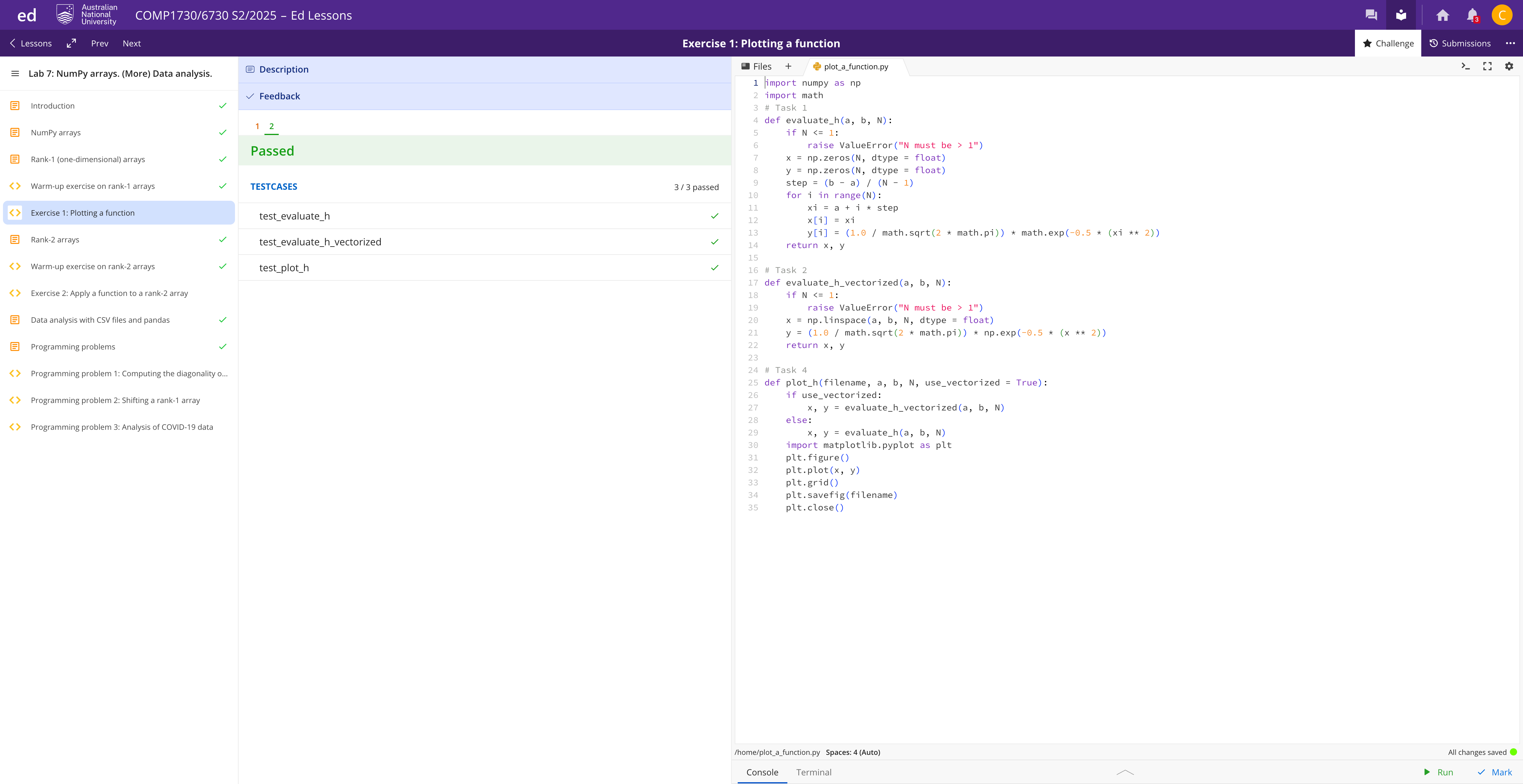
4. Rank-2 arrays
Rank-2 arrays can be thought of as tables of numbers (also known as "matrices" by mathematicians). They are indexed using two indices, one for the rows, and another one for the columns.
4.1 Warm-up exercise on rank-2 arrays
As with rank-1 arrays, there are many ways one can create a rank-2 array. Two possible ways are:
By converting a list of lists (a.k.a. nested list) into a rank-2 array:
>>> import numpy as np >>> A = np.array([[1.0, 2.0, 3.0], [4.0, 5.0, 6.0]]) >>> A >>> ...By providing the shape of the rank-2 array to the
zerosfunction:>>> A = np.zeros((2, 3)) >>> A >>> ...
Recall from the lecture that the shape of a rank-2 array is a tuple with the number of elements in each dimension. Here we have 2 rows and 3 columns.
Once created, the shape of an array can be queried like this:
>>> A.shape
>>> ...A word of caution in regards to shapes. The shape of a rank-1 array with n elements is the tuple (n,). On the other hand, rank-2 arrays might have only one element in some (or all) the dimensions. Even in this case, they are still rank-2 arrays. Execute the following instructions to double check this:
>>> import numpy as np
>>> x=np.zeros((3,))
>>> x.shape
...
>>> y=np.zeros((3,1))
>>> y.shape
>>> ...
>>> z=np.zeros((1,3))
>>> z.shape
>>> ...
>>> t=np.zeros((1,1))
>>> t.shape
>>> ...Once created, the individual entries of a rank-2 array can be accessed using A[i][j] or A[i,j], where i and j denote the row and column identifiers of the corresponding entry of A. One can also use slicing in the column dimension (e.g., A[i,:] returns the row i of A as a rank-1 array), in the row dimension (e.g., A[:,j] returns the column j of A as a rank-1 array), or both dimensions (e.g., A[0:2,1:3] returns a rank-2 array with the entries in [rows 0 or 1] and [columns 1 or 2]).
An important difference among lists and arrays is that array slices create a "view" of the original array, instead of a shallow copy (as we showed in the lectures). This means that if you modify an array view, you will be actually modifying the original array the view was created from. Execute the following Python statements and expressions, and convince yourself that this is the case:
>>> import numpy as np
>>> A = np.array([[1.0, 2.0, 3.0], [4.0, 5.0, 6.0]])
>>> A
>>> ...
>>> A[0,:]=np.array([12.3,44.5,22.3])
>>> A
>>> ...
>>> A[:,1]=A[:,2]
>>> A
>>> ...
>>> A[1,:]=A[0,:]
>>> A
>>> ...4.2 Exercise 2: Apply a function to a rank-2 array
Task 1. Write a function, evaluate_function(function, A) that given a function function, and a rank-2 array A, applies the function to each entry of A, element by element, and stores the result in another array B of the same shape as A. The function returns the array B. The function MUST use a nested loop to access the individual entries of A and B.
Task 2. Write a vectorised version of the previous function, evaluate_function_vectorized(function, A) that applies function to A to generate the array B without using any loop.
Task 3. Write code to check that the result of the two functions (e.g., non-vectorised versus vectorised) is the same as the following two-dimensional array:
注意
Please note that Task 3 will NOT be auto-tested, so please contact your tutor if you struggle while trying to solve this task.
import numpy as np
def evaluate_function(function, A):
pass
def evaluate_function_vectorized(function, A):
pass# ===== 4. Rank-2 arrays =====
def evaluate_function(function, A):
A = np.asarray(A)
m, n = A.shape
B = np.zeros_like(A, dtype=float)
for i in range(m):
for j in range(n):
B[i, j] = function(A[i, j])
return B
def evaluate_function_vectorized(function, A):
A = np.asarray(A)
return function(A)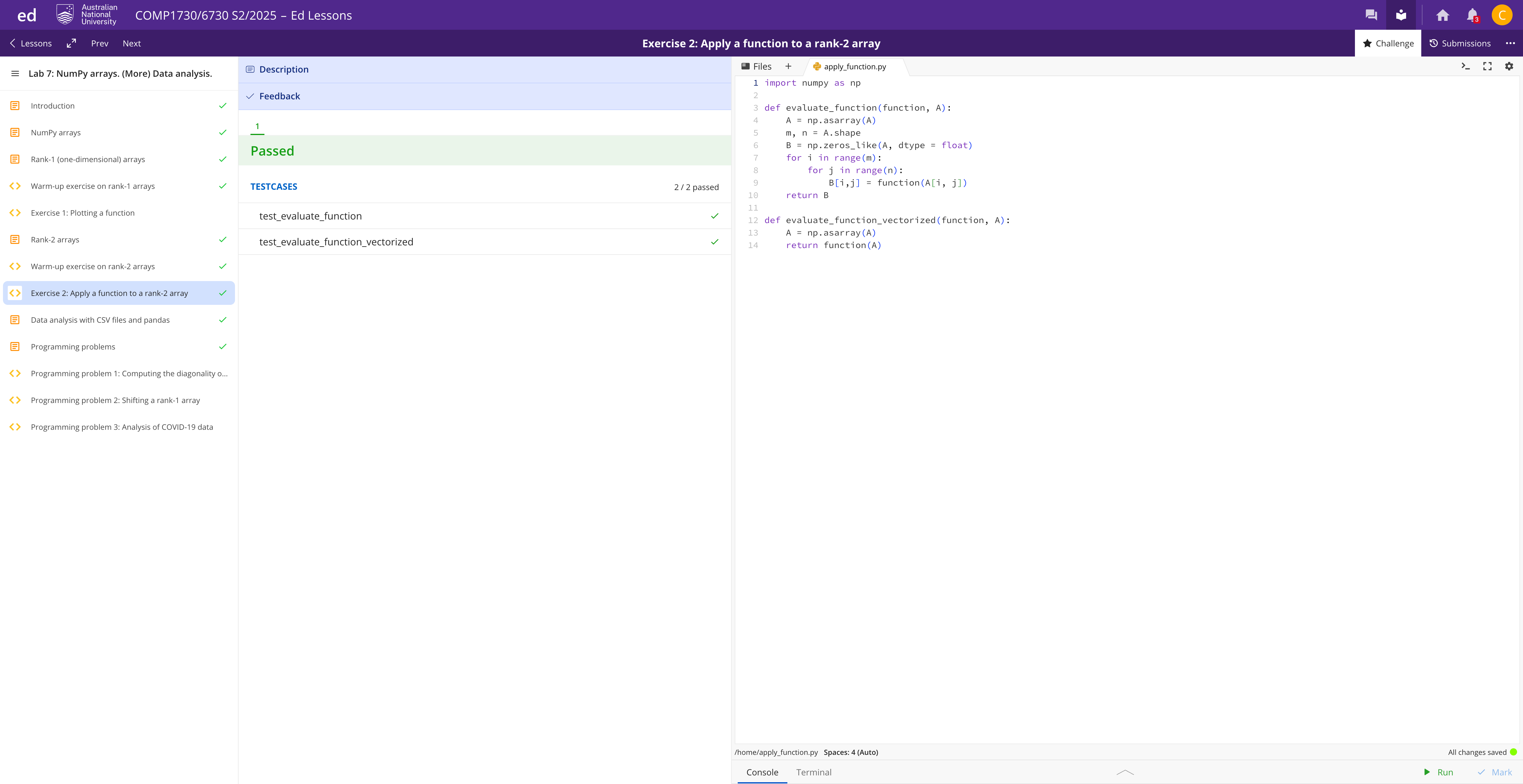
5. Data analysis with CSV files and pandas
As we saw in week 6 lecture, data analysis problems will typically require you to:
- read data from one or more files;
- organise the data into a table; and
- process the elements in the table while dealing with entries in the table where some data might be missing.
As we covered in Lecture 7, the pandas library provides a set of convenient tools to implement these tasks.
For example, reading a CSV file into a so-called pandas DataFrame is as simple as:
import pandas as pd
covid_data = pd.read_csv("03-25-2022.csv")Once you have imported the CSV file into a DataFrame, you can do many different operations with it.
See Lecture 7 slides and accompanying code examples for more details.
6. Programming problems
In the rest of the lab, you will have to solve three more advanced programming problems. We don't expect everyone to finish all these problems during the lab time. If you do not have time to finish them in the lab, you should continue working on them later.
6.1 Programming problem 1: Computing the diagonality of a matrix
A diagonal matrix is a square table of numbers such that only elements on the diagonal are non-zero. Square means that it has the same number of rows as columns. If we call this matrix M, then the elements on the diagonal are those where row index equals column index, that is, M[i,i].
This property can be generalised to the concept of diagonality.A matrix M has diagonality if M[i,j] != 0 only in positions such that the absolute difference between and is strictly less than , i.e.,
In other words, is equivalent to the maximum among all nonzero elements plus one.
To-think: According to this general definition of diagonality, what would be the diagonality of a diagonal matrix?
For example, this matrix has diagonality (Think why!): [ \begin{bmatrix} 1 & 2 & 3 & 0 & 0 & 0 & 0 & 0 & 0 & 0 \ 4 & 5 & 6 & 0 & 0 & 0 & 0 & 0 & 0 & 0 \ 7 & 8 & 9 & 0 & 0 & 0 & 0 & 0 & 0 & 0 \ 0 & 0 & 0 & 1 & 2 & 0 & 0 & 0 & 0 & 0 \ 0 & 0 & 0 & 3 & 4 & 0 & 0 & 0 & 0 & 0 \ 0 & 0 & 0 & 0 & 0 & 1 & 2 & 3 & 0 & 0 \ 0 & 0 & 0 & 0 & 0 & 4 & 5 & 6 & 0 & 0 \ 0 & 0 & 0 & 0 & 0 & 0 & 0 & 0 & 1 & 2 \ 0 & 0 & 0 & 0 & 0 & 0 & 0 & 0 & 3 & 4 \ 0 & 0 & 0 & 0 & 0 & 0 & 0 & 0 & 5 & 6 \ \end{bmatrix} ] Write a function diagonality(matrix) which takes as argument a matrix (represented as a rank-2 NumPy array) and returns the smallest dd such that matrix has diagonality .
相关信息
Hint: the diag numpy function may help you out our solving this problem. In any case, it can be solved without that function.
import numpy as np
def diagonality(matrix):
#TODO: implement this function
passdef diagonality(matrix):
M = np.asarray(matrix)
nz = np.argwhere(M != 0)
if nz.size == 0:
return 0
max_band = 0
for i, j in nz:
band = abs(int(i) - int(j))
if band > max_band:
max_band = band
return max_band + 1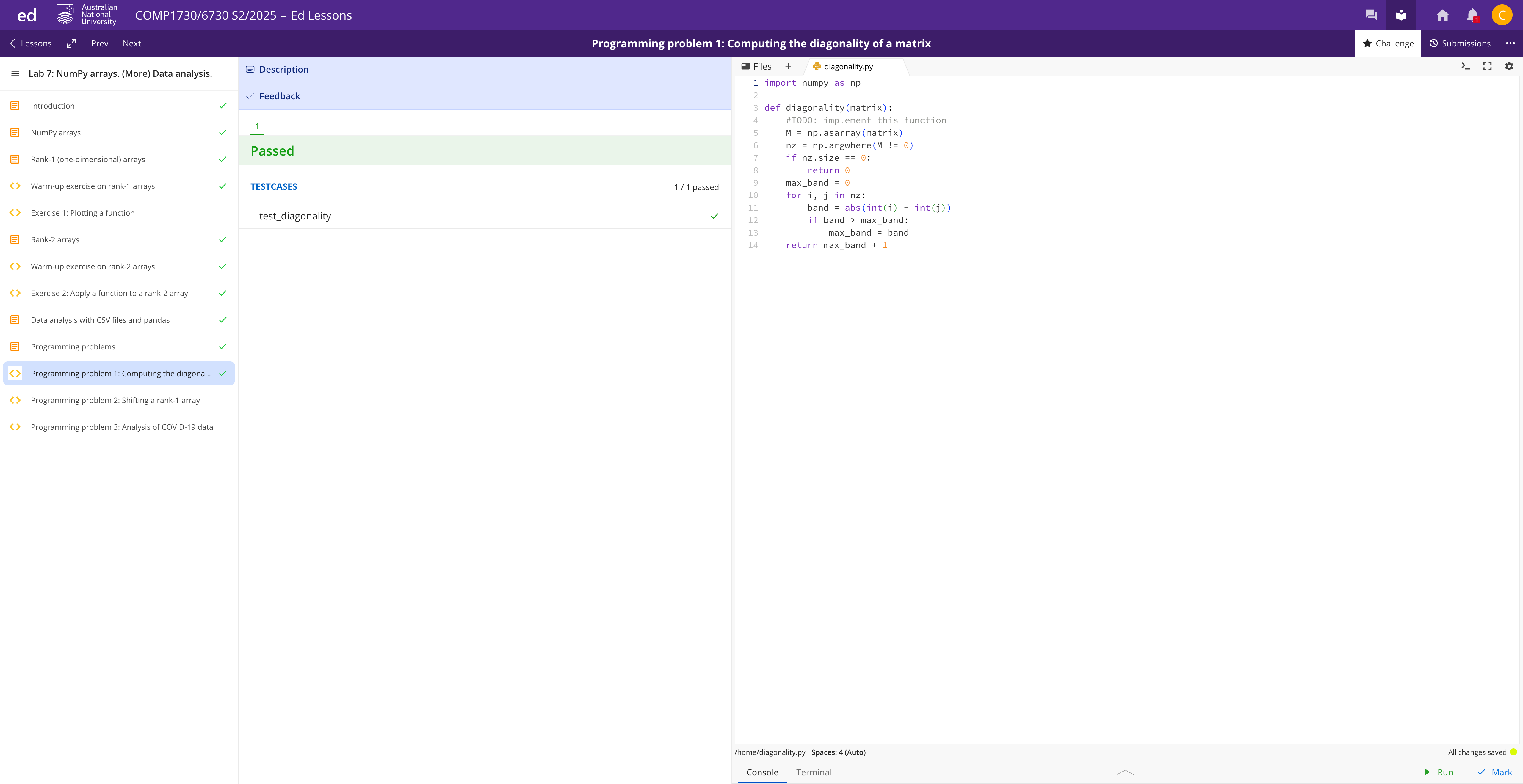
6.2 Programming problem 2: Shifting a rank-1 array
Write a function which takes as an argument a 1D NumPy array (vector) of length n and returns a square 2D NumPy array (matrix) with n rows and n columns defined as follows. Row 0 of the matrix is identical to the input vector. Row 1 is formed by shifting all elements of the vector one position to the right and move the last element into the first element. Row 2 is formed by applying this shift to Row 1. And so on until the last row.
For example, if the input vector is np.array([1,2,3]), then the output 2D array should be np.array([[1,2,3],[3,1,2],[2,3,1]]).
Requirements:
- You can assume that the input argument is a 1D NumPy array.
- You can assume that the elements of the array are numbers.
- Your function must return a 2D NumPy array.
import numpy as np
def cyclic_shifts_rightwards(vec):
pass# ===== 6.2 Cyclic shifts =====
import numpy as np
def cyclic_shifts_rightwards(vec):
v = np.asarray(vec)
if v.ndim != 1:
raise ValueError("Input must be a 1D NumPy array")
n = v.shape[0]
if n == 0:
# 返回 2D 空矩阵,形状 (0, 0),满足测试要求
return np.empty((0, 0), dtype=v.dtype)
return np.vstack([np.roll(v, k) for k in range(n)])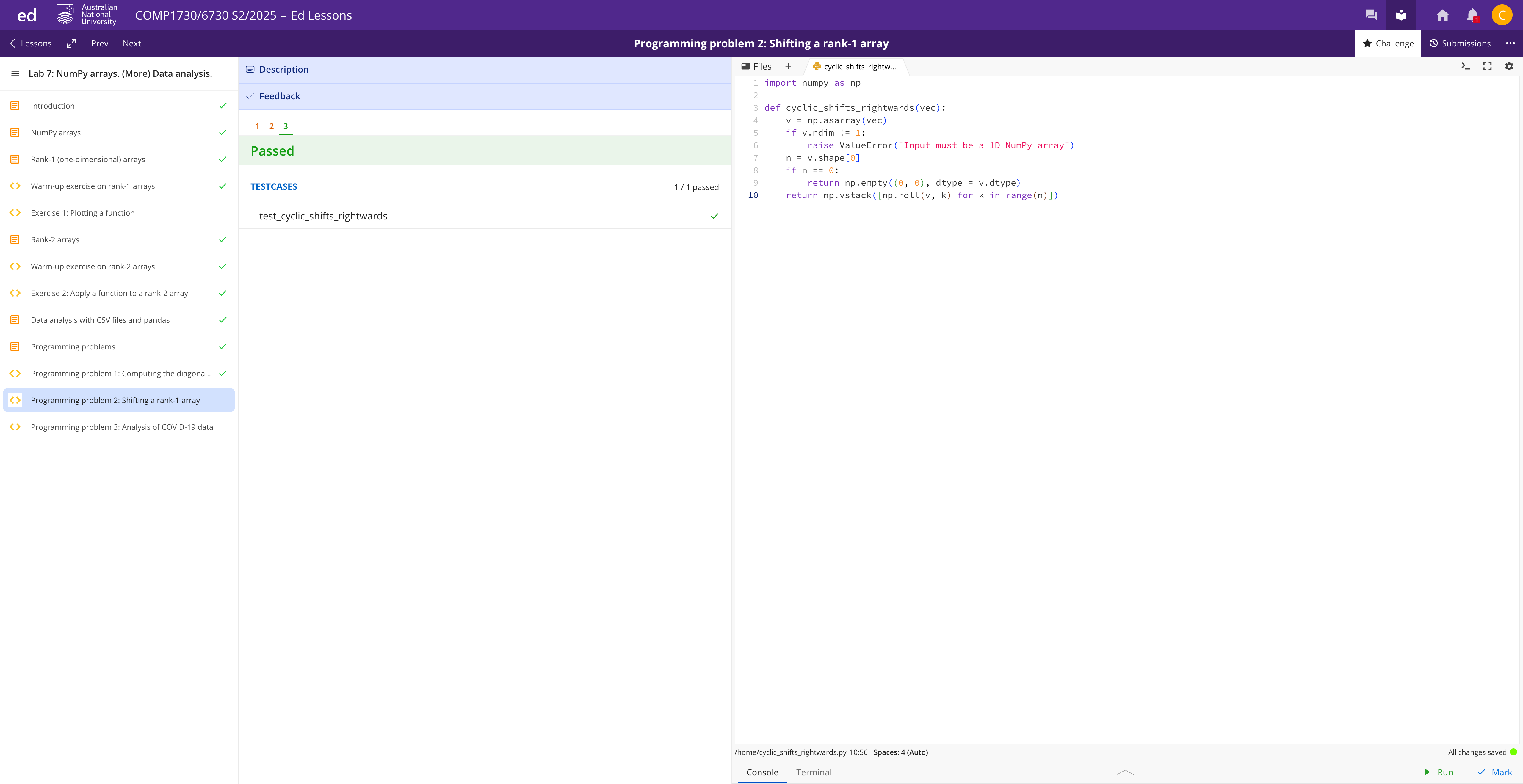
6.3 Programming problem 3: Analysis of COVID-19 data
This programming problem ask you to write code to analyze COVID-19 CSV data files. The basics on the format of these files and how to process them were covered during week 6 lecture. See also the section above on data analysis with CSV files for a quick recap. For completeness, below, after the task statements, you will see a detailed explanation on the format of the COVID-19 CSV data files. We provide three different CSV example files in order to help you test your code, although we might test the code with different data files.
You can solve the following tasks using list of lists (like in week 6 lecture) or using the Pandas library (week 7 lecture).
相关信息
You may download the csv files to get a better look at the format. Alternatively, you may type less 09-11-2020.csv into the terminal to explore the contents of the files there.
Task 1. Write a function, get_num_deaths_per_state_and_territory(csv_filename), that given the name of a COVID-19 CSV data file, returns two lists. The first list should be a list of integers containing the number of COVID-19 deaths per Australian state and territory in descending order, and the second list, a list of strings with the corresponding state and territory names.
相关信息
Hint: you can use the sorted Python built-in function to sort a list of tuples in descending order. To see why this might be helpful, try to understand how comparison operators (e.g., < or >) work with tuples composed of the number of deaths and the name of the state or territory corresponding to that number.
Task 2. Write a function, get_country_new_cases(countryname,csv_filename1,csv_filename2), that given the name of a country, and the name of two COVID-19 CSV data files, returns the number of new COVID-19 cases among the two dates corresponding to the files. You can safely assume (1) the first file to be associated to a previous date than the second; (2) there exist records for the country specified in both data files. On the other hand, the country's name may be specified by the user with arbitrary case, e.g., aUSTRAlia has to return the same number as Australia or AUSTRALIA.
6.3.1 COVID-19 CSV data files format
Each CSV file is named MM-DD-YYYY.csv, and contains the statistics up to that day for every country or region in the world with at least one recorded case. For many countries/regions, the statistics are broken down into states/provinces. For example, within Australia we have data for each state and territory (such as “Australian Capital Territory”, “Victoria”, etc). For the US, the data is even further broken down into Counties.
Each MM-DD-YYYY.csv file has a header line with names of the columns (see below). The following lines contain actual data. The meanings of the columns are:
FIPS: US only. Federal Information Processing Standards code that uniquely identifies counties within the USA. For other countries/regions, this column will be empty.Admin2: County name. US only. For other countries/regions, this column will be empty.Province_State: Province, state or dependency name for those countries/regions that we have breakdowns per state/province (e.g. Australia, China, Germany, etc.). For other countries without such a breakdown, this column will be empty.Country_Region: Country, region or sovereignty name. The names of locations correspond with the official designations used by the U.S. Department of State.Last_Update: Last time that the entry was updated, in the formatYYYY-MM-DD HH:mm:ss(24 hour format, in UTC).LatandLong_: Dot locations on the dashboard. All points (except for Australia) shown on the map are based on geographic centroids, and are not representative of a specific address, building or any location at a spatial scale finer than a province/state. Australian dots are located at the centroid of the largest city in each state.Confirmed: Total number of confirmed (positive) cases up to the corresponding day shown in the CSV file name.Deaths: Total number of deaths up to the corresponding day shown in the CSV file name.Recovered: Total recovered cases. However, this field is no longer updated due to the unreliability of the data source. Therefore, you can assume that this column will be empty for all lines in the CSV file. It is just still there for compatibility of older versions of the data.Active: Active cases = total cases - total recovered - total deaths. However, this field is no longer updated due to the unreliability of the data source. Therefore, you can assume that this column will be empty for all lines in the CSV file. It is just still there for compatibility of older versions of the data.Combined_key: combined name in the format"Province_State, Country_Region"(for US this will be"Admin2, Province_State, Country_Region"). For those countries without breakdowns,Combined_Keyis equal toCountry_Region.Combined_keywill be distinct for different lines of the file. That’s why it’s called a “key”.Incident_Rate: Total number of all cases to date per 100,000 people.Case_Fatality_Ratio: Number of deaths divided by number of cases in percentage. That means, this value is equal toDeaths/Confirmed* 100%.
As an example, let’s look at this one line in a file named 09-14-2021.csv:
,,Australian Capital Territory,Australia,2021-09-15 03:22:37,-35.4735,149.0124,665,3,,,"Australian Capital Territory, Australia",155.33753795842094,0.45112781954887216This means that until Sept 14th 2021, in the state Australian Capital Territory of the country Australia, there are a total of 665 COVID-19 cases from the beginning of the pandemic (column Confirmed), 3 among them are dead (column Deaths); on average there are 155.33 confirmed cases out of 100,000 people (column Incident_Rate); 0.45% of infected people are dead (column Case_Fatality_Ratio, which should be equal to Deaths divided by Confirmed * 100%). This record was updated on 2021-09-15 03:22:37, UTC time.
If you’re interested, you can find more data files to test your code on the GitHub repository of Johns Hopkins University.
def get_num_deaths_per_state_and_territory(csv_filename):
#TODO: implement this function
pass
def get_country_new_cases(country_name,csv_filename1,csv_filename2):
#TODO: implement this function
pass
if __name__ == "__main__":
deaths, state_names = get_num_deaths_per_state_and_territory("09-11-2020.csv")
print(deaths, state_names)
new_cases = get_country_new_cases("AuSTRaLiA","09-11-2020.csv","09-11-2021.csv")
print(new_cases)# ===== 6.3 COVID-19 =====
def _read_covid_csv(csv_filename):
df = pd.read_csv(csv_filename, dtype={"FIPS": str}, keep_default_na=False)
for col in ["Confirmed", "Deaths"]:
if col in df.columns:
df[col] = pd.to_numeric(df[col], errors="coerce").fillna(0).astype(int)
return df
def get_num_deaths_per_state_and_territory(csv_filename):
df = _read_covid_csv(csv_filename)
m_country = df["Country_Region"].str.lower() == "Australia".lower()
sub = df[m_country].copy()
grouped = (
sub.groupby("Province_State", dropna=False)["Deaths"]
.sum()
.reset_index()
)
grouped = grouped.sort_values(["Deaths", "Province_State"], ascending=[False, True])
deaths = grouped["Deaths"].astype(int).tolist()
state_names = grouped["Province_State"].astype(str).tolist()
return deaths, state_names
def get_country_new_cases(country_name, csv_filename1, csv_filename2):
def _country_confirmed_total(name, path):
df = _read_covid_csv(path)
mask = df["Country_Region"].str.lower() == name.lower()
return int(df.loc[mask, "Confirmed"].sum())
c1 = _country_confirmed_total(country_name, csv_filename1)
c2 = _country_confirmed_total(country_name, csv_filename2)
return int(c2 - c1)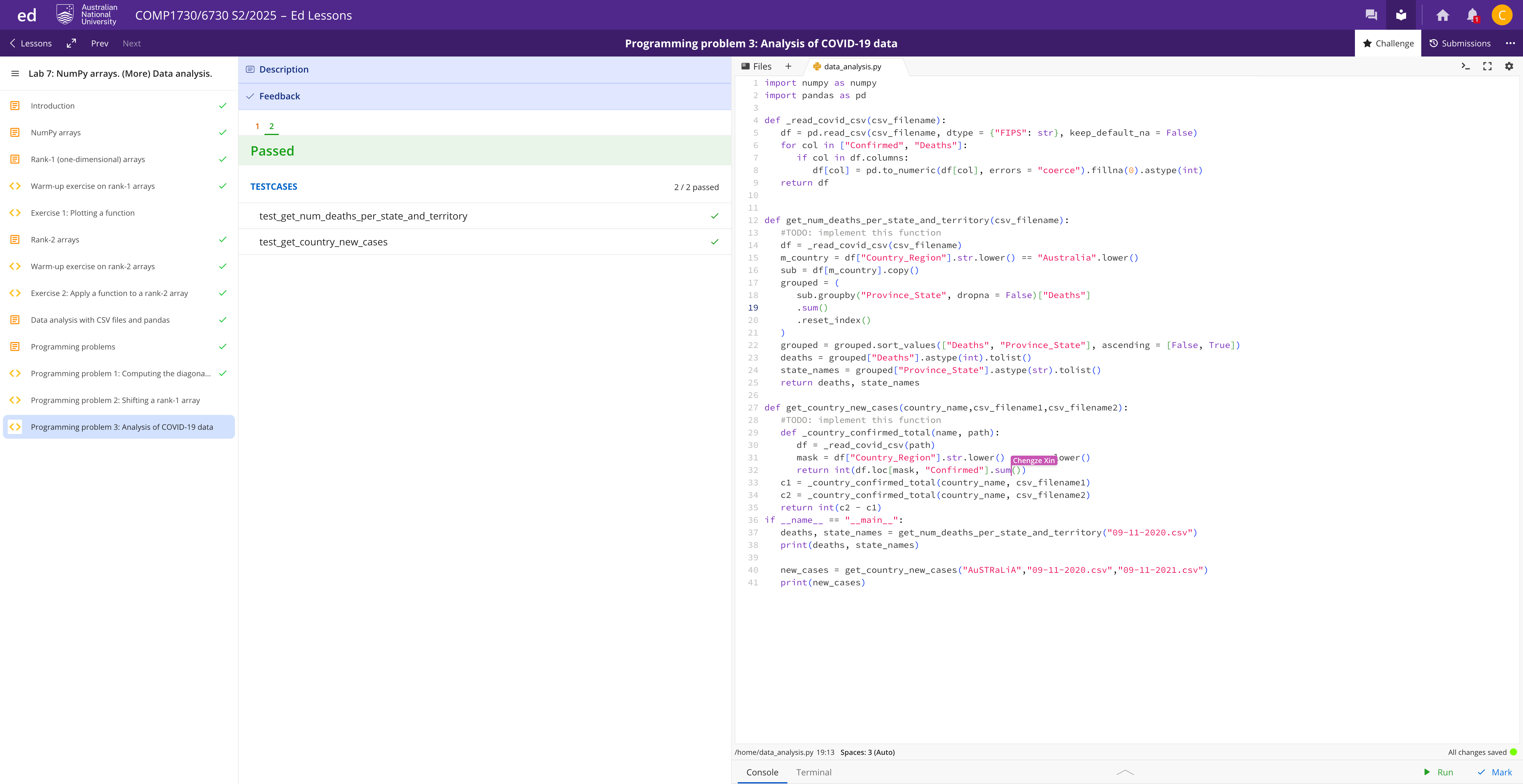
import numpy as np
import pandas as pd
import math
import matplotlib.pyplot as plt

# ===== 3. Rank-1 arrays =====
def evaluate_h(a, b, N):
    if N <= 1:
        raise ValueError("N must be > 1")
    x = np.zeros(N, dtype=float)
    y = np.zeros(N, dtype=float)
    step = (b - a) / (N - 1)
    for i in range(N):
        xi = a + i * step
        x[i] = xi
        y[i] = (1.0 / math.sqrt(2*math.pi)) * math.exp(-0.5 * (xi**2))
    return x, y

def evaluate_h_vectorized(a, b, N):
    if N <= 1:
        raise ValueError("N must be > 1")
    x = np.linspace(a, b, N, dtype=float)
    y = (1.0 / math.sqrt(2*math.pi)) * np.exp(-0.5 * (x**2))
    return x, y

def plot_h(filename, a, b, N, use_vectorized=True):
    if use_vectorized:
        x, y = evaluate_h_vectorized(a, b, N)
    else:
        x, y = evaluate_h(a, b, N)
    import matplotlib.pyplot as plt
    plt.figure()
    plt.plot(x, y)
    plt.grid()
    plt.savefig(filename)
    plt.close()
# ===== 4. Rank-2 arrays =====
def evaluate_function(function, A):
    A = np.asarray(A)
    m, n = A.shape
    B = np.zeros_like(A, dtype=float)
    for i in range(m):
        for j in range(n):
            B[i, j] = function(A[i, j])
    return B

def evaluate_function_vectorized(function, A):
    A = np.asarray(A)
    return function(A)
# ===== 6.1 Diagonality =====
def diagonality(matrix):
    M = np.asarray(matrix)
    nz = np.argwhere(M != 0)
    if nz.size == 0:
        return 0
    max_band = 0
    for i, j in nz:
        band = abs(int(i) - int(j))
        if band > max_band:
            max_band = band
    return max_band + 1
# ===== 6.2 Cyclic shifts =====
#
def cyclic_shifts_rightwards(vec):
v = np.asarray(vec)
if v.ndim != 1:
raise ValueError("Input must be a 1D NumPy array")
n = v.shape[0]
return np.vstack([np.roll(v, k) for k in range(n)])
import numpy as np
def cyclic_shifts_rightwards(vec):
v = np.asarray(vec)
if v.ndim != 1:
raise ValueError("Input must be a 1D NumPy array")
n = v.shape[0]
if n == 0:
# 返回 2D 空矩阵,形状 (0, 0),满足测试要求
return np.empty((0, 0), dtype=v.dtype)
return np.vstack([np.roll(v, k) for k in range(n)])
# ===== 6.3 COVID-19 =====
def _read_covid_csv(csv_filename):
    df = pd.read_csv(csv_filename, dtype={"FIPS": str}, keep_default_na=False)
    for col in ["Confirmed", "Deaths"]:
        if col in df.columns:
            df[col] = pd.to_numeric(df[col], errors="coerce").fillna(0).astype(int)
    return df

def get_num_deaths_per_state_and_territory(csv_filename):
    df = _read_covid_csv(csv_filename)
    m_country = df["Country_Region"].str.lower() == "Australia".lower()
    sub = df[m_country].copy()
    grouped = (
        sub.groupby("Province_State", dropna=False)["Deaths"]
        .sum()
        .reset_index()
    )
    grouped = grouped.sort_values(["Deaths", "Province_State"], ascending=[False, True])
    deaths = grouped["Deaths"].astype(int).tolist()
    state_names = grouped["Province_State"].astype(str).tolist()
    return deaths, state_names

def get_country_new_cases(country_name, csv_filename1, csv_filename2):
    def _country_confirmed_total(name, path):
        df = _read_covid_csv(path)
        mask = df["Country_Region"].str.lower() == name.lower()
        return int(df.loc[mask, "Confirmed"].sum())
    c1 = _country_confirmed_total(country_name, csv_filename1)
    c2 = _country_confirmed_total(country_name, csv_filename2)
return int(c2 - c1)怎么复现实验(最短路径):
复制上面的代码到你的 .py 或 Notebook。
运行以下测试片段:
# 3.2 绘图
plot_h("h_80_points.png", -4, 4, 80)

# 4.2 校验
A = np.array([[0.2,12.4,-1.0,5.78],[-1.34,-1.5,-1.5,0.1],[1.43,5.23,5.45,-2.23]])
assert np.allclose(evaluate_function(lambda u:u, A),
                   evaluate_function_vectorized(lambda u:u, A))

# 6.1 对角性
assert diagonality(np.diag([1,2,3,4])) == 1

# 6.2 环移
assert np.array_equal(cyclic_shifts_rightwards(np.array([1,2,3])),
                      np.array([[1,2,3],[3,1,2],[2,3,1]]))

# 6.3 COVID(用你的 CSV 路径)
deaths, states = get_num_deaths_per_state_and_territory("/mnt/data/09-11-2020.csv")
new_cases = get_country_new_cases("Australia", "/mnt/data/09-11-2020.csv", "/mnt/data/09-11-2021.csv")
公众号:AI悦创【二维码】

AI悦创·编程一对一
AI悦创·推出辅导班啦,包括「Python 语言辅导班、C++ 辅导班、java 辅导班、算法/数据结构辅导班、少儿编程、pygame 游戏开发、Web、Linux」,招收学员面向国内外,国外占 80%。全部都是一对一教学:一对一辅导 + 一对一答疑 + 布置作业 + 项目实践等。当然,还有线下线上摄影课程、Photoshop、Premiere 一对一教学、QQ、微信在线,随时响应!微信:Jiabcdefh
C++ 信息奥赛题解,长期更新!长期招收一对一中小学信息奥赛集训,莆田、厦门地区有机会线下上门,其他地区线上。微信:Jiabcdefh
方法一:QQ
方法二:微信:Jiabcdefh